parking brake Hyundai Azera 2017 Owner's Manual
[x] Cancel search | Manufacturer: HYUNDAI, Model Year: 2017, Model line: Azera, Model: Hyundai Azera 2017Pages: 520, PDF Size: 16.33 MB
Page 6 of 520
1
2
3
4
5
6
7
8I
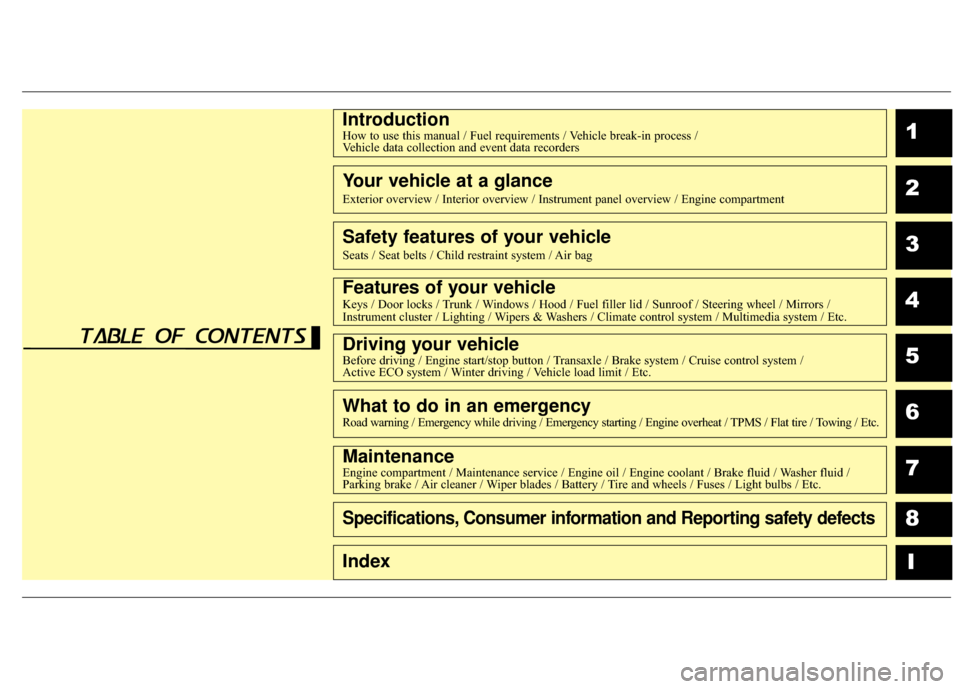
IntroductionHow to use this manual / Fuel requirements / Vehicle break-in process / Vehicle data collection and event data recorders
Your vehicle at a glance
Exterior overview / Interior overview / Instrument panel overview / Engi\
ne compartment
Safety features of your vehicle
Seats / Seat belts / Child restraint system / Air bag
Features of your vehicleKeys / Door locks / Trunk / Windows / Hood / Fuel filler lid / Sunroof / Steering wheel / Mirrors /
Instrument cluster / Lighting / Wipers & Washers / Climate control system / Multimedia system / Etc.
Driving your vehicleBefore driving / Engine start/stop button / Transaxle / Brake system / Cruise control system /
Active ECO system / Winter driving / Vehicle load limit / Etc.
What to do in an emergencyRoad warning / Emergency while driving / Emergency starting / Engine overheat / TPMS / Flat tire / Towing / Etc.
MaintenanceEngine compartment / Maintenance service / Engine oil / Engine coolant /\
Brake fluid / Washer fluid /
Parking brake / Air cleaner / Wiper blades / Battery / Tire and wheels / Fuses / Light bulbs / Etc.
Specifications, Consumer information and Reporting safety defects
Index
table of contents
Page 18 of 520
25
Your vehicle at a glance
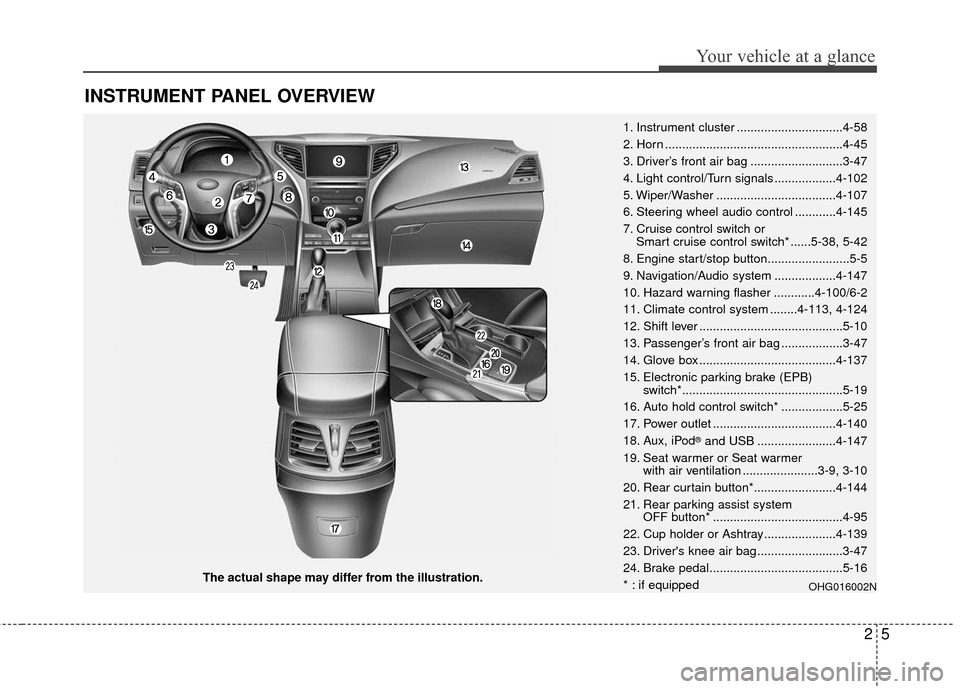
INSTRUMENT PANEL OVERVIEW
The actual shape may differ from the illustration.1. Instrument cluster ...............................4-58
2. Horn ....................................................4-45
3. Driver’s front air bag ...........................3-47
4. Light control/Turn signals ..................4-102
5. Wiper/Washer ...................................4-107
6. Steering wheel audio control ............4-145
7. Cruise control switch or
Smart cruise control switch* ......5-38, 5-42
8. Engine start/stop button........................5-5
9. Navigation/Audio system ..................4-147
10. Hazard warning flasher ............4-100/6-2
11. Climate control system ........4-113, 4-124
12. Shift lever ..........................................5-10
13. Passenger’s front air bag ..................3-47
14. Glove box ........................................4-137
15. Electronic parking brake (EPB) switch*...............................................5-19
16. Auto hold control switch* ..................5-25
17. Power outlet ....................................4-140
18. Aux, iPod
®and USB .......................4-147
19. Seat warmer or Seat warmer with air ventilation ......................3-9, 3-10
20. Rear curtain button*........................4-144
21. Rear parking assist system OFF button* ......................................4-95
22. Cup holder or Ashtray.....................4-139
23. Driver's knee air bag .........................3-47
24. Brake pedal.......................................5-16
* : if equipped
OHG016002N
Page 108 of 520
429
Features of your vehicle
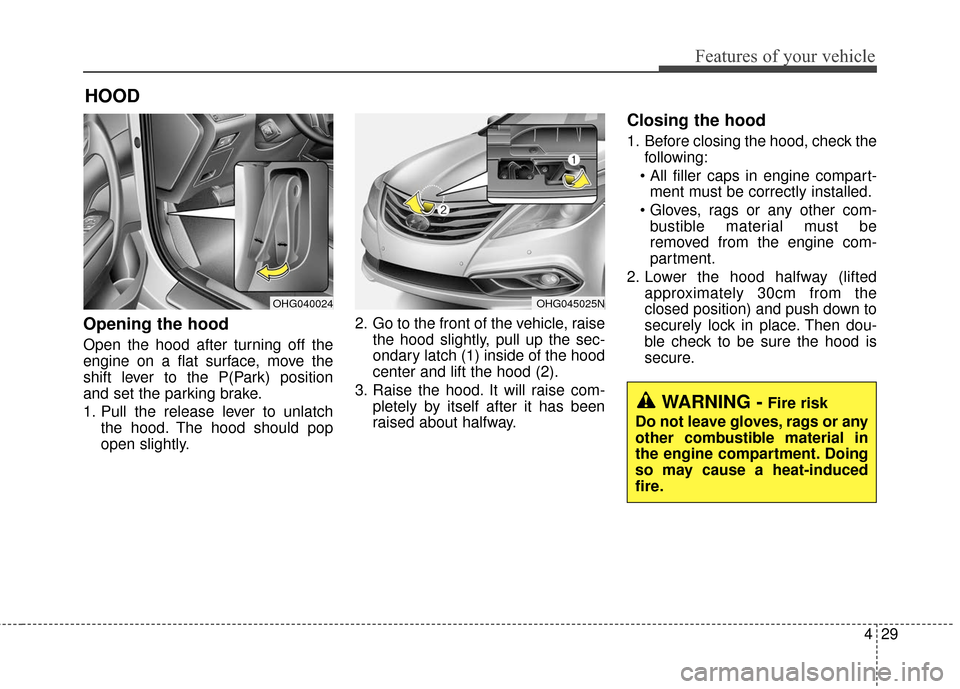
Opening the hood
Open the hood after turning off the
engine on a flat surface, move the
shift lever to the P(Park) position
and set the parking brake.
1. Pull the release lever to unlatchthe hood. The hood should pop
open slightly. 2. Go to the front of the vehicle, raise
the hood slightly, pull up the sec-
ondary latch (1) inside of the hood
center and lift the hood (2).
3. Raise the hood. It will raise com- pletely by itself after it has been
raised about halfway.
Closing the hood
1. Before closing the hood, check thefollowing:
ment must be correctly installed.
bustible material must be
removed from the engine com-
partment.
2. Lower the hood halfway (lifted approximately 30cm from the
closed position) and push down to
securely lock in place. Then dou-
ble check to be sure the hood is
secure.
HOOD
OHG040024OHG045025N
WARNING -Fire risk
Do not leave gloves, rags or any
other combustible material in
the engine compartment. Doing
so may cause a heat-induced
fire.
Page 143 of 520
Features of your vehicle
64
4
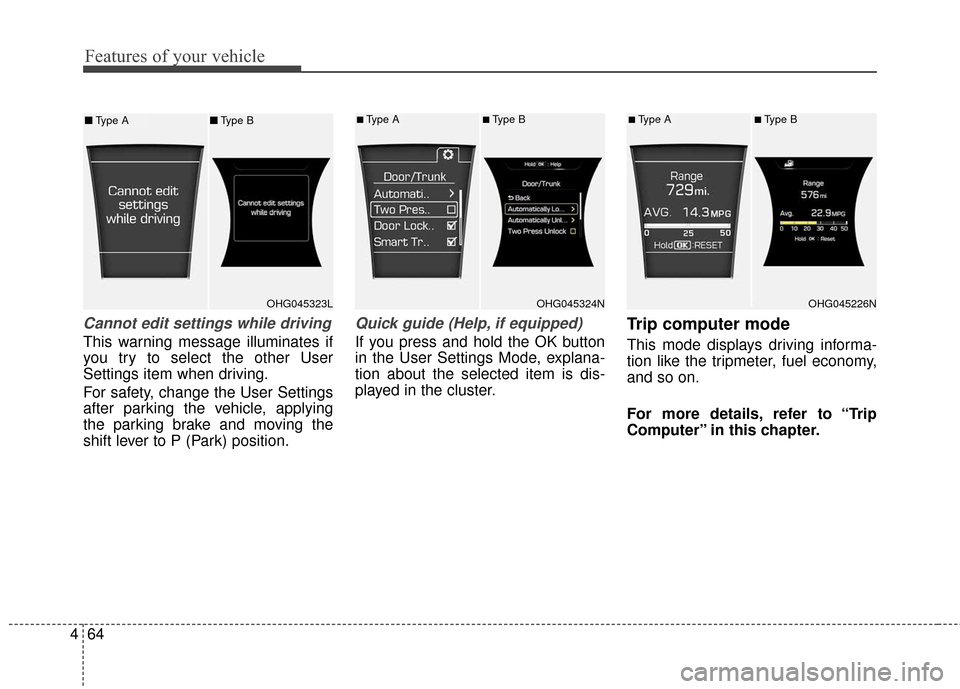
Cannot edit settings while driving
This warning message illuminates if
you try to select the other User
Settings item when driving.
For safety, change the User Settings
after parking the vehicle, applying
the parking brake and moving the
shift lever to P (Park) position.
Quick guide (Help, if equipped)
If you press and hold the OK button
in the User Settings Mode, explana-
tion about the selected item is dis-
played in the cluster.
Trip computer mode
This mode displays driving informa-
tion like the tripmeter, fuel economy,
and so on.
For more details, refer to “Trip
Computer” in this chapter.
OHG045323LOHG045324N
■Type A■Type B
OHG045226N
■Type A■Type B■ Type A ■Type B
Page 159 of 520
Features of your vehicle
80
4
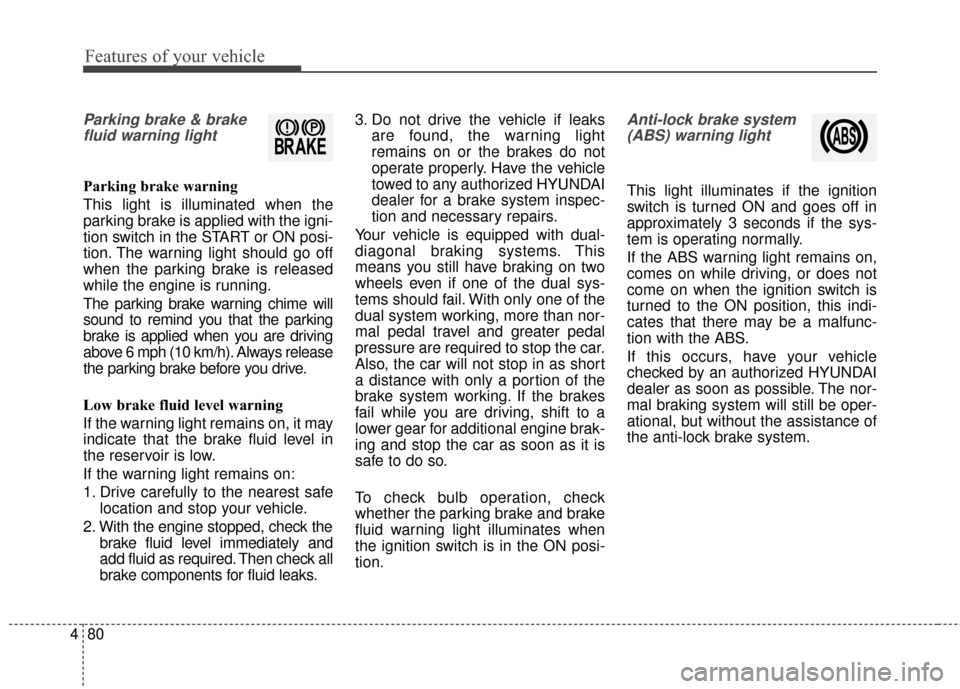
Parking brake & brake
fluid warning light
Parking brake warning
This light is illuminated when the
parking brake is applied with the igni-
tion switch in the START or ON posi-
tion. The warning light should go off
when the parking brake is released
while the engine is running.
The parking brake warning chime will
sound to remind you that the parking
brake is applied when you are driving
above 6 mph (10 km/h). Always release
the parking brake before you drive.
Low brake fluid level warning
If the warning light remains on, it may
indicate that the brake fluid level in
the reservoir is low.
If the warning light remains on:
1. Drive carefully to the nearest safe location and stop your vehicle.
2. With the engine stopped, check the brake fluid level immediately and
add fluid as required. Then check all
brake components for fluid leaks. 3. Do not drive the vehicle if leaks
are found, the warning light
remains on or the brakes do not
operate properly. Have the vehicle
towed to any authorized HYUNDAI
dealer for a brake system inspec-
tion and necessary repairs.
Your vehicle is equipped with dual-
diagonal braking systems. This
means you still have braking on two
wheels even if one of the dual sys-
tems should fail. With only one of the
dual system working, more than nor-
mal pedal travel and greater pedal
pressure are required to stop the car.
Also, the car will not stop in as short
a distance with only a portion of the
brake system working. If the brakes
fail while you are driving, shift to a
lower gear for additional engine brak-
ing and stop the car as soon as it is
safe to do so.
To check bulb operation, check
whether the parking brake and brake
fluid warning light illuminates when
the ignition switch is in the ON posi-
tion.
Anti-lock brake system (ABS) warning light
This light illuminates if the ignition
switch is turned ON and goes off in
approximately 3 seconds if the sys-
tem is operating normally.
If the ABS warning light remains on,
comes on while driving, or does not
come on when the ignition switch is
turned to the ON position, this indi-
cates that there may be a malfunc-
tion with the ABS.
If this occurs, have your vehicle
checked by an authorized HYUNDAI
dealer as soon as possible. The nor-
mal braking system will still be oper-
ational, but without the assistance of
the anti-lock brake system.
Page 162 of 520
483
Features of your vehicle
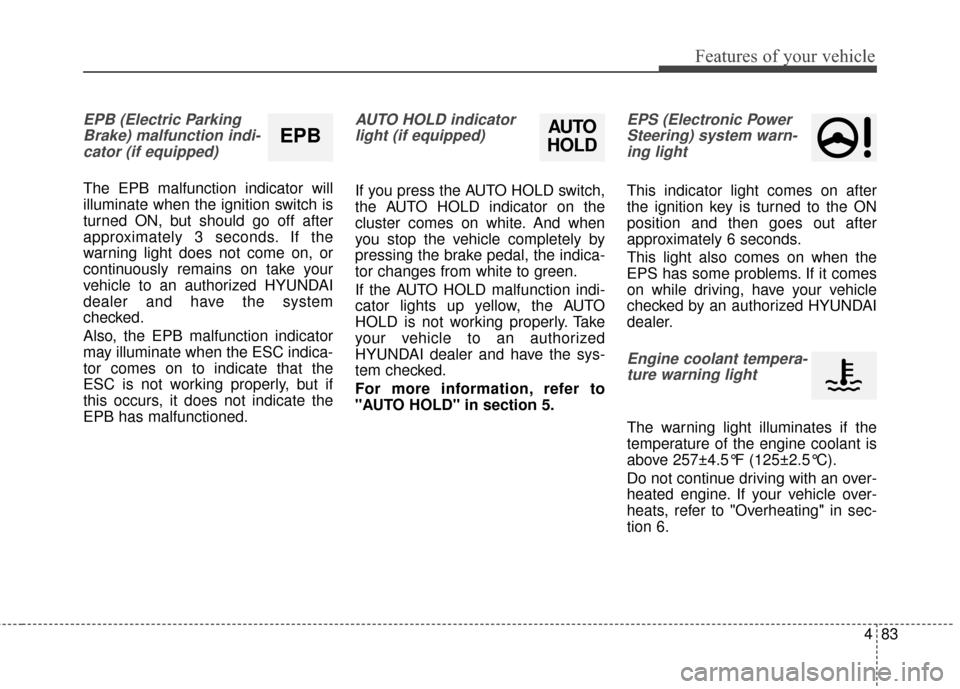
EPB (Electric ParkingBrake) malfunction indi-cator (if equipped)
The EPB malfunction indicator will
illuminate when the ignition switch is
turned ON, but should go off after
approximately 3 seconds. If the
warning light does not come on, or
continuously remains on take your
vehicle to an authorized HYUNDAI
dealer and have the system
checked.
Also, the EPB malfunction indicator
may illuminate when the ESC indica-
tor comes on to indicate that the
ESC is not working properly, but if
this occurs, it does not indicate the
EPB has malfunctioned.
AUTO HOLD indicatorlight (if equipped)
If you press the AUTO HOLD switch,
the AUTO HOLD indicator on the
cluster comes on white. And when
you stop the vehicle completely by
pressing the brake pedal, the indica-
tor changes from white to green.
If the AUTO HOLD malfunction indi-
cator lights up yellow, the AUTO
HOLD is not working properly. Take
your vehicle to an authorized
HYUNDAI dealer and have the sys-
tem checked.
For more information, refer to
"AUTO HOLD" in section 5.
EPS (Electronic PowerSteering) system warn-ing light
This indicator light comes on after
the ignition key is turned to the ON
position and then goes out after
approximately 6 seconds.
This light also comes on when the
EPS has some problems. If it comes
on while driving, have your vehicle
checked by an authorized HYUNDAI
dealer.
Engine coolant tempera-ture warning light
The warning light illuminates if the
temperature of the engine coolant is
above 257±4.5°F (125±2.5°C).
Do not continue driving with an over-
heated engine. If your vehicle over-
heats, refer to "Overheating" in sec-
tion 6.
EPBAUTO
HOLD
Page 176 of 520
497
Features of your vehicle
Non-operational conditions of
rear parking assist system
The rear parking assist system
may not operate properly when:
1. Moisture is frozen to the sensor. (Itwill operate normally when the
moisture has been cleared.)
2. The sensor is covered with foreign matter, such as snow or water, or
the sensor cover is blocked. (It will
operate normally when the materi-
al is removed or the sensor is no
longer blocked.)
3. Driving on uneven road surfaces (unpaved roads, gravel, bumps,
gradient).
4. Objects generating excessive noise (vehicle horns, loud motor-
cycle engines, or truck air brakes)
are within range of the sensor.
5. Heavy rain or water spray exists.
6. Wireless transmitters or mobile phones are within range of the
sensor.
7. The sensor is covered with snow.
8. Trailer towing The detecting range may decrease
when:
1. The sensor is stained with foreign
matter such as snow or water.
(The sensing range will return to
normal when removed.)
2. Outside air temperature is extremely hot or cold.
The following objects may not be
recognized by the sensor:
1. Sharp or slim objects such as ropes, chains or small poles.
2. Objects which tend to absorb the sensor frequency such as clothes,
spongy material or snow.
3. Undetectable objects smaller than 40 in. (1 m) in height and narrower
than 6 in. (14 cm) in diameter.
Rear parking assist system
precautions
The rear parking assist system maynot sound sequentially depending
on the speed and shapes of the
objects detected.
The rear parking assist system may malfunction if the vehicle bumper
height or sensor installation has
been modified or damaged. Any
non-factory installed equipment or
accessories may also interfere with
the sensor performance.
The sensor may not recognize objects less than 9.84 in. (25 cm)
from the sensor, or it may sense an
incorrect distance. Use caution.
When the sensor is frozen or stained with snow, dirt, or water,
the sensor may be inoperative until
the stains are removed using a soft
cloth.
Do not push, scratch or strike the sensor. Sensor damage could
occur.
Page 180 of 520
4101
Features of your vehicle
Headlight (Headlamp) escort
function
If you turn the ignition switch to the
ACC or OFF position with the head-
lights ON, the headlights (and/or
parking light) remain on for about 5
minutes. However, if the driver’s door
is opened and closed, the headlights
(and/or parking light) turn off after 15
seconds.
The headlights (and/or parking light)
can be turned off by pressing the
lock button on the smart key twice or
turning the light switch to the OFF or
Parking light position.
You can activate or deactivate this
feature. Refer to “User Settings
Mode” in this section.
Headlight (Headlamp) welcome
function
When the headlight is in the ON or
AUTO position and all doors (and
trunk) are closed and locked, if you
press the door unlock button on the
smart key, the headlights (and/or
parking light) will come on for about
15 seconds. At this time, if you press
the door lock or unlock button, the
headlights (and/or parking light) will
turn off immediately.
You can activate or deactivate this
feature. Refer to “User Settings
Mode” in this section.
Daytime running light
Daytime Running Lights (DRL) can
make it easier for others to see the
front of your vehicle during the day.
DRL can be helpful in many different
driving conditions, and it is especially
helpful after dawn and before sunset.
The DRL system turns ON when:1. The light switch is in the AUTO light position.
2. The light switch is in the Parking light position.
The DRL system turns OFF when: 1. The multifunction switch is in the DRL OFF position.
2. The headlights are ON.
3. The turn signal is ON. (the blink- ing side of the DRL will turn off)
4. The hazard warning light is ON.
5. The parking brake is applied.
6. Engine stops.
Page 307 of 520
53
Driving your vehicle
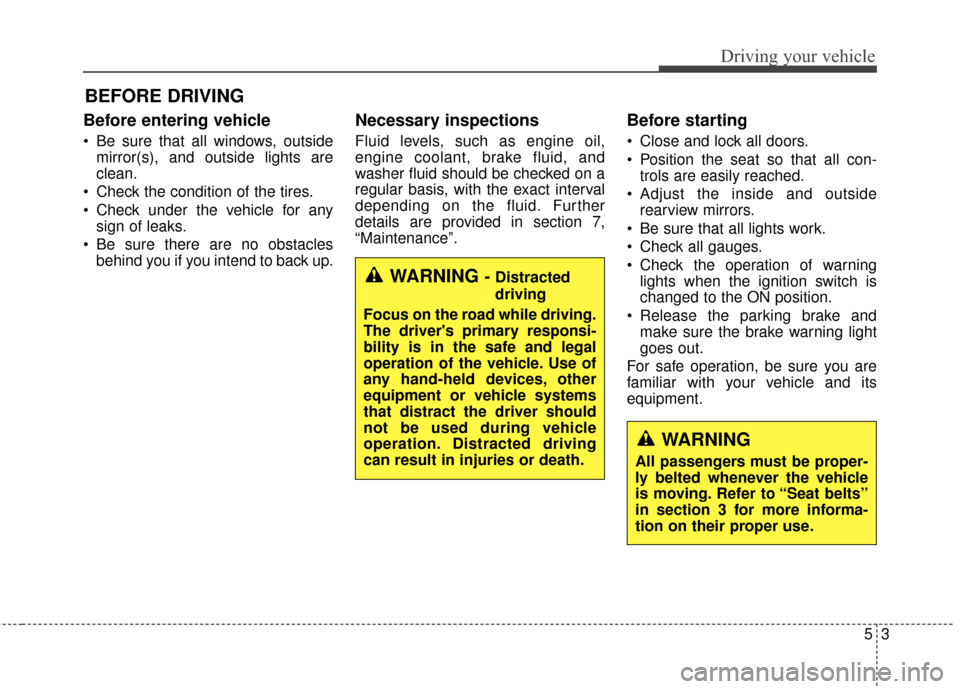
Before entering vehicle
• Be sure that all windows, outsidemirror(s), and outside lights are
clean.
Check the condition of the tires.
Check under the vehicle for any sign of leaks.
Be sure there are no obstacles behind you if you intend to back up.
Necessary inspections
Fluid levels, such as engine oil,
engine coolant, brake fluid, and
washer fluid should be checked on a
regular basis, with the exact interval
depending on the fluid. Further
details are provided in section 7,
“Maintenance”.
Before starting
Close and lock all doors.
Position the seat so that all con-trols are easily reached.
Adjust the inside and outside rearview mirrors.
Be sure that all lights work.
Check all gauges.
Check the operation of warning lights when the ignition switch is
changed to the ON position.
Release the parking brake and make sure the brake warning light
goes out.
For safe operation, be sure you are
familiar with your vehicle and its
equipment.
BEFORE DRIVING
WARNING - Distracted
driving
Focus on the road while driving.
The driver's primary responsi-
bility is in the safe and legal
operation of the vehicle. Use of
any hand-held devices, other
equipment or vehicle systems
that distract the driver should
not be used during vehicle
operation. Distracted driving
can result in injuries or death.
WARNING
All passengers must be proper-
ly belted whenever the vehicle
is moving. Refer to “Seat belts”
in section 3 for more informa-
tion on their proper use.
Page 311 of 520
57
Driving your vehicle
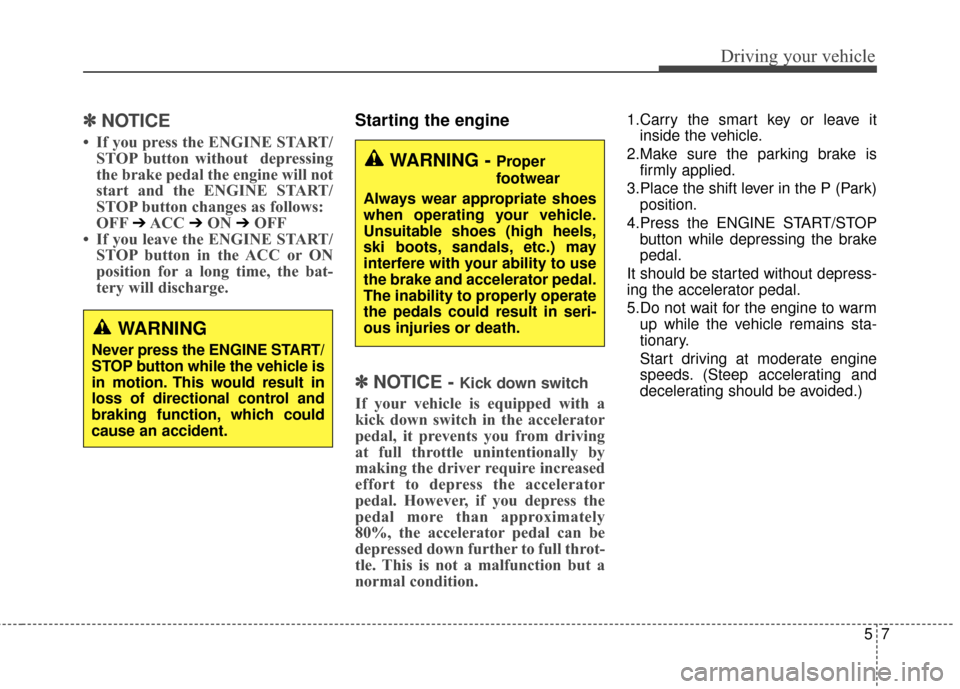
✽
✽
NOTICE
• If you press the ENGINE START/
STOP button without depressing
the brake pedal the engine will not
start and the ENGINE START/
STOP button changes as follows:
OFF
➔ACC ➔ON ➔OFF
• If you leave the ENGINE START/ STOP button in the ACC or ON
position for a long time, the bat-
tery will discharge.
Starting the engine
✽ ✽
NOTICE - Kick down switch
If your vehicle is equipped with a
kick down switch in the accelerator
pedal, it prevents you from driving
at full throttle unintentionally by
making the driver require increased
effort to depress the accelerator
pedal. However, if you depress the
pedal more than approximately
80%, the accelerator pedal can be
depressed down further to full throt-
tle. This is not a malfunction but a
normal condition.
1.Carry the smart key or leave it
inside the vehicle.
2.Make sure the parking brake is firmly applied.
3.Place the shift lever in the P (Park) position.
4.Press the ENGINE START/STOP button while depressing the brake
pedal.
It should be started without depress-
ing the accelerator pedal.
5.Do not wait for the engine to warm up while the vehicle remains sta-
tionary.
Start driving at moderate engine
speeds. (Steep accelerating and
decelerating should be avoided.)
WARNING
Never press the ENGINE START/
STOP button while the vehicle is
in motion. This would result in
loss of directional control and
braking function, which could
cause an accident.
WARNING - Proper
footwear
Always wear appropriate shoes
when operating your vehicle.
Unsuitable shoes (high heels,
ski boots, sandals, etc.) may
interfere with your ability to use
the brake and accelerator pedal.
The inability to properly operate
the pedals could result in seri-
ous injuries or death.