display Hyundai Coupe 2004 Owner's Guide
[x] Cancel search | Manufacturer: HYUNDAI, Model Year: 2004, Model line: Coupe, Model: Hyundai Coupe 2004Pages: 389, PDF Size: 10.22 MB
Page 228 of 389
1CONTROLS AND EQUIPMENT
48
NOTE:
o When the distance to empty is
less than 50 km, the symbol will always come on and the distanceto empty digits will indicate "--- " with flash until more fuel is added.
o The distance to empty can differ from the actual tripmeter ac-cording to driving conditions.
o The distance to empty can vary according to the driving condi-tions, driving pattern or vehiclespeed. 2. AVERAGE SPEED
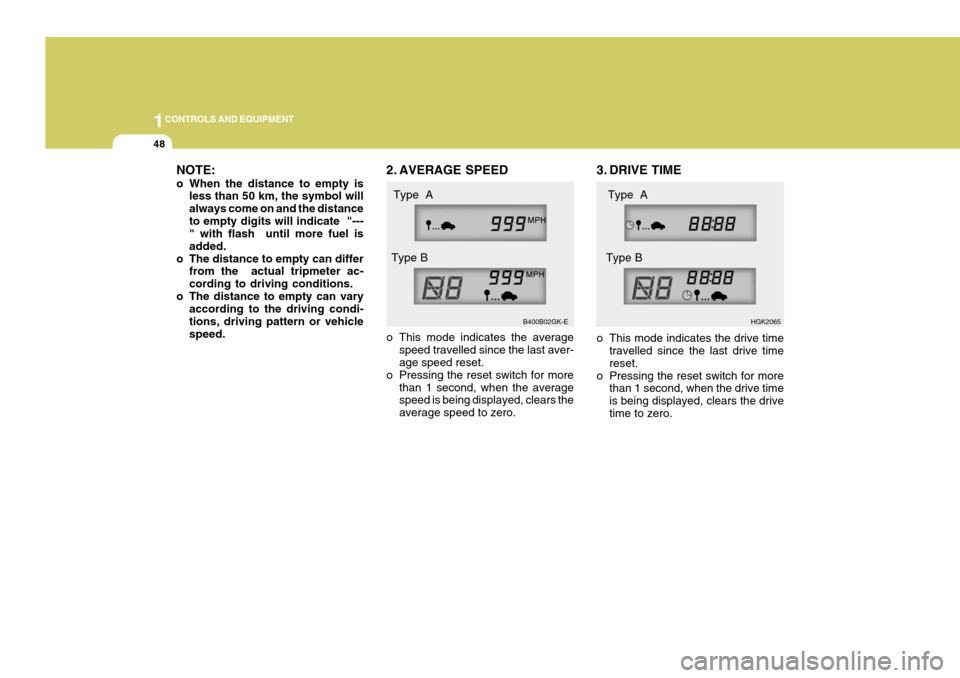
o This mode indicates the average
speed travelled since the last aver- age speed reset.
o Pressing the reset switch for more than 1 second, when the averagespeed is being displayed, clears the average speed to zero. 3. DRIVE TIME
o This mode indicates the drive time
travelled since the last drive time reset.
o Pressing the reset switch for more than 1 second, when the drive timeis being displayed, clears the drivetime to zero.
B400B02GK-E
HGK2065
Type A
Type B Type A
Type B
Page 264 of 389
1FEATURES OF YOUR HYUNDAI
84AUTOMATIC HEATING AND COOLING CONTROL SYSTEM
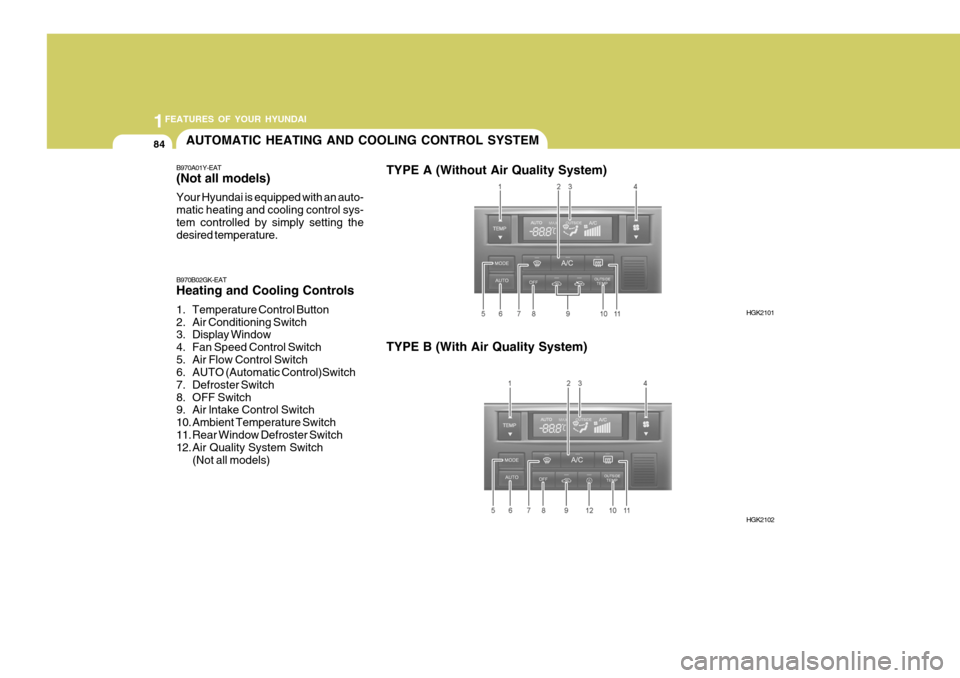
B970A01Y-EAT (Not all models) Your Hyundai is equipped with an auto- matic heating and cooling control sys-tem controlled by simply setting the desired temperature. TYPE A (Without Air Quality System)
B970B02GK-EAT Heating and Cooling Controls
1. Temperature Control Button
2. Air Conditioning Switch
3. Display Window
4. Fan Speed Control Switch
5. Air Flow Control Switch
6. AUTO (Automatic Control)Switch
7. Defroster Switch
8. OFF Switch
9. Air lntake Control Switch
10. Ambient Temperature Switch
11. Rear Window Defroster Switch
12. Air Quality System Switch (Not all models) TYPE B (With Air Quality System)
HGK2101
HGK2102
Page 265 of 389
1
FEATURES OF YOUR HYUNDAI
85
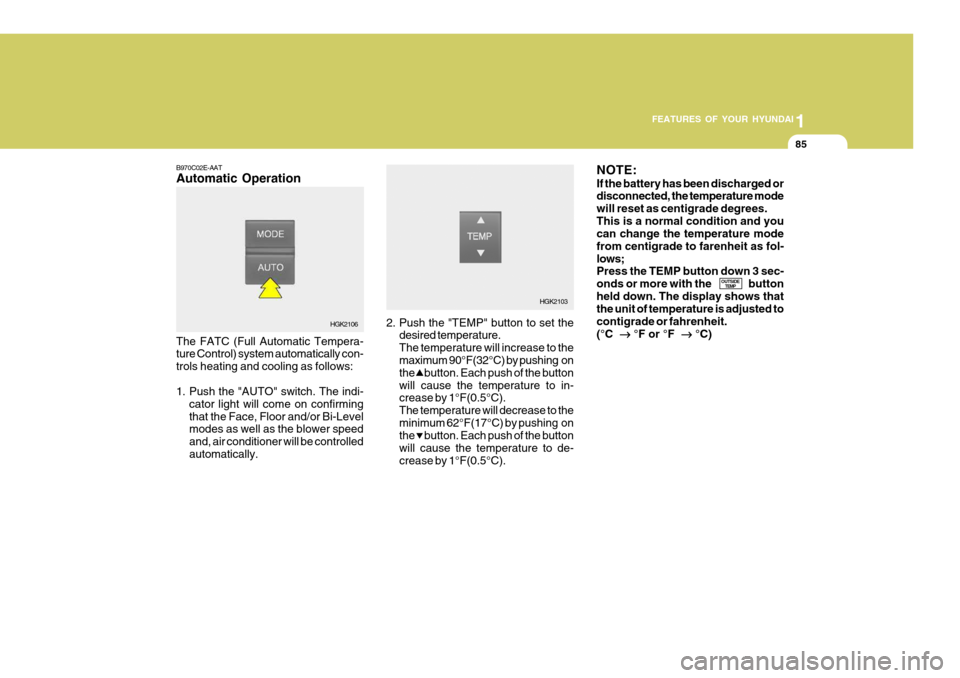
B970C02E-AAT Automatic Operation The FATC (Full Automatic Tempera- ture Control) system automatically con- trols heating and cooling as follows:
1. Push the "AUTO" switch. The indi-
cator light will come on confirming that the Face, Floor and/or Bi-Level modes as well as the blower speed and, air conditioner will be controlledautomatically. 2. Push the "TEMP" button to set the
desired temperature.The temperature will increase to the maximum 90°F(32°C) by pushing on the button. Each push of the buttonwill cause the temperature to in- crease by 1°F(0.5°C). The temperature will decrease to theminimum 62°F(17°C) by pushing on the button. Each push of the button will cause the temperature to de-crease by 1°F(0.5°C).NOTE: If the battery has been discharged or disconnected, the temperature mode will reset as centigrade degrees.This is a normal condition and you can change the temperature mode from centigrade to farenheit as fol-lows; Press the TEMP button down 3 sec- onds or more with the buttonheld down. The display shows that the unit of temperature is adjusted to contigrade or fahrenheit.(°C
°F or °F
°C)
OUTSIDE
TEMP
HGK2106 HGK2103
Page 266 of 389
1FEATURES OF YOUR HYUNDAI
86
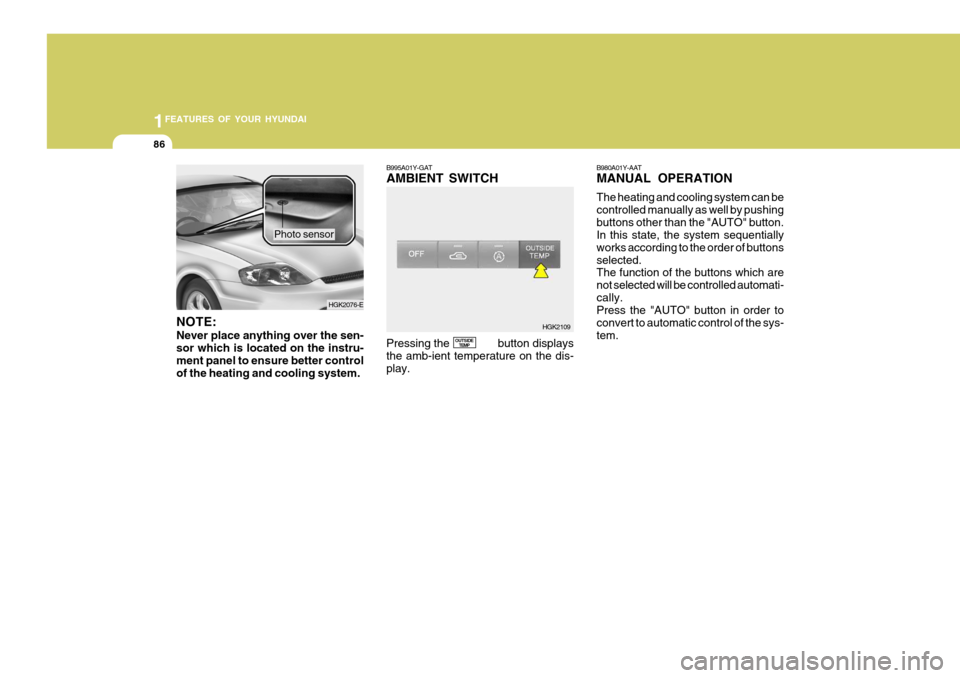
NOTE: Never place anything over the sen- sor which is located on the instru-ment panel to ensure better control of the heating and cooling system. Photo sensor
B995A01Y-GAT AMBIENT SWITCH Pressing the button displays the amb-ient temperature on the dis-play.
OUTSIDE
TEMP B980A01Y-AAT MANUAL OPERATION The heating and cooling system can be controlled manually as well by pushingbuttons other than the "AUTO" button. In this state, the system sequentially works according to the order of buttonsselected. The function of the buttons which are not selected will be controlled automati-cally. Press the "AUTO" button in order to convert to automatic control of the sys-tem.
HGK2109
HGK2076-E
Page 284 of 389
2DRIVING YOUR HYUNDAI
8
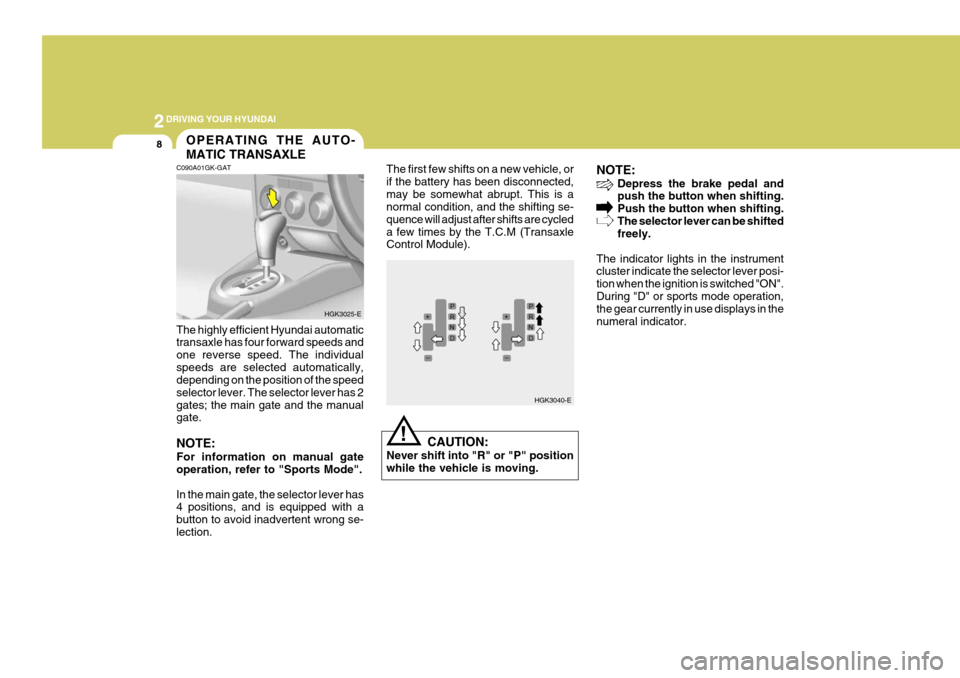
NOTE:
Depress the brake pedal and push the button when shifting. Push the button when shifting.The selector lever can be shifted freely.
The indicator lights in the instrumentcluster indicate the selector lever posi- tion when the ignition is switched "ON".During "D" or sports mode operation, the gear currently in use displays in the numeral indicator.
HGK3040-E
!
C090A01GK-GAT OPERATING THE AUTO- MATIC TRANSAXLE
The highly efficient Hyundai automatic transaxle has four forward speeds and one reverse speed. The individualspeeds are selected automatically, depending on the position of the speed selector lever. The selector lever has 2gates; the main gate and the manual gate. NOTE: For information on manual gate operation, refer to "Sports Mode". In the main gate, the selector lever has 4 positions, and is equipped with a button to avoid inadvertent wrong se-lection. The first few shifts on a new vehicle, orif the battery has been disconnected,may be somewhat abrupt. This is a normal condition, and the shifting se- quence will adjust after shifts are cycleda few times by the T.C.M (Transaxle Control Module).
CAUTION:
Never shift into "R" or "P" positionwhile the vehicle is moving.
HGK3025-E
Page 316 of 389

4
CORROSION PREVENTION AND APPEARANCE CARE
5
4
APPEARANCE CARE
5INTERIOR VALETING
JE100A1-E Seat Belts Seat belts should be cleaned only with a mild soap solution. Strong deter- gents, solvens or bleaches may dam- age the belt webbing and thereforereduce the effectiveness of the belt. Belts which display signs of fraying, wear or cut should be replaced.
JE110A1-E The soft trim and carpets should be maintained with the regular use of a vacuum cleaner. Heavy soiling should be removed with a dry cleaning agentrecommended for this purpose follow- ing the instructions of the product manufacturer. Paint thinner, solventsor other such cleaning materials should not be used since damage to the up- holstery may result.
JE120A1-E Windows A proprietary glass cleaner should be used to clean the inside of the win-dows. However, the rear heated windscreen must only be cleaned us- ing a light horizontal cleaning action.Care should be exercised to avoid the use of abrasive cleaners or contact with items of jewellery which may dam-age the heating elements.
Fine leather needs care. This care, aswith all fine things, need not be elabo-rated, but should include cleaning when necessary. Washing leather thoroughly with soap and water will keep yourleather lustrous, beautiful and ensure you have many years of wear. Take a piece of cheese cloth and usingany mild soap and lukewarm water, work up a good lather. Thoroughly wash the leather. Wipe clean with aslightly damp cloth and dry with soft cloth. Do this as often as the leather becomes soiled.During tanning operations, sufficient oils are incorporated through process- ing that none need be applied duringthe life of the leather. Oil applied to the finished surface will in no way help the leather and may do more harm thangood. Varnished and furniture polishes should NEVER be used under any conditions.
YE010A1-E To Clean Leather Upholstery (Not all models) In the normal course of use, leather upholstered surfaces will, like any material, pick-up dust and dirt. This dust and dirt MUST be cleaned off or itmay work into the surface of the leather, causing damage.