brake Hyundai Coupe 2006 User Guide
[x] Cancel search | Manufacturer: HYUNDAI, Model Year: 2006, Model line: Coupe, Model: Hyundai Coupe 2006Pages: 483, PDF Size: 12.73 MB
Page 92 of 483
1FEATURES OF YOUR HYUNDAI
80
o Decrease the vehicle speed to lessthan 40 km/h (25 mph).
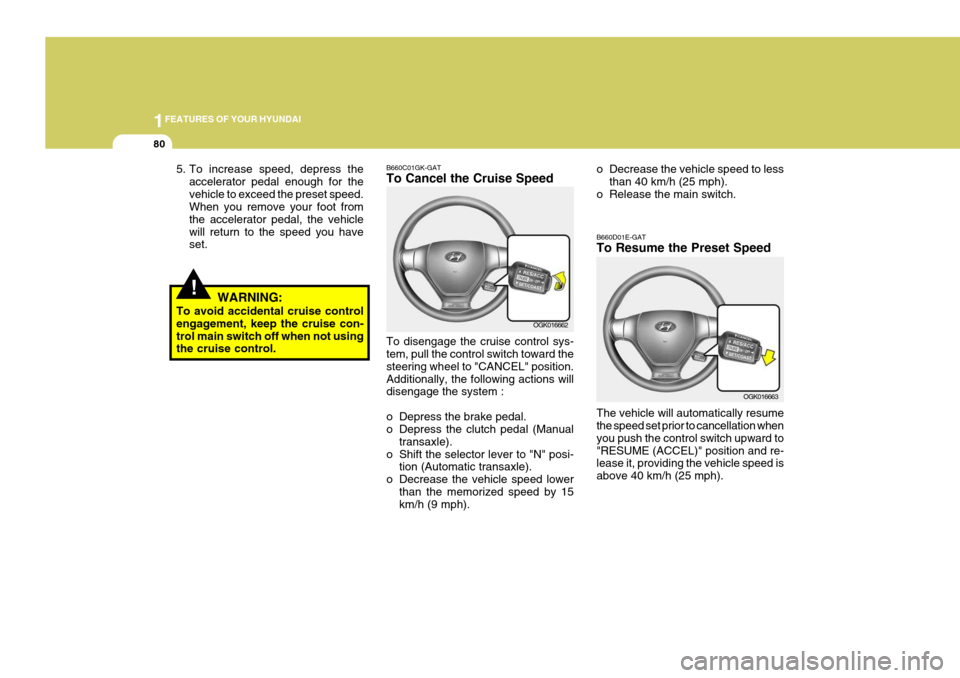
o Release the main switch. B660D01E-GAT To Resume the Preset Speed The vehicle will automatically resume the speed set prior to cancellation when you push the control switch upward to"RESUME (ACCEL)" position and re- lease it, providing the vehicle speed is above 40 km/h (25 mph).
OGK016663
!
5. To increase speed, depress the accelerator pedal enough for the vehicle to exceed the preset speed. When you remove your foot from the accelerator pedal, the vehiclewill return to the speed you have set.
WARNING:
To avoid accidental cruise controlengagement, keep the cruise con- trol main switch off when not using the cruise control. B660C01GK-GAT To Cancel the Cruise Speed To disengage the cruise control sys- tem, pull the control switch toward the steering wheel to "CANCEL" position.Additionally, the following actions will disengage the system :
o Depress the brake pedal.
o Depress the clutch pedal (Manual
transaxle).
o Shift the selector lever to "N" posi- tion (Automatic transaxle).
o Decrease the vehicle speed lower than the memorized speed by 15km/h (9 mph). OGK016662
Page 94 of 483
1FEATURES OF YOUR HYUNDAI
82
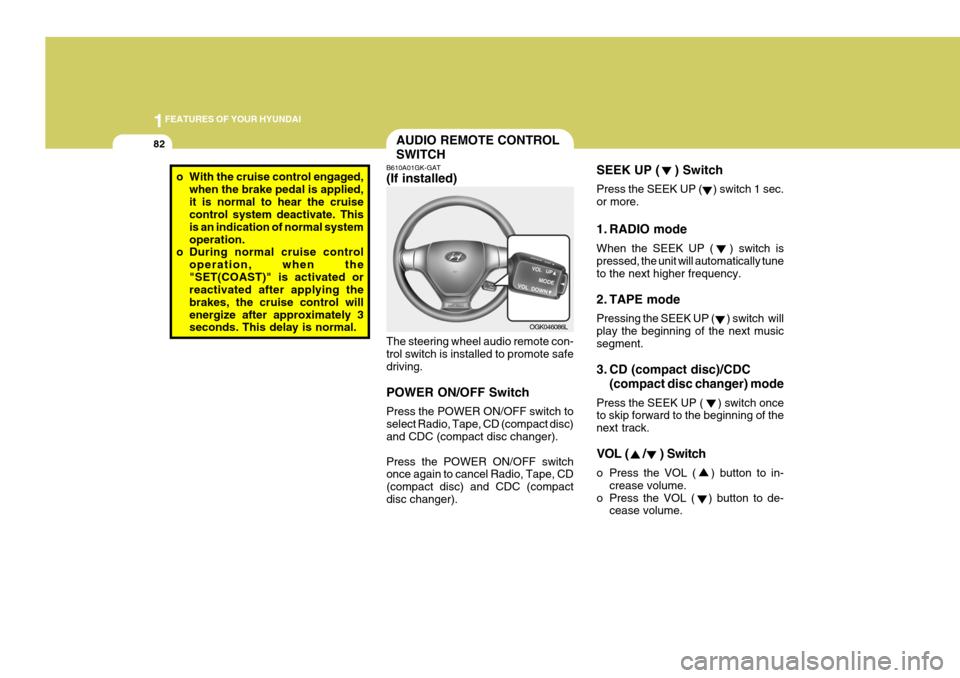
SEEK UP ( ) Switch Press the SEEK UP ( ) switch 1 sec. or more.
1. RADIO mode When the SEEK UP ( ) switch is pressed, the unit will automatically tune to the next higher frequency.
2. TAPE mode Pressing the SEEK UP ( ) switch will play the beginning of the next music segment.
3. CD (compact disc)/CDC(compact disc changer) mode
Press the SEEK UP ( ) switch once to skip forward to the beginning of the next track.
VOL ( / ) Switch
o Press the VOL ( ) button to in- crease volume.
o Press the VOL ( ) button to de- cease volume.AUDIO REMOTE CONTROL SWITCH
o With the cruise control engaged,
when the brake pedal is applied, it is normal to hear the cruise control system deactivate. This is an indication of normal systemoperation.
o During normal cruise control
operation, when the"SET(COAST)" is activated or reactivated after applying the brakes, the cruise control willenergize after approximately 3 seconds. This delay is normal. B610A01GK-GAT (If installed) The steering wheel audio remote con- trol switch is installed to promote safe driving. POWER ON/OFF Switch Press the POWER ON/OFF switch to select Radio, Tape, CD (compact disc) and CDC (compact disc changer). Press the POWER ON/OFF switch once again to cancel Radio, Tape, CD (compact disc) and CDC (compactdisc changer).OGK046086L
Page 142 of 483
2
Engine Exhaust Can Be Dangerous! ............................ 2-2
Before Starting the Engine ............................................ 2-3
Key Positions ................................................................ 2-3Starting ......................................................................... 2-5
Operating the Manual Transaxle .................................. 2-5
Operating the Automatic Transaxle .............................. 2-8Anti-Lock Brake System (ABS) ................................... 2-12
Electronic Stabilty Program (ESP) ..............................2-13
Good Braking Practices .............................................. 2-15
Driving for Economy .................................................... 2-16
Smooth Cornering ........................................................ 2-17
Winter Driving .............................................................. 2-17
Trailer or Vehicle Towing ............................................. 2-21
DRIVING YOUR HYUNDAI
2
Page 144 of 483
2
DRIVING YOUR HYUNDAI
3TO START THE ENGINEBEFORE STARTING THE ENGINE
C020A02A-AAT Before you start the engine, you should always:
1. Look around the vehicle to be sure there are no flat tires, puddles of oil, water or other indications of pos- sible trouble.
2. After entering the car, check to be sure the parking brake is engaged.
3. Check that all windows, and lights are clean.
4. Check that the interior and exterior
mirrors are clean and in position.
5. Check your seat, seatback and headrest to be sure they are in theirproper positions.
6. Close all the doors.
7. Fasten your seat belt and be sure
that all other occupants have fas- tened theirs.
8. Turn off all lights and accessories
that are not needed.
9. When you turn the ignition switch to "ON", check that all appropriatewarning lights are operating andthat you have sufficient fuel.
10.Check the operation of warning
lights and all bulbs when key is inthe "ON" position. C030A01A-GAT COMBINATION IGNITION SWITCH
o If your Hyundai is equipped with a
manual transaxle, place the shift lever in neutral and depress the clutch pedal fully.
o If your Hyundai has an automatic
transaxle, place the shift lever in "P"(park).
o To start the engine, insert the igni- tion key and turn it to the "START"position. Release it as soon as the engine starts. Do not hold the key inthe "START" position for more than 15 seconds.
NOTE: For safety, the engine will not start if the shift lever is not in "P" or "N" Position (Automatic Transaxle).
!WARNING:
Always wear appropriate shoes when operating your vehicle.Unsuitable shoes (high heels, ski boots, etc.) may interfere with your ability to use the brake and accelera-tor pedal, and the clutch (if installed).
Page 147 of 483
2 DRIVING YOUR HYUNDAI
6
!
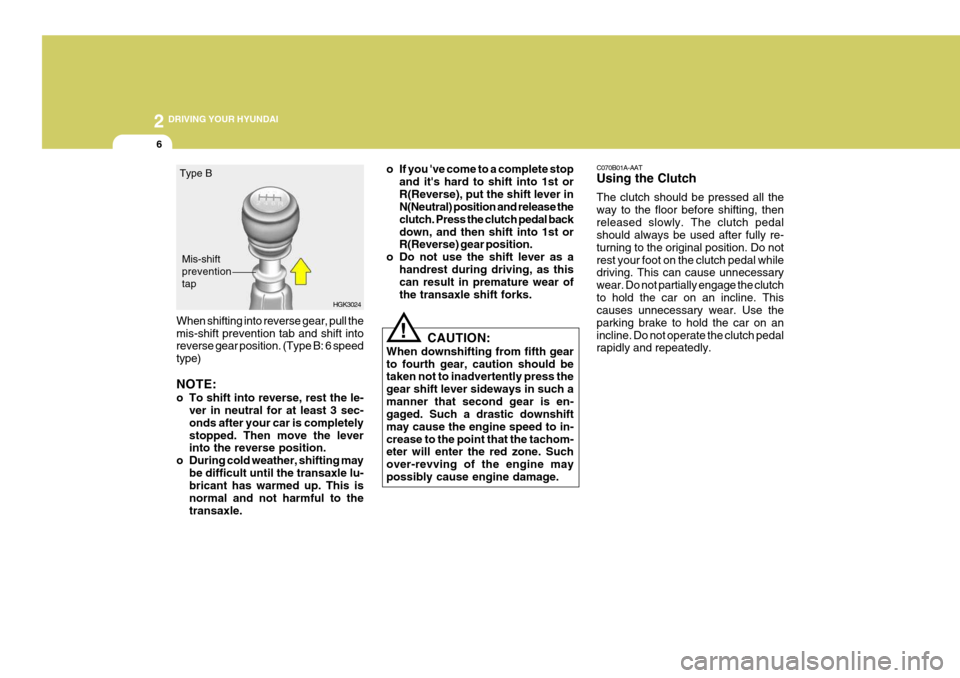
When shifting into reverse gear, pull the mis-shift prevention tab and shift into reverse gear position. (Type B: 6 speed type) NOTE:
o To shift into reverse, rest the le-
ver in neutral for at least 3 sec- onds after your car is completelystopped. Then move the lever into the reverse position.
o During cold weather, shifting may be difficult until the transaxle lu-bricant has warmed up. This is normal and not harmful to thetransaxle. o If you 've come to a complete stop
and it's hard to shift into 1st orR(Reverse), put the shift lever in N(Neutral) position and release the clutch. Press the clutch pedal backdown, and then shift into 1st or R(Reverse) gear position.
o Do not use the shift lever as a
handrest during driving, as thiscan result in premature wear of the transaxle shift forks.
CAUTION:
When downshifting from fifth gearto fourth gear, caution should be taken not to inadvertently press the gear shift lever sideways in such amanner that second gear is en- gaged. Such a drastic downshift may cause the engine speed to in-crease to the point that the tachom- eter will enter the red zone. Such over-revving of the engine maypossibly cause engine damage. C070B01A-AAT Using the Clutch The clutch should be pressed all the way to the floor before shifting, thenreleased slowly. The clutch pedal should always be used after fully re- turning to the original position. Do notrest your foot on the clutch pedal while driving. This can cause unnecessary wear. Do not partially engage the clutchto hold the car on an incline. This causes unnecessary wear. Use the parking brake to hold the car on anincline. Do not operate the clutch pedal rapidly and repeatedly.
HGK3024
Type B
Mis-shift preventiontap
Page 148 of 483
2
DRIVING YOUR HYUNDAI
7
!
C070D03A-AAT Good Driving Practices
o Never take the car out of gear and
coast down a hill. This is extremely hazardous. Always leave the car in gear.
o Don't "ride" the brakes. This can cause them to overheat and mal-function. Instead, when you are driv- ing down a long hill, slow down andshift to a lower gear. When you do this, engine braking will help slow the car.
o Slow down before shifting to a lower gear. This will help avoid over-rev-ving the engine, which can causedamage.
o Slow down when you encounter
cross winds. This gives you muchbetter control of your car.
o Be sure the car is completely stopped
before you attempt to shift into re-verse. The transaxle can be dam- aged if you do not. To shift into reverse, depress the clutch, movethe shift lever to neutral, wait three seconds, then shift to the reverse position. o Exercise extreme caution when driv-
ing on a slippery surface. Be espe-cially careful when braking, acceler- ating or shifting gears. On a slippery surface, an abrupt change in ve-hicle speed can cause the drive wheels to lose traction and the ve- hicle to go out of control.
WARNING:
o Avoid high cornering speeds.
o Do not make quick steering wheel movements, such as sharp lanechanges or fast, sharp turns.
o Always wear your seat belts.
In a collision crash, un unbeltedperson is significantly more likely to die than a person wearing a seatbelt.
o The risk of rollover is greatly in- creased if you lose control ofyour vehicle at highway speeds.
o Loss of control often occurs if two or more wheels drop off theroadway and the driver oversteersto reenter the roadway.o In the event your vehicle leaves
the roadway, do not steer sharply. Instead, slow down before pull- ing back into the travel lanes.
o Never exceed posted speed lim- its.
Page 150 of 483

2
DRIVING YOUR HYUNDAI
9
!
C090B01A-AAT The function of each position is as follows: o P (Park): Use to hold the vehicle in place when parked or while starting the engine.Whenever parking the car, apply the parking brake and shift the selector lever to the "P" (Park) position.
CAUTION:
Never place the selector lever in the "P" (Park) position unless the ve- hicle is fully stopped. Failure toobserve this caution will cause se- vere damage to the transaxle. C090C01A-AAT o R (Reverse): Use for backing up the vehicle. Bring the car to a complete stop before shift-ing the selector lever to "R" position. C090D02O-AAT o N (Neutral): In the "N" position, the transaxle is in neutral, which means that no gears are engaged. The engine can be started with the shift lever in "N" position,although this is not recommended ex- cept if the engine stalls while the car is moving. C090E01O-AAT
o D (Drive): Use for normal driving. The transaxle will automatically shift through a four gear sequence.
NOTE:
Depress the brake pedal and push the button when shifting. Push the button when shifting.The selector lever can be shifted freely.
The indicator lights in the instrument cluster indicate the selector lever posi-tion when the ignition is switched "ON". During "D" or sports mode operation, the gear currently in use displays in thenumeral indicator.
Page 152 of 483

2
DRIVING YOUR HYUNDAI
11
!
C090H01L-GAT NOTE:
o For smooth and safe operation,
depress the brake pedal when shifting from "Neutral" positionor "Park" position to a forward or reverse gear.
o The ignition key must be in the "ON" position and the brake pedalfully depressed in order to move the shift lever from the "P" (Park)position to any of the other posi- tions.
o It is always possible to shift from "R", "N", "D" position to "P" po-sition. The vehicle must be fully stopped to avoid transaxle dam-age. C090I03L-GAT
CAUTION:
o Shift into "R" and "P" position only when the vehicle has com-pletely stopped.
o Do not accelerate the engine in reverse or any of the forward posi-tions with the brakes applied.
o Always apply the footbrake when shifting from "P" or "N", to "R","D"position.
o Do not use the "P" (Park) position in place of the parking brake.Always set the parking brake, shiftthe transaxle into "P" (Park) posi- tion and turn off the ignition when you leave the vehicle, even mo-mentarily. Never leave the vehicle unattended while the engine is running.
o When accelerating from a stop on a steep hill, the vehicle may havea tendency to roll backwards. Shift-ing the shift lever into 2nd gear while in Sport mode will help pre- vent the vehicle from rolling back-wards. o Check the automatic transaxle fluid
level regularly, and add fluid as necessary.
o See the maintenance schedule for
the proper fluid recommendation.
C090N04O-AAT Good Driving Practices
o Never move the gear selector lever from "P" or "N" to any other position with the accelerator pedal de- pressed.
o Never move the gear selector lever
into "P" when the vehicle is in mo-tion.
o Be sure the car is completely stopped
before you attempt to shift into "R".
o Never take the car out of gear and
coast down a hill. This may be ex- tremely hazardous. Always leave the car in gear when moving.
o Do not "ride" the brakes. This can cause them to overheat and mal-function. Instead, when you are driv- ing down a long hill, slow down andshift to a lower gear. When you do this, engine braking will help slow the car.
Page 153 of 483
2 DRIVING YOUR HYUNDAI
12ANTI-LOCK BRAKE SYSTEM (ABS)
!
o Slow down before shifting to a lower
gear. Otherwise, the lower gear may not be engaged.
o Always use the parking brake. Do
not depend on placing the transaxlein "P" to keep the car from moving.
o Exercise extreme caution when driv-
ing on a slippery surface. Be espe-cially careful when braking, acceler- ating or shifting gears. On a slippery surface, an abrupt change in vehiclespeed can cause the drive wheels to lose traction and the vehicle to go out of control.
o Optimum vehicle performance and economy is obtained by smoothlydepressing and releasing the accel-erator pedal. o The risk of rollover is greatly in-
creased if you lose control of your vehicle at highway speeds.
o Loss of control often occurs if two
or more wheels drop off the road-way and the driver oversteers to reenter the roadway.
o In the event your vehicle leaves the roadway, do not steer sharply.Instead, slow down before pull-ing back into the travel lanes.
o Never exceed posted speed lim-
its.
o If your vehicle becomes stuck in snow, mud, sand, etc., then youmay attempt to rock the vehiclefree by moving it forward and back- ward. Do not attempt this proce- dure if people or objects are any-where near the vehicle. During the rocking operation the vehicle may suddenly move forward of back-ward as it becomes unstuck, caus- ing injury or damage to nearby people or objects.
WARNING:
o Avoid high cornering speeds.
o Do not make quick steering wheel movements, such as sharp lane changes or fast, sharp turns.
o Always wear your seat belts.
In a collision crash, un unbeltedperson is significantly more likely to die than a person wearing a seatbelt. C120A03A-AAT (If Installed) The Anti-Lock Brake System (ABS) is designed to prevent wheel lock-upduring sudden braking or on hazard- ous road surfaces. The ABS control module monitors the wheel speed andcontrols the pressure applied to each brake. Thus, in emergency situations or on slick roads, ABS will increasevehicle control during braking. NOTE:
o A click sound may be heard in the
engine compartment when the ve- hicle begins to move after the en- gine is started. These conditionsare normal and indicate that the anti-lock brake system (Electronic Stability Program) is functioningproperly.
o During ABS (ESP) operation, a
slight pulsation may be felt in thebrake pedal when the brakes are applied. Also, a noise may be heard in the engine compartment whilebraking. These conditions are normal and indicate that the anti- lock brake system is functioningproperly.
Page 154 of 483
2
DRIVING YOUR HYUNDAI
13
!WARNING:
Your ABS (ESP) will not prevent accidents due to improper or dan- gerous driving maneuvers. Eventhough vehicle control is improved during emergency braking, always maintain a safe distance betweenyou and objects ahead. Vehicle speeds should always be reduced during extreme road conditions.The braking distance for cars equipped with an anti-lock braking system may be longer than for thosewithout it in the following road con- ditions. During these conditions the vehicleshould be driven at reduced speeds.
o Rough, gravel or snow-covered roads.
o With tire chains installed.
o Roads where the road surface is
pitted or has different surface height. The safety features of an ABS (ESP) equipped vehicle should not be tested by high speed driving or cornering. This could endanger the safety ofyourself or others.
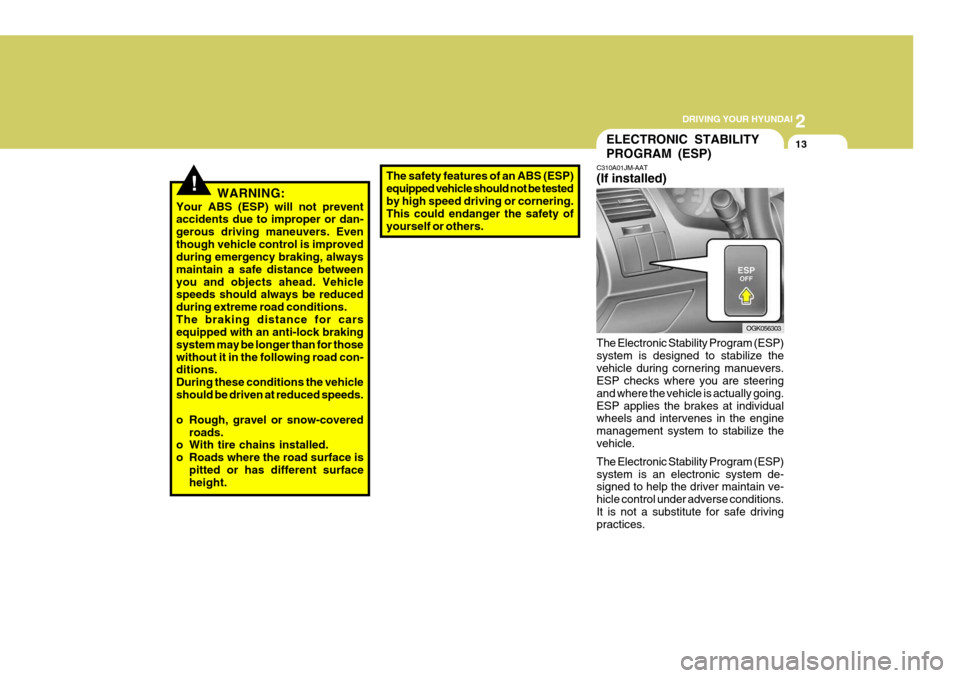
ELECTRONIC STABILITY PROGRAM (ESP)
C310A01JM-AAT (If installed) The Electronic Stability Program (ESP) system is designed to stabilize thevehicle during cornering manuevers. ESP checks where you are steering and where the vehicle is actually going.ESP applies the brakes at individual wheels and intervenes in the engine management system to stabilize thevehicle. The Electronic Stability Program (ESP) system is an electronic system de- signed to help the driver maintain ve- hicle control under adverse conditions.It is not a substitute for safe driving practices. OGK056303