auto Hyundai Coupe 2007 Owners Manual
[x] Cancel search | Manufacturer: HYUNDAI, Model Year: 2007, Model line: Coupe, Model: Hyundai Coupe 2007Pages: 487, PDF Size: 12.96 MB
Page 291 of 487
1
CONTROLS AND EQUIPMENT
23
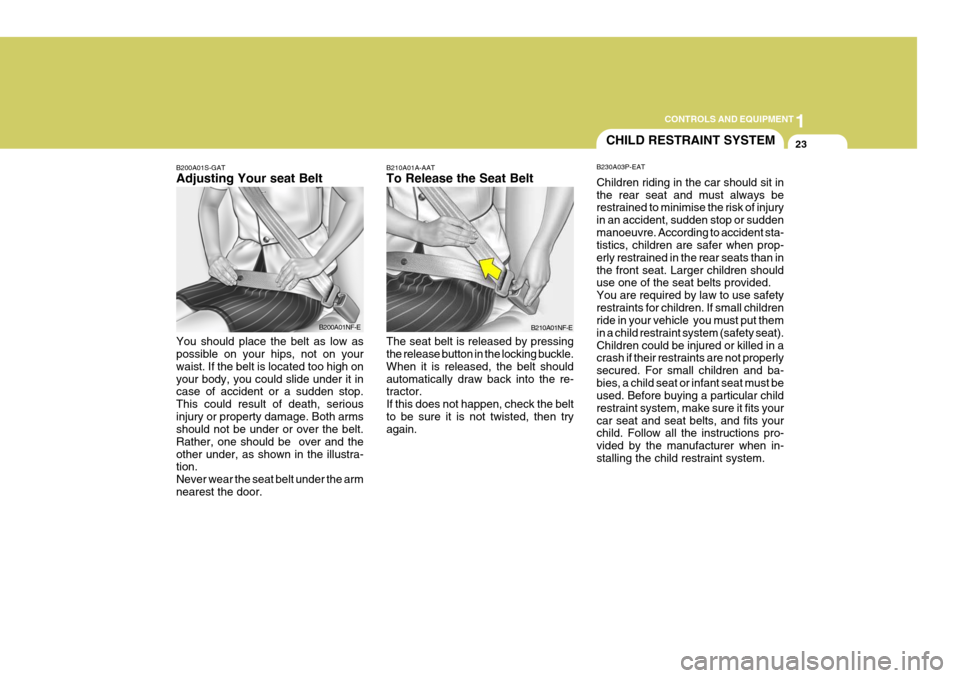
B210A01A-AAT To Release the Seat Belt The seat belt is released by pressing the release button in the locking buckle. When it is released, the belt shouldautomatically draw back into the re- tractor. If this does not happen, check the beltto be sure it is not twisted, then try again.
CHILD RESTRAINT SYSTEM
B230A03P-EAT Children riding in the car should sit in the rear seat and must always be restrained to minimise the risk of injury in an accident, sudden stop or suddenmanoeuvre. According to accident sta- tistics, children are safer when prop- erly restrained in the rear seats than inthe front seat. Larger children should use one of the seat belts provided. You are required by law to use safetyrestraints for children. If small children ride in your vehicle you must put them in a child restraint system (safety seat).Children could be injured or killed in a crash if their restraints are not properly secured. For small children and ba-bies, a child seat or infant seat must be used. Before buying a particular child restraint system, make sure it fits yourcar seat and seat belts, and fits your child. Follow all the instructions pro- vided by the manufacturer when in-stalling the child restraint system.
B210A01NF-E
B200A01S-GAT Adjusting Your seat Belt You should place the belt as low as possible on your hips, not on your waist. If the belt is located too high onyour body, you could slide under it in case of accident or a sudden stop. This could result of death, seriousinjury or property damage. Both arms should not be under or over the belt. Rather, one should be over and theother under, as shown in the illustra- tion. Never wear the seat belt under the armnearest the door. B200A01NF-E
Page 293 of 487
1
CONTROLS AND EQUIPMENT
25
!
If you need to tighten the belt, pull more webbing toward the retractor.When you unbuckle the seat belt and allow it to retract, the retractor will automatically revert back to its normalseated passenger emergency locking usage condition. NOTE:
o Before installing the child re-
straint system, read the instruc- tions supplied by the child re- straint system manufacturer.
o If the seat belt does not operate
as described, have the systemchecked immediately by your Hyundai authorised repairer.
WARNING:
Do not install any child restraintsystem in the front passenger seat. Should an accident occur and cause the passenger side airbag to de-ploy, it could severely injure or kill an infant or child seated in an infant or child seat. Therefore, only use achild restraint system in the rear seat of your vehicle.B230G01A-EAT Installation on the Outboard Rear Seats To install a child restraint system in the outboard rear seats, extend the shoul-der/lap belt from its retractor. Install the child restraint system, buckle the seat belt and allow the seat belt to takeup any slack. Make sure that the lap portion of the belt is tight around the child restraint system and the shoulderportion of the belt is positioned so that it cannot interfere with the child's head or neck. After installation of the childrestraint system, try to move it in all directions to be sure the child restraint system is securely installed. On outboard rear seats
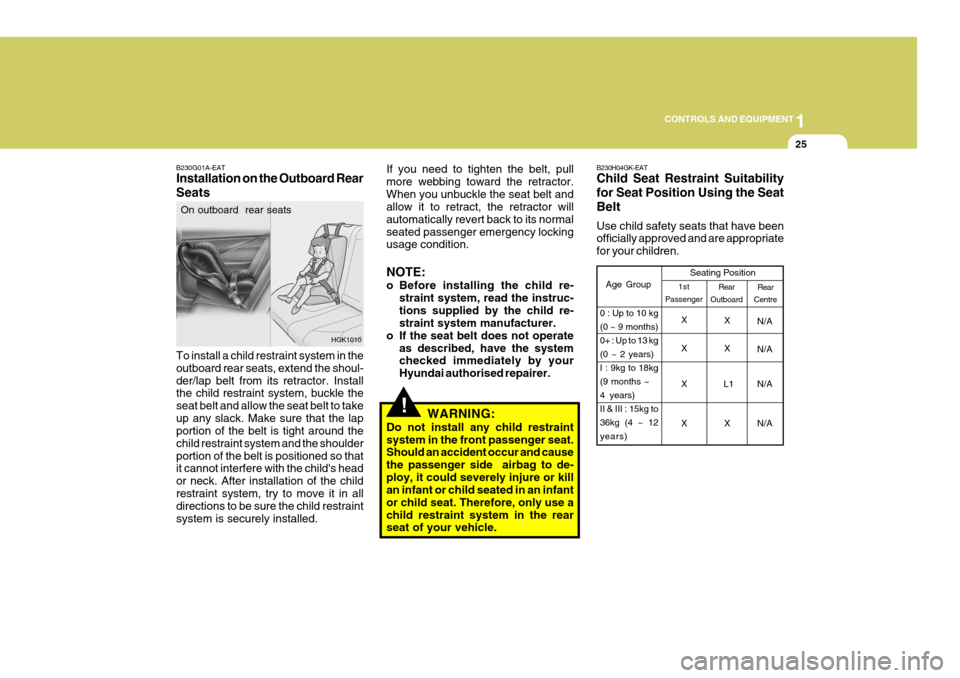
HGK1010 B230H04GK-EAT Child Seat Restraint Suitability for Seat Position Using the SeatBelt Use child safety seats that have been officially approved and are appropriate for your children.
Rear
Centre
Age Group Seating Position
X
N/A
XX N/A
X L1 N/A
X X N/A Rear
Outboard
1st
Passenger
0 : Up to 10 kg (0 ~ 9 months)0+ : Up to 13 kg(0 ~ 2 years)I : 9kg to 18kg(9 months ~4 years)II & III : 15kg to36kg (4 ~ 12years) X
Page 302 of 487
1CONTROLS AND EQUIPMENT
34
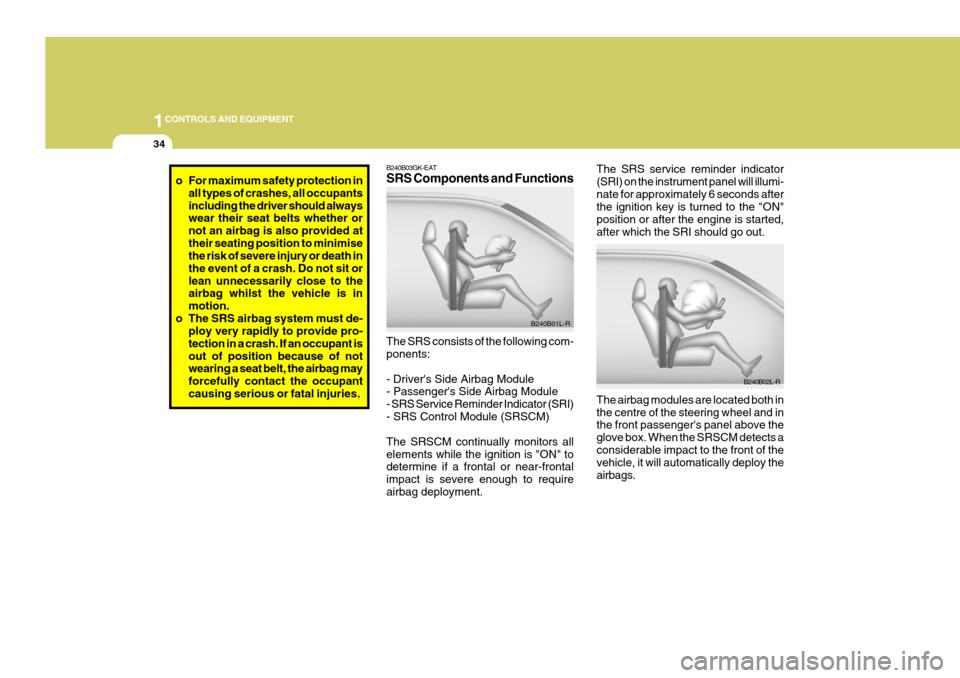
The SRS service reminder indicator (SRI) on the instrument panel will illumi-nate for approximately 6 seconds after the ignition key is turned to the "ON" position or after the engine is started,after which the SRI should go out. The airbag modules are located both in the centre of the steering wheel and in the front passenger's panel above the glove box. When the SRSCM detects aconsiderable impact to the front of the vehicle, it will automatically deploy the airbags. B240B02L-RB240B03GK-EAT SRS Components and Functions The SRS consists of the following com- ponents: - Driver's Side Airbag Module - Passenger's Side Airbag Module - SRS Service Reminder Indicator (SRI)- SRS Control Module (SRSCM) The SRSCM continually monitors all elements while the ignition is "ON" to determine if a frontal or near-frontal impact is severe enough to requireairbag deployment.B240B01L-R
o For maximum safety protection in
all types of crashes, all occupants including the driver should always wear their seat belts whether or not an airbag is also provided attheir seating position to minimise the risk of severe injury or death in the event of a crash. Do not sit orlean unnecessarily close to the airbag whilst the vehicle is in motion.
o The SRS airbag system must de- ploy very rapidly to provide pro-tection in a crash. If an occupant isout of position because of not wearing a seat belt, the airbag may forcefully contact the occupantcausing serious or fatal injuries.
Page 309 of 487

1
CONTROLS AND EQUIPMENT
41
1. Speedometer
2. Turn Signal Indicator Light
3. Odometer/Trip Odometer
4. Automatic Transaxle Position Indicator Light (Not all models)
5. Coolant Temperature Gauge
6. Trip Computer (Not all models)
7. Fuel Gauge
8. Tachometer
9. Electronic Stability Program (ESP) Indicator Light (Not all models)
10. Immobiliser Warning Light
11. Trip Odometer Reset Knob 12. Charging System Warning Light
13. SRS (Airbag) Warning Light
14. Seat Belt Warning Light
15. High Beam Indicator Light
16. Oil Pressure Warning Light
17. Malfuction Indicator Light (MIL) (Not all models)
18. Low Fuel Warning Light
19. Parking Brake/Brake Fluide Level Warning Light
20. Trip Computer Reset Knob21.CRUISE Indicator Light (Not all models)
22. CRUISE SET Indicator Light (Not all models)
23. Hatchback Door Open Warning Light
24. Door Open (Ajar) Warning Light
25. ABS Service Reminder Indicator Light (Not all models)
Page 321 of 487
1
CONTROLS AND EQUIPMENT
53
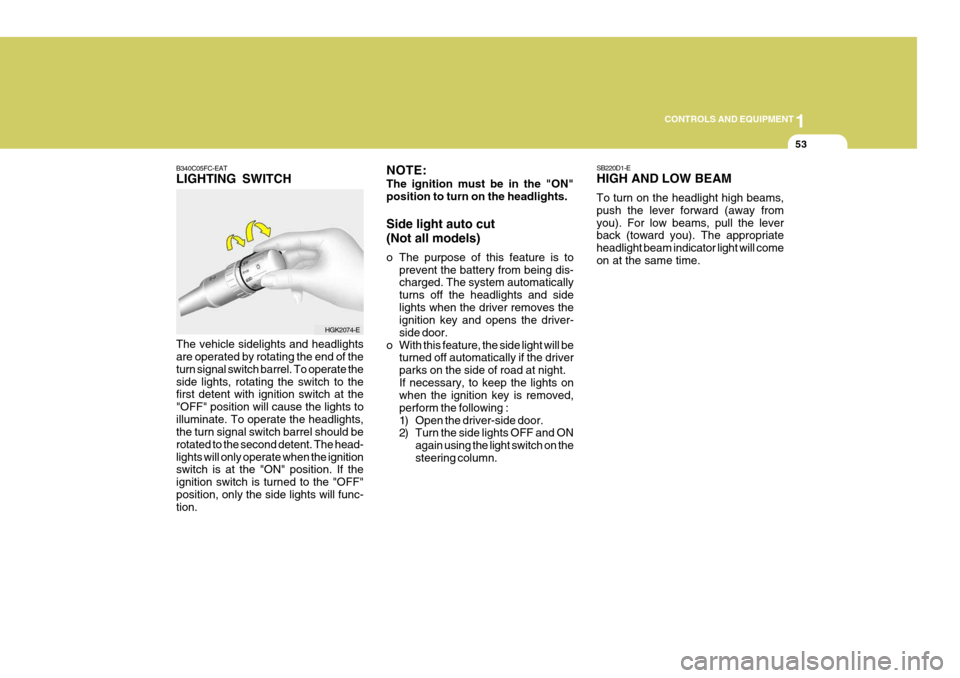
B340C05FC-EAT LIGHTING SWITCH The vehicle sidelights and headlights are operated by rotating the end of the turn signal switch barrel. To operate theside lights, rotating the switch to the first detent with ignition switch at the "OFF" position will cause the lights toilluminate. To operate the headlights, the turn signal switch barrel should be rotated to the second detent. The head-lights will only operate when the ignition switch is at the "ON" position. If the ignition switch is turned to the "OFF"position, only the side lights will func- tion.
HGK2074-E SB220D1-E HIGH AND LOW BEAM To turn on the headlight high beams, push the lever forward (away fromyou). For low beams, pull the lever back (toward you). The appropriate headlight beam indicator light will comeon at the same time.
NOTE: The ignition must be in the "ON" position to turn on the headlights. Side light auto cut (Not all models)
o The purpose of this feature is to
prevent the battery from being dis- charged. The system automatically turns off the headlights and sidelights when the driver removes the ignition key and opens the driver- side door.
o With this feature, the side light will be turned off automatically if the driverparks on the side of road at night.If necessary, to keep the lights on when the ignition key is removed, perform the following :
1) Open the driver-side door.
2) Turn the side lights OFF and ON
again using the light switch on the steering column.
Page 322 of 487
1CONTROLS AND EQUIPMENT
54
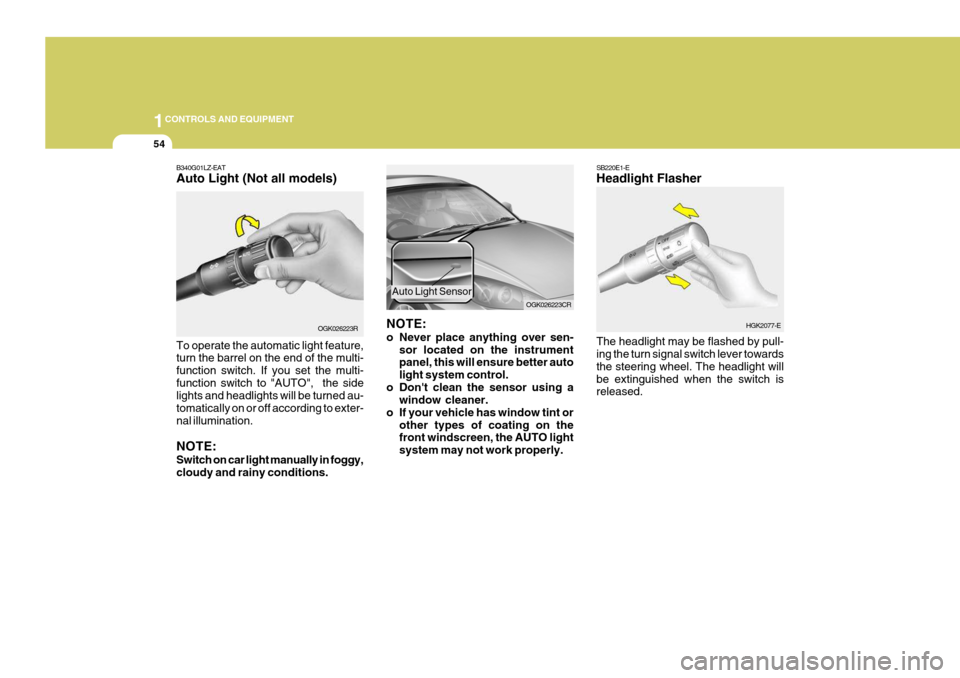
B340G01LZ-EAT Auto Light (Not all models) To operate the automatic light feature, turn the barrel on the end of the multi- function switch. If you set the multi-function switch to "AUTO", the side lights and headlights will be turned au- tomatically on or off according to exter-nal illumination. NOTE: Switch on car light manually in foggy, cloudy and rainy conditions. OGK026223R
NOTE:
o Never place anything over sen-
sor located on the instrument panel, this will ensure better auto light system control.
o Don't clean the sensor using a window cleaner.
o If your vehicle has window tint or other types of coating on the front windscreen, the AUTO light system may not work properly. OGK026223CR
Auto Light Sensor
SB220E1-E Headlight Flasher The headlight may be flashed by pull- ing the turn signal switch lever towards the steering wheel. The headlight willbe extinguished when the switch is released.
HGK2077-E
Page 323 of 487
1
CONTROLS AND EQUIPMENT
55WINDSCREEN WIPER AND WASHER SWITCH
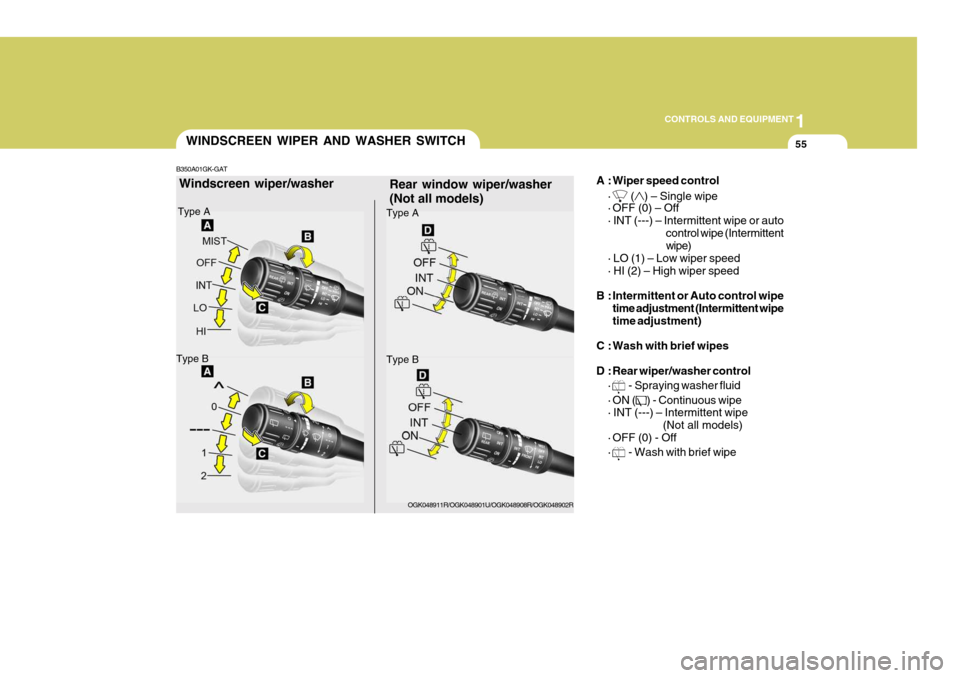
Rear window wiper/washer (Not all models) A : Wiper speed control
·
() – Single wipe
· OFF (0) – Off · INT (---) – Intermittent wipe or auto
control wipe (Intermittent wipe)
· LO (1) – Low wiper speed · HI (2) – High wiper speed
B : Intermittent or Auto control wipe time adjustment (Intermittent wipe time adjustment)
C : Wash with brief wipes
D : Rear wiper/washer control ·
- Spraying washer fluid
· ON (
) - Continuous wipe
· INT (---) – Intermittent wipe
(Not all models)
· OFF (0) - Off ·
- Wash with brief wipe
Windscreen wiper/washer
Type A
Type B
Type A
Type B
OGK048911R/OGK048901U/OGK048908R/OGK048902R
B350A01GK-GAT
Page 324 of 487
1CONTROLS AND EQUIPMENT
56
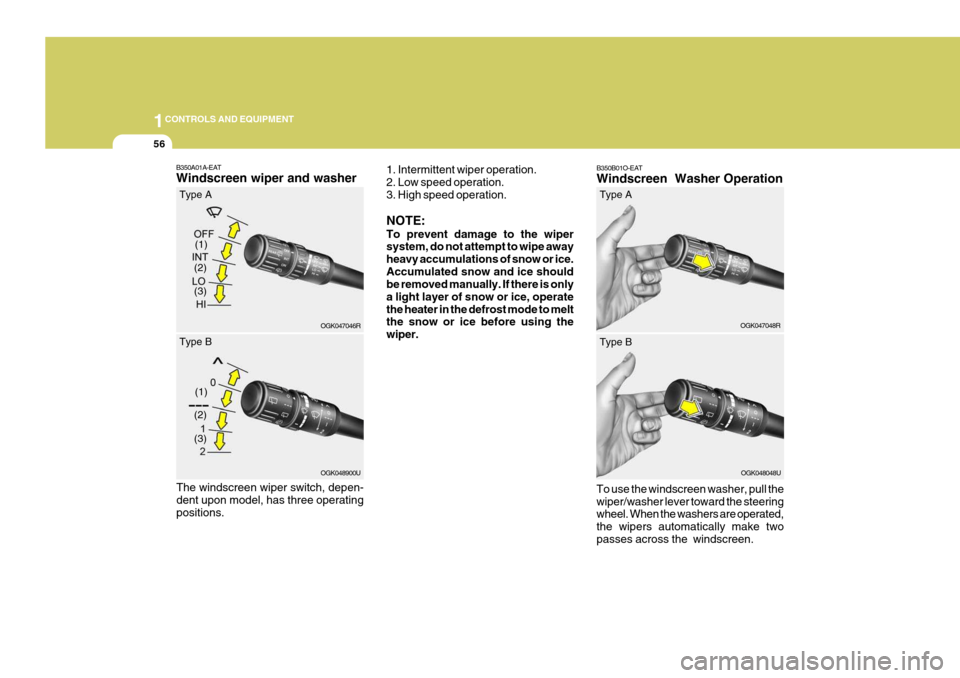
B350B01O-EAT Windscreen Washer Operation To use the windscreen washer, pull the wiper/washer lever toward the steering wheel. When the washers are operated, the wipers automatically make twopasses across the windscreen. OGK047048R
(2)
B350A01A-EAT Windscreen wiper and washer
1. Intermittent wiper operation. 2. Low speed operation. 3. High speed operation. NOTE: To prevent damage to the wiper system, do not attempt to wipe away heavy accumulations of snow or ice.Accumulated snow and ice should be removed manually. If there is only a light layer of snow or ice, operatethe heater in the defrost mode to melt the snow or ice before using the wiper.
OGK047046R
(1)
(3)
Type A
(2)
OGK048900U
(1)
(3)
Type B
The windscreen wiper switch, depen- dent upon model, has three operatingpositions. Type A
OGK048048U
Type B
Page 327 of 487
1
CONTROLS AND EQUIPMENT
59HAZARD WARNING SYS- TEM
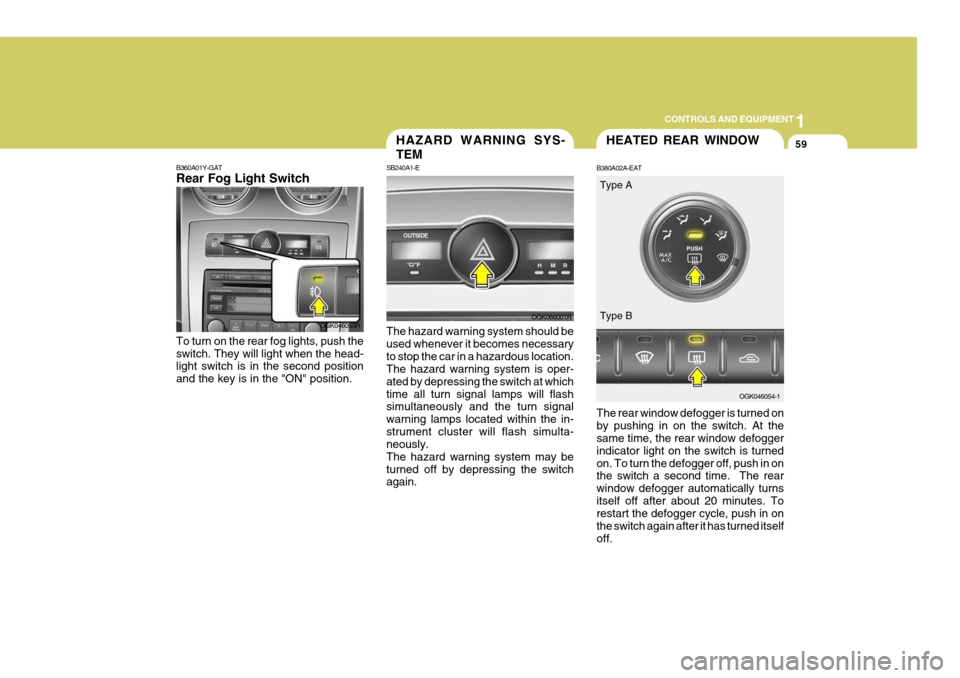
SB240A1-E The hazard warning system should be used whenever it becomes necessaryto stop the car in a hazardous location. The hazard warning system is oper- ated by depressing the switch at whichtime all turn signal lamps will flash simultaneously and the turn signal warning lamps located within the in-strument cluster will flash simulta- neously. The hazard warning system may beturned off by depressing the switch again.
OGK066001R
HEATED REAR WINDOW
B380A02A-EAT The rear window defogger is turned on by pushing in on the switch. At the same time, the rear window defogger indicator light on the switch is turnedon. To turn the defogger off, push in on the switch a second time. The rear window defogger automatically turnsitself off after about 20 minutes. To restart the defogger cycle, push in on the switch again after it has turned itselfoff. OGK046054-1
OGK046053R
B360A01Y-GAT Rear Fog Light Switch To turn on the rear fog lights, push the switch. They will light when the head- light switch is in the second position and the key is in the "ON" position. Type A Type B
Page 331 of 487
1
CONTROLS AND EQUIPMENT
63SUNSHADE
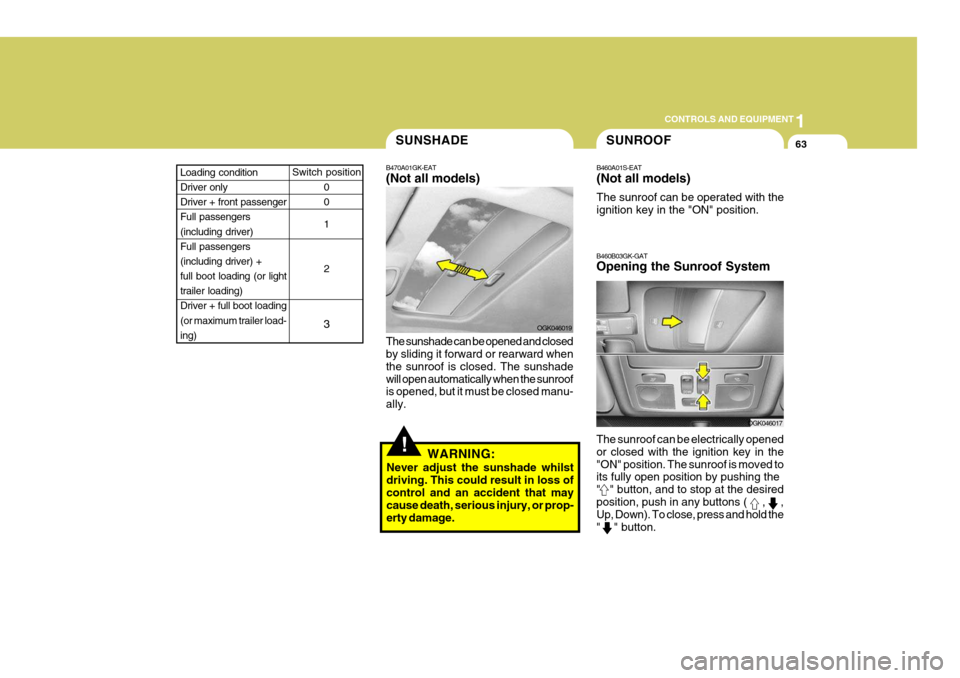
B470A01GK-EAT (Not all models) The sunshade can be opened and closed by sliding it forward or rearward when the sunroof is closed. The sunshadewill open automatically when the sunroof is opened, but it must be closed manu- ally. OGK046019
!WARNING:
Never adjust the sunshade whilst driving. This could result in loss of control and an accident that may cause death, serious injury, or prop-erty damage.
SUNROOF
B460A01S-EAT (Not all models) The sunroof can be operated with the ignition key in the "ON" position.
B460B03GK-GAT Opening the Sunroof System The sunroof can be electrically opened or closed with the ignition key in the"ON" position. The sunroof is moved to its fully open position by pushing the " " button, and to stop at the desiredposition, push in any buttons (
, ,
Up, Down). To close, press and hold the " " button.
OGK046017
Switch position
0 0 1 2
3Loading condition Driver only Driver + front passengerFull passengers (including driver) Full passengers(including driver) + full boot loading (or light trailer loading)Driver + full boot loading (or maximum trailer load- ing)