auto Hyundai Coupe 2007 Owner's Manual
[x] Cancel search | Manufacturer: HYUNDAI, Model Year: 2007, Model line: Coupe, Model: Hyundai Coupe 2007Pages: 487, PDF Size: 12.96 MB
Page 332 of 487
1CONTROLS AND EQUIPMENT
64
!
Release the button when the sunroof reaches the desired position.
WARNING:
Be careful that someone’s head,hands and body are not trapped by aclosing sunroof.
OGK046018
!WARNING:
o Do not close a sunroof if anyone's hands, arms or body are between the sliding glass and the sunroof sash, as this could result in injury.
o Do not place your head or arms out of the sunroof opening at anytime.
o Whilst the vehicle is moving, al- ways keep the head, hands andother parts of the body of all occu-pants away from the roof opening. Otherwise, you could be seriously injured if the vehicle stops sud- denly or if the vehicle is involved in an accident.
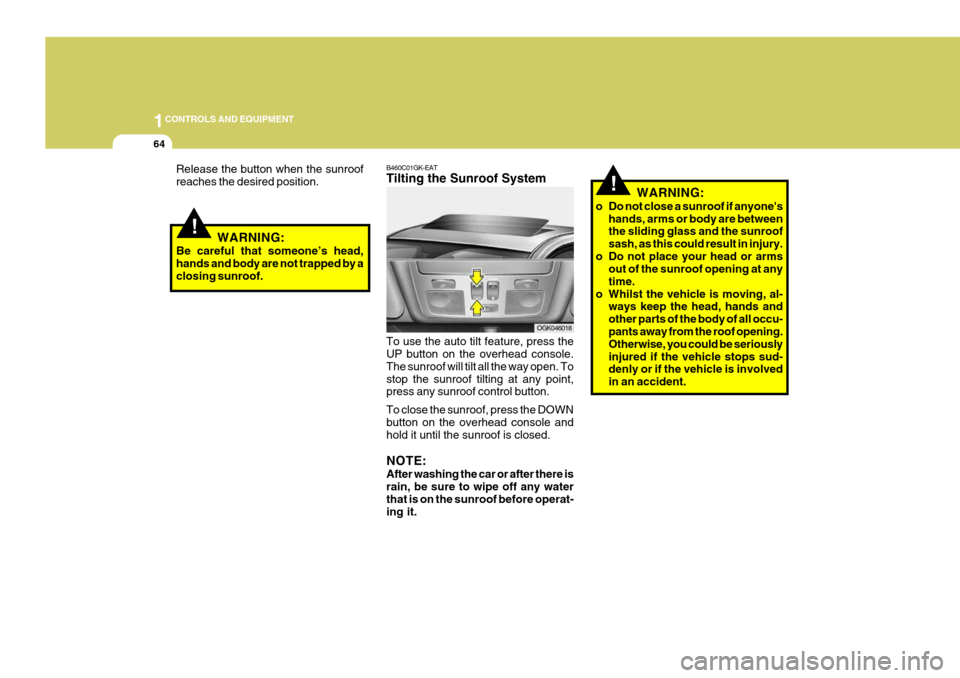
B460C01GK-EAT Tilting the Sunroof System To use the auto tilt feature, press the UP button on the overhead console. The sunroof will tilt all the way open. Tostop the sunroof tilting at any point, press any sunroof control button. To close the sunroof, press the DOWN button on the overhead console and hold it until the sunroof is closed. NOTE: After washing the car or after there is rain, be sure to wipe off any waterthat is on the sunroof before operat- ing it.
Page 334 of 487
1CONTROLS AND EQUIPMENT
66
B460E03GK-GAT Resetting the Sunroof System If the battery has been recharged, disconnected or if the sunroof is oper-ated with the hexagonal head wrench manually, you may need to reset the sunroof. To do this;
1. Turn the ignition switch "OFF".
2. With pressing " " "up" button at thesame time, turn the ignition switch"ON". The resetting is failed when the ignition key to the "OFF" within1.5 seconds.
3. If the sunroof is set like this, the sunroof is reset with tilting up/down automatically once for all.
CAUTION:
If the sunroof is not reset, it may not be operated properly.
!
MAP LIGHT
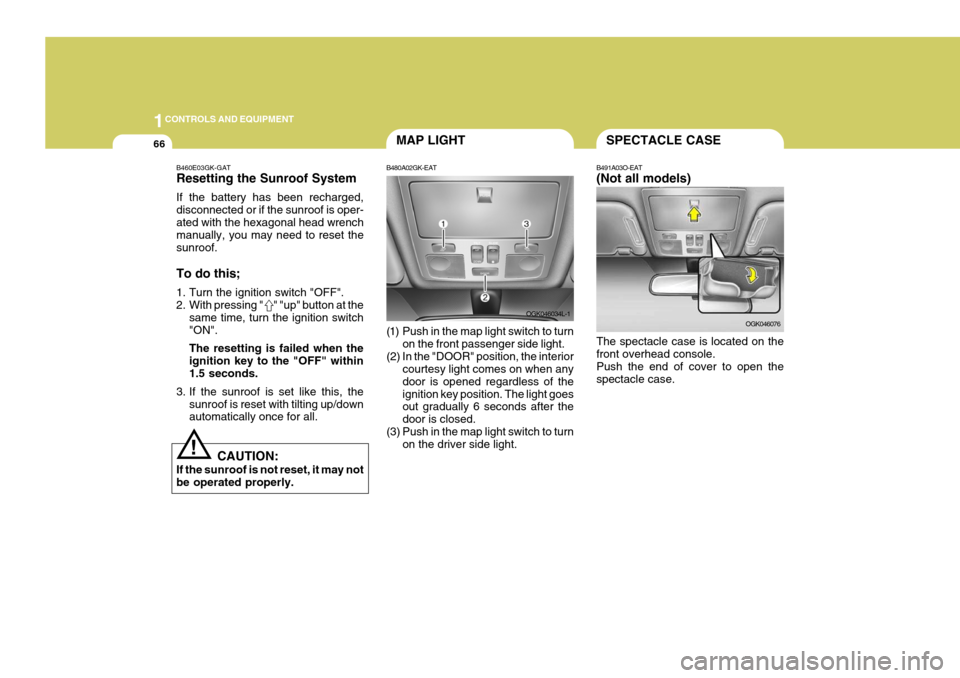
B480A02GK-EAT
(1) Push in the map light switch to turn on the front passenger side light.
(2) In the "DOOR" position, the interior courtesy light comes on when any door is opened regardless of theignition key position. The light goes out gradually 6 seconds after the door is closed.
(3) Push in the map light switch to turn on the driver side light. OGK046034L-1SPECTACLE CASE
B491A03O-EAT (Not all models) The spectacle case is located on the front overhead console. Push the end of cover to open thespectacle case. OGK046076
Page 335 of 487
1
CONTROLS AND EQUIPMENT
67
!
GLOVE BOX
B500A01A-EAT
WARNING:
To avoid the possibility of injury, the glove box lid must be keptclosed whilst the vehicle is in mo- tion.
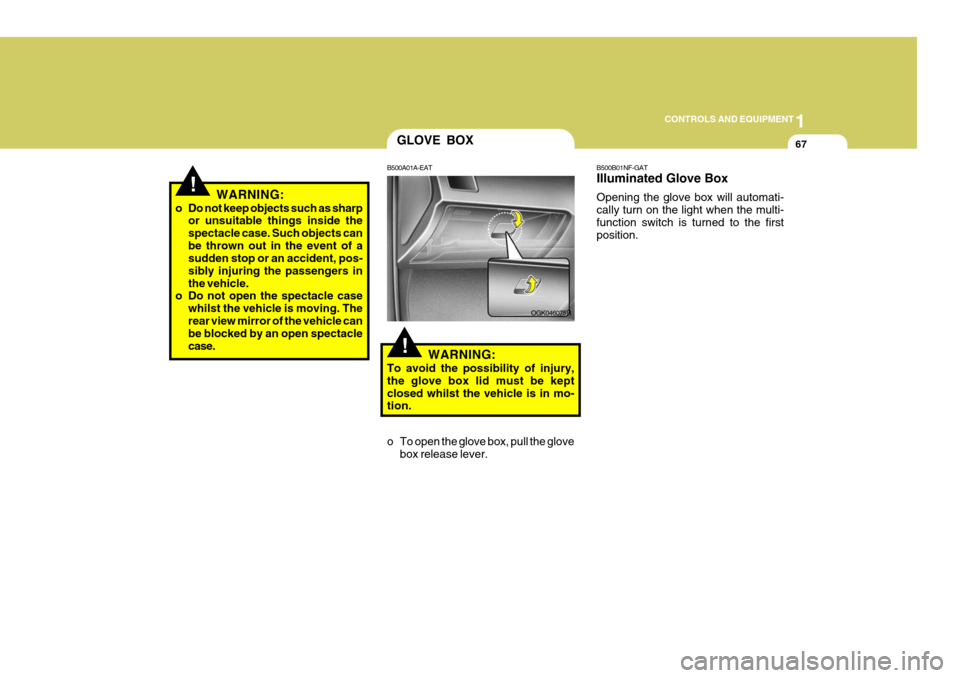
o To open the glove box, pull the glove box release lever. OGK046075R
!WARNING:
o Do not keep objects such as sharp or unsuitable things inside the spectacle case. Such objects canbe thrown out in the event of a sudden stop or an accident, pos- sibly injuring the passengers inthe vehicle.
o Do not open the spectacle case
whilst the vehicle is moving. Therear view mirror of the vehicle can be blocked by an open spectacle case. B500B01NF-GAT Illuminated Glove Box Opening the glove box will automati- cally turn on the light when the multi-function switch is turned to the first position.
Page 338 of 487
1CONTROLS AND EQUIPMENT
70
!
PARKING BRAKE
B530A03A-EAT The parking brake must always be set when the vehicle is to be left unattended.When the parking brake is applied, and the ignition key is at the "ON" position, the parking brake warning light will be
illuminated. Before driving the vehicle, the parking brake must be fully released and the warning light extinguished.
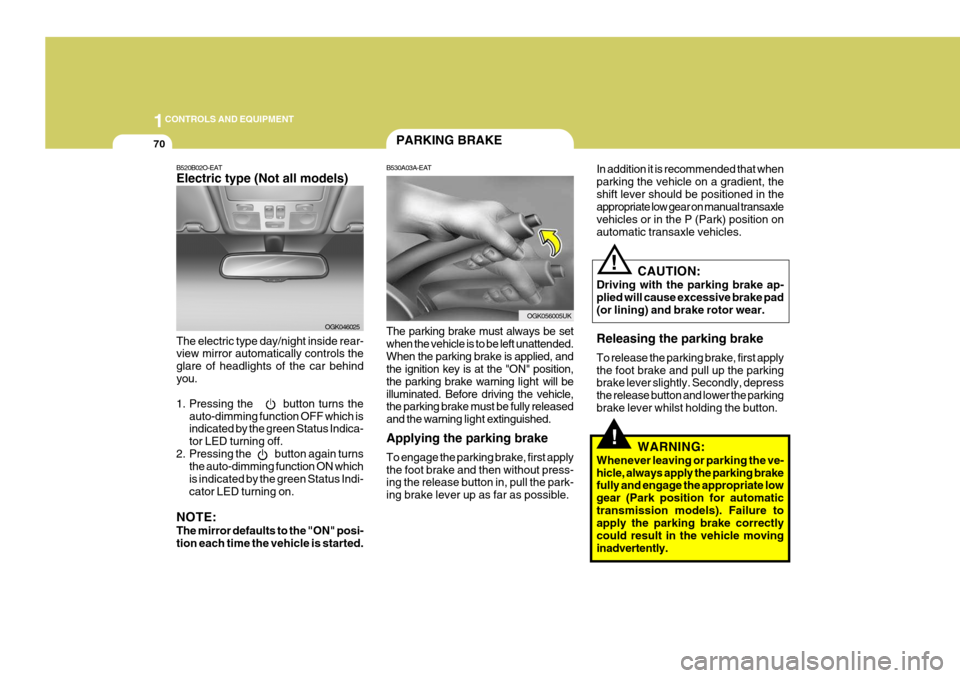
Applying the parking brake To engage the parking brake, first apply the foot brake and then without press- ing the release button in, pull the park- ing brake lever up as far as possible.
B520B02O-EAT Electric type (Not all models) The electric type day/night inside rear- view mirror automatically controls the glare of headlights of the car behindyou.
1. Pressing the button turns the auto-dimming function OFF which is indicated by the green Status Indica- tor LED turning off.
2. Pressing the button again turns the auto-dimming function ON whichis indicated by the green Status Indi-cator LED turning on.
NOTE: The mirror defaults to the "ON" posi- tion each time the vehicle is started. OGK046025In addition it is recommended that when parking the vehicle on a gradient, theshift lever should be positioned in the appropriate low gear on manual transaxle vehicles or in the P (Park) position onautomatic transaxle vehicles.
OGK056005UK
CAUTION:
Driving with the parking brake ap- plied will cause excessive brake pad (or lining) and brake rotor wear. Releasing the parking brake To release the parking brake, first apply the foot brake and pull up the parking brake lever slightly. Secondly, depress the release button and lower the parkingbrake lever whilst holding the button.
WARNING:
Whenever leaving or parking the ve-hicle, always apply the parking brake fully and engage the appropriate low gear (Park position for automatictransmission models). Failure to apply the parking brake correctly could result in the vehicle movinginadvertently.
!
Page 341 of 487
1
CONTROLS AND EQUIPMENT
73
o Automotive fuels are flammable/
explosive materials. When refuel- ing, please note the following guidelines carefully. Failure tofollow these guidelines may re- sult in severe personal injury, se- vere burns or death by fire orexplosion.
- Before refueling always note the
location of the Emergency Fuel Shut-Off, if available, at the fuel station facility.
- Before touching the fuel nozzle or fuel filler cap, you shouldeliminate potentially dangerous static electricity discharge bytouching another metal part of the front of the vehicle, a safe distance away from the fuel fillerneck, nozzle, or other fuel source.
- Do not get back into a vehicle once you have begun refueling.Do not touch, rub or slide against any item or fabric (polyester,satin, nylon, etc.) capable of pro- ducing static electricity. Static electricity discharge can ignitefuel vapors resulting in explo sion.If you must re-enter the vehicle, you should once again elimi- nate potentially dangerous staticelectricity discharge by touch- ing a metal part of the vehicle, away from the fuel filler neck,nozzle or other fuel source.
- When using a portable fuel con-
tainer be sure to place the con-tainer on the ground prior to refueling. Static electricity dis- charge from the container canignite fuel vapors causing a fire. Once refueling has begun, con- tact with the vehicle should bemaintained until the filling is complete. Use only portable fuel containers designed to carry andstore fuel.
- Do not use cellular phones
around a fuel station or whilstrefueling any vehicle. Electric current and/or electronic inter- ference from cellular phones canpotentially ignite fuel vapors causing a fire. If you must use your cellular phone use it in aplace away from the fuel station. - When refueling always shut the
engine off. Sparks produced by electrical components related to the engine can ignite fuel va-pors causing a fire. Always in- sure that the engine is OFF be- fore and during refueling. Oncerefueling is complete, check to make sure the fuel filler cap and door are securely closed, beforestarting the engine.
- Do not light any fire around a
fuel station. DO NOT use matchesor a lighter and DO NOT SMOKE or leave a lit cigarette in your vehicle whilst at a gas stationespecially during refueling. Automotive fuel is highly flam- mable and can, when ignited,result in explosion by flames.
- If a fire breaks out during refuel-
ing, leave the vicinity of the ve-hicle, and immediately contact the manager of the fuel station or contact the police and localfire department. Follow any safety instructions they provide.
Page 347 of 487
1
CONTROLS AND EQUIPMENT
79
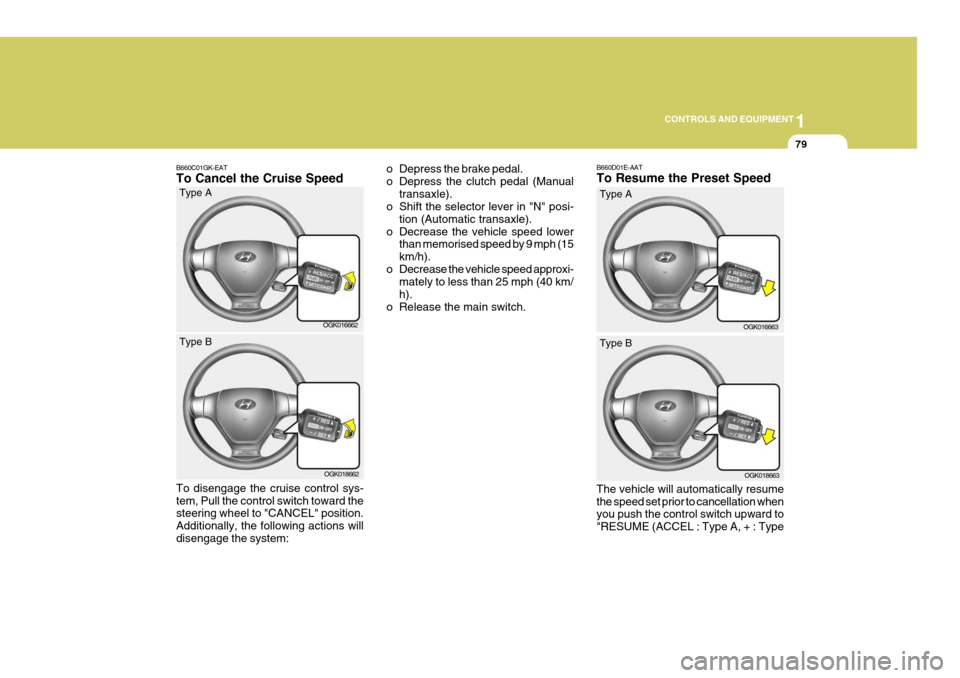
B660C01GK-EAT To Cancel the Cruise Speed o Depress the brake pedal.
o Depress the clutch pedal (Manual
transaxle).
o Shift the selector lever in "N" posi-
tion (Automatic transaxle).
o Decrease the vehicle speed lower than memorised speed by 9 mph (15km/h).
o Decrease the vehicle speed approxi- mately to less than 25 mph (40 km/h).
o Release the main switch.
OGK016662
Type A
OGK018662
Type B
To disengage the cruise control sys- tem, Pull the control switch toward the steering wheel to "CANCEL" position. Additionally, the following actions willdisengage the system: B660D01E-AAT To Resume the Preset Speed The vehicle will automatically resume the speed set prior to cancellation when you push the control switch upward to "RESUME (ACCEL : Type A, + : Type
OGK016663
Type A
OGK018663
Type B
Page 354 of 487
1FEATURES OF YOUR HYUNDAI
86
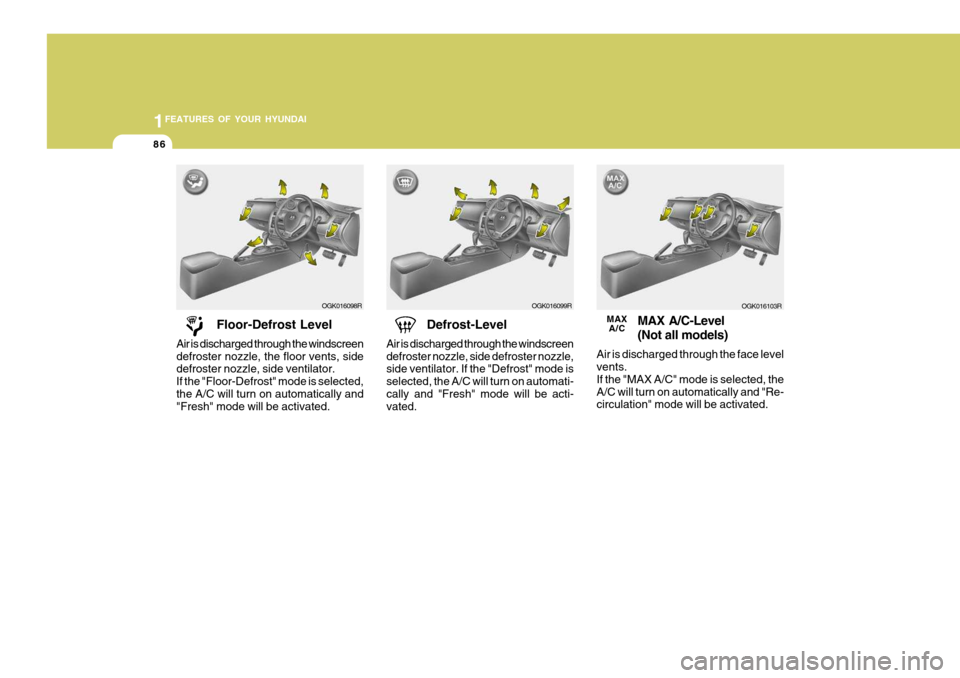
Floor-Defrost Level
Air is discharged through the windscreen defroster nozzle, the floor vents, side defroster nozzle, side ventilator. If the "Floor-Defrost" mode is selected,the A/C will turn on automatically and "Fresh" mode will be activated. Defrost-Level
Air is discharged through the windscreen defroster nozzle, side defroster nozzle, side ventilator. If the "Defrost" mode is selected, the A/C will turn on automati-cally and "Fresh" mode will be acti- vated.
OGK016098R
OGK016099R
MAX A/C-Level (Not all models)
Air is discharged through the face level vents. If the "MAX A/C" mode is selected, theA/C will turn on automatically and "Re- circulation" mode will be activated.
OGK016103R
MAX A/C
Page 355 of 487
1
FEATURES OF YOUR HYUNDAI
87
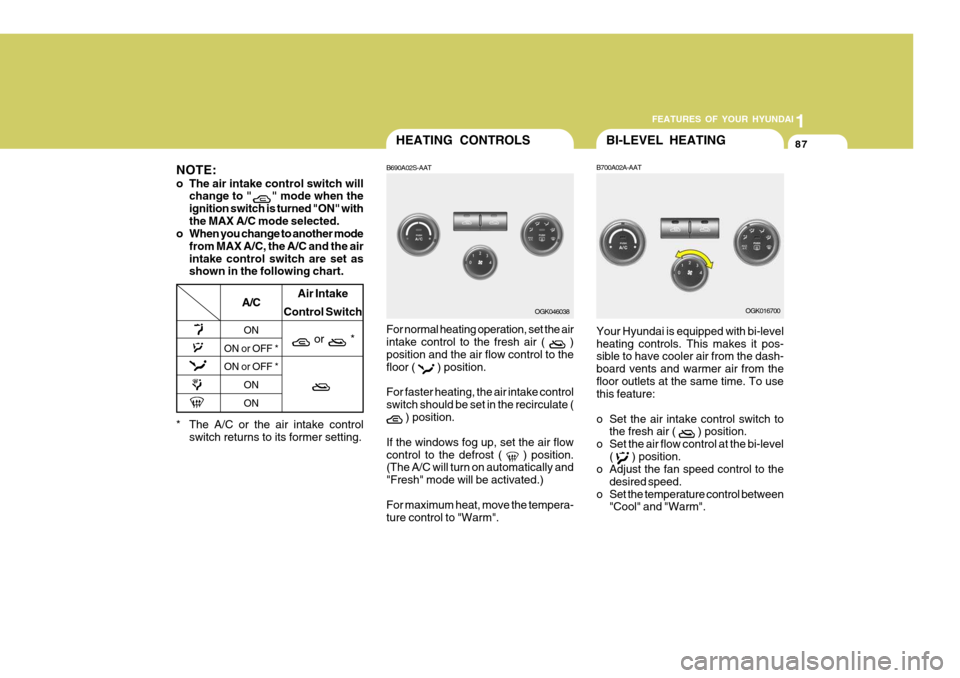
* The A/C or the air intake control
switch returns to its former setting.
A/C
ON
ON or OFF * ON or OFF *
ONON Air Intake
Control Switch
or *
NOTE:
o The air intake control switch will change to "
" mode when the
ignition switch is turned "ON" with the MAX A/C mode selected.
o When you change to another mode
from MAX A/C, the A/C and the airintake control switch are set as shown in the following chart.
HEATING CONTROLS
B690A02S-AAT For normal heating operation, set the air intake control to the fresh air (
)
position and the air flow control to the floor (
) position.
For faster heating, the air intake control switch should be set in the recirculate (
) position.
If the windows fog up, set the air flow control to the defrost (
) position.
(The A/C will turn on automatically and "Fresh" mode will be activated.) For maximum heat, move the tempera- ture control to "Warm". OGK046038
BI-LEVEL HEATING
B700A02A-AAT Your Hyundai is equipped with bi-level heating controls. This makes it pos- sible to have cooler air from the dash- board vents and warmer air from thefloor outlets at the same time. To use this feature:
o Set the air intake control switch to the fresh air (
) position.
o Set the air flow control at the bi-level (
) position.
o Adjust the fan speed control to the
desired speed.
o Set the temperature control between "Cool" and "Warm". OGK016700
Page 356 of 487
1FEATURES OF YOUR HYUNDAI
88DEFROSTING/DEFOGGING
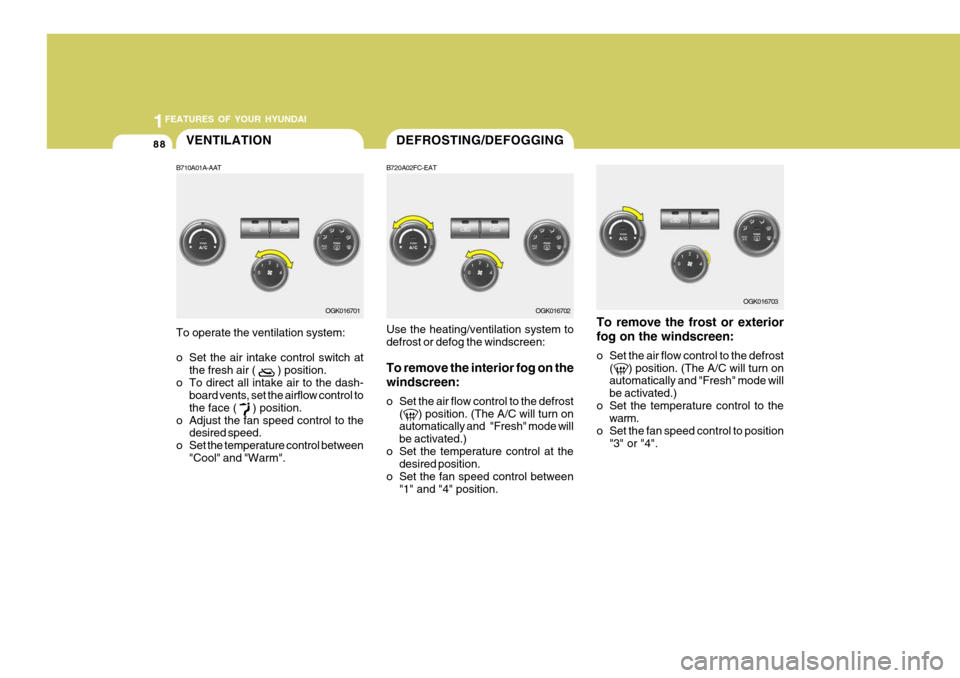
B720A02FC-EAT Use the heating/ventilation system to defrost or defog the windscreen: To remove the interior fog on the windscreen:
o Set the air flow control to the defrost ( ) position. (The A/C will turn on automatically and "Fresh" mode will be activated.)
o Set the temperature control at the desired position.
o Set the fan speed control between
"1" and "4" position.
OGK016702
VENTILATION
B710A01A-AAT To operate the ventilation system:
o Set the air intake control switch at the fresh air (
) position.
o To direct all intake air to the dash- board vents, set the airflow control to the face (
) position.
o Adjust the fan speed control to the desired speed.
o Set the temperature control between "Cool" and "Warm". OGK016701
To remove the frost or exterior fog on the windscreen:
o Set the air flow control to the defrost
( ) position. (The A/C will turn on automatically and "Fresh" mode will be activated.)
o Set the temperature control to the warm.
o Set the fan speed control to position "3" or "4".
OGK016703
Page 360 of 487
1FEATURES OF YOUR HYUNDAI
92AUTOMATIC HEATING AND COOLING CONTROL SYSTEM
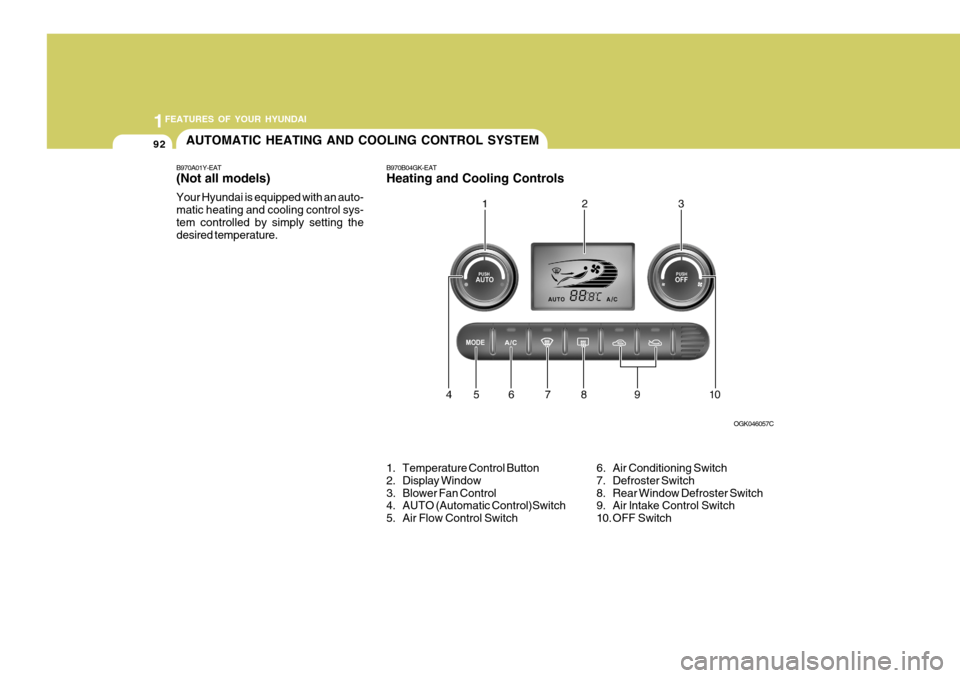
B970A01Y-EAT (Not all models) Your Hyundai is equipped with an auto- matic heating and cooling control sys-tem controlled by simply setting the desired temperature.
1. Temperature Control Button
2. Display Window
3. Blower Fan Control
4. AUTO (Automatic Control)Switch
5. Air Flow Control Switch OGK046057C
6. Air Conditioning Switch
7. Defroster Switch
8. Rear Window Defroster Switch
9. Air lntake Control Switch
10. OFF Switch
B970B04GK-EAT Heating and Cooling Controls