ignition Hyundai Coupe 2008 Owner's Guide
[x] Cancel search | Manufacturer: HYUNDAI, Model Year: 2008, Model line: Coupe, Model: Hyundai Coupe 2008Pages: 407, PDF Size: 11.03 MB
Page 63 of 407
1
FEATURES OF YOUR HYUNDAI
51
!
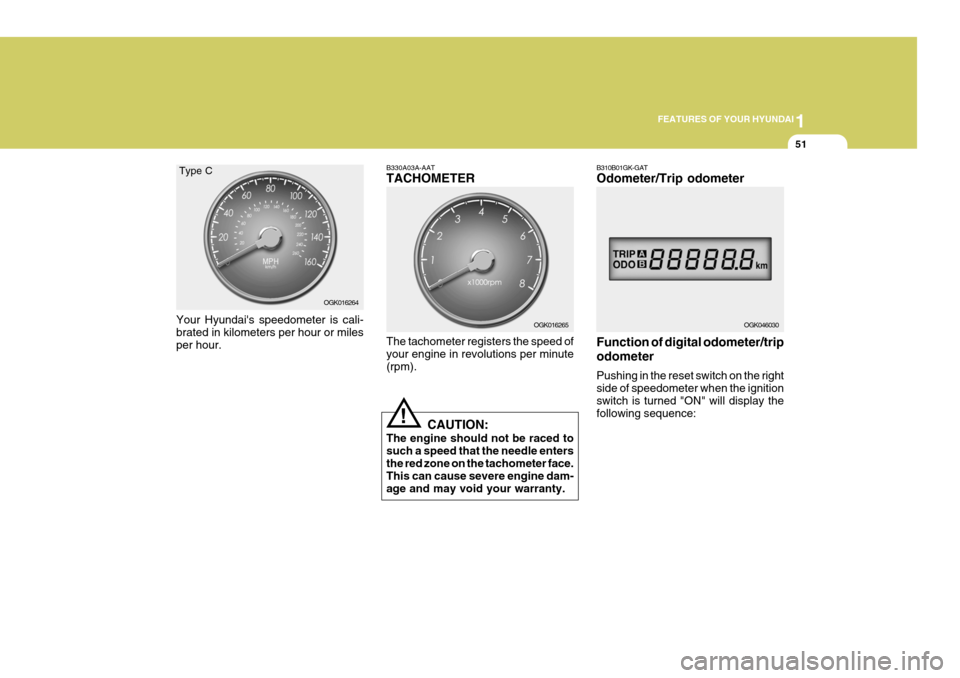
Your Hyundai's speedometer is cali- brated in kilometers per hour or miles per hour. B330A03A-AAT TACHOMETER The tachometer registers the speed of your engine in revolutions per minute (rpm).
CAUTION:
The engine should not be raced tosuch a speed that the needle entersthe red zone on the tachometer face. This can cause severe engine dam- age and may void your warranty. OGK016265
OGK016264
Type C
B310B01GK-GAT Odometer/Trip odometer Function of digital odometer/trip odometer Pushing in the reset switch on the right side of speedometer when the ignition switch is turned "ON" will display thefollowing sequence:
OGK046030
Page 68 of 407
1FEATURES OF YOUR HYUNDAI
56
The system automatically turns off the small light when the driver re-moves the ignition key and opens the driver- side door.
o With this feature, the parklight will be
turned off automatically if the driverparks on the side of road at night.
If necessary, to keep the lights on whenthe ignition key is removed, perform the following :
1) Open the driver-side door.
2) Turn the parklights OFF and ON again using the light switch on the steering column.
B340F01A-GAT Daytime Running Lights (If Installed) Your Hyundai is equipped with daytime running lights. The daytime running lightsare used to improve visibility for oncom- ing traffic. Your vehicle daytime running lights are designed to remain on continu-ously when the engine is operating even though the headlight switch is in the "OFF" position. However, the daytimerunning lights will be off while the parking brake is applied.
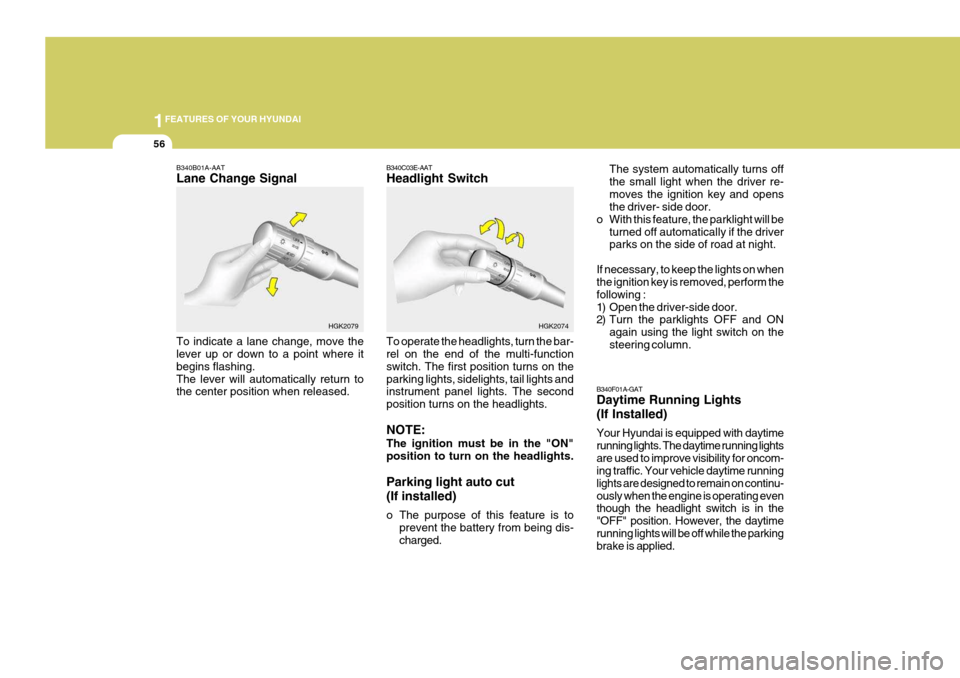
B340B01A-AAT Lane Change Signal To indicate a lane change, move the lever up or down to a point where it begins flashing.The lever will automatically return to the center position when released. B340C03E-AAT Headlight Switch To operate the headlights, turn the bar- rel on the end of the multi-function switch. The first position turns on theparking lights, sidelights, tail lights and instrument panel lights. The second position turns on the headlights. NOTE: The ignition must be in the "ON" position to turn on the headlights. Parking light auto cut (If installed)
o The purpose of this feature is to
prevent the battery from being dis- charged.
HGK2079
HGK2074
Page 74 of 407
1FEATURES OF YOUR HYUNDAI
62HAZARD WARNING SYS- TEM
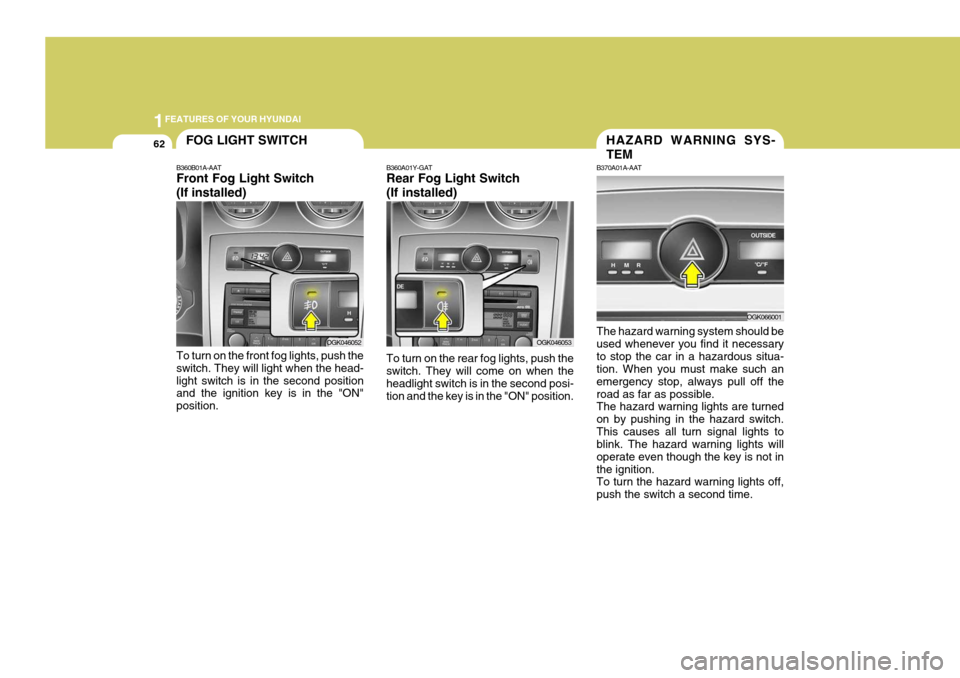
B370A01A-AAT The hazard warning system should be used whenever you find it necessaryto stop the car in a hazardous situa- tion. When you must make such an emergency stop, always pull off theroad as far as possible. The hazard warning lights are turned on by pushing in the hazard switch.This causes all turn signal lights to blink. The hazard warning lights will operate even though the key is not inthe ignition. To turn the hazard warning lights off, push the switch a second time.
OGK066001
FOG LIGHT SWITCH
OGK046052
OGK046053
B360B01A-AAT Front Fog Light Switch (If installed) To turn on the front fog lights, push the switch. They will light when the head-light switch is in the second position and the ignition key is in the "ON" position. B360A01Y-GAT Rear Fog Light Switch (If installed) To turn on the rear fog lights, push the switch. They will come on when the headlight switch is in the second posi-tion and the key is in the "ON" position.
Page 79 of 407
1
FEATURES OF YOUR HYUNDAI
67
!
SUNROOF
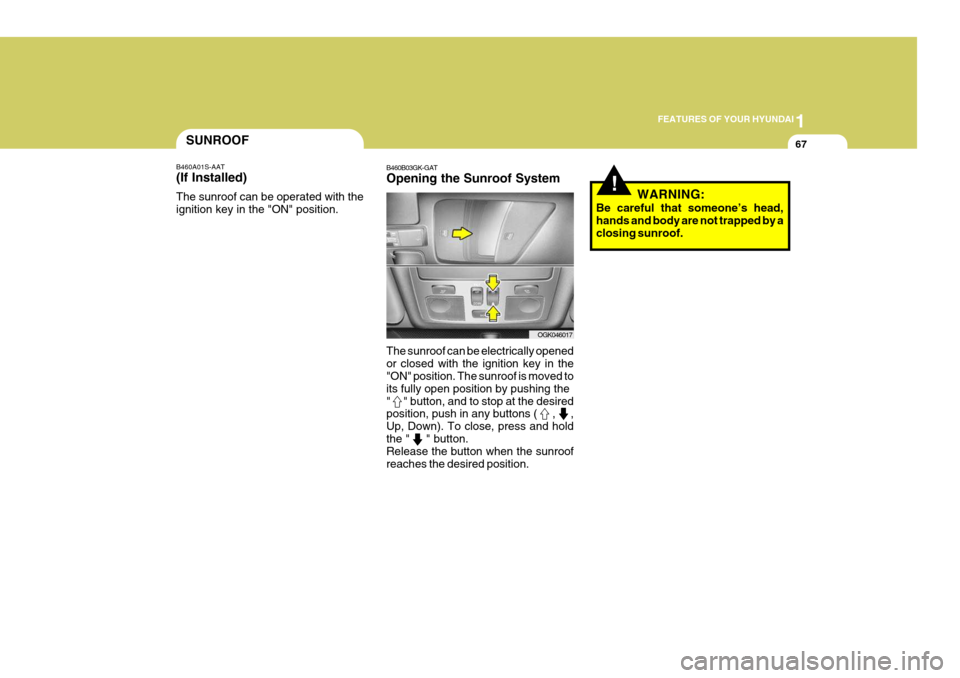
B460A01S-AAT (If Installed) The sunroof can be operated with the ignition key in the "ON" position. B460B03GK-GAT Opening the Sunroof System The sunroof can be electrically opened or closed with the ignition key in the "ON" position. The sunroof is moved to its fully open position by pushing the" " button, and to stop at the desired position, push in any buttons ( , , Up, Down). To close, press and holdthe " " button. Release the button when the sunroof reaches the desired position. WARNING:
Be careful that someone’s head,hands and body are not trapped by aclosing sunroof.
OGK046017
Page 81 of 407
1
FEATURES OF YOUR HYUNDAI
69
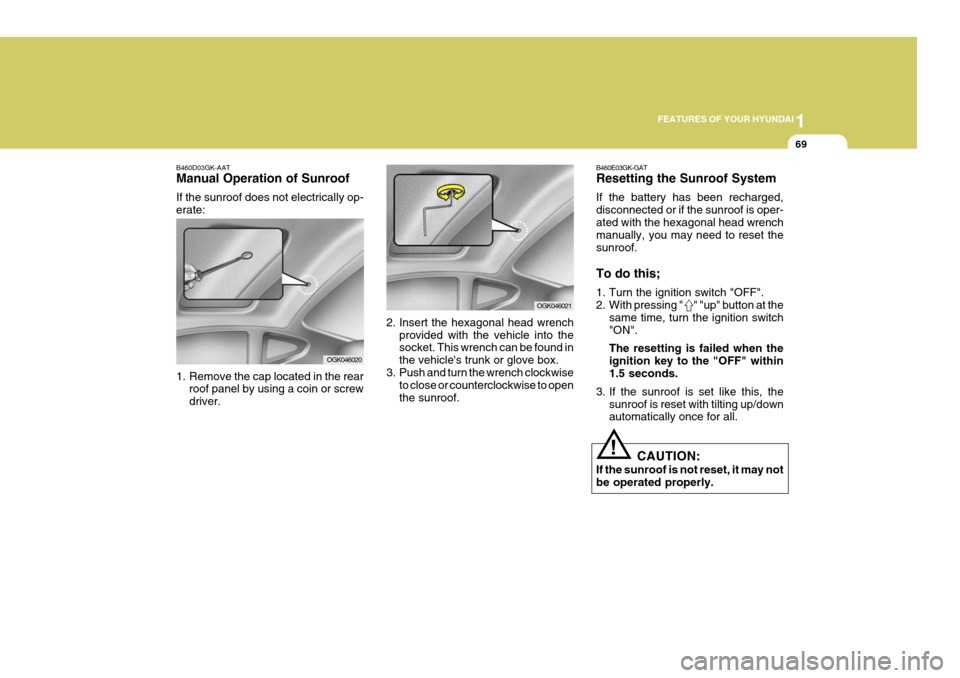
B460D03GK-AAT Manual Operation of Sunroof If the sunroof does not electrically op- erate:
1. Remove the cap located in the rear roof panel by using a coin or screw driver. 2. Insert the hexagonal head wrench
provided with the vehicle into the socket. This wrench can be found in the vehicle's trunk or glove box.
3. Push and turn the wrench clockwise
to close or counterclockwise to openthe sunroof.
OGK046020
OGK046021 B460E03GK-GAT Resetting the Sunroof System If the battery has been recharged, disconnected or if the sunroof is oper-ated with the hexagonal head wrench manually, you may need to reset the sunroof. To do this;
1. Turn the ignition switch "OFF".
2. With pressing " " "up" button at the
same time, turn the ignition switch"ON". The resetting is failed when the ignition key to the "OFF" within1.5 seconds.
3. If the sunroof is set like this, the sunroof is reset with tilting up/down automatically once for all.
CAUTION:
If the sunroof is not reset, it may not be operated properly.
!
Page 82 of 407
1FEATURES OF YOUR HYUNDAI
70
!
SPECTACLE CASEMAP LIGHT
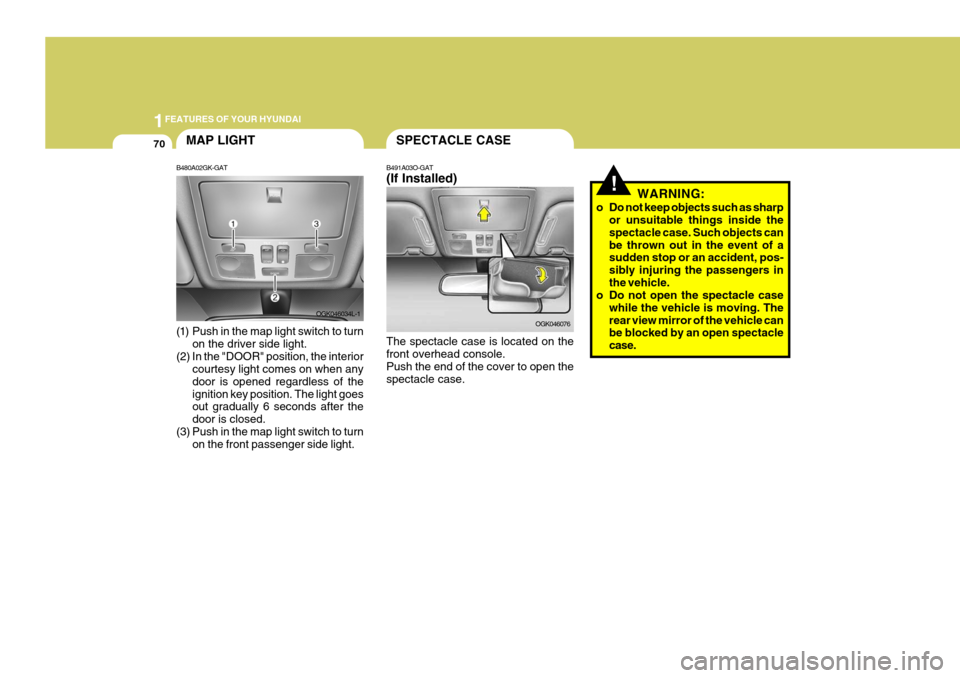
B480A02GK-GAT
(1) Push in the map light switch to turn on the driver side light.
(2) In the "DOOR" position, the interior courtesy light comes on when any door is opened regardless of theignition key position. The light goes out gradually 6 seconds after the door is closed.
(3) Push in the map light switch to turn on the front passenger side light. B491A03O-GAT (If Installed) The spectacle case is located on the front overhead console. Push the end of the cover to open thespectacle case.
WARNING:
o Do not keep objects such as sharp or unsuitable things inside thespectacle case. Such objects canbe thrown out in the event of a sudden stop or an accident, pos- sibly injuring the passengers inthe vehicle.
o Do not open the spectacle case
while the vehicle is moving. Therear view mirror of the vehicle can be blocked by an open spectacle case.
OGK046034L-1
OGK046076
Page 103 of 407
1
FEATURES OF YOUR HYUNDAI
91BI-LEVEL HEATING
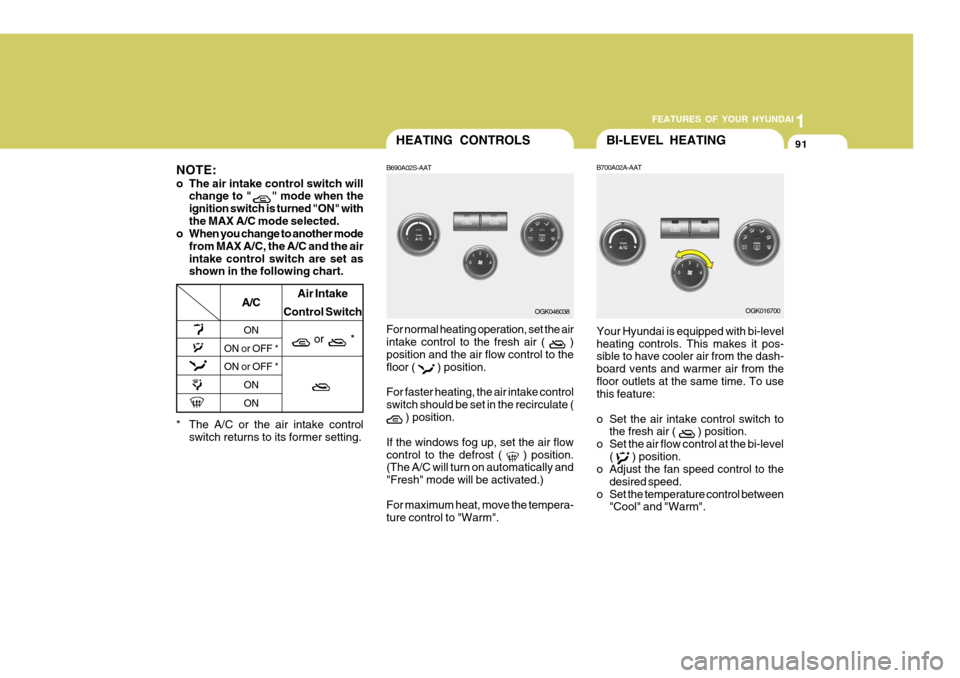
B700A02A-AAT Your Hyundai is equipped with bi-level heating controls. This makes it pos- sible to have cooler air from the dash- board vents and warmer air from thefloor outlets at the same time. To use this feature:
o Set the air intake control switch to the fresh air (
) position.
o Set the air flow control at the bi-level (
) position.
o Adjust the fan speed control to the
desired speed.
o Set the temperature control between "Cool" and "Warm". OGK016700
HEATING CONTROLS
B690A02S-AAT For normal heating operation, set the air intake control to the fresh air (
)
position and the air flow control to the floor (
) position.
For faster heating, the air intake control switch should be set in the recirculate (
) position.
If the windows fog up, set the air flow control to the defrost (
) position.
(The A/C will turn on automatically and "Fresh" mode will be activated.) For maximum heat, move the tempera- ture control to "Warm". OGK046038
* The A/C or the air intake control switch returns to its former setting.
A/C
ON
ON or OFF * ON or OFF *
ONON Air Intake
Control Switch
or *
NOTE:
o The air intake control switch will change to "
" mode when the
ignition switch is turned "ON" with the MAX A/C mode selected.
o When you change to another mode
from MAX A/C, the A/C and the airintake control switch are set as shown in the following chart.
Page 116 of 407
1FEATURES OF YOUR HYUNDAI
104
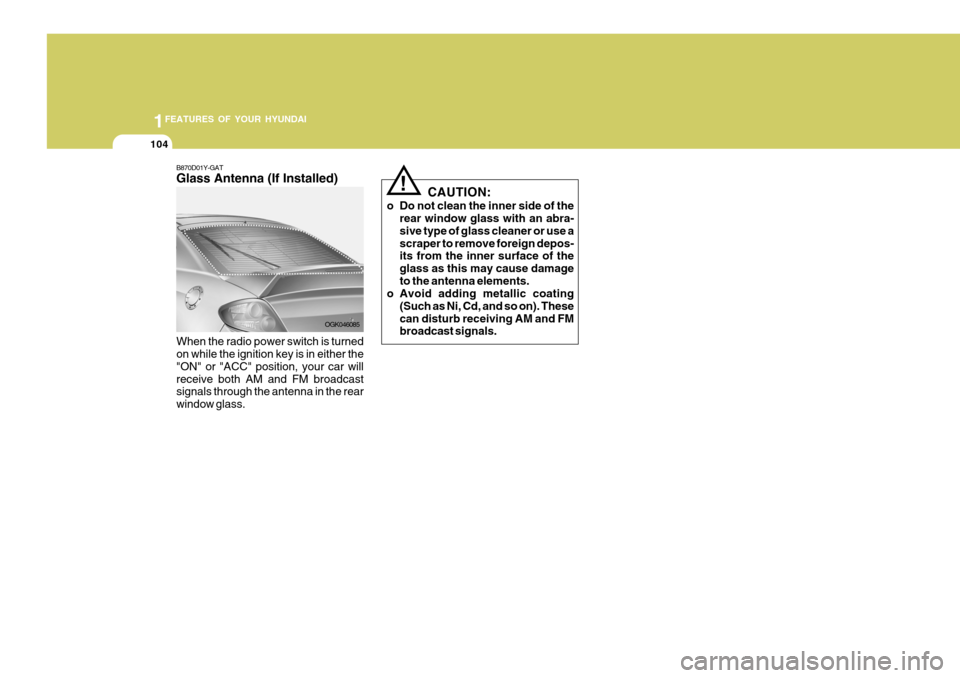
B870D01Y-GAT Glass Antenna (If Installed) When the radio power switch is turned on while the ignition key is in either the "ON" or "ACC" position, your car willreceive both AM and FM broadcast signals through the antenna in the rear window glass. OGK046085CAUTION:
o Do not clean the inner side of the rear window glass with an abra-sive type of glass cleaner or use ascraper to remove foreign depos- its from the inner surface of the glass as this may cause damageto the antenna elements.
o Avoid adding metallic coating
(Such as Ni, Cd, and so on). Thesecan disturb receiving AM and FM broadcast signals.
!
Page 120 of 407
1FEATURES OF YOUR HYUNDAI
108
H280B01GK-GAT
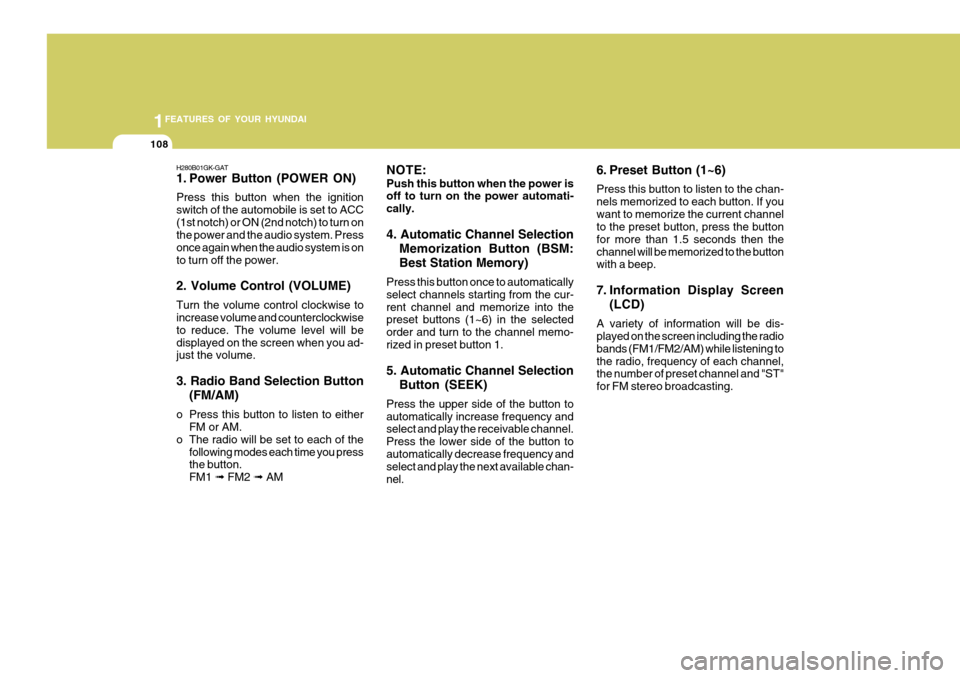
1. Power Button (POWER ON) Press this button when the ignition switch of the automobile is set to ACC(1st notch) or ON (2nd notch) to turn on the power and the audio system. Press once again when the audio system is onto turn off the power. 2. Volume Control (VOLUME) Turn the volume control clockwise to increase volume and counterclockwise to reduce. The volume level will bedisplayed on the screen when you ad- just the volume. 3. Radio Band Selection Button(FM/AM)
o Press this button to listen to either FM or AM.
o The radio will be set to each of the
following modes each time you press the button. FM1 ➟ FM2 ➟ AM NOTE: Push this button when the power is off to turn on the power automati- cally. 4. Automatic Channel Selection
Memorization Button (BSM: Best Station Memory)
Press this button once to automatically select channels starting from the cur-rent channel and memorize into the preset buttons (1~6) in the selected order and turn to the channel memo-rized in preset button 1. 5. Automatic Channel Selection Button (SEEK)
Press the upper side of the button to automatically increase frequency and select and play the receivable channel. Press the lower side of the button toautomatically decrease frequency and select and play the next available chan- nel. 6. Preset Button (1~6) Press this button to listen to the chan- nels memorized to each button. If youwant to memorize the current channel to the preset button, press the button for more than 1.5 seconds then thechannel will be memorized to the button with a beep.
7. Information Display Screen
(LCD)
A variety of information will be dis- played on the screen including the radio bands (FM1/FM2/AM) while listening tothe radio, frequency of each channel, the number of preset channel and "ST" for FM stereo broadcasting.
Page 123 of 407
1
FEATURES OF YOUR HYUNDAI
111
H280D01GK-GAT 1. TATE MODE Selection Button / TAPE Side Selection Button
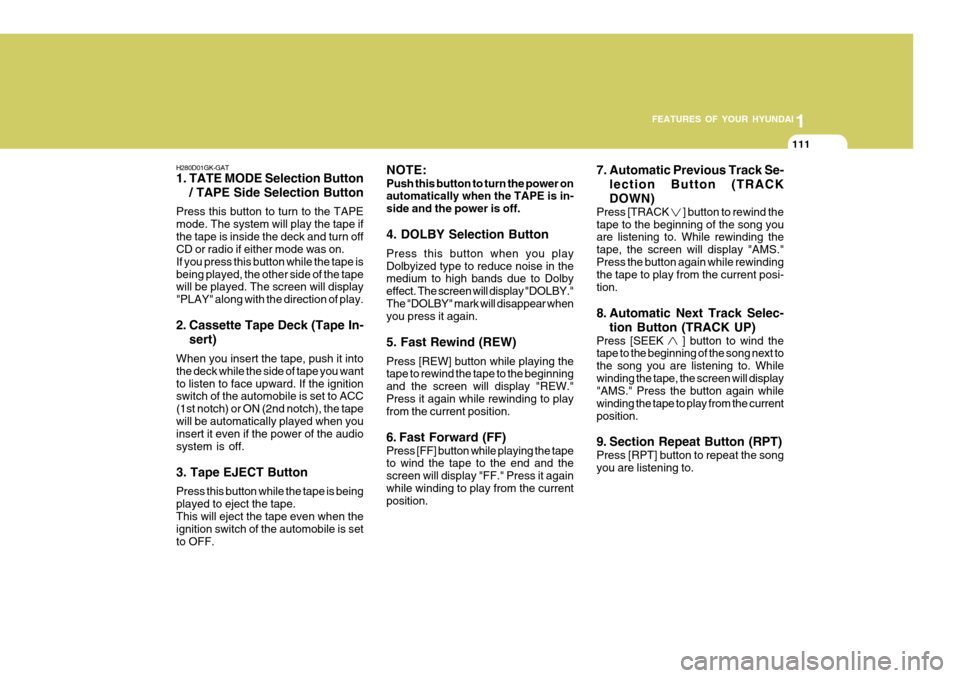
Press this button to turn to the TAPE mode. The system will play the tape ifthe tape is inside the deck and turn off CD or radio if either mode was on. If you press this button while the tape isbeing played, the other side of the tape will be played. The screen will display "PLAY" along with the direction of play.
2. Cassette Tape Deck (Tape In- sert)
When you insert the tape, push it into the deck while the side of tape you wantto listen to face upward. If the ignition switch of the automobile is set to ACC (1st notch) or ON (2nd notch), the tapewill be automatically played when you insert it even if the power of the audio system is off. 3. Tape EJECT Button Press this button while the tape is being played to eject the tape.This will eject the tape even when the ignition switch of the automobile is set to OFF. NOTE: Push this button to turn the power on automatically when the TAPE is in- side and the power is off. 4. DOLBY Selection Button Press this button when you play Dolbyized type to reduce noise in the medium to high bands due to Dolby effect. The screen will display "DOLBY."The "DOLBY" mark will disappear when you press it again. 5. Fast Rewind (REW) Press [REW] button while playing the tape to rewind the tape to the beginning and the screen will display "REW."Press it again while rewinding to play from the current position.
6. Fast Forward (FF) Press [FF] button while playing the tape to wind the tape to the end and the screen will display "FF." Press it againwhile winding to play from the current position.
7. Automatic Previous Track Se-
lection Button (TRACK DOWN)
Press [TRACK
] button to rewind the
tape to the beginning of the song you are listening to. While rewinding the tape, the screen will display "AMS."Press the button again while rewinding the tape to play from the current posi- tion.
8. Automatic Next Track Selec-
tion Button (TRACK UP)
Press [SEEK
] button to wind the
tape to the beginning of the song next to the song you are listening to. Whilewinding the tape, the screen will display "AMS." Press the button again while winding the tape to play from the currentposition.
9. Section Repeat Button (RPT) Press [RPT] button to repeat the song you are listening to.