ignition Hyundai Coupe 2008 Owner's Guide
[x] Cancel search | Manufacturer: HYUNDAI, Model Year: 2008, Model line: Coupe, Model: Hyundai Coupe 2008Pages: 407, PDF Size: 11.03 MB
Page 126 of 407
1FEATURES OF YOUR HYUNDAI
114
H280F01GK-GAT
1. CD Deck Make sure the printed side of the disk faces upward when you insert the disk.If you insert the disk when the ignition switch of the automobile is set to ACC (1st notch) or ON (2nd notch), the CDDeck will automatically play CD even if the power was off. This CD Deck can play both 12cm and 8cm audio disks. Ifyou insert video CD, then the screen will display "ERROR DISC" and eject the disk.
2. CD Indicator This indicator light will be on if the CD is inside the CDP deck whether the audio system is on or not. This light will go off when the CD is ejected.
3. CD Eject Button Press [
] button to eject the disk while
playing the disk. This will eject the CD whether or not the ignition switch is on or off. 4. CD Selection Button Press this button while the disk is inside the CDP deck to listen to the CDeven if the radio or tape was on or if CD changer was in action. If you press [CD/ MP3] button when the disk is ejectedand hanging in the opening, the system will automatically insert the disk and play the CD.
5. Fast Backward (REW) Press and hold [REW] button while playing CD then the player will play the disk backwards 5 times the regular speed for first 5 seconds and 15 timesfaster after that. The sound will be reduced by 12dB while you are holding the button.
6. Fast Forward (FF) Press and hold [FF] button while play- ing CD then the player will play the diskforward 5 times the regular speed for first 5 seconds and 15 times faster after that. The sound will be reduced by 12dBwhile you are holding the button. NOTE: If you press this button when the power is off and CD is inside the deck, the power will be automati-cally turned on. 7. Automatic Previous Track Se-
lection Button
Press [TRACK
] button to go to the
beginning of the song you are listening to while playing the CD. Press the button again to go to the beginning ofthe song before the song you were listening to. When you press this button while listening to the first track of theCD then the system will move to the beginning of the last track of the CD. 8. Automatic Next Track Selec-
tion Button
Press [SEEK
] button to go to the
beginning of the song next to the song you are listening to while playing theCD. 9. Section Repeat Button (RPT) Press [RPT] button to repeat the song you are listening to. Press this button again to cancel repetition.
Page 129 of 407

1
FEATURES OF YOUR HYUNDAI
117
H265B01GK-GAT
1. Power Button and Volume Control (POWER ON/ VOL- UME)
Press this button when the ignition switch of the automobile is set to ACC (1st notch) or ON (2nd notch) to turn onthe power of the audio system. When the power is turned on, turn the volume control clockwise to increase volumeand counterclockwise to reduce. Press once again when the audio system is on to turn off the power.
2. Radio Band Selection Button (FM/AM)
North American Standard
o Press this button to listen to either FM or AM.
o The radio will be set to each mode
each time you press the button in aloop; FM1 ➟FM2 ➟AM ➟FM1 and
soon.
European Standard
o Press this button to listen to either FM or AM.
o The radio will be set to each mode each time you press the button in a loop; FM1 ➟FM2 ➟MW ➟LW ➟FM1
and soon. 5. Preset Button (1~6) Press this button but do not hold for no more than 2 seconds to listen to thechannels memorized to each button. If you want to memorize the current chan- nel to the preset button when you arelistening to channel not memorized to any of the preset buttons, press the button and hold for more than 2 sec-onds then the channel will be memo- rized to the button with the beep.
6. Information Display Screen
(LCD)
A variety of information will be dis- played on the screen including the radio bands (FM1/FM2/AM) while listening tothe radio, frequency of each channel, the number of preset channel and "ST" for FM stereo broadcasting.
3. Automatic Channel Selection
Button (SEEK)
Press and hold the [
] button for more
than 0.5 seconds until you hear the beep to automatically increase frequency and press and hold the [
] button for more
than 0.5 seconds until you hear the beep to automatically decrease frequency to select and play the next available chan- nel. If the received channel is memo-rized in the preset buttons then the screen will display the memorized chan- nel.
4. Manual Channel Selection
Control (TUNE)
Press and hold [
] button for less than
0.5 seconds to increase frequency by 1 step and [
] to decrease.
Press and hold [
] or [ ] button for
more than 0.5 seconds even after you hear the beep then the frequency will increase or decrease quickly. When you release the button, the system willturn to the automatic selection mode.
Page 132 of 407
1FEATURES OF YOUR HYUNDAI
120
H265D01GK-GAT 1. CD Deck Make sure the printed side of the disk faces upward when you insert the disk.If you insert the disk when the ignition switch of the automobile is set to ACC (1st notch) or ON (2nd notch), the CDDECK will automatically play CD even if the power was off. This CD DECK can play both 12cm and8cm audio disks. If you insert video CD, then the screen will display the status of the CD but it will not play the video fileand therefore there will be no sound.
2. CD Indicator This indicator light will be on if the CD is inside the CD DECK if the ignition switch of the automobile is set to ACC(1st notch) or ON (2nd notch) regard- less of whether the audio system is on or off. This light will go off when the CDis ejected.
3. CD Eject Button Press [
] button to eject the disk while
playing the disk. This will eject the CD whether or not the ignition switch is on or off. 4. CD Selection Button Press this button while the disk is inside the CD DECK to listen to the CD.If the radio was on previously then it will be turned off and CD player will be activated. If you press [CD] buttonwhen the disk is ejected and hanging in the opening the system will automati- cally insert the disk and play the CD. 5. Fast Backward (REW) Press and hold [REW] button while playing CD then the player will play the disk backwards 5 times the regularspeed for first 5 seconds and 15 times faster after that. The sound will be reduced by 12dB while you are holdingthe button.
6. Fast Forward (FF) Press and hold [FF] button while play- ing CD then the player will play the diskforward 5 times the regular speed for first 5 seconds and 15 times faster after that. The sound will be reduced by 12dBwhile you are holding the button.
7. Automatic Previous Track Se-
lection Button
Press [
] button to go to the beginning
of the song you are listening to while playing the CD. Press the button again to go to the beginning of the song beforethe song you were listening to. When you press this button while listening to the first track of the CD then the systemwill move to the beginning of the last track of the CD.
8. Automatic Next Track Selec-
tion Button
Press [
] button to go to the beginning
of the song next to the song you are listening to while playing the CD. When you press this button while listening to the last track of the CD then the systemwill move to the beginning of the first track of the CD.
9. Section Repeat Button (RPT) Press [RPT] button to repeat the song you are listening to. Press this button again to cancel repetition.
Page 135 of 407

1
FEATURES OF YOUR HYUNDAI
123
H465B01GK-GAT
1. Power Button (POWER ON) Press this button when the ignition switch of the automobile is set to ACC(1st notch) or ON (2nd notch) to turn on the power and the audio system. Press once again when the audio system is onto turn off the power. 2. Volume Control (VOLUME) Turn the volume control clockwise to increase volume and counterclockwise to reduce. The volume level will bedisplayed on the screen when you ad- just the volume. 3. Radio Band Selection Button (FM/AM)
o Press this button to listen to either FM or AM.
o The radio will be set to each of the
following modes each time you press the button. FM1 ➟ FM2 ➟ AM NOTE: Push this button when the power is off to turn on the power automati- cally. 4. Automatic Channel Selection
Memorization Button (BSM: Best Station Memory)
Press this button once to automatically select channels starting from the cur-rent channel and memorize into the preset buttons (1~6) in the selected order and turn to the channel memo-rized in preset button 1. 5. Automatic Channel Selection Button (SEEK)
Press the [SEEK
] button to auto-
matically increase frequency and press the [TRACK
] button to automati-
cally decrease frequency to select and play the next available channel. If the received channel is memorized in thepreset buttons then the screen will dis- play the memorized channel. 6. Manual Channel Selection
Control (TUNE)
Turn the TUNE control clockwise to increase frequency and counterclock-wise to reduce frequency by 1 step for each click.
7. Preset Button (1~6) Press this button to listen to the chan- nels memorized to each button. If you want to memorize the current channelto the preset button, press the button for more than 1.5 seconds then the channel will be memorized to the buttonwith a beep.
8. Information Display Screen (LCD)
A variety of information will be dis- played on the screen including the radiobands (FM1/FM2/AM) while listening to the radio, frequency of each channel, the number of preset channel and "ST"for FM stereo broadcasting.
Page 146 of 407
2
DRIVING YOUR HYUNDAI
3TO START THE ENGINEBEFORE STARTING THE ENGINE
C020A03A-AAT Before you start the engine, you should always:
1. Look around the vehicle to be sure there are no flat tires, puddles of oil, water or other indications of pos- sible trouble.
2. After entering the car, check to be sure the parking brake is engaged.
3. Check that all windows, and lights are clean.
4. Check that the interior and exterior
mirrors are clean and in position.
5. Check your seat, seatback and headrest to be sure they are in theirproper positions.
6. Close all the doors.
7. Fasten your seat belt and be sure
that all other occupants have fas- tened theirs.
8. Turn off all lights and accessories
that are not needed.
9. When you turn the ignition switch to "ON", check that all appropriatewarning lights are operating andthat you have sufficient fuel.
10.Check the operation of warning
lights and all bulbs when key is inthe "ON" position. C030A01A-GAT COMBINATION IGNITION SWITCH
o If your Hyundai is equipped with a
manual transaxle, place the shift lever in neutral and depress the clutch pedal fully.
o If your Hyundai has an automatic
transaxle, place the shift lever in "P"(park).
o To start the engine, insert the igni- tion key and turn it to the "START"position. Release it as soon as the engine starts. Do not hold the key inthe "START" position for more than 15 seconds.
NOTE: For safety, the engine will not start if the shift lever is not in "P" or "N" Position (Automatic Transaxle).
!WARNING:
Always wear appropriate shoes when operating your vehicle.Unsuitable shoes (high heels, ski boots, etc.) may interfere with your ability to use the brake and accelera-tor pedal, and the clutch (if installed).
!WARNING:
When you intend to park or stop the vehicle with the engine on, be care- ful not to depress the accelerator pedal for a long period of time. It mayoverheat the engine or exhaust sys- tem and cause fire.
Page 147 of 407
2 DRIVING YOUR HYUNDAI
4
NOTE: Do not hold the key in the "START" position for more than 15 seconds.
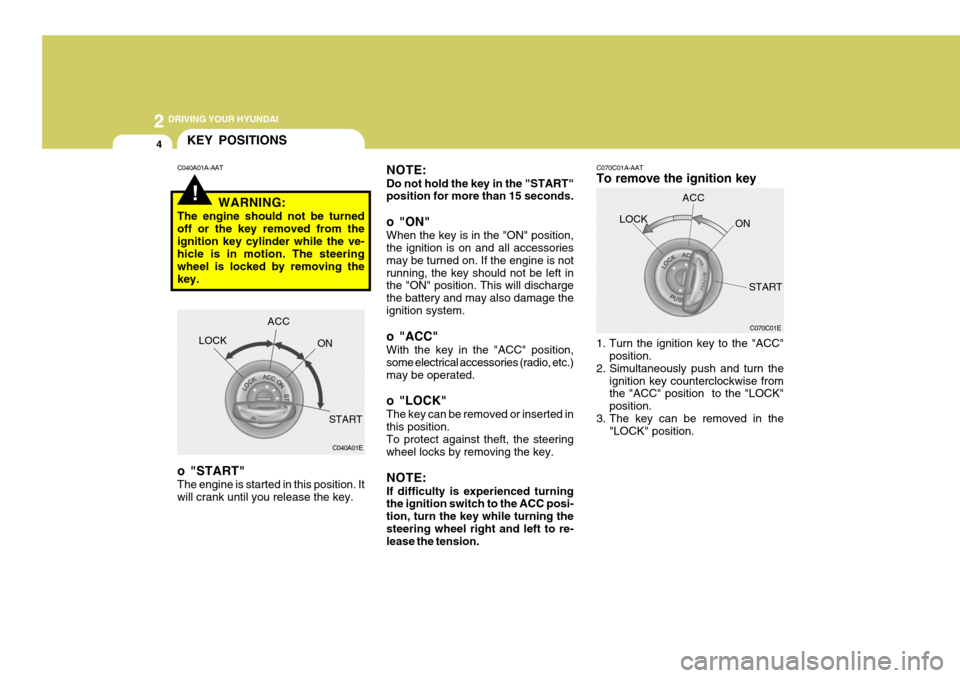
o "ON" When the key is in the "ON" position, the ignition is on and all accessories may be turned on. If the engine is notrunning, the key should not be left in the "ON" position. This will discharge the battery and may also damage theignition system.
o "ACC" With the key in the "ACC" position, some electrical accessories (radio, etc.)may be operated.
o "LOCK" The key can be removed or inserted in this position. To protect against theft, the steering wheel locks by removing the key. NOTE: If difficulty is experienced turning the ignition switch to the ACC posi- tion, turn the key while turning thesteering wheel right and left to re- lease the tension. C070C01A-AAT To remove the ignition key
1. Turn the ignition key to the "ACC"
position.
2. Simultaneously push and turn the
ignition key counterclockwise from the "ACC" position to the "LOCK" position.
3. The key can be removed in the "LOCK" position.LOCK
C070C01E
ACC
ON
START
!
C040A01A-AATKEY POSITIONS
WARNING:
The engine should not be turned off or the key removed from theignition key cylinder while the ve- hicle is in motion. The steering wheel is locked by removing thekey.
o "START" The engine is started in this position. It will crank until you release the key. LOCK
C040A01E
ACC
ON
START
Page 148 of 407
2
DRIVING YOUR HYUNDAI
5STARTING
!
!
C050A01A-AAT
WARNING:
Never run the engine in a closed or poorly ventilated area any longer than is needed to move your car inor out of the area. The carbon mon- oxide gas emitted is odorless and can cause serious injury or death. LOCK
C050B01A-GAT Normal Conditions: The Starting Procedure:
1. Insert key, and fasten the seat belt.
2. Depress the clutch pedal fully and
place the gearshift lever (manual transaxle) in neutral or the selector lever (automatic transaxle) in "P" (park) position.
3. After turning the ignition key to the "ON" position, make certain all warn-ing lights and gauges are functioningproperly before starting the engine.
WARNING:
Be sure that the clutch is fully de- pressed when starting a manual transaxle vehicle. Otherwise, thereis the potential to cause damage to the vehicle or injury to someone inside or outside the vehicle as aresult of the forward or backward movement of the vehicle that will occur if the clutch is not depressedwhen the vehicle is started.
4. Turn the ignition key to the "Start" position and release it when the en- gine starts.
C050A01E
ON
START
OPERATING THE MANUAL TRANSAXLE
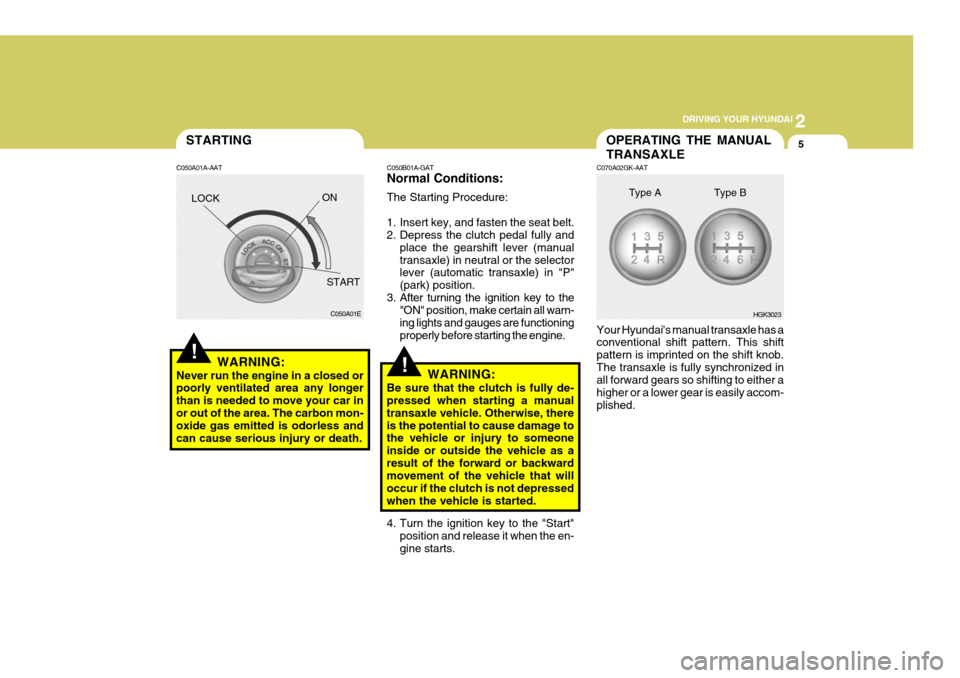
C070A02GK-AAT Your Hyundai's manual transaxle has a conventional shift pattern. This shift pattern is imprinted on the shift knob.The transaxle is fully synchronized in all forward gears so shifting to either a higher or a lower gear is easily accom-plished. HGK3023
Type A Type B
Page 149 of 407
2 DRIVING YOUR HYUNDAI
6
!
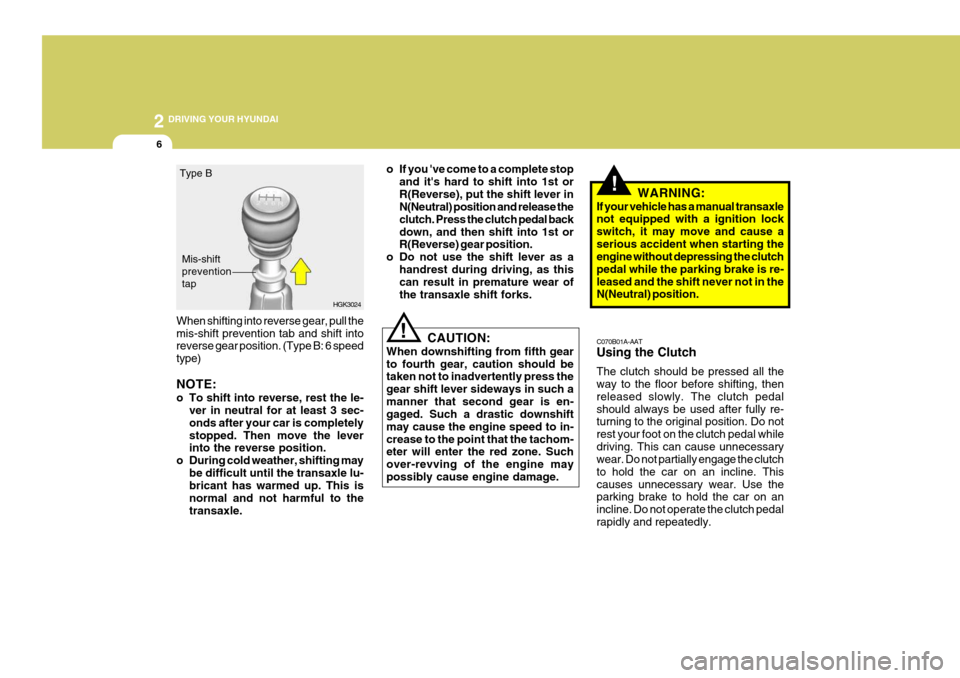
When shifting into reverse gear, pull the mis-shift prevention tab and shift into reverse gear position. (Type B: 6 speed type) NOTE:
o To shift into reverse, rest the le-
ver in neutral for at least 3 sec- onds after your car is completelystopped. Then move the lever into the reverse position.
o During cold weather, shifting may be difficult until the transaxle lu-bricant has warmed up. This is normal and not harmful to thetransaxle. o If you 've come to a complete stop
and it's hard to shift into 1st orR(Reverse), put the shift lever in N(Neutral) position and release the clutch. Press the clutch pedal backdown, and then shift into 1st or R(Reverse) gear position.
o Do not use the shift lever as a
handrest during driving, as thiscan result in premature wear of the transaxle shift forks.
CAUTION:
When downshifting from fifth gearto fourth gear, caution should be taken not to inadvertently press the gear shift lever sideways in such amanner that second gear is en- gaged. Such a drastic downshift may cause the engine speed to in-crease to the point that the tachom- eter will enter the red zone. Such over-revving of the engine maypossibly cause engine damage. C070B01A-AAT Using the Clutch The clutch should be pressed all the way to the floor before shifting, then released slowly. The clutch pedalshould always be used after fully re- turning to the original position. Do not rest your foot on the clutch pedal whiledriving. This can cause unnecessary wear. Do not partially engage the clutch to hold the car on an incline. Thiscauses unnecessary wear. Use the parking brake to hold the car on an incline. Do not operate the clutch pedalrapidly and repeatedly.
HGK3024
Type B
Mis-shift preventiontap
!WARNING:
If your vehicle has a manual transaxle not equipped with a ignition lock switch, it may move and cause aserious accident when starting the engine without depressing the clutch pedal while the parking brake is re-leased and the shift never not in the N(Neutral) position.
Page 152 of 407

2
DRIVING YOUR HYUNDAI
9
!
C090B01A-AAT The function of each position is as follows: o P (Park): Use to hold the vehicle in place when parked or while starting the engine.Whenever parking the car, apply the parking brake and shift the selector lever to the "P" (Park) position.
CAUTION:
Never place the selector lever in the "P" (Park) position unless the ve- hicle is fully stopped. Failure toobserve this caution will cause se- vere damage to the transaxle. C090C01A-AAT o R (Reverse): Use for backing up the vehicle. Bring the car to a complete stop before shift-ing the selector lever to "R" position. C090D02O-AAT o N (Neutral): In the "N" position, the transaxle is in neutral, which means that no gears are engaged. The engine can be started with the shift lever in "N" position,although this is not recommended ex- cept if the engine stalls while the car is moving. C090E02O-AAT
o D (Drive): Use for normal driving. Bring the car to a complete stop before shifting the selector lever to "D" position. Thetransaxle will automatically shift through a four gear sequence.
NOTE:
Depress the brake pedal andpush the button when shifting. Push the button when shifting.The selector lever can be shifted freely.
The indicator lights in the instrument cluster indicate the selector lever posi-tion when the ignition is switched "ON". During "D" or sports mode operation, the gear currently in use displays in thenumeral indicator.
Page 154 of 407

2
DRIVING YOUR HYUNDAI
11
!
C090H01L-GAT NOTE:
o For smooth and safe operation,
depress the brake pedal when shifting from "Neutral" positionor "Park" position to a forward or reverse gear.
o The ignition key must be in the "ON" position and the brake pedalfully depressed in order to move the shift lever from the "P" (Park)position to any of the other posi- tions.
o It is always possible to shift from "R", "N", "D" position to "P" po-sition. The vehicle must be fully stopped to avoid transaxle dam-age. C090I04L-GAT
CAUTION:
o Shift into "R", "D" and "P" posi- tion only when the vehicle hascompletely stopped.
o Do not accelerate the engine in reverse or any of the forward posi-tions with the brakes applied.
o Always apply the footbrake when shifting from "P" or "N", to "R","D"position.
o Do not use the "P" (Park) position in place of the parking brake.Always set the parking brake, shiftthe transaxle into "P" (Park) posi- tion and turn off the ignition when you leave the vehicle, even mo-mentarily. Never leave the vehicle unattended while the engine is running.
o When accelerating from a stop on a steep hill, the vehicle may havea tendency to roll backwards. Shift-ing the shift lever into 2nd gear while in Sport mode will help pre- vent the vehicle from rolling back-wards. o Check the automatic transaxle fluid
level regularly, and add fluid as necessary.
o See the maintenance schedule for
the proper fluid recommendation.
C090N05O-AAT Good Driving Practices
o Never move the gear selector lever from "P" or "N" to any other position with the accelerator pedal de- pressed.
o Never move the gear selector lever
into "P" when the vehicle is in mo-tion.
o Be sure the car is completely stopped
before you attempt to shift into "R" or"D".
o Never take the car out of gear and
coast down a hill. This may be ex-tremely hazardous. Always leave the car in gear when moving.
o Do not "ride" the brakes. This can cause them to overheat and mal-function. Instead, when you are driv-ing down a long hill, slow down and shift to a lower gear. When you do this, engine braking will help slowthe car.