reset Hyundai Creta 2016 Owner's Guide
[x] Cancel search | Manufacturer: HYUNDAI, Model Year: 2016, Model line: Creta, Model: Hyundai Creta 2016Pages: 512, PDF Size: 11.54 MB
Page 303 of 512
4-85
Multimedia System
4
•FADER Control
Turn the control SETUP PUSH/
ENTER knob clockwise to empha-
size rear speaker sound (front
speaker sound will be attenuated).
When the control SETUP PUSH/
ENTER knob is turned counterclock-
wise, front speaker sound will be
emphasized (rear speaker sound will
be attenuated).
BALANCE Control
Rotare the SETUP PUSH/
ENTER knob clockwise to empha-
size right speaker sound (left speak-
er sound will be attenuted). When the
control SETUP PUSH/ ENTER
knob is turnde counter clockwise, left
speaker sound will be emphasized
(right speaker sound will be attenuat-ed). 10.
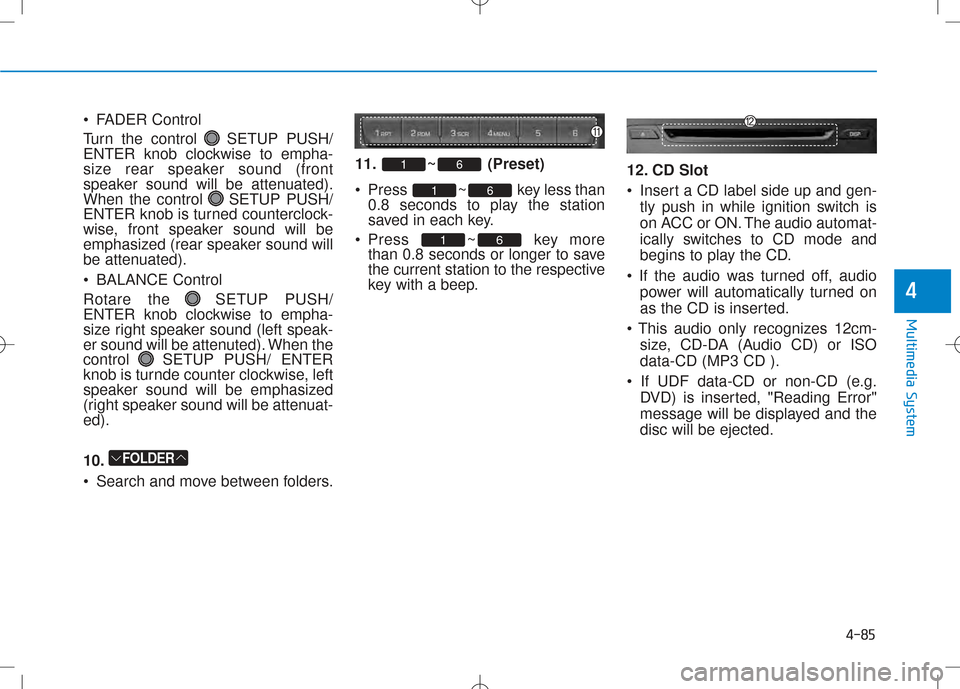
Search and move between folders. 11. ~ (Preset)
Press ~ key less
than
0.8 seconds to play the station
saved in each key.
Press ~ key more than 0.8 seconds or longer to save
the current station to the respective
key with a beep. 12. CD Slot
Insert a CD label side up and gen-
tly push in while ignition switch is
on ACC or ON. The audio automat-
ically switches to CD mode and
begins to play the CD.
power will automatically turned on
as the CD is inserted.
size, CD-DA (Audio CD) or ISOdata-CD (MP3 CD ).
DVD) is inserted, "Reading Error"
message will be displayed and thedisc will be ejected.
61
61
61
FOLDER
Page 309 of 512
4-91
Multimedia System
4
Information - USING THE
iPod®
DEVICE
Some iPod ®
models may not sup-
port communication protocol and
files may not properly play.
Supported iPod ®
models:
- iPod ®
Mini
- iPod ®
4th (Photo) ~ 6th (Classic)
generation
- iPod ®
Nano 1st~4th generation
- iPod ®
Touch 1st~2nd generation
The order of search or playback of songs in the iPod ®
can be different
from the order searched in the audio
system.
If the iPod ®
disabled due to its own
malfunction, reset the iPod ®
. (Reset:
Refer to iPod ®
manual)
An iPod ®
may not operate normally
on low battery.
To use iPod ®
features within the
audio, use the cable provided upon
purchasing an iPod ®
device.
Skipping or improper operation may occur depending on the characteris-
tics of your iPod ®
/iPhone ®
device.
(Continued) (Continued)
When connecting
iPod®
with the
iPod ®
Power Cable, insert the connec-
tor to the multimedia socket complete-
ly. If not inserted completely, commu-
nications between iPod®
and audio
may be interrupted.
When adjusting the sound effects of the iPod ®
and the audio system, the
sound effects of both devices will
overlap and might decrease or distort
the quality of the sound.
Deactivate (turn off) the equalizer function of an iPod®
when adjusting
the audio system’s volume, and turn
off the equalizer of the audio system
when using the equalizer of an iPod®
.
When not using iPod®
with car
audio, detach the iPod®
cable from
iPod ®
. Otherwise, iPod®
may remain
in accessory mode, and may not work
properly.
Beside support 1M cable when pur- chasing iPod/iPhone products, Long
Cable cannot be recognized.i
Page 358 of 512
5-46
Driving your vehicle
Cruise Control will be canceled
when:
• Depressing the brake pedal.
• Depressing the clutch pedal. (formanual transaxle vehicle)
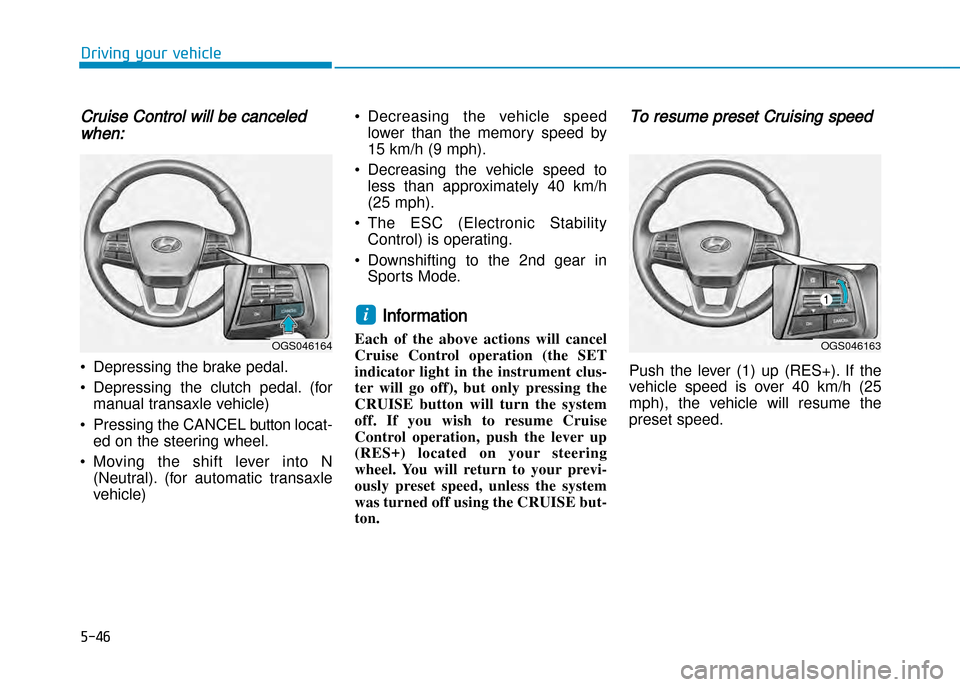
• Pressing the CANCEL button locat ed on the steering wheel.
• Moving the shift lever into N (Neutral). (for automatic transaxle
vehicle) • Decreasing the vehicle speed
lower than the memory speed by
15 km/h (9 mph).
• Decreasing the vehicle speed to less than approximately 40 km/h
(25 mph).
• The ESC (Electronic Stability Control) is operating.
• Downshifting to the 2nd gear in Sports Mode.
Information
Each of the above actions will cancel
Cruise Control operation (the SET
indicator light in the instrument clus
ter will go off), but only pressing the
CRUISE button will turn the system
off. If you wish to resume Cruise
Control operation, push the lever up
(RES+) located on your steering
wheel. You will return to your previ
ously preset speed, unless the system
was turned off using the CRUISE button.
To resume preset Cruising speed
Push the lever (1) up (RES+). If the
vehicle speed is over 40 km/h (25
mph), the vehicle will resume the
preset speed.
i
OGS046163OGS046164
Page 395 of 512
7
Maintenance
7
Maintenance
Enginecompartment .............................................7-3
Maintenanceservices ...........................................7-5Owner's responsibility ......................................................7-5
Owner maintenance precautions ................................7-5
Ownermaintenance ...............................................7-8 Owner maintenance schedule ......................................7-8
Scheduledmaintenanceservice ........................7-10
Explanationofscheduledmaintenanceitems ..7-28
Engineoil ..............................................................7-32 Checking the engine oil level ....................................7-32
Changing the engine oil and filter ..............................7-33
Enginecoolant......................................................7-34 Checking the coolant level ...........................................7-34
Recommended engine coolant.....................................7-36
Changing the coolant .....................................................7-36
Brake/clutchfluid ................................................7-37 Checking the brake/clutch fluid level ........................7-37
Washerfluid .........................................................7-39 Checking the washer fluid level ..................................7-39
Parkingbrake .......................................................7-39 Checking the parking brake .........................................7-39
Fuelfilter(ForDiesel) ........................................7-40 Draining water from fuel filter ....................................7-40
Extracting air from the fuel filter ..............................7-40 Aircleaner ............................................................7-41
Filter replacement ........................................................7-41
Climatecontrolairfilter .....................................7-42 Filter inspection ...............................................................7-42
Filter replacement ...........................................................7-42
Wiperblades .........................................................7-44 Blade inspection ..............................................................7-44
Blade replacement ..........................................................7-44
Battery...................................................................7-47 For best battery service................................................7-47
Battery capacity label ....................................................7-49
Battery recharging .........................................................7-49
Reset items .......................................................................7-50
Tiresandwheels ..................................................7-51 Tire care ............................................................................7-51
Recommended cold tire inflation pressures.............7-51
Checking tire inflation pressure ..................................7-53
Tire rotation .....................................................................7-54
Wheel alignment and tire balance ..............................7-55
Tire replacement .............................................................7-55
Wheel replacement ........................................................7-56
Tire traction ......................................................................7-57
Tire maintenance ...........................................................7-57
Tire sidewall labeling ......................................................7-57
Low aspect ratio tire ......................................................7-61
7
Page 444 of 512
7-50
Maintenance
Reset items
Items should be reset after the bat
tery has been discharged or the bat
tery has been disconnected.
• Auto up/down window (See chapter 3)
• Climate control system (See chapter 3)
• Audio (See chapter 3)
• Clock (See chapter3)
• Trip computer (See chapter 3)
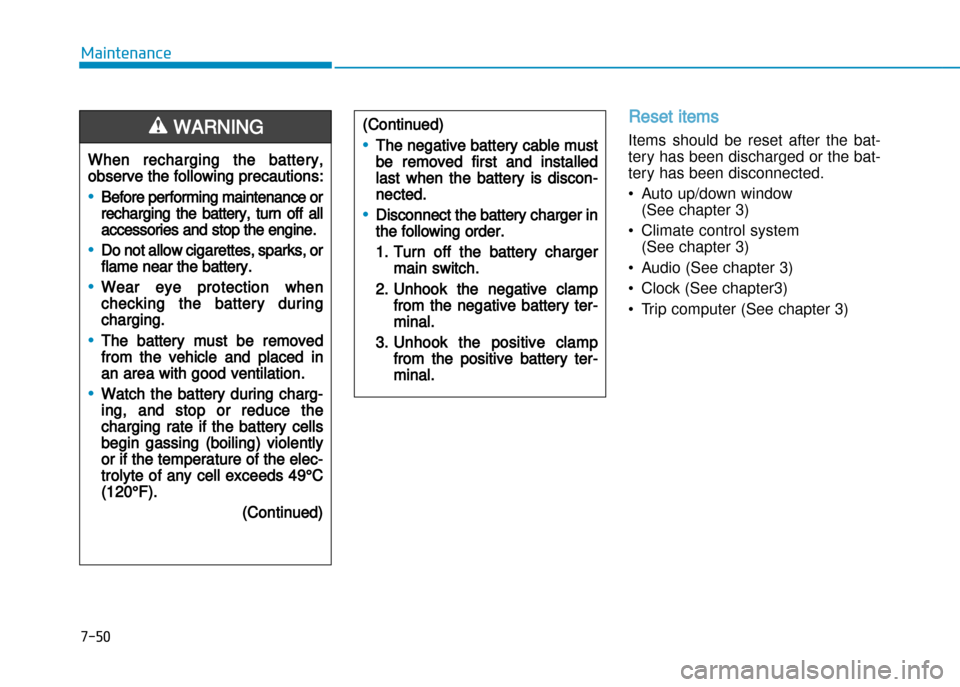
When recharging the battery,
observe the following precautions:
•Before performing maintenance or
recharging the battery, turn off all
accessories and stop the engine.
•Do not allow cigarettes, sparks, or
flame near the battery.
•Wear eye protection when
checking the battery during
charging.
•The battery must be removed
from the vehicle and placed in
an area with good ventilation.
•Watch the battery during charg
ing, and stop or reduce the
charging rate if the battery cells
begin gassing (boiling) violently
or if the temperature of the elec
trolyte of any cell exceeds 49°C
(120°F).
(Continued)
WARNING (Continued)
•The negative battery cable must
be removed first and installed
last when the battery is discon
nected.
•Disconnect the battery charger in
the following order.
1. Turn off the battery charger
main switch.
2. Unhook the negative clamp
from the negative battery ter
minal.
3. Unhook the positive clamp
from the positive battery ter
minal.
Page 449 of 512
7-55
7
Maintenance
Wheel alignment and tire bal
ance
The wheels on your vehicle were
aligned and balanced carefully at the
factory to give you the longest tire life
and best overall performance.
In most cases, you will not need to
have your wheels aligned again.
However, if you notice unusual tire
wear or your vehicle pulling one way
or the other, the alignment may need
to be reset.
If you notice your vehicle vibrating
when driving on a smooth road, your
wheels may need to be rebalanced.
Improper wheel weights can damage
your vehicle's aluminum wheels. Use
only approved wheel weights.
Tire replacement
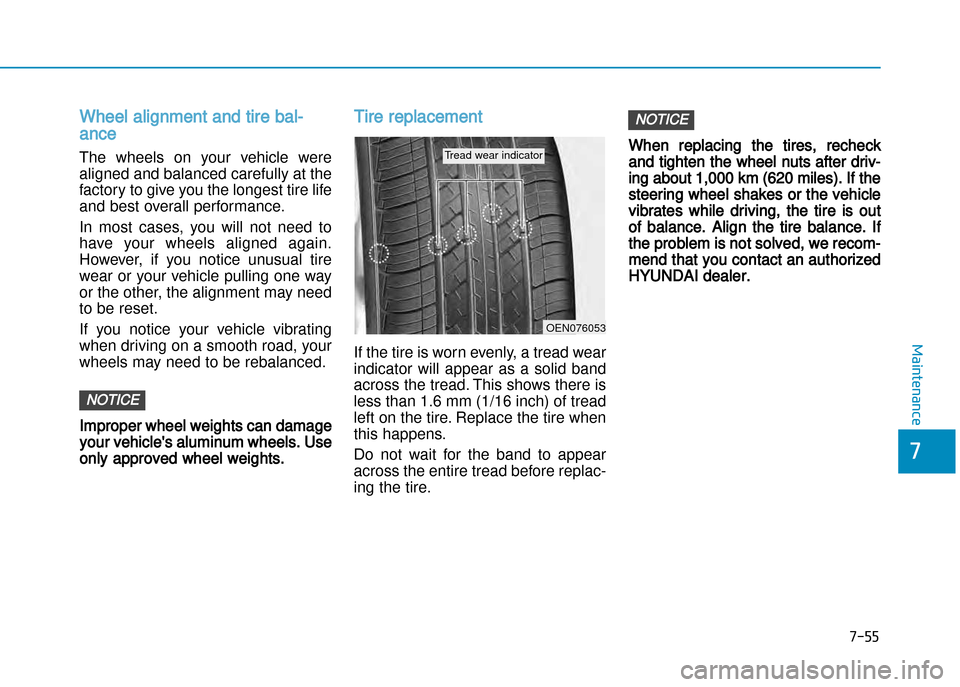
If the tire is worn evenly, a tread wear
indicator will appear as a solid band
across the tread. This shows there is
less than 1.6 mm (1/16 inch) of tread
left on the tire. Replace the tire when
this happens.
Do not wait for the band to appear
across the entire tread before replac
ing the tire.
When replacing the tires, recheck
and tighten the wheel nuts after driv
ing about 1,000 km (620 miles). If the
steering wheel shakes or the vehicle
vibrates while driving, the tire is out
of balance. Align the tire balance. If
the problem is not solved, we recom
mend that you contact an authorized
HYUNDAI dealer.
NOTICE
NOTICE
OEN076053
Tread wear indicator
Page 459 of 512
7-65
7
Maintenance
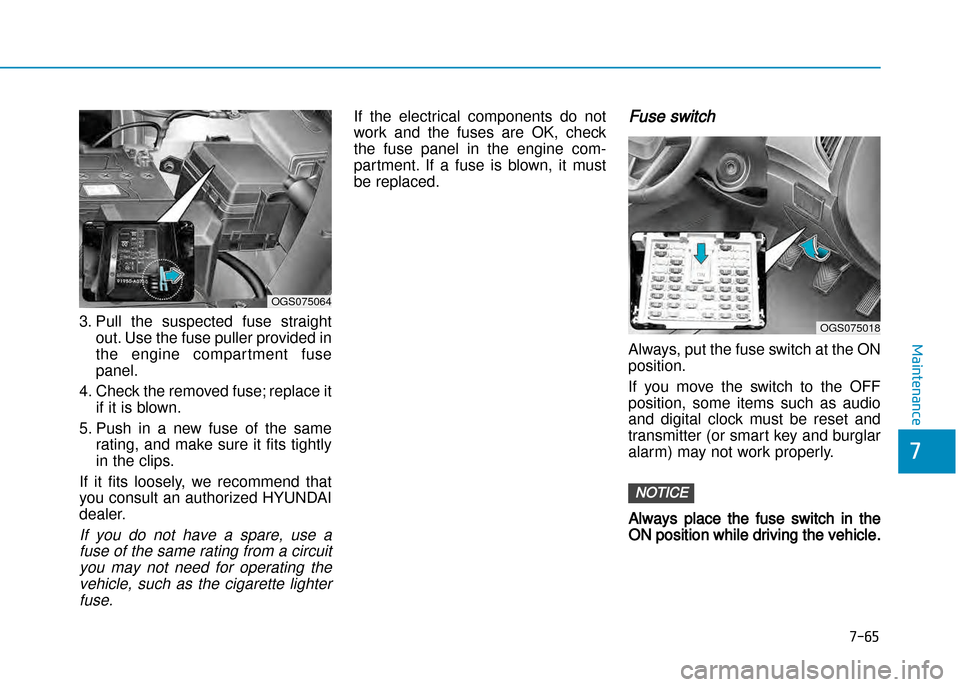
3. Pull the suspected fuse straight
out. Use the fuse puller provided in
the engine compar tment fusepanel.
4. Check the removed fuse; replace it if it is blown.
5. Push in a new fuse of the same rating, and make sure it fits tightly
in the clips.
If it fits loosely, we recommend that
you consult an authorized HYUNDAI
dealer.
If you do not have a spare, use a fuse of the same rating from a circuityou may not need for operating thevehicle, such as the cigarette lighterfuse.
If the electrical components do not
work and the fuses are OK, check
the fuse panel in the engine com
partment. If a fuse is blown, it must
be replaced. Fuse switch
Always, put the fuse switch at the ON position.
If you move the switch to the OFF
position, some items such as audio
and digital clock must be reset and
transmitter (or smart key and burglar
alarm) may not work properly.
Always place the fuse switch in the
ON position while driving the vehicle.
NOTICE
OGS075064
OGS075018