warning Hyundai Creta 2016 Manual Online
[x] Cancel search | Manufacturer: HYUNDAI, Model Year: 2016, Model line: Creta, Model: Hyundai Creta 2016Pages: 512, PDF Size: 11.54 MB
Page 151 of 512
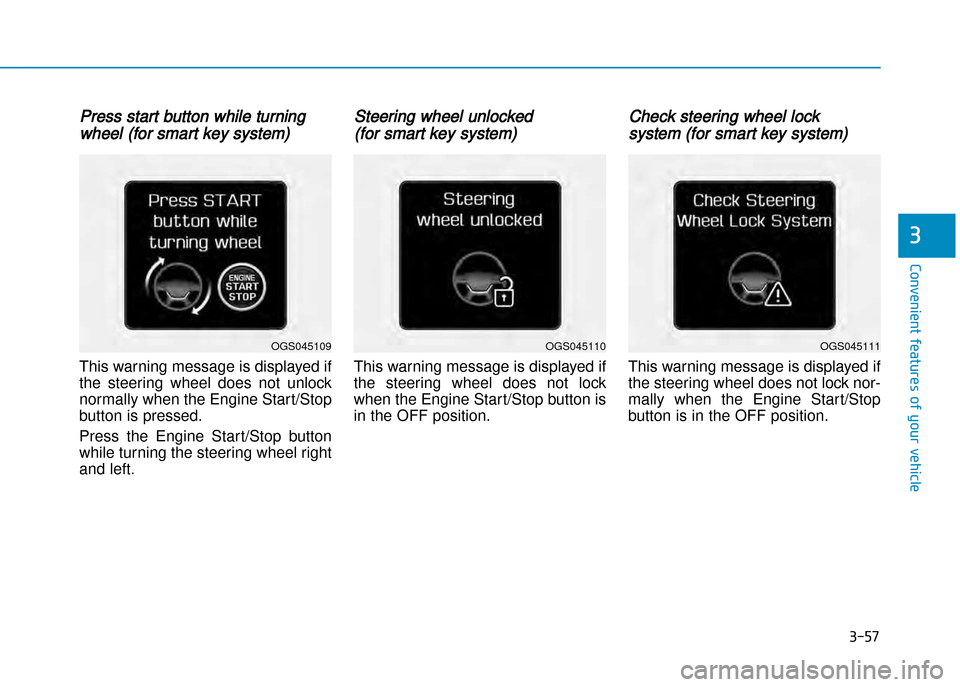
Press start button while turning
wheel (for smart key system)
This warning message is displayed if
the steering wheel does not unlock
normally when the Engine Start/Stop
button is pressed.
Press the Engine Start/Stop button
while turning the steering wheel right
and left.
Steering wheel unlocked
(for smart key system)
This warning message is displayed if
the steering wheel does not lock
when the Engine Start/Stop button is
in the OFF position.
Check steering wheel lock
system (for smart key system)
This warning message is displayed if
the steering wheel does not lock nor
mally when the Engine Start/Stop
button is in the OFF position.
3-57
Convenient features of your vehicle
3
OGS045110OGS045111OGS045109
Page 152 of 512
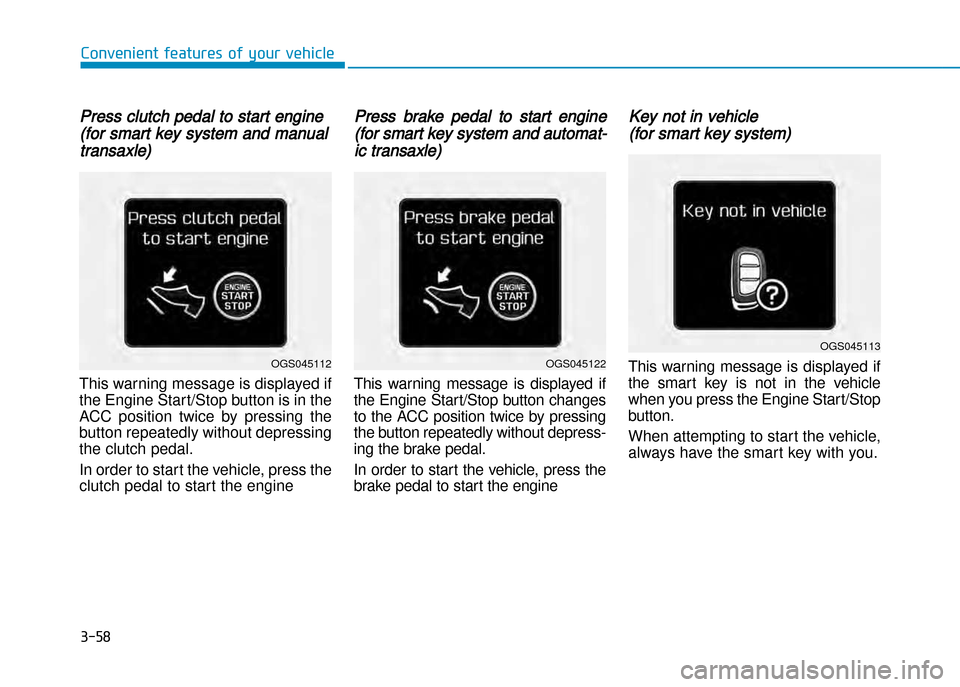
Press clutch pedal to start engine
(for smart key system and manual
transaxle)
This warning message is displayed if
the Engine Start/Stop button is in the
ACC position twice by pressing the
button repeatedly without depressing
the clutch pedal.
In order to start the vehicle, press the
clutch pedal to start the engine
Press brake pedal to start engine
(for smart key system and automat
ic transaxle)
This warning message is displayed if
the Engine Start/Stop button changes
to the ACC position twice by pressing
the button repeatedly without depress
ing the brake pedal.
In order to start the vehicle, press the
brake pedal to start the engine
Key not in vehicle
(for smart key system)
This warning message is displayed if
the smart key is not in the vehicle
when you press the Engine Start/Stop
button.
When attempting to start the vehicle,
always have the smart key with you.
3-58
Convenient features of your vehicle
OGS045113
OGS045122OGS045112
Page 153 of 512
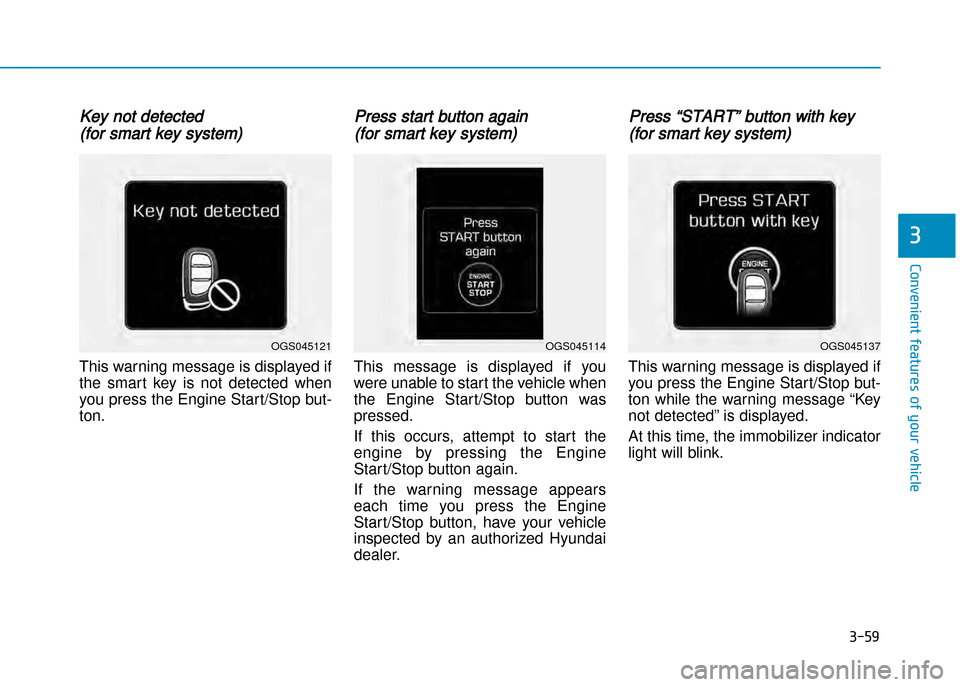
Key not detected
(for smart key system)
This warning message is displayed if
the smart key is not detected when
you press the Engine Start/Stop button.
Press start button again
(for smart key system)
This message is displayed if you
were unable to start the vehicle when
the Engine Start/Stop button was
pressed.
If this occurs, attempt to start the
engine by pressing the Engine
Start/Stop button again.
If the warning message appears
each time you press the Engine Start/Stop button, have your vehicle
inspected by an authorized Hyundai
dealer.
Press “START” button with key
(for smart key system)
This warning message is displayed if
you press the Engine Start/Stop but
ton while the warning message “Key
not detected” is displayed.
At this time, the immobilizer indicator
light will blink.
3-59
Convenient features of your vehicle
3
OGS045114OGS045137OGS045121
Page 154 of 512
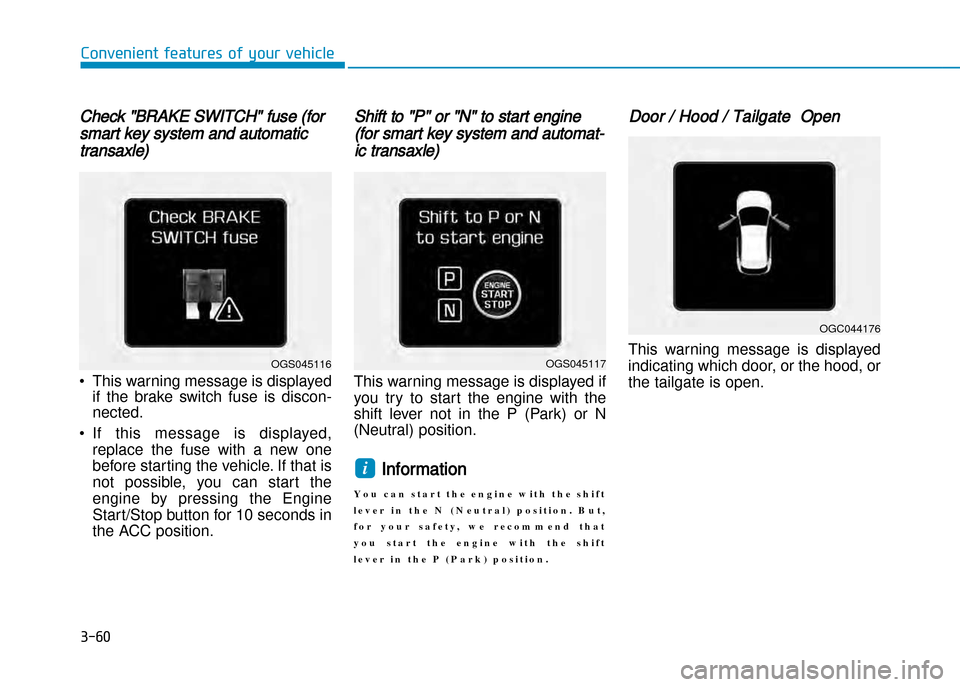
Check "BRAKE SWITCH" fuse (for
smart key system and automatic
transaxle)
• This warning message is displayedif the brake switch fuse is discon nected.
• If this message is displayed, replace the fuse with a new one
before starting the vehicle. If that is
not possible, you can start the
engine by pressing the Engine
Start/Stop button for 10 seconds in
the ACC position.
Shift to "P" or "N" to start engine
(for smart key system and automat
ic transaxle)
This warning message is displayed if
you try to start the engine with the
shift lever not in the P (Park) or N
(Neutral) position.
Information
Y o u c a n s t a r t t h e e n g i n e w i t h t h e s h i f t
l e v e r i n t h e N ( N e u t r a l ) p o s i t i o n . B u t ,
f o r y o u r s a f e t y , w e r e c o m m e n d t h a t
y o u s t a r t t h e e n g i n e w i t h t h e s h i f t
l e v e r i n t h e P ( P a r k ) p o s i t i o n .
Door / Hood / Tailgate Open
This warning message is displayed
indicating which door, or the hood, or
the tailgate is open.
i
3-60
Convenient features of your vehicle
OGS045117
OGC044176
OGS045116
Page 155 of 512
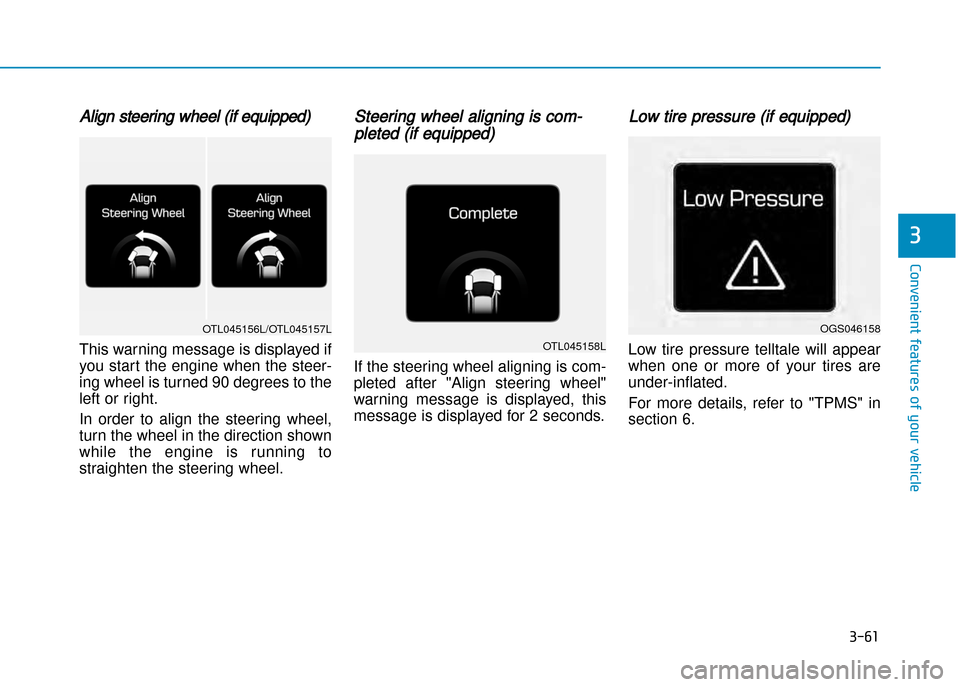
Align steering wheel (if equipped)
This warning message is displayed if
you start the engine when the steer
ing wheel is turned 90 degrees to the
left or right.
In order to align the steering wheel,
turn the wheel in the direction shown
while the engine is running to
straighten the steering wheel.
Steering wheel aligning is com
pleted (if equipped)
If the steering wheel aligning is com
pleted after "Align steering wheel"
warning message is displayed, this
message is displayed for 2 seconds.
Low tire pressure (if equipped)
Low tire pressure telltale will appear
when one or more of your tires areunderinflated.
For more details, refer to "TPMS" in
section 6.
3-61
Convenient features of your vehicle
3
OGS046158
OTL045158L
OTL045156L/OTL045157L
Page 156 of 512
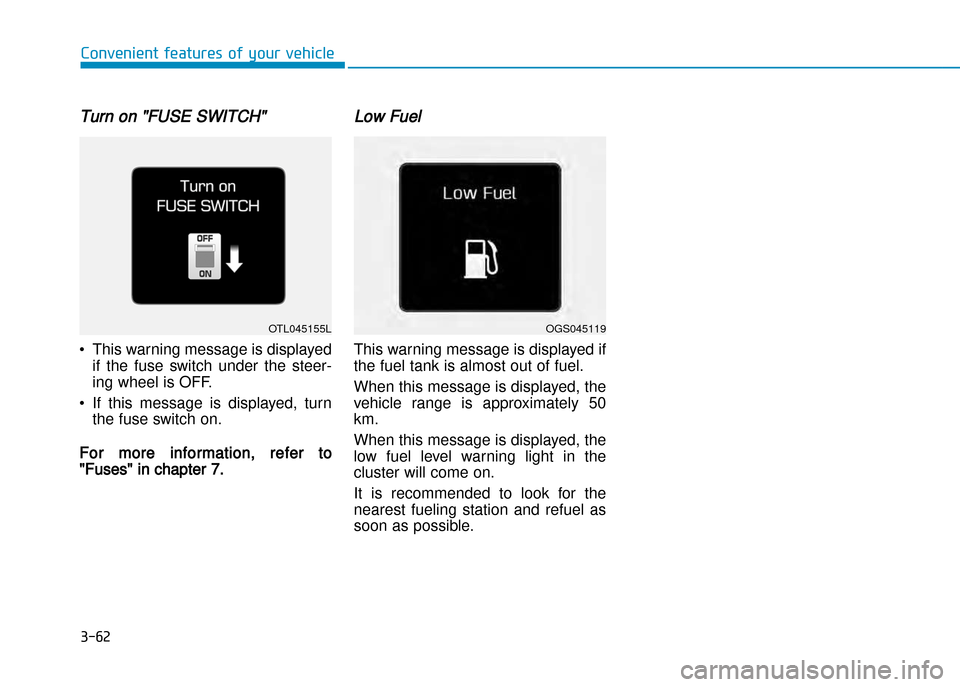
Turn on "FUSE SWITCH"
• This warning message is displayedif the fuse switch under the steer
ing wheel is OFF.
• If this message is displayed, turn the fuse switch on.
For more information, refer to
"Fuses" in chapter 7.
Low Fuel
This warning message is displayed if
the fuel tank is almost out of fuel.
When this message is displayed, the
vehicle range is approximately 50km.
When this message is displayed, the
low fuel level warning light in the
cluster will come on.
It is recommended to look for the
nearest fueling station and refuel as
soon as possible.
3-62
Convenient features of your vehicle
OGS045119OTL045155L
Page 157 of 512
3-63
Convenient features of your vehicle
3
LCD display (if equipped)
LCD display control
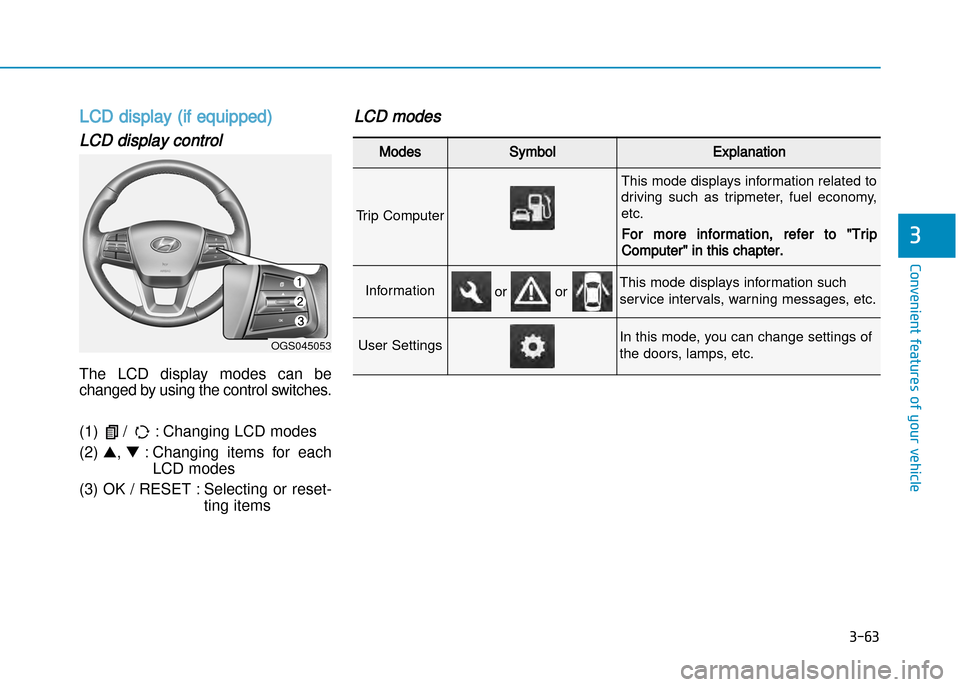
The LCD display modes can be
changed by using the control switches.
(1) / : Changing LCD modes (2) ▲, ▼ : Changing items for each
LCD modes
(3) OK / RESET : Selecting or reset ting items
LCD modes
Modes SymbolExplanation
Trip Computer
This mode displays information related to
driving such as tripmeter, fuel economy,etc.
For more information, refer to "Trip
Computer" in this chapter.
InformationThis mode displays information such
service intervals, warning messages, etc.
User SettingsIn this mode, you can change settings of
the doors, lamps, etc.
or or
OGS045053
Page 158 of 512
3-64
Convenient features of your vehicle
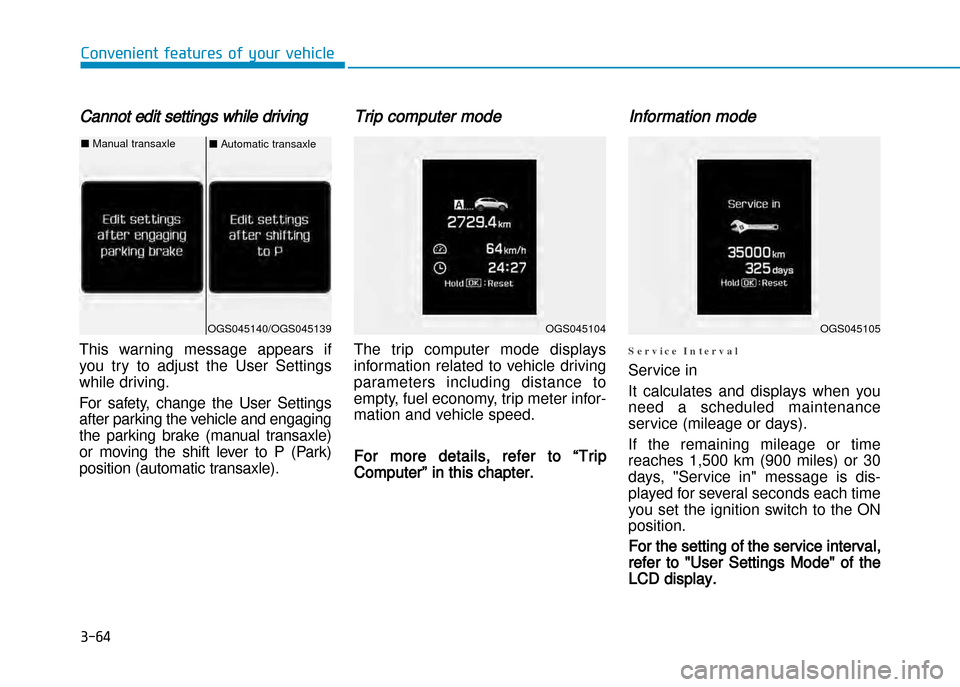
Cannot edit settings while driving
This warning message appears if
you try to adjust the User Settings
while driving.
For safety, change the User Settings
after parking the vehicle and engaging
the parking brake (manual transaxle)
or moving the shift lever to P (Park)
position (automatic transaxle).
Trip computer mode
The trip computer mode displays
information related to vehicle driving
parameters including distance to
empty, fuel economy, trip meter infor
mation and vehicle speed.
For more details, refer to “Trip
Computer” in this chapter.
Information mode
S e r v i c e I n t e r v a l
Service in
It calculates and displays when you
need a scheduled maintenance
service (mileage or days).
If the remaining mileage or time
reaches 1,500 km (900 miles) or 30
days, "Service in" message is dis
played for several seconds each time
you set the ignition switch to the ONposition.
For the setting of the service interval,
refer to "User Settings Mode" of the
LCD display.
OGS045104OGS045105OGS045140/OGS045139
■ Automatic transaxle■Manual transaxle
Page 159 of 512
3-65
Convenient features of your vehicle
3
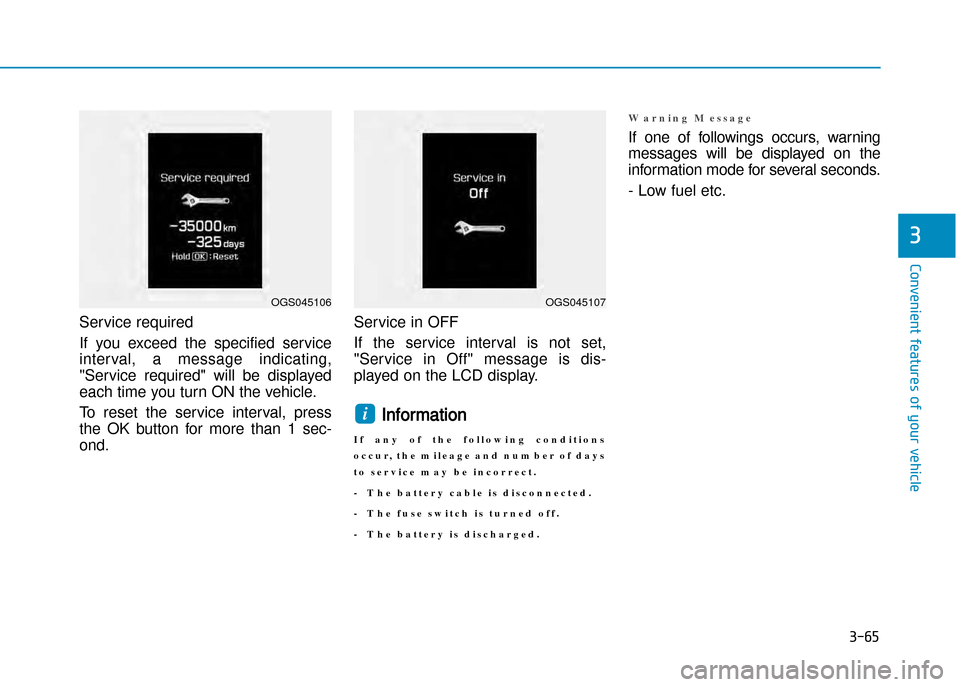
Service required
If you exceed the specified serviceinterval, a message indicating,
"Service required" will be displayed
each time you turn ON the vehicle.
To reset the service interval, press
the OK button for more than 1 sec
ond. Service in OFF
If the service interval is not set,
"Service in Off" message is dis
played on the LCD display.
Information
I f a n y o f t h e f o l l o w i n g c o n d i t i o n s
o c c u r , t h e m i l e a g e a n d n u m b e r o f d a y s
t o s e r v i c e m a y b e i n c o r r e c t .
T h e b a t t e r y c a b l e i s d i s c o n n e c t e d .
T h e f u s e s w i t c h i s t u r n e d o f f .
T h e b a t t e r y i s d i s c h a r g e d .
W a r n i n g M e s s a g e
If one of followings occurs, warning
messages will be displayed on the
information mode for several seconds.
Low fuel etc.
i
OGS045106OGS045107
Page 164 of 512
3-70
Convenient features of your vehicle
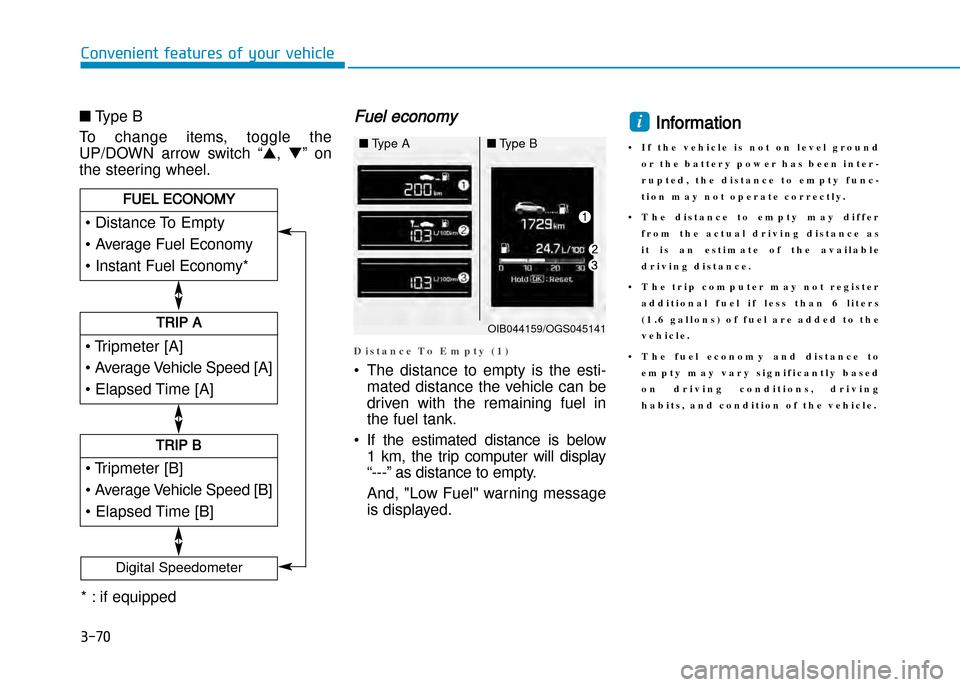
■Type B
To change items, toggle the
UP/DOWN arrow switch “ ▲,▼ ” on
the steering wheel.Fuel economy
D i s t a n c e T o E m p t y ( 1 )
• The distance to empty is the esti mated distance the vehicle can be
driven with the remaining fuel in
the fuel tank.
• If the estimated distance is below 1 km, the trip computer will display
“” as distance to empty.
And, "Low Fuel" warning message
is displayed.
Information
• I f t h e v e h i c l e i s n o t o n l e v e l g r o u n d o r t h e b a t t e r y p o w e r h a s b e e n i n t e r
r u p t e d , t h e d i s t a n c e t o e m p t y f u n c
t i o n m a y n o t o p e r a t e c o r r e c t l y .
• T h e d i s t a n c e t o e m p t y m a y d i f f e r f r o m t h e a c t u a l d r i v i n g d i s t a n c e a s
i t i s a n e s t i m a t e o f t h e a v a i l a b l e
d r i v i n g d i s t a n c e .
• T h e t r i p c o m p u t e r m a y n o t r e g i s t e r a d d i t i o n a l f u e l i f l e s s t h a n 6 l i t e r s
( 1 . 6 g a l l o n s ) o f f u e l a r e a d d e d t o t h e
v e h i c l e .
• T h e f u e l e c o n o m y a n d d i s t a n c e t o e m p t y m a y v a r y s i g n i f i c a n t l y b a s e d
o n d r i v i n g c o n d i t i o n s , d r i v i n g
h a b i t s , a n d c o n d i t i o n o f t h e v e h i c l e .i
• Tripmeter [A]
• Average Vehicle Speed [A]
• Elapsed Time [A]
TRIP A
• Tripmeter [B]
• Average Vehicle Speed [B]
• Elapsed Time [B]
TRIP B
• Distance To Empty
• Average Fuel Economy
• Instant Fuel Economy*
FUEL ECONOMY
Digital Speedometer
OIB044159/OGS045141
■Type A■Type B
* : if equipped