display Hyundai Creta 2018 User Guide
[x] Cancel search | Manufacturer: HYUNDAI, Model Year: 2018, Model line: Creta, Model: Hyundai Creta 2018Pages: 472, PDF Size: 11.87 MB
Page 151 of 472
3-66
Convenient features of your vehicle
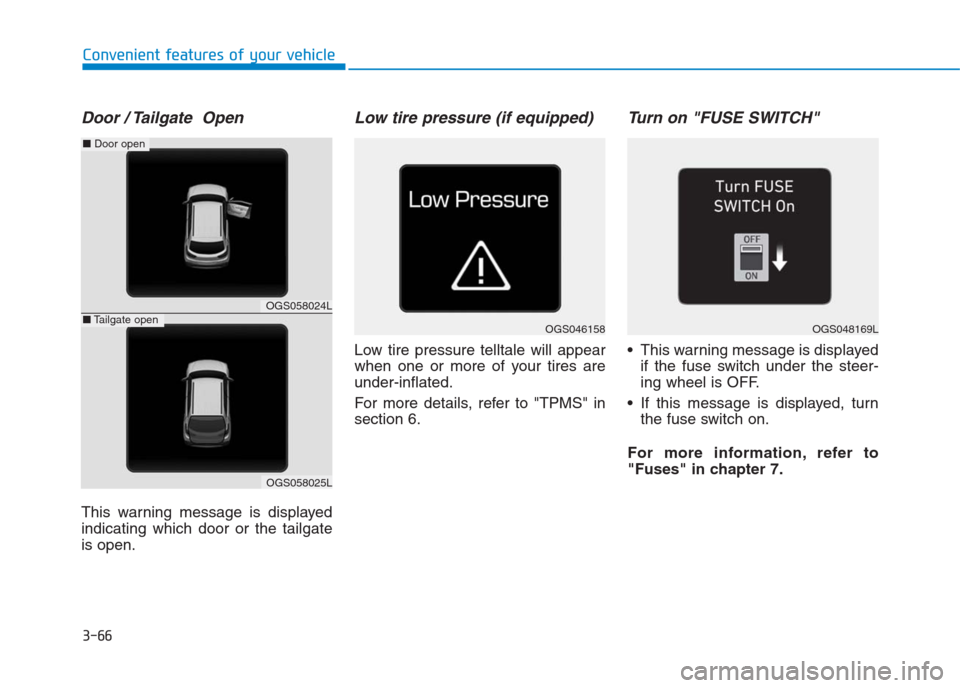
Door / Tailgate Open
This warning message is displayed
indicating which door or the tailgate
is open.
Low tire pressure (if equipped)
Low tire pressure telltale will appear
when one or more of your tires are
under-inflated.
For more details, refer to "TPMS" in
section 6.
Turn on "FUSE SWITCH"
This warning message is displayed
if the fuse switch under the steer-
ing wheel is OFF.
If this message is displayed, turn
the fuse switch on.
For more information, refer to
"Fuses" in chapter 7.
OGS046158OGS048169L
OGS058024L
OGS058025L
■Door open
■Tailgate open
Page 152 of 472
3-67
Convenient features of your vehicle
3
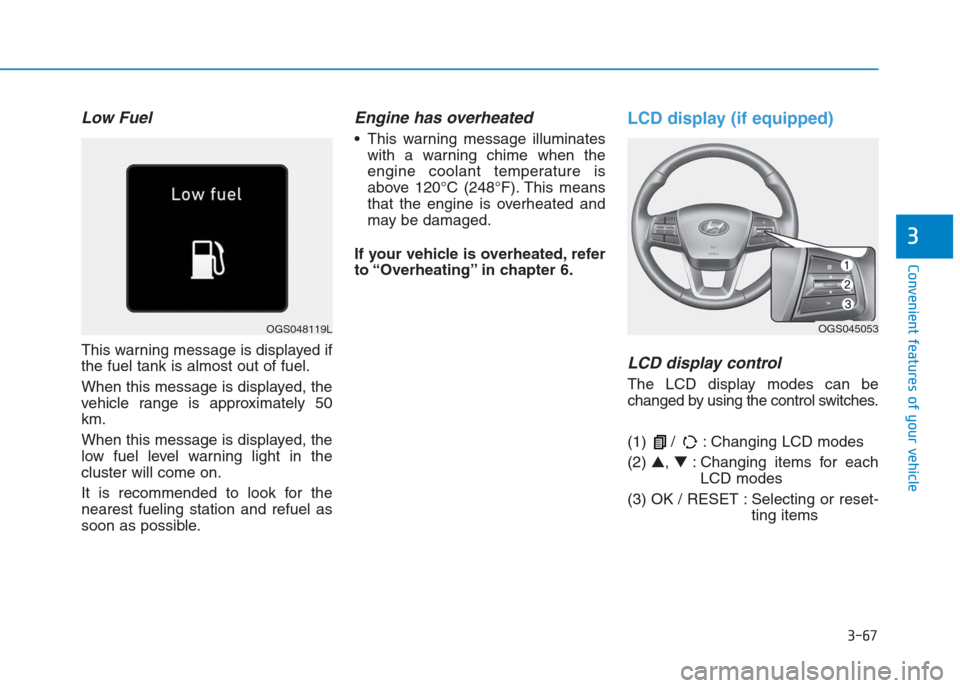
Low Fuel
This warning message is displayed if
the fuel tank is almost out of fuel.
When this message is displayed, the
vehicle range is approximately 50
km.
When this message is displayed, the
low fuel level warning light in the
cluster will come on.
It is recommended to look for the
nearest fueling station and refuel as
soon as possible.
Engine has overheated
This warning message illuminates
with a warning chime when the
engine coolant temperature is
above 120°C (248°F). This means
that the engine is overheated and
may be damaged.
If your vehicle is overheated, refer
to “Overheating” in chapter 6.
LCD display (if equipped)
LCD display control
The LCD display modes can be
changed by using the control switches.
(1) / : Changing LCD modes
(2) ▲, ▼: Changing items for each
LCD modes
(3) OK / RESET : Selecting or reset-
ting items
OGS048119LOGS045053
Page 153 of 472
3-68
Convenient features of your vehicle
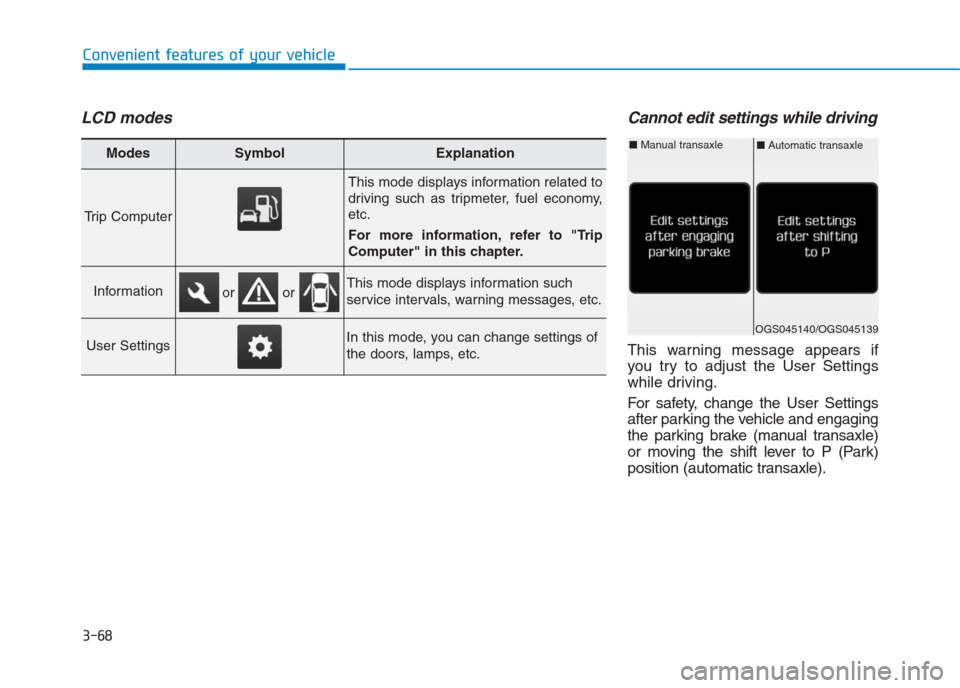
LCD modesCannot edit settings while driving
This warning message appears if
you try to adjust the User Settings
while driving.
For safety, change the User Settings
after parking the vehicle and engaging
the parking brake (manual transaxle)
or moving the shift lever to P (Park)
position (automatic transaxle).
Modes SymbolExplanation
Trip Computer
This mode displays information related to
driving such as tripmeter, fuel economy,
etc.
For more information, refer to "Trip
Computer" in this chapter.
InformationThis mode displays information such
service intervals, warning messages, etc.
User SettingsIn this mode, you can change settings of
the doors, lamps, etc.
or or
OGS045140/OGS045139
■Automatic transaxle■Manual transaxle
Page 154 of 472
3-69
Convenient features of your vehicle
3
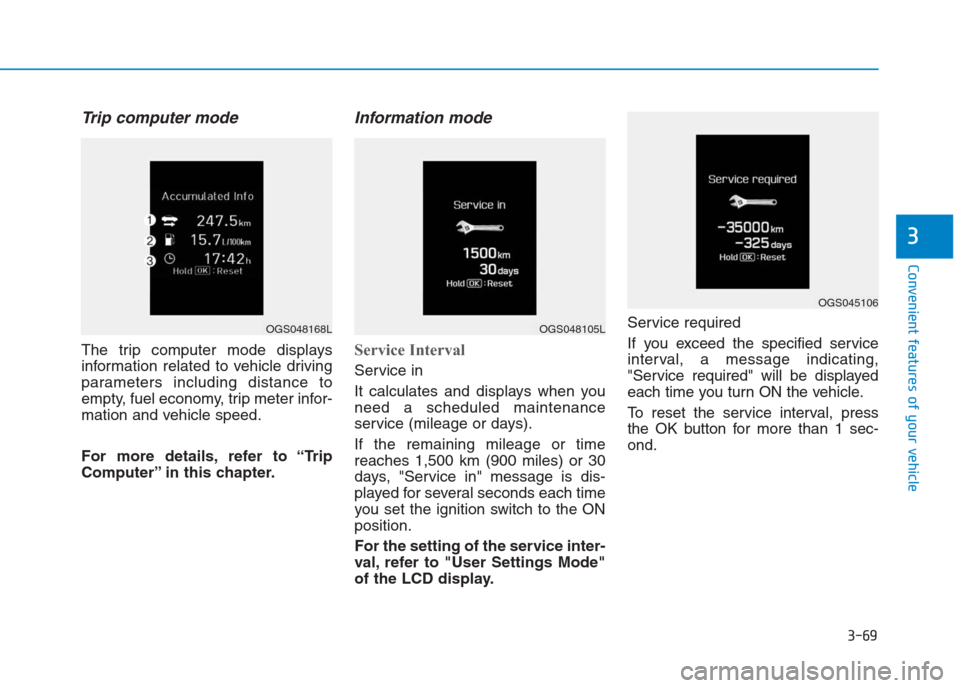
Trip computer mode
The trip computer mode displays
information related to vehicle driving
parameters including distance to
empty, fuel economy, trip meter infor-
mation and vehicle speed.
For more details, refer to “Trip
Computer” in this chapter.
Information mode
Service Interval
Service in
It calculates and displays when you
need a scheduled maintenance
service (mileage or days).
If the remaining mileage or time
reaches 1,500 km (900 miles) or 30
days, "Service in" message is dis-
played for several seconds each time
you set the ignition switch to the ON
position.
For the setting of the service inter-
val, refer to "User Settings Mode"
of the LCD display.Service required
If you exceed the specified service
interval, a message indicating,
"Service required" will be displayed
each time you turn ON the vehicle.
To reset the service interval, press
the OK button for more than 1 sec-
ond.
OGS048168LOGS048105L
OGS045106
Page 155 of 472
3-70
Convenient features of your vehicle
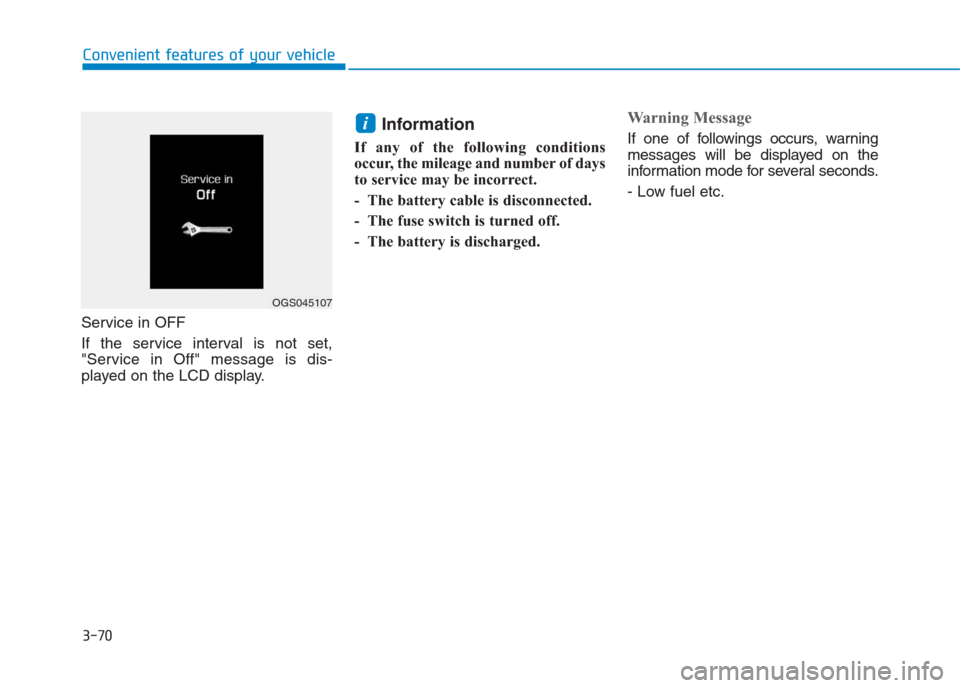
Service in OFF
If the service interval is not set,
"Service in Off" message is dis-
played on the LCD display.
Information
If any of the following conditions
occur, the mileage and number of days
to service may be incorrect.
- The battery cable is disconnected.
- The fuse switch is turned off.
- The battery is discharged.
Warning Message
If one of followings occurs, warning
messages will be displayed on the
information mode for several seconds.
- Low fuel etc.i
OGS045107
Page 157 of 472

3-72
Convenient features of your vehicle
ItemsExplanation
Wiper/Lights Display
You can activate or deactivate the Wiper/ Light mode.
When activated, the LCD display shows the selected Wiper/Light mode whenever you changed the
mode.
Auto Rear Wiper (reverse)You can activate or deactivate the rear wiper while the vehicle is in reverse with the front wiper ON.
Gear Position Pop-up
If you select this function, the current shift gear position is displayed in the cluster for about 2 sec-
onds when shifting into other positions (P/R/N/D).
If you do not select this function, the shift gear Pop-up is not displayed in the cluster.
Convenience Lights
ItemsExplanation
One Touch Turn Signal
The one touch turn signal function will be deactivated.
The turn signal indicator will blink 3, 5, or 7 times when the turn signal lever is
moved slightly.
For more details, refer to “Light” in this chapter.
Headlamp Delay
The headlamp delay function will be activated.
The headlamp delay function will be deactivated.
For more details, refer to “Light” in this chapter.
Page 159 of 472
3-74
Convenient features of your vehicle
Trip computer
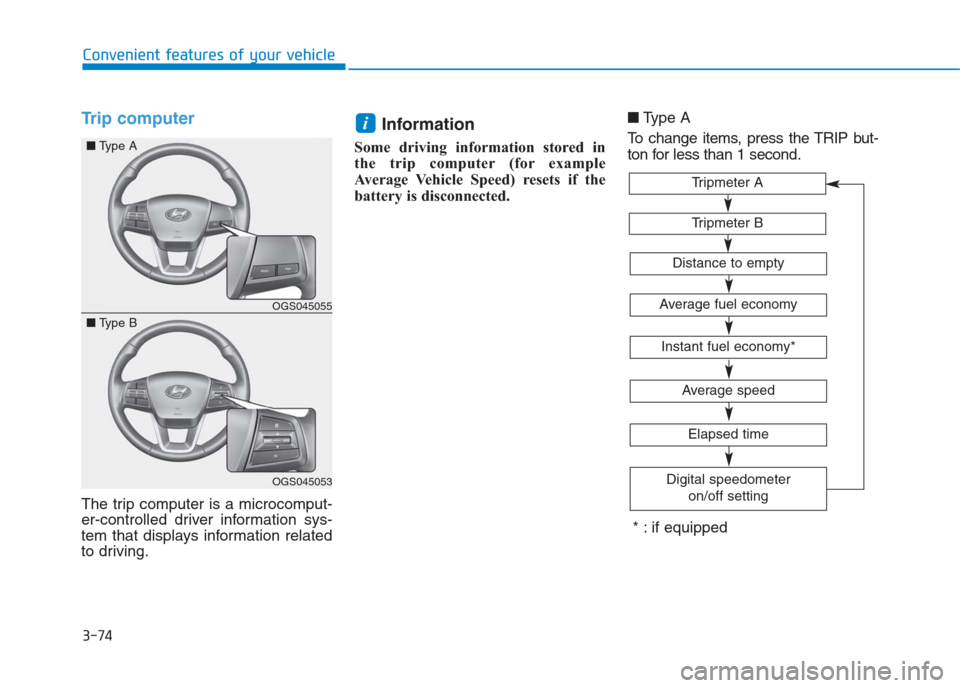
The trip computer is a microcomput-
er-controlled driver information sys-
tem that displays information related
to driving.
Information
Some driving information stored in
the trip computer (for example
Average Vehicle Speed) resets if the
battery is disconnected.■Type A
To change items, press the TRIP but-
ton for less than 1 second.
i
Tripmeter B
Tripmeter A
Average fuel economy
Instant fuel economy*
Average speed
Elapsed time
Digital speedometer
on/off setting
Distance to empty
* : if equipped
OGS045055
OGS045053
■Type A
■Type B
Page 160 of 472
3-75
Convenient features of your vehicle
3
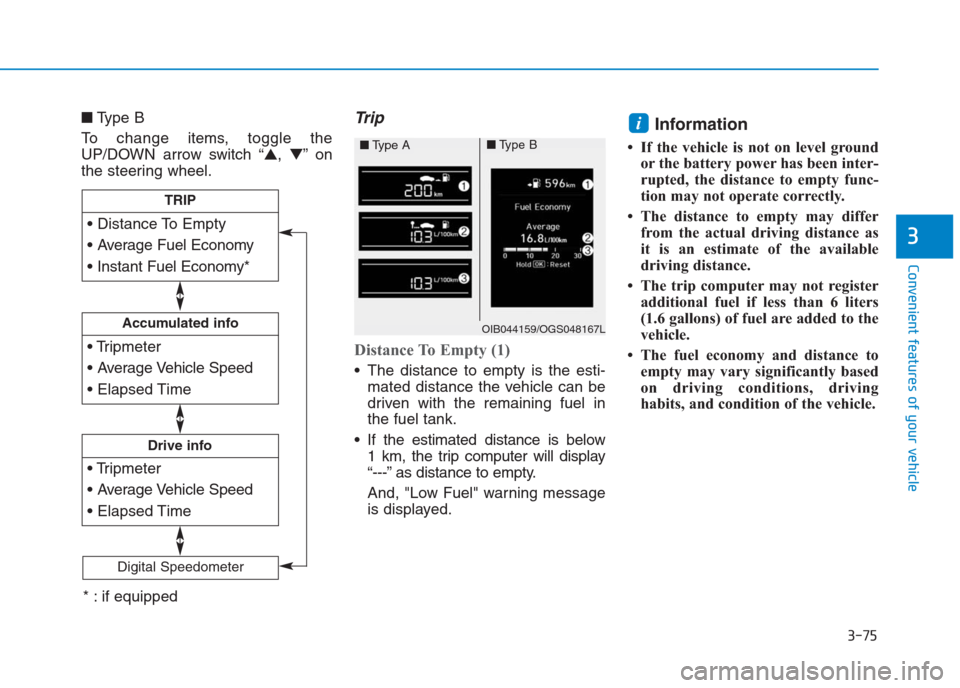
■Type B
To change items, toggle the
UP/DOWN arrow switch “▲,▼”on
the steering wheel.Trip
Distance To Empty (1)
The distance to empty is the esti-
mated distance the vehicle can be
driven with the remaining fuel in
the fuel tank.
If the estimated distance is below
1 km, the trip computer will display
“---” as distance to empty.
And, "Low Fuel" warning message
is displayed.
Information
• If the vehicle is not on level ground
or the battery power has been inter-
rupted, the distance to empty func-
tion may not operate correctly.
• The distance to empty may differ
from the actual driving distance as
it is an estimate of the available
driving distance.
• The trip computer may not register
additional fuel if less than 6 liters
(1.6 gallons) of fuel are added to the
vehicle.
• The fuel economy and distance to
empty may vary significantly based
on driving conditions, driving
habits, and condition of the vehicle.
i
Accumulated info
Drive info
TRIP
Digital Speedometer
OIB044159/OGS048167L
■Type A■Type B
* : if equipped
Page 161 of 472
3-76
Convenient features of your vehicle
Average Fuel Economy (2)
The average fuel economy is calcu-
lated by the total driving distance
and fuel consumption since the last
average fuel economy reset.
The average fuel economy can be
reset both manually and automati-
cally.
Manual reset
To clear the average fuel economy
manually, press the OK button (or
RESET button) on the steering wheel
for more than 1 second when the
average fuel economy is displayed.
Automatic reset
To automatically reset the average
fuel economy after refueling, select
the “After Refueling” feature in the
User Settings Mode on the LCD dis-
play (Refer to "LCD Display“ in this
chapter).
If the “After Refueling” feature is
selected, the average fuel economy
will be cleared to zero (---), when
driving speed exceeds 1km/h, after
refueling more than 6 liters.
Information
The vehicle must be driven for a min-
imum of 300 meters since the last igni-
tion key cycle before the average fuel
economy is recalculated.
Instant Fuel Economy (3)
This mode displays the instantaneous
fuel economy while driving when the
vehicle speed is greater than 10 km/h.
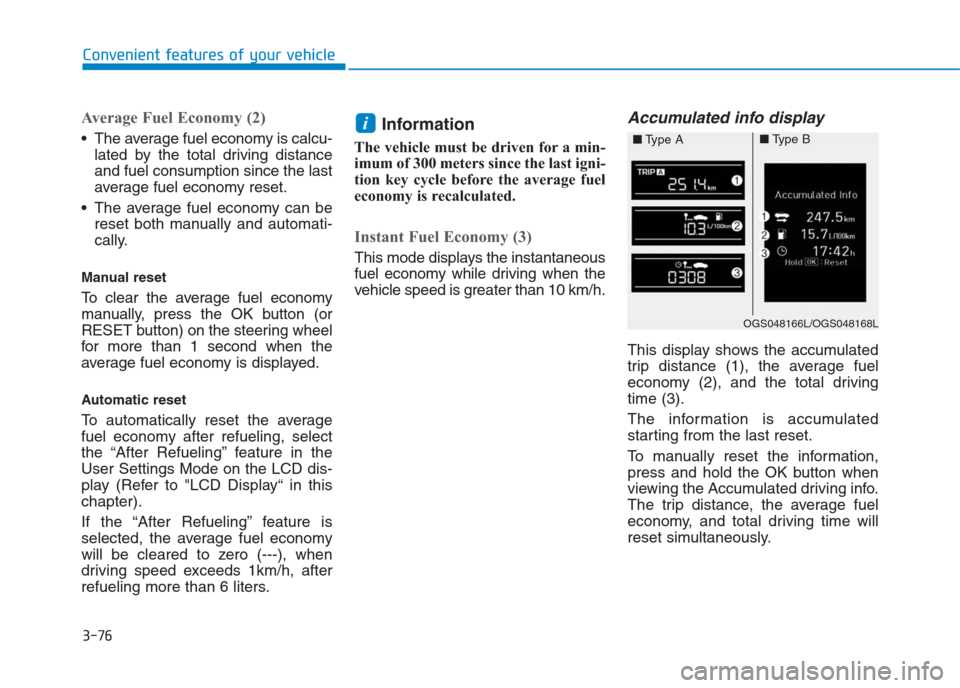
Accumulated info display
This display shows the accumulated
trip distance (1), the average fuel
economy (2), and the total driving
time (3).
The information is accumulated
starting from the last reset.
To manually reset the information,
press and hold the OK button when
viewing the Accumulated driving info.
The trip distance, the average fuel
economy, and total driving time will
reset simultaneously.
i
OGS048166L/OGS048168L
■Type A■Type B
Page 162 of 472
3-77
Convenient features of your vehicle
3
The accumulated driving information
will continue to be counted while the
engine is still running (for example,
when the vehicle is in traffic or
stopped at a stop light).
Information
The vehicle must be driven for a min-
imum of 300 meters (0.19 miles) since
the last ignition key cycle before the
average fuel economy will be recalcu-
lated.
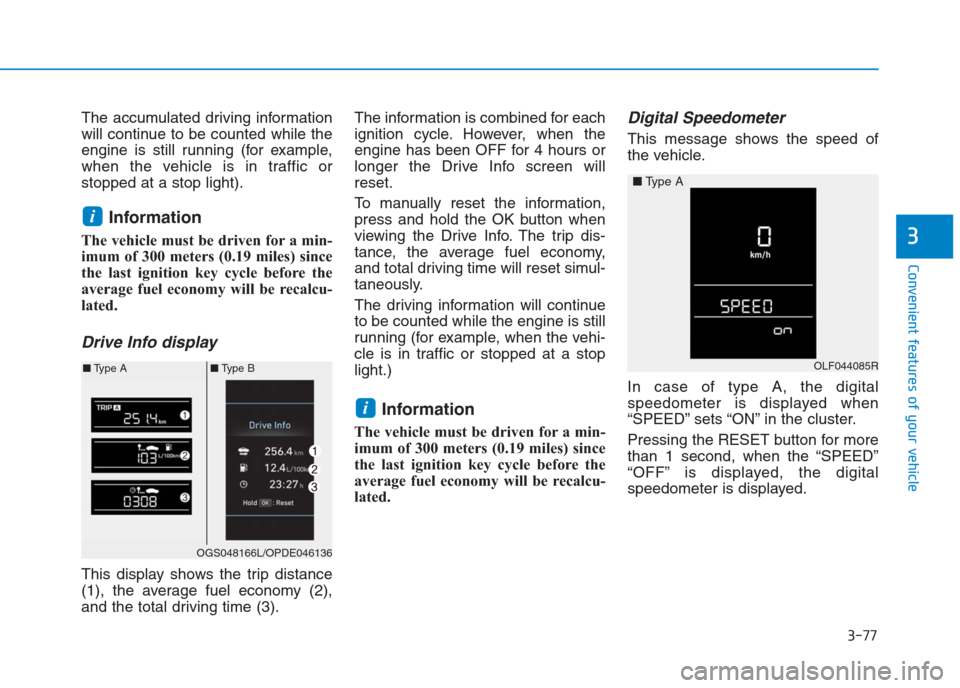
Drive Info display
This display shows the trip distance
(1), the average fuel economy (2),
and the total driving time (3).The information is combined for each
ignition cycle. However, when the
engine has been OFF for 4 hours or
longer the Drive Info screen will
reset.
To manually reset the information,
press and hold the OK button when
viewing the Drive Info. The trip dis-
tance, the average fuel economy,
and total driving time will reset simul-
taneously.
The driving information will continue
to be counted while the engine is still
running (for example, when the vehi-
cle is in traffic or stopped at a stop
light.)
Information
The vehicle must be driven for a min-
imum of 300 meters (0.19 miles) since
the last ignition key cycle before the
average fuel economy will be recalcu-
lated.
Digital Speedometer
This message shows the speed of
the vehicle.
In case of type A, the digital
speedometer is displayed when
“SPEED” sets “ON” in the cluster.
Pressing the RESET button for more
than 1 second, when the “SPEED”
“OFF” is displayed, the digital
speedometer is displayed.
i
i
OGS048166L/OPDE046136
■Type A■Type BOLF044085R
■Type A