led Hyundai Creta 2019 Service Manual
[x] Cancel search | Manufacturer: HYUNDAI, Model Year: 2019, Model line: Creta, Model: Hyundai Creta 2019Pages: 472, PDF Size: 13.39 MB
Page 192 of 472
3-107
Convenient features of your vehicle
3
Information
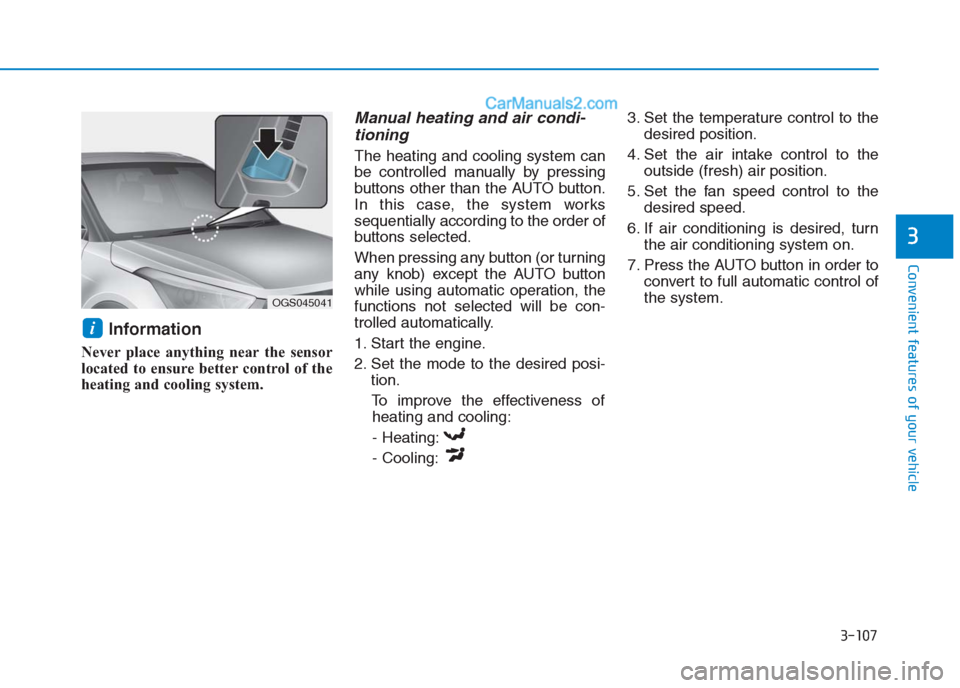
Never place anything near the sensor
located to ensure better control of the
heating and cooling system.
Manual heating and air condi-
tioning
The heating and cooling system can
be controlled manually by pressing
buttons other than the AUTO button.
In this case, the system works
sequentially according to the order of
buttons selected.
When pressing any button (or turning
any knob) except the AUTO button
while using automatic operation, the
functions not selected will be con-
trolled automatically.
1. Start the engine.
2. Set the mode to the desired posi-
tion.
To improve the effectiveness of
heating and cooling:
- Heating:
- Cooling:3. Set the temperature control to the
desired position.
4. Set the air intake control to the
outside (fresh) air position.
5. Set the fan speed control to the
desired speed.
6. If air conditioning is desired, turn
the air conditioning system on.
7. Press the AUTO button in order to
convert to full automatic control of
the system.
i
OGS045041
Page 193 of 472
3-108
Convenient features of your vehicle
Mode selection
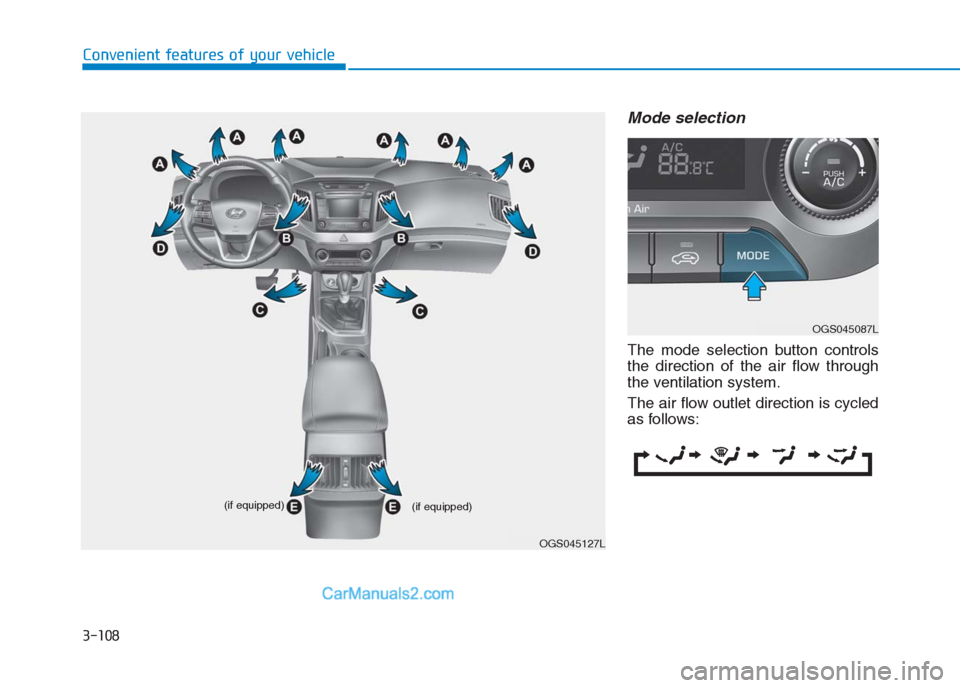
The mode selection button controls
the direction of the air flow through
the ventilation system.
The air flow outlet direction is cycled
as follows:
OGS045127L (if equipped)
(if equipped)
OGS045087L
Page 194 of 472
3-109
Convenient features of your vehicle
3
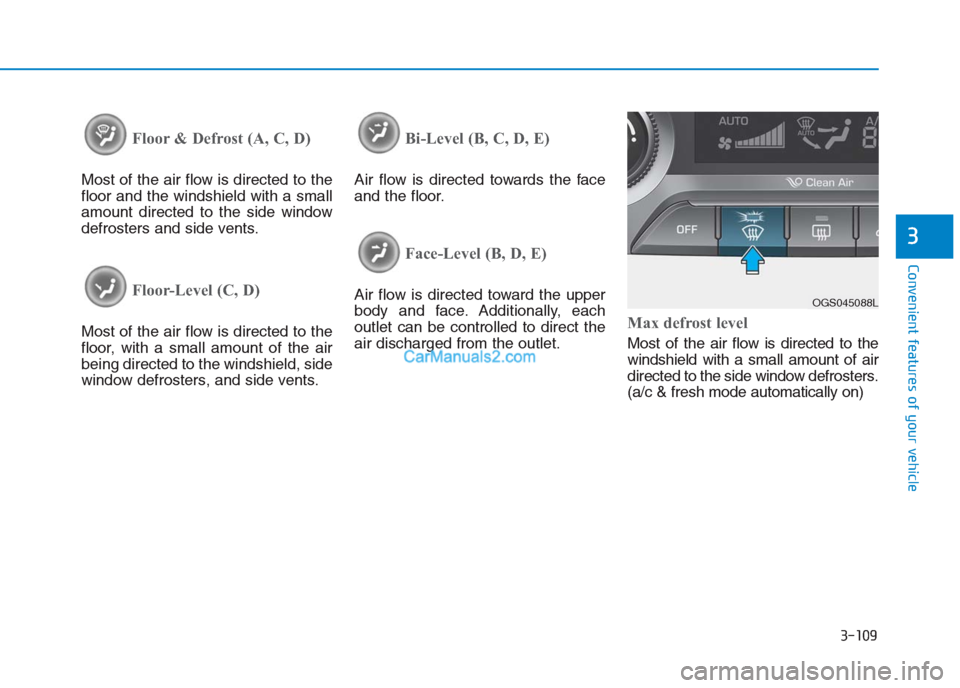
Floor & Defrost (A, C, D)
Most of the air flow is directed to the
floor and the windshield with a small
amount directed to the side window
defrosters and side vents.
Floor-Level (C, D)
Most of the air flow is directed to the
floor, with a small amount of the air
being directed to the windshield, side
window defrosters, and side vents.
Bi-Level (B, C, D, E)
Air flow is directed towards the face
and the floor.
Face-Level (B, D, E)
Air flow is directed toward the upper
body and face. Additionally, each
outlet can be controlled to direct the
air discharged from the outlet.
Max defrost level
Most of the air flow is directed to the
windshield with a small amount of air
directed to the side window defrosters.
(a/c & fresh mode automatically on)
OGS045088L
Page 196 of 472
3-111
Convenient features of your vehicle
3
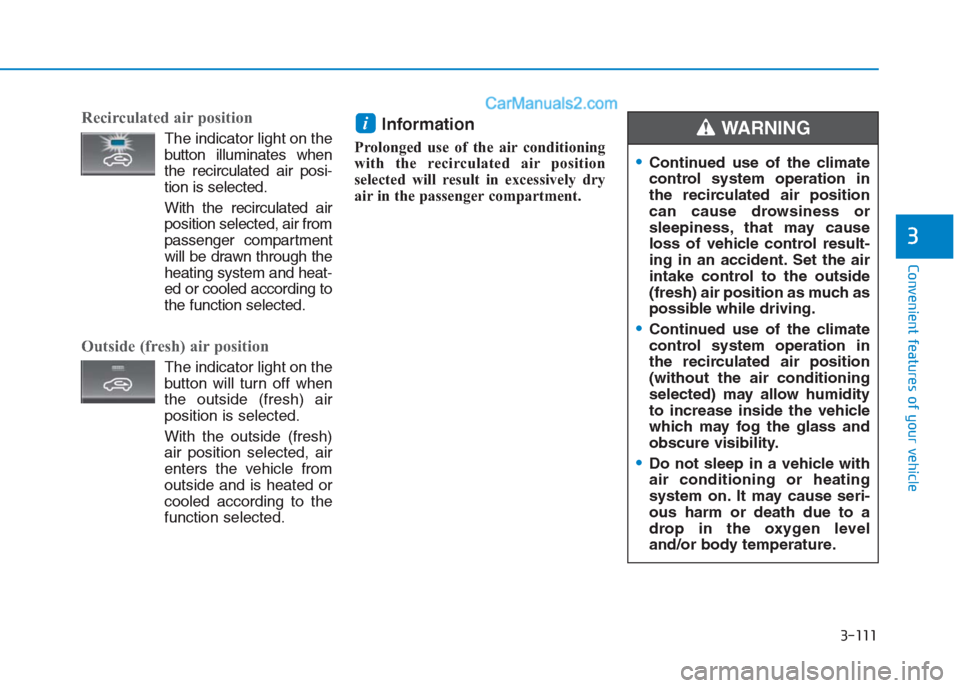
Recirculated air position
The indicator light on the
button illuminates when
the recirculated air posi-
tion is selected.
With the recirculated air
position selected, air from
passenger compartment
will be drawn through the
heating system and heat-
ed or cooled according to
the function selected.
Outside (fresh) air position
The indicator light on the
button will turn off when
the outside (fresh) air
position is selected.
With the outside (fresh)
air position selected, air
enters the vehicle from
outside and is heated or
cooled according to the
function selected.
Information
Prolonged use of the air conditioning
with the recirculated air position
selected will result in excessively dry
air in the passenger compartment.
i
Continued use of the climate
control system operation in
the recirculated air position
can cause drowsiness or
sleepiness, that may cause
loss of vehicle control result-
ing in an accident. Set the air
intake control to the outside
(fresh) air position as much as
possible while driving.
Continued use of the climate
control system operation in
the recirculated air position
(without the air conditioning
selected) may allow humidity
to increase inside the vehicle
which may fog the glass and
obscure visibility.
Do not sleep in a vehicle with
air conditioning or heating
system on. It may cause seri-
ous harm or death due to a
drop in the oxygen level
and/or body temperature.
WARNING
Page 198 of 472
3-113
Convenient features of your vehicle
3
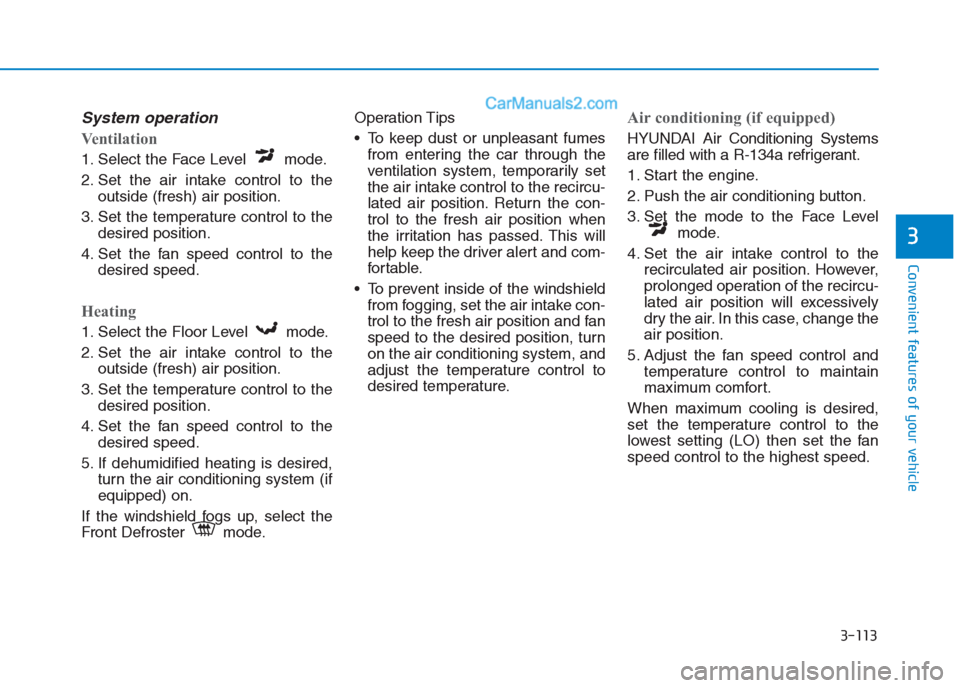
System operation
Ventilation
1. Select the Face Level mode.
2. Set the air intake control to the
outside (fresh) air position.
3. Set the temperature control to the
desired position.
4. Set the fan speed control to the
desired speed.
Heating
1. Select the Floor Level mode.
2. Set the air intake control to the
outside (fresh) air position.
3. Set the temperature control to the
desired position.
4. Set the fan speed control to the
desired speed.
5. If dehumidified heating is desired,
turn the air conditioning system (if
equipped) on.
If the windshield fogs up, select the
Front Defroster mode.Operation Tips
To keep dust or unpleasant fumes
from entering the car through the
ventilation system, temporarily set
the air intake control to the recircu-
lated air position. Return the con-
trol to the fresh air position when
the irritation has passed. This will
help keep the driver alert and com-
fortable.
To prevent inside of the windshield
from fogging, set the air intake con-
trol to the fresh air position and fan
speed to the desired position, turn
on the air conditioning system, and
adjust the temperature control to
desired temperature.
Air conditioning (if equipped)
HYUNDAI Air Conditioning Systems
are filled with a R-134a refrigerant.
1. Start the engine.
2. Push the air conditioning button.
3. Set the mode to the Face Level
mode.
4. Set the air intake control to the
recirculated air position. However,
prolonged operation of the recircu-
lated air position will excessively
dry the air. In this case, change the
air position.
5. Adjust the fan speed control and
temperature control to maintain
maximum comfort.
When maximum cooling is desired,
set the temperature control to the
lowest setting (LO) then set the fan
speed control to the highest speed.
Page 200 of 472
3-115
Convenient features of your vehicle
3
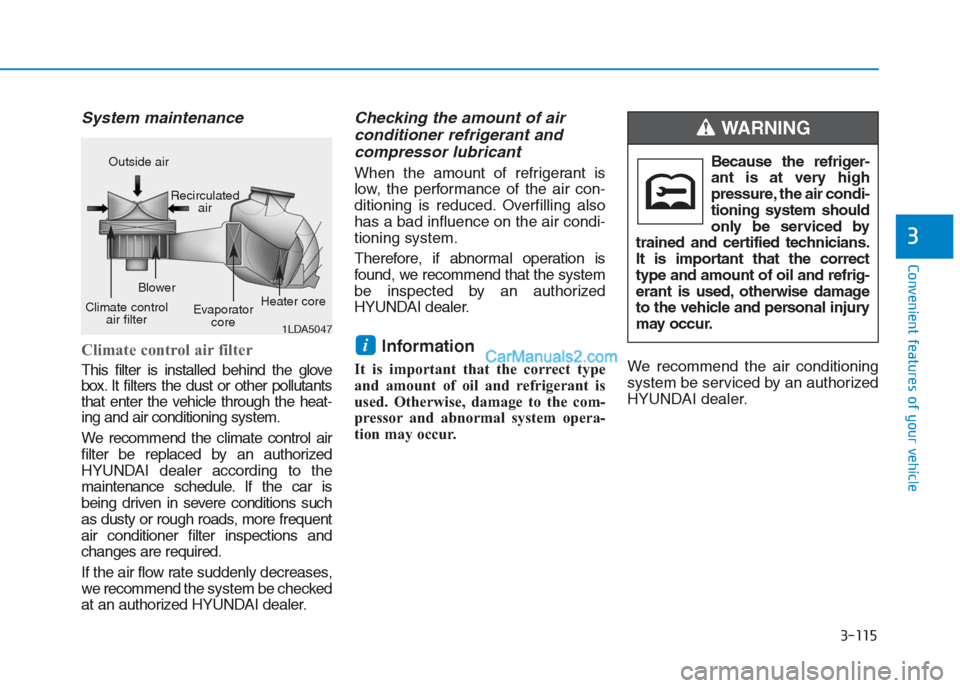
System maintenance
Climate control air filter
This filter is installed behind the glove
box. It filters the dust or other pollutants
that enter the vehicle through the heat-
ing and air conditioning system.
We recommend the climate control air
filter be replaced by an authorized
HYUNDAI dealer according to the
maintenance schedule. If the car is
being driven in severe conditions such
as dusty or rough roads, more frequent
air conditioner filter inspections and
changes are required.
If the air flow rate suddenly decreases,
we recommendthe system be checked
at an authorized HYUNDAI dealer.
Checking the amount of air
conditioner refrigerant and
compressor lubricant
When the amount of refrigerant is
low, the performance of the air con-
ditioning is reduced. Overfilling also
has a bad influence on the air condi-
tioning system.
Therefore, if abnormal operation is
found, we recommend that the system
be inspected by an authorized
HYUNDAI dealer.
Information
It is important that the correct type
and amount of oil and refrigerant is
used. Otherwise, damage to the com-
pressor and abnormal system opera-
tion may occur.We recommend the air conditioning
system be serviced by an authorized
HYUNDAI dealer.
i
1LDA5047
Outside air
Recirculated
air
Climate control
air filterBlower
Evaporator
coreHeater coreBecause the refriger-
ant is at very high
pressure, the air condi-
tioning system should
only be serviced by
trained and certified technicians.
It is important that the correct
type and amount of oil and refrig-
erant is used, otherwise damage
to the vehicle and personal injury
may occur.
WARNING
Page 204 of 472
3-119
Convenient features of your vehicle
3
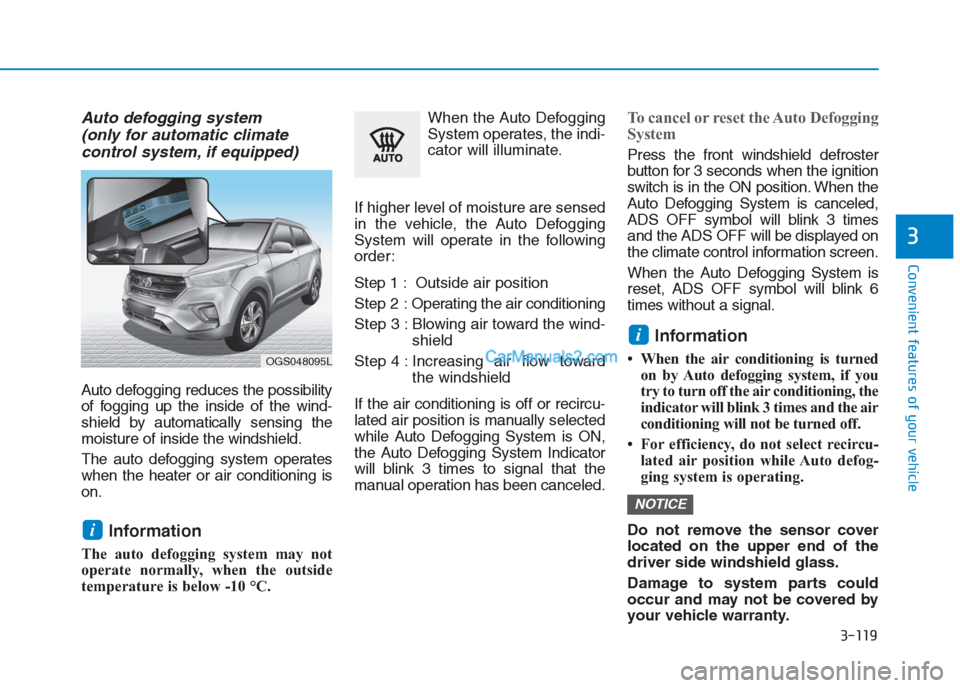
Auto defogging system
(only for automatic climate
control system, if equipped)
Auto defogging reduces the possibility
of fogging up the inside of the wind-
shield by automatically sensing the
moisture of inside the windshield.
The auto defogging system operates
when the heater or air conditioning is
on.
Information
The auto defogging system may not
operate normally, when the outside
temperature is below -10 °C.When the Auto Defogging
System operates, the indi-
cator will illuminate.
If higher level of moisture are sensed
in the vehicle, the Auto Defogging
System will operate in the following
order:
Step 1 : Outside air position
Step 2 :Operating the air conditioning
Step 3 : Blowing air toward the wind-
shield
Step 4 : Increasing air flow toward
the windshield
If the air conditioning is off or recircu-
lated air position is manually selected
while Auto Defogging System is ON,
the Auto Defogging System Indicator
will blink 3 times to signal that the
manual operation has been canceled.
To cancel or reset the Auto Defogging
System
Press the front windshield defroster
button for 3 seconds when the ignition
switch is in the ON position. When the
Auto Defogging System is canceled,
ADS OFF symbol will blink 3 times
and the ADS OFF will be displayed on
the climate control information screen.
When the Auto Defogging System is
reset, ADS OFF symbol will blink 6
times without a signal.
Information
• When the air conditioning is turned
on by Auto defogging system, if you
try to turn off the air conditioning, the
indicator will blink 3 times and the air
conditioning will not be turned off.
• For efficiency, do not select recircu-
lated air position while Auto defog-
ging system is operating.
Do not remove the sensor cover
located on the upper end of the
driver side windshield glass.
Damage to system parts could
occur and may not be covered by
your vehicle warranty.
NOTICE
i
i
OGS048095L
Page 209 of 472
3-124
Convenient features of your vehicle
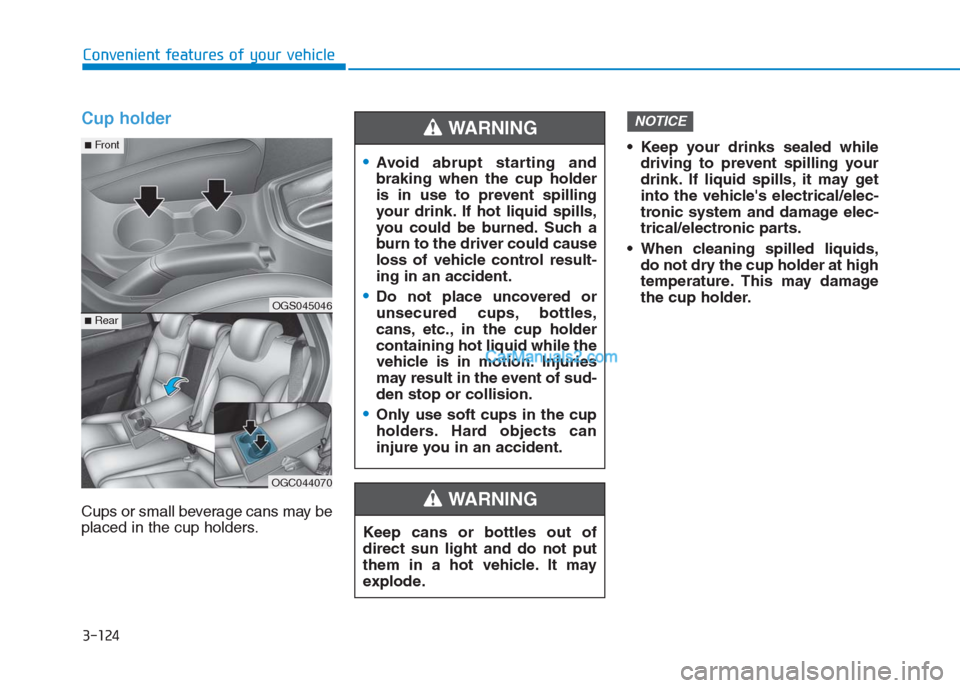
Cup holder
Cups or small beverage cans may be
placed in the cup holders. Keep your drinks sealed while
driving to prevent spilling your
drink. If liquid spills, it may get
into the vehicle's electrical/elec-
tronic system and damage elec-
trical/electronic parts.
When cleaning spilled liquids,
do not dry the cup holder at high
temperature. This may damage
the cup holder.
NOTICE
Keep cans or bottles out of
direct sun light and do not put
them in a hot vehicle. It may
explode.
WARNING
Avoid abrupt starting and
braking when the cup holder
is in use to prevent spilling
your drink. If hot liquid spills,
you could be burned. Such a
burn to the driver could cause
loss of vehicle control result-
ing in an accident.
Do not place uncovered or
unsecured cups, bottles,
cans, etc., in the cup holder
containing hot liquid while the
vehicle is in motion. Injuries
may result in the event of sud-
den stop or collision.
Only use soft cups in the cup
holders. Hard objects can
injure you in an accident.
WARNING
OGS045046
OGC044070
■Rear
■Front
Page 213 of 472
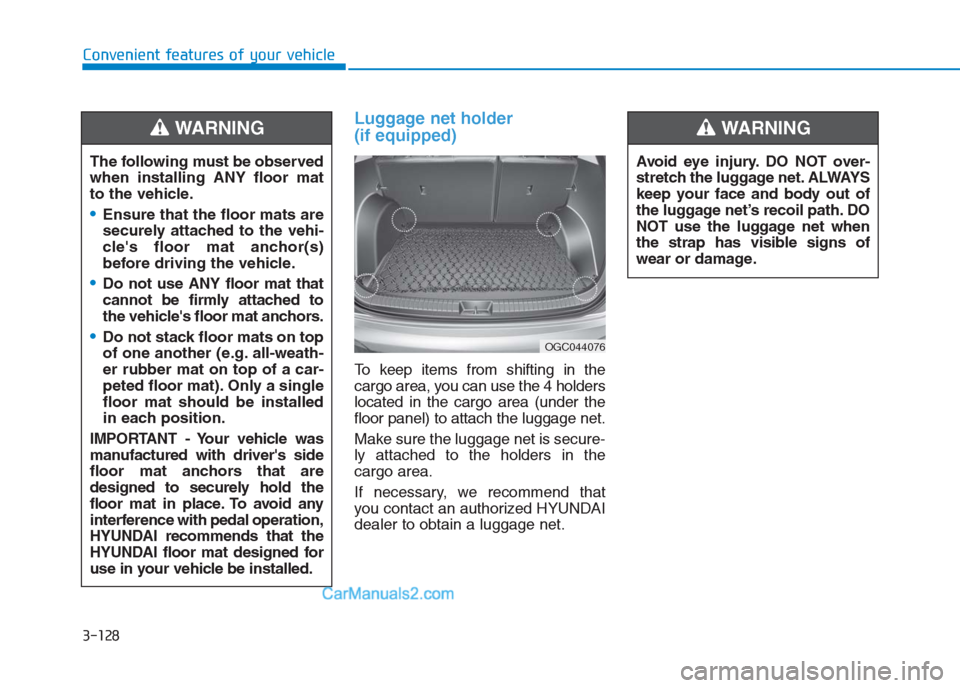
Luggage net holder
(if equipped)
To keep items from shifting in the
cargo area, you can use the 4 holders
located in the cargo area (under the
floor panel) to attach the luggage net.
Make sure the luggage net is secure-
ly attached to the holders in the
cargo area.
If necessary, we recommend that
you contact an authorized HYUNDAI
dealer to obtain a luggage net. The following must be observed
when installing ANY floor mat
to the vehicle.
Ensure that the floor mats are
securely attached to the vehi-
cle's floor mat anchor(s)
before driving the vehicle.
Do not use ANY floor mat that
cannot be firmly attached to
the vehicle's floor mat anchors.
Do not stack floor mats on top
of one another (e.g. all-weath-
er rubber mat on top of a car-
peted floor mat). Only a single
floor mat should be installed
in each position.
IMPORTANT - Your vehicle was
manufactured with driver's side
floor mat anchors that are
designed to securely hold the
floor mat in place. To avoid any
interference with pedal operation,
HYUNDAI recommends that the
HYUNDAI floor mat designed for
use in your vehicle be installed.
WARNING
OGC044076
Avoid eye injury. DO NOT over-
stretch the luggage net. ALWAYS
keep your face and body out of
the luggage net’s recoil path. DO
NOT use the luggage net when
the strap has visible signs of
wear or damage.
WARNING
Convenient features of your vehicle
3-128
Page 217 of 472
4-3
Multimedia System
4
Type B (if equipped)
Along with AM and FM broadcast sig-
nals, the shark fin antenna will receive
the transmit data.
(for example : GPS (Global Positioning
System)
Before entering a place with a
low height clearance, be sure
that the antenna is removed.
Be sure to remove the antenna
before washing the vehicle in an
automatic car wash or it may be
damaged.
(Continued)(Continued)
When reinstalling your antenna,
it is important that it is fully tight-
ened and adjusted to the upright
position to ensure proper recep-
tion. But it could be removed
when parking the vehicle.
Installation of aftermarket antenna
may result in water leakage, wind
noise, rattling & improper radio
operation. We recommend to use
the antenna available with an
authorized HYUNDAI dealer.
Information
Some models do not have audio (plas-
tic blanking cover) system, and will
not supply radio main cable. Thus if
you want to insert Aftermarket audio
or OEM audio to listen radio broad-
casting service, we recommend to use
the feeder cable available with an
authorized HYUNDAI dealer.
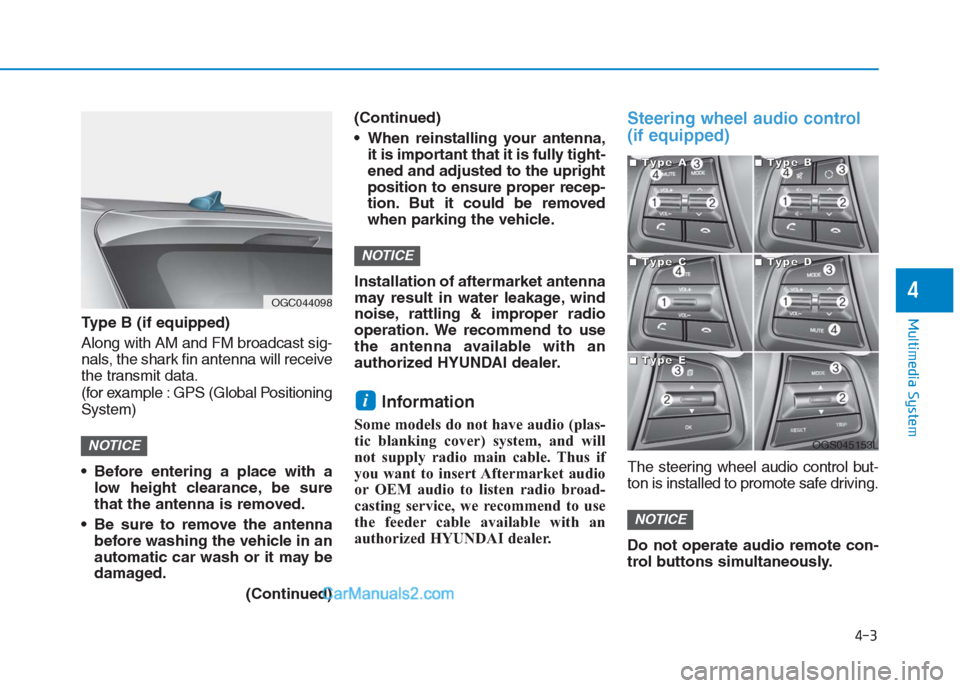
Steering wheel audio control
(if equipped)
The steering wheel audio control but-
ton is installed to promote safe driving.
Do not operate audio remote con-
trol buttons simultaneously.
NOTICE
i
NOTICE
NOTICE
OGC044098
OGS045153L
■ ■ ■ ■T
T T T
y y y y
p p p p
e e e e
A A A A■
■ ■ ■T
T T T
y y y y
p p p p
e e e e
B B B B
■
■ ■ ■T
T T T
y y y y
p p p p
e e e e
C C C C■
■ ■ ■T
T T T
y y y y
p p p p
e e e e
D D D D
■
■ ■ ■T
T T T
y y y y
p p p p
e e e e
E E E E