ECO mode Hyundai Elantra 2004 Owner's Manual
[x] Cancel search | Manufacturer: HYUNDAI, Model Year: 2004, Model line: Elantra, Model: Hyundai Elantra 2004Pages: 241, PDF Size: 6.5 MB
Page 14 of 241
1FEATURES OF YOUR HYUNDAI
3KEYSBREAKING IN YOUR NEW HYUNDAI
B010E01A-AAT
Gasolines for Cleaner Air
To help contribute to cleaner air, Hyundai rec-
ommends that you use gasolines treated with
detergent additives, which help prevent deposit
formation in the engine. These gasolines will
help the engine run cleaner and enhance per-
formance of the Emission Control System.
B010F01A-AATOperation in Foreign Countries
If you are going to drive your Hyundai in another
country, be sure to:
o Observe all regulations regarding registra-
tion and insurance.
o Determine that acceptable fuel is available.
B020A01S-AAT
During the First 1,200 Miles (2,000 Km)
No formal "break-in" procedure is required with
your new Hyundai. However, you can contrib-
ute to the economical operation and durability of
your Hyundai by observing the following recom-
mendations during the first 1,200 miles (2,000
km).
o Don't drive faster than 55 MPH (88 km/h).
o While driving, keep your engine speed (rpm,
or revolutions per minute) between 2,000
rpm and 4,000 rpm.
o Use moderate acceleration. Don't start
quickly or depress the accelerator pedal
fully.
o For the first 200 miles (300 km), try to avoid
hard stops.
o Don't lug the engine (in other words, don't
drive so slowly in too high a gear that the
engine "bucks"-shift to a lower gear).
o Whether going fast or slow, vary your speed
from time to time.
o Don't let the engine idle longer than 3 minutes
at one time.
o Don't tow a trailer during the first 1,200 miles
(2,000 km) of operation.
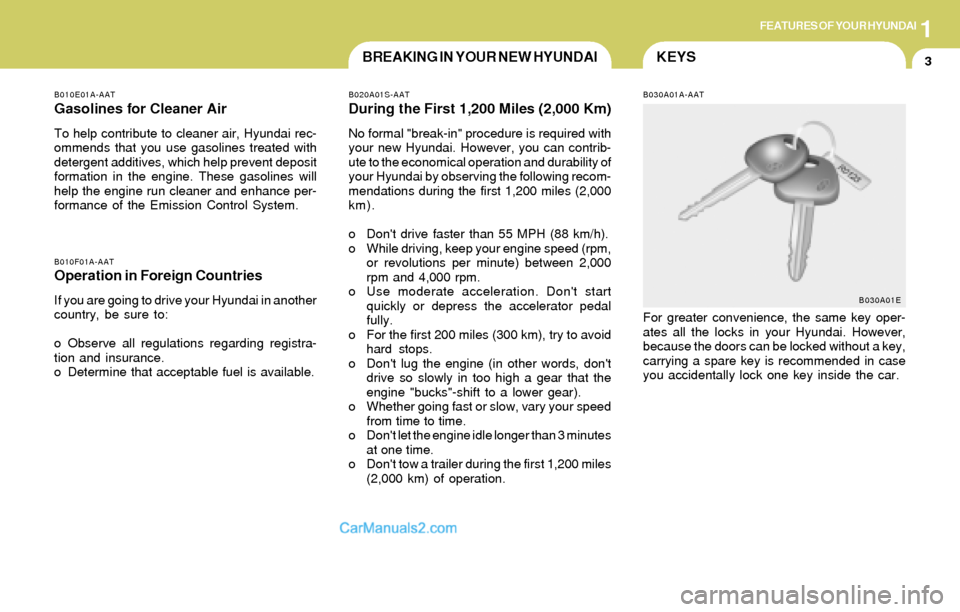
B030A01A-AAT
For greater convenience, the same key oper-
ates all the locks in your Hyundai. However,
because the doors can be locked without a key,
carrying a spare key is recommended in case
you accidentally lock one key inside the car.
B030A01E
Page 32 of 241
1FEATURES OF YOUR HYUNDAI
21
B180A01L-AAT
SEAT BELT-Driver's 3-Point System with
Emergency Locking Retractor:
To Fasten Your Belt
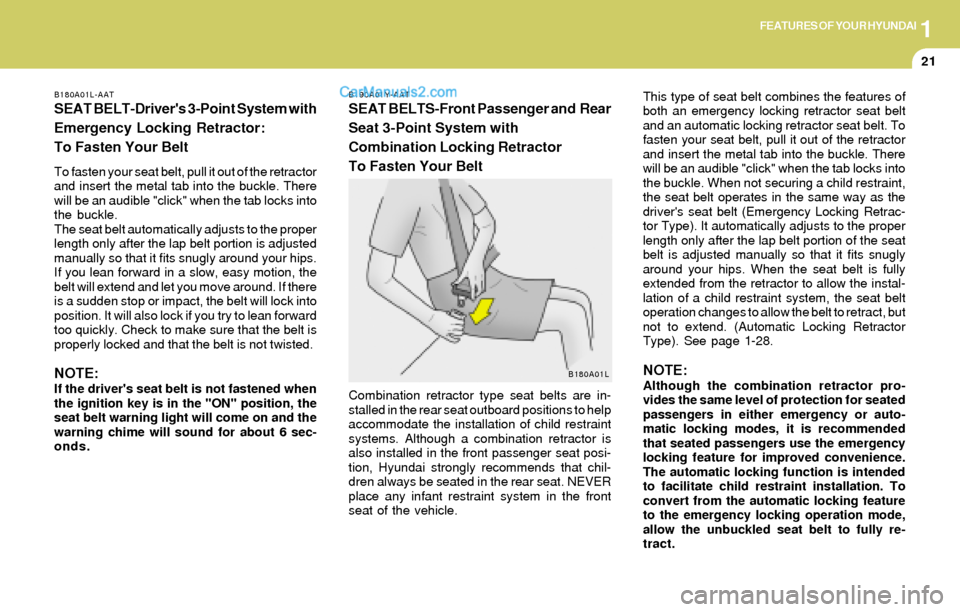
To fasten your seat belt, pull it out of the retractor
and insert the metal tab into the buckle. There
will be an audible "click" when the tab locks into
the buckle.
The seat belt automatically adjusts to the proper
length only after the lap belt portion is adjusted
manually so that it fits snugly around your hips.
If you lean forward in a slow, easy motion, the
belt will extend and let you move around. If there
is a sudden stop or impact, the belt will lock into
position. It will also lock if you try to lean forward
too quickly. Check to make sure that the belt is
properly locked and that the belt is not twisted.
NOTE:If the driver's seat belt is not fastened when
the ignition key is in the "ON" position, the
seat belt warning light will come on and the
warning chime will sound for about 6 sec-
onds.
B190A01Y-AAT
SEAT BELTS-Front Passenger and Rear
Seat 3-Point System with
Combination Locking Retractor
To Fasten Your BeltThis type of seat belt combines the features of
both an emergency locking retractor seat belt
and an automatic locking retractor seat belt. To
fasten your seat belt, pull it out of the retractor
and insert the metal tab into the buckle. There
will be an audible "click" when the tab locks into
the buckle. When not securing a child restraint,
the seat belt operates in the same way as the
driver's seat belt (Emergency Locking Retrac-
tor Type). It automatically adjusts to the proper
length only after the lap belt portion of the seat
belt is adjusted manually so that it fits snugly
around your hips. When the seat belt is fully
extended from the retractor to allow the instal-
lation of a child restraint system, the seat belt
operation changes to allow the belt to retract, but
not to extend. (Automatic Locking Retractor
Type). See page 1-28.
NOTE:Although the combination retractor pro-
vides the same level of protection for seated
passengers in either emergency or auto-
matic locking modes, it is recommended
that seated passengers use the emergency
locking feature for improved convenience.
The automatic locking function is intended
to facilitate child restraint installation. To
convert from the automatic locking feature
to the emergency locking operation mode,
allow the unbuckled seat belt to fully re-
tract. Combination retractor type seat belts are in-
stalled in the rear seat outboard positions to help
accommodate the installation of child restraint
systems. Although a combination retractor is
also installed in the front passenger seat posi-
tion, Hyundai strongly recommends that chil-
dren always be seated in the rear seat. NEVER
place any infant restraint system in the front
seat of the vehicle.B180A01L
Page 63 of 241
1FEATURES OF YOUR HYUNDAI
52
B400B03E-AAT
TRIP COMPUTER (If Installed)
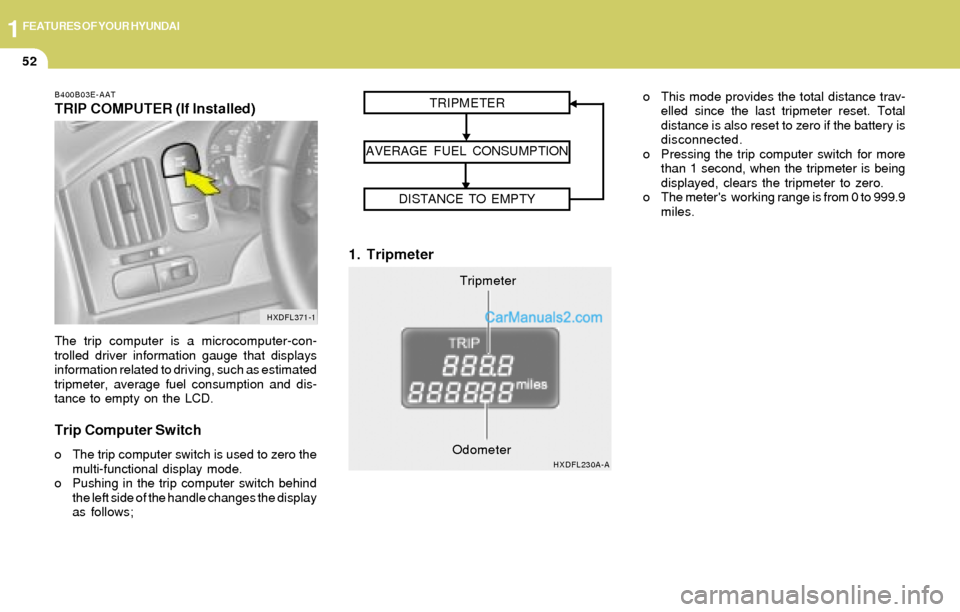
The trip computer is a microcomputer-con-
trolled driver information gauge that displays
information related to driving, such as estimated
tripmeter, average fuel consumption and dis-
tance to empty on the LCD.
Trip Computer Switch
o The trip computer switch is used to zero the
multi-functional display mode.
o Pushing in the trip computer switch behind
the left side of the handle changes the display
as follows;
1. Tripmeter
o This mode provides the total distance trav-
elled since the last tripmeter reset. Total
distance is also reset to zero if the battery is
disconnected.
o Pressing the trip computer switch for more
than 1 second, when the tripmeter is being
displayed, clears the tripmeter to zero.
o The meter's working range is from 0 to 999.9
miles.
HXDFL371-1
Tripmeter TRIPMETER
AVERAGE FUEL CONSUMPTION
DISTANCE TO EMPTY
HXDFL230A-AOdometer
Page 64 of 241
1FEATURES OF YOUR HYUNDAI
53
2. Average Fuel Consumption3. Distance to Empty
NOTE:
o The distance to empty can differ from
the actual tripmeter according to driving
conditions.
o The distance to empty can vary accord-
ing to the driving conditions, driving
pattern or vehicle speed. Distance to emptyDistance to empty symbol
HXDFL230B-AOdometerOdometerHXDFL1026-A
Distance to empty FLASHING
Distance to empty symbol
Average fuel consumption
HXDFL230-A
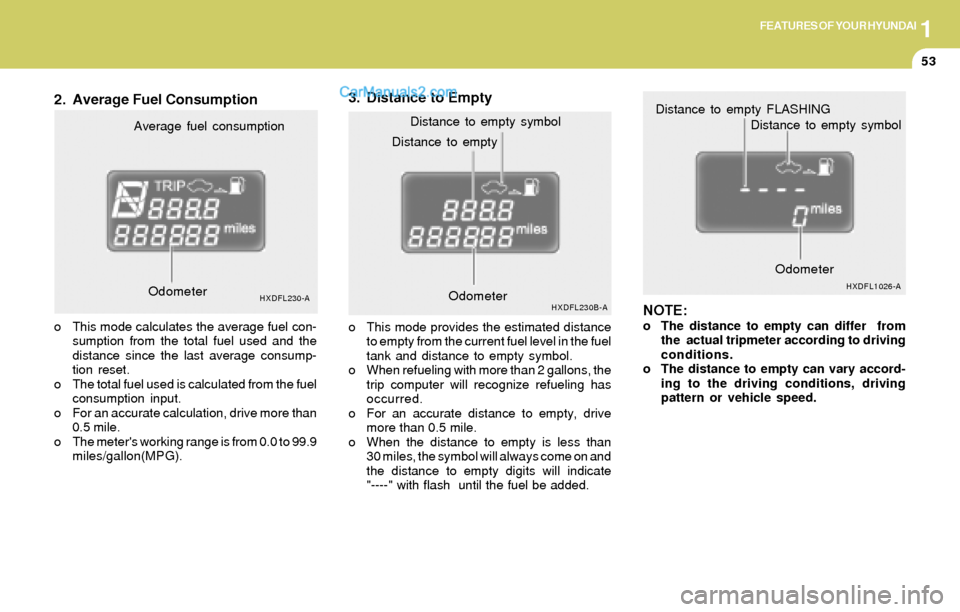
o This mode calculates the average fuel con-
sumption from the total fuel used and the
distance since the last average consump-
tion reset.
o The total fuel used is calculated from the fuel
consumption input.
o For an accurate calculation, drive more than
0.5 mile.
o The meter's working range is from 0.0 to 99.9
miles/gallon(MPG).o This mode provides the estimated distance
to empty from the current fuel level in the fuel
tank and distance to empty symbol.
o When refueling with more than 2 gallons, the
trip computer will recognize refueling has
occurred.
o For an accurate distance to empty, drive
more than 0.5 mile.
o When the distance to empty is less than
30 miles, the symbol will always come on and
the distance to empty digits will indicate
"----" with flash until the fuel be added. Odometer
Page 67 of 241

1FEATURES OF YOUR HYUNDAI
56
B350A01A-AAT
The windshield wiper switch has three posi-
tions:
1. Intermittent wiper operation
2. Low-speed operation
3. High-speed operation
NOTE:To prevent damage to the wiper system, do
not attempt to wipe away heavy accumula-
tions of snow or ice. Accumulated snow
and ice should be removed manually. If
there is only a light layer of snow or ice,
operate the heater in the defrost mode to
melt the snow or ice before using the wiper.
B350C01S-AAT
Adjustable Intermittent Wiper
Operation
To use the intermittent wiper feature, place the
wiper switch in the "INT" position. With the
switch in this position, the interval between
wipes can be varied from 2 to 10 seconds by
turning the interval adjuster barrel.
B360B01Y-GAT
FRONT FOG LIGHT SWITCH
(If Installed)
To turn on the front fog lights, place the switch
in the "ON" position. They will come on when the
headlight switch is in the second position.
HXDFL359HXDFL353-A
HXDFL354-A
WINDSHIELD WIPER AND WASHER
SWITCH
Page 95 of 241

1FEATURES OF YOUR HYUNDAI
84
B670E02A-AAT
Temperature Control
This control is used to adjust the degree of
heating or cooling desired. With the "Fresh" mode selected, air enters the
vehicle from the outside and is heated or cooled
according to the function selected.
With the "Recirculation" mode selected, air from
within the passenger compartment will be drawn
through the heating system and heated or
cooled according to the function selected.
NOTE:o It should be noted that prolonged opera-
tion of the heating in "Recirculation"
mode will give rise to fogging of the
windshield and side windows and the air
within the passenger compartment will
become stale. In addition, prolonged
use of the air conditioning with the "Re-
circulation" mode selected may result in
the air within the passenger compart-
ment becoming excessively dry.
o When the ignition switch is turned "ON"
the air intake control will change to
"Fresh" mode in floor, floor-defrost and
defrost position. This is normal opera-
tion.
B670E02A-AB670B02A-AAT
Fan Speed Control (Blower Control)
This is used to turn the blower fan on or off and
to select the fan speed.
This blower fan speed, and therefore the vol-
ume of air delivered from the system, may be
controlled manually by setting the blower con-
trol between the "1" and "4" positions.
NOTE:If the blower fan is off, it will set to the fresh
mode automatically and be able to select
"Fresh"mode or "Recirculation" mode.
B670A01E-A
Page 102 of 241
1FEATURES OF YOUR HYUNDAI
91
NOTE:If the battery has been discharged or dis-
connected, the temperature mode will reset
to centigrade degrees.
This is a normal condition and you can
change the temperature mode from centi-
grade to farenheit as follows;
Press the TEMP button down 3 seconds or
more with the button held down. The
display shows that the unit of temperature
is adjusted to centigrade or fahrenheit.
(°C
→ → → →
→ °F or °F → →→ →
→ °C)
B970C02E-AAT
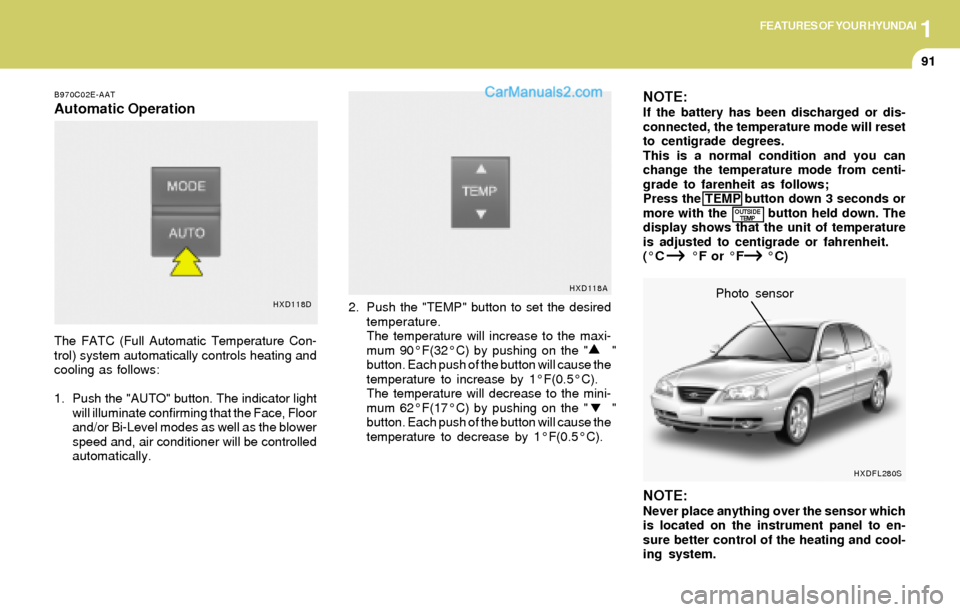
Automatic Operation
The FATC (Full Automatic Temperature Con-
trol) system automatically controls heating and
cooling as follows:
1. Push the "AUTO" button. The indicator light
will illuminate confirming that the Face, Floor
and/or Bi-Level modes as well as the blower
speed and, air conditioner will be controlled
automatically.2. Push the "TEMP" button to set the desired
temperature.
The temperature will increase to the maxi-
mum 90°F(32°C) by pushing on the " "
button. Each push of the button will cause the
temperature to increase by 1°F(0.5°C).
The temperature will decrease to the mini-
mum 62°F(17°C) by pushing on the " "
button. Each push of the button will cause the
temperature to decrease by 1°F(0.5°C).
NOTE:Never place anything over the sensor which
is located on the instrument panel to en-
sure better control of the heating and cool-
ing system.Photo sensor
HXD118DHXD118A
OUTSIDE
TEMP
HXDFL280S
Page 104 of 241
1FEATURES OF YOUR HYUNDAI
93
B670C01E-AAT
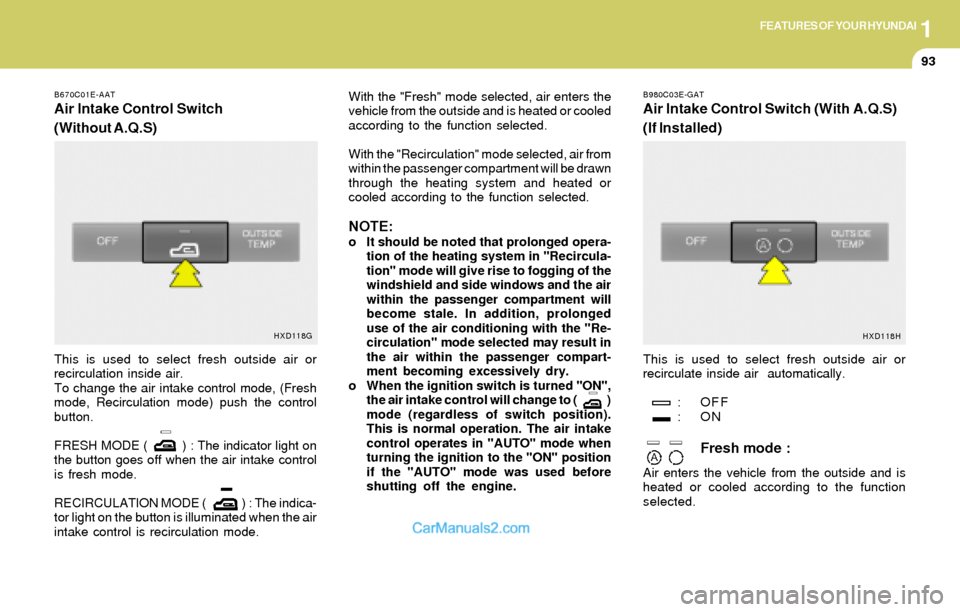
Air Intake Control Switch
(Without A.Q.S)
B980C03E-GAT
Air Intake Control Switch (With A.Q.S)
(If Installed)
This is used to select fresh outside air or
recirculation inside air.
To change the air intake control mode, (Fresh
mode, Recirculation mode) push the control
button.
FRESH MODE ( ) : The indicator light on
the button goes off when the air intake control
is fresh mode.
RECIRCULATION MODE ( ) : The indica-
tor light on the button is illuminated when the air
intake control is recirculation mode.With the "Fresh" mode selected, air enters the
vehicle from the outside and is heated or cooled
according to the function selected.
With the "Recirculation" mode selected, air from
within the passenger compartment will be drawn
through the heating system and heated or
cooled according to the function selected.
NOTE:o It should be noted that prolonged opera-
tion of the heating system in "Recircula-
tion" mode will give rise to fogging of the
windshield and side windows and the air
within the passenger compartment will
become stale. In addition, prolonged
use of the air conditioning with the "Re-
circulation" mode selected may result in
the air within the passenger compart-
ment becoming excessively dry.
o When the ignition switch is turned "ON",
the air intake control will change to ( )
mode (regardless of switch position).
This is normal operation. The air intake
control operates in "AUTO" mode when
turning the ignition to the "ON" position
if the "AUTO" mode was used before
shutting off the engine.This is used to select fresh outside air or
recirculate inside air automatically.
: OFF
:ON
Fresh mode :
Air enters the vehicle from the outside and is
heated or cooled according to the function
selected.
HXD118G
HXD118H
Page 105 of 241
1FEATURES OF YOUR HYUNDAI
94
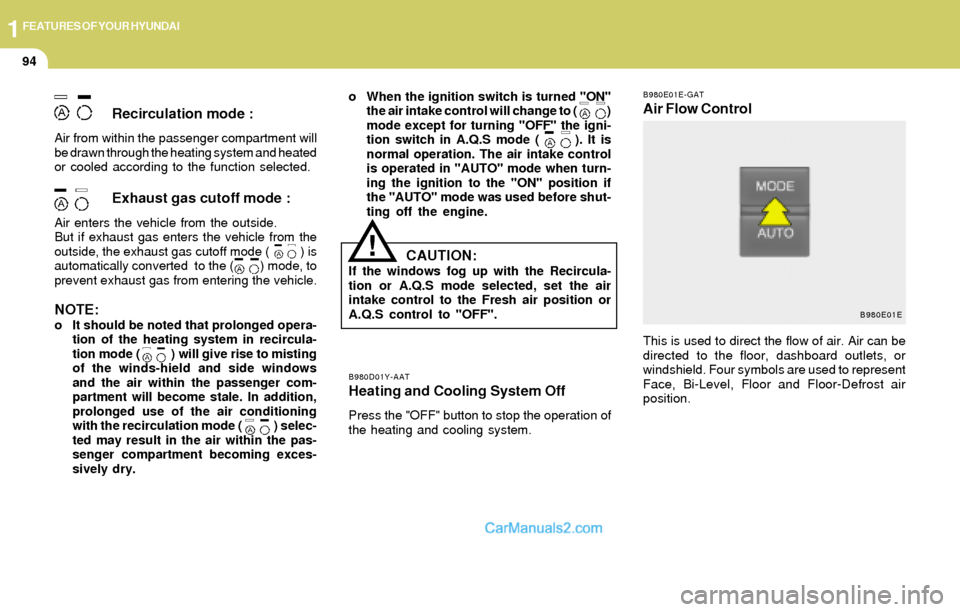
B980E01E-GAT
Air Flow Control
B980D01Y-AATHeating and Cooling System Off
Press the "OFF" button to stop the operation of
the heating and cooling system.
Recirculation mode :
Air from within the passenger compartment will
be drawn through the heating system and heated
or cooled according to the function selected.
Exhaust gas cutoff mode :
Air enters the vehicle from the outside.
But if exhaust gas enters the vehicle from the
outside, the exhaust gas cutoff mode ( ) is
automatically converted to the ( ) mode, to
prevent exhaust gas from entering the vehicle.
NOTE:o It should be noted that prolonged opera-
tion of the heating system in recircula-
tion mode ( ) will give rise to misting
of the winds-hield and side windows
and the air within the passenger com-
partment will become stale. In addition,
prolonged use of the air conditioning
with the recirculation mode ( ) selec-
ted may result in the air within the pas-
senger compartment becoming exces-
sively dry.o When the ignition switch is turned "ON"
the air intake control will change to ( )
mode except for turning "OFF" the igni-
tion switch in A.Q.S mode ( ). It is
normal operation. The air intake control
is operated in "AUTO" mode when turn-
ing the ignition to the "ON" position if
the "AUTO" mode was used before shut-
ting off the engine.
!
This is used to direct the flow of air. Air can be
directed to the floor, dashboard outlets, or
windshield. Four symbols are used to represent
Face, Bi-Level, Floor and Floor-Defrost air
position.
CAUTION:If the windows fog up with the Recircula-
tion or A.Q.S mode selected, set the air
intake control to the Fresh air position or
A.Q.S control to "OFF".
B980E01E
Page 112 of 241
1FEATURES OF YOUR HYUNDAI
101
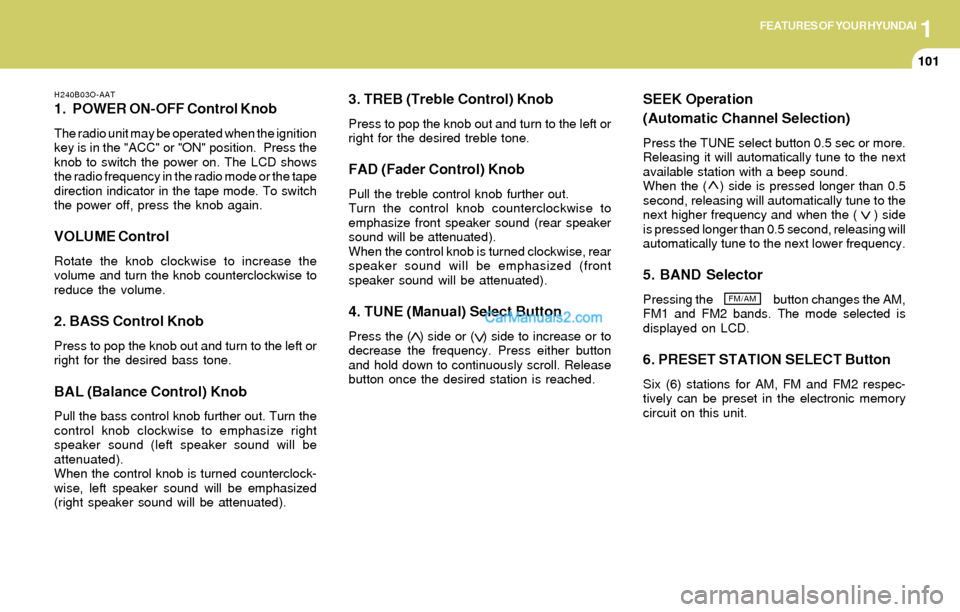
H240B03O-AAT
1. POWER ON-OFF Control Knob
The radio unit may be operated when the ignition
key is in the "ACC" or "ON" position. Press the
knob to switch the power on. The LCD shows
the radio frequency in the radio mode or the tape
direction indicator in the tape mode. To switch
the power off, press the knob again.
VOLUME Control
Rotate the knob clockwise to increase the
volume and turn the knob counterclockwise to
reduce the volume.
2. BASS Control Knob
Press to pop the knob out and turn to the left or
right for the desired bass tone.
BAL (Balance Control) Knob
Pull the bass control knob further out. Turn the
control knob clockwise to emphasize right
speaker sound (left speaker sound will be
attenuated).
When the control knob is turned counterclock-
wise, left speaker sound will be emphasized
(right speaker sound will be attenuated).
3. TREB (Treble Control) Knob
Press to pop the knob out and turn to the left or
right for the desired treble tone.
FAD (Fader Control) Knob
Pull the treble control knob further out.
Turn the control knob counterclockwise to
emphasize front speaker sound (rear speaker
sound will be attenuated).
When the control knob is turned clockwise, rear
speaker sound will be emphasized (front
speaker sound will be attenuated).
4. TUNE (Manual) Select Button
Press the ( ) side or ( ) side to increase or to
decrease the frequency. Press either button
and hold down to continuously scroll. Release
button once the desired station is reached.
SEEK Operation
(Automatic Channel Selection)
Press the TUNE select button 0.5 sec or more.
Releasing it will automatically tune to the next
available station with a beep sound.
When the ( ) side is pressed longer than 0.5
second, releasing will automatically tune to the
next higher frequency and when the ( ) side
is pressed longer than 0.5 second, releasing will
automatically tune to the next lower frequency.
5. BAND Selector
Pressing the button changes the AM,
FM1 and FM2 bands. The mode selected is
displayed on LCD.
6. PRESET STATION SELECT Button
Six (6) stations for AM, FM and FM2 respec-
tively can be preset in the electronic memory
circuit on this unit.
FM/AM