ignition Hyundai Elantra 2005 Owner's Guide
[x] Cancel search | Manufacturer: HYUNDAI, Model Year: 2005, Model line: Elantra, Model: Hyundai Elantra 2005Pages: 256, PDF Size: 10.4 MB
Page 66 of 256
1
FEATURES OF YOUR HYUNDAI
55
B340A01A-AATCOMBINATION TURN SIGNAL,
HEADLIGHT AND HIGH-BEAM
SWITCH
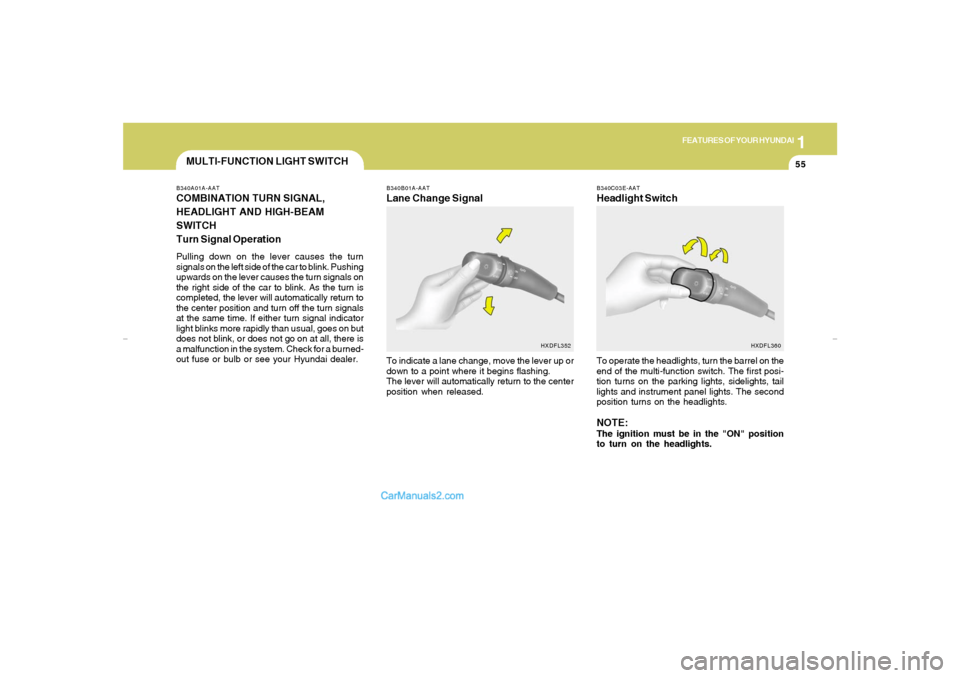
Turn Signal OperationPulling down on the lever causes the turn
signals on the left side of the car to blink. Pushing
upwards on the lever causes the turn signals on
the right side of the car to blink. As the turn is
completed, the lever will automatically return to
the center position and turn off the turn signals
at the same time. If either turn signal indicator
light blinks more rapidly than usual, goes on but
does not blink, or does not go on at all, there is
a malfunction in the system. Check for a burned-
out fuse or bulb or see your Hyundai dealer.
B340B01A-AATLane Change SignalTo indicate a lane change, move the lever up or
down to a point where it begins flashing.
The lever will automatically return to the center
position when released.
MULTI-FUNCTION LIGHT SWITCH
HXDFL352B340C03E-AAT
Headlight SwitchTo operate the headlights, turn the barrel on the
end of the multi-function switch. The first posi-
tion turns on the parking lights, sidelights, tail
lights and instrument panel lights. The second
position turns on the headlights.NOTE:The ignition must be in the "ON" position
to turn on the headlights.
HXDFL360
xdflhma-1a.p652/5/2008, 2:03 PM 55
Page 67 of 256
1FEATURES OF YOUR HYUNDAI56
Parking Light Auto OffIf you do not turn the parking lights "OFF" key
out, the parking lights will automatically shut
"OFF" when the driver's door is opened.
To turn them "ON" again you must simply turn
the ignition key to the "ON" position.B340D01A-AATHigh-beam SwitchTo turn on the headlight high beams, push the
lever forward (away from you). The high beam
indicator light will come on at the same time. For
low beams, pull the lever back toward you.
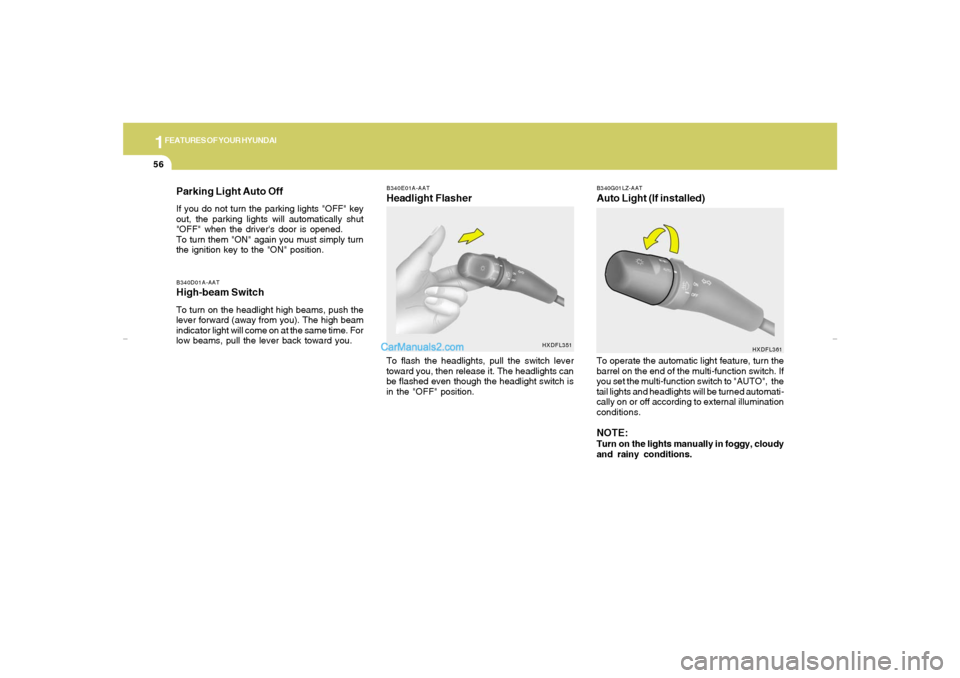
B340E01A-AATHeadlight FlasherTo flash the headlights, pull the switch lever
toward you, then release it. The headlights can
be flashed even though the headlight switch is
in the "OFF" position.
B340G01LZ-AATAuto Light (If installed)
HXDFL361
To operate the automatic light feature, turn the
barrel on the end of the multi-function switch. If
you set the multi-function switch to "AUTO", the
tail lights and headlights will be turned automati-
cally on or off according to external illumination
conditions.NOTE:Turn on the lights manually in foggy, cloudy
and rainy conditions.
HXDFL351
xdflhma-1a.p652/5/2008, 2:03 PM 56
Page 70 of 256
1
FEATURES OF YOUR HYUNDAI
59
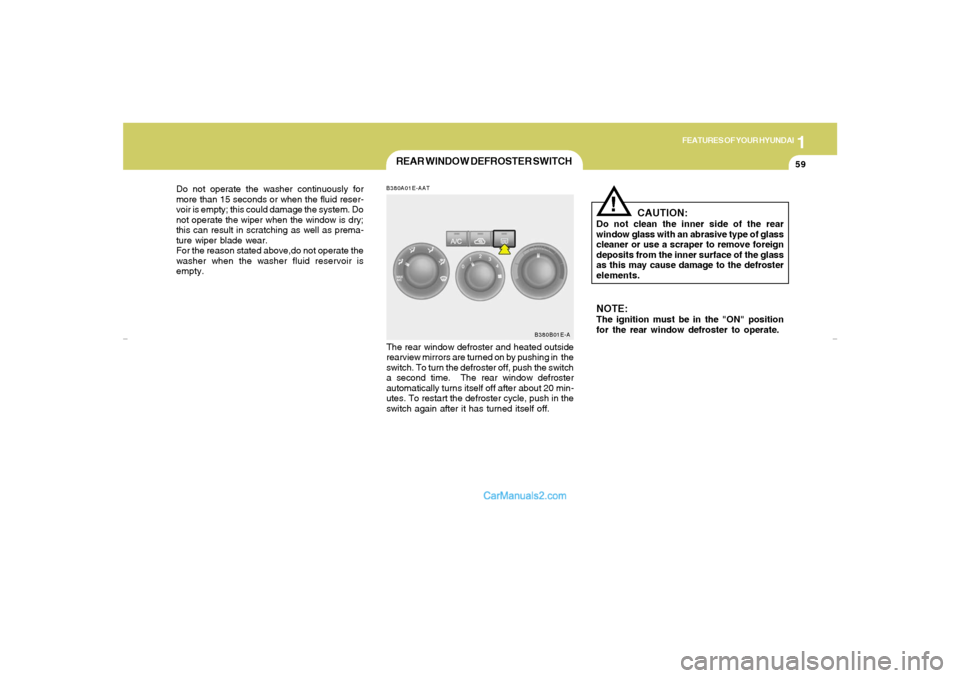
B380A01E-AATThe rear window defroster and heated outside
rearview mirrors are turned on by pushing in the
switch. To turn the defroster off, push the switch
a second time. The rear window defroster
automatically turns itself off after about 20 min-
utes. To restart the defroster cycle, push in the
switch again after it has turned itself off.
CAUTION:
Do not clean the inner side of the rear
window glass with an abrasive type of glass
cleaner or use a scraper to remove foreign
deposits from the inner surface of the glass
as this may cause damage to the defroster
elements.
!
NOTE:The ignition must be in the "ON" position
for the rear window defroster to operate. Do not operate the washer continuously for
more than 15 seconds or when the fluid reser-
voir is empty; this could damage the system. Do
not operate the wiper when the window is dry;
this can result in scratching as well as prema-
ture wiper blade wear.
For the reason stated above,do not operate the
washer when the washer fluid reservoir is
empty.
REAR WINDOW DEFROSTER SWITCH
B380B01E-A
xdflhma-1a.p652/5/2008, 2:03 PM 59
Page 71 of 256
1FEATURES OF YOUR HYUNDAI60
B410A01A-AAT
B410A01E-AINSTRUMENT PANEL LIGHT
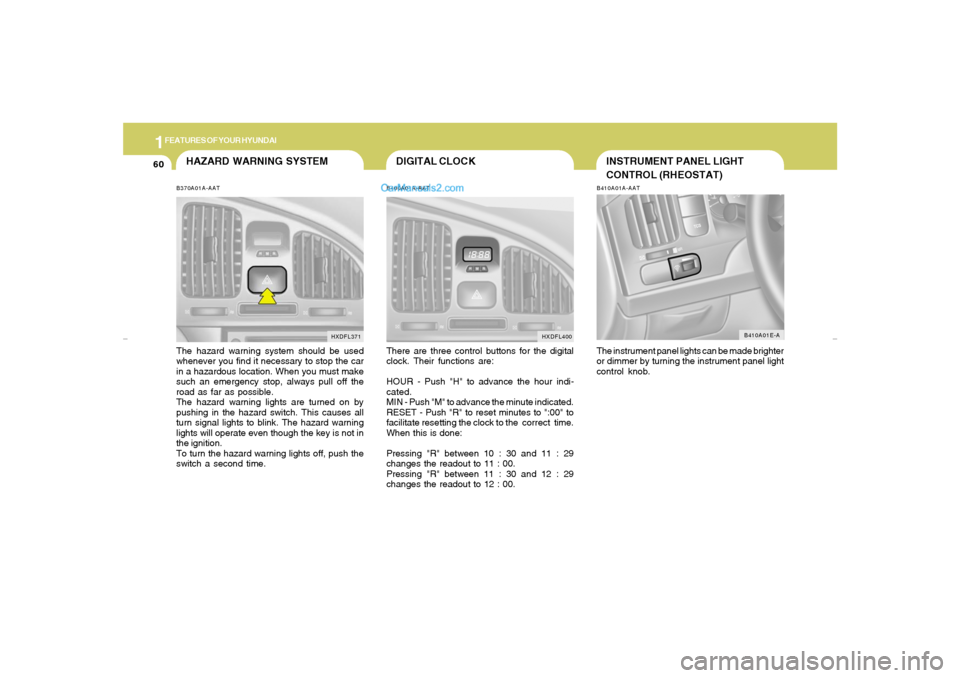
CONTROL (RHEOSTAT)The instrument panel lights can be made brighter
or dimmer by turning the instrument panel light
control knob.
DIGITAL CLOCKB400A01A-AATThere are three control buttons for the digital
clock. Their functions are:
HOUR - Push "H" to advance the hour indi-
cated.
MIN - Push "M" to advance the minute indicated.
RESET - Push "R" to reset minutes to ":00" to
facilitate resetting the clock to the correct time.
When this is done:
Pressing "R" between 10 : 30 and 11 : 29
changes the readout to 11 : 00.
Pressing "R" between 11 : 30 and 12 : 29
changes the readout to 12 : 00.
HXDFL400
HAZARD WARNING SYSTEMB370A01A-AATThe hazard warning system should be used
whenever you find it necessary to stop the car
in a hazardous location. When you must make
such an emergency stop, always pull off the
road as far as possible.
The hazard warning lights are turned on by
pushing in the hazard switch. This causes all
turn signal lights to blink. The hazard warning
lights will operate even though the key is not in
the ignition.
To turn the hazard warning lights off, push the
switch a second time.
HXDFL371
xdflhma-1a.p652/5/2008, 2:03 PM 60
Page 75 of 256
1FEATURES OF YOUR HYUNDAI64
!
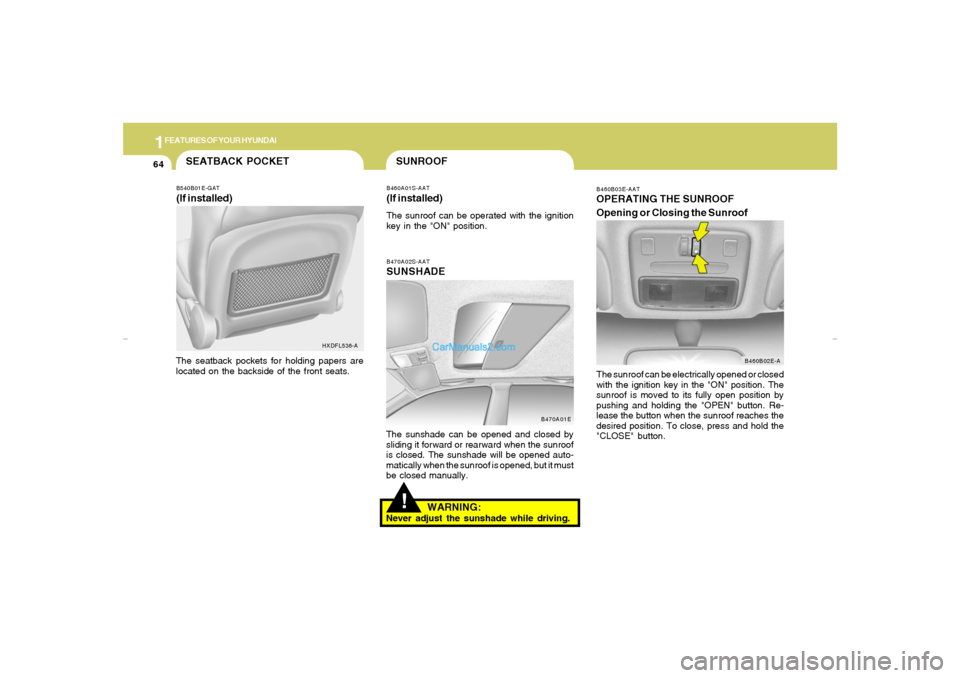
B470A02S-AATSUNSHADEThe sunshade can be opened and closed by
sliding it forward or rearward when the sunroof
is closed. The sunshade will be opened auto-
matically when the sunroof is opened, but it must
be closed manually.
B470A01E
SUNROOFB460A01S-AAT(If installed)The sunroof can be operated with the ignition
key in the "ON" position.
B460B03E-AATOPERATING THE SUNROOF
Opening or Closing the Sunroof
B460B02E-A
The sunroof can be electrically opened or closed
with the ignition key in the "ON" position. The
sunroof is moved to its fully open position by
pushing and holding the "OPEN" button. Re-
lease the button when the sunroof reaches the
desired position. To close, press and hold the
"CLOSE" button.
WARNING:
Never adjust the sunshade while driving.
B540B01E-GAT(If installed)The seatback pockets for holding papers are
located on the backside of the front seats.SEATBACK POCKET
HXDFL536-A
xdflhma-1a.p652/5/2008, 2:03 PM 64
Page 78 of 256
1
FEATURES OF YOUR HYUNDAI
67
SPECTACLE CASE!
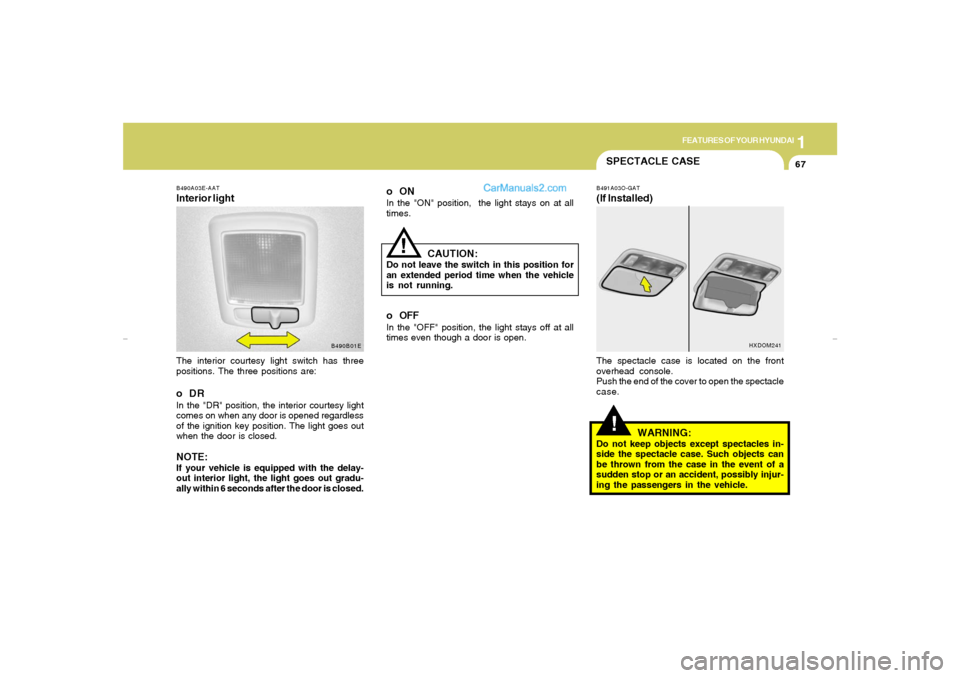
B491A03O-GAT(If Installed)The spectacle case is located on the front
overhead console.
Push the end of the cover to open the spectacle
case.
WARNING:
Do not keep objects except spectacles in-
side the spectacle case. Such objects can
be thrown from the case in the event of a
sudden stop or an accident, possibly injur-
ing the passengers in the vehicle.
HXDOM241
oONIn the "ON" position, the light stays on at all
times.
B490A03E-AATInterior lightThe interior courtesy light switch has three
positions. The three positions are:oDRIn the "DR" position, the interior courtesy light
comes on when any door is opened regardless
of the ignition key position. The light goes out
when the door is closed.NOTE:If your vehicle is equipped with the delay-
out interior light, the light goes out gradu-
ally within 6 seconds after the door is closed.
B490B01E
CAUTION:
Do not leave the switch in this position for
an extended period time when the vehicle
is not running.o OFFIn the "OFF" position, the light stays off at all
times even though a door is open.
!
xdflhma-1a.p652/5/2008, 2:04 PM 67
Page 96 of 256
1
FEATURES OF YOUR HYUNDAI
85
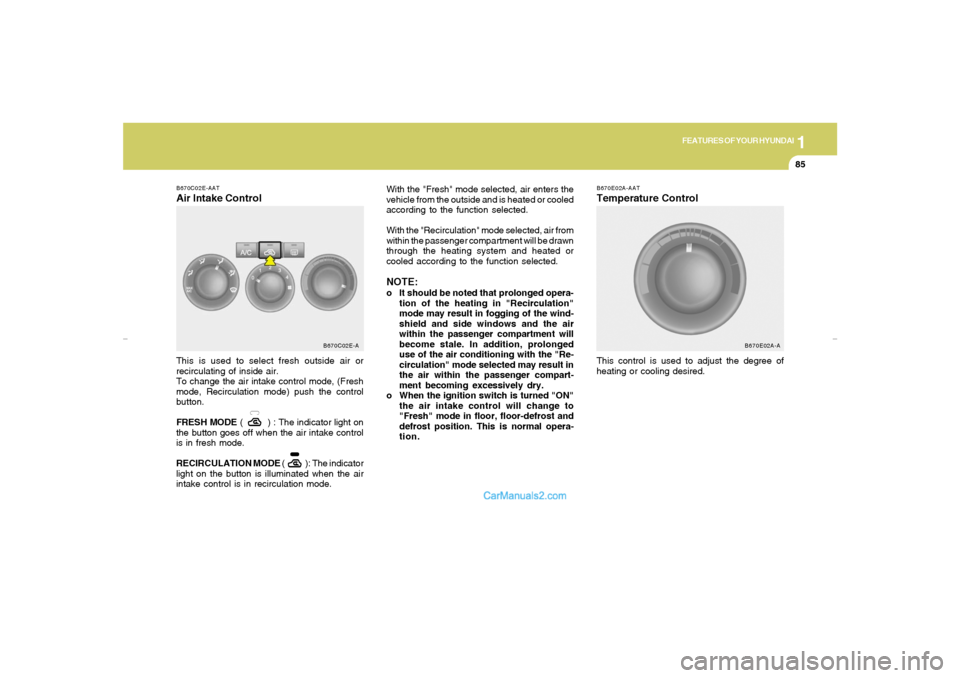
B670C02E-AATAir Intake ControlThis is used to select fresh outside air or
recirculating of inside air.
To change the air intake control mode, (Fresh
mode, Recirculation mode) push the control
button.
FRESH MODE ( ) : The indicator light on
the button goes off when the air intake control
is in fresh mode.
RECIRCULATION MODE ( ): The indicator
light on the button is illuminated when the air
intake control is in recirculation mode.
B670C02E-A
B670E02A-AATTemperature ControlThis control is used to adjust the degree of
heating or cooling desired. With the "Fresh" mode selected, air enters the
vehicle from the outside and is heated or cooled
according to the function selected.
With the "Recirculation" mode selected, air from
within the passenger compartment will be drawn
through the heating system and heated or
cooled according to the function selected.
NOTE:o It should be noted that prolonged opera-
tion of the heating in "Recirculation"
mode may result in fogging of the wind-
shield and side windows and the air
within the passenger compartment will
become stale. In addition, prolonged
use of the air conditioning with the "Re-
circulation" mode selected may result in
the air within the passenger compart-
ment becoming excessively dry.
o When the ignition switch is turned "ON"
the air intake control will change to
"Fresh" mode in floor, floor-defrost and
defrost position. This is normal opera-
tion.
B670E02A-A
xdflhma-1b.p652/5/2008, 2:06 PM 85
Page 105 of 256
1FEATURES OF YOUR HYUNDAI94
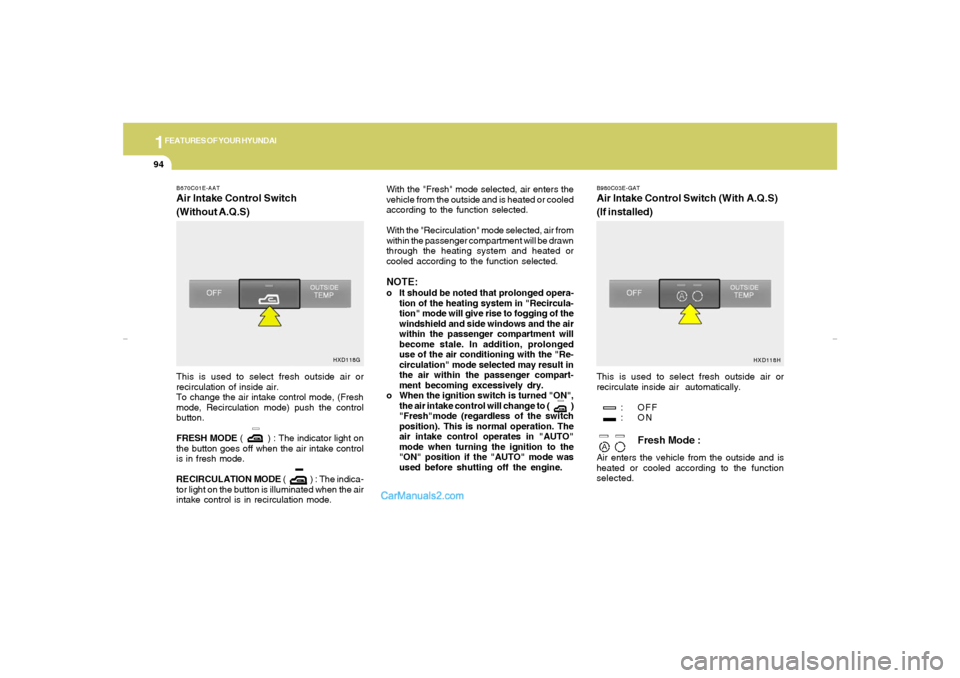
B670C01E-AATAir Intake Control Switch
(Without A.Q.S)
B980C03E-GATAir Intake Control Switch (With A.Q.S)
(If installed)
This is used to select fresh outside air or
recirculation of inside air.
To change the air intake control mode, (Fresh
mode, Recirculation mode) push the control
button.
FRESH MODE ( ) : The indicator light on
the button goes off when the air intake control
is in fresh mode.
RECIRCULATION MODE ( ) : The indica-
tor light on the button is illuminated when the air
intake control is in recirculation mode.With the "Fresh" mode selected, air enters the
vehicle from the outside and is heated or cooled
according to the function selected.
With the "Recirculation" mode selected, air from
within the passenger compartment will be drawn
through the heating system and heated or
cooled according to the function selected.
NOTE:o It should be noted that prolonged opera-
tion of the heating system in "Recircula-
tion" mode will give rise to fogging of the
windshield and side windows and the air
within the passenger compartment will
become stale. In addition, prolonged
use of the air conditioning with the "Re-
circulation" mode selected may result in
the air within the passenger compart-
ment becoming excessively dry.
o When the ignition switch is turned "ON",
the air intake control will change to ( )
"Fresh"mode (regardless of the switch
position). This is normal operation. The
air intake control operates in "AUTO"
mode when turning the ignition to the
"ON" position if the "AUTO" mode was
used before shutting off the engine.This is used to select fresh outside air or
recirculate inside air automatically.
: OFF
:ON
Fresh Mode :
Air enters the vehicle from the outside and is
heated or cooled according to the function
selected.
HXD118G
HXD118H
xdflhma-1b.p652/5/2008, 2:06 PM 94
Page 106 of 256
1
FEATURES OF YOUR HYUNDAI
95
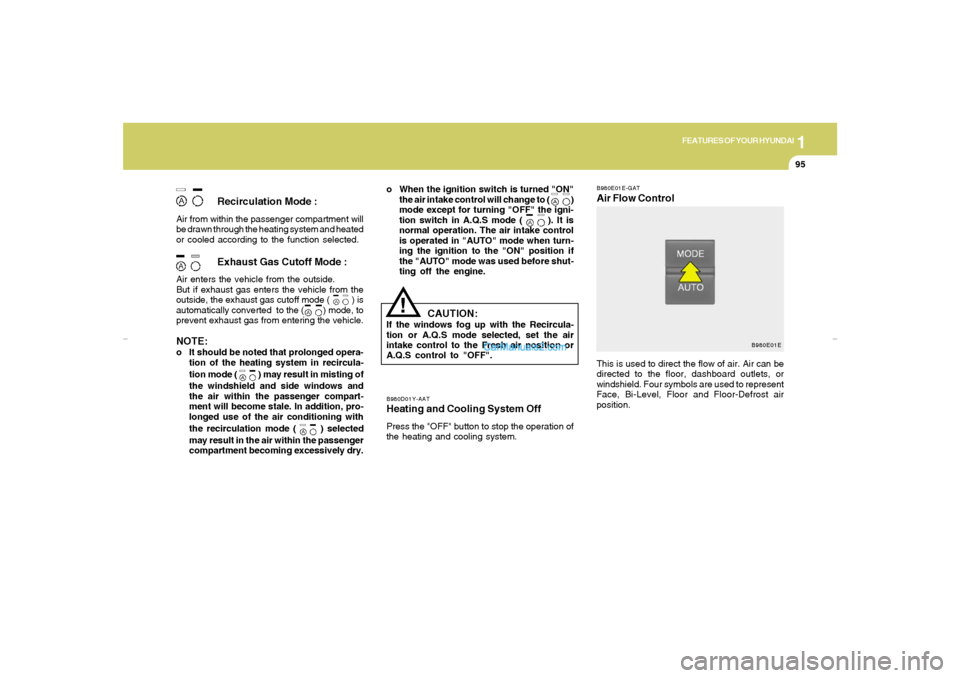
B980E01E-GATAir Flow Control
B980D01Y-AATHeating and Cooling System OffPress the "OFF" button to stop the operation of
the heating and cooling system.
Recirculation Mode :
Air from within the passenger compartment will
be drawn through the heating system and heated
or cooled according to the function selected.
Exhaust Gas Cutoff Mode :
Air enters the vehicle from the outside.
But if exhaust gas enters the vehicle from the
outside, the exhaust gas cutoff mode ( ) is
automatically converted to the ( ) mode, to
prevent exhaust gas from entering the vehicle.NOTE:o It should be noted that prolonged opera-
tion of the heating system in recircula-
tion mode (
) may result in misting of
the windshield and side windows and
the air within the passenger compart-
ment will become stale. In addition, pro-
longed use of the air conditioning with
the recirculation mode (
) selected
may result in the air within the passenger
compartment becoming excessively dry.o When the ignition switch is turned "ON"
the air intake control will change to ( )
mode except for turning "OFF" the igni-
tion switch in A.Q.S mode ( ). It is
normal operation. The air intake control
is operated in "AUTO" mode when turn-
ing the ignition to the "ON" position if
the "AUTO" mode was used before shut-
ting off the engine.
!
This is used to direct the flow of air. Air can be
directed to the floor, dashboard outlets, or
windshield. Four symbols are used to represent
Face, Bi-Level, Floor and Floor-Defrost air
position.
CAUTION:
If the windows fog up with the Recircula-
tion or A.Q.S mode selected, set the air
intake control to the Fresh air position or
A.Q.S control to "OFF".
B980E01E
xdflhma-1b.p652/5/2008, 2:06 PM 95
Page 113 of 256
1FEATURES OF YOUR HYUNDAI
102
H240B04O-AAT1. POWER ON-OFF Control KnobThe radio unit may be operated when the ignition
key is in the "ACC" or "ON" position. Press the
knob to switch the power on. The LCD shows
the radio frequency in the radio mode or the tape
direction indicator in the tape mode. To switch
the power off, press the knob again.VOLUME ControlRotate the knob clockwise to increase the
volume and turn the knob counterclockwise to
reduce the volume.2. BASS Control KnobPress to pop the knob out and turn to the left or
right for the desired bass tone.BAL (Balance Control) KnobPull the bass control knob further out. Turn the
control knob clockwise to emphasize right
speaker sound (left speaker sound will be
attenuated).
When the control knob is turned counterclock-
wise, left speaker sound will be emphasized
(right speaker sound will be attenuated).
3. TREB (Treble Control) KnobPress to pop the knob out and turn to the left or
right for the desired treble tone.FAD (Fader Control) KnobPull the treble control knob further out.
Turn the control knob counterclockwise to
emphasize front speaker sound (rear speaker
sound will be attenuated).
When the control knob is turned clockwise, rear
speaker sound will be emphasized (front
speaker sound will be attenuated).4. TUNE (Manual) Select ButtonPress the ( ) side or ( ) side to increase or to
decrease the frequency. Press either button
and hold down to continuously scroll. Release
button once the desired station is reached.
SEEK Operation
(Automatic Channel Selection)Press the TUNE select button 0.5 sec or more.
Releasing it will automatically tune to the next
available station with a beep sound.
When the ( ) side is pressed longer than 0.5
second, releasing will automatically tune to the
next higher frequency and when the ( ) side
is pressed longer than 0.5 second, releasing will
automatically tune to the next lower frequency.5. BAND SelectorPressing the button changes the AM,
FM1 and FM2 bands. The mode selected is
displayed on LCD.6. PRESET STATION SELECT ButtonSix (6) stations for AM, FM1 and FM2 respec-
tively can be preset in the electronic memory
circuit on this unit.
FM/AM
xdflhma-1b.p652/5/2008, 2:06 PM 102