heating Hyundai Elantra 2006 User Guide
[x] Cancel search | Manufacturer: HYUNDAI, Model Year: 2006, Model line: Elantra, Model: Hyundai Elantra 2006Pages: 277, PDF Size: 10.18 MB
Page 107 of 277
1
FEATURES OF YOUR HYUNDAI
93
B730A01L-AAT Operation Tips
o To keep dust or unpleasant fumes
from entering the car through the ventilation system, temporarily set the air intake control to ( ). Be sure to return the control to ( )when the irritation has passed to keep fresh air in the vehicle. This will help keep the driver alert and com-fortable.
o Air for the heating/cooling system is
drawn in through the grilles justahead of the windshield. Care should be taken that these are not blocked by leaves, snow, ice or other ob-structions.
o To prevent interior fog on the wind-
shield, set the air intake control tothe fresh air ( ) position, fan speed to the desired position, turn on the air conditioning system, and adjusttemperature control to desired tem- perature.
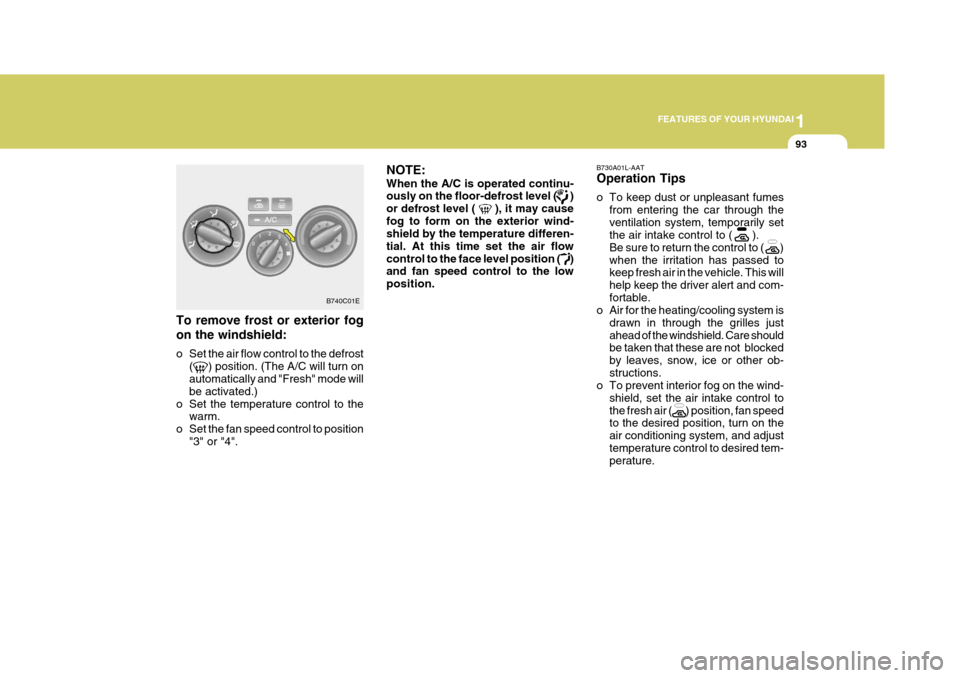
To remove frost or exterior fog on the windshield:
o Set the air flow control to the defrost ( ) position. (The A/C will turn on automatically and "Fresh" mode will be activated.)
o Set the temperature control to the warm.
o Set the fan speed control to position "3" or "4". NOTE: When the A/C is operated continu- ously on the floor-defrost level ( ) or defrost level ( ), it may causefog to form on the exterior wind- shield by the temperature differen- tial. At this time set the air flowcontrol to the face level position ( ) and fan speed control to the low position.
B740C01E
Page 109 of 277

1
FEATURES OF YOUR HYUNDAI
95
B740D01A-AAT Operation Tips
o If the interior of the car is hot when you first get in, open the windows for a few minutes to expel the hot air.
o When you are using the air condi-
tioning system, keep all windowsclosed to keep hot air out.
o When moving slowly, as in heavy
traffic, shift to a lower gear. Thisincreases engine speed, which in turn increases the speed of the air conditioning compressor.
o On steep grades, turn the air condi- tioning off to avoid the possibility ofthe engine over-heating.
o During winter months or in periods when the air conditioning is not usedregularly, run the air conditioningonce every month for a few min- utes. This will help circulate the lubricants and keep your system inpeak operating condition.
B740C01S-AAT Dehumidified Heating For dehumidified heating:
o Turn on the fan control switch.
o Turn on the air conditioning switch.
The air conditioning indicator light should come on at the same time.
o Set the air intake control to the
"Fresh" mode ( ).
o Set the air flow control to the "Face" ( ).
o Adjust the fan control to the desired speed.
o For more rapid action, set the fan at
one of the higher speeds.
o Adjust the temperature control to provide the desired amount ofwarmth.
Page 110 of 277
1FEATURES OF YOUR HYUNDAI
96AUTOMATIC HEATING AND COOLING CONTROL SYSTEM
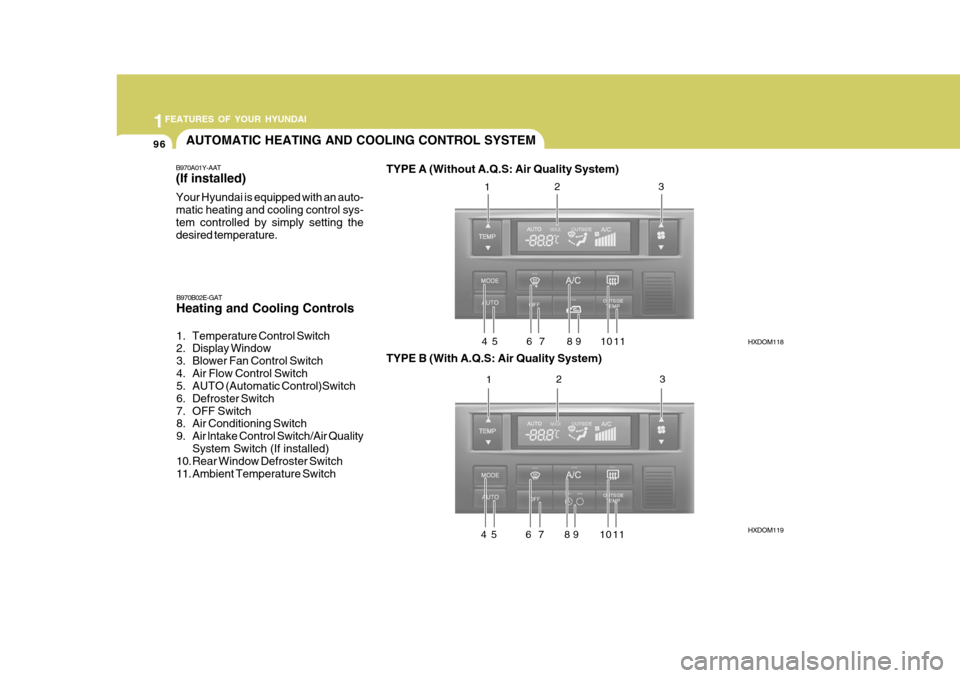
B970A01Y-AAT (If installed) Your Hyundai is equipped with an auto- matic heating and cooling control sys-tem controlled by simply setting the desired temperature. TYPE A (Without A.Q.S: Air Quality System)
HXDOM118 HXDOM119
B970B02E-GAT Heating and Cooling Controls
1. Temperature Control Switch
2. Display Window
3. Blower Fan Control Switch
4. Air Flow Control Switch
5. AUTO (Automatic Control)Switch
6. Defroster Switch
7. OFF Switch
8. Air Conditioning Switch
9. Air lntake Control Switch/Air Quality
System Switch (If installed)
10. Rear Window Defroster Switch
11. Ambient Temperature Switch TYPE B (With A.Q.S: Air Quality System)1
2 3
4 5 6 7 8 9 10 11 1 2 3
4 5 6 7 8 9 10 11
Page 111 of 277
1
FEATURES OF YOUR HYUNDAI
97
NOTE: If the battery has been discharged or disconnected, the temperature mode will reset to Centigrade degrees.This is a normal condition and you can change the temperature mode from Centigrade to Farenheit as fol-lows; Press the
TEMP button down 3 sec-
onds or more with the button held down. The display shows that the unit of temperature is adjusted to Centigrade or Fahrenheit. (°C
°F or °F
°C)
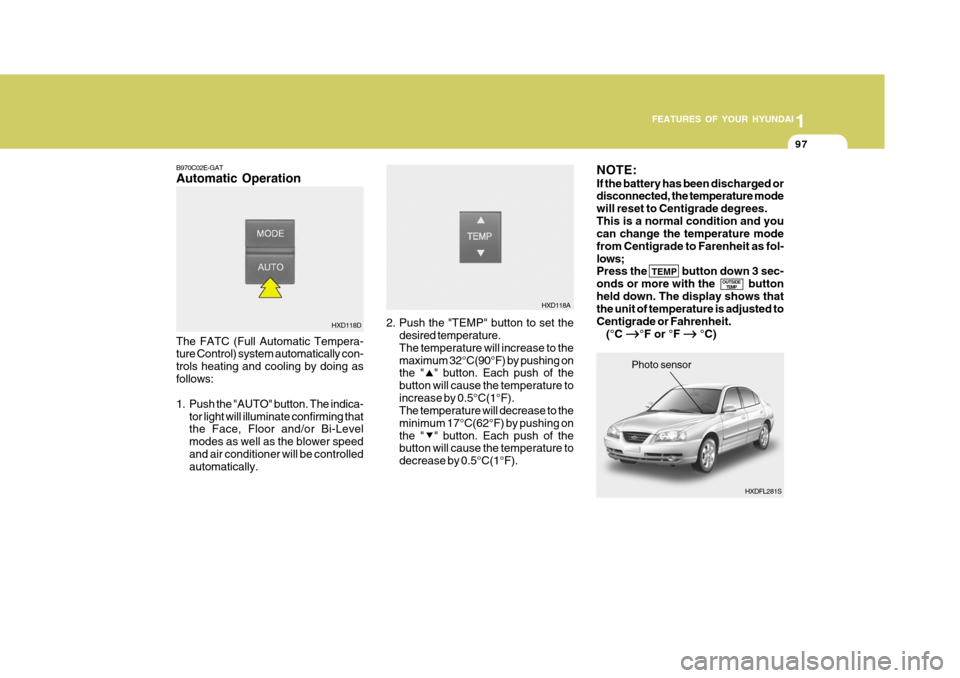
B970C02E-GAT Automatic Operation The FATC (Full Automatic Tempera- ture Control) system automatically con- trols heating and cooling by doing asfollows:
1. Push the "AUTO" button. The indica-
tor light will illuminate confirming that the Face, Floor and/or Bi-Level modes as well as the blower speedand air conditioner will be controlled automatically. 2. Push the "TEMP" button to set the
desired temperature. The temperature will increase to themaximum 32°C(90°F) by pushing on the " " button. Each push of the button will cause the temperature toincrease by 0.5°C(1°F). The temperature will decrease to the minimum 17°C(62°F) by pushing onthe " " button. Each push of the button will cause the temperature to decrease by 0.5°C(1°F).
HXD118D
OUTSIDETEMP
HXDFL281S
Photo sensor
HXD118A
Page 112 of 277
1FEATURES OF YOUR HYUNDAI
98
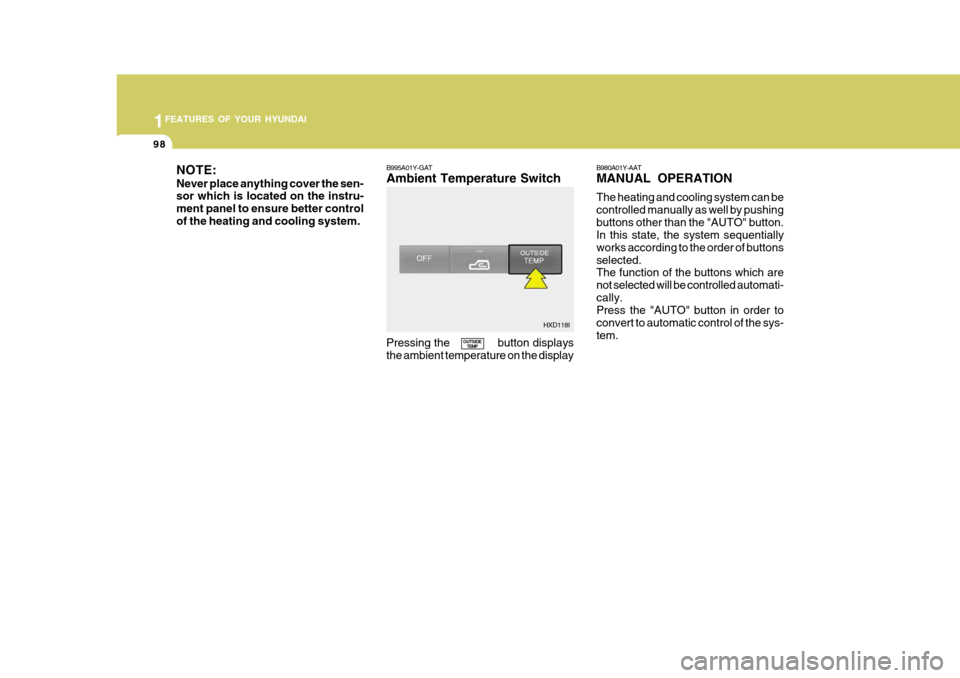
NOTE: Never place anything cover the sen- sor which is located on the instru- ment panel to ensure better controlof the heating and cooling system. B995A01Y-GAT Ambient Temperature Switch Pressing the button displays the ambient temperature on the displayB980A01Y-AAT MANUAL OPERATION The heating and cooling system can be controlled manually as well by pushingbuttons other than the "AUTO" button. In this state, the system sequentially works according to the order of buttonsselected. The function of the buttons which are not selected will be controlled automati-cally. Press the "AUTO" button in order to convert to automatic control of the sys-tem.
OUTSIDE
TEMP HXD118I
Page 113 of 277
1
FEATURES OF YOUR HYUNDAI
99
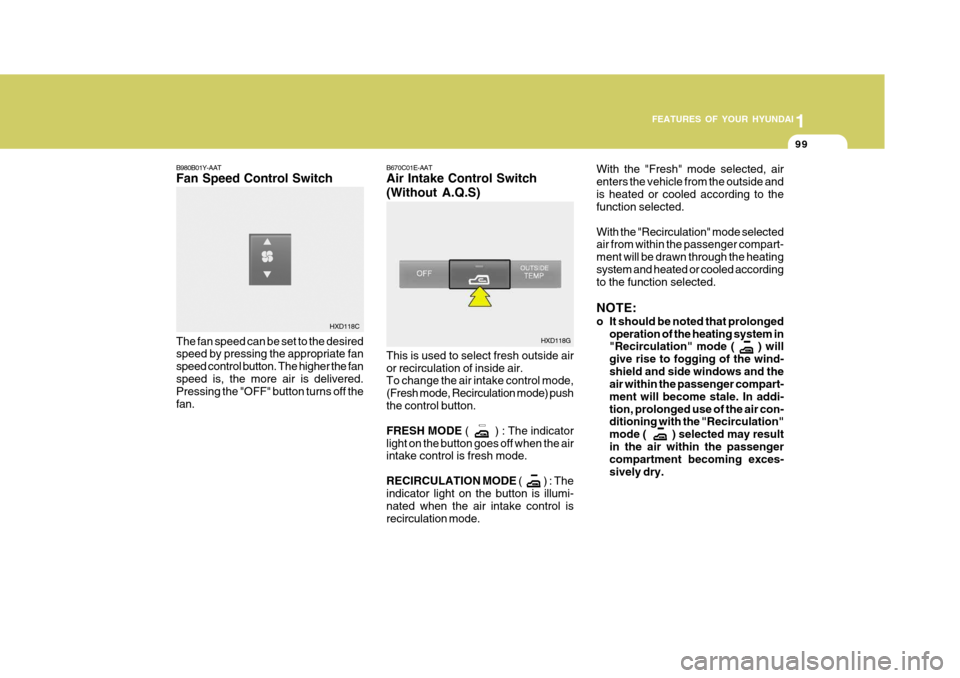
B670C01E-AAT Air Intake Control Switch (Without A.Q.S) This is used to select fresh outside air or recirculation of inside air. To change the air intake control mode, (Fresh mode, Recirculation mode) pushthe control button. FRESH MODE
( ) : The indicator
light on the button goes off when the air intake control is fresh mode. RECIRCULATION MODE ( ) : T h e
indicator light on the button is illumi- nated when the air intake control isrecirculation mode. With the "Fresh" mode selected, airenters the vehicle from the outside andis heated or cooled according to the function selected. With the "Recirculation" mode selected air from within the passenger compart- ment will be drawn through the heatingsystem and heated or cooled according to the function selected. NOTE:
o It should be noted that prolonged
operation of the heating system in "Recirculation" mode ( ) will give rise to fogging of the wind-shield and side windows and the air within the passenger compart- ment will become stale. In addi-tion, prolonged use of the air con- ditioning with the "Recirculation" mode ( ) selected may resultin the air within the passenger compartment becoming exces- sively dry.
HXD118G
B980B01Y-AAT Fan Speed Control Switch The fan speed can be set to the desired speed by pressing the appropriate fan speed control button. The higher the fanspeed is, the more air is delivered. Pressing the "OFF" button turns off the fan.
HXD118C
Page 114 of 277
1FEATURES OF YOUR HYUNDAI
100
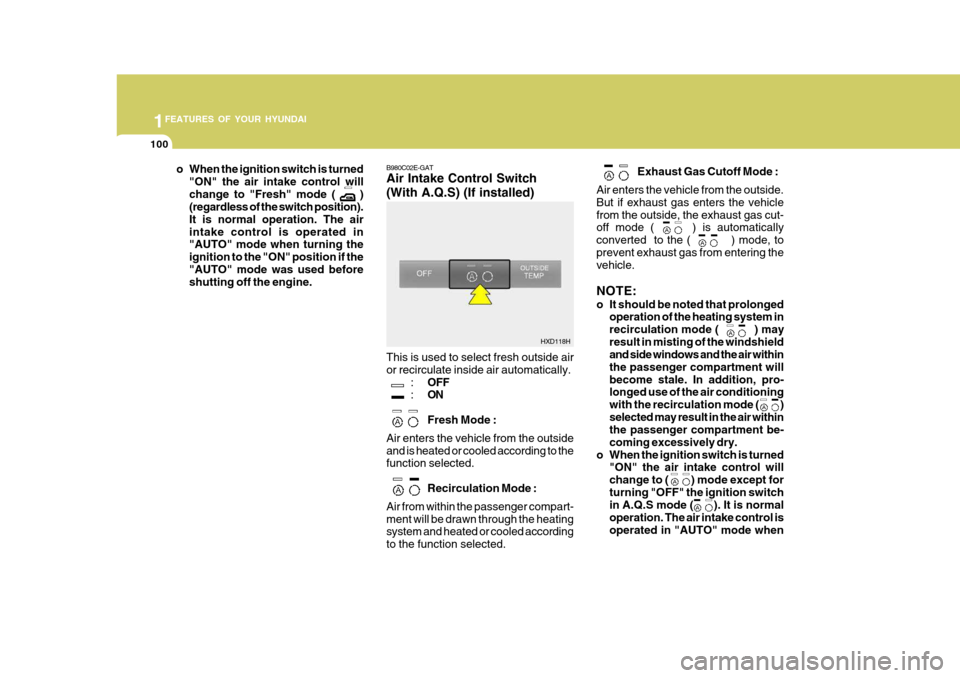
B980C02E-GAT Air Intake Control Switch (With A.Q.S) (If installed) This is used to select fresh outside air or recirculate inside air automatically.
:OFF
: ON Fresh Mode :
Air enters the vehicle from the outside and is heated or cooled according to the function selected.
Recirculation Mode :
Air from within the passenger compart- ment will be drawn through the heating system and heated or cooled according to the function selected. Exhaust Gas Cutoff Mode :
Air enters the vehicle from the outside.But if exhaust gas enters the vehiclefrom the outside, the exhaust gas cut- off mode ( ) is automatically converted to the ( ) mode, toprevent exhaust gas from entering the vehicle. NOTE:
o It should be noted that prolonged operation of the heating system in recirculation mode ( ) mayresult in misting of the windshield and side windows and the air within the passenger compartment willbecome stale. In addition, pro- longed use of the air conditioning with the recirculation mode ( )selected may result in the air within the passenger compartment be- coming excessively dry.
o When the ignition switch is turned "ON" the air intake control willchange to ( ) mode except forturning "OFF" the ignition switch in A.Q.S mode ( ). It is normal operation. The air intake control isoperated in "AUTO" mode wheno When the ignition switch is turned
"ON" the air intake control will change to "Fresh" mode ( ) (regardless of the switch position). It is normal operation. The airintake control is operated in "AUTO" mode when turning the ignition to the "ON" position if the"AUTO" mode was used before shutting off the engine.
HXD118H
Page 115 of 277
1
FEATURES OF YOUR HYUNDAI
101
HXDFL539
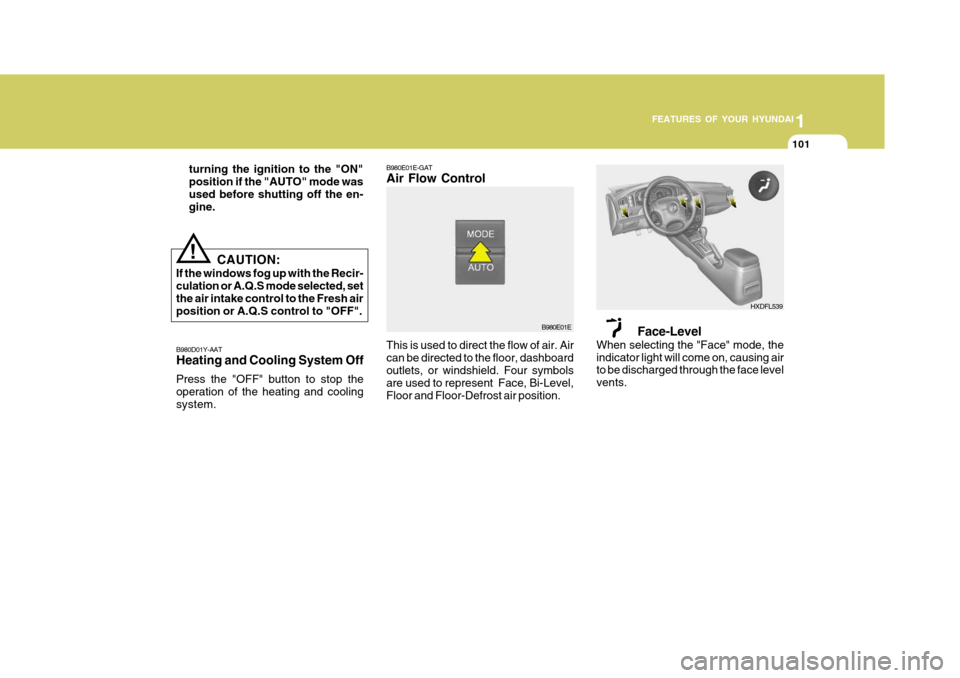
B980E01E-GAT Air Flow Control
B980E01E
This is used to direct the flow of air. Air can be directed to the floor, dashboard outlets, or windshield. Four symbols are used to represent Face, Bi-Level,Floor and Floor-Defrost air position. Face-Level
When selecting the "Face" mode, theindicator light will come on, causing air to be discharged through the face level vents.
B980D01Y-AAT Heating and Cooling System Off Press the "OFF" button to stop the operation of the heating and coolingsystem. turning the ignition to the "ON"position if the "AUTO" mode wasused before shutting off the en- gine.
!
CAUTION:
If the windows fog up with the Recir- culation or A.Q.S mode selected, set the air intake control to the Fresh air position or A.Q.S control to "OFF".
Page 132 of 277
1FEATURES OF YOUR HYUNDAI
118
B260D03O-AAT
1. Playing CD
o Insert the CD with the label facingupward.
o Insert the CD to start CD playback, during radio operation.
o When a disc is in the CD deck, if you press the CD button, the CD player will begin playing even if the radio is being used.
o The CD player can be used when the ignition switch is in either the "ON" or"ACC" position.
2. FF/REW ( / ) If you want to fast forward or reverse through the compact disc track, push and hold in the FF ( ) or REW ( ) button.When you release the button, the com- pact disc player will resume playing. 3. TRACK UP/DOWN
o The desired track on the disc cur-
rently being played can be selected using the track number.
o Press once to skip forward to
the beginning of the next track.Press once to skip back to the beginning of the track.
4. SCAN Button
o Press the SCAN button to playback the first 10 seconds of each track.
o Press the SCAN button again within 10 sec. When you have reached the desired track.
5. REPEAT Button
o To repeat the track you are currently listening to, press the RPT button. To cancel , press again.
o If you do not release RPT operation
when the track ends, it will automati-cally be replayed. This process will be continued until you push the button again. 6. EJECT Button When the EJECT button is pressed with a CD loaded, the CD will eject. NOTE:
o If the CD does not operate prop-
erly or if the ER2 fault code is displayed, use one of two meth- ods to reset the CD deck function.
- Remove the audio fuse for 5
minutes. Then, reinstall the au-dio fuse.
- Disconnect the negative termi- nal of the battery and wait 5minutes.
Then reconnect the negative bat- tery terminal.
o To assure proper operation of the
unit, keep the vehicle interior tem- perature within a normal range by using the vehicle's air condition- ing or heating system.
o When replacing the fuse, replace it with a fuse having the correctcapacity.
Page 143 of 277
1
FEATURES OF YOUR HYUNDAI
129
H290F02O-GAT
1. CD Select Button
o Insert the CD with the label facing upward.
o Insert the CD to start CD playback, during radio operation or cassette tape playing.
o When a disc is in the CD deck, if you
press the CD button the CD playerwill begin playing even if the radio or cassette player is being used.
o The CD player can be used when the ignition switch is in either the "ON" or"ACC" position.
2. FF/REW ( / ) If you want to fast forward or reverse through the compact disc track, push and hold in the FF ( ) or REW ( ) button.When you release the button, the com- pact disc player will resume playing. 3. TRACK UP/DOWN
o The desired track on the disc cur-
rently being played can be selected using the track number.
o Press button once to skip for- ward to the beginning of the nexttrack. Press button once to skipback to the beginning of the track.
4. REPEAT
o To repeat the track you are currently listening to, press the RPT button. To cancel , press again.
o If you do not release RPT operation when the track ends, it will automati- cally be replayed.This process will be continued until you push the button again.
5. EQUALIZER Button Press the EQ button to select the CLASSIC, JAZZ, ROCK and DEFEAT MODE for the desired tone quality.Each press of the button changes the display as follows; 6. CD EJECT Button When the button is pressed with a CD loaded, the CD will eject.
7. SCAN Button (If installed)
o Press the SCAN button to playback
the first 10 seconds of each track.
o Press the SCAN button again within
10 sec. for the desired track.
NOTE:
o To assure proper operation of the unit, keep the vehicle interior tem- perature within a normal range by using the vehicle's air condition-ing or heating system.
o When replacing the fuse, replace
it with a fuse having the correctcapacity.
o The preset station frequencies are
all erased when the car battery isdisconnected. Therefore, all data will have to be set again if this should occur.
o Do not add any oil to the rotating parts. Keep magnets, screwdriv-ers and other metallic objects awayfrom the tape mechanism and head.
CLASSIC
JAZZ ROCK DEFEAT