ignition Hyundai Elantra 2006 Owner's Guide
[x] Cancel search | Manufacturer: HYUNDAI, Model Year: 2006, Model line: Elantra, Model: Hyundai Elantra 2006Pages: 277, PDF Size: 10.18 MB
Page 77 of 277
1
FEATURES OF YOUR HYUNDAI
63REAR WINDOW DEFROSTER SWITCH
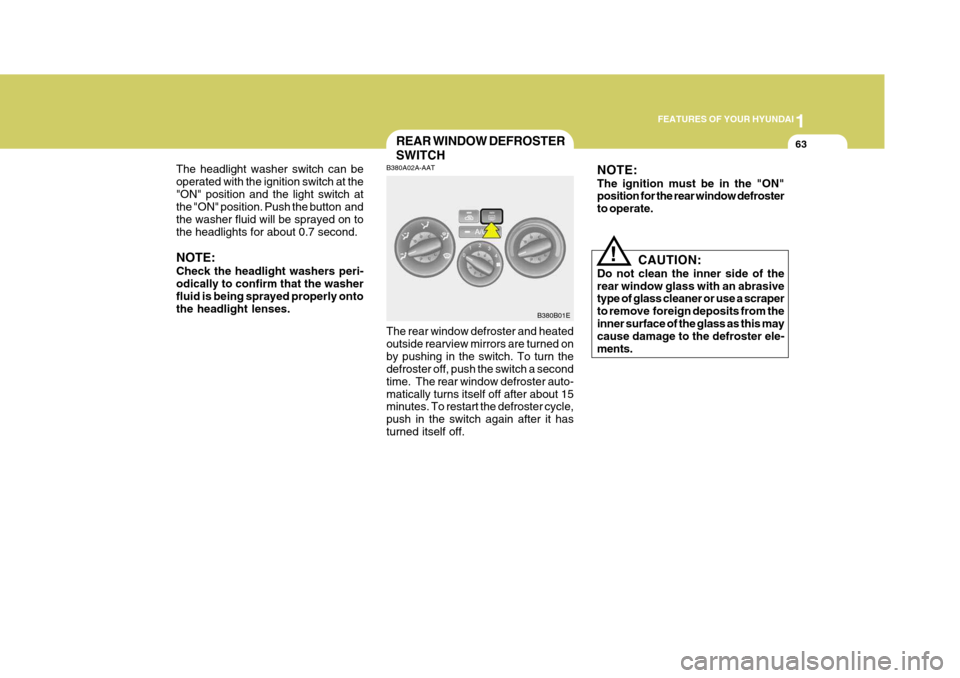
B380A02A-AAT The rear window defroster and heated outside rearview mirrors are turned onby pushing in the switch. To turn the defroster off, push the switch a second time. The rear window defroster auto-matically turns itself off after about 15 minutes. To restart the defroster cycle, push in the switch again after it hasturned itself off. B380B01E
The headlight washer switch can beoperated with the ignition switch at the"ON" position and the light switch at
the "ON" position. Push the button and the washer fluid will be sprayed on tothe headlights for about 0.7 second. NOTE: Check the headlight washers peri- odically to confirm that the washerfluid is being sprayed properly onto the headlight lenses.
NOTE: The ignition must be in the "ON" position for the rear window defroster to operate.
!
CAUTION:
Do not clean the inner side of the rear window glass with an abrasive type of glass cleaner or use a scraper to remove foreign deposits from theinner surface of the glass as this may cause damage to the defroster ele- ments.
Page 78 of 277
1FEATURES OF YOUR HYUNDAI
64TICKET HOLDER
B590A01E-AAT For your convenience, it may be used for holding a tollgate ticket. HXDFL240
B400A01E-AAT There are three control buttons for the digital clock. Their functions are: HOUR
-Push "H" to advance the hour
indicated.
MIN -Push "M" to advance the
minute indicated.
RESET - Push "R" to reset minutes to
":00" to facilitate resetting the clock to the correct time. When this is done:
Pressing "R" between 10 : 30 and 11 :29 changes the readout to 11 : 00.Pressing "R" between 11 : 30 and 12 : 29 changes the readout to 12 : 00. Push the "R" buttion for 5 seconds to display a 12- or 24-hour clock (If in- stalled).
HAZARD WARNING SYSTEM
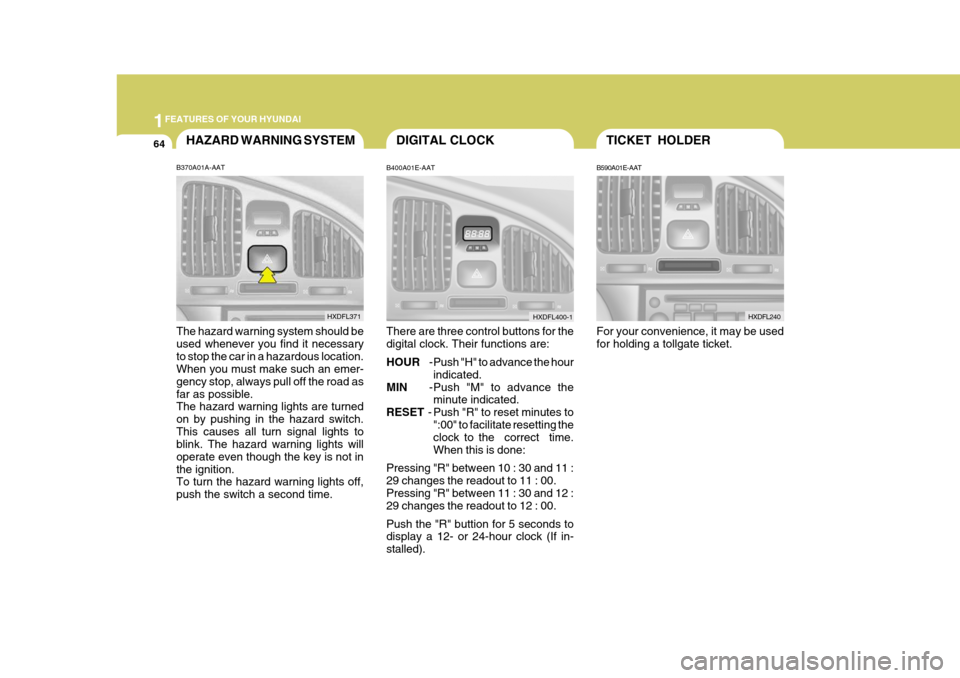
B370A01A-AAT The hazard warning system should be used whenever you find it necessaryto stop the car in a hazardous location. When you must make such an emer- gency stop, always pull off the road asfar as possible. The hazard warning lights are turned on by pushing in the hazard switch.This causes all turn signal lights to blink. The hazard warning lights will operate even though the key is not inthe ignition. To turn the hazard warning lights off, push the switch a second time. HXDFL371
DIGITAL CLOCK
HXDFL400-1
Page 84 of 277
1FEATURES OF YOUR HYUNDAI
70
B460B03E-AAT OPERATING THE SUNROOF SYSTEMOpening or Closing the Sunroof
B460B02E
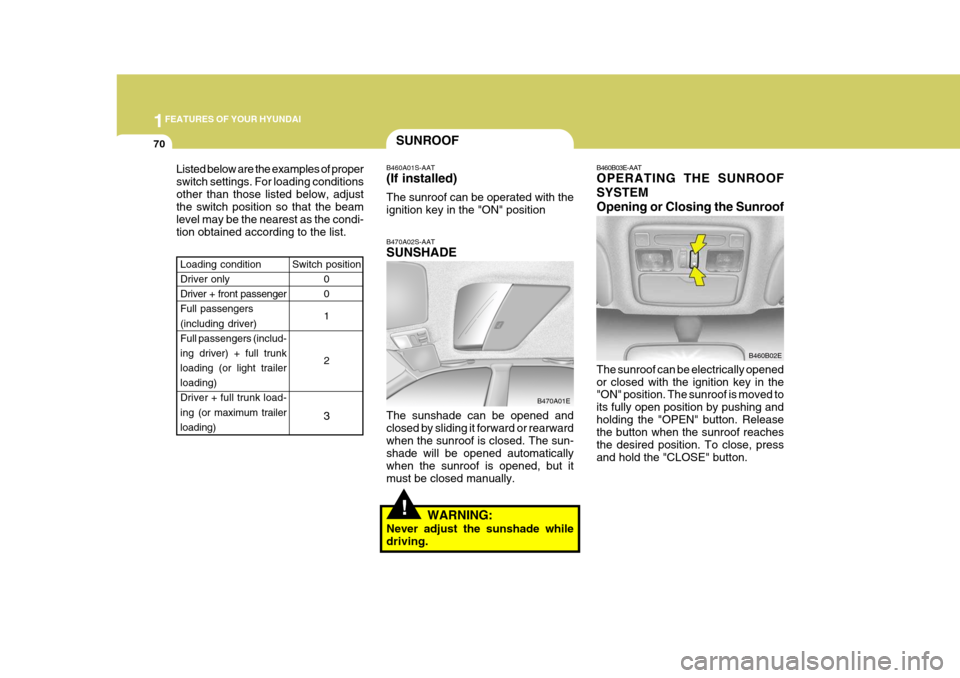
The sunroof can be electrically opened or closed with the ignition key in the "ON" position. The sunroof is moved to its fully open position by pushing andholding the "OPEN" button. Release the button when the sunroof reaches the desired position. To close, pressand hold the "CLOSE" button.
SUNROOF
Listed below are the examples of proper switch settings. For loading conditionsother than those listed below, adjust the switch position so that the beam level may be the nearest as the condi-tion obtained according to the list. B470A02S-AAT SUNSHADE The sunshade can be opened and closed by sliding it forward or rearwardwhen the sunroof is closed. The sun- shade will be opened automatically when the sunroof is opened, but itmust be closed manually.
B460A01S-AAT (If installed) The sunroof can be operated with the ignition key in the "ON" position
Switch position 0 0 1 2
3
Loading condition Driver only Driver + front passengerFull passengers (including driver) Full passengers (includ-ing driver) + full trunk loading (or light trailer loading)
Driver + full trunk load- ing (or maximum trailer
loading)
B470A01E
!WARNING:
Never adjust the sunshade while driving.
Page 87 of 277
1
FEATURES OF YOUR HYUNDAI
73
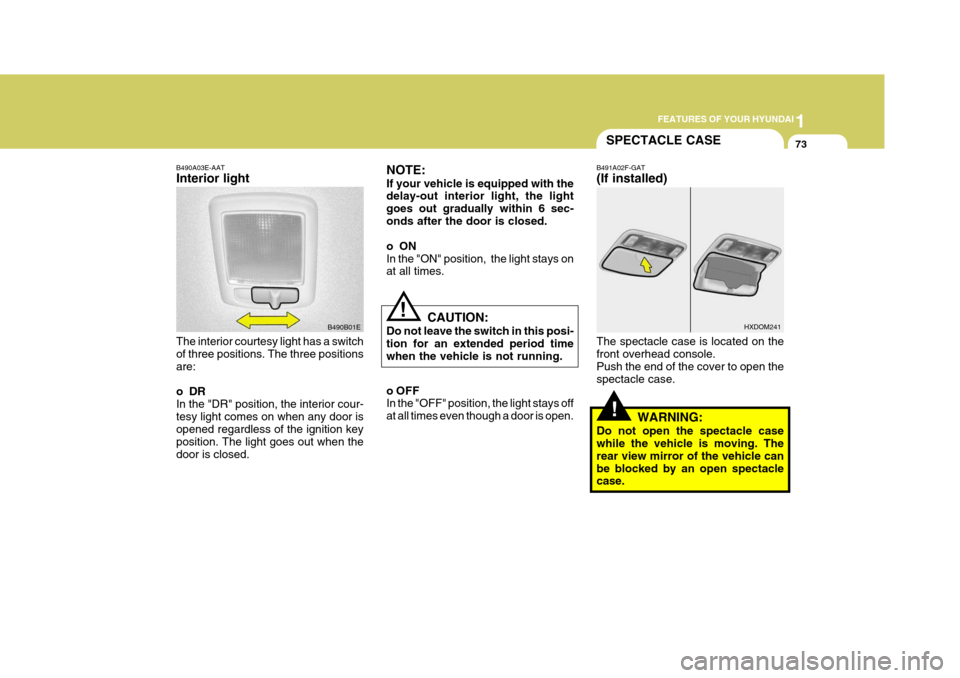
B490A03E-AAT Interior light The interior courtesy light has a switch of three positions. The three positions are:
oDR In the "DR" position, the interior cour-tesy light comes on when any door is opened regardless of the ignition key position. The light goes out when thedoor is closed. B490B01ENOTE: If your vehicle is equipped with the delay-out interior light, the light goes out gradually within 6 sec-onds after the door is closed.
oON In the "ON" position, the light stays on at all times.
!
SPECTACLE CASE
B491A02F-GAT (If installed) The spectacle case is located on the front overhead console. Push the end of the cover to open thespectacle case.
WARNING:
Do not open the spectacle case while the vehicle is moving. The rear view mirror of the vehicle canbe blocked by an open spectacle case. HXDOM241
CAUTION:
Do not leave the switch in this posi- tion for an extended period time when the vehicle is not running.
o OFF In the "OFF" position, the light stays off at all times even though a door is open.!
Page 104 of 277
1FEATURES OF YOUR HYUNDAI
90
With the "Fresh" mode selected, air enters the vehicle from the outside andis heated or cooled according to the function selected. With the "Recirculation" mode selected, air from within the passenger compart- ment will be drawn through the heatingsystem and heated or cooled accord- ing to the function selected. NOTE:
o It should be noted that prolonged
operation of the heating in "Re- circulation" mode ( ) will give rise to fogging of the windshieldand side windows and the air within the passenger compart- ment will become stale. In addi-tion, prolonged use of the air conditioning with the "Recircu- lation" mode ( ) selected mayresult in the air within the pas- senger compartment becoming excessively dry.
o When the ignition switch is turned "ON" the air intake con-trol will change to "Fresh" mode( ) in floor, floor-defrost and defrost position. This is normal operation.
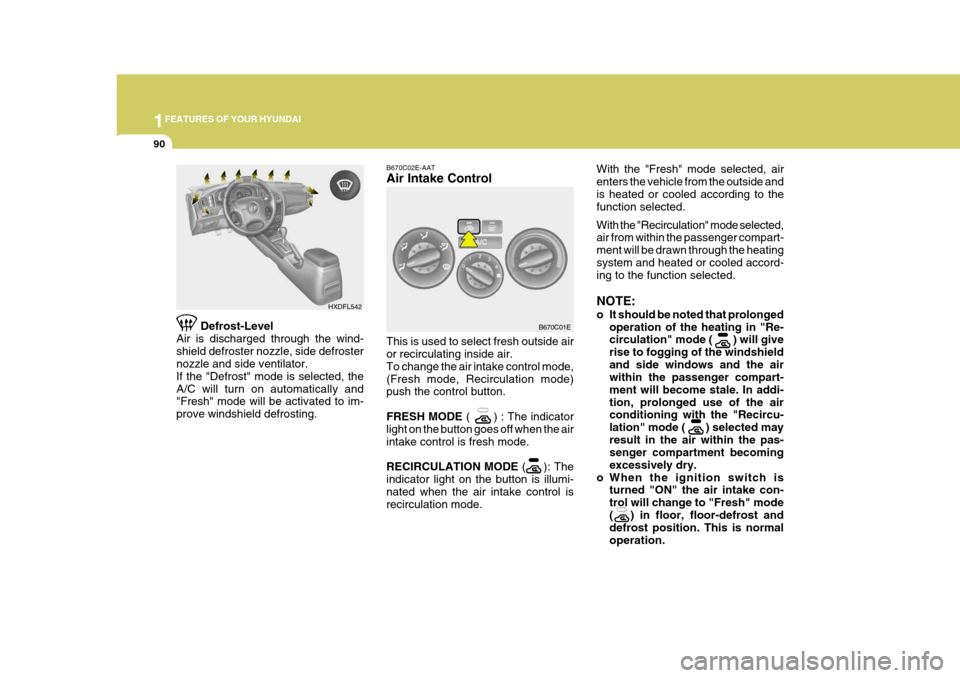
Defrost-Level
Air is discharged through the wind-shield defroster nozzle, side defroster nozzle and side ventilator. If the "Defrost" mode is selected, theA/C will turn on automatically and "Fresh" mode will be activated to im- prove windshield defrosting. HXDFL542B670C02E-AAT Air Intake Control This is used to select fresh outside air or recirculating inside air. To change the air intake control mode,(Fresh mode, Recirculation mode) push the control button. FRESH MODE
( ) : The indicator
light on the button goes off when the air intake control is fresh mode. RECIRCULATION MODE ( ): The
indicator light on the button is illumi- nated when the air intake control is recirculation mode. B670C01E
Page 114 of 277
1FEATURES OF YOUR HYUNDAI
100
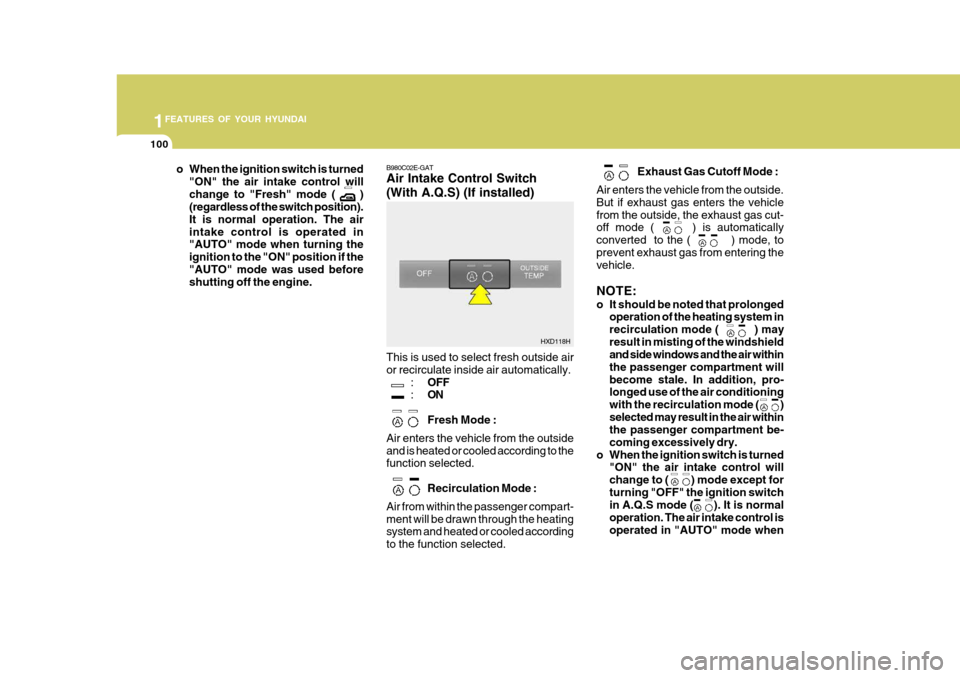
B980C02E-GAT Air Intake Control Switch (With A.Q.S) (If installed) This is used to select fresh outside air or recirculate inside air automatically.
:OFF
: ON Fresh Mode :
Air enters the vehicle from the outside and is heated or cooled according to the function selected.
Recirculation Mode :
Air from within the passenger compart- ment will be drawn through the heating system and heated or cooled according to the function selected. Exhaust Gas Cutoff Mode :
Air enters the vehicle from the outside.But if exhaust gas enters the vehiclefrom the outside, the exhaust gas cut- off mode ( ) is automatically converted to the ( ) mode, toprevent exhaust gas from entering the vehicle. NOTE:
o It should be noted that prolonged operation of the heating system in recirculation mode ( ) mayresult in misting of the windshield and side windows and the air within the passenger compartment willbecome stale. In addition, pro- longed use of the air conditioning with the recirculation mode ( )selected may result in the air within the passenger compartment be- coming excessively dry.
o When the ignition switch is turned "ON" the air intake control willchange to ( ) mode except forturning "OFF" the ignition switch in A.Q.S mode ( ). It is normal operation. The air intake control isoperated in "AUTO" mode wheno When the ignition switch is turned
"ON" the air intake control will change to "Fresh" mode ( ) (regardless of the switch position). It is normal operation. The airintake control is operated in "AUTO" mode when turning the ignition to the "ON" position if the"AUTO" mode was used before shutting off the engine.
HXD118H
Page 115 of 277
1
FEATURES OF YOUR HYUNDAI
101
HXDFL539
B980E01E-GAT Air Flow Control
B980E01E
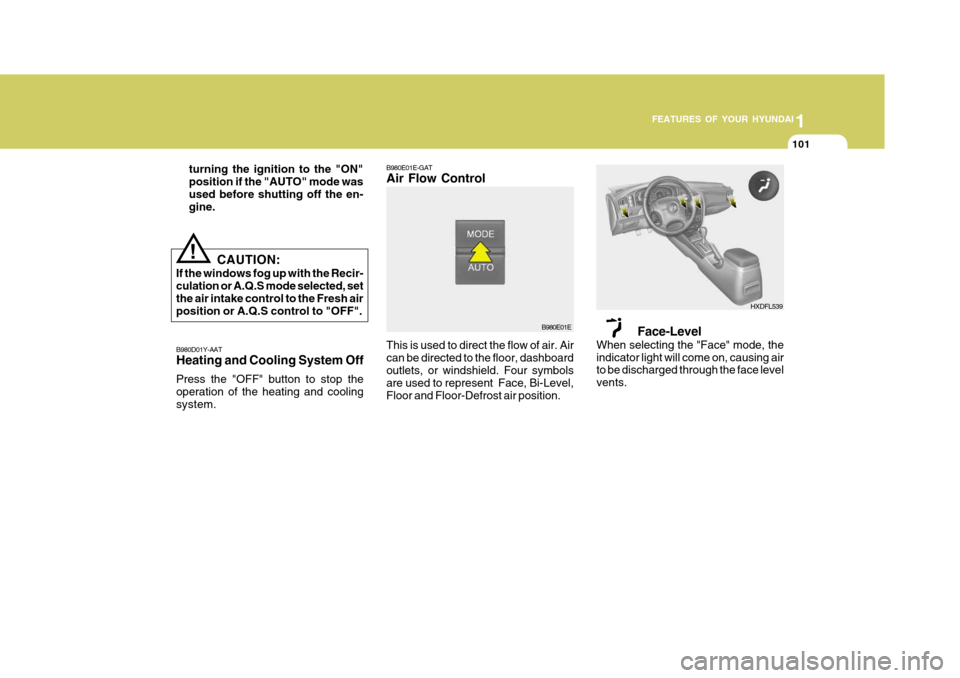
This is used to direct the flow of air. Air can be directed to the floor, dashboard outlets, or windshield. Four symbols are used to represent Face, Bi-Level,Floor and Floor-Defrost air position. Face-Level
When selecting the "Face" mode, theindicator light will come on, causing air to be discharged through the face level vents.
B980D01Y-AAT Heating and Cooling System Off Press the "OFF" button to stop the operation of the heating and coolingsystem. turning the ignition to the "ON"position if the "AUTO" mode wasused before shutting off the en- gine.
!
CAUTION:
If the windows fog up with the Recir- culation or A.Q.S mode selected, set the air intake control to the Fresh air position or A.Q.S control to "OFF".
Page 121 of 277
1
FEATURES OF YOUR HYUNDAI
107
H210B03O-AAT
1. POWER ON-OFF/VOLUME
Control Knob
The radio unit may be operated when the ignition key is in the "ACC" or "ON"position. Rotate the knob clockwise to switch the radio unit on and to increase the volume.The LCD shows the radio frequency in the radio mode. Turn the knob counter- clockwise to reduce the volume and toswitch the radio unit off. BAL (Balance Control) Knob Pull and turn the control knob clockwise to emphasize right speaker sound (left speaker sound will be attenuated). When the control knob is turned counterclock-wise, left speaker sound will be empha- sized (right speaker soundwill be at- tenuated).After adjusting the balance, push the knob again to use the other function. 4. BAND Selector Pressing the button changes the AM, FM1 and FM2 bands. The modeselected is displayed on LCD. 5. TUNE (Manual) Select Button Press the ( ) side or ( ) side to increase or to decrease the frequency. With the button held down for 1 sec. or more, thestop signal (broadcasting radio wave) is ignored and channel selection contin- ues. SEEK Operation (Automatic Channel Selection) Press the TUNE select button for 1 sec. or more. When the ( ) side is pressed,the unit will automatically tune to the next higher frequency and when the ( ) side is pressed, it will automaticallytune to the next lower frequency.
SCAN Knob When the scan knob is pressed, the frequency will increase and the receiv-able stations will be tuned in one after another, receiving each station for 5 seconds. To stop scanning, press thescan knob again.
2. FAD (Fader Control) Knob Turn the control knob counterclockwise to emphasize front speaker sound (rear speaker sound will be attenuated). Whenthe control knob is turned clockwise, rear speaker sound will be emphasized (front speaker sound will be attenu-ated). 3. BASS Control Knob Press to pop the knob out and turn to the left or right for the desired bass tone. TREBLE Control Knob. Further pull-lock position of popped-up knob. Turn to the left or right for thedesired treble tone.
FM
AM
Page 124 of 277
1FEATURES OF YOUR HYUNDAI
110
H240B03O-GAT
1. POWER ON-OFF ControlKnob
The radio unit may be operated when the ignition key is in the "ACC" or "ON"position. Press the knob to switch the power on. The LCD shows the radio frequency in the radio mode or the tapedirection indicator in the tape mode. To switch the power off, press the knob again. VOLUME Control Rotate the knob clockwise to increase the volume and turn the knob counter-clockwise to reduce the volume. 2. BASS Control Knob Press to pop the knob out and turn to the left or right for the desired bass tone. BAL (Balance Control) Knob Pull the bass control knob further out. Turn the control knob clockwise toemphasize right speaker sound (left speaker sound will be attenuated). When the control knob is turned coun- terclockwise, left speaker sound will beemphasized (right speaker sound will be attenuated). 3. TREB (Treble Control) Knob Press to pop the knob out and turn to the left or right for the desired treble tone. FAD (Fader Control) Knob Pull the treble control knob further out. Turn the control knob counterclockwise to emphasize front speaker sound (rear speaker sound will be attenuated).When the control knob is turned clock- wise, rear speaker sound will be em- phasized (front speaker sound will beattenuated). 4. TUNE (Manual) Select Button Press the ( ) side or ( ) side to increase or to decrease the frequency. Press either button and hold down to continu- ously scroll. Release button once thedesired station is reached.
SEEK Operation (Automatic Channel Selection) Press the TUNE select button 0.5 sec or more. Releasing it will automaticallytune to the next available station with a beep sound. When the ( ) side is pressed longer than0.5 second, releasing will automatically tune to the next higher frequency and when the ( ) side is pressed longer than0.5 second and releasing will automati- cally tune to the next lower frequency. 5. BAND Selector Pressing the button changes the AM, FM1 and FM2 bands. The mode selected is displayed on LCD. 6. PRESET STATION SELECT
Button
Six (6) stations for AM, FM1 and FM2 respectively can be preset in the elec-tronic memory circuit on this unit.
FM/AM
Page 129 of 277
1
FEATURES OF YOUR HYUNDAI
115
H260B03E-AAT
1. POWER ON-OFF Control Knob
The radio unit may be operated when the ignition key is in the "ACC" or "ON"position. Press the knob to switch the power on. The LCD shows the radio frequency in the radio mode or the CDtrack indicator in either the CD mode or CD AUTO CHANGER mode. To switch the power off, press the knob again. VOLUME Control Rotate the knob clockwise to increase the volume and turn the knob counter-clockwise to reduce the volume. BALANCE Control Pull and turn the control knob clockwise to emphasize right speaker sound (left speaker sound will be attenuated). Whenthe control knob is turned counterclock- wise, left speaker sound will be empha- sized (right speaker sound will be at-tenuated). 2. FAD (Fader Control) Knob Turn the control knob counterclockwise to emphasize front speaker sound (rearspeaker sound will be attenuated). When the control knob is turned clockwise, rear speaker sound will be emphasized(front speaker sound will be attenu- ated).
3. BASS Control Knob Press to pop the knob out and turn to the left or right for the desired basstone. TREB (Treble Control) Knob Pull the bass control knob further out. Turn to the left or right for the desired treble tone.
4. SCAN Button When the scan button is pressed, the frequency will increase and the receiv-able stations will be tuned in one after another, receiving each station for 5 seconds. To stop scanning, press thescan button again.5. TUNE (Manual) Select Button Press the ( ) side or ( ) side to increase or to decrease the frequency. Presseither button and hold down to continu- ously scroll. Release button once the desired station is reached. SEEK Operation (Automatic Channel Selection) Press the TUNE select button for 0.5 sec or more. Releasing it will automati-cally tune to the next available station with a beep sound. When the ( ) side is pressed longerthan 0.5 second and releasing will auto- matically tune to the next higher fre- quency and when the ( ) side is pressedlonger than 0.5 second, releasing will automatically tune the next lower fre- quency. 6. BAND Selector Pressing the button changes the AM, FM1 and FM2 bands. The mode selected is displayed on LCD.
FM/AM