display Hyundai Elantra 2006 Owner's Manual
[x] Cancel search | Manufacturer: HYUNDAI, Model Year: 2006, Model line: Elantra, Model: Hyundai Elantra 2006Pages: 277, PDF Size: 10.18 MB
Page 70 of 277
1FEATURES OF YOUR HYUNDAI
56TRIP COMPUTER
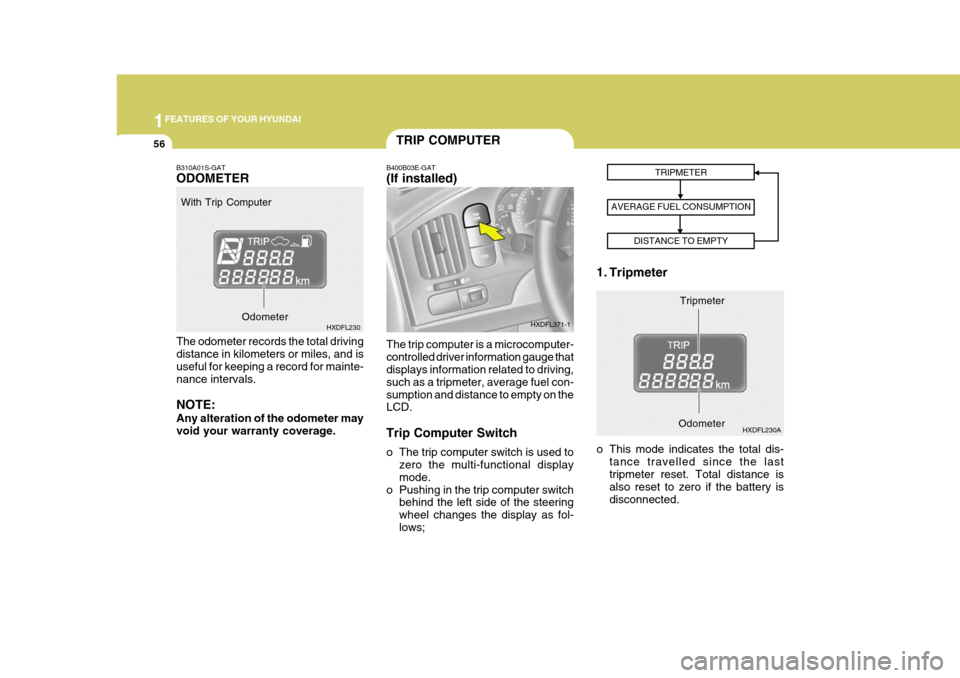
B400B03E-GAT (If installed) The trip computer is a microcomputer- controlled driver information gauge that displays information related to driving, such as a tripmeter, average fuel con-sumption and distance to empty on the LCD. Trip Computer Switch
o The trip computer switch is used to
zero the multi-functional display mode.
o Pushing in the trip computer switch behind the left side of the steeringwheel changes the display as fol-lows; 1. Tripmeter
Tripmeter
TRIPMETER
AVERAGE FUEL CONSUMPTION DISTANCE TO EMPTY
HXDFL371-1
HXDFL230A
B310A01S-GAT ODOMETER The odometer records the total driving distance in kilometers or miles, and is useful for keeping a record for mainte-nance intervals. NOTE: Any alteration of the odometer may void your warranty coverage.
With Trip Computer
HXDFL230 o This mode indicates the total dis-tance travelled since the lasttripmeter reset. Total distance is also reset to zero if the battery is disconnected. Odometer
Odometer
Page 71 of 277
1
FEATURES OF YOUR HYUNDAI
57
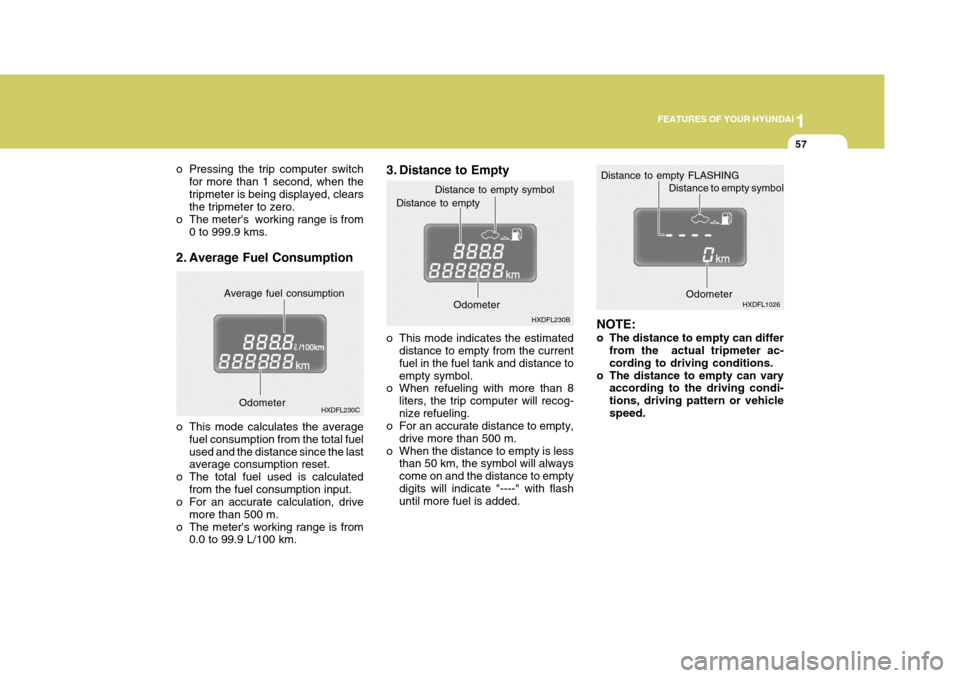
3. Distance to Empty
o This mode indicates the estimated
distance to empty from the current fuel in the fuel tank and distance toempty symbol.
o When refueling with more than 8
liters, the trip computer will recog-nize refueling.
o For an accurate distance to empty,
drive more than 500 m.
o When the distance to empty is less than 50 km, the symbol will alwayscome on and the distance to emptydigits will indicate "----" with flash until more fuel is added. NOTE:
o The distance to empty can differ
from the actual tripmeter ac- cording to driving conditions.
o The distance to empty can vary according to the driving condi-tions, driving pattern or vehiclespeed.
Distance to empty
Odometer
Distance to empty symbol
HXDFL230B HXDFL1026
o Pressing the trip computer switch
for more than 1 second, when thetripmeter is being displayed, clears the tripmeter to zero.
o The meter's working range is from
0 to 999.9 kms.
2. Average Fuel Consumption
o This mode calculates the average fuel consumption from the total fuel used and the distance since the last average consumption reset.
o The total fuel used is calculated from the fuel consumption input.
o For an accurate calculation, drive
more than 500 m.
o The meter's working range is from 0.0 to 99.9 L/100 km. Average fuel consumption
HXDFL230C Distance to empty FLASHING
Distance to empty symbol
Odometer
Odometer
Page 78 of 277
1FEATURES OF YOUR HYUNDAI
64TICKET HOLDER
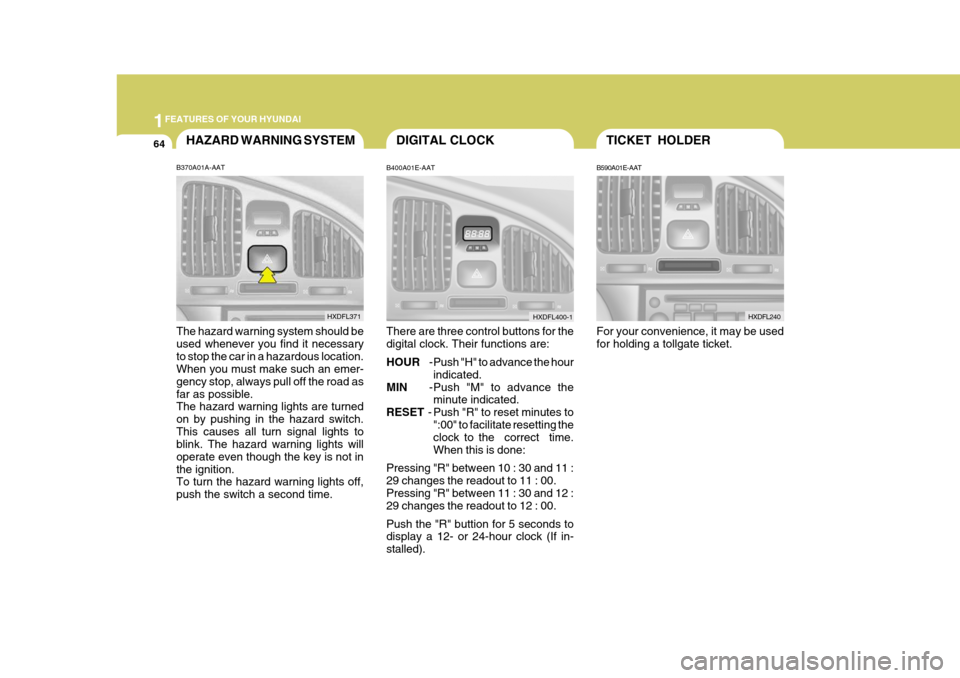
B590A01E-AAT For your convenience, it may be used for holding a tollgate ticket. HXDFL240
B400A01E-AAT There are three control buttons for the digital clock. Their functions are: HOUR
-Push "H" to advance the hour
indicated.
MIN -Push "M" to advance the
minute indicated.
RESET - Push "R" to reset minutes to
":00" to facilitate resetting the clock to the correct time. When this is done:
Pressing "R" between 10 : 30 and 11 :29 changes the readout to 11 : 00.Pressing "R" between 11 : 30 and 12 : 29 changes the readout to 12 : 00. Push the "R" buttion for 5 seconds to display a 12- or 24-hour clock (If in- stalled).
HAZARD WARNING SYSTEM
B370A01A-AAT The hazard warning system should be used whenever you find it necessaryto stop the car in a hazardous location. When you must make such an emer- gency stop, always pull off the road asfar as possible. The hazard warning lights are turned on by pushing in the hazard switch.This causes all turn signal lights to blink. The hazard warning lights will operate even though the key is not inthe ignition. To turn the hazard warning lights off, push the switch a second time. HXDFL371
DIGITAL CLOCK
HXDFL400-1
Page 110 of 277
1FEATURES OF YOUR HYUNDAI
96AUTOMATIC HEATING AND COOLING CONTROL SYSTEM
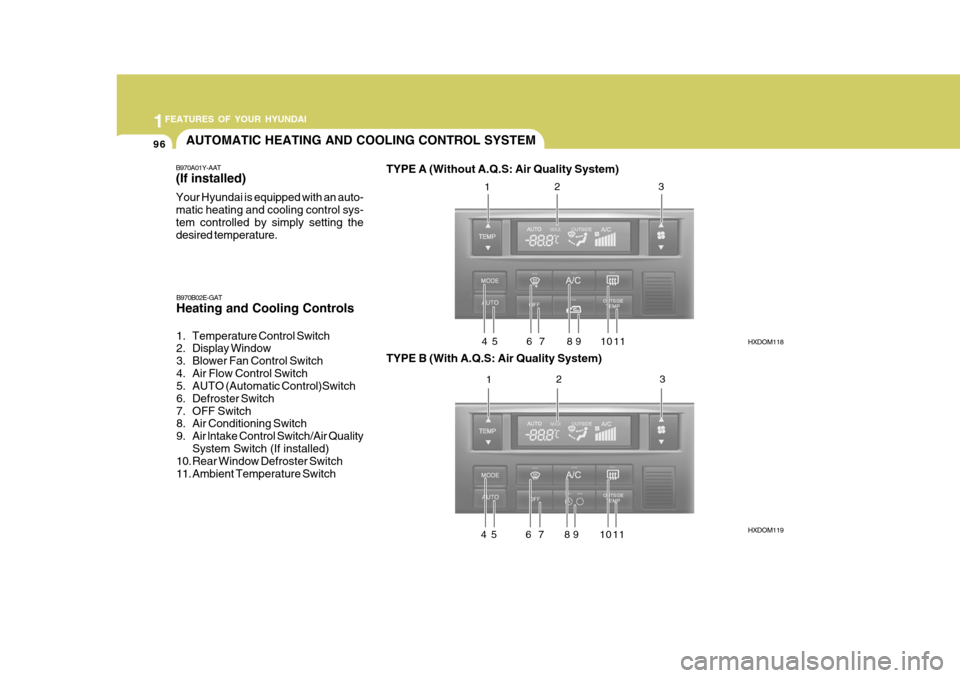
B970A01Y-AAT (If installed) Your Hyundai is equipped with an auto- matic heating and cooling control sys-tem controlled by simply setting the desired temperature. TYPE A (Without A.Q.S: Air Quality System)
HXDOM118 HXDOM119
B970B02E-GAT Heating and Cooling Controls
1. Temperature Control Switch
2. Display Window
3. Blower Fan Control Switch
4. Air Flow Control Switch
5. AUTO (Automatic Control)Switch
6. Defroster Switch
7. OFF Switch
8. Air Conditioning Switch
9. Air lntake Control Switch/Air Quality
System Switch (If installed)
10. Rear Window Defroster Switch
11. Ambient Temperature Switch TYPE B (With A.Q.S: Air Quality System)1
2 3
4 5 6 7 8 9 10 11 1 2 3
4 5 6 7 8 9 10 11
Page 111 of 277
1
FEATURES OF YOUR HYUNDAI
97
NOTE: If the battery has been discharged or disconnected, the temperature mode will reset to Centigrade degrees.This is a normal condition and you can change the temperature mode from Centigrade to Farenheit as fol-lows; Press the
TEMP button down 3 sec-
onds or more with the button held down. The display shows that the unit of temperature is adjusted to Centigrade or Fahrenheit. (°C
°F or °F
°C)
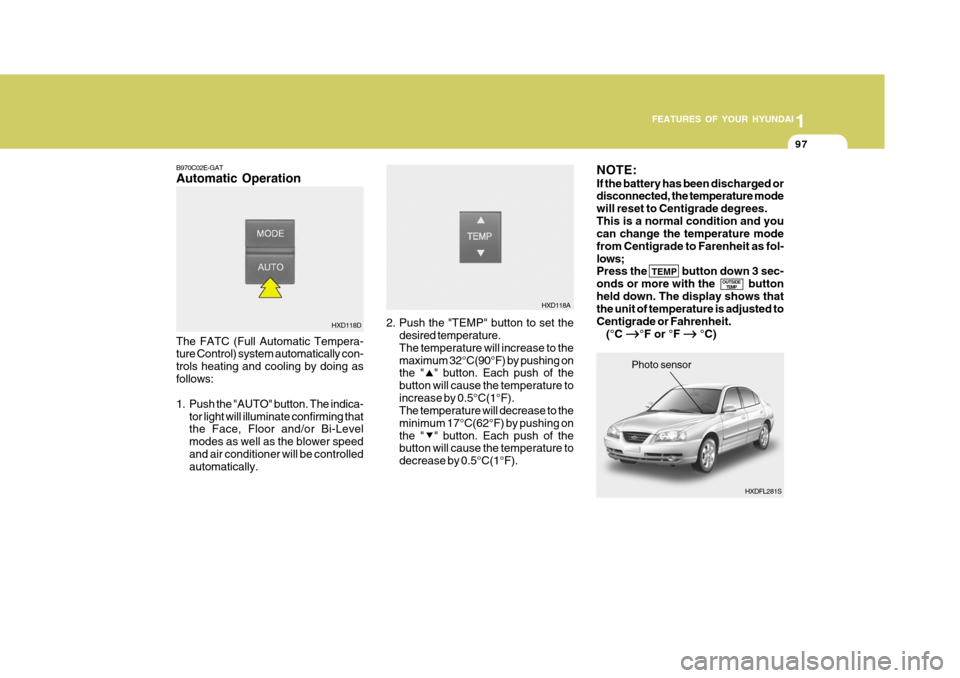
B970C02E-GAT Automatic Operation The FATC (Full Automatic Tempera- ture Control) system automatically con- trols heating and cooling by doing asfollows:
1. Push the "AUTO" button. The indica-
tor light will illuminate confirming that the Face, Floor and/or Bi-Level modes as well as the blower speedand air conditioner will be controlled automatically. 2. Push the "TEMP" button to set the
desired temperature. The temperature will increase to themaximum 32°C(90°F) by pushing on the " " button. Each push of the button will cause the temperature toincrease by 0.5°C(1°F). The temperature will decrease to the minimum 17°C(62°F) by pushing onthe " " button. Each push of the button will cause the temperature to decrease by 0.5°C(1°F).
HXD118D
OUTSIDETEMP
HXDFL281S
Photo sensor
HXD118A
Page 112 of 277
1FEATURES OF YOUR HYUNDAI
98
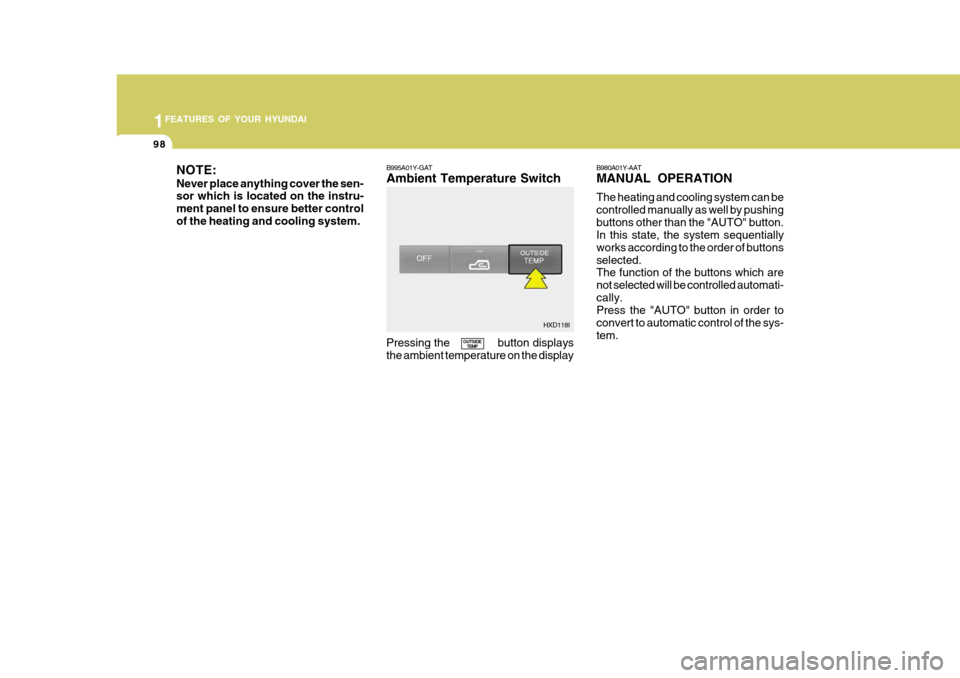
NOTE: Never place anything cover the sen- sor which is located on the instru- ment panel to ensure better controlof the heating and cooling system. B995A01Y-GAT Ambient Temperature Switch Pressing the button displays the ambient temperature on the displayB980A01Y-AAT MANUAL OPERATION The heating and cooling system can be controlled manually as well by pushingbuttons other than the "AUTO" button. In this state, the system sequentially works according to the order of buttonsselected. The function of the buttons which are not selected will be controlled automati-cally. Press the "AUTO" button in order to convert to automatic control of the sys-tem.
OUTSIDE
TEMP HXD118I
Page 121 of 277
1
FEATURES OF YOUR HYUNDAI
107
H210B03O-AAT
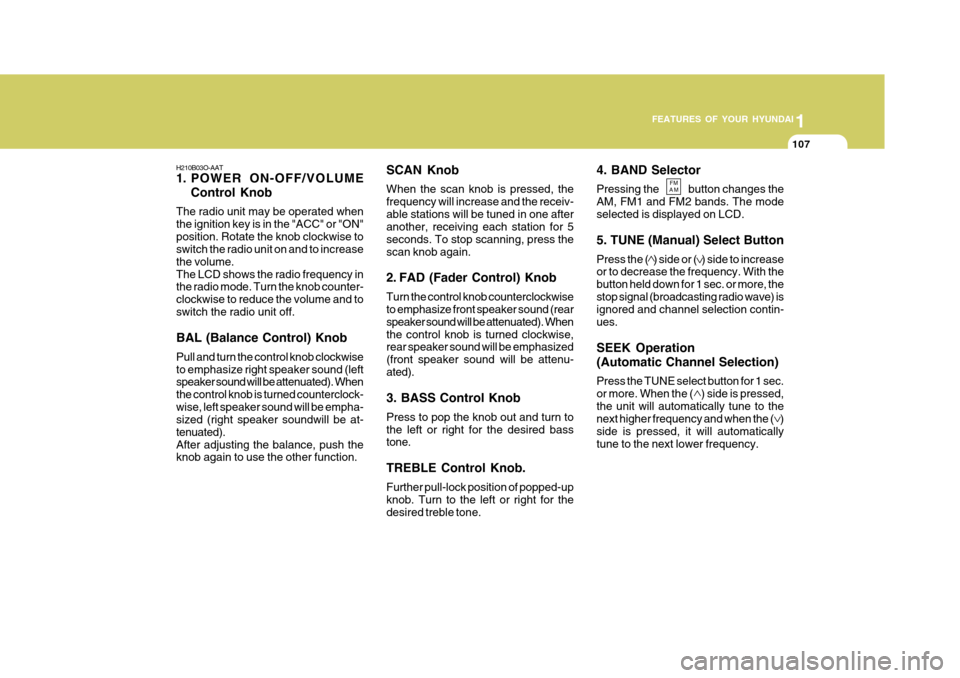
1. POWER ON-OFF/VOLUME
Control Knob
The radio unit may be operated when the ignition key is in the "ACC" or "ON"position. Rotate the knob clockwise to switch the radio unit on and to increase the volume.The LCD shows the radio frequency in the radio mode. Turn the knob counter- clockwise to reduce the volume and toswitch the radio unit off. BAL (Balance Control) Knob Pull and turn the control knob clockwise to emphasize right speaker sound (left speaker sound will be attenuated). When the control knob is turned counterclock-wise, left speaker sound will be empha- sized (right speaker soundwill be at- tenuated).After adjusting the balance, push the knob again to use the other function. 4. BAND Selector Pressing the button changes the AM, FM1 and FM2 bands. The modeselected is displayed on LCD. 5. TUNE (Manual) Select Button Press the ( ) side or ( ) side to increase or to decrease the frequency. With the button held down for 1 sec. or more, thestop signal (broadcasting radio wave) is ignored and channel selection contin- ues. SEEK Operation (Automatic Channel Selection) Press the TUNE select button for 1 sec. or more. When the ( ) side is pressed,the unit will automatically tune to the next higher frequency and when the ( ) side is pressed, it will automaticallytune to the next lower frequency.
SCAN Knob When the scan knob is pressed, the frequency will increase and the receiv-able stations will be tuned in one after another, receiving each station for 5 seconds. To stop scanning, press thescan knob again.
2. FAD (Fader Control) Knob Turn the control knob counterclockwise to emphasize front speaker sound (rear speaker sound will be attenuated). Whenthe control knob is turned clockwise, rear speaker sound will be emphasized (front speaker sound will be attenu-ated). 3. BASS Control Knob Press to pop the knob out and turn to the left or right for the desired bass tone. TREBLE Control Knob. Further pull-lock position of popped-up knob. Turn to the left or right for thedesired treble tone.
FM
AM
Page 124 of 277
1FEATURES OF YOUR HYUNDAI
110
H240B03O-GAT
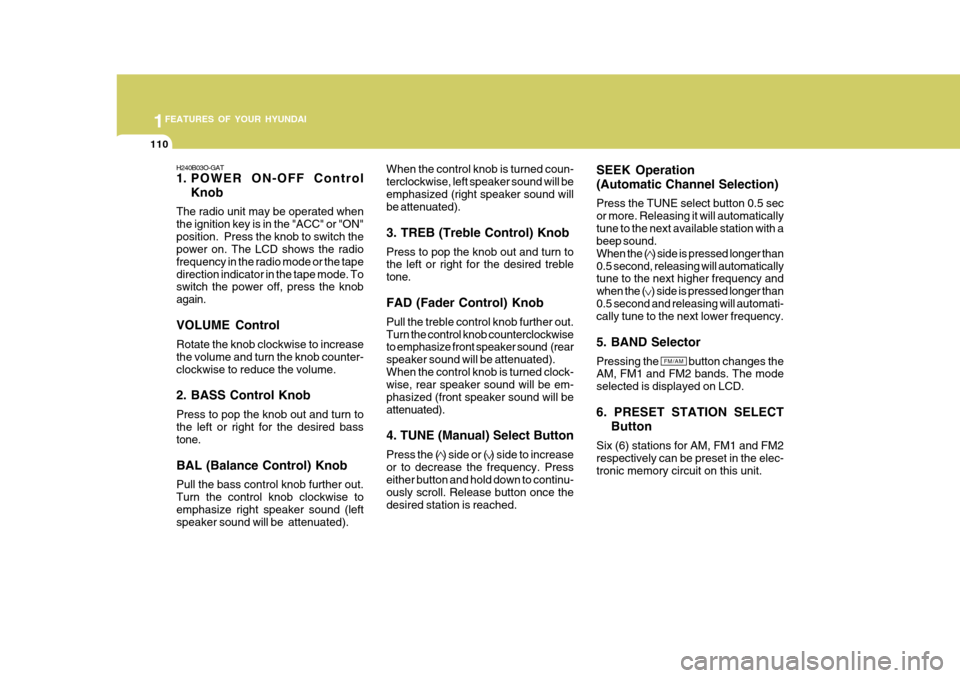
1. POWER ON-OFF ControlKnob
The radio unit may be operated when the ignition key is in the "ACC" or "ON"position. Press the knob to switch the power on. The LCD shows the radio frequency in the radio mode or the tapedirection indicator in the tape mode. To switch the power off, press the knob again. VOLUME Control Rotate the knob clockwise to increase the volume and turn the knob counter-clockwise to reduce the volume. 2. BASS Control Knob Press to pop the knob out and turn to the left or right for the desired bass tone. BAL (Balance Control) Knob Pull the bass control knob further out. Turn the control knob clockwise toemphasize right speaker sound (left speaker sound will be attenuated). When the control knob is turned coun- terclockwise, left speaker sound will beemphasized (right speaker sound will be attenuated). 3. TREB (Treble Control) Knob Press to pop the knob out and turn to the left or right for the desired treble tone. FAD (Fader Control) Knob Pull the treble control knob further out. Turn the control knob counterclockwise to emphasize front speaker sound (rear speaker sound will be attenuated).When the control knob is turned clock- wise, rear speaker sound will be em- phasized (front speaker sound will beattenuated). 4. TUNE (Manual) Select Button Press the ( ) side or ( ) side to increase or to decrease the frequency. Press either button and hold down to continu- ously scroll. Release button once thedesired station is reached.
SEEK Operation (Automatic Channel Selection) Press the TUNE select button 0.5 sec or more. Releasing it will automaticallytune to the next available station with a beep sound. When the ( ) side is pressed longer than0.5 second, releasing will automatically tune to the next higher frequency and when the ( ) side is pressed longer than0.5 second and releasing will automati- cally tune to the next lower frequency. 5. BAND Selector Pressing the button changes the AM, FM1 and FM2 bands. The mode selected is displayed on LCD. 6. PRESET STATION SELECT
Button
Six (6) stations for AM, FM1 and FM2 respectively can be preset in the elec-tronic memory circuit on this unit.
FM/AM
Page 125 of 277
1
FEATURES OF YOUR HYUNDAI
111
HOW TO PRESET STATIONS Six AM and twelve FM stations may be programmed into the memory of theradio. Then, by simply pressing the band select button and/or one of the six station select buttons, you may recallany of these stations instantly. To pro- gram the stations, follow these steps:
o Press band selector to set the band for AM, FM1, or FM2.
o Select the desired station to be stored by seek or manual tuning.
o Determine the preset station select
button you wish to use to access that station.
o Press the station select button for
more than two seconds. A selectbutton indicator will show in the dis- play indicating which select button you have depressed. The frequencydisplay will flash after it has been stored into the memory with beep sound. You should then release thebutton, and proceed to program the next desired station. A total of 18 stations can be programmed by se-lecting one AM and two FM stations per button. o When completed, any preset station
may be recalled by selecting AM, FM1 or FM2 band and the appropri- ate station button.
7. SCAN Button When the scan button is pressed, the frequency will be increased and the receivable stations will be tuned in oneafter another, receiving each station for 5 seconds. To stop scanning, press the scan button again.
! CAUTION:
o Do not place beverages close to the audio system. The playback mechanism may be damaged if you spill them.
o Do not impact or strike the audio system, or the playback mecha-nism could be damaged.
Page 127 of 277
1
FEATURES OF YOUR HYUNDAI
113
H240A03O-GAT 1. FF/REW Button
o The FF (fast forward tape winding) starts when the button is pressed during the PLAY or REW.
o The play starts when the button
is pressed again during the FF.
o The REW (rewinding) starts when the button is pressed during thePLAY or FF.
o The play starts when the button is pressed again during the REW.
2. AUTO MUSIC SELECT Button Press the button to find the starting point of each song in a prerecordedmusic tape. The quiet space between songs (must have at least a 4 sec. gap) can beidentified by the AUTO MUSIC SE- LECT button.
o Pressing the button will play the beginning of the next music seg- ment.
o Pressing the button will start replay at the beginning of the musicjust listened to. 3. TAPE PROGRAM Button This allows you to play the reverse side of the tape by merely depressing theprogram button. An arrow will appear in the display to show tape direction. NOTE: When tape operation is abnormal or ER8 fault code is displayed, pressthe eject button more than 5 seconds to reset the deck function. 4. EJECT Button
o When the EJECT button is pressed
with the cassette loaded, the cas- sette is ejected.
o When the EJECT button is pressed during the FF/REW, the cassette isejected.
5. DOLBY SELECT Button If you get background noise during PLAY, you can reduce this consider- ably by merely pressing DOLBY SE- LECT button.If you want to release, press the button again.
! CAUTION:
o Do not insert anything like coins into the player slot as damage to the unit may occur.
o Do not place beverages close to
the audio system. The playbackmechanism may be damaged if you spill them.
o Do not impact or strike the audio system, or the playback mecha-nism could be damaged.