check Hyundai Elantra 2012 Owner's Guide
[x] Cancel search | Manufacturer: HYUNDAI, Model Year: 2012, Model line: Elantra, Model: Hyundai Elantra 2012Pages: 383, PDF Size: 8.94 MB
Page 132 of 383
Features of your vehicle
54 4
WARNING - Safe stopping
The TPMS cannot alert you to
severe and sudden tire damage
caused by external factors.
If you feel any vehicle instability,
immediately take your foot off the
accelerator, apply the brakes
gradually and with light force,
and slowly move to a safe posi-
tion off the road.
Your vehicle is equipped with a dual-
diagonal braking system. This means you
still have braking on two wheels even if
one of the brake circuits is damaged or
malfunctions. With only one of the circuits
working, more than normal pedal travel
and greater pedal pressure are required
to stop the car. Also, the car will not stop
in as short a distance with only a portion
of the brake system working. If the
brakes fail while you are driving, shift to a
lower gear for additional engine braking
and stop the car as soon as it is safe to
do so.
To check bulb operation, check whether
the parking brake and brake fluid warning
light illuminates when the ignition switch
is in the ON position.Low tire pressure
telltale (if equipped)
The low tire pressure telltale illuminates
when one or more of your tires is signifi-
cantly underinflated.
Inflate your tires to the correct inflation
pressure.
The low tire pressure telltale will illumi-
nate after it blinks for approximately one
minute when there is a problem with the
Tire Pressure Monitoring System.
If this occurs, have the system checked
by an authorized HYUNDAI dealer as
soon as possible.
For details, refer to the TPMS on chapter 6.
WARNING
Driving the vehicle with a warning
light on is dangerous. If the brake
warning light remains on, have the
brakes checked and repaired imme-
diately by an authorized HYUNDAI
dealer.
WARNING - Low tire pres-
sure
Significantly low tire pressure
makes the vehicle unstable and can
contribute to loss of vehicle control
and increased braking distances.
Continued driving on tires with low
pressure will cause the tires to
overheat and fail.
Page 133 of 383
455
Features of your vehicle
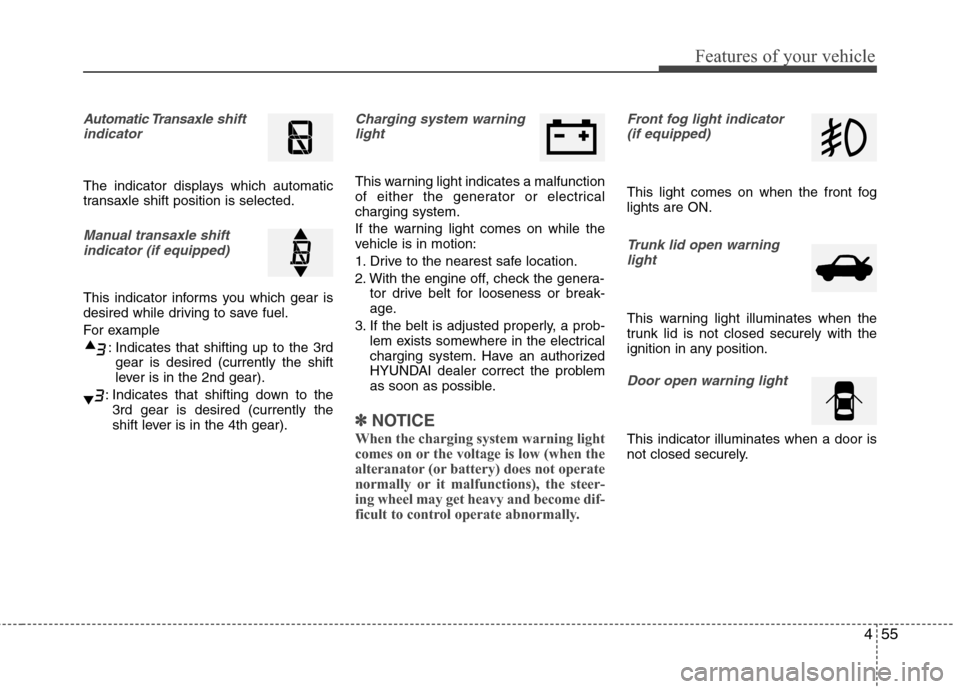
Automatic Transaxleshift
indicator
The indicator displays which automatic
transaxle shift position is selected.
Manual transaxle shift
indicator (if equipped)
This indicator informs you which gear is
desired while driving to save fuel.
For example
: Indicates that shifting up to the 3rd
gear is desired (currently the shift
lever is in the 2nd gear).
: Indicates that shifting down to the
3rd gear is desired (currently the
shift lever is in the 4th gear).
Charging system warning
light
This warning light indicates a malfunction
of either the generator or electrical
charging system.
If the warning light comes on while the
vehicle is in motion:
1. Drive to the nearest safe location.
2. With the engine off, check the genera-
tor drive belt for looseness or break-
age.
3. If the belt is adjusted properly, a prob-
lem exists somewhere in the electrical
charging system. Have an authorized
HYUNDAI dealer correct the problem
as soon as possible.
✽ ✽
NOTICE
When the charging system warning light
comes on or the voltage is low (when the
alteranator (or battery) does not operate
normally or it malfunctions), the steer-
ing wheel may get heavy and become dif-
ficult to control operate abnormally.
Front fog light indicator
(if equipped)
This light comes on when the front fog
lights are ON.
Trunk lid open warning
light
This warning light illuminates when the
trunk lid is not closed securely with the
ignition in any position.
Door open warning light
This indicator illuminates when a door is
not closed securely.
Page 134 of 383
Features of your vehicle
56 4
Immobilizer indicator
(if equipped)
Without smart key system
This light illuminates when the immobiliz-
er key is inserted and turned to the ON
position to start the engine.
At this time, you can start the engine. The
light goes out after the engine is running.
If this light blinks when the ignition switch
is in the ON position before starting the
engine, have the system checked by an
authorized HYUNDAI dealer.With smart key system (if equipped)
If any of the following occurs in a vehicle
equipped with the smart key, the immobi-
lizer indicator illuminates, blinks or the
light goes off.
When the smart key is in the vehicle, if
the engine start/stop button is turned
to the ON position, the indicator will
illuminate until the engine is started.
However, when the smart key is not in
the vehicle, if the engine start/stop but-
ton is depressed, the indicator will blink
for a few minutes to indicate that you
will not be able to start the engine.
When the ignition switch is turned to
the ON position and the indicator turns
off after 2 seconds, the system may
need repair. Have the vehicle checked
by an authorized HYUNDAI dealer.
When the battery is weak, if the engine
start/stop button is depressed, the indi-
cator will blink and you will not be able
to start the engine. However, you may
still be able to start the engine by
pressing the engine start/stop button
with the smart key. If smart key system
related parts need repair, the indicator
blinks.
Low fuel level warning light
This warning light indicates the fuel tank
is nearly empty. When it comes on, you
should add fuel as soon as possible.
Driving with the fuel level warning light on
or with the fuel level below “E” can cause
the engine to misfire and damage the
catalytic converter.
Page 135 of 383
457
Features of your vehicle
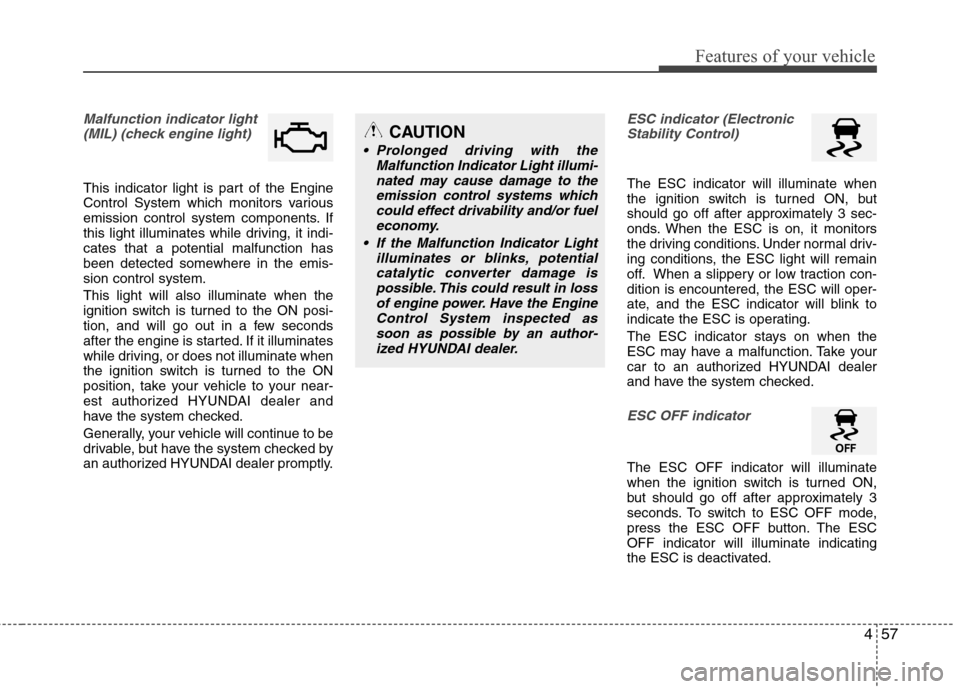
Malfunction indicator light
(MIL) (check engine light)
This indicator light is part of the Engine
Control System which monitors various
emission control system components. If
this light illuminates while driving, it indi-
cates that a potential malfunction has
been detected somewhere in the emis-
sion control system.
This light will also illuminate when the
ignition switch is turned to the ON posi-
tion, and will go out in a few seconds
after the engine is started. If it illuminates
while driving, or does not illuminate when
the ignition switch is turned to the ON
position, take your vehicle to your near-
est authorized HYUNDAI dealer and
have the system checked.
Generally, your vehicle will continue to be
drivable, but have the system checked by
an authorized HYUNDAI dealer promptly.
ESC indicator (Electronic
Stability Control)
The ESC indicator will illuminate when
the ignition switch is turned ON, but
should go off after approximately 3 sec-
onds. When the ESC is on, it monitors
the driving conditions. Under normal driv-
ing conditions, the ESC light will remain
off. When a slippery or low traction con-
dition is encountered, the ESC will oper-
ate, and the ESC indicator will blink to
indicate the ESC is operating.
The ESC indicator stays on when the
ESC may have a malfunction. Take your
car to an authorized HYUNDAI dealer
and have the system checked.
ESC OFF indicator
The ESC OFF indicator will illuminate
when the ignition switch is turned ON,
but should go off after approximately 3
seconds. To switch to ESC OFF mode,
press the ESC OFF button. The ESC
OFF indicator will illuminate indicating
the ESC is deactivated.
CAUTION
Prolonged driving with the
Malfunction Indicator Light illumi-
nated may cause damage to the
emission control systems which
could effect drivability and/or fuel
economy.
If the Malfunction Indicator Light
illuminates or blinks, potential
catalytic converter damage is
possible. This could result in loss
of engine power. Have the Engine
Control System inspected as
soon as possible by an author-
ized HYUNDAI dealer.
Page 137 of 383
459
Features of your vehicle
Key reminder warning chime
(if equipped)
Without smart key
If the driver’s door is opened while the
ignition key is left in the ignition switch
(ACC or LOCK position), the key
reminder warning chime will sound. This
helps prevent you from locking your keys
in the vehicle. The chime sounds until the
key is removed from the ignition switch or
the driver’s door is closed.
With smart key
If the driver’s door is opened while the
smart key is in the vehicle with the
engine start/stop button in ACC, the key
reminder warning chime will sound.
The chime sounds until the driver’s door
is closed.
KEY OUT indicator
(if equipped)
When the ignition switch is in the ACC or
ON position, if any door is open, the sys-
tem checks for the smart key. If the
smart key is not in the vehicle, the indi-
cator will blink, and if all doors are
closed, the chime will also sound for
about 5 seconds. The indicator will turn
off while the vehicle is moving. Keep the
smart key in the vehicle.
KEY
OUT
Page 138 of 383
Features of your vehicle
60 4
REAR VIEW CAMERA (IF EQUIPPED)
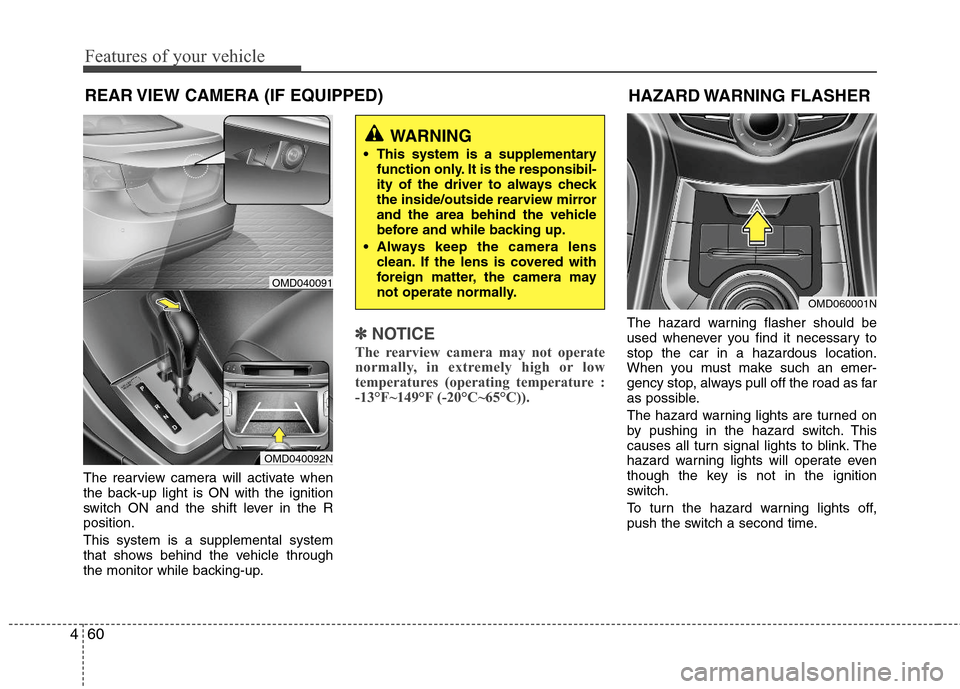
The rearview camera will activate when
the back-up light is ON with the ignition
switch ON and the shift lever in the R
position.
This system is a supplemental system
that shows behind the vehicle through
the monitor while backing-up.
✽ ✽
NOTICE
The rearview camera may not operate
normally, in extremely high or low
temperatures (operating temperature :
-13°F~149°F (-20°C~65°C)).
The hazard warning flasher should be
used whenever you find it necessary to
stop the car in a hazardous location.
When you must make such an emer-
gency stop, always pull off the road as far
as possible.
The hazard warning lights are turned on
by pushing in the hazard switch. This
causes all turn signal lights to blink. The
hazard warning lights will operate even
though the key is not in the ignition
switch.
To turn the hazard warning lights off,
push the switch a second time.
WARNING
This system is a supplementary
function only. It is the responsibil-
ity of the driver to always check
the inside/outside rearview mirror
and the area behind the vehicle
before and while backing up.
Always keep the camera lens
clean. If the lens is covered with
foreign matter, the camera may
not operate normally.
OMD040091
OMD040092N
HAZARD WARNING FLASHER
OMD060001N
Page 145 of 383
467
Features of your vehicle
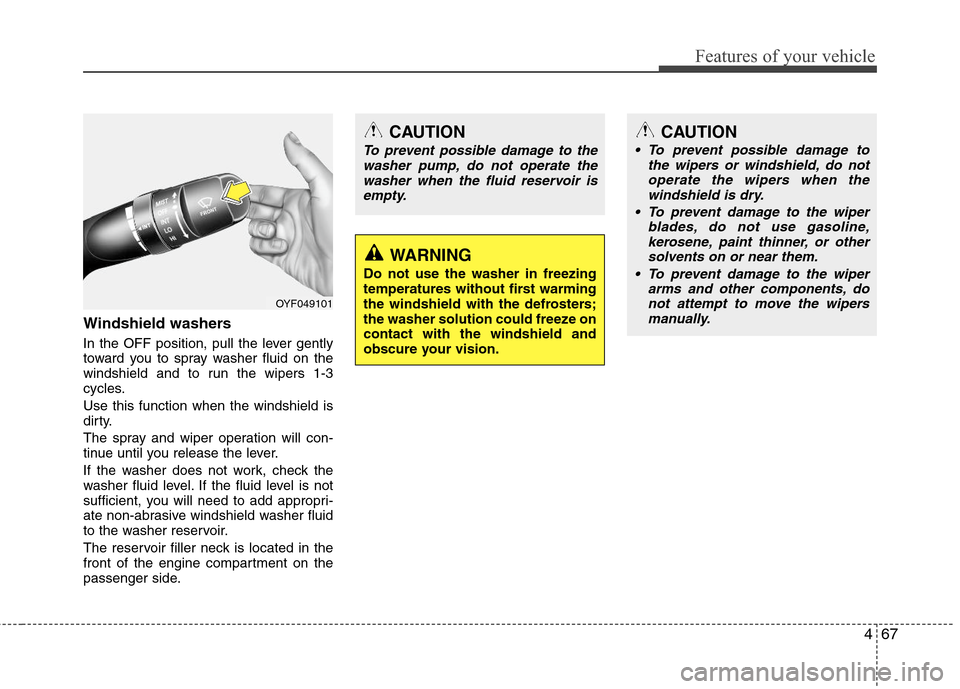
Windshield washers
In the OFF position, pull the lever gently
toward you to spray washer fluid on the
windshield and to run the wipers 1-3
cycles.
Use this function when the windshield is
dirty.
The spray and wiper operation will con-
tinue until you release the lever.
If the washer does not work, check the
washer fluid level. If the fluid level is not
sufficient, you will need to add appropri-
ate non-abrasive windshield washer fluid
to the washer reservoir.
The reservoir filler neck is located in the
front of the engine compartment on the
passenger side.
CAUTION
To prevent possible damage to the
washer pump, do not operate the
washer when the fluid reservoir is
empty.
WARNING
Do not use the washer in freezing
temperatures without first warming
the windshield with the defrosters;
the washer solution could freeze on
contact with the windshield and
obscure your vision.
CAUTION
To prevent possible damage to
the wipers or windshield, do not
operate the wipers when the
windshield is dry.
To prevent damage to the wiper
blades, do not use gasoline,
kerosene, paint thinner, or other
solvents on or near them.
To prevent damage to the wiper
arms and other components, do
not attempt to move the wipers
manually.
OYF049101
Page 157 of 383
479
Features of your vehicle
✽ ✽
NOTICE
• Replace the filter according to the
Maintenance Schedule.
If the vehicle is being driven in severe
conditions such as dusty, rough roads,
more frequent climate control air fil-
ter inspections and changes are
required.
• When the air flow rate suddenly
decreases, the system should be
checked at an authorized HYUNDAI
dealer.
Checking the amount of air con-
ditioner refrigerant and compres-
sor lubricant
When the amount of refrigerant is low,
the performance of the air conditioning is
reduced. Overfilling also has a negative
influence on the air conditioning system.
Therefore, if abnormal operation is
found, have the system inspected by an
authorized HYUNDAI dealer.
✽ ✽
NOTICE
It is important that the correct type and
amount of oil and refrigerant is used.
Otherwise, damage to the compressor
and abnormal system operation may
occur.
WARNING
The air conditioning system should
be serviced by an authorized
HYUNDAI dealer. Improper service
may cause serious injury to the
person performing the service.
Page 198 of 383
Features of your vehicle
120 4
NOTE:
Bluetooth phone compatibility can be
checked by visiting
www.hyundaiusa.com and under the
SERVICE & PARTS - BLUETOOTH
COMPATIBILITY menu.
Areas that can be checked - 9 areas,
such as Pairing, Connection,
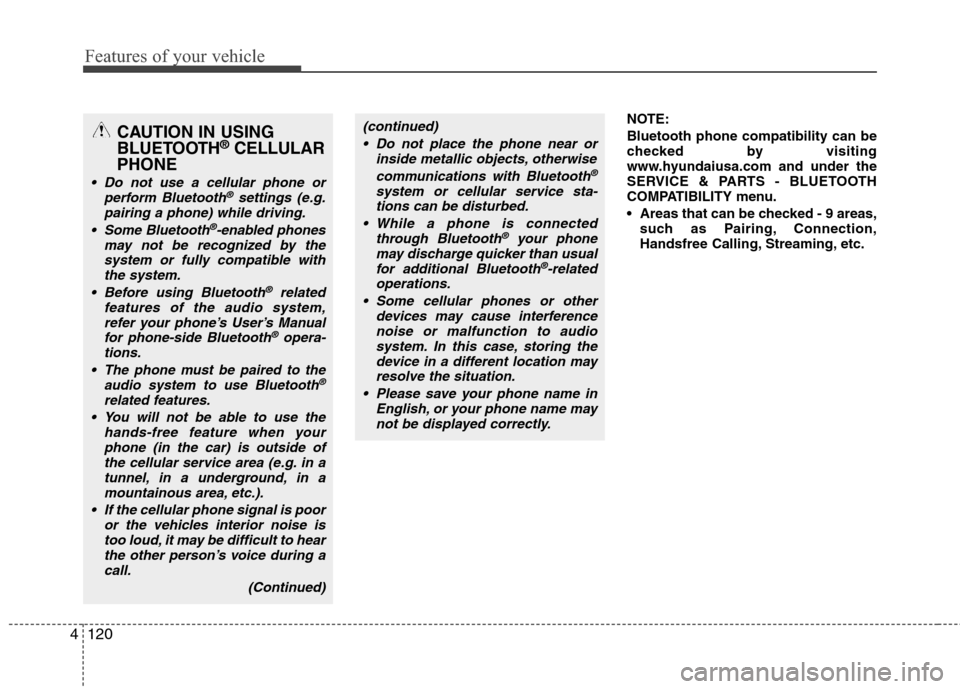
Handsfree Calling, Streaming, etc.CAUTION IN USING
BLUETOOTH®CELLULAR
PHONE
Do not use a cellular phone or
perform Bluetooth®settings (e.g.
pairing a phone) while driving.
Some Bluetooth
®-enabled phones
may not be recognized by the
system or fully compatible with
the system.
Before using Bluetooth
®related
features of the audio system,
refer your phone’s User’s Manual
for phone-side Bluetooth
®opera-
tions.
The phone must be paired to the
audio system to use Bluetooth®
related features.
You will not be able to use the
hands-free feature when your
phone (in the car) is outside of
the cellular service area (e.g. in a
tunnel, in a underground, in a
mountainous area, etc.).
If the cellular phone signal is poor
or the vehicles interior noise is
too loud, it may be difficult to hear
the other person’s voice during a
call.
(Continued)
(continued)
Do not place the phone near or
inside metallic objects, otherwise
communications with Bluetooth
®
system or cellular service sta-
tions can be disturbed.
While a phone is connected
through Bluetooth
®your phone
may discharge quicker than usual
for additional Bluetooth
®-related
operations.
Some cellular phones or other
devices may cause interference
noise or malfunction to audio
system. In this case, storing the
device in a different location may
resolve the situation.
Please save your phone name in
English, or your phone name may
not be displayed correctly.
Page 202 of 383
Features of your vehicle
124 4
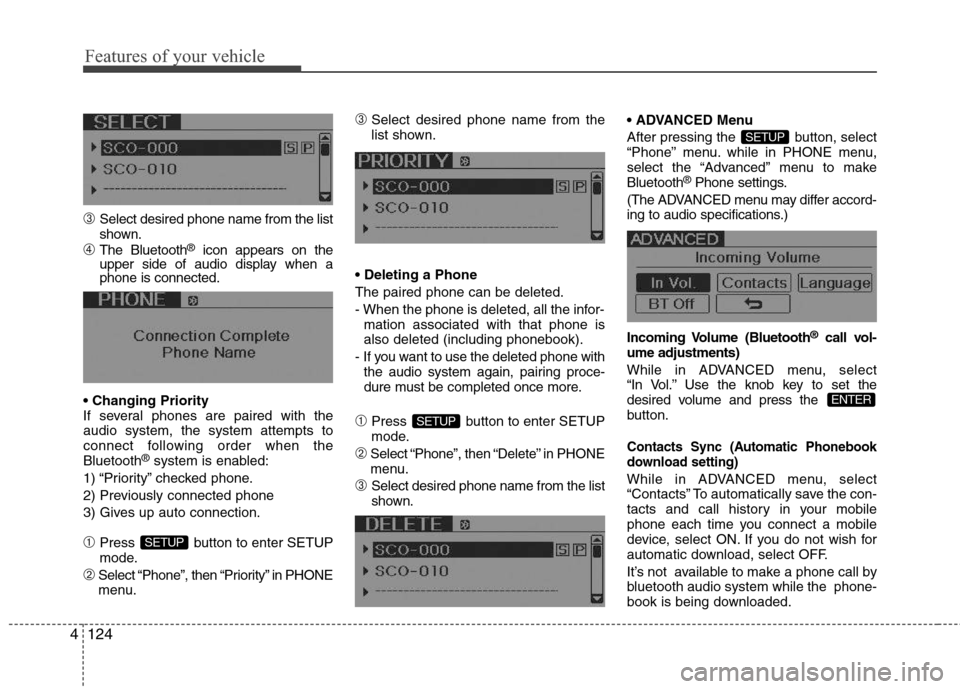
➂Select desired phone name from the list
shown.
➃The Bluetooth®icon appears on the
upper side of audio display when a
phone is connected.
If several phones are paired with the
audio system, the system attempts to
connect following order when the
Bluetooth
®system is enabled:
1) “Priority” checked phone.
2) Previously connected phone
3) Gives up auto connection.
➀Press button to enter SETUP
mode.
➁Select “Phone”, then “Priority” in PHONE
menu.
➂Select desired phone name from the
list shown.
The paired phone can be deleted.
- When the phone is deleted, all the infor-
mation associated with that phone is
also deleted (including phonebook).
- If you want to use the deleted phone with
the audio system again, pairing proce-
dure must be completed once more.
➀Press button to enter SETUP
mode.
➁Select “Phone”, then “Delete” in PHONE
menu.
➂Select desired phone name from the list
shown. Menu
After pressing the button, select
“Phone” menu. while in PHONE menu,
select the “Advanced” menu to make
Bluetooth
®Phone settings.
(The ADVANCED menu may differ accord-
ing to audio specifications.)
Incoming Volume (Bluetooth
®call vol-
ume adjustments)
While in ADVANCED menu, select
“In Vol.” Use the knob key to set the
desired volume and press the
button.
Contacts Sync (Automatic Phonebook
download setting)
While in ADVANCED menu, select
“Contacts” To automatically save the con-
tacts and call history in your mobile
phone each time you connect a mobile
device, select ON. If you do not wish for
automatic download, select OFF.
It’s not available to make a phone call by
bluetooth audio system while the phone-
book is being downloaded.
ENTER
SETUP
SETUP
SETUP