boot Hyundai Elantra 2016 - RHD (UK. Australia) User Guide
[x] Cancel search | Manufacturer: HYUNDAI, Model Year: 2016, Model line: Elantra, Model: Hyundai Elantra 2016Pages: 498, PDF Size: 9.45 MB
Page 99 of 498
419
Features of your vehicle
This system helps to protect your
vehicle and valuables. The horn will
sound and the hazard warning lights
will blink continuously if any of the
following occurs:
- A door is opened without using the
remote key or smart key.
- The boot is opened without using
the remote key or smart key.
- The engine bonnet is opened.
The alarm continues for 30 seconds,
then the system resets. To turn off
the alarm, unlock the doors with the
remote key or smart key.
The Theft Alarm System automati-
cally sets 30 seconds after you lock
the doors and the boot. For the sys-
tem to activate, you must lock the
doors and the boot from outside the
vehicle with the remote key or smart
key or by pressing the button on the
outside of the door handles with the
smart key in your possession.
The hazard warning lights will blink
and the chime will sound once to
indicate the system is armed.Once the security system is set, open-
ing any door, the boot, or the bonnet
without using the remote key or smart
key will cause the alarm to activate.
The Theft Alarm System will not set if
the bonnet, the boot, or any door is
not fully closed. If the system will not
set, check the bonnet, the boot, or
the doors are fully closed.
Do not attempt to alter this system or
add other devices to it.
✽NOTICE
• Do not lock the doors until all pas-
sengers have left the vehicle. If the
remaining passenger leaves the
vehicle when the system is armed,
the alarm will be activated.
• If the vehicle is not disarmed with
the remote key or smart key, open
the doors by using the mechanical
key and place the ignition switch
in the ON position (for remote
key) or start the engine (for smart
key) and wait for 30 seconds.
• When the system is disarmed but a
door or boot is not opened within
30 seconds, the system will be
rearmed.
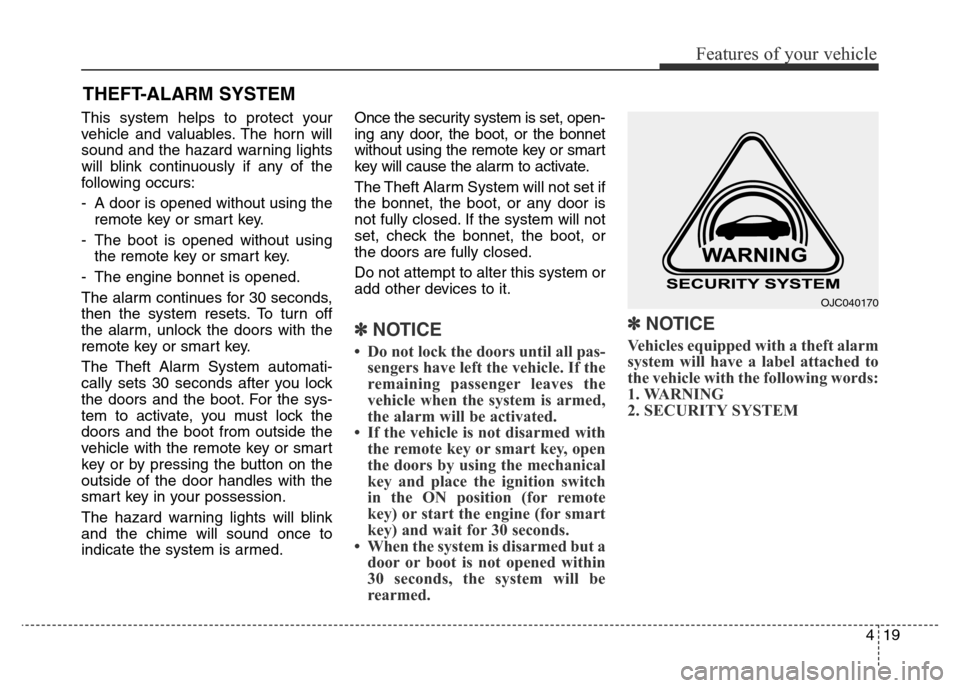
✽NOTICE
Vehicles equipped with a theft alarm
system will have a label attached to
the vehicle with the following words:
1. WARNING
2. SECURITY SYSTEM
THEFT-ALARM SYSTEM
OJC040170
Page 100 of 498
Features of your vehicle
20 4
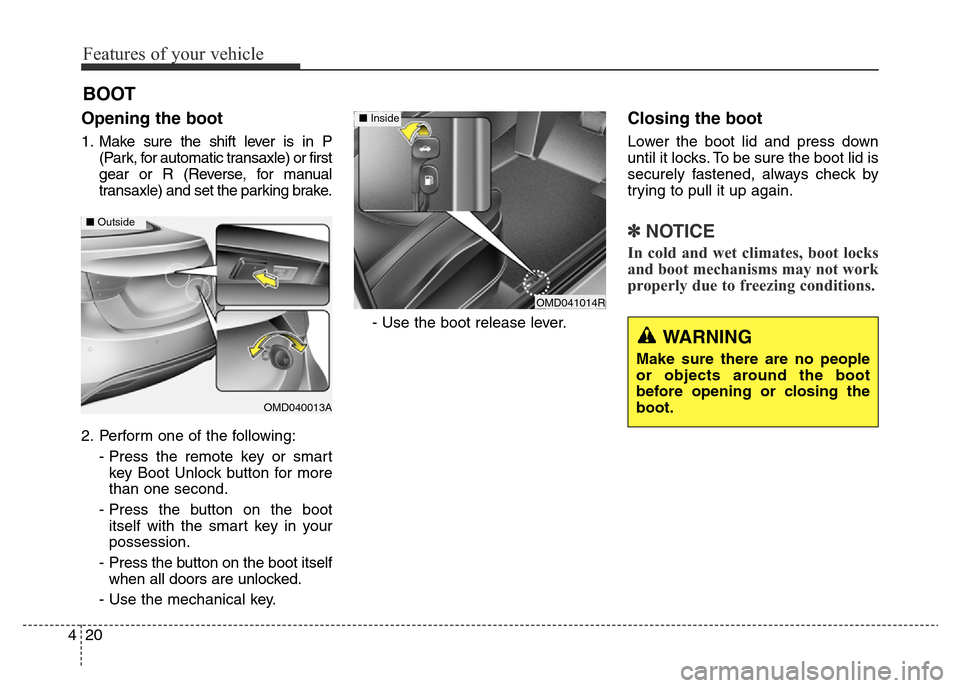
Opening the boot
1. Make sure the shift lever is in P
(Park, for automatic transaxle) or first
gear or R (Reverse, for manual
transaxle) and set the parking brake.
2. Perform one of the following:
- Press the remote key or smart
key Boot Unlock button for more
than one second.
- Press the button on the boot
itself with the smart key in your
possession.
- Press the button on the boot itself
when all doors are unlocked.
- Use the mechanical key.- Use the boot release lever.
Closing the boot
Lower the boot lid and press down
until it locks. To be sure the boot lid is
securely fastened, always check by
trying to pull it up again.
✽NOTICE
In cold and wet climates, boot locks
and boot mechanisms may not work
properly due to freezing conditions.
BOOT
OMD040013A
■Outside
WARNING
Make sure there are no people
or objects around the boot
before opening or closing the
boot.
OMD041014R
■ Inside
Page 101 of 498
421
Features of your vehicle
WARNING
• NEVER allow anyone to occu-
py the boot of the vehicle at
any time. If the boot is partial-
ly or totally latched and the
person is unable to get out,
serious injury or death could
occur due to lack of ventila-
tion, exhaust fumes and rapid
heat build-up, or because of
exposure to cold weather con-
ditions. The boot is also a
highly dangerous location in
the event of a crash because it
is not a protected occupant
space but is a part of the vehi-
cle's crush zone.
• Your vehicle should be kept
locked and keys should be
kept out of the reach of chil-
dren. Parents should teach
their children about the dan-
gers of playing in boots.
CAUTION
Make certain that you close the
boot before driving your vehi-
cle. Possible damage may occur
to the boot lift cylinders and
attached hardware if the boot is
not closed prior to driving.
WARNING
The boot lid should be always
kept completely closed whilst
the vehicle is in motion. If it is
left open or ajar, poisonous
exhaust gases may enter the
vehicle and serious illness or
death may result.
Page 144 of 498
Features of your vehicle
64 4
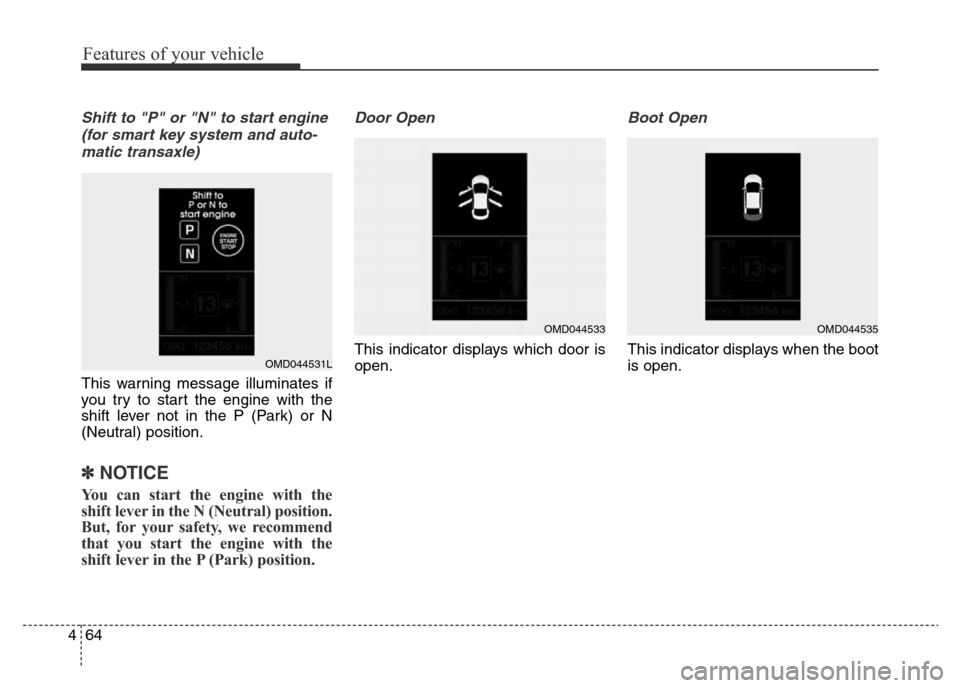
Shift to "P" or "N" to start engine
(for smart key system and auto-
matic transaxle)
This warning message illuminates if
you try to start the engine with the
shift lever not in the P (Park) or N
(Neutral) position.
✽NOTICE
You can start the engine with the
shift lever in the N (Neutral) position.
But, for your safety, we recommend
that you start the engine with the
shift lever in the P (Park) position.
Door Open
This indicator displays which door is
open.
Boot Open
This indicator displays when the boot
is open.OMD044531L
OMD044533OMD044535
Page 153 of 498
473
Features of your vehicle
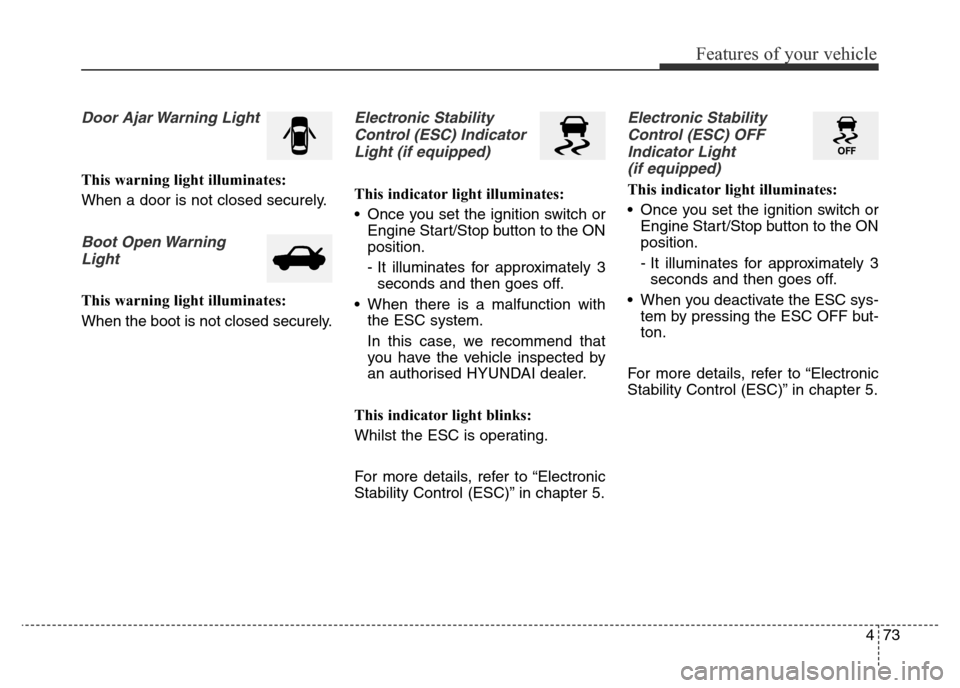
Door Ajar Warning Light
This warning light illuminates:
When a door is not closed securely.
Boot Open Warning
Light
This warning light illuminates:
When the boot is not closed securely.
Electronic Stability
Control (ESC) Indicator
Light (if equipped)
This indicator light illuminates:
• Once you set the ignition switch or
Engine Start/Stop button to the ON
position.
- It illuminates for approximately 3
seconds and then goes off.
• When there is a malfunction with
the ESC system.
In this case, we recommend that
you have the vehicle inspected by
an authorised HYUNDAI dealer.
This indicator light blinks:
Whilst the ESC is operating.
For more details, refer to “Electronic
Stability Control (ESC)” in chapter 5.
Electronic Stability
Control (ESC) OFF
Indicator Light
(if equipped)
This indicator light illuminates:
• Once you set the ignition switch or
Engine Start/Stop button to the ON
position.
- It illuminates for approximately 3
seconds and then goes off.
• When you deactivate the ESC sys-
tem by pressing the ESC OFF but-
ton.
For more details, refer to “Electronic
Stability Control (ESC)” in chapter 5.
Page 166 of 498
Features of your vehicle
86 4
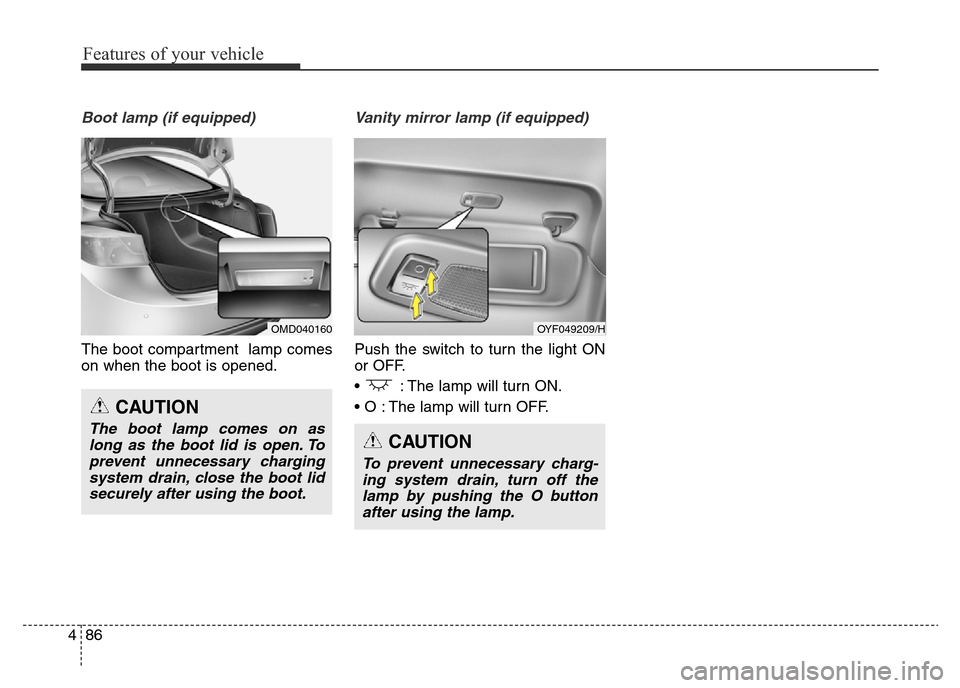
Boot lamp (if equipped)
The boot compartment lamp comes
on when the boot is opened.
Vanity mirror lamp (if equipped)
Push the switch to turn the light ON
or OFF.
• : The lamp will turn ON.
• O : The lamp will turn OFF.
CAUTION
The boot lamp comes on as
long as the boot lid is open. To
prevent unnecessary charging
system drain, close the boot lid
securely after using the boot.
OMD040160OYF049209/H
CAUTION
To prevent unnecessary charg-
ing system drain, turn off the
lamp by pushing the O button
after using the lamp.
Page 230 of 498
Features of your vehicle
150 4
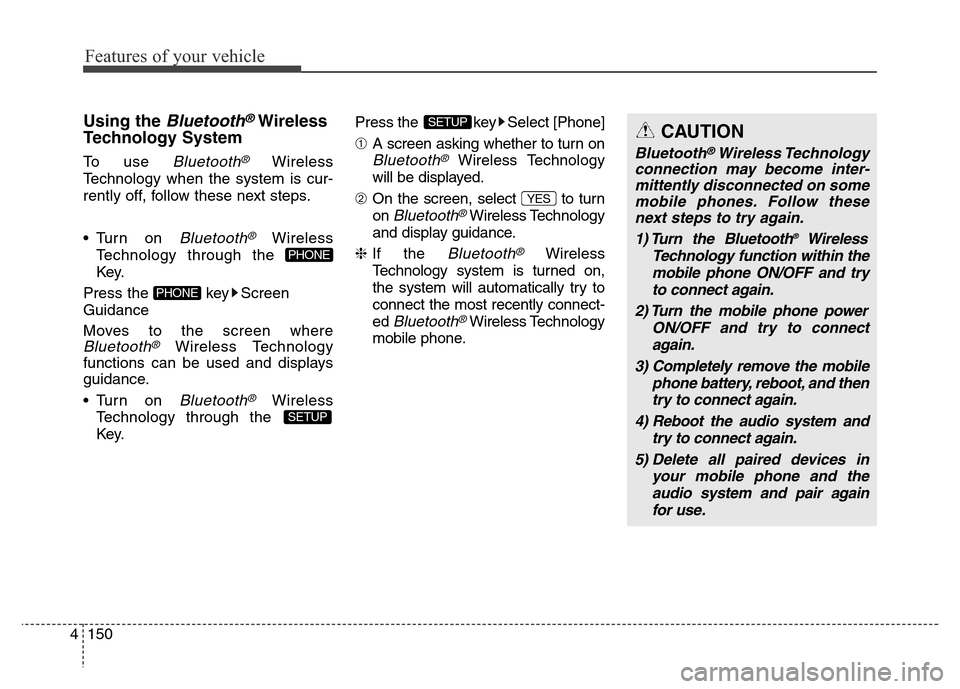
Using the Bluetooth®Wireless
Technology System
To use Bluetooth®Wireless
Technology when the system is cur-
rently off, follow these next steps.
• Turn on
Bluetooth®Wireless
Technology through the
Key.
Press the key Screen
Guidance
Moves to the screen where
Bluetooth®Wireless Technology
functions can be used and displays
guidance.
• Turn on
Bluetooth®Wireless
Technology through the
Key.Press the key Select [Phone]
➀A screen asking whether to turn on
Bluetooth®Wireless Technology
will be displayed.
➁On the screen, select to turn
on
Bluetooth®Wireless Technology
and display guidance.
❈If the
Bluetooth®Wireless
Technology system is turned on,
the system will automatically try to
connect the most recently connect-
ed
Bluetooth®Wireless Technology
mobile phone.
YES
SETUP
SETUP
PHONE
PHONE
CAUTION
Bluetooth®Wireless Technology
connection may become inter-
mittently disconnected on some
mobile phones. Follow these
next steps to try again.
1) Turn the Bluetooth
®Wireless
Technology function within the
mobile phone ON/OFF and try
to connect again.
2) Turn the mobile phone power
ON/OFF and try to connect
again.
3) Completely remove the mobile
phone battery, reboot, and then
try to connect again.
4) Reboot the audio system and
try to connect again.
5) Delete all paired devices in
your mobile phone and the
audio system and pair again
for use.
Page 231 of 498
![Hyundai Elantra 2016 - RHD (UK. Australia) User Guide 4151
Features of your vehicle
System Settings
Press the key Select [System] Memory Information
(if equipped)
Displays currently used memory and
total system memory.
Select [Memory Information] OK
Th](/img/35/14552/w960_14552-230.png "Hyundai Elantra 2016 - RHD (UK. Australia) User Guide 4151
Features of your vehicle
System Settings
Press the key Select [System] Memory Information
(if equipped)
Displays currently used memory and
total system memory.
Select [Memory Information] OK
Th")
4151
Features of your vehicle
System Settings
Press the key Select [System] Memory Information
(if equipped)
Displays currently used memory and
total system memory.
Select [Memory Information] OK
The currently used memory is dis-
played on the left side whilst the total
system memory is displayed on the
right side.
Language
This menu is used to set the display
language.
Select [Language] Set through
TUNE knob
The system will reboot after the lan-
guage is changed.
❈Language support by region
- English, (Korean)SETUP
Page 287 of 498
4207
Features of your vehicle
✽NOTICE - USING UPON
CONNECTING
Bluetooth®
Wireless Technology
PHONE
• Before connecting the audio system
with the mobile phone, check to see
that the mobile phone supports
Bluetooth
®Wireless Technology
features.
• Even if the phone supports
Bluetooth
®Wireless Technology,
the phone will not be found during
device searches if the phone has
been set to hidden state or the
Bluetooth
®Wireless Technology
power is turned off. Disable the
hidden state or turn on the
Bluetooth
®Wireless Technology
power prior to searching/connect-
ing with the audio system.
• If you do not want to automatical-
ly connect yourBluetooth
®
Wireless Technology phone, try
the following.
1. Turn off the Bluetooth
®
Wireless Technology feature on
your mobile phone.
(Continued)(Continued)
- For more information on
Bluetooth
®Wireless Technology
features within your mobile,
refer to your mobile phone
user’s manual.
2. Turn off the Bluetooth
®
Wireless Technology feature on
your audio system.
- To turn off the Bluetooth
®
Wireless Technology feature on
your audio system, go to
> [Phone] and [turn off] the
Bluetooth
®Wireless Technology
feature.
• Park the vehicle when connecting
the audio system with your mobile
phone.
•Bluetooth
®Wireless Technology
connection may become intermit-
tently disconnected on some
mobile phones. Follow these steps
to try again.
1. Turn the Bluetooth
®Wireless
Technology function within the
mobile phone off/on and try
again.
(Continued)
SETUP
(Continued)
2. Turn the mobile phone power
Off/On and try again.
3. Completely remove the mobile
phone battery, reboot, and then
try again.
4. Reboot the audio system and try
again.
5. Delete all paired devices, pair
and try again.
• The Handsfree call volume and
quality may differ depending on
the mobile phone.
•Bluetooth
®Wireless Technology
features supported within the vehi-
cle are as follows. Some features
may not be supported depending on
yourBluetooth
®Wireless
Technology device.
- Answering and placing
Bluetooth
®Wireless Technology
Handsfree calls
- Menu operation during call
(Switch to Private, Switch to
call waiting, Outgoing volume)
- Download Call History
(Continued)
Page 306 of 498
Driving your vehicle
2 5
WARNING
Carbon monoxide (CO) petrol is toxic. Breathing CO can cause unconsciousness and death.
Engine exhaust contains carbon monoxide which cannot be seen or smelled.
Do not inhale engine exhaust.
If at any time you smell engine exhaust inside the vehicle, open the windows immediately. Exposure to CO can cause
unconsciousness and death by asphyxiation.
Be sure the exhaust system does not leak.
The exhaust system should be checked whenever the vehicle is raised to change the oil or for any other purpose. If
you hear a change in the sound of the exhaust or if you drive over something that strikes the underneath side of the
vehicle, we recommend that the exhaust system be checked as soon as possible by an authorised HYUNDAI dealer.
Do not run the engine in an enclosed area.
Letting the engine idle in your garage, even with the garage door open, is a hazardous practice. Run the engine only
long enough to start the engine and to move the vehicle out of the garage.
Avoid idling the engine for prolonged periods with people inside the vehicle.
If it is necessary to idle the engine for a prolonged period with people inside the vehicle, be sure to do so only in an
open area with the air intake set at "Fresh" and fan control set to high so fresh air is drawn into the interior.
Keep the air intakes clear.
To assure proper operation of the ventilation system, keep the ventilation air intakes located in front of the windscreen
clear of snow, ice, leaves, or other obstructions.
If you must drive with the boot open:
Close all windows.
Open instrument panel air vents.
Set the air intake control at "Fresh", the air flow control at "Floor" or "Face", and the fan control set to high.