Electric Hyundai Elantra 2016 Owner's Guide
[x] Cancel search | Manufacturer: HYUNDAI, Model Year: 2016, Model line: Elantra, Model: Hyundai Elantra 2016Pages: 669, PDF Size: 31.96 MB
Page 409 of 669
4323
Features of your vehicle
✽
✽NOTICE - USING THE USB
DEVICE
• Connect the USB device after turning on the engine. The USB
device may become damaged if it
is already connected when the
ignition is turned on.The USB
device may not operate properly if
the car ignition is turned on or off
with the USB device connected.
• Heed caution to static electricity when connecting/disconnecting
USB devices.
• Encoded MP3 Players will not be recognized when connected as an
external device.
• When connecting an external USB device, the device may not proper-
ly recognize the USB is in some
states.
• Only products formatted with byte/sectors under 64Kbyte will be
recognized.
• This device recognizes USB devices formatted in FAT 12/16/32
file formats. This device does not
recognize files in NTFS file for-
mat. (Continued)(Continued)
• Some USB devices may not be sup- ported due to compatibility issues.
• Avoid contact between the USB connector with bodily parts or for-
eign objects.
• Repeated connecting/disconnect- ing of USB devices within short
periods of time may result in prod-
uct malfunction.
• A strange noise may occur when disconnecting the USB.
• Make sure to connect/disconnect external USB devices with the
audio power turned off.
• The amount of time required to recognize the USB device may dif-
fer depending on the type, size or
file formats stored in the USB.
Such differences in time are not
indications of malfunctions.
• The device only supports USB devices used to play music files.
• USB images and videos are not supported. (Continued)(Continued)
• Do not use the USB I/F to charge batteries or USB accessories that
generate heat. Such acts may lead
to worsened performance or dam-
age to the device.
• The device may not recognize the USB device if separately pur-
chased USB hubs and extension
cables are being used. Connect the
USB directly with the multimedia
terminal of the vehicle.
• When using mass storage USB devices with separate logical
drives, only files saved to the root
drive can be played.
• Files may not properly operate if application programs are installed
to the USBs.
• The device may not operate nor- mally if MP3 Players, cellular
phones, digital cameras, or other
electronic devices (USB devices
not recognized as portable disk
drives) are connected with the
device.
Page 464 of 669
57
Driving your vehicle
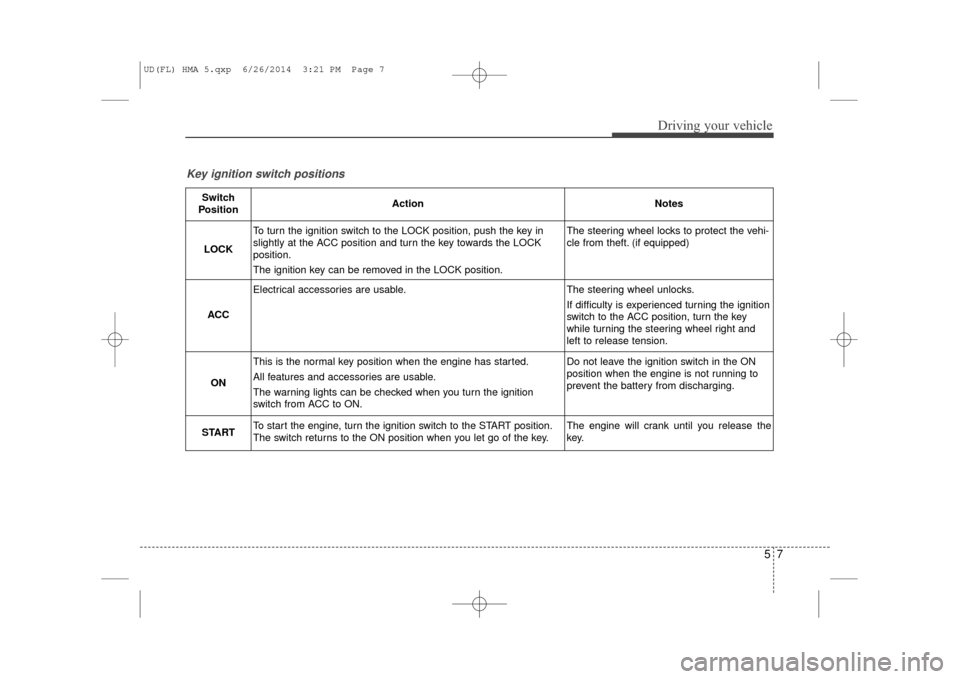
Key ignition switch positions
Switch
PositionActionNotes
LOCK
To turn the ignition switch to the LOCK position, push the key in
slightly at the ACC position and turn the key towards the LOCK
position.
The ignition key can be removed in the LOCK position.The steering wheel locks to protect the vehi-
cle from theft. (if equipped)
ACC
Electrical accessories are usable.The steering wheel unlocks.
If difficulty is experienced turning the ignition
switch to the ACC position, turn the key
while turning the steering wheel right and
left to release tension.
ON
This is the normal key position when the engine has started.
All features and accessories are usable.
The warning lights can be checked when you turn the ignition
switch from ACC to ON.Do not leave the ignition switch in the ON
position when the engine is not running to
prevent the battery from discharging.
STARTTo start the engine, turn the ignition switch to the START position.
The switch returns to the ON position when you let go of the key.The engine will crank until you release the
key.
UD(FL) HMA 5.qxp 6/26/2014 3:21 PM Page 7
Page 468 of 669
511
Driving your vehicle
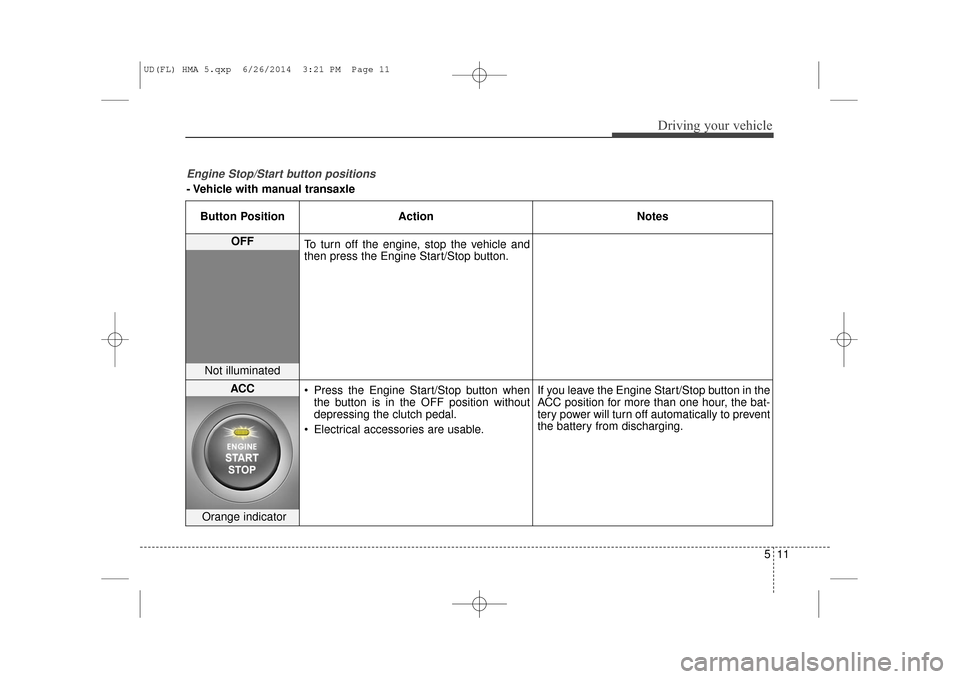
Engine Stop/Start button positions
- Vehicle with manual transaxleButton Position Action Notes
OFF
To turn off the engine, stop the vehicle and
then press the Engine Start/Stop button.
Not illuminated
ACC Press the Engine Start/Stop button when
the button is in the OFF position without
depressing the clutch pedal.
Electrical accessories are usable. If you leave the Engine Start/Stop button in the
ACC position for more than one hour, the bat-
tery power will turn off automatically to prevent
the battery from discharging.
Orange indicator
UD(FL) HMA 5.qxp 6/26/2014 3:21 PM Page 11
Page 470 of 669
513
Driving your vehicle
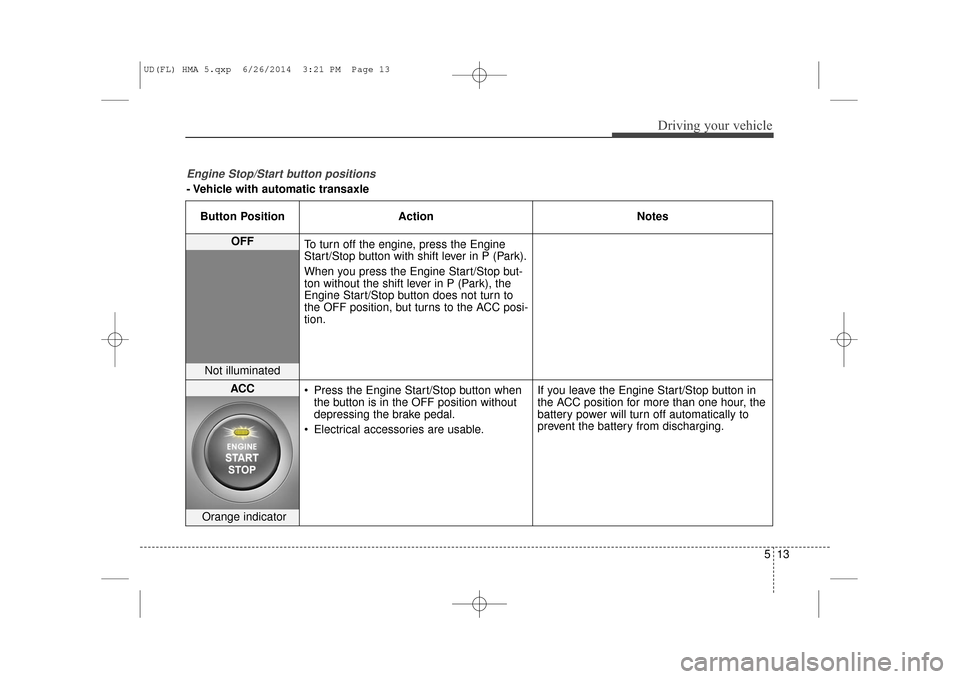
Engine Stop/Start button positions
- Vehicle with automatic transaxleButton Position Action Notes
OFF
To turn off the engine, press the Engine
Start/Stop button with shift lever in P (Park).
When you press the Engine Start/Stop but-
ton without the shift lever in P (Park), the
Engine Start/Stop button does not turn to
the OFF position, but turns to the ACC posi-
tion.
Not illuminated
ACC Press the Engine Start/Stop button when
the button is in the OFF position without
depressing the brake pedal.
Electrical accessories are usable. If you leave the Engine Start/Stop button in
the ACC position for more than one hour, the
battery power will turn off automatically to
prevent the battery from discharging.
Orange indicator
UD(FL) HMA 5.qxp 6/26/2014 3:21 PM Page 13
Page 495 of 669
Driving your vehicle
38
5
Vehicle Stability Management
(if equipped)
Vehicle Stability Management (VSM)
helps ensure the vehicle stays stable
when accelerating or braking sud-
denly on wet, slippery and rough
roads where traction over the four
tires can suddenly become uneven.
VSM operation
VSM ON condition
The VSM operates when:
The Electronic Stability Control
(ESC) is on.
Vehicle speed is approximately above 9mph (15 km/h) on curve
roads.
Vehicle speed is approximately above 18 mph (30 km/h) when the
vehicle is braking on rough roads.
When operating
When you apply your brakes under
conditions which may activate the
ESC, you may hear sounds from the
brakes, or feel a corresponding sen-
sation in the brake pedal. This is nor-
mal and it means your VSM is active.
✽ ✽ NOTICE
The VSM does not operate when:
• Driving on bank road such as gra-
dient or incline
• Driving rearward.
• ESC OFF indicator light is on.
• EPS (Electric Power Steering) warning light ( ) is on.
WARNING
Take the following precautions
when using the Vehicle Stability
Management (VSM):
ALWAYS check the speed and
the distance to the vehicle
ahead. The VSM is not a sub-
stitute for safe driving prac-
tices.
Never drive too fast for the road conditions. The VSM sys-
tem will not prevent acci-
dents. Excessive speed in bad
weather, slippery and uneven
roads can result in severe
accidents.
UD(FL) HMA 5.qxp 6/26/2014 3:22 PM Page 38
Page 524 of 669
✽
✽NOTICE
An inappropriately disposed
battery can be harmful to
the environment and human
health. Dispose the battery
according to your local
law(s) or regulation.
Jump starting procedure
1.Position the vehicles close enough
that the jumper cables will reach,
but do not allow the vehicles to
touch.
2.Avoid fans or any moving parts in the engine compartment at all
times, even when the vehicles are
turned off.
3.Turn off all electrical devices such as radios, lights, air conditioning,
etc. Put the vehicles in P (Park, for
automatic transaxle vehicle) or
neutral (for manual transaxle vehi-
cle), and set the parking brakes.
Turn both vehicles OFF.
What to do in an emergency
66
(Continued)
NEVER attempt to rechargethe battery when the vehicle’s
battery cables are connected
to the battery.
The electrical ignition system works with high voltage.
NEVER touch these compo-
nents with the engine running
or when the ignition switch is
in the ON position.
Pb
CAUTION
To prevent damage to your vehi-cle:
Only use a 12-volt power sup- ply (battery or jumper system)to jump start your vehicle.
Do not attempt to jump start your vehicle by push-starting.
Page 581 of 669
Maintenance
32
7
ENGINE COOLANT
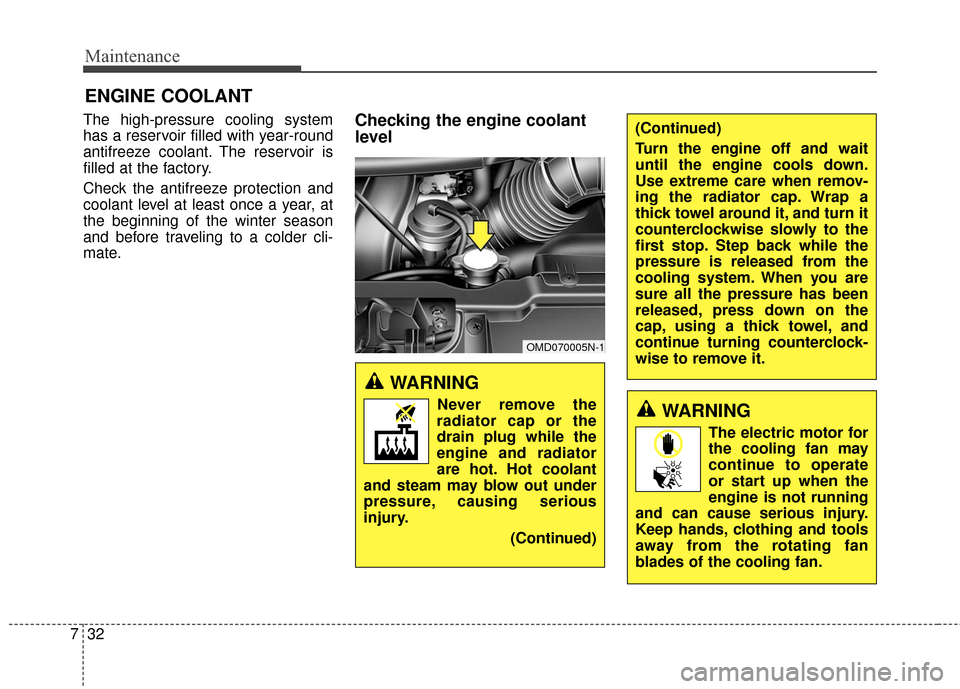
The high-pressure cooling system
has a reservoir filled with year-round
antifreeze coolant. The reservoir is
filled at the factory.
Check the antifreeze protection and
coolant level at least once a year, at
the beginning of the winter season
and before traveling to a colder cli-
mate.Checking the engine coolant
level
WARNING
Never remove the
radiator cap or the
drain plug while the
engine and radiator
are hot. Hot coolant
and steam may blow out under
pressure, causing serious
injury.
(Continued)
OMD070005N-1
(Continued)
Turn the engine off and wait
until the engine cools down.
Use extreme care when remov-
ing the radiator cap. Wrap a
thick towel around it, and turn it
counterclockwise slowly to the
first stop. Step back while the
pressure is released from the
cooling system. When you are
sure all the pressure has been
released, press down on the
cap, using a thick towel, and
continue turning counterclock-
wise to remove it.
WARNING
The electric motor for
the cooling fan may
continue to operate
or start up when the
engine is not running
and can cause serious injury.
Keep hands, clothing and tools
away from the rotating fan
blades of the cooling fan.
Page 582 of 669
733
Maintenance
The electric motor for the cooling fan
is controlled by engine coolant tem-
perature, refrigerant pressure and
vehicle speed. As the engine coolant
temperature decreases, the electric
motor will automatically shut off. This
is a normal condition. If your vehicle
is equipped with GDI, the electric
motor for the cooling fan may begin
to operate at any time and continue
to operate until you disconnect the
negative battery cable.Check the condition and connections
of all cooling system hoses and
heater hoses. Replace any swollen
or deteriorated hoses.
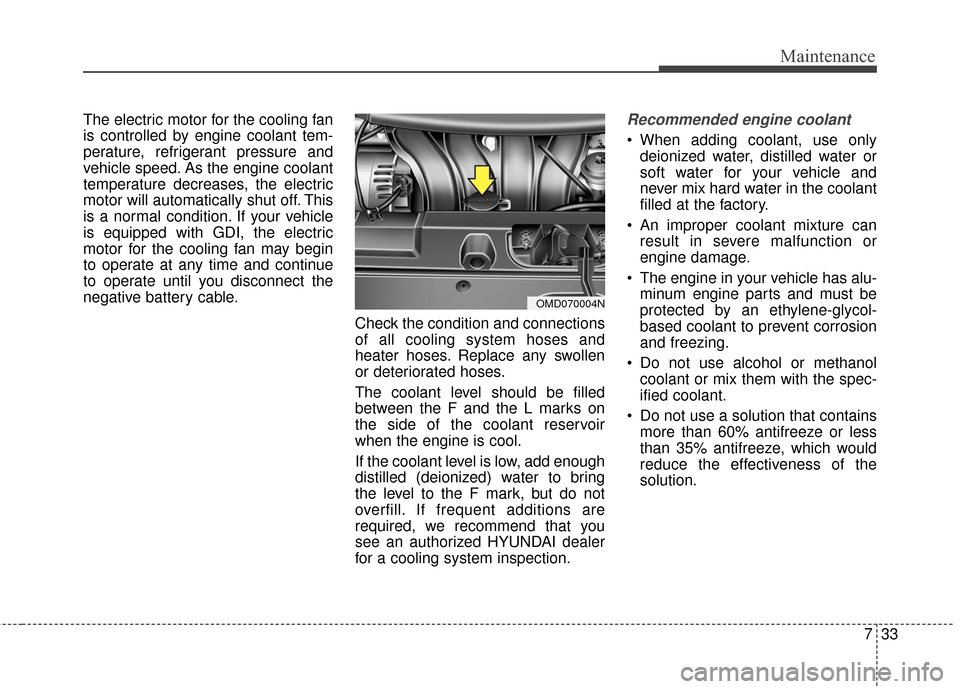
The coolant level should be filled
between the F and the L marks on
the side of the coolant reservoir
when the engine is cool.
If the coolant level is low, add enough
distilled (deionized) water to bring
the level to the F mark, but do not
overfill. If frequent additions are
required, we recommend that you
see an authorized HYUNDAI dealer
for a cooling system inspection.Recommended engine coolant
When adding coolant, use onlydeionized water, distilled water or
soft water for your vehicle and
never mix hard water in the coolant
filled at the factory.
An improper coolant mixture can result in severe malfunction or
engine damage.
The engine in your vehicle has alu- minum engine parts and must be
protected by an ethylene-glycol-
based coolant to prevent corrosion
and freezing.
Do not use alcohol or methanol coolant or mix them with the spec-
ified coolant.
Do not use a solution that contains more than 60% antifreeze or less
than 35% antifreeze, which would
reduce the effectiveness of the
solution.
OMD070004N
Page 593 of 669
Maintenance
44
7
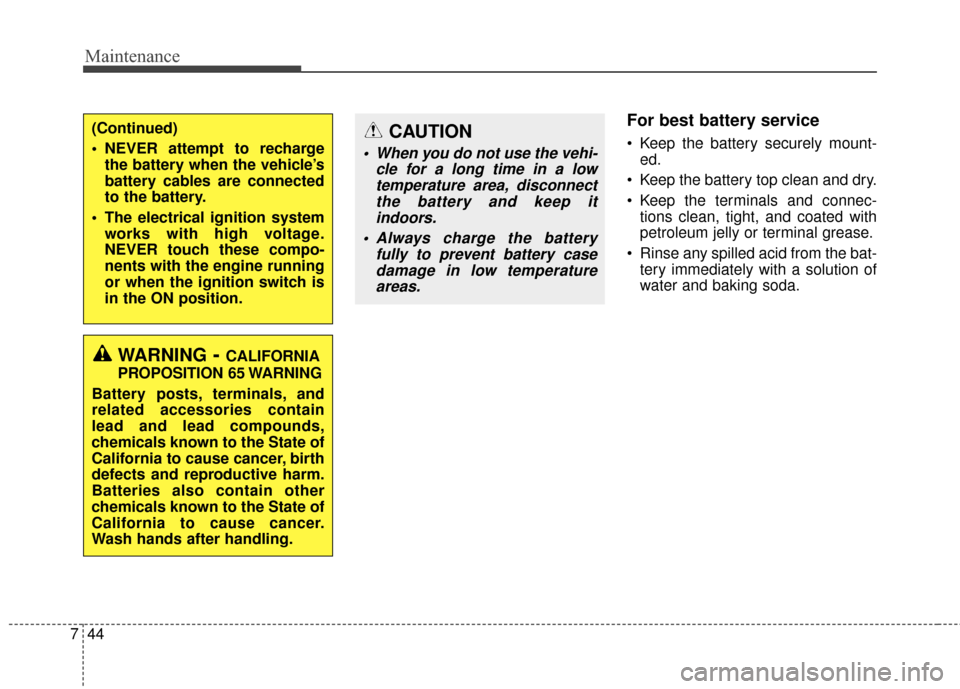
For best battery service
Keep the battery securely mount-
ed.
Keep the battery top clean and dry.
Keep the terminals and connec- tions clean, tight, and coated with
petroleum jelly or terminal grease.
Rinse any spilled acid from the bat- tery immediately with a solution of
water and baking soda.(Continued)
NEVER attempt to rechargethe battery when the vehicle’s
battery cables are connected
to the battery.
The electrical ignition system works with high voltage.
NEVER touch these compo-
nents with the engine running
or when the ignition switch is
in the ON position.
WARNING- CALIFORNIA
PROPOSITION 65 WARNING
Battery posts, terminals, and
related accessories contain
lead and lead compounds,
chemicals known to the State of
California to cause cancer, birth
defects and reproductive harm.
Batteries also contain other
chemicals known to the State of
California to cause cancer.
Wash hands after handling.
CAUTION
When you do not use the vehi- cle for a long time in a lowtemperature area, disconnectthe battery and keep itindoors.
Always charge the battery fully to prevent battery casedamage in low temperatureareas.
Page 594 of 669
745
Maintenance
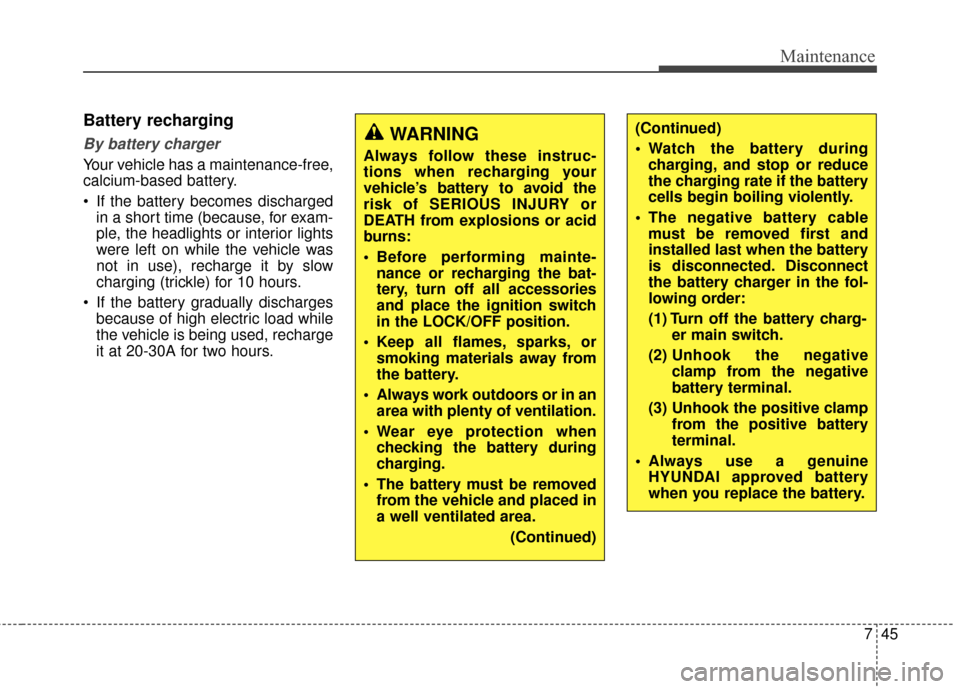
Battery recharging
By battery charger
Your vehicle has a maintenance-free,
calcium-based battery.
If the battery becomes dischargedin a short time (because, for exam-
ple, the headlights or interior lights
were left on while the vehicle was
not in use), recharge it by slow
charging (trickle) for 10 hours.
If the battery gradually discharges because of high electric load while
the vehicle is being used, recharge
it at 20-30A for two hours.
WARNING
Always follow these instruc-
tions when recharging your
vehicle’s battery to avoid the
risk of SERIOUS INJURY or
DEATH from explosions or acid
burns:
Before performing mainte-nance or recharging the bat-
tery, turn off all accessories
and place the ignition switch
in the LOCK/OFF position.
Keep all flames, sparks, or smoking materials away from
the battery.
Always work outdoors or in an area with plenty of ventilation.
Wear eye protection when checking the battery during
charging.
The battery must be removed from the vehicle and placed in
a well ventilated area.
(Continued)
(Continued)
Watch the battery duringcharging, and stop or reduce
the charging rate if the battery
cells begin boiling violently.
The negative battery cable must be removed first and
installed last when the battery
is disconnected. Disconnect
the battery charger in the fol-
lowing order:
(1) Turn off the battery charg- er main switch.
(2) Unhook the negative clamp from the negative
battery terminal.
(3) Unhook the positive clamp from the positive battery
terminal.
Always use a genuine HYUNDAI approved battery
when you replace the battery.