warning Hyundai Elantra 2018 Owner's Manual
[x] Cancel search | Manufacturer: HYUNDAI, Model Year: 2018, Model line: Elantra, Model: Hyundai Elantra 2018Pages: 526, PDF Size: 17.2 MB
Page 352 of 526
5-69
Driving your vehicle
5
Cruise Control operation
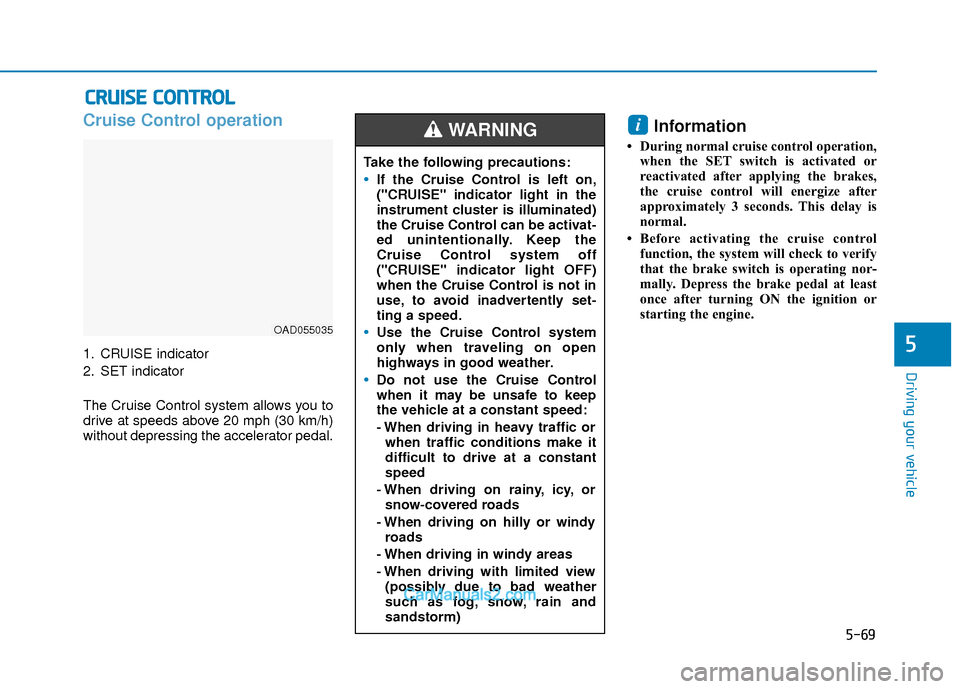
1. CRUISE indicator
2. SET indicator
The Cruise Control system allows you to
drive at speeds above 20 mph (30 km/h)
without depressing the accelerator pedal.
Information
• During normal cruise control operation,when the SET switch is activated or
reactivated after applying the brakes,
the cruise control will energize after
approximately 3 seconds. This delay is
normal.
• Before activating the cruise control function, the system will check to verify
that the brake switch is operating nor-
mally. Depress the brake pedal at least
once after turning ON the ignition or
starting the engine.
i
C CR
R U
U I
IS
S E
E
C
C O
O N
NT
TR
R O
O L
L
OAD055035
Take the following precautions:
If the Cruise Control is left on,
("CRUISE" indicator light in the
instrument cluster is illuminated)
the Cruise Control can be activat-
ed unintentionally. Keep the
Cruise Control system off
("CRUISE" indicator light OFF)
when the Cruise Control is not in
use, to avoid inadvertently set-
ting a speed.
Use the Cruise Control system
only when traveling on open
highways in good weather.
Do not use the Cruise Control
when it may be unsafe to keep
the vehicle at a constant speed:
- When driving in heavy traffic or
when traffic conditions make it
difficult to drive at a constant
speed
- When driving on rainy, icy, or snow-covered roads
- When driving on hilly or windy roads
- When driving in windy areas
- When driving with limited view (possibly due to bad weather
such as fog, snow, rain and
sandstorm)
WARNING
Page 356 of 526
5-73
Driving your vehicle
5
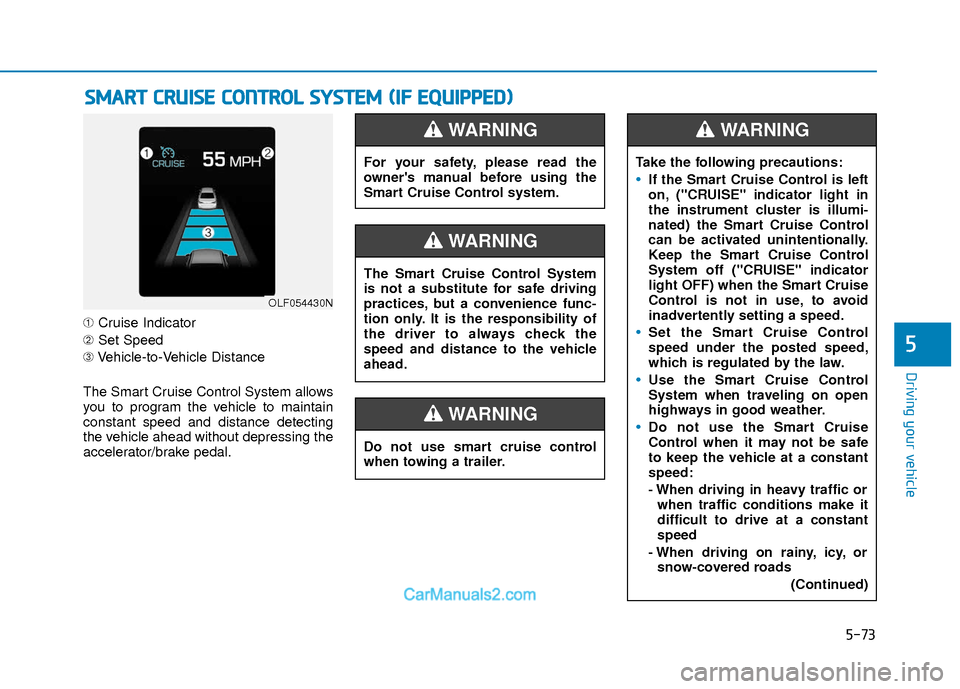
➀Cruise Indicator
➁ Set Speed
➂ Vehicle-to-Vehicle Distance
The Smart Cruise Control System allows
you to program the vehicle to maintain
constant speed and distance detecting
the vehicle ahead without depressing the
accelerator/brake pedal.
S S M
M A
AR
RT
T
C
C R
R U
U I
IS
S E
E
C
C O
O N
NT
TR
R O
O L
L
S
S Y
Y S
ST
T E
EM
M
(
( I
IF
F
E
E Q
Q U
UI
IP
P P
PE
ED
D )
)
OLF054430N
For your safety, please read the
owner's manual before using the
Smart Cruise Control system.
WARNING
Do not use smart cruise control
when towing a trailer.
WARNING
The Smart Cruise Control System
is not a substitute for safe driving
practices, but a convenience func-
tion only. It is the responsibility of
the driver to always check the
speed and distance to the vehicle
ahead.
WARNING
Take the following precautions:
If the Smart Cruise Control is left
on, ("CRUISE" indicator light in
the instrument cluster is illumi-
nated) the Smart Cruise Control
can be activated unintentionally.
Keep the Smart Cruise Control
System off ("CRUISE" indicator
light OFF) when the Smart Cruise
Control is not in use, to avoid
inadvertently setting a speed.
Set the Smart Cruise Control
speed under the posted speed,
which is regulated by the law.
Use the Smart Cruise Control
System when traveling on open
highways in good weather.
Do not use the Smart Cruise
Control when it may not be safe
to keep the vehicle at a constant
speed:
- When driving in heavy traffic or
when traffic conditions make it
difficult to drive at a constant
speed
- When driving on rainy, icy, or snow-covered roads
(Continued)
WARNING
Page 358 of 526
5-75
Driving your vehicle
5
To Convert to Cruise Control
Mode
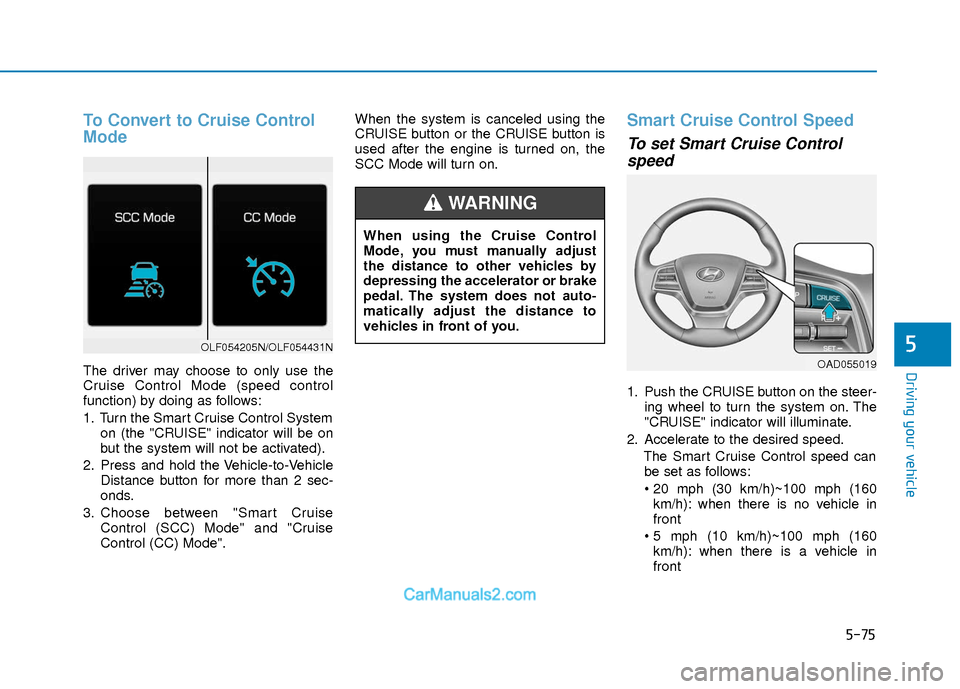
The driver may choose to only use the
Cruise Control Mode (speed control
function) by doing as follows:
1. Turn the Smart Cruise Control Systemon (the "CRUISE" indicator will be on
but the system will not be activated).
2. Press and hold the Vehicle-to-Vehicle Distance button for more than 2 sec-
onds.
3. Choose between "Smart Cruise Control (SCC) Mode" and "Cruise
Control (CC) Mode". When the system is canceled using the
CRUISE button or the CRUISE button is
used after the engine is turned on, the
SCC Mode will turn on.
Smart Cruise Control Speed
To set Smart Cruise Control
speed
1. Push the CRUISE button on the steer-
ing wheel to turn the system on. The
"CRUISE" indicator will illuminate.
2. Accelerate to the desired speed. The Smart Cruise Control speed canbe set as follows:
km/h): when there is no vehicle in
front
km/h): when there is a vehicle in
front
OLF054205N/OLF054431N
When using the Cruise Control
Mode, you must manually adjust
the distance to other vehicles by
depressing the accelerator or brake
pedal. The system does not auto-
matically adjust the distance to
vehicles in front of you.
WARNING
OAD055019
Page 361 of 526
5-78
Driving your vehicle
Canceled automatically
The vehicle speed is under 6 mph (10km/h).
The driver’s door is opened.
The parking brake is applied.
The shift lever is shifted to N (Neutral), R (Reverse) or P (Park).
The vehicle speed is over 105 mph (170 km/h).
The ESC (Electronic Stability Control) or ABS is operating.
The ESC is turned off.
The radar or the cover is dirty or blocked with foreign matter.
The SCC system has malfunctioned.
The accelerator pedal is continuously depressed for a long period.
The engine RPM enters the red zone.
The AEB is activated.
If the Smart Cruise Control is can-
celed by other than the reasons men-
tioned, have your vehicle checked by
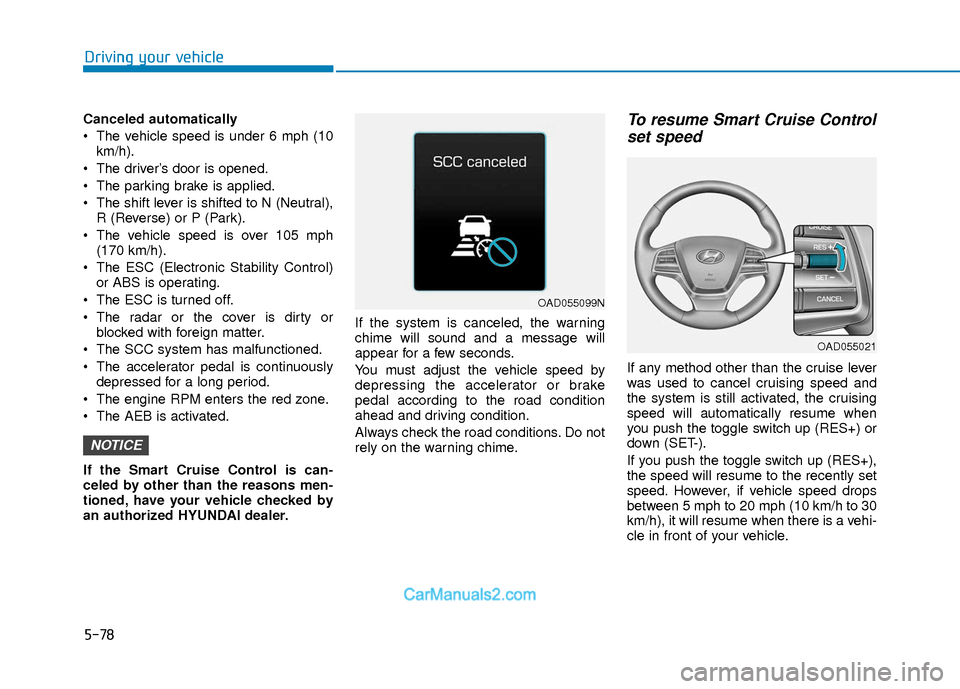
an authorized HYUNDAI dealer. If the system is canceled, the warning
chime will sound and a message will
appear for a few seconds.
You must adjust the vehicle speed by
depressing the accelerator or brake
pedal according to the road condition
ahead and driving condition.
Always check the road conditions. Do not
rely on the warning chime.To resume Smart Cruise Control
set speed
If any method other than the cruise lever
was used to cancel cruising speed and
the system is still activated, the cruising
speed will automatically resume when
you push the toggle switch up (RES+) or
down (SET-).
If you push the toggle switch up (RES+),
the speed will resume to the recently set
speed. However, if vehicle speed drops
between 5 mph to 20 mph (10 km/h to 30
km/h), it will resume when there is a vehi-
cle in front of your vehicle.
NOTICE
OAD055021
OAD055099N
Page 363 of 526
5-80
Driving your vehicle
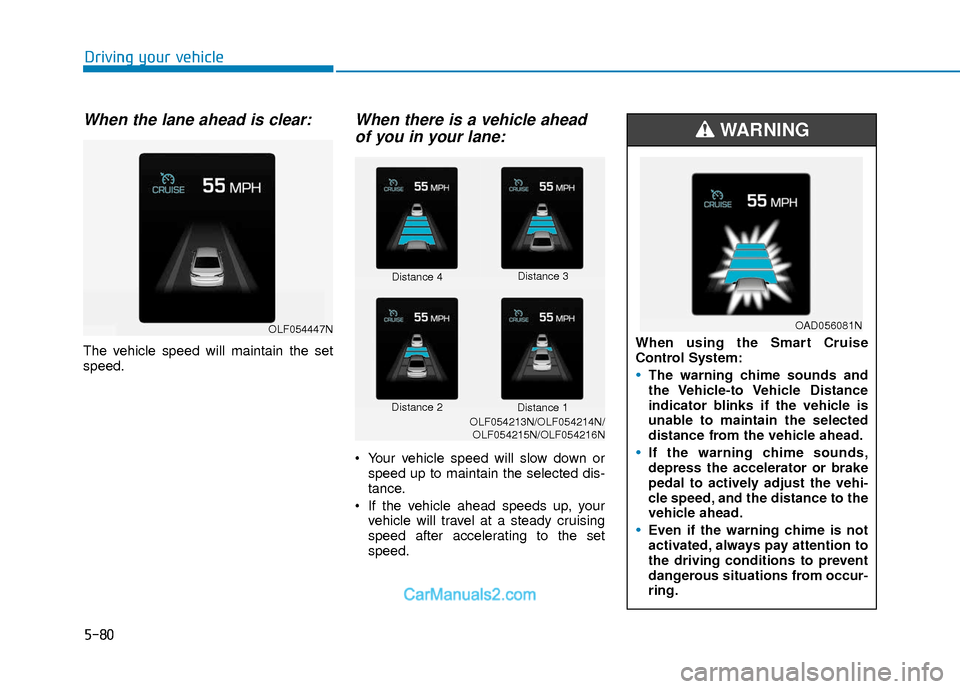
When the lane ahead is clear:
The vehicle speed will maintain the set
speed.
When there is a vehicle aheadof you in your lane:
Your vehicle speed will slow down or
speed up to maintain the selected dis-
tance.
If the vehicle ahead speeds up, your vehicle will travel at a steady cruising
speed after accelerating to the set
speed.
Distance 4 Distance 3
Distance 2 Distance 1
OLF054213N/OLF054214N/
OLF054215N/OLF054216N
OLF054447NWhen using the Smart Cruise
Control System:
The warning chime sounds and
the Vehicle-to Vehicle Distance
indicator blinks if the vehicle is
unable to maintain the selected
distance from the vehicle ahead.
If the warning chime sounds,
depress the accelerator or brake
pedal to actively adjust the vehi-
cle speed, and the distance to the
vehicle ahead.
Even if the warning chime is not
activated, always pay attention to
the driving conditions to prevent
dangerous situations from occur-
ring.
WARNING
OAD056081N
Page 364 of 526
5-81
Driving your vehicle
5
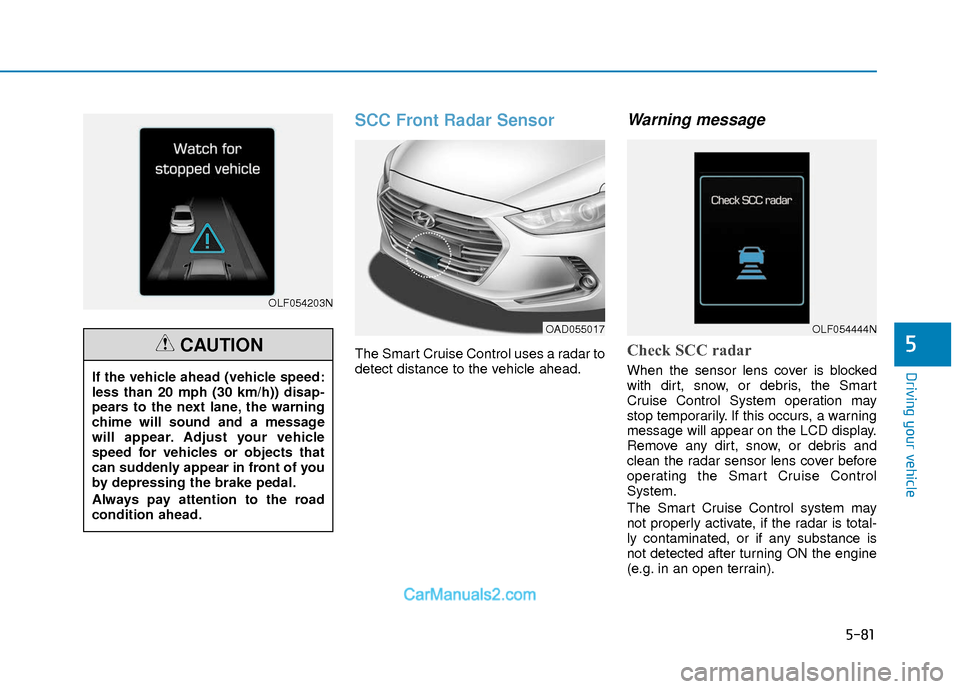
SCC Front Radar Sensor
The Smart Cruise Control uses a radar to
detect distance to the vehicle ahead.
Warning message
Check SCC radar
When the sensor lens cover is blocked
with dirt, snow, or debris, the Smart
Cruise Control System operation may
stop temporarily. If this occurs, a warning
message will appear on the LCD display.
Remove any dirt, snow, or debris and
clean the radar sensor lens cover before
operating the Smart Cruise Control
System.
The Smart Cruise Control system may
not properly activate, if the radar is total-
ly contaminated, or if any substance is
not detected after turning ON the engine
(e.g. in an open terrain).
OLF054203N
If the vehicle ahead (vehicle speed:
less than 20 mph (30 km/h)) disap-
pears to the next lane, the warning
chime will sound and a message
will appear. Adjust your vehicle
speed for vehicles or objects that
can suddenly appear in front of you
by depressing the brake pedal.
Always pay attention to the road
condition ahead.
CAUTION
OAD055017OLF054444N
Page 365 of 526
5-82
Driving your vehicle
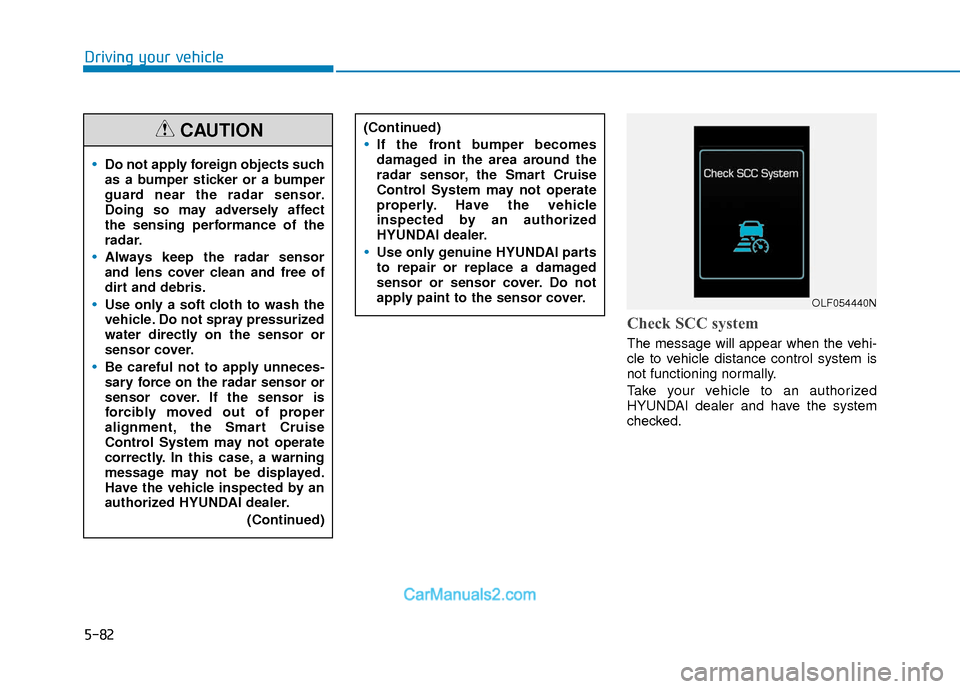
Check SCC system
The message will appear when the vehi-
cle to vehicle distance control system is
not functioning normally.
Take your vehicle to an authorized
HYUNDAI dealer and have the system
checked.
Do not apply foreign objects such
as a bumper sticker or a bumper
guard near the radar sensor.
Doing so may adversely affect
the sensing performance of the
radar.
Always keep the radar sensor
and lens cover clean and free of
dirt and debris.
Use only a soft cloth to wash the
vehicle. Do not spray pressurized
water directly on the sensor or
sensor cover.
Be careful not to apply unneces-
sary force on the radar sensor or
sensor cover. If the sensor is
forcibly moved out of proper
alignment, the Smart Cruise
Control System may not operate
correctly. In this case, a warning
message may not be displayed.
Have the vehicle inspected by an
authorized HYUNDAI dealer.(Continued)
CAUTION(Continued)
If the front bumper becomes
damaged in the area around the
radar sensor, the Smart Cruise
Control System may not operate
properly. Have the vehicle
inspected by an authorized
HYUNDAI dealer.
Use only genuine HYUNDAI parts
to repair or replace a damaged
sensor or sensor cover. Do not
apply paint to the sensor cover.
OLF054440N
Page 369 of 526
5-86
Driving your vehicle
The Smart Cruise Control System may
not operate temporarily due to:
Electrical interference
Modifying the suspension
Differences of tire abrasion or tirepressure
Installing different type of tires
Information
This device complies with Part 15 of the
FCC rules.
Operation is subject to the following three
conditions:
1. This device may not cause harmful interference, and
2. This device must accept any interfer- ence received, including interference
that may cause undesired operation.
3. Changes or modifications not expressly approved by the party responsible for
compliance could void the user’s
authority to operate the device.
Information
Radio frequency radiation exposure infor-
mation:
This equipment complies with FCC radia-
tion exposure limits set forth for an uncon-
trolled environment.
This equipment should be installed and
operated with minimum distance of 8 in.
(20 cm) between the radiator (antenna)
and your body.
This transmitter must not be co-located or
operating in conjunction with any other
antenna or transmitter.
i
i
NOTICE
When using the Smart Cruise
Control take the following precau-
tions:
If an emergency stop is neces-
sary, you must apply the brakes.
The vehicle cannot be stopped by
using the Smart Cruise Control
System.
Keep a safe distance according
to road conditions and vehicle
speed. If the vehicle to vehicle
distance is too close during a
high-speed driving, a serious col-
lision may result.
Always maintain sufficient brak-
ing distance and decelerate your
vehicle by applying the brakes if
necessary.
The Smart Cruise Control System
cannot recognize a stopped vehi-
cle, pedestrians or an oncoming
vehicle. Always look ahead cau-
tiously to prevent unexpected
and sudden situations from
occurring.
(Continued)
WARNING (Continued)
Vehicles moving in front of you
with a frequent lane change may
cause a delay in the system's
reaction or may cause the system
to react to a vehicle actually in an
adjacent lane. Always drive cau-
tiously to prevent unexpected
and sudden situations from
occurring.
Always be aware of the selected
speed and vehicle to vehicle dis-
tance.
The Smart Cruise Control System
may not recognize complex driv-
ing situations so always pay
attention to driving conditions
and control your vehicle speed.
Page 370 of 526
5-87
Driving your vehicle
5
Hazardous Driving Conditions
When hazardous driving elements are
encountered such as water, snow, ice,
mud and sand, take the below sugges-
tions:
Drive cautiously and keep a longerbraking distance.
Avoid abrupt braking or steering.
When your vehicle is stuck in snow, mud, or sand, use second gear.
Accelerate slowly to avoid unneces-
sary wheel spin.
Put sand, rock salt, tire chains or other non-slip materials under the wheels to
provide additional traction while the
vehicle becomes stuck in ice, snow, or
mud.
Rocking the Vehicle
If it is necessary to rock the vehicle to
free it from snow, sand, or mud, first turn
the steering wheel right and left to clear
the area around your front wheels. Then,
shift back and forth between R (Reverse)
and a forward gear.
Try to avoid spinning the wheels, and do
not race the engine.
To prevent transmission wear, wait until
the wheels stop spinning before shifting
gears. Release the accelerator pedal
while shifting, and press lightly on the
accelerator pedal while the transmission
is in gear. Slowly spinning the wheels in
forward and reverse directions causes a
rocking motion that may free the vehicle.
Information
The ESC system must be turned OFF
before rocking the vehicle.
i
S SP
P E
EC
CI
IA
A L
L
D
D R
RI
IV
V I
IN
N G
G
C
C O
O N
ND
DI
IT
T I
IO
O N
NS
S
Downshifting with an automatic
transmission/dual clutch transmis-
sion while driving on slippery sur-
faces can cause an accident. The
sudden change in tire speed could
cause the tires to skid. Be careful
when downshifting on slippery sur-
faces.
WARNING
If the vehicle is stuck and excessive
wheel spin occurs, the temperature
in the tires can increase very quick-
ly. If the tires become damaged, a
tire blow out or tire explosion can
occur. This condition is dangerous -
you and others may be injured. Do
not attempt this procedure if people
or objects are anywhere near the
vehicle.
If you attempt to free the vehicle,
the vehicle can overheat quickly,
possibly causing an engine com-
partment fire or other damage. Try
to avoid spinning the wheels as
much as possible to prevent over-
heating of either the tires or the
engine. DO NOT allow the vehicle to
spin the wheels above 35 mph (56
km/h).
WARNING
Page 372 of 526
5-89
Driving your vehicle
5
Hydroplaning
If the road is wet enough and you are
going fast enough, your vehicle may have
little or no contact with the road surface
and actually ride on the water. The best
advice is SLOW DOWN when the road is
wet.
The risk of hydroplaning increases as
the depth of tire tread decreases, refer
to "Tire Tread" in chapter 7.
Driving in Flooded Areas
Avoid driving through flooded areas
unless you are sure the water is no high-
er than the bottom of the wheel hub.
Drive through any water slowly. Allow
adequate stopping distance because
brake performance may be reduced.
After driving through water, dry the
brakes by gently applying them several
times while the vehicle is moving slowly.
Highway Driving
Tires
Adjust the tire inflation, as specified.
Under-inflation may overheat or damage
the tires.
Do not install worn-out or damaged tires,
which may reduce traction or adversely
affect vehicle handling. This could lead to
sudden tire failure that may cause loss of
vehicle control resulting in an accident.
Information
Never over-inflate your tires above the
maximum inflation pressure, as specified
on your tires.
Fuel, engine coolant and engineoil
Driving at higher speeds on the highway
consumes more fuel and is less efficient
than driving at a slower, more moderate
speed. Maintain a moderate speed in
order to conserve fuel when driving on
the highway.
Be sure to check both the engine coolant
level and the engine oil before driving.
Drive belt
A loose or damaged drive belt may over-
heat the engine.
i
In a rollover crash, an unbelted per-
son is significantly more likely to
die than a person wearing a seat
belt. Make sure all passengers are
wearing their seat belts.
WARNING