warning Hyundai Elantra 2018 Owner's Manual
[x] Cancel search | Manufacturer: HYUNDAI, Model Year: 2018, Model line: Elantra, Model: Hyundai Elantra 2018Pages: 526, PDF Size: 17.2 MB
Page 328 of 526
5-45
Driving your vehicle
5
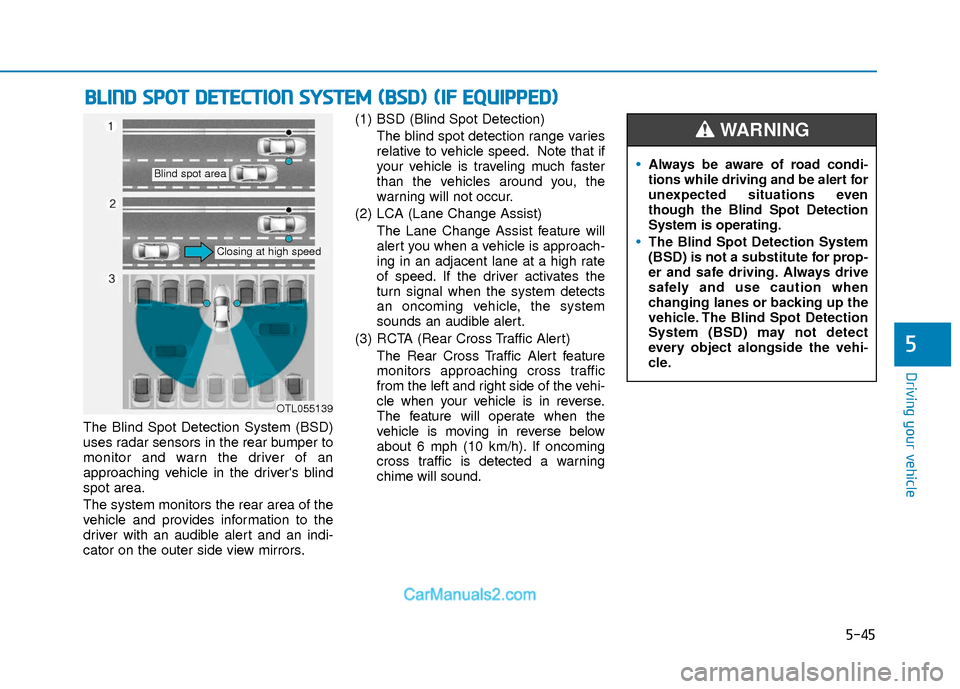
The Blind Spot Detection System (BSD)
uses radar sensors in the rear bumper to
monitor and warn the driver of an
approaching vehicle in the driver's blind
spot area.
The system monitors the rear area of the
vehicle and provides information to the
driver with an audible alert and an indi-
cator on the outer side view mirrors.(1) BSD (Blind Spot Detection)
The blind spot detection range varies
relative to vehicle speed. Note that if
your vehicle is traveling much faster
than the vehicles around you, the
warning will not occur.
(2) LCA (Lane Change Assist) The Lane Change Assist feature will
alert you when a vehicle is approach-
ing in an adjacent lane at a high rate
of speed. If the driver activates the
turn signal when the system detects
an oncoming vehicle, the system
sounds an audible alert.
(3) RCTA (Rear Cross Traffic Alert) The Rear Cross Traffic Alert feature
monitors approaching cross traffic
from the left and right side of the vehi-
cle when your vehicle is in reverse.
The feature will operate when the
vehicle is moving in reverse below
about 6 mph (10 km/h). If oncoming
cross traffic is detected a warning
chime will sound.
B BL
LI
IN
N D
D
S
S P
P O
O T
T
D
D E
ET
T E
EC
CT
T I
IO
O N
N
S
S Y
Y S
ST
T E
EM
M
(
( B
B S
SD
D )
)
(
( I
IF
F
E
E Q
Q U
UI
IP
P P
PE
ED
D )
)
OTL055139
Blind spot area
Closing at high speed
Always be aware of road condi-
tions while driving and be alert for
unexpected situations even
though the Blind Spot Detection
System is operating.
The Blind Spot Detection System
(BSD) is not a substitute for prop-
er and safe driving. Always drive
safely and use caution when
changing lanes or backing up the
vehicle. The Blind Spot Detection
System (BSD) may not detect
every object alongside the vehi-
cle.
WARNING
Page 329 of 526
5-46
Driving your vehicle
BSD (Blind Spot Detection) /
LCA (Lane Change Assist)
Operating conditions
To operate:
Press the BSD switch with the ignition
switch in the ON position.
The indicator on the BSD switch will illu-
minate.To cancel:
Press the BSD switch again. The indica-
tor on the switch will go off.
Information
• If the ignition switch is pressed OFF and
then ON again, the BSD system returns
to the previous state.
• When the system is turned on, the warn- ing light will illuminate for 3 seconds on
the outer side view mirror.
The system will activate when:
1. The system is on.
2. The vehicle speed is above about 20 mph (30 km/h).
3. An oncoming vehicle is detected in the blind spot area.
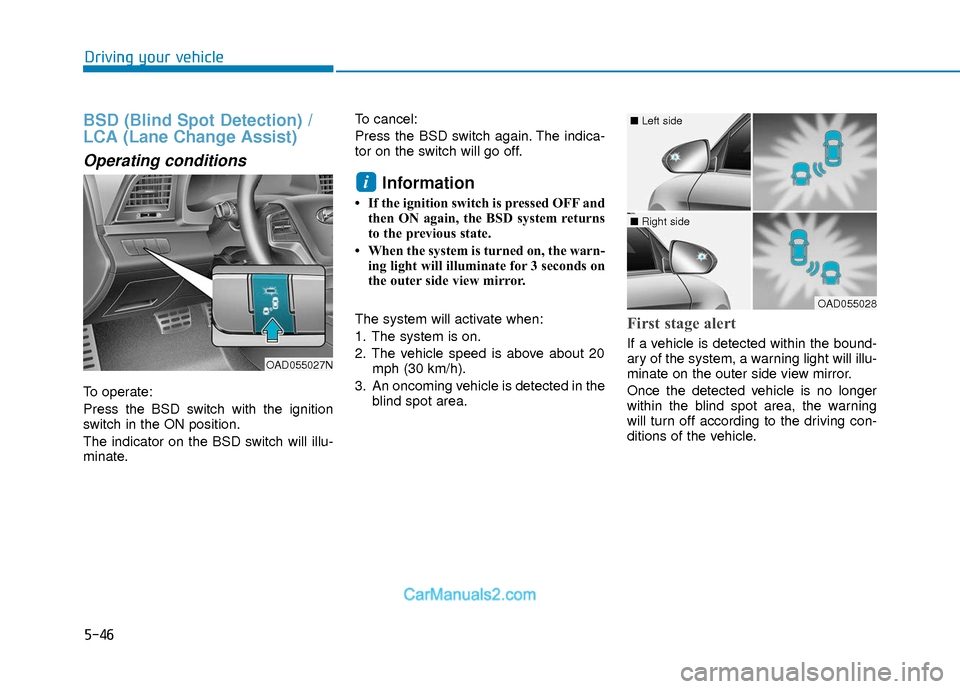
First stage alert
If a vehicle is detected within the bound-
ary of the system, a warning light will illu-
minate on the outer side view mirror.
Once the detected vehicle is no longer
within the blind spot area, the warning
will turn off according to the driving con-
ditions of the vehicle.
i
OAD055027N
OAD055028
■ Left side
■ Right side
Page 330 of 526
5-47
Driving your vehicle
5
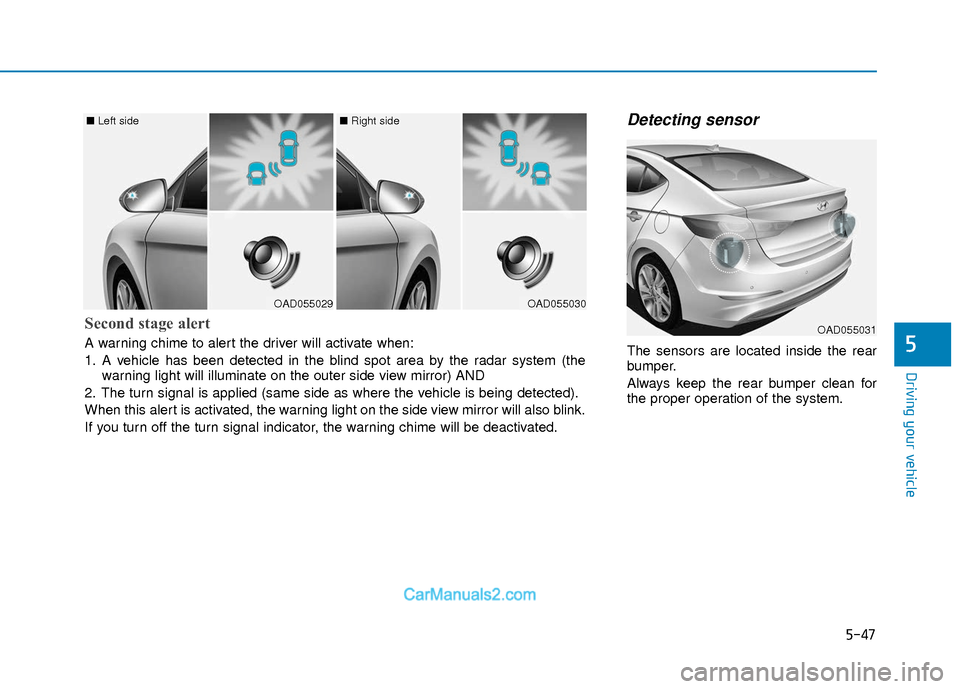
Detecting sensor
The sensors are located inside the rear
bumper.
Always keep the rear bumper clean for
the proper operation of the system.
OAD055029
■ Left side
OAD055030
■ Right side
Second stage alert
A warning chime to alert the driver will activate when:
1. A vehicle has been detected in the blind spot area by the radar system (the
warning light will illuminate on the outer side view mirror) AND
2. The turn signal is applied (same side as where the vehicle is being detected).
When this alert is activated, the warning light on the side view mirror will also blink.
If you turn off the turn signal indicator, the warning chime will be deactivated.OAD055031
Page 331 of 526
5-48
Driving your vehicle
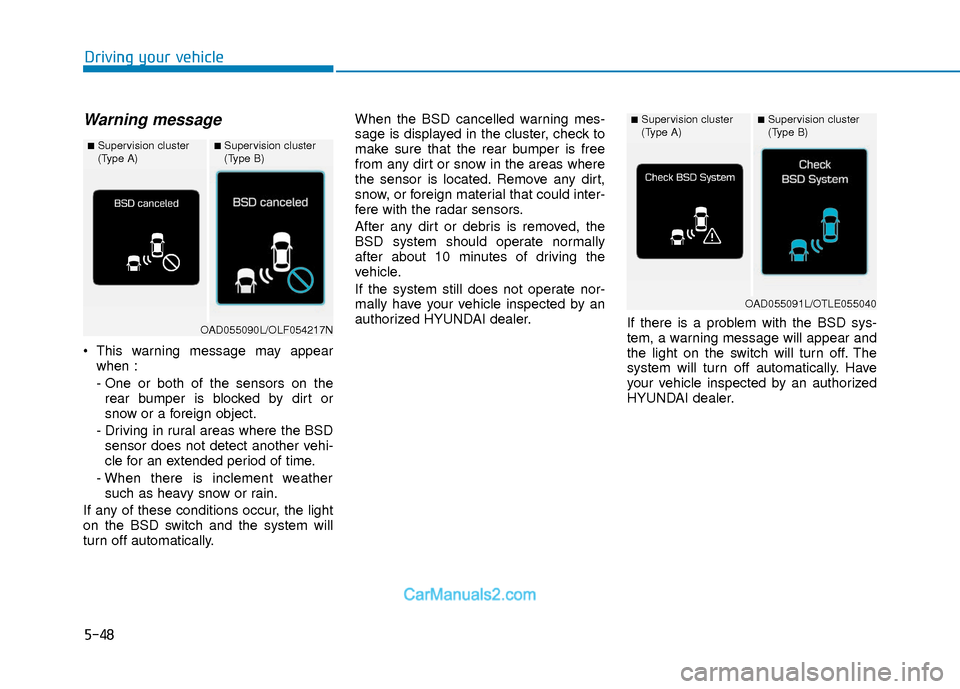
Warning message
This warning message may appearwhen :
- One or both of the sensors on therear bumper is blocked by dirt or
snow or a foreign object.
- Driving in rural areas where the BSD sensor does not detect another vehi-
cle for an extended period of time.
- When there is inclement weather such as heavy snow or rain.
If any of these conditions occur, the light
on the BSD switch and the system will
turn off automatically. When the BSD cancelled warning mes-
sage is displayed in the cluster, check to
make sure that the rear bumper is free
from any dirt or snow in the areas where
the sensor is located. Remove any dirt,
snow, or foreign material that could inter-
fere with the radar sensors.
After any dirt or debris is removed, the
BSD system should operate normally
after about 10 minutes of driving the
vehicle.
If the system still does not operate nor-
mally have your vehicle inspected by an
authorized HYUNDAI dealer.
If there is a problem with the BSD sys-
tem, a warning message will appear and
the light on the switch will turn off. The
system will turn off automatically. Have
your vehicle inspected by an authorized
HYUNDAI dealer.
■Supervision cluster
(Type A)■Supervision cluster
(Type B)
OAD055090L/OLF054217N
■Supervision cluster
(Type A)■Supervision cluster
(Type B)
OAD055091L/OTLE055040
Page 332 of 526
5-49
Driving your vehicle
5
RCTA (Rear Cross Traffic Alert)
The Rear Cross Traffic Alert feature mon-
itors approaching cross traffic from the
left and right side of the vehicle when
your vehicle is in reverse.
Operating conditions
To operate:
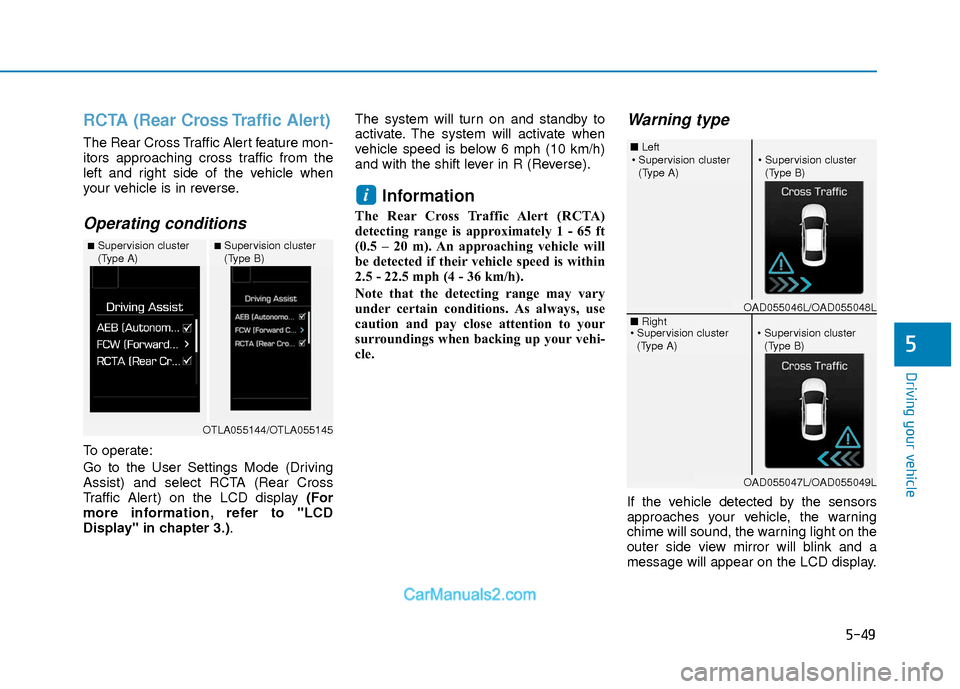
Go to the User Settings Mode (Driving
Assist) and select RCTA (Rear Cross
Traffic Alert) on the LCD display (For
more information, refer to "LCD
Display" in chapter 3.).The system will turn on and standby to
activate. The system will activate when
vehicle speed is below 6 mph (10 km/h)
and with the shift lever in R (Reverse).
Information
The Rear Cross Traffic Alert (RCTA)
detecting range is approximately 1 - 65 ft
(0.5 – 20 m). An approaching vehicle will
be detected if their vehicle speed is within
2.5 - 22.5 mph (4 - 36 km/h).
Note that the detecting range may vary
under certain conditions. As always, use
caution and pay close attention to your
surroundings when backing up your vehi-
cle.
Warning type
If the vehicle detected by the sensors
approaches your vehicle, the warning
chime will sound, the warning light on the
outer side view mirror will blink and a
message will appear on the LCD display.
i
■Supervision cluster
(Type A)■Supervision cluster
(Type B)
OTLA055144/OTLA055145
■
Left
■ Right
(Type A)(Type B)
OAD055046L/OAD055048L
OAD055047L/OAD055049L
(Type A)(Type B)
Page 333 of 526
5-50
Driving your vehicle
Information
• The warning chime will turn off whenthe detected vehicle moves out of the
sensing area or if your vehicle is moved
away from the detected vehicle.
• The system may not operate properly due to other factors or circumstances.
Always pay attention to your surround-
ings.
• If the sensing area near the rear bumper is blocked by either a wall or barrier or
by a parked vehicle, the system sensing
area may be reduced. The system may not work properly
when the bumper has been dam-
aged, or if the rear bumper has been
replaced or repaired.
The sensing range differs some- what according to the width of the
road. When the road is narrow, the
system may detect other vehicles in
the next lane.
The system may turn off due to strong electromagnetic waves.
Non-operating condition
The BSD indicator on the outer side
view mirror may not illuminate
properly when:
- The outer side view mirror housing isdamaged.
- The mirror is covered with dirt, snow, or debris.
- The window is covered with dirt, snow, or debris.
- The window is tinted.
NOTICEi
The warning light on the outer
side view mirror will illuminate
whenever a vehicle is detected at
the rear side by the system.
To avoid accidents, do not focus
only on the warning light and
neglect to see the surrounding of
the vehicle. (Continued)
(Continued)
Drive safely even though the
vehicle is equipped with a Blind
Spot Detection System (BSD) and
Rear Cross Traffic Alert (RCTA).
Do not solely rely on the system
but check your surrounding
before changing lanes or backing
the vehicle up.
The system may not alert the
driver in some conditions so
always check your surroundings
while driving.
The Blind Spot Detection System
(BSD) and Rear Cross Traffic
Alert (RCTA) are not a substitute
for proper and safe driving prac-
tices. Always drive safely and use
caution when changing lanes or
backing up your vehicle. The
Blind Spot Detection System
(BSD) may not detect every
object alongside the vehicle.
WARNING
Page 335 of 526
5-52
Driving your vehicle
The Automatic Emergency Braking
(AEB) system is designed to detect and
monitor the vehicle ahead or detect a
pedestrian in the roadway through radar
signals and camera recognition to warn
the driver that a collision is imminent, and
if necessary, apply emergency braking.System Setting and Activation
System setting
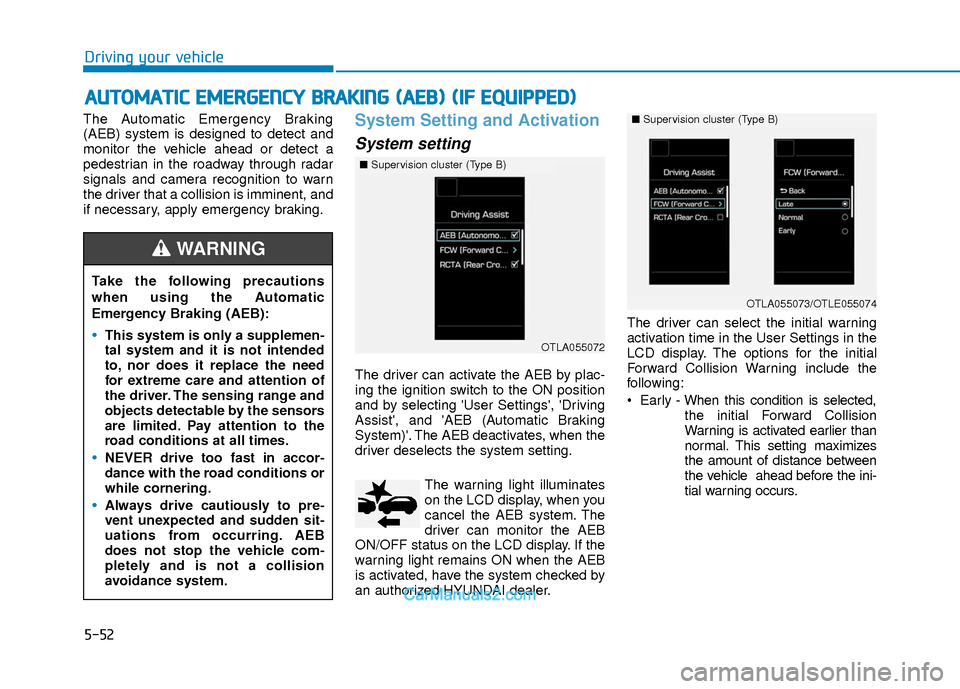
The driver can activate the AEB by plac-
ing the ignition switch to the ON position
and by selecting 'User Settings', 'Driving
Assist', and 'AEB (Automatic Braking
System)'. The AEB deactivates, when the
driver deselects the system setting.The warning light illuminates
on the LCD display, when you
cancel the AEB system. The
driver can monitor the AEB
ON/OFF status on the LCD display. If the
warning light remains ON when the AEB
is activated, have the system checked by
an authorized HYUNDAI dealer. The driver can select the initial warning
activation time in the User Settings in the
LCD display. The options for the initial
Forward Collision Warning include the
following:
Early - When this condition is selected,
the initial Forward Collision
Warning is activated earlier than
normal. This setting maximizes
the amount of distance between
the vehicle ahead before the ini-
tial warning occurs.
A AU
U T
TO
O M
M A
AT
TI
IC
C
E
E M
M E
ER
R G
G E
EN
N C
CY
Y
B
B R
RA
A K
KI
IN
N G
G
(
( A
A E
EB
B )
)
(
( I
IF
F
E
E Q
Q U
UI
IP
P P
PE
ED
D )
)
Take the following precautions
when using the Automatic
Emergency Braking (AEB):
This system is only a supplemen-
tal system and it is not intended
to, nor does it replace the need
for extreme care and attention of
the driver. The sensing range and
objects detectable by the sensors
are limited. Pay attention to the
road conditions at all times.
NEVER drive too fast in accor-
dance with the road conditions or
while cornering.
Always drive cautiously to pre-
vent unexpected and sudden sit-
uations from occurring. AEB
does not stop the vehicle com-
pletely and is not a collision
avoidance system.
WARNING
■ Supervision cluster (Type B)
OTLA055072
■ Supervision cluster (Type B)
OTLA055073/OTLE055074
Page 336 of 526
5-53
Driving your vehicle
5
Normal - When this condition is selected,
the initial Forward Collision
Warning is activated normally.
This setting allows for a nominal
amount of distance between
the vehicle ahead before the ini-
tial warning occurs.
Late - When this condition is selected,
the initial Forward Collision
Warning is activated later than
normal. This setting reduces the
amount of distance between the
vehicle ahead before the initial
warning occurs.Prerequisite for activation
The AEB system is on and ready when
AEB is selected on the LCD display and
when the following prerequisites are sat-
isfied:
- The ESC (Electronic Stability Control) or TCS (Traction Control System) is
activated.
- Driving speed exceeds approximately 6mph (10km/h). (The AEB
is only activated within a certain speed
range.)
- The system detects a pedestrian or a vehicle in front, which may collide with
your vehicle. (The AEB may not be acti-
vated or may sound a warning alarm in
accordance with the driving situation or
vehicle condition.)
Completely stop the vehicle on a
safe location before operating the
switch on the steering wheel to
activate/deactivate the AEB sys-
tem.
The AEB automatically activates
upon placing the ignition switch
to the ON position. The driver can
deactivate the AEB by canceling
the system setting on the LCD
display.
The AEB automatically deacti-
vates upon canceling the ESC
(Electronic Stability Control) or
TCS (Traction Control System).
When the ESC is canceled, the
AEB cannot be activated on the
LCD display.
WARNING
Page 337 of 526
5-54
Driving your vehicle
AEB Warning Message and
System Control
The AEB produces warning messages
and warning alarms in accordance with
the collision risk levels, such as abrupt
stopping of the vehicle in front, insuffi-
cient braking distance, or pedestrian
detection. Also, it controls the brakes in
accordance with the collision risk levels.
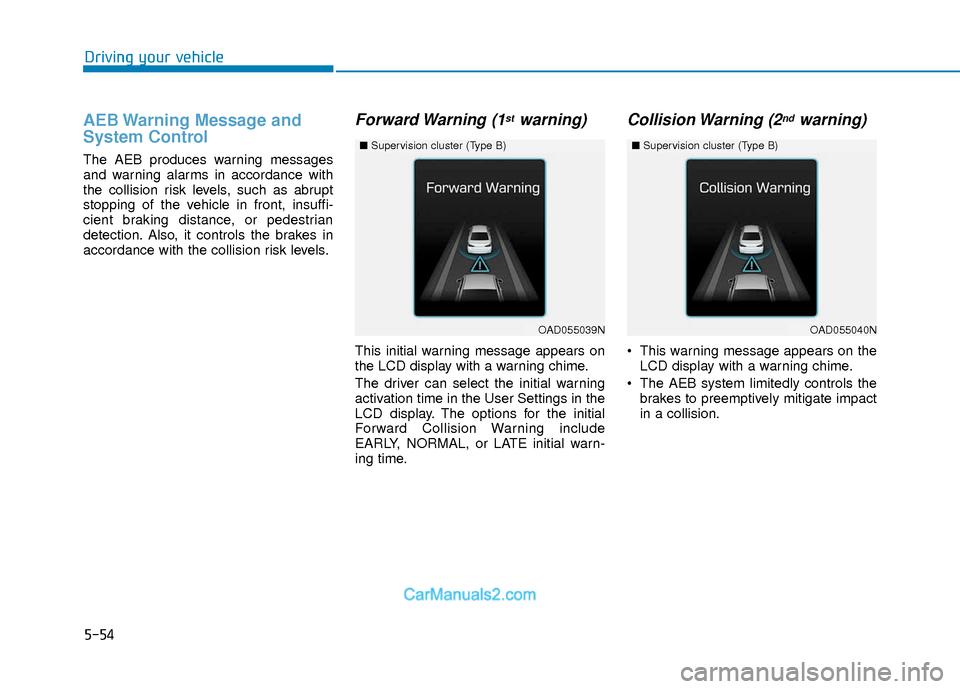
Forward Warning (1stwarning)
This initial warning message appears on
the LCD display with a warning chime.
The driver can select the initial warning
activation time in the User Settings in the
LCD display. The options for the initial
Forward Collision Warning include
EARLY, NORMAL, or LATE initial warn-
ing time.
Collision Warning (2ndwarning)
This warning message appears on theLCD display with a warning chime.
The AEB system limitedly controls the brakes to preemptively mitigate impact
in a collision.
OAD055039N
■ Supervision cluster (Type B)
OAD055040N
■Supervision cluster (Type B)
Page 338 of 526
5-55
Driving your vehicle
5
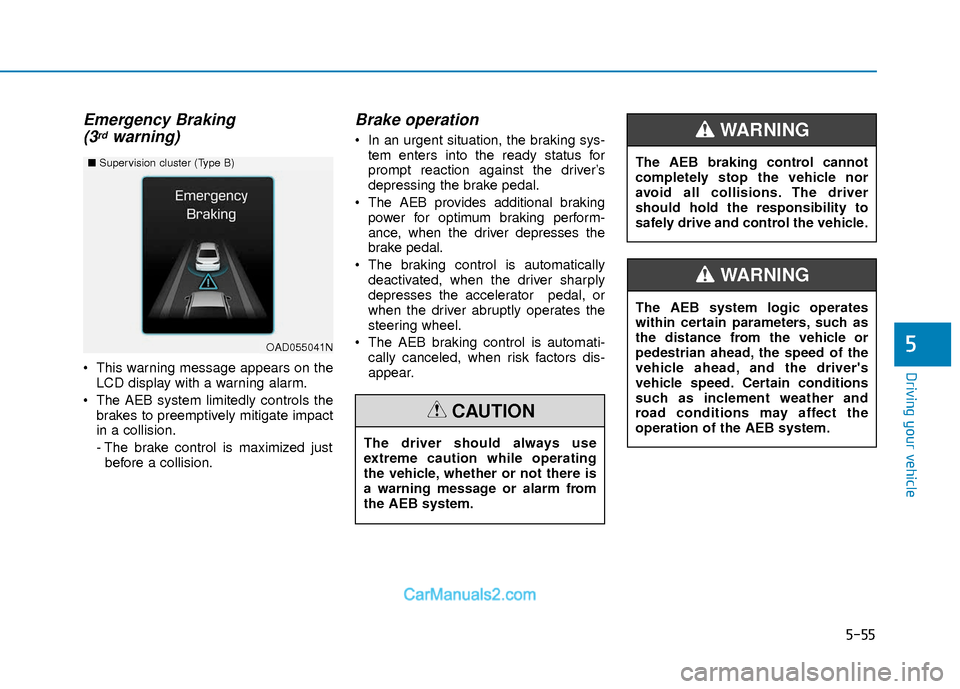
Emergency Braking(3rdwarning)
This warning message appears on the
LCD display with a warning alarm.
The AEB system limitedly controls the brakes to preemptively mitigate impact
in a collision.
- The brake control is maximized justbefore a collision.
Brake operation
In an urgent situation, the braking sys- tem enters into the ready status for
prompt reaction against the driver’s
depressing the brake pedal.
The AEB provides additional braking power for optimum braking perform-
ance, when the driver depresses the
brake pedal.
The braking control is automatically deactivated, when the driver sharply
depresses the accelerator pedal, or
when the driver abruptly operates the
steering wheel.
The AEB braking control is automati- cally canceled, when risk factors dis-
appear.
OAD055041N
■ Supervision cluster (Type B)
The driver should always use
extreme caution while operating
the vehicle, whether or not there is
a warning message or alarm from
the AEB system.
CAUTION
The AEB system logic operates
within certain parameters, such as
the distance from the vehicle or
pedestrian ahead, the speed of the
vehicle ahead, and the driver's
vehicle speed. Certain conditions
such as inclement weather and
road conditions may affect the
operation of the AEB system.
WARNING
The AEB braking control cannot
completely stop the vehicle nor
avoid all collisions. The driver
should hold the responsibility to
safely drive and control the vehicle.
WARNING