buttons Hyundai Elantra 2018 User Guide
[x] Cancel search | Manufacturer: HYUNDAI, Model Year: 2018, Model line: Elantra, Model: Hyundai Elantra 2018Pages: 526, PDF Size: 17.2 MB
Page 188 of 526
3-111
Convenient features of your vehicle
3
M
MA
AN
N U
U A
AL
L
C
C L
LI
IM
M A
AT
TE
E
C
C O
O N
NT
TR
R O
O L
L
S
S Y
Y S
ST
T E
EM
M
(
( I
IF
F
E
E Q
Q U
UI
IP
P P
PE
ED
D )
)
OAD045300/OAD045300N
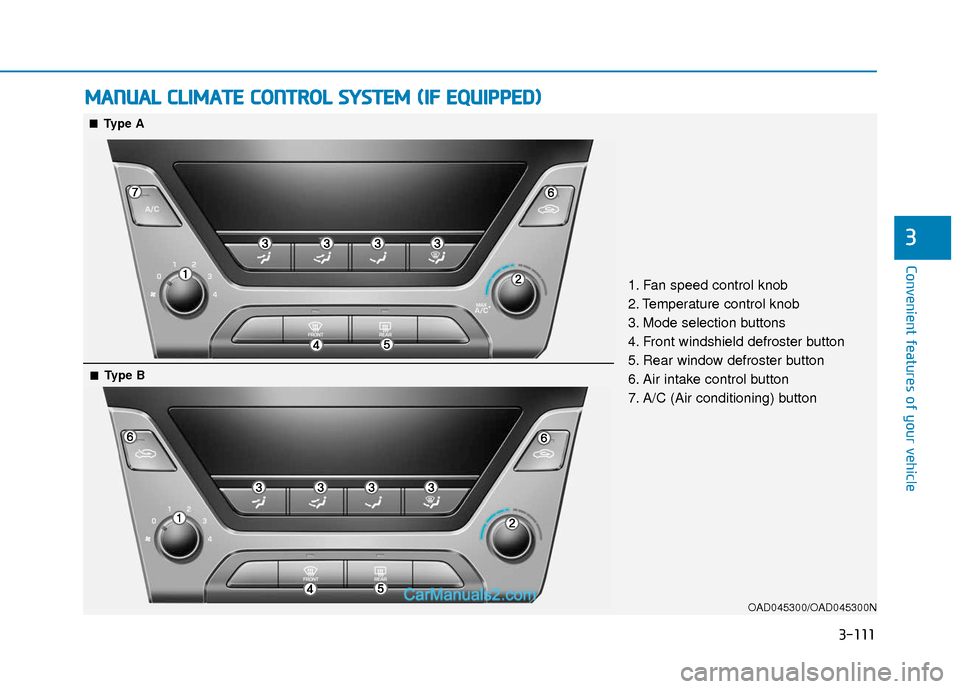
1. Fan speed control knob
2. Temperature control knob
3. Mode selection buttons
4. Front windshield defroster button
5. Rear window defroster button
6. Air intake control button
7. A/C (Air conditioning) button
■ ■Type A
■
■Type B
Page 199 of 526
3-122
Convenient features of your vehicle
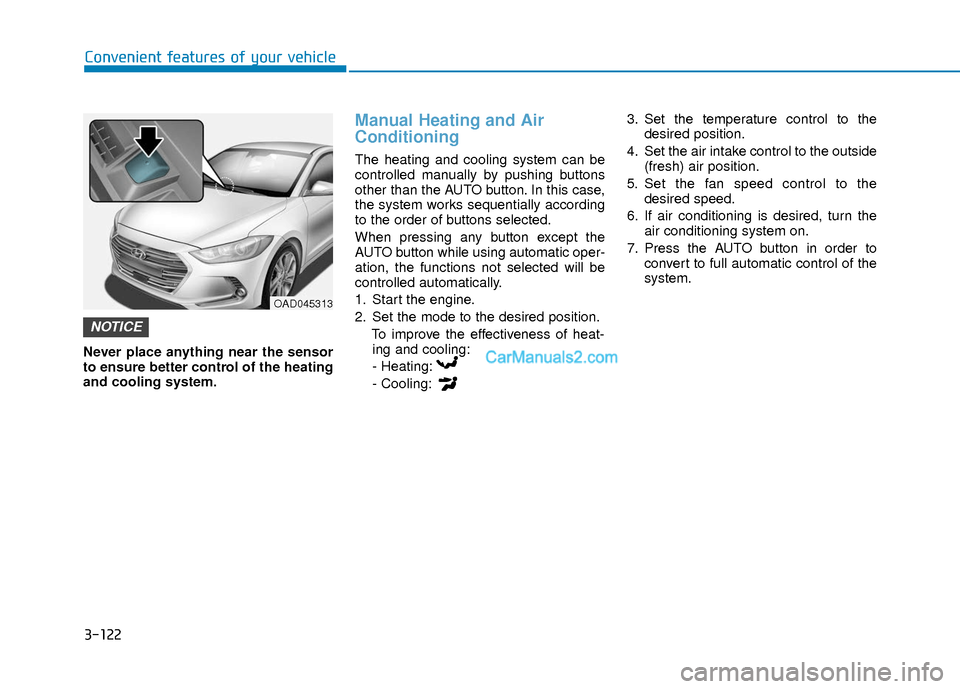
Never place anything near the sensor
to ensure better control of the heating
and cooling system.
Manual Heating and Air
Conditioning
The heating and cooling system can be
controlled manually by pushing buttons
other than the AUTO button. In this case,
the system works sequentially according
to the order of buttons selected.
When pressing any button except the
AUTO button while using automatic oper-
ation, the functions not selected will be
controlled automatically.
1. Start the engine.
2. Set the mode to the desired position.To improve the effectiveness of heat-ing and cooling:
- Heating:
- Cooling: 3. Set the temperature control to the
desired position.
4. Set the air intake control to the outside (fresh) air position.
5. Set the fan speed control to the desired speed.
6. If air conditioning is desired, turn the air conditioning system on.
7. Press the AUTO button in order to convert to full automatic control of the
system.
NOTICE
OAD045313
Page 222 of 526
4-3
Multimedia System
4
Do not clean the inside of the rearglass window with a cleaner or
scraper to remove foreign deposits
as this may cause damage to the
antenna elements.
Avoid adding metallic coatings to the rear glass window. These can
degrade AM and FM broadcast sig-
nals.
Steering Wheel Audio Control
Do not operate multiple audio remote
control buttons simultaneously.
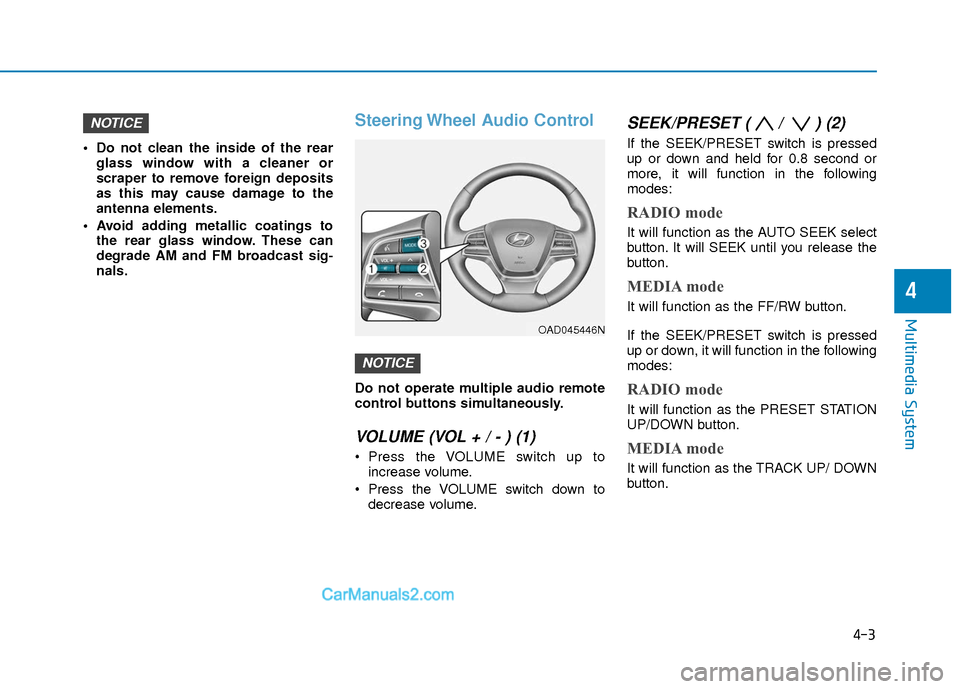
VOLUME (VOL + / - ) (1)
Press the VOLUME switch up toincrease volume.
Press the VOLUME switch down to decrease volume.
SEEK/PRESET ( / ) (2)
If the SEEK/PRESET switch is pressed
up or down and held for 0.8 second or
more, it will function in the following
modes:
RADIO mode
It will function as the AUTO SEEK select
button. It will SEEK until you release the
button.
MEDIA mode
It will function as the FF/RW button.
If the SEEK/PRESET switch is pressed
up or down, it will function in the following
modes:
RADIO mode
It will function as the PRESET STATION
UP/DOWN button.
MEDIA mode
It will function as the TRACK UP/ DOWN
button.
NOTICE
NOTICE
OAD045446N
Page 223 of 526
4-4
Multimedia System
MODE (3)
Press the MODE button to toggle
through Radio, XM, Disc, or AUX modes.
Information
Detailed information for audio control
buttons is described later in this chapter
or in the Car Multimedia User's Manual
that was supplied with this vehicle
Bluetooth®Wireless
Technology Hands-Free
You can use the phone wirelessly by
using the Bluetooth®Wireless
Technology.
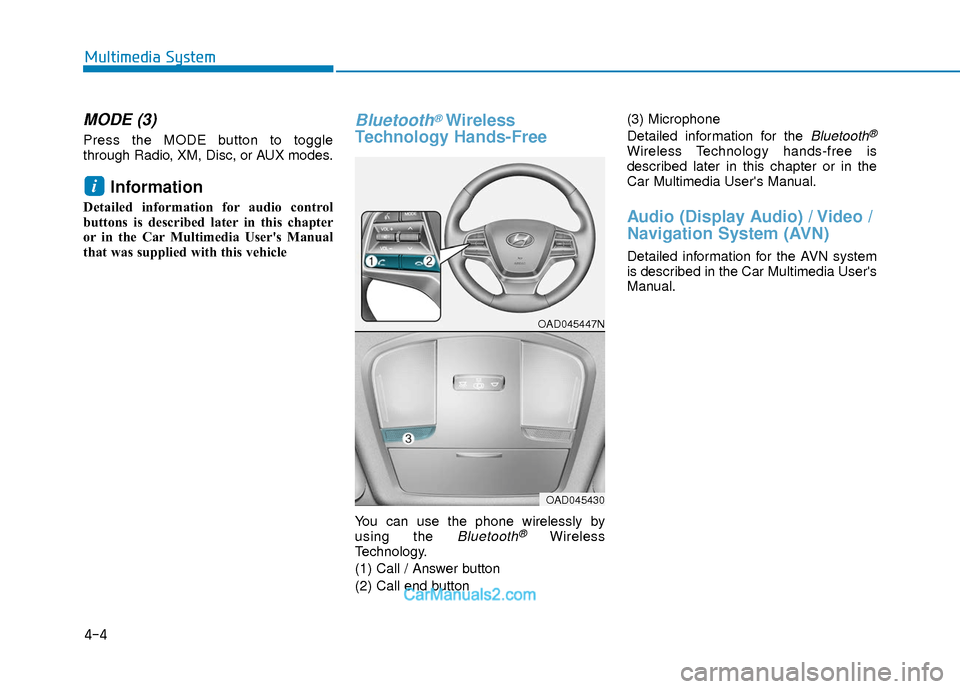
(1) Call / Answer button
(2) Call end button (3) Microphone
Detailed information for the
Bluetooth®
Wireless Technology hands-free is
described later in this chapter or in the
Car Multimedia User's Manual.
Audio (Display Audio) / Video /
Navigation System (AVN)
Detailed information for the AVN system
is described in the Car Multimedia User's
Manual.
i
OAD045447N
OAD045430
Page 236 of 526
4-17
Multimedia System
4
Features of Your Audio
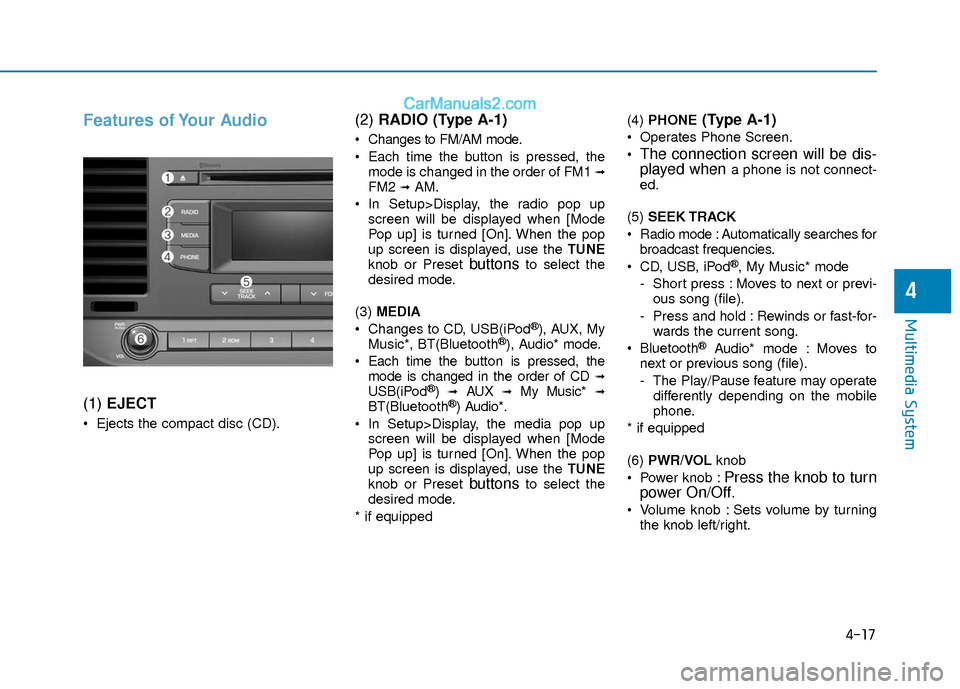
(1) EJECT
Ejects the compact disc (CD).
(2) RADIO (Type A-1)
Changes to FM/AM mode.
Each time the button is pressed, the
mode is changed in the order of FM1
➟FM2 ➟AM.
In Setup>Display, the radio pop up screen will be displayed when [Mode
Pop up] is turned [On]. When the pop
up screen is displayed, use the TUNE
knob or Preset
buttonsto select the
desired mode.
(3) MEDIA
Changes to CD, USB(iPod
®), AUX, My
Music*, BT(Bluetooth®), Audio* mode.
Each time the button is pressed, the mode is changed in the order of CD
➟USB(iPod®)➟AUX➟My Music*➟BT(Bluetooth®) Audio*.
In Setup>Display, the media pop up screen will be displayed when [Mode
Pop up] is turned [On]. When the pop
up screen is displayed, use the TUNE
knob or Preset
buttonsto select the
desired mode.
* if equipped (4)
PHONE
(Type A-1)
Operates Phone Screen.
The connection screen will be dis-
played whena phone is not connect-
ed.
(5) SEEK TRACK
Radio mode : Automatically searches for broadcast frequencies.
CD, USB, iPod
®, My Music* mode
- Short press : Moves to next or previ- ous song (file).
- Press and hold : Rewinds or fast-for- wards the current song.
Bluetooth
®Audio* mode : Moves to
next or previous song (file).
- The Play/Pause feature may operate differently depending on the mobile
phone.
* if equipped
(6) PWR/VOL knob
Power knob :
Press the knob to turn
power On/Off.
Volume knob : Sets volume by turning
the knob left/right.
Page 240 of 526
4-21
Multimedia System
4
Features of Your Audio
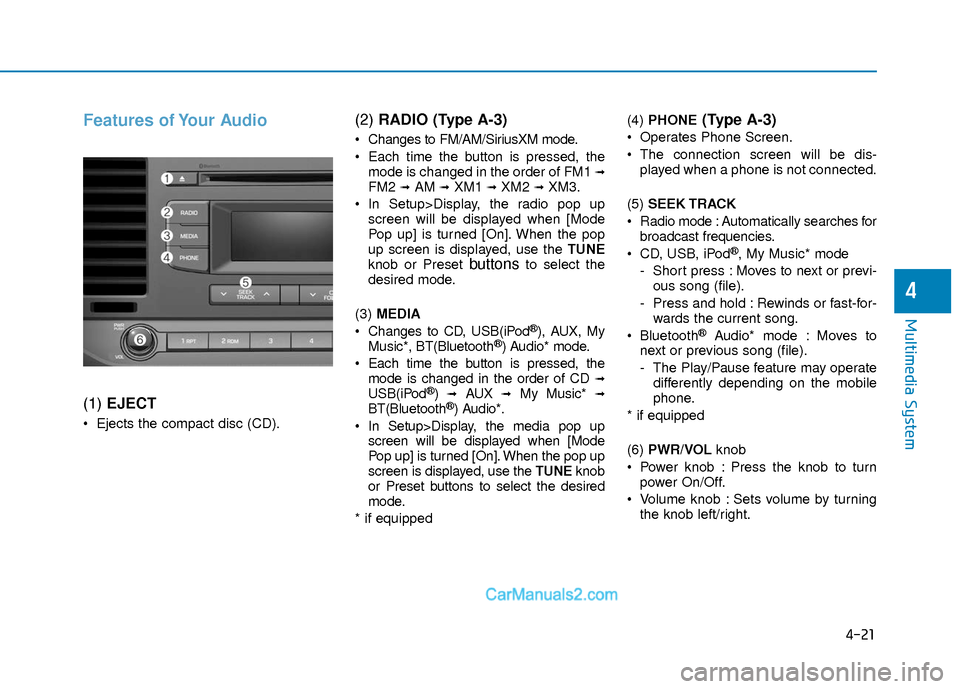
(1) EJECT
Ejects the compact disc (CD).
(2) RADIO (Type A-3)
Changes to FM/AM/SiriusXM mode.
Each time the button is pressed, the
mode is changed in the order of FM1
➟FM2 ➟AM ➟XM1 ➟XM2 ➟XM3.
In Setup>Display, the radio pop up screen will be displayed when [Mode
Pop up] is turned [On]. When the pop
up screen is displayed, use the TUNE
knob or Preset
buttonsto select the
desired mode.
(3) MEDIA
Changes to CD, USB(iPod
®), AUX, My
Music*, BT(Bluetooth®) Audio* mode.
Each time the button is pressed, the mode is changed in the order of CD
➟USB(iPod®)➟AUX➟My Music*➟BT(Bluetooth®) Audio*.
In Setup>Display, the media pop up screen will be displayed when [Mode
Pop up] is turned [On]. When the pop up
screen is displayed, use the TUNE knob
or Preset buttons to select the desired
mode.
* if equipped (4)
PHONE
(Type A-3)
Operates Phone Screen.
The connection screen will be dis-
played when a phone is not connected.
(5) SEEK TRACK
Radio mode : Automatically searches for broadcast frequencies.
CD, USB, iPod
®, My Music* mode
- Short press : Moves to next or previ- ous song (file).
- Press and hold : Rewinds or fast-for- wards the current song.
Bluetooth
®Audio* mode : Moves to
next or previous song (file).
- The Play/Pause feature may operate differently depending on the mobile
phone.
* if equipped
(6) PWR/VOL knob
Power knob : Press the knob to turn power On/Off.
Volume knob : Sets volume by turning the knob left/right.