change time Hyundai Elantra 2018 User Guide
[x] Cancel search | Manufacturer: HYUNDAI, Model Year: 2018, Model line: Elantra, Model: Hyundai Elantra 2018Pages: 526, PDF Size: 17.2 MB
Page 103 of 526
3-26
Convenient features of your vehicle
Information
Some devices may require you to replace
this Programming step 3 with procedures
noted in the "Gate Operator/Canadian
Programming" chapter. If the
HomeLink
®indicator light does not
change to a rapidly blinking light after
performing these steps, contact
HomeLink
®at www.homelink.com.
4. Press and hold for 5 seconds and release the programmed HomeLink
®
button up to two separate times to
activate the door. If the door does not
activate, press and hold the just-
trained HomeLink
®button and
observe the indicator light.
stantly, programming is complete
and your device should activate
when the HomeLink
®button is
pressed and released.
2 seconds and then turns to a con-
stant light, continue with
"Programming" steps 5-7 to com-
plete the programming of a rolling
code equipped device (most com-
monly a garage door opener). 5. At the garage door opener receiver
(motor-head unit) in the garage, locate
the "learn" or "smart" button. This can
usually be found where the hanging
antenna wire is attached to the motor-
head unit.
6. Firmly press and release the "learn" or "smart" button. (The name and color
of the button vary by manufacturer).
There are 30 seconds to initiate step
7.
7. Return to the vehicle and firmly press, hold for 2 seconds and release the
programmed HomeLink
®button.
Repeat the "press/hold/release"
sequence a second time, and,
depending on the brand of the garage
door opener (or other rolling code
equipped device), repeat this
sequence a third time to complete the
programming process.
HomeLink
®should now activate your
rolling code equipped device.
Gate operator & Canadian programming
During programming, your handheld
transmitter may automatically stop trans-
mitting. Continue to press the Integrated
HomeLink
®Wireless Control System but-
ton (note steps 2 through 3 in the
Programming portion of this document)
while you press and re-press ("cycle")
your handheld transmitter every two sec-
onds until the frequency signal has been
learned. The indicator light will flash
slowly and then rapidly after several sec-
onds upon successful training.
Operating HomeLink®
To operate, simply press and release the
programmed HomeLink®button.
Activation will now occur for the trained
device (i.e. garage door opener, gate
operator, security system, entry door
lock, home/office lighting, etc.). For con-
venience, the hand-held transmitter of
the device may also be used at any time.
i
Page 104 of 526
3-27
Convenient features of your vehicle
3
Reprogramming a single HomeLink®but-
ton
To program a device to HomeLink®using
a HomeLink®button previously trained,
follow these steps:
1. Press and hold the desired HomeLink
®
button. DO NOT release the button.
2. The indicator light will begin to flash after 20 seconds. Without releasing the
HomeLink
®button, proceed with
"Programming" step 2.
For questions or comments, contact
HomeLink
®at www.homelink.comor 1-
800-355-3515.
Erasing HomeLink®buttons
Individual buttons cannot be erased.
However, to erase all three programmed
buttons:
1. Press and hold the two outer HomeLink
®buttons until the indicator
light begins to flash after 10 seconds.
2. Release both buttons. Do not hold for longer than 20 seconds.
The Integrated HomeLink
®Wireless
Control System is now in the training
(learn) mode and can be programmed at
any time following the appropriate steps
in the Programming chapters above. NVS
®is a registered trademark and Z-
Nav™ is a trademark of the Gentex
Corporation, Zeeland, Michigan.
HomeLink
®is a registered trademark
owned by Johnson Controls,
Incorporated, Milwaukee, Wisconsin.
FCC ID: NZLTLMHL4
IC: 4112A-TLMHL4
Information
This device complies with Part 15 of the
FCC Rules.
Operation is subject to the following three
conditions:
1. This device may not cause harmful interference, and
2. This device must accept any interfer- ence received, including interference
that may cause undesired operation.
3. The transceiver has been tested and complies with FCC and Industry
Canada rules. Changes or modifica-
tions not expressly approved by the
party responsible for compliance could
void the user's authority to operate the
device.
Electric chromic mirror (ECM)with compass and HomeLink®
system (for Canada)
Your vehicle may be equipped with a
Gentex Automatic-Dimming Mirror with a
Z-Nav™ Electronic Compass Display
and an Integrated HomeLink
®Wireless
Control System.
During nighttime driving, this feature will
automatically detect and reduce rearview
mirror glare while the compass indicates
the direction the vehicle is pointed. The
HomeLink
®Universal Transceiver allows
you to activate your garage door(s), elec-
tric gate, home lighting, etc.
i
Page 110 of 526
3-33
Convenient features of your vehicle
3
Erasing HomeLink®buttons
Individual buttons cannot be erased.
However, to erase all three programmed
buttons:
1. Press and hold the two outerHomeLink
®buttons until the indicator
light begins to flash-after 20 seconds.
2. Release both buttons. Do not hold for longer than 30 seconds.
The Integrated HomeLink
®Wireless
Control System is now in the training
(learn) mode and can be programmed at
any time following the appropriate steps in
the Programming chapters above.
NVS
®is a registered trademark and Z-
Nav™ is a trademark of the Gentex
Corporation, Zeeland, Michigan.
HomeLink
®is a registered trademark
owned by Johnson Controls,
Incorporated, Milwaukee, Wisconsin.
FCC ID: NZLZTVHL3
IC: 4112A-ZTVHL3
Information
This device complies with Part 15 of the
FCC Rules.
Operation is subject to the following three
conditions:
1. This device may not cause harmful interference, and
2. This device must accept any interfer- ence received, including interference
that may cause undesired operation.
3. The transceiver has been tested and complies with FCC and Industry
Canada rules. Changes or modifica-
tions not expressly approved by the
party responsible for compliance could
void the user's authority to operate the
device.
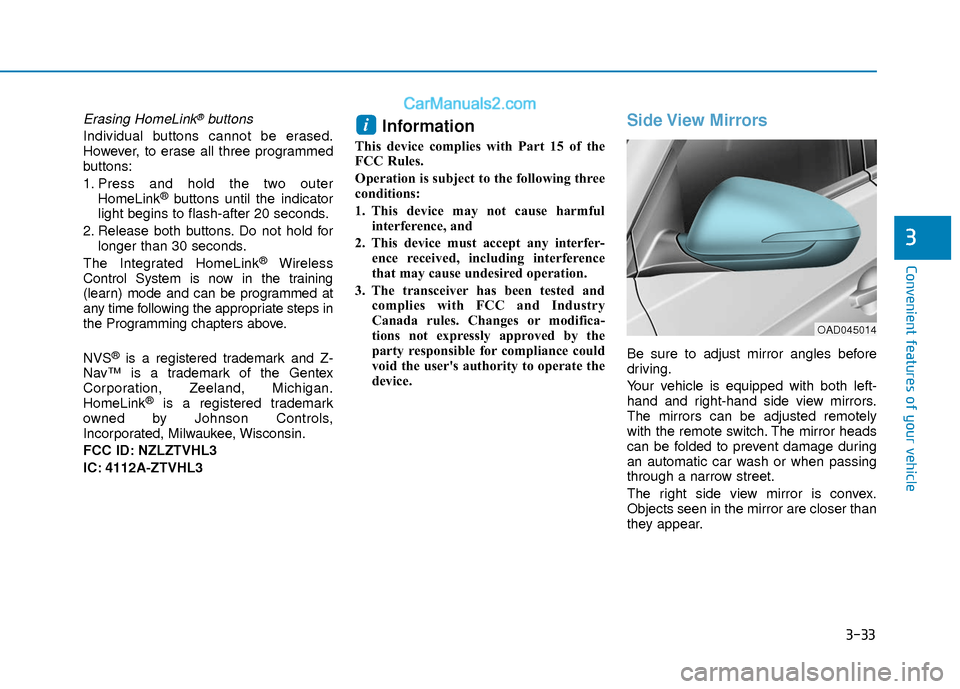
Side View Mirrors
Be sure to adjust mirror angles before
driving.
Your vehicle is equipped with both left-
hand and right-hand side view mirrors.
The mirrors can be adjusted remotely
with the remote switch. The mirror heads
can be folded to prevent damage during
an automatic car wash or when passing
through a narrow street.
The right side view mirror is convex.
Objects seen in the mirror are closer than
they appear.
i
OAD045014
Page 149 of 526
3-72
Convenient features of your vehicle
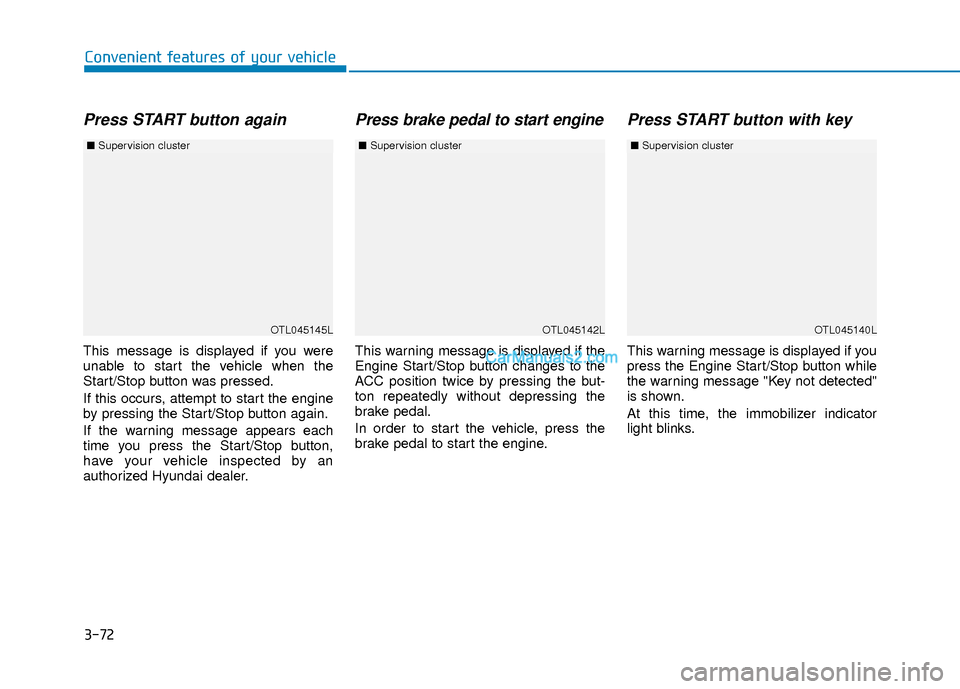
Press START button again
This message is displayed if you were
unable to start the vehicle when the
Start/Stop button was pressed.
If this occurs, attempt to start the engine
by pressing the Start/Stop button again.
If the warning message appears each
time you press the Start/Stop button,
have your vehicle inspected by an
authorized Hyundai dealer.
Press brake pedal to start engine
This warning message is displayed if the
Engine Start/Stop button changes to the
ACC position twice by pressing the but-
ton repeatedly without depressing the
brake pedal.
In order to start the vehicle, press the
brake pedal to start the engine.
Press START button with key
This warning message is displayed if you
press the Engine Start/Stop button while
the warning message "Key not detected"
is shown.
At this time, the immobilizer indicator
light blinks.
OTL045145L
■Supervision cluster
OTL045142LOTL045140L
■Supervision cluster ■Supervision cluster
Page 162 of 526
3-85
Convenient features of your vehicle
3
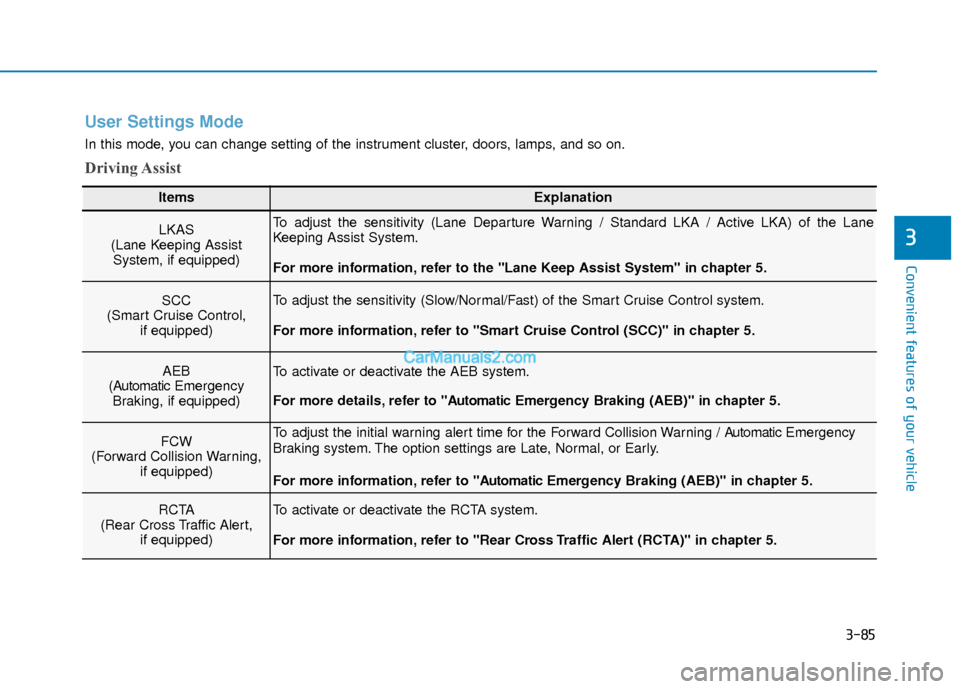
User Settings Mode
In this mode, you can change setting of the instrument cluster, doors, lamps, and so on.
Driving Assist
ItemsExplanation
LKAS
(Lane Keeping Assist System, if equipped)To adjust the sensitivity (Lane Departure Warning / Standard LKA / Active LKA) of the Lane
Keeping Assist System.
For more information, refer to the "Lane Keep Assist System" in chapter 5.
SCC
(Smart Cruise Control, if equipped)To adjust the sensitivity (Slow/Normal/Fast) of the Smart Cruise Control system.
For more information, refer to "Smart Cruise Control (SCC)" in chapter 5.
AEB
(Automatic Emergency
Braking, if equipped)To activate or deactivate the AEB system.
For more details, refer to "A utomaticEmergency Braking (AEB)" in chapter 5.
FCW
(Forward Collision Warning, if equipped)To adjust the initial warning alert time for the Forward Collision Warning / A utomaticEmergency
Braking system. The option settings are Late, Normal, or Early.
For more information, refer to "A utomaticEmergency Braking (AEB)" in chapter 5.
RCTA
(Rear Cross Traffic Alert, if equipped)To activate or deactivate the RCTA system.
For more information, refer to "Rear Cross Traffic Alert (RCTA)" in chapter 5.
Page 170 of 526
3-93
Convenient features of your vehicle
3
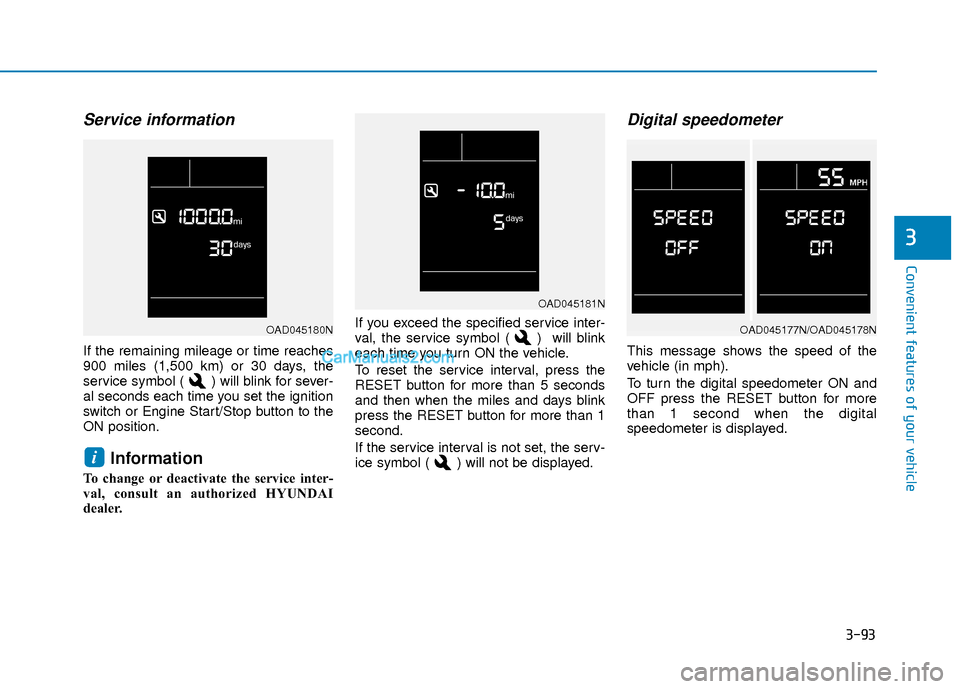
Service information
If the remaining mileage or time reaches
900 miles (1,500 km) or 30 days, the
service symbol ( ) will blink for sever-
al seconds each time you set the ignition
switch or Engine Start/Stop button to the
ON position.
Information
To change or deactivate the service inter-
val, consult an authorized HYUNDAI
dealer.If you exceed the specified service inter-
val, the service symbol ( ) will blink
each time you turn ON the vehicle.
To reset the service interval, press the
RESET button for more than 5 seconds
and then when the miles and days blink
press the RESET button for more than 1
second.
If the service interval is not set, the serv-
ice symbol ( ) will not be displayed.
Digital speedometer
This message shows the speed of the
vehicle (in mph).
To turn the digital speedometer ON and
OFF press the RESET button for more
than 1 second when the digital
speedometer is displayed.
i
OAD045181N
OAD045177N/OAD045178NOAD045180N
Page 179 of 526
3-102
Convenient features of your vehicle
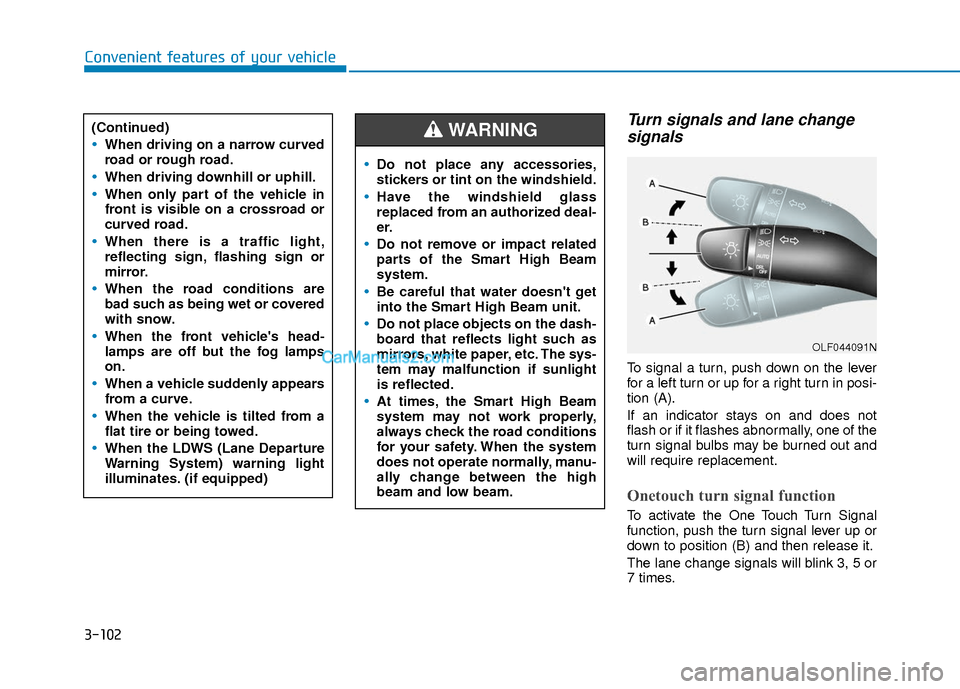
Turn signals and lane changesignals
To signal a turn, push down on the lever
for a left turn or up for a right turn in posi-
tion (A).
If an indicator stays on and does not
flash or if it flashes abnormally, one of the
turn signal bulbs may be burned out and
will require replacement.
Onetouch turn signal function
To activate the One Touch Turn Signal
function, push the turn signal lever up or
down to position (B) and then release it.
The lane change signals will blink 3, 5 or
7 times.
(Continued)
When driving on a narrow curved
road or rough road.
When driving downhill or uphill.
When only part of the vehicle in
front is visible on a crossroad or
curved road.
When there is a traffic light,
reflecting sign, flashing sign or
mirror.
When the road conditions are
bad such as being wet or covered
with snow.
When the front vehicle's head-
lamps are off but the fog lamps
on.
When a vehicle suddenly appears
from a curve.
When the vehicle is tilted from a
flat tire or being towed.
When the LDWS (Lane Departure
Warning System) warning light
illuminates. (if equipped)
OLF044091N
Do not place any accessories,
stickers or tint on the windshield.
Have the windshield glass
replaced from an authorized deal-
er.
Do not remove or impact related
parts of the Smart High Beam
system.
Be careful that water doesn't get
into the Smart High Beam unit.
Do not place objects on the dash-
board that reflects light such as
mirrors, white paper, etc. The sys-
tem may malfunction if sunlight
is reflected.
At times, the Smart High Beam
system may not work properly,
always check the road conditions
for your safety. When the system
does not operate normally, manu-
ally change between the high
beam and low beam.
WARNING
Page 194 of 526
3-117
Convenient features of your vehicle
3
Operation Tips
To keep dust or unpleasant fumes fromentering the car through the ventilation
system, temporarily set the air intake
control to the recirculated air position.
Return the control to the fresh air posi-
tion when the irritation has passed.
This will help keep the driver alert and
comfortable.
To prevent the inside of the windshield from fogging, set the air intake control
to the fresh air position and fan speed
to the desired position, turn on the air
conditioning system, and adjust the
temperature control to desired temper-
ature.
Air conditioning
All HYUNDAI Air Conditioning Systems
are filled with environmentally friendly R-
134a refrigerant.
1. Start the engine.
2. Push the air conditioning button.
3. Set the mode to the Face Level mode.
4. Set the air intake control to the recir- culated air position. However, pro-
longed operation of the recirculated air
position will excessively dry the air. In
this case, change the air position.
5. Adjust the fan speed control and tem- perature control to maintain maximum
comfort.
When maximum cooling is desired, set
the temperature control to the extreme
left position then set the fan speed con-
trol to the highest speed.
When using the air conditioning sys-
tem, monitor the engine temperature
gauge closely while driving up hills or
in heavy traffic when outside temper-
atures are high. Air conditioning sys-
tem operation can cause engine over-
heating. Continue to use the blower
fan, but turn the air conditioning sys-
tem off if the engine temperature
gauge indicates engine overheating.
Air conditioning system operation
tips
If the vehicle has been parked in direct sunlight during hot weather, open the
windows for a short time to let the hot
air inside the vehicle escape.
After sufficient cooling has been achieved, switch back from the recircu-
lated air to the fresh outside air posi-
tion.
To help reduce moisture inside of the windows on rainy or humid days,
decrease the humidity inside the vehi-
cle by operating the air conditioning
system with the windows and sunroof
closed.
Use the air conditioning system every month only for a few minutes to ensure
maximum system performance.
If you operate air conditioner exces- sively, the difference between the tem-
perature of the outside air and that of
the windshield could cause the outer
surface of the windshield to fog up,
causing loss of visibility. In this case,
set the mode selection knob or button
to the position and fan speed con-
trol to the lower speed.
NOTICE
Page 198 of 526
3-121
Convenient features of your vehicle
3
Automatic Heating and Air
Conditioning
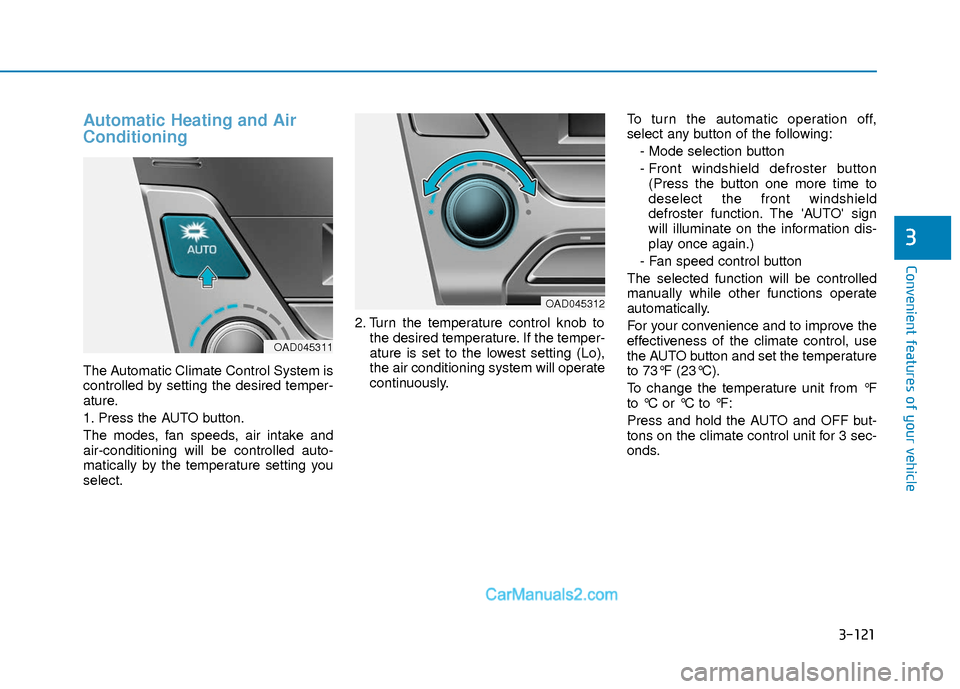
The Automatic Climate Control System is
controlled by setting the desired temper-
ature.
1. Press the AUTO button.
The modes, fan speeds, air intake and
air-conditioning will be controlled auto-
matically by the temperature setting you
select.2. Turn the temperature control knob to
the desired temperature. If the temper-
ature is set to the lowest setting (Lo),
the air conditioning system will operate
continuously. To turn the automatic operation off,
select any button of the following:
- Mode selection button
- Front windshield defroster button(Press the button one more time to
deselect the front windshield
defroster function. The 'AUTO' sign
will illuminate on the information dis-
play once again.)
- Fan speed control button
The selected function will be controlled
manually while other functions operate
automatically.
For your convenience and to improve the
effectiveness of the climate control, use
the AUTO button and set the temperature
to 73°F (23°C).
To change the temperature unit from °F
to °C or °C to °F:
Press and hold the AUTO and OFF but-
tons on the climate control unit for 3 sec-
onds.
OAD045311
OAD045312
Page 206 of 526
3-129
Convenient features of your vehicle
3
Air conditioning
All HYUNDAI Air Conditioning Systems
are filled with environmentally friendly R-
134a refrigerant.
1. Start the engine.
2. Push the air conditioning button.
3. Set the mode to the Face Level mode.
4. Set the air intake control to the recir- culated air position. However, pro-
longed operation of the recirculated air
position will excessively dry the air. In
this case, change the air position.
5. Adjust the fan speed control and tem- perature control to maintain maximum
comfort.
When maximum cooling is desired, set
the temperature control to the extreme
left position then set the fan speed con-
trol to the highest speed. When using the air conditioning sys-
tem, monitor the engine temperature
gauge closely while driving up hills or
in heavy traffic when outside temper-
atures are high. Air conditioning sys-
tem operation can cause engine over-
heating. Continue to use the blower
fan, but turn the air conditioning sys-
tem off if the engine temperature
gauge indicates engine overheating.
Air conditioning system operation
tips
If the vehicle has been parked in direct
sunlight during hot weather, open the
windows for a short time to let the hot
air inside the vehicle escape.
After sufficient cooling has been achieved, switch back from the recircu-
lated air to the fresh outside air posi-
tion.
To help reduce moisture inside of the windows on rainy or humid days,
decrease the humidity inside the vehi-
cle by operating the air conditioning
system with the windows and sunroof
closed.
Use the air conditioning system every month only for a few minutes to ensure
maximum system performance.
If you operate air conditioner exces- sively, the difference between the tem-
perature of the outside air and that of
the windshield could cause the outer
surface of the windshield to fog up,
causing loss of visibility. In this case,
set the mode selection knob or button
to the position and fan speed con-
trol to the lower speed.
NOTICE