change time Hyundai Elantra 2018 Service Manual
[x] Cancel search | Manufacturer: HYUNDAI, Model Year: 2018, Model line: Elantra, Model: Hyundai Elantra 2018Pages: 526, PDF Size: 17.2 MB
Page 282 of 526
4-63
Multimedia System
4
FCC
This equipment has been tested and found to comply with the limits for a Class B digital device, pursuant to part 15 of the FCC
Rules. These limits are designed to provide reasonable protection against harmful interference in a residential installation.
This equipment generates, uses and can radiate radio frequency energy and, if not installed and used in accordance with \
the
instructions,may cause harmful interference to radio communications. However, there is no guarantee that interference will not
occur in a particular installation. If this equipment does cause harmful interference to radio or television reception, which can be
determined by turning the equipment off and on, the user is encouraged to try to correct the interference by one ormore of the fol-
lowing measures :
Reorient or relocate the receiving antenna.
Increase the separation between the equipment and receiver.
Connect the equipment into an outlet on a circuit different from that to which the receiver is connected.
Consult the dealer or an experienced radio/TV technician for help.
Caution : Any changes or modifications to this device not explicitly approved by manufacturer could void your authority to oper-
ate this equipment.
D DE
EC
CL
LA
A R
RA
A T
TI
IO
O N
N
O
O F
F
C
C O
O N
NF
FO
O R
RM
M I
IT
T Y
Y
Page 286 of 526
5-3
Driving your vehicle
5
Carbon monoxide (CO) gas is toxic. Breathing CO can cause unconsciousness and death.
Engine exhaust contains carbon monoxide which cannot be seen or smelled.
Do not inhale engine exhaust.
If at any time you smell engine exhaust inside the vehicle, open the windows immediately. Exposure to CO can cause uncon-
sciousness and death by asphyxiation.
Be sure the exhaust system does not leak.
The exhaust system should be checked whenever the vehicle is raised to change the oil or for any other purpose. If you hear a
change in the sound of the exhaust or if you drive over something that strikes the underneath side of the vehicle, have the
exhaust system checked as soon as possible by an authorized HYUNDAI dealer.
Do not run the engine in an enclosed area.
Letting the engine idle in your garage, even with the garage door open, is a hazardous practice. Run the engine only long enough
to start the engine and to move the vehicle out of the garage.
Avoid idling the engine for prolonged periods with people inside the vehicle.
If it is necessary to idle the engine for a prolonged period with people inside the vehicle, be sure to do so only in an open area
with the air intake set at "Fresh" and fan control set to high so fresh air is drawn into the interior.
Keep the air intakes clear.
To assure proper operation of the ventilation system, keep the ventilation air intakes located in front of the windshield clear of
snow, ice, leaves, or other obstructions.
If you must drive with the trunk open:
Close all windows.
Open instrument panel air vents.
Set the air intake control at "Fresh", the air flow control at "Floor" or "Face", and the fan control set to high.
WARNING
Page 306 of 526
5-23
Driving your vehicle
5
Good Driving Practices
Never move the shift lever from P(Park) or N (Neutral) to any other posi-
tion with the accelerator pedal
depressed.
Never move the shift lever into P (Park) when the vehicle is in motion.
Be sure the vehicle is completely
stopped before you attempt to shift into
R (Reverse) or D (Drive).
Do not move the shift lever to N (Neutral) when driving. Doing so may
result in an accident because of a loss
of engine braking and the transmission
could be damaged.
Do not drive with your foot resting on the brake pedal. Even light, but consis-
tent pedal pressure can result in the
brakes overheating, brake wear and
possibly even brake failure.
Depressing both accelerator and brake pedals at the same time can trigger
logic for engine power reduction to
assure vehicle deceleration. Vehicle
acceleration will resume after the
brake pedal is released.
Always apply the parking brake when leaving the vehicle. Do not depend on
placing the transmission in P (Park) to
keep the vehicle from moving. Exercise extreme caution when driving
on a slippery surface. Be especially
careful when braking, accelerating or
shifting gears. On a slippery surface,
an abrupt change in vehicle speed can
cause the drive wheels to lose traction
and may cause loss of vehicle control
resulting in an accident.
Optimum vehicle performance and economy is obtained by smoothly
depressing and releasing the accelera-
tor. To reduce the risk of SERIOUS
INJURY or DEATH:
ALWAYS wear your seatbelt. In a
collision, an unbelted occupant is
significantly more likely to be
seriously injured or killed than a
properly belted occupant.
Avoid high speeds when corner-
ing or turning.
Do not make quick steering
wheel movements, such as sharp
lane changes or fast, sharp turns.
The risk of rollover is greatly
increased if you lose control of
your vehicle at highway speeds.
Loss of control often occurs if
two or more wheels drop off the
roadway and the driver over
steers to reenter the roadway.
In the event your vehicle leaves
the roadway, do not steer sharply.
Instead, slow down before pulling
back into the travel lanes.
HYUNDAI recommends you fol-
low all posted speed limits.
WARNING
Page 313 of 526
5-30
Driving your vehicle
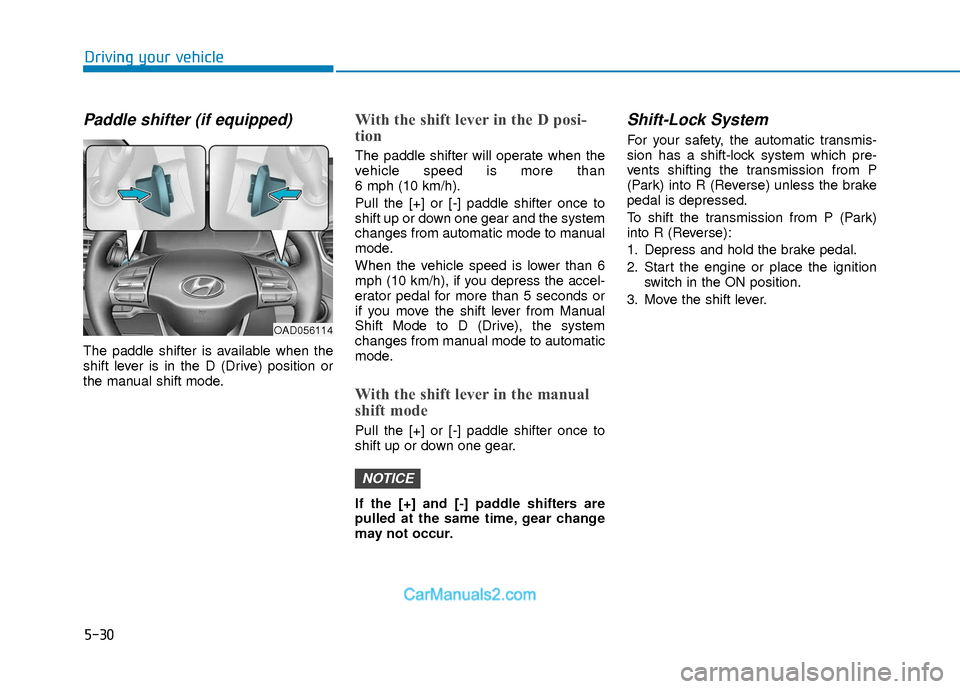
Paddle shifter (if equipped)
The paddle shifter is available when the
shift lever is in the D (Drive) position or
the manual shift mode.
With the shift lever in the D posi-
tion
The paddle shifter will operate when the
vehicle speed is more than
6 mph (10 km/h).
Pull the [+] or [-] paddle shifter once to
shift up or down one gear and the system
changes from automatic mode to manual
mode.
When the vehicle speed is lower than 6
mph (10 km/h), if you depress the accel-
erator pedal for more than 5 seconds or
if you move the shift lever from Manual
Shift Mode to D (Drive), the system
changes from manual mode to automatic
mode.
With the shift lever in the manual
shift mode
Pull the [+] or [-] paddle shifter once to
shift up or down one gear.
If the [+] and [-] paddle shifters are
pulled at the same time, gear change
may not occur.
Shift-Lock System
For your safety, the automatic transmis-
sion has a shift-lock system which pre-
vents shifting the transmission from P
(Park) into R (Reverse) unless the brake
pedal is depressed.
To shift the transmission from P (Park)
into R (Reverse):
1. Depress and hold the brake pedal.
2. Start the engine or place the ignitionswitch in the ON position.
3. Move the shift lever.
NOTICE
OAD056114
Page 315 of 526
5-32
Driving your vehicle
Good Driving Practices
Never move the shift lever from P(Park) or N (Neutral) to any other posi-
tion with the accelerator pedal
depressed.
Never move the shift lever into P (Park) when the vehicle is in motion.
Be sure the vehicle is completely
stopped before you attempt to shift into
R (Reverse) or D (Drive).
Do not move the shift lever to N (Neutral) when driving. Doing so may
result in an accident because of a loss
of engine braking and the transmission
could be damaged.
Do not drive with your foot resting on the brake pedal. Even light, but consis-
tent pedal pressure can result in the
brakes overheating, brake wear and
possibly even brake failure.
Depressing both accelerator and brake pedals at the same time can trigger
logic for engine power reduction to
assure vehicle deceleration. Vehicle
acceleration will resume after the
brake pedal is released.
When driving in Manual Shift Mode, slow down before shifting to a lower
gear. Otherwise, the lower gear may
not be engaged if the engine rpms are
outside of the allowable range. Always apply the parking brake when
leaving the vehicle. Do not depend on
placing the transmission in P (Park) to
keep the vehicle from moving.
Exercise extreme caution when driving on a slippery surface. Be especially
careful when braking, accelerating or
shifting gears. On a slippery surface,
an abrupt change in vehicle speed can
cause the drive wheels to lose traction
and may cause loss of vehicle control
resulting in an accident.
Optimum vehicle performance and economy is obtained by smoothly
depressing and releasing the accelera-
tor. (Continued)The risk of rollover is greatly
increased if you lose control of
your vehicle at highway speeds.
Loss of control often occurs if
two or more wheels drop off the
roadway and the driver over
steers to reenter the roadway.
In the event your vehicle leaves
the roadway, do not steer sharply.
Instead, slow down before pulling
back into the travel lanes.
HYUNDAI recommends you fol-
low all posted speed limits.
To reduce the risk of SERIOUS
INJURY or DEATH:
ALWAYS wear your seatbelt. In a
collision, an unbelted occupant is
significantly more likely to be
seriously injured or killed than a
properly belted occupant.
Avoid high speeds when corner-
ing or turning.
Do not make quick steering
wheel movements, such as sharp
lane changes or fast, sharp turns.
(Continued)
WARNING
Page 317 of 526
5-34
Driving your vehicle
Disc Brakes Wear Indicator
When your brake pads are worn and new
pads are required, you will hear a high
pitched warning sound from your front or
rear brakes. You may hear this sound
come and go or it may occur whenever
you depress the brake pedal.
Note that some driving conditions or cli-
mates may cause a brake squeal when
you first apply (or lightly apply) the
brakes. This is normal and does not indi-
cate a problem with your brakes.
To avoid costly brake repairs, do not
continue to drive with worn brake
pads.
Information
Always replace brake pads as complete
front or rear axle sets.
Rear drum brakes
(if equipped)
Your rear drum brakes do not have wear
indicators. Therefore, have the rear brake
linings inspected if you hear a rear brake
rubbing noise. Also have your rear
brakes inspected each time you change
or rotate your tires and when you have
the front brakes replaced.
Parking Brake
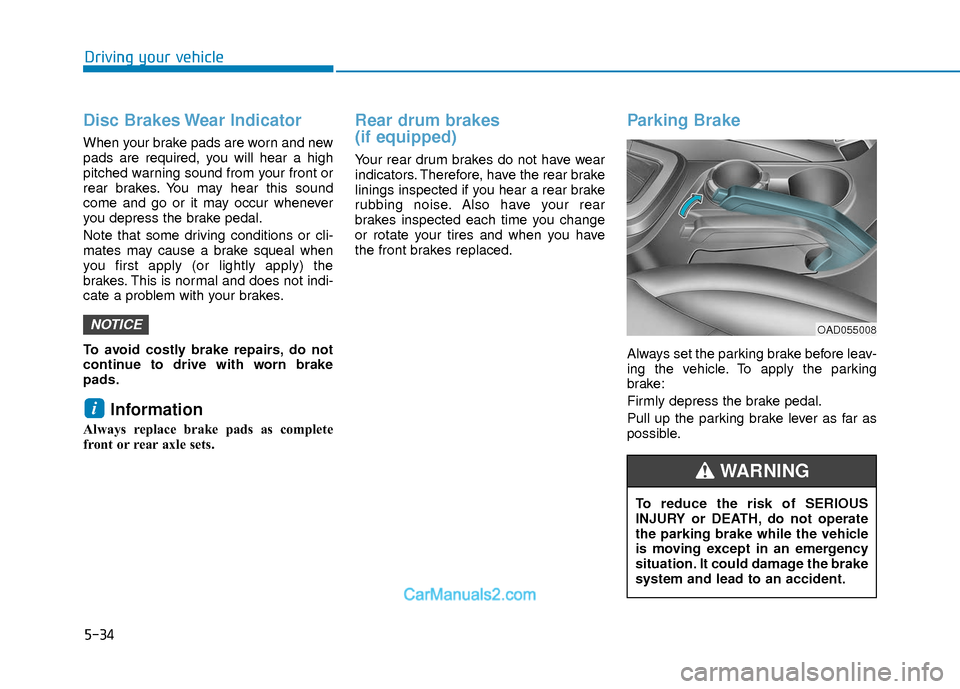
Always set the parking brake before leav-
ing the vehicle. To apply the parking
brake:
Firmly depress the brake pedal.
Pull up the parking brake lever as far as
possible.
i
NOTICEOAD055008
To reduce the risk of SERIOUS
INJURY or DEATH, do not operate
the parking brake while the vehicle
is moving except in an emergency
situation. It could damage the brake
system and lead to an accident.
WARNING
Page 320 of 526
5-37
Driving your vehicle
5
Using ABS
To obtain the maximum benefit from your
ABS in an emergency situation, do not
attempt to modulate your brake pressure
and do not try to pump your brakes.
Depress your brake pedal as hard as
possible.
When you apply your brakes under con-
ditions which may lock the wheels, you
may hear sounds from the brakes, or feel
a corresponding sensation in the brake
pedal. This is normal and it means your
ABS is active.
ABS does not reduce the time or dis-
tance it takes to stop the vehicle.
Always maintain a safe distance from the
vehicle in front of you.
ABS will not prevent a skid that results
from sudden changes in direction, such
as trying to take a corner too fast or mak-
ing a sudden lane change. Always drive
at a safe speed for the road and weather
conditions.
ABS cannot prevent a loss of stability.
Always steer moderately when braking
hard. Severe or sharp steering wheel
movement can still cause your vehicle to
veer into oncoming traffic or off the road.On loose or uneven road surfaces, oper-
ation of the anti-lock brake system may
result in a longer stopping distance than
for vehicles equipped with a conventional
brake system.
The ABS warning light ( ) will stay on
for several seconds after the ignition
switch is in the ON position. During that
time, the ABS will go through self-diag-
nosis and the light will go off if everything
is normal. If the light stays on, you may
have a problem with your ABS. Contact
an authorized HYUNDAI dealer as soon
as possible
Information
When you jump start your vehicle because
of a drained battery, the ABS warning
light ( ) may turn on at the same time.
This happens because of the low battery
voltage. It does not mean your ABS is mal-
functioning. Have the battery recharged
before driving the vehicle.
i
If the ABS warning light ( ) is on
and stays on, you may have a prob-
lem with the ABS. Your power
brakes will work normally. To
reduce the risk of serious injury or
death, contact your HYUNDAI deal-
er as soon as possible.
WARNING
When you drive on a road having
poor traction, such as an icy road,
and apply your brakes continuous-
ly, the ABS will be active continu-
ously and the ABS warning light
( ) may illuminate. Pull your car
over to a safe place and turn the
engine off.
Restart the engine. If the ABS warn-
ing light is off, then your ABS sys-
tem is normal.
Otherwise, you may have a problem
with your ABS system.
Contact an
authorized HYUNDAI dealer as soon
as possible.
CAUTION
Page 327 of 526
5-44
Driving your vehicle
When the ECO mode is activated:
The acceleration response may beslightly reduced if the accelerator
pedal is depressed moderately.
The air conditioner performance may be limited.
The shift pattern of the automatic transmission/dual clutch transmission
may change.
The engine speed may be lower than when driving in NORMAL mode.
The above situations are normal condi-
tions when the ECO mode is activated to
improve fuel efficiency. Limitation of the ECO mode opera-
tion:
Even though ECO mode is selected and
there is no change in the ECO indicator :
When the coolant temperature is low,
ECO mode will be limited until engine
temperature is at normal operating
temperature.
When driving up a hill, ECO mode will be limited to provide better power
when driving uphill.
When driving the vehicle with the auto- matic transmission/ dual clutch trans-
mission gear shift lever in manual shift
mode, ECO mode will be limited
according to the shift position.SPORT mode
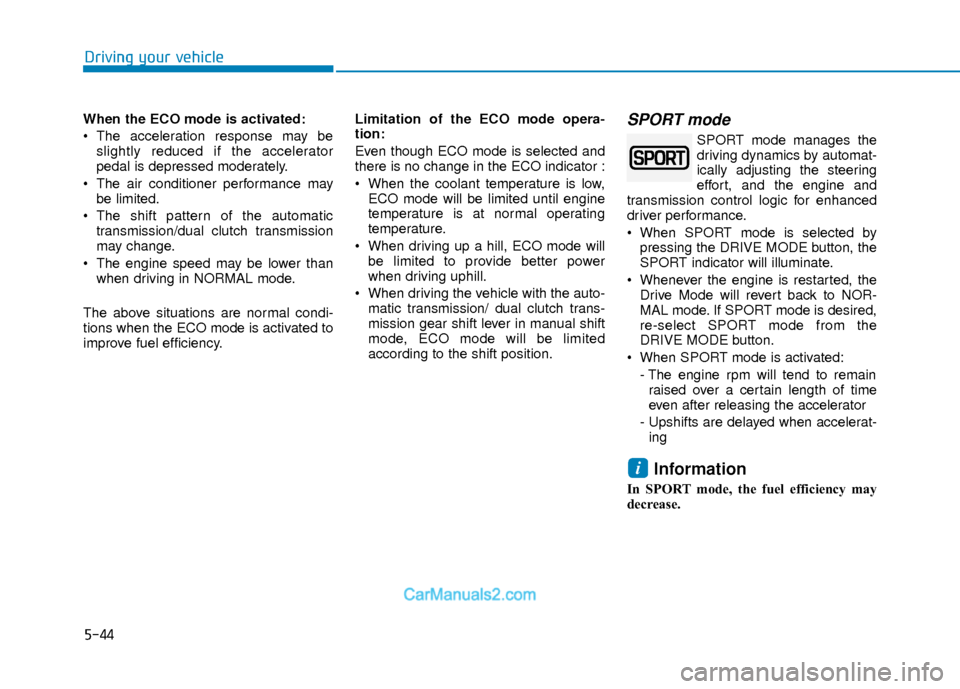
SPORT mode manages the
driving dynamics by automat-
ically adjusting the steering
effort, and the engine and
transmission control logic for enhanced
driver performance.
When SPORT mode is selected by pressing the DRIVE MODE button, the
SPORT indicator will illuminate.
Whenever the engine is restarted, the Drive Mode will revert back to NOR-
MAL mode. If SPORT mode is desired,
re-select SPORT mode from the
DRIVE MODE button.
When SPORT mode is activated: - The engine rpm will tend to remainraised over a certain length of time
even after releasing the accelerator
- Upshifts are delayed when accelerat- ing
Information
In SPORT mode, the fuel efficiency may
decrease.
i
Page 346 of 526
5-63
Driving your vehicle
5
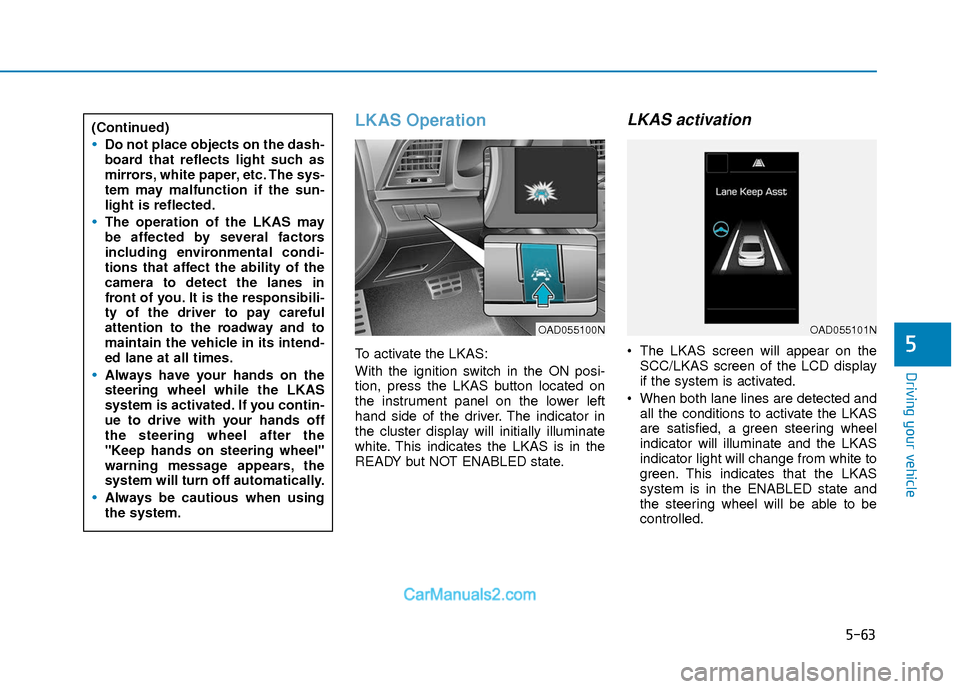
LKAS Operation
To activate the LKAS:
With the ignition switch in the ON posi-
tion, press the LKAS button located on
the instrument panel on the lower left
hand side of the driver. The indicator in
the cluster display will initially illuminate
white. This indicates the LKAS is in the
READY but NOT ENABLED state.
LKAS activation
The LKAS screen will appear on theSCC/LKAS screen of the LCD display
if the system is activated.
When both lane lines are detected and all the conditions to activate the LKAS
are satisfied, a green steering wheel
indicator will illuminate and the LKAS
indicator light will change from white to
green. This indicates that the LKAS
system is in the ENABLED state and
the steering wheel will be able to be
controlled.
(Continued)
Do not place objects on the dash-
board that reflects light such as
mirrors, white paper, etc. The sys-
tem may malfunction if the sun-
light is reflected.
The operation of the LKAS may
be affected by several factors
including environmental condi-
tions that affect the ability of the
camera to detect the lanes in
front of you. It is the responsibili-
ty of the driver to pay careful
attention to the roadway and to
maintain the vehicle in its intend-
ed lane at all times.
Always have your hands on the
steering wheel while the LKAS
system is activated. If you contin-
ue to drive with your hands off
the steering wheel after the
"Keep hands on steering wheel"
warning message appears, the
system will turn off automatically.
Always be cautious when using
the system.
OAD055100NOAD055101N
Page 360 of 526
5-77
Driving your vehicle
5
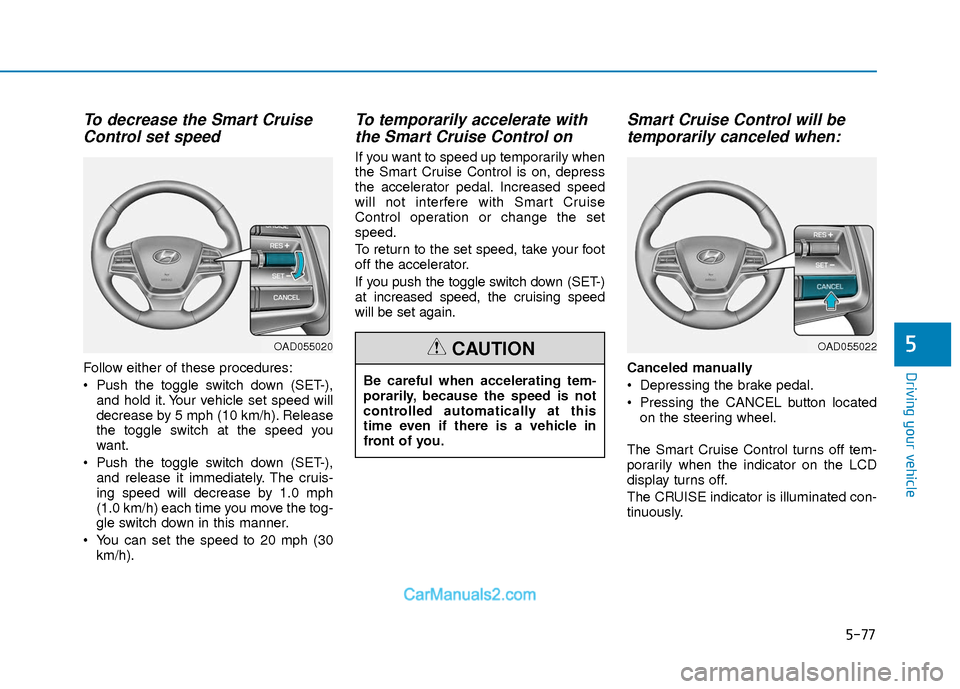
To decrease the Smart CruiseControl set speed
Follow either of these procedures:
Push the toggle switch down (SET-),
and hold it. Your vehicle set speed will
decrease by 5 mph (10 km/h). Release
the toggle switch at the speed you
want.
Push the toggle switch down (SET-), and release it immediately. The cruis-
ing speed will decrease by 1.0 mph
(1.0 km/h) each time you move the tog-
gle switch down in this manner.
You can set the speed to 20 mph (30 km/h).
To temporarily accelerate withthe Smart Cruise Control on
If you want to speed up temporarily when
the Smart Cruise Control is on, depress
the accelerator pedal. Increased speed
will not interfere with Smart Cruise
Control operation or change the set
speed.
To return to the set speed, take your foot
off the accelerator.
If you push the toggle switch down (SET-)
at increased speed, the cruising speed
will be set again.
Smart Cruise Control will betemporarily canceled when:
Canceled manually
Depressing the brake pedal.
Pressing the CANCEL button located
on the steering wheel.
The Smart Cruise Control turns off tem-
porarily when the indicator on the LCD
display turns off.
The CRUISE indicator is illuminated con-
tinuously.
OAD055020
Be careful when accelerating tem-
porarily, because the speed is not
controlled automatically at this
time even if there is a vehicle in
front of you.
CAUTIONOAD055022