start stop button Hyundai Elantra 2018 Owner's Guide
[x] Cancel search | Manufacturer: HYUNDAI, Model Year: 2018, Model line: Elantra, Model: Hyundai Elantra 2018Pages: 526, PDF Size: 17.2 MB
Page 170 of 526
3-93
Convenient features of your vehicle
3
Service information
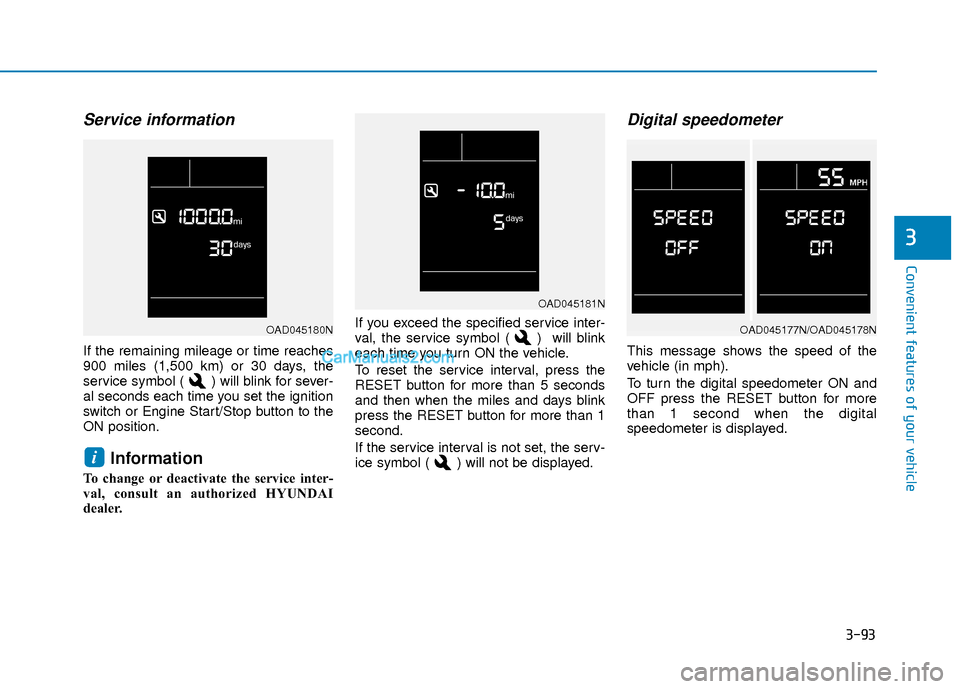
If the remaining mileage or time reaches
900 miles (1,500 km) or 30 days, the
service symbol ( ) will blink for sever-
al seconds each time you set the ignition
switch or Engine Start/Stop button to the
ON position.
Information
To change or deactivate the service inter-
val, consult an authorized HYUNDAI
dealer.If you exceed the specified service inter-
val, the service symbol ( ) will blink
each time you turn ON the vehicle.
To reset the service interval, press the
RESET button for more than 5 seconds
and then when the miles and days blink
press the RESET button for more than 1
second.
If the service interval is not set, the serv-
ice symbol ( ) will not be displayed.
Digital speedometer
This message shows the speed of the
vehicle (in mph).
To turn the digital speedometer ON and
OFF press the RESET button for more
than 1 second when the digital
speedometer is displayed.
i
OAD045181N
OAD045177N/OAD045178NOAD045180N
Page 173 of 526
3-96
Convenient features of your vehicle
Trip A/B
Information
If you press and hold the OK button when
viewing the tripmeter, the mileage, the
average vehicle speed, and the timer will
be reset simultaneously.
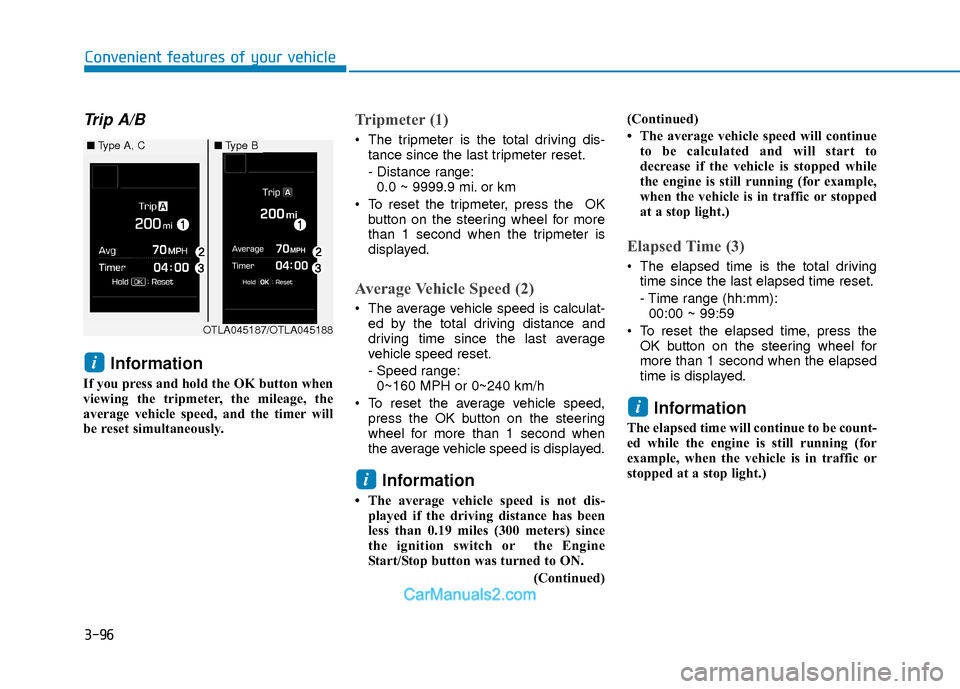
Tripmeter (1)
The tripmeter is the total driving dis-tance since the last tripmeter reset.
- Distance range:0.0 ~ 9999.9 mi. or km
To reset the tripmeter, press the OK button on the steering wheel for more
than 1 second when the tripmeter is
displayed.
Average Vehicle Speed (2)
The average vehicle speed is calculat-ed by the total driving distance and
driving time since the last average
vehicle speed reset.
- Speed range:0~160 MPH or 0~240 km/h
To reset the average vehicle speed, press the OK button on the steering
wheel for more than 1 second when
the average vehicle speed is displayed.
Information
• The average vehicle speed is not dis-played if the driving distance has been
less than 0.19 miles (300 meters) since
the ignition switch or the Engine
Start/Stop button was turned to ON.
(Continued)(Continued)
• The average vehicle speed will continue
to be calculated and will start to
decrease if the vehicle is stopped while
the engine is still running (for example,
when the vehicle is in traffic or stopped
at a stop light.)
Elapsed Time (3)
The elapsed time is the total drivingtime since the last elapsed time reset.
- Time range (hh:mm):00:00 ~ 99:59
To reset the elapsed time, press the OK button on the steering wheel for
more than 1 second when the elapsed
time is displayed.
Information
The elapsed time will continue to be count-
ed while the engine is still running (for
example, when the vehicle is in traffic or
stopped at a stop light.)
i
i
i
OTLA045187/OTLA045188
■ Type A, C■Type B
Page 284 of 526
Driving your vehicle
5
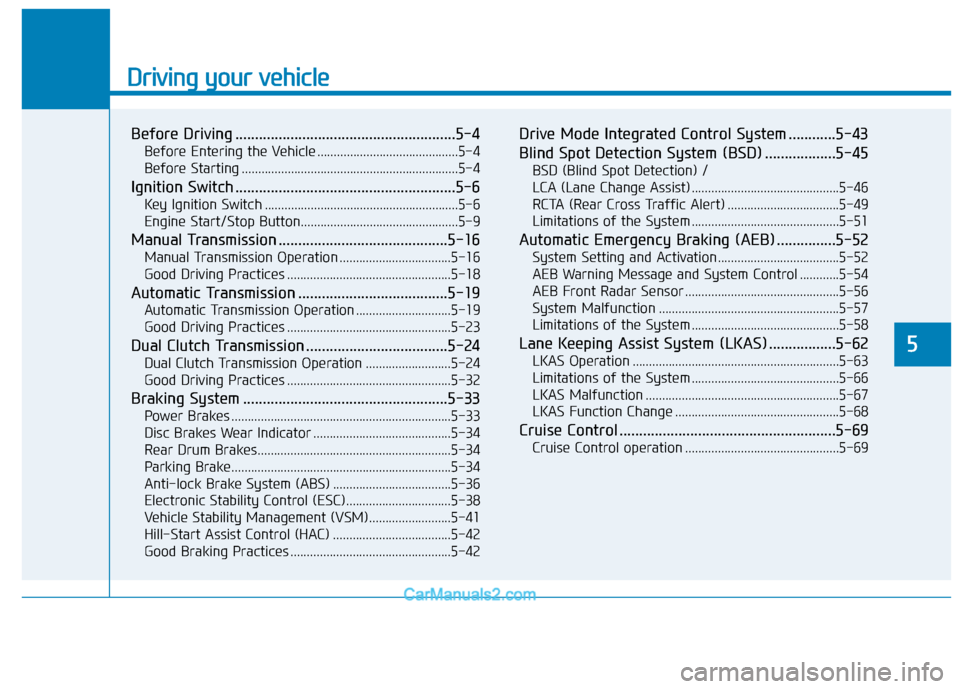
Before Driving ........................................................5-4
Before Entering the Vehicle ...........................................5-4
Before Starting ..................................................................5-4
Ignition Switch ........................................................5-6
Key Ignition Switch ...........................................................5-6
Engine Start/Stop Button................................................5-9
Manual Transmission ...........................................5-16
Manual Transmission Operation ..................................5-16
Good Driving Practices ..................................................5-18
Automatic Transmission ......................................5-19
Automatic Transmission Operation .............................5-19
Good Driving Practices ..................................................5-23
Dual Clutch Transmission ....................................5-24
Dual Clutch Transmission Operation ..........................5-24
Good Driving Practices ..................................................5-32
Braking System ....................................................5-33
Power Brakes ...................................................................5-33
Disc Brakes Wear Indicator ..........................................5-34
Rear Drum Brakes...........................................................5-34
Parking Brake...................................................................5-34
Anti-lock Brake System (ABS) ....................................5-36
Electronic Stability Control (ESC)................................5-38
Vehicle Stability Management (VSM).........................5-41
Hill-Start Assist Control (HAC) ....................................5-42
Good Braking Practices .................................................5-42
Drive Mode Integrated Control System ............5-43
Blind Spot Detection System (BSD) ..................5-45
BSD (Blind Spot Detection) /
LCA (Lane Change Assist) .............................................5-46
RCTA (Rear Cross Traffic Alert) ..................................5-49
Limitations of the System .............................................5-51
Automatic Emergency Braking (AEB) ...............5-52
System Setting and Activation.....................................5-52
AEB Warning Message and System Control ............5-54
AEB Front Radar Sensor ...............................................5-56
System Malfunction .......................................................5-57
Limitations of the System .............................................5-58
Lane Keeping Assist System (LKAS) .................5-62
LKAS Operation ...............................................................5-63
Limitations of the System .............................................5-66
LKAS Malfunction ...........................................................5-67
LKAS Function Change ..................................................5-68
Cruise Control .......................................................5-69
Cruise Control operation ...............................................5-69
Page 292 of 526
5-9
Driving your vehicle
5
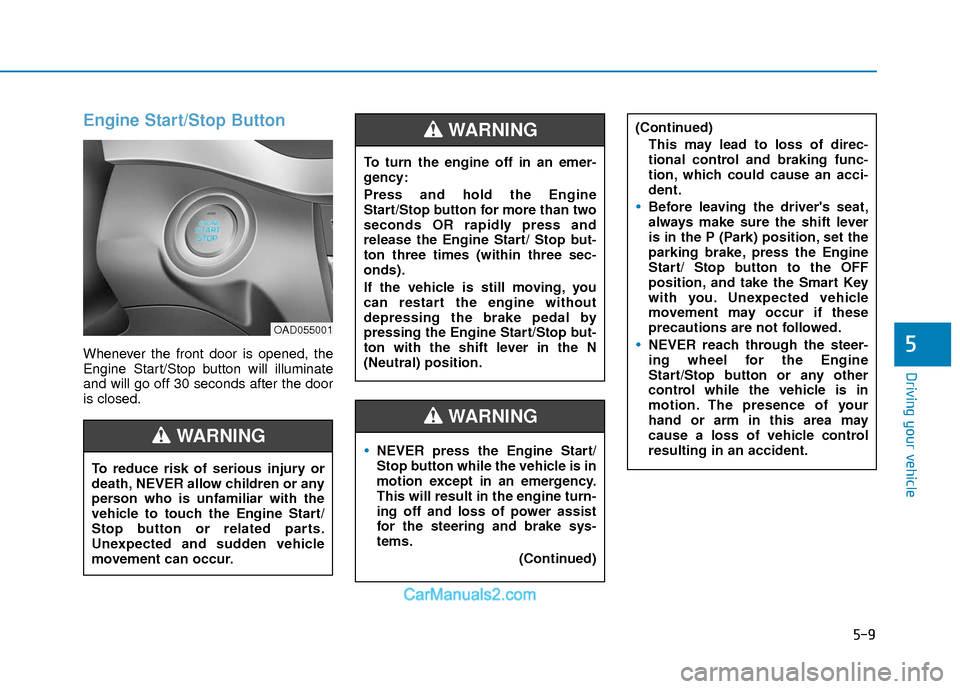
Engine Start/Stop Button
Whenever the front door is opened, the
Engine Start/Stop button will illuminate
and will go off 30 seconds after the door
is closed.
NEVER press the Engine Start/
Stop button while the vehicle is in
motion except in an emergency.
This will result in the engine turn-
ing off and loss of power assist
for the steering and brake sys-
tems.(Continued)
WARNING
To turn the engine off in an emer-
gency:
Press and hold the Engine
Start/Stop button for more than two
seconds OR rapidly press and
release the Engine Start/ Stop but-
ton three times (within three sec-
onds).
If the vehicle is still moving, you
can restart the engine without
depressing the brake pedal by
pressing the Engine Start/Stop but-
ton with the shift lever in the N
(Neutral) position.
(Continued)This may lead to loss of direc-
tional control and braking func-
tion, which could cause an acci-
dent.
Before leaving the driver's seat,
always make sure the shift lever
is in the P (Park) position, set the
parking brake, press the Engine
Start/ Stop button to the OFF
position, and take the Smart Key
with you. Unexpected vehicle
movement may occur if these
precautions are not followed.
NEVER reach through the steer-
ing wheel for the Engine
Start/Stop button or any other
control while the vehicle is in
motion. The presence of your
hand or arm in this area may
cause a loss of vehicle control
resulting in an accident.
WARNING
To reduce risk of serious injury or
death, NEVER allow children or any
person who is unfamiliar with the
vehicle to touch the Engine Start/
Stop button or related parts.
Unexpected and sudden vehicle
movement can occur.
WARNING
OAD055001
Page 293 of 526
5-10
Driving your vehicle
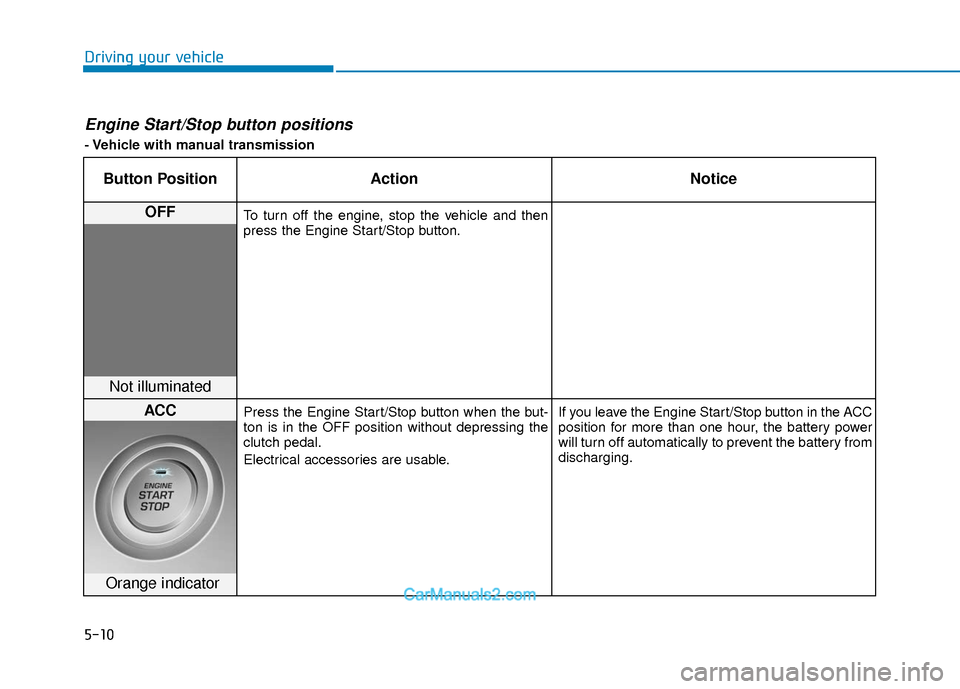
Engine Start/Stop button positions
- Vehicle with manual transmission
Button PositionAction Notice
OFFTo turn off the engine, stop the vehicle and then
press the Engine Start/Stop button.
Not illuminated
ACCPress the Engine Start/Stop button when the but-
ton is in the OFF position without depressing the
clutch pedal.
Electrical accessories are usable. If you leave the Engine Start/Stop button in the ACC
position for more than one hour, the battery power
will turn off automatically to prevent the battery from
discharging.
Orange indicator
Page 294 of 526
5-11
Driving your vehicle
5
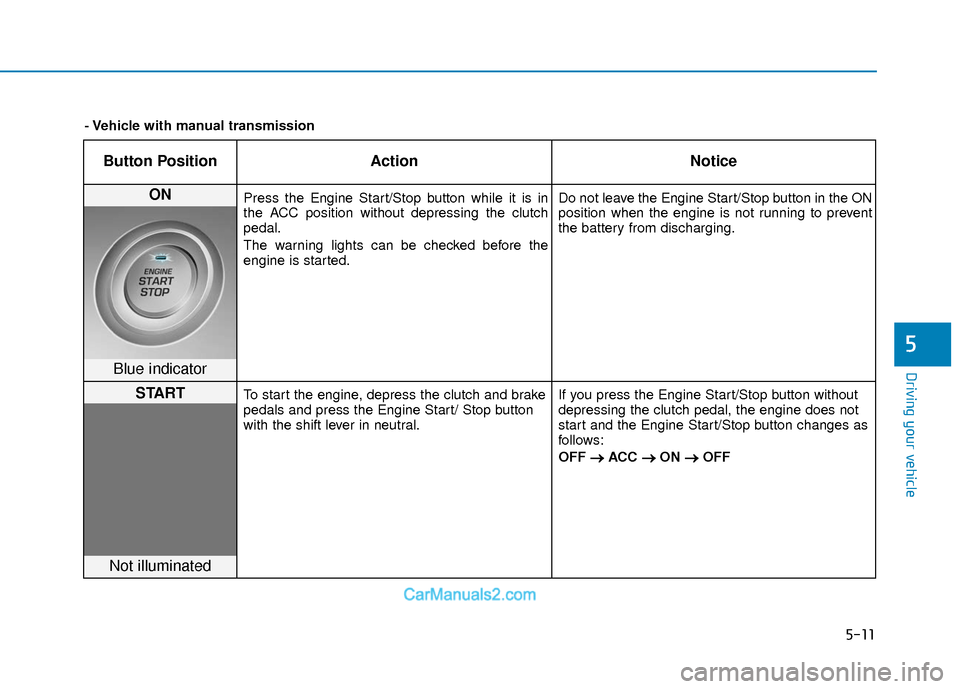
Button PositionAction Notice
ON Press the Engine Start/Stop button while it is in
the ACC position without depressing the clutch
pedal.
The warning lights can be checked before the
engine is started. Do not leave the Engine Start/Stop button in the ON
position when the engine is not running to prevent
the battery from discharging.
Blue indicator
STARTTo start the engine, depress the clutch and brake
pedals and press the Engine Start/ Stop button
with the shift lever in neutral.
If you press the Engine Start/Stop button without
depressing the clutch pedal, the engine does not
start and the Engine Start/Stop button changes as
follows:
OFF
→ →
ACC →
→
ON →
→
OFF
Not illuminated
- Vehicle with manual transmission
Page 295 of 526
5-12
Driving your vehicle
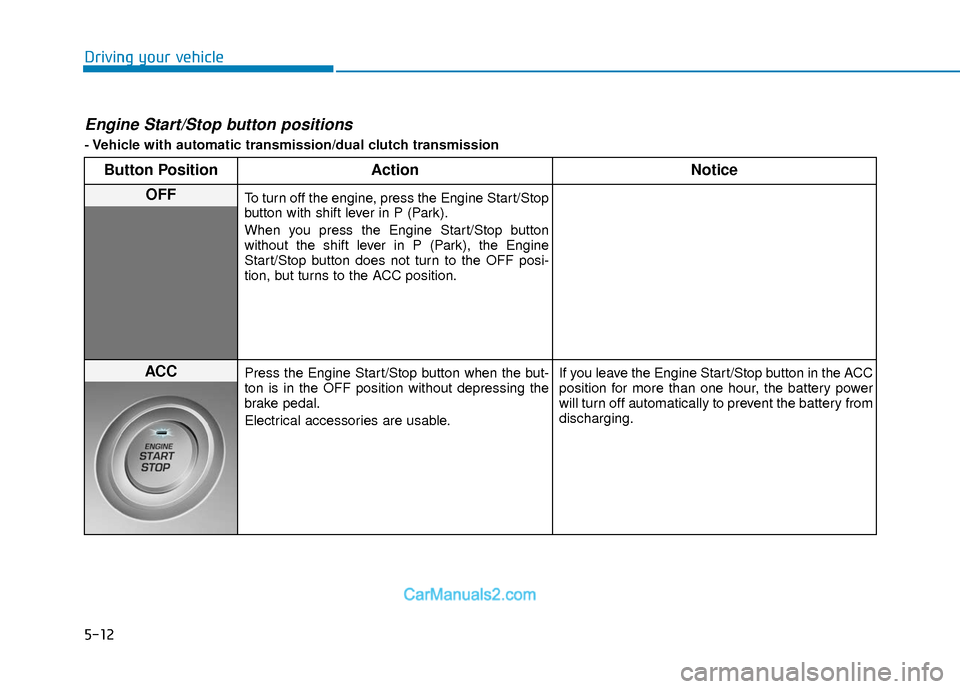
Engine Start/Stop button positions
- Vehicle with automatic transmission/dual clutch transmission
Button PositionAction Notice
OFFTo turn off the engine, press the Engine Start/Stop
button with shift lever in P (Park).
When you press the Engine Start/Stop button
without the shift lever in P (Park), the Engine
Start/Stop button does not turn to the OFF posi-
tion, but turns to the ACC position.
ACCPress the Engine Start/Stop button when the but-
ton is in the OFF position without depressing the
brake pedal.
Electrical accessories are usable. If you leave the Engine Start/Stop button in the ACC
position for more than one hour, the battery power
will turn off automatically to prevent the battery from
discharging.
Page 296 of 526
5-13
Driving your vehicle
5
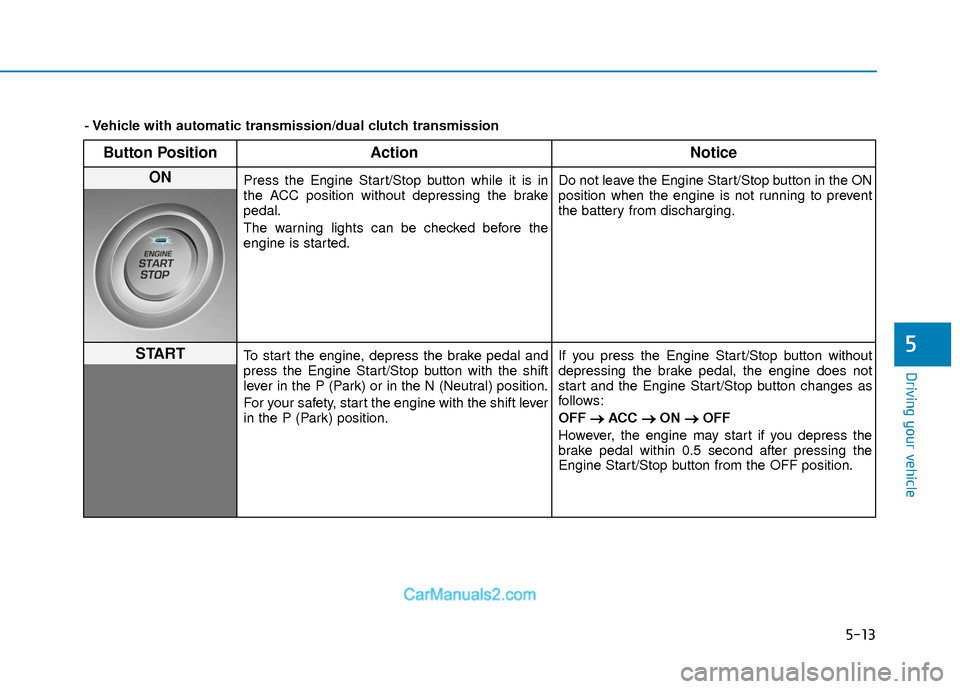
Button PositionAction Notice
ON Press the Engine Start/Stop button while it is in
the ACC position without depressing the brake
pedal.
The warning lights can be checked before the
engine is started. Do not leave the Engine Start/Stop button in the ON
position when the engine is not running to prevent
the battery from discharging.
STARTTo start the engine, depress the brake pedal and
press the Engine Start/Stop button with the shift
lever in the P (Park) or in the N (Neutral) position.
For your safety, start the engine with the shift lever
in the P (Park) position.If you press the Engine Start/Stop button without
depressing the brake pedal, the engine does not
start and the Engine Start/Stop button changes as
follows:
OFF
→ →
ACC →
→
ON →
→
OFF
However, the engine may start if you depress the
brake pedal within 0.5 second after pressing the
Engine Start/Stop button from the OFF position.
- Vehicle with automatic transmission/dual clutch transmission
Page 297 of 526
5-14
Driving your vehicle
Starting the engine Information
• The engine will start by pressing theEngine Start/Stop button, only when the
smart key is in the vehicle.
• Even if the smart key is in the vehicle, if it is far away from the driver, the engine
may not start.
• When the Engine Start/Stop button is in the ACC or ON position, if any door is
open, the system checks for the smart
key. If the smart key is not in the vehicle,
the " " indicator will blink and the
warning "Key not in vehicle" will come
on and if all doors are closed, the chime
will also sound for about 5 seconds.
Keep the smart key in the vehicle when
using the ACC position or if the vehicle
engine is ON. Vehicle with manual transmission:
1. Always carry the smart key with you.
2. Make sure the parking brake is
applied.
3. Make sure the shift lever is in neutral.
4. Depress the clutch and brake pedals.
5. Press the Engine Start/Stop button.
Information
Depress the brake pedal and clutch pedal
until the engine starts.
Vehicle with automatic transmission/dual
clutch transmission:
1. Always carry the smart key with you.
2. Make sure the parking brake is applied.
3. Make sure the shift lever is in P (Park).
4. Depress the brake pedal.
5. Press the Engine Start/Stop button.
i
i
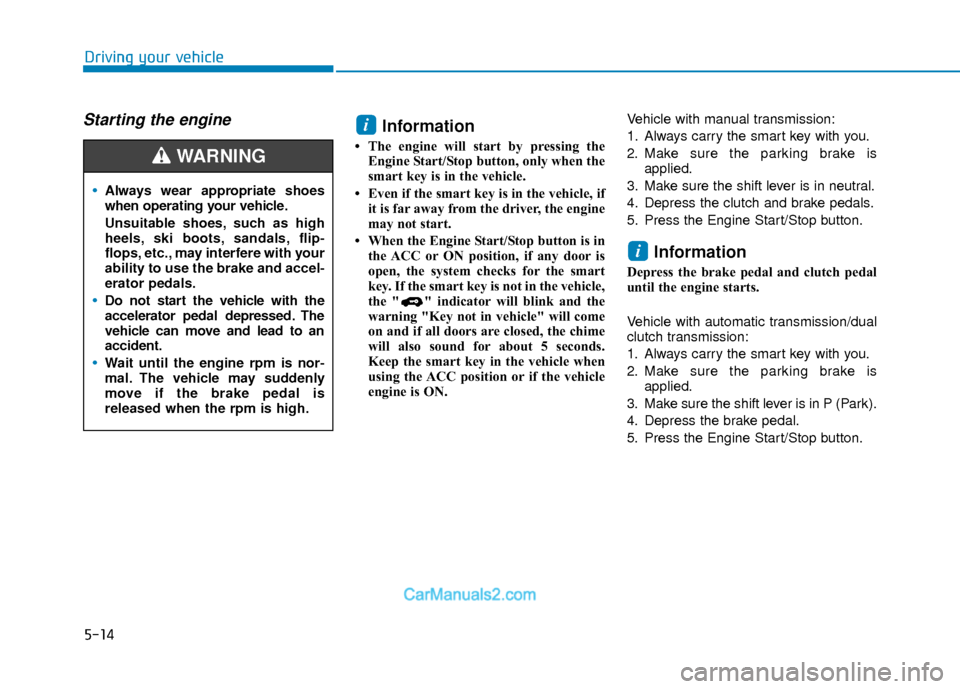
Always wear appropriate shoes
when operating your vehicle.
Unsuitable shoes, such as high
heels, ski boots, sandals, flip-
flops, etc., may interfere with your
ability to use the brake and accel-
erator pedals.
Do not start the vehicle with the
accelerator pedal depressed. The
vehicle can move and lead to an
accident.
Wait until the engine rpm is nor-
mal. The vehicle may suddenly
move if the brake pedal is
released when the rpm is high.
WARNING
Page 298 of 526
5-15
Driving your vehicle
5
Information
• Do not wait for the engine to warm upwhile the vehicle remains stationary.
Start driving at moderate engine speeds.
(Aggressive accelerating and decelerat-
ing should be avoided.)
• Always start the vehicle with your foot on the brake pedal. Do not depress the
accelerator while starting the vehicle.
Do not race the engine while warming it
up.
To prevent damage to the vehicle:
If the engine stalls while you are in motion, do not attempt to move the
shift lever to the P (Park) position.
If traffic and road conditions permit,
you may put the shift lever in the N
(Neutral) position while the vehicle
is still moving and press the Engine
Start/Stop button in an attempt to
restart the engine.
Do not push or tow your vehicle to start the engine. To prevent damage to the vehicle:
When the stop lamp switch fuse is
blown, you can't start the engine nor-
mally. Replace the fuse with a new
one. If you are not able to replace the
fuse, you can start the engine by
pressing and holding the Engine
Start/Stop button for 10 seconds with
the Engine Start/Stop button in the
ACC position.
Do not press the Engine Start/Stop
button for more than 10 seconds
except when the stop lamp switch
fuse is blown.
For your safety always depress the
brake pedal before starting the
engine.
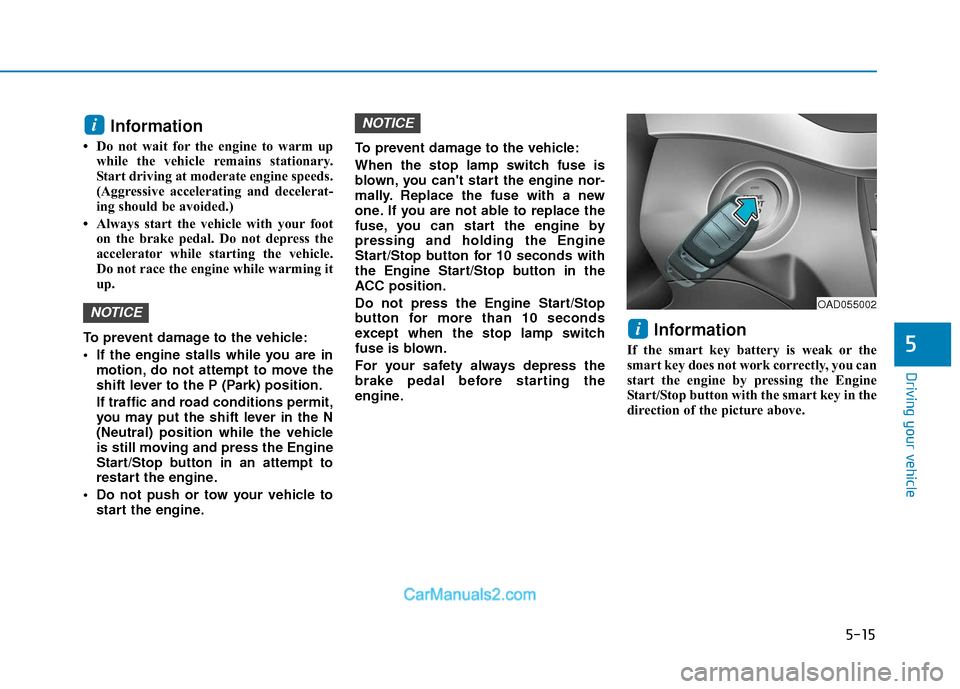
Information
If the smart key battery is weak or the
smart key does not work correctly, you can
start the engine by pressing the Engine
Start/Stop button with the smart key in the
direction of the picture above.
i
NOTICE
NOTICE
i
OAD055002