warning light Hyundai Elantra 2018 Service Manual
[x] Cancel search | Manufacturer: HYUNDAI, Model Year: 2018, Model line: Elantra, Model: Hyundai Elantra 2018Pages: 526, PDF Size: 17.2 MB
Page 147 of 526
3-70
Convenient features of your vehicle
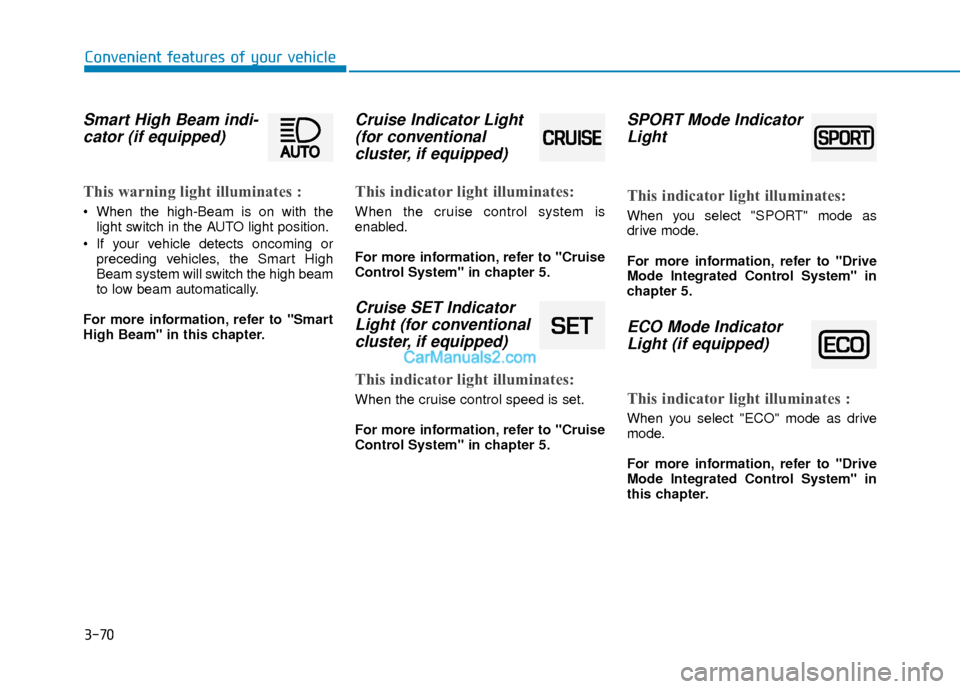
Smart High Beam indi-cator (if equipped)
This warning light illuminates :
When the high-Beam is on with the
light switch in the AUTO light position.
If your vehicle detects oncoming or preceding vehicles, the Smart High
Beam system will switch the high beam
to low beam automatically.
For more information, refer to "Smart
High Beam" in this chapter.
Cruise Indicator Light (for conventional cluster, if equipped)
This indicator light illuminates:
When the cruise control system is
enabled.
For more information, refer to "Cruise
Control System" in chapter 5.
Cruise SET IndicatorLight (for conventionalcluster, if equipped)
This indicator light illuminates:
When the cruise control speed is set.
For more information, refer to "Cruise
Control System" in chapter 5.
SPORT Mode IndicatorLight
This indicator light illuminates:
When you select "SPORT" mode as
drive mode.
For more information, refer to "Drive
Mode Integrated Control System" in
chapter 5.
ECO Mode IndicatorLight (if equipped)
This indicator light illuminates :
When you select "ECO" mode as drive
mode.
For more information, refer to "Drive
Mode Integrated Control System" in
this chapter.
Page 148 of 526
![Hyundai Elantra 2018 Service Manual 3-71
Convenient features of your vehicle
3
Lane Keeping AssistSystem (LKAS)Indicator Light (if equipped)
This indicator light illuminates:
[Green] When you activate the lane
departure warning system](/img/35/14540/w960_14540-147.png "Hyundai Elantra 2018 Service Manual 3-71
Convenient features of your vehicle
3
Lane Keeping AssistSystem (LKAS)Indicator Light (if equipped)
This indicator light illuminates:
[Green] When you activate the lane
departure warning system")
3-71
Convenient features of your vehicle
3
Lane Keeping AssistSystem (LKAS)Indicator Light (if equipped)
This indicator light illuminates:
[Green] When you activate the lane
departure warning system by pressing
the LKAS button.
[White] When system operating condi- tions are not satisfied or when the sen-
sor does not detect the lane line.
[Yellow] When there is a malfunction with the lane keeping assist system.
In this case, have your vehicle inspected
by an authorized HYUNDAI dealer.
For more information, refer to "Lane
Keeping Assist System (LKAS)" in
chapter 5.
LCD Display Messages
(if equipped)
Shift to "P" or "N" to start engine
This warning message is displayed if you
try to start the engine with the shift lever
not in the P (Park) or N (Neutral) position.
Information
You can start the engine with the shift
lever in the N (Neutral) position. But, for
your safety, we recommend that you start
the engine with the shift lever in the P
(Park) position.
Shift to "P"
This message is displayed if you try to
turn off the engine without the shift lever
in P (Park) position.
At this time, the Engine Start/Stop button
turns to the ACC position (If you press
the Engine Start/Stop button once more,
it will turn to the ON position).
i
OTL045146L
■ Supervision cluster
OTL045144L
■Supervision cluster
Page 149 of 526
3-72
Convenient features of your vehicle
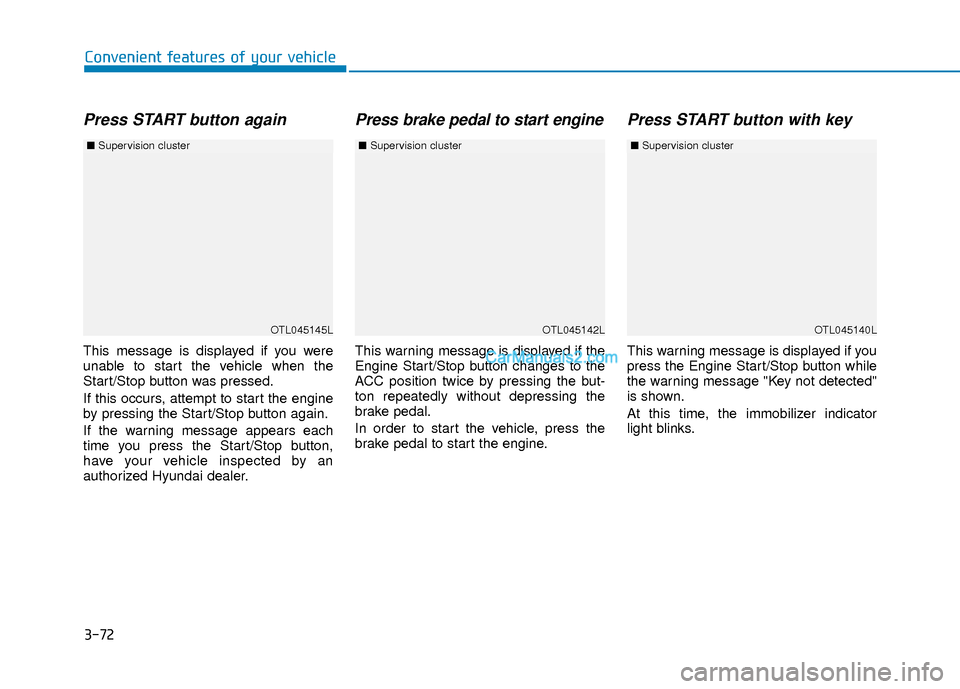
Press START button again
This message is displayed if you were
unable to start the vehicle when the
Start/Stop button was pressed.
If this occurs, attempt to start the engine
by pressing the Start/Stop button again.
If the warning message appears each
time you press the Start/Stop button,
have your vehicle inspected by an
authorized Hyundai dealer.
Press brake pedal to start engine
This warning message is displayed if the
Engine Start/Stop button changes to the
ACC position twice by pressing the but-
ton repeatedly without depressing the
brake pedal.
In order to start the vehicle, press the
brake pedal to start the engine.
Press START button with key
This warning message is displayed if you
press the Engine Start/Stop button while
the warning message "Key not detected"
is shown.
At this time, the immobilizer indicator
light blinks.
OTL045145L
■Supervision cluster
OTL045142LOTL045140L
■Supervision cluster ■Supervision cluster
Page 151 of 526
3-74
Convenient features of your vehicle
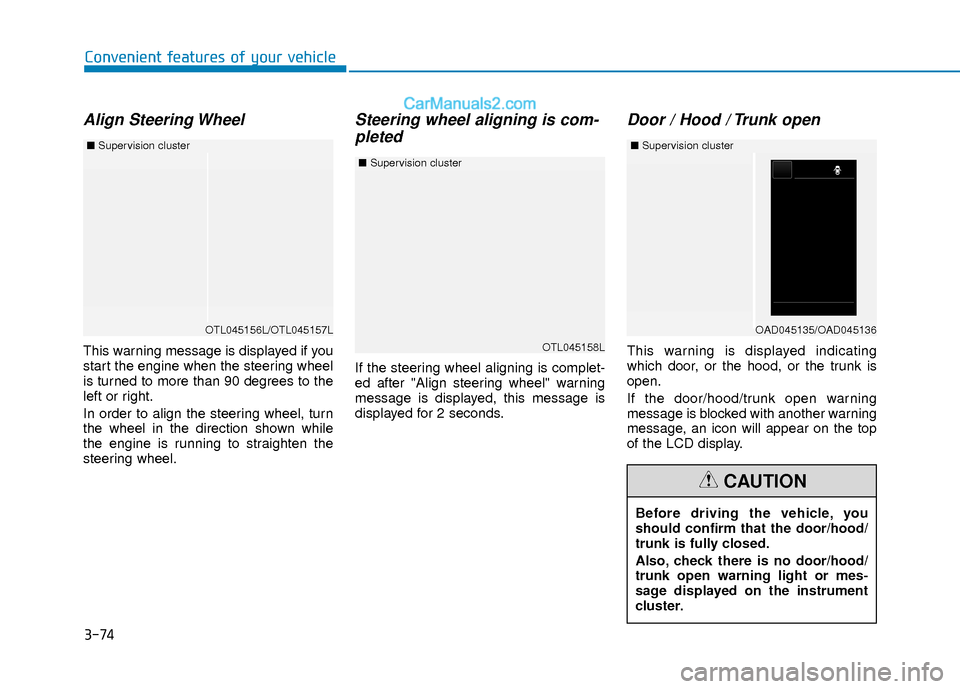
Align Steering Wheel
This warning message is displayed if you
start the engine when the steering wheel
is turned to more than 90 degrees to the
left or right.
In order to align the steering wheel, turn
the wheel in the direction shown while
the engine is running to straighten the
steering wheel.
Steering wheel aligning is com-pleted
If the steering wheel aligning is complet-
ed after "Align steering wheel" warning
message is displayed, this message is
displayed for 2 seconds.
Door / Hood / Trunk open
This warning is displayed indicating
which door, or the hood, or the trunk is
open.
If the door/hood/trunk open warning
message is blocked with another warning
message, an icon will appear on the top
of the LCD display.
OTL045156L/OTL045157L
■ Supervision cluster
Before driving the vehicle, you
should confirm that the door/hood/
trunk is fully closed.
Also, check there is no door/hood/
trunk open warning light or mes-
sage displayed on the instrument
cluster.
CAUTION
OTL045158L
■Supervision cluster
OAD045135/OAD045136
■Supervision cluster
Page 153 of 526
3-76
Convenient features of your vehicle
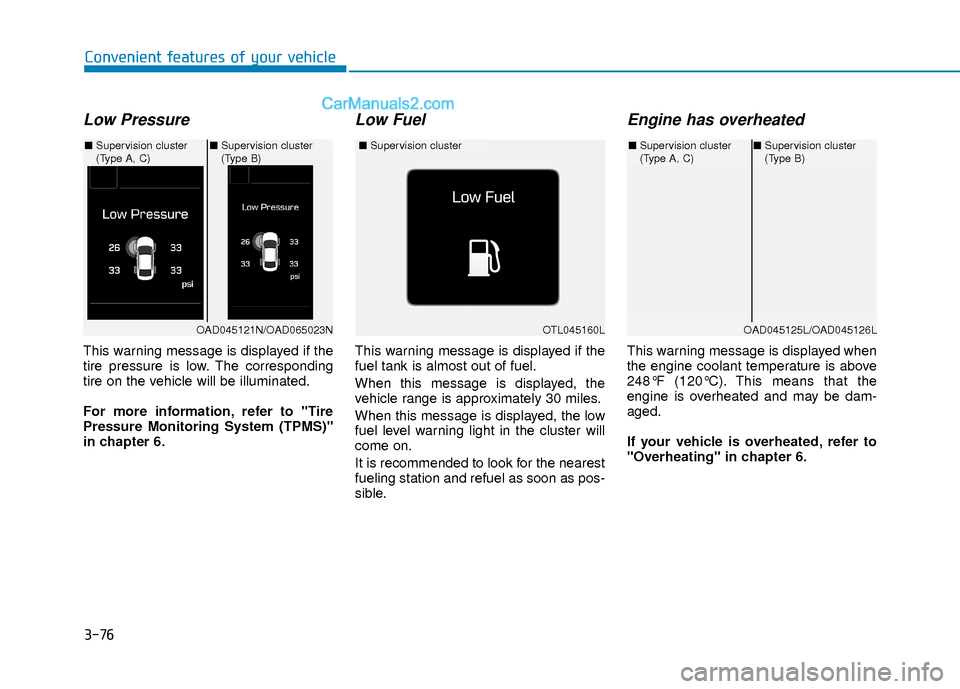
Low Pressure
This warning message is displayed if the
tire pressure is low. The corresponding
tire on the vehicle will be illuminated.
For more information, refer to "Tire
Pressure Monitoring System (TPMS)"
in chapter 6.
Low Fuel
This warning message is displayed if the
fuel tank is almost out of fuel.
When this message is displayed, the
vehicle range is approximately 30 miles.
When this message is displayed, the low
fuel level warning light in the cluster will
come on.
It is recommended to look for the nearest
fueling station and refuel as soon as pos-
sible.
Engine has overheated
This warning message is displayed when
the engine coolant temperature is above
248°F (120°C). This means that the
engine is overheated and may be dam-
aged.
If your vehicle is overheated, refer to
"Overheating" in chapter 6.
OTL045160L
■Supervision cluster
OAD045121N/OAD065023N
■Supervision cluster
(Type A, C) ■
Supervision cluster
(Type B)
OAD045125L/OAD045126L
■Supervision cluster
(Type A, C)■Supervision cluster
(Type B)
Page 155 of 526
3-78
Convenient features of your vehicle
Check headlight
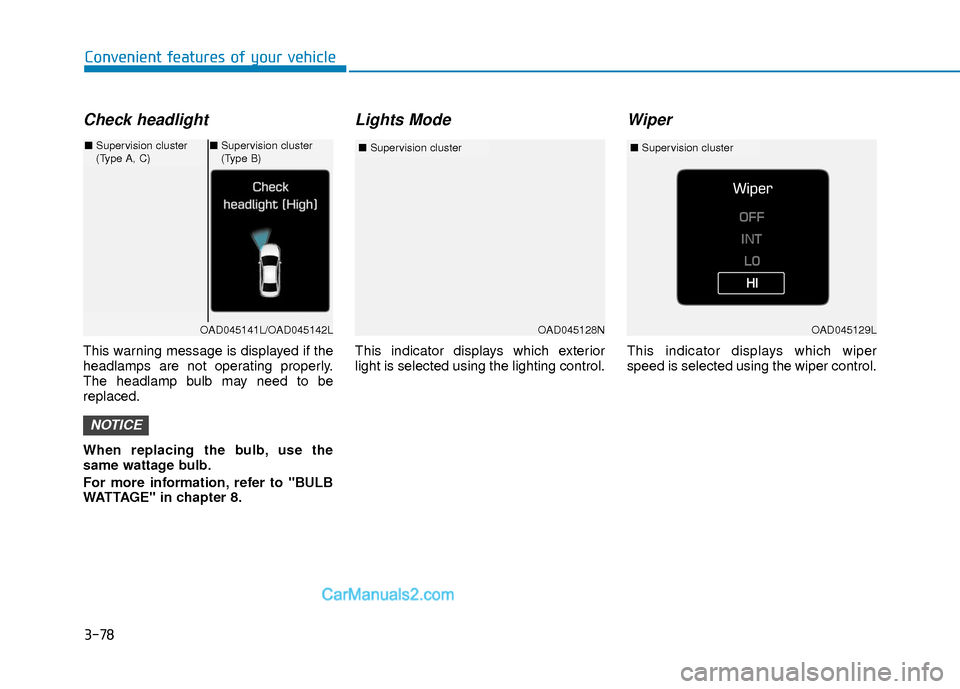
This warning message is displayed if the
headlamps are not operating properly.
The headlamp bulb may need to be
replaced.
When replacing the bulb, use the
same wattage bulb.
For more information, refer to "BULB
WATTAGE" in chapter 8.
Lights Mode
This indicator displays which exterior
light is selected using the lighting control.
Wiper
This indicator displays which wiper
speed is selected using the wiper control.
NOTICE
OAD045128N
■Supervision cluster
OAD045141L/OAD045142L
■Supervision cluster
(Type A, C)■Supervision cluster
(Type B)
OAD045129L
■ Supervision cluster
Page 177 of 526
3-100
Convenient features of your vehicle
High beam operation
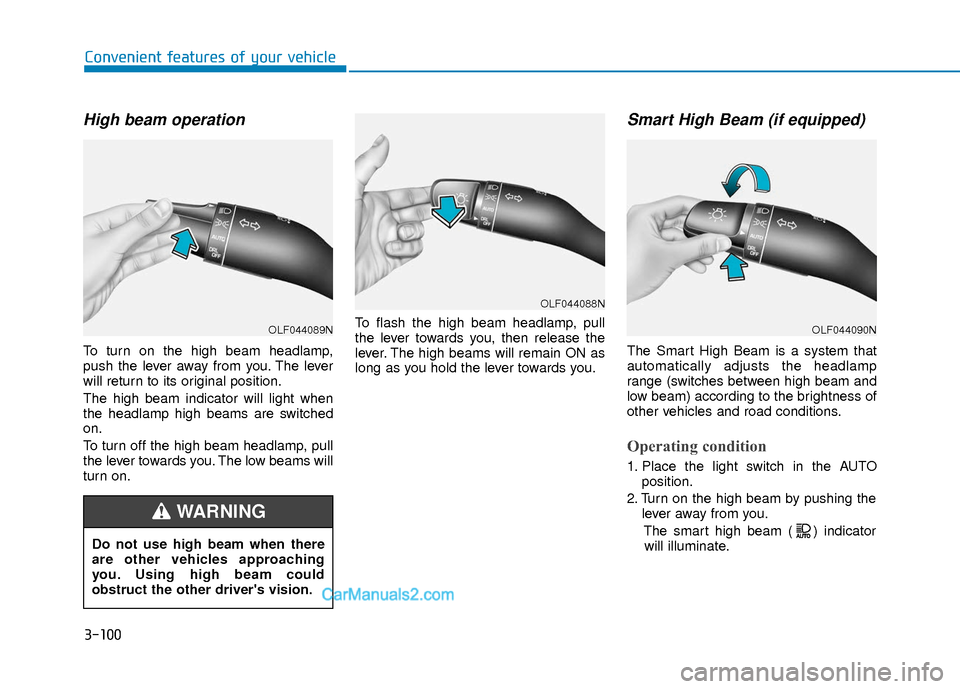
To turn on the high beam headlamp,
push the lever away from you. The lever
will return to its original position.
The high beam indicator will light when
the headlamp high beams are switched
on.
To turn off the high beam headlamp, pull
the lever towards you. The low beams will
turn on.To flash the high beam headlamp, pull
the lever towards you, then release the
lever. The high beams will remain ON as
long as you hold the lever towards you.
Smart High Beam (if equipped)
The Smart High Beam is a system that
automatically adjusts the headlamp
range (switches between high beam and
low beam) according to the brightness of
other vehicles and road conditions.
Operating condition
1. Place the light switch in the AUTO
position.
2. Turn on the high beam by pushing the lever away from you.
The smart high beam ( ) indicatorwill illuminate.
Do not use high beam when there
are other vehicles approaching
you. Using high beam could
obstruct the other driver's vision.
WARNING
OLF044089N
OLF044088N
OLF044090N
Page 178 of 526
3-101
Convenient features of your vehicle
3
3. The Smart High Beam will turn onwhen vehicle speed is above
25 mph (40km/h).
Smart High Beam is operating, the
Smart High Beam will turn off and the
high beam will be on continuously. The
smart high beam ( ) indicator will
turn off.
when the Smart High Beam is oper-
ating, the Smart High Beam will turn
off.
4. If the light switch is placed to the head- lamp position, the Smart High Beam
will turn off and the low beam will be
on continuously.
The high beam switches to low beam in
the below conditions.
- When the Smart High Beam is off.
- When the light switch is not in the AUTO position.
- When the headlamp is detected from the on-coming vehicle.
- When the tail lamp is detected from the front vehicle.
- When the surrounding is bright enough high beams are not needed.
- When streetlights or other lights are detected.
- When vehicle speed is below 15 mph (24 km/h).
Warning light and message
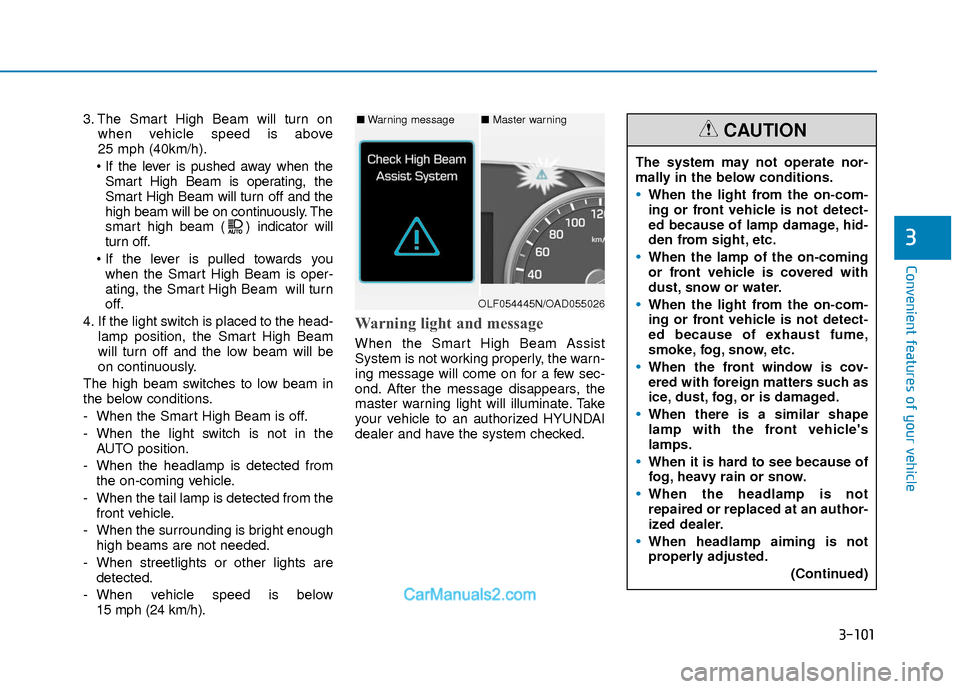
When the Smart High Beam Assist
System is not working properly, the warn-
ing message will come on for a few sec-
ond. After the message disappears, the
master warning light will illuminate. Take
your vehicle to an authorized HYUNDAI
dealer and have the system checked.
The system may not operate nor-
mally in the below conditions.
When the light from the on-com-
ing or front vehicle is not detect-
ed because of lamp damage, hid-
den from sight, etc.
When the lamp of the on-coming
or front vehicle is covered with
dust, snow or water.
When the light from the on-com-
ing or front vehicle is not detect-
ed because of exhaust fume,
smoke, fog, snow, etc.
When the front window is cov-
ered with foreign matters such as
ice, dust, fog, or is damaged.
When there is a similar shape
lamp with the front vehicle's
lamps.
When it is hard to see because of
fog, heavy rain or snow.
When the headlamp is not
repaired or replaced at an author-
ized dealer.
When headlamp aiming is not
properly adjusted.
(Continued)
CAUTION■Warning message■ Master warning
OLF054445N/OAD055026
Page 179 of 526
3-102
Convenient features of your vehicle
Turn signals and lane changesignals
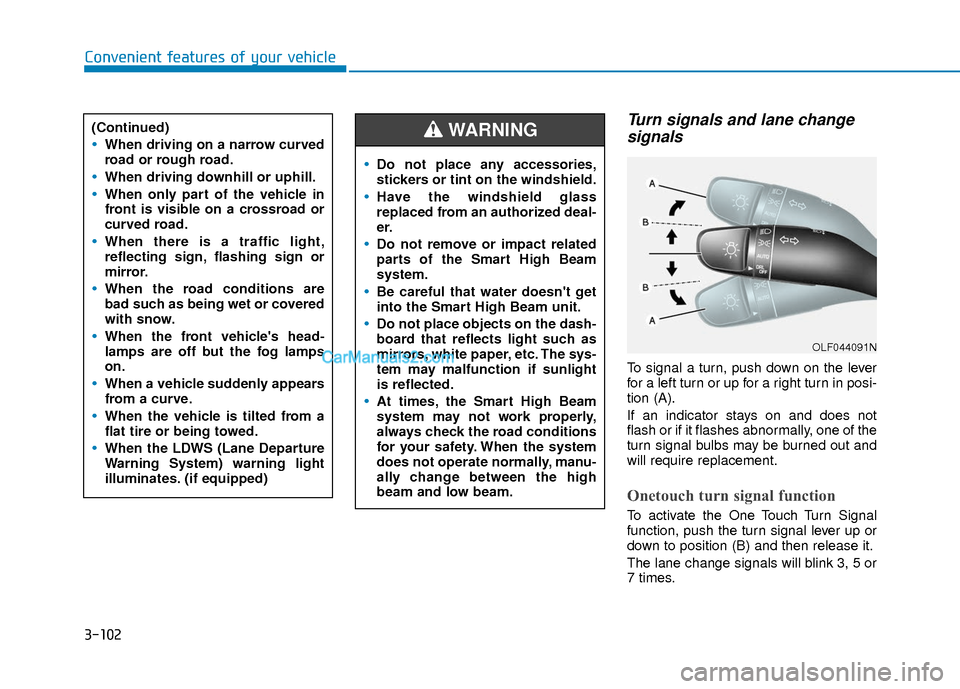
To signal a turn, push down on the lever
for a left turn or up for a right turn in posi-
tion (A).
If an indicator stays on and does not
flash or if it flashes abnormally, one of the
turn signal bulbs may be burned out and
will require replacement.
Onetouch turn signal function
To activate the One Touch Turn Signal
function, push the turn signal lever up or
down to position (B) and then release it.
The lane change signals will blink 3, 5 or
7 times.
(Continued)
When driving on a narrow curved
road or rough road.
When driving downhill or uphill.
When only part of the vehicle in
front is visible on a crossroad or
curved road.
When there is a traffic light,
reflecting sign, flashing sign or
mirror.
When the road conditions are
bad such as being wet or covered
with snow.
When the front vehicle's head-
lamps are off but the fog lamps
on.
When a vehicle suddenly appears
from a curve.
When the vehicle is tilted from a
flat tire or being towed.
When the LDWS (Lane Departure
Warning System) warning light
illuminates. (if equipped)
OLF044091N
Do not place any accessories,
stickers or tint on the windshield.
Have the windshield glass
replaced from an authorized deal-
er.
Do not remove or impact related
parts of the Smart High Beam
system.
Be careful that water doesn't get
into the Smart High Beam unit.
Do not place objects on the dash-
board that reflects light such as
mirrors, white paper, etc. The sys-
tem may malfunction if sunlight
is reflected.
At times, the Smart High Beam
system may not work properly,
always check the road conditions
for your safety. When the system
does not operate normally, manu-
ally change between the high
beam and low beam.
WARNING
Page 181 of 526
3-104
Convenient features of your vehicle
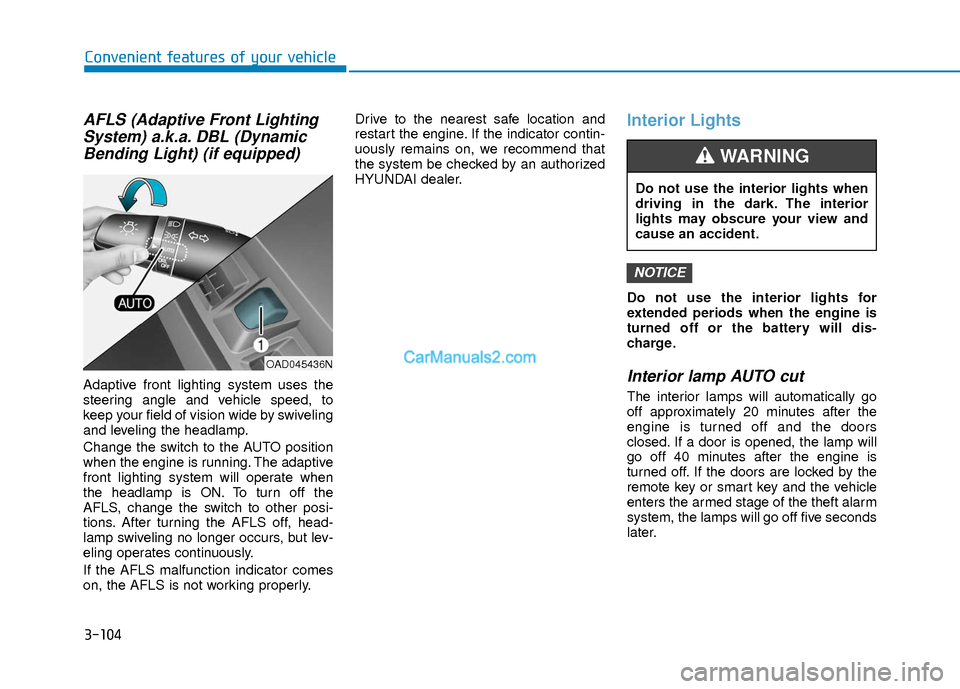
AFLS (Adaptive Front LightingSystem) a.k.a. DBL (DynamicBending Light) (if equipped)
Adaptive front lighting system uses the
steering angle and vehicle speed, to
keep your field of vision wide by swiveling
and leveling the headlamp.
Change the switch to the AUTO position
when the engine is running. The adaptive
front lighting system will operate when
the headlamp is ON. To turn off the
AFLS, change the switch to other posi-
tions. After turning the AFLS off, head-
lamp swiveling no longer occurs, but lev-
eling operates continuously.
If the AFLS malfunction indicator comes
on, the AFLS is not working properly. Drive to the nearest safe location and
restart the engine. If the indicator contin-
uously remains on, we recommend that
the system be checked by an authorized
HYUNDAI dealer.
Interior Lights
Do not use the interior lights for
extended periods when the engine is
turned off or the battery will dis-
charge.
Interior lamp AUTO cut
The interior lamps will automatically go
off approximately 20 minutes after the
engine is turned off and the doors
closed. If a door is opened, the lamp will
go off 40 minutes after the engine is
turned off. If the doors are locked by the
remote key or smart key and the vehicle
enters the armed stage of the theft alarm
system, the lamps will go off five seconds
later.
NOTICE
OAD045436N
Do not use the interior lights when
driving in the dark. The interior
lights may obscure your view and
cause an accident.
WARNING