navigation HYUNDAI ELANTRA 2021 User Guide
[x] Cancel search | Manufacturer: HYUNDAI, Model Year: 2021, Model line: ELANTRA, Model: HYUNDAI ELANTRA 2021Pages: 570, PDF Size: 52.21 MB
Page 207 of 570
05
5-71
Battery saver function
The purpose of this feature is to
help prevent the battery from being
discharged. The system automatically
turns off the parking lamp when the
driver turns the vehicle off and opens the
driver-side door.
With this feature, the parking lamps will
turn off automatically if the driver parks
on the side of road at night.
If necessary, to keep the lamps on when
the vehicle is turned off, perform the
following:
(1)
Open the driver
-side door.
(2)
Turn the parking lamps OFF and ON
again using the headlamp s
witch on
the steering column.
Headlamp delay function
(if equipped)
If you place the ignition switch in the
ACC or OFF position with the headlamps
ON, the headlamps (and/or parking
lamps) remain on for about 5 minutes.
However, with the engine off if the
driver’s door is opened and closed, the
headlamps (and/or parking lamps) are
turned off after 15 seconds.
The headlamps (and/or parking lamps)
can be turned off by pressing the lock
button on the remote key or smart key
twice or turning the light switch to the
OFF or AUTO position. However, if you
turn the light switch to the AUTO position
when it is dark outside, the headlamps
will not be turned off.
You can activate or deactivate the
Headlamp Delay function from the User
Settings Mode in the LCD display.
For more details, refer to “LCD Display
Modes” in chapter 4. If your vehicle is
equipped with additional navigation,
please refer to the infotainment system
manual separately supplied.
NOTICE
If the driver exits the vehicle through
another door besides the driver
door, the battery saver function
does not operate and the headlamp
delay function does not turn OFF
automatically.
This may cause the battery to
discharge. To avoid battery discharge,
turn OFF the headlamps manually from
the headlamp switch before exiting the
vehicle.
Page 214 of 570
Convenient Features
5-78
Welcome system (if equipped)
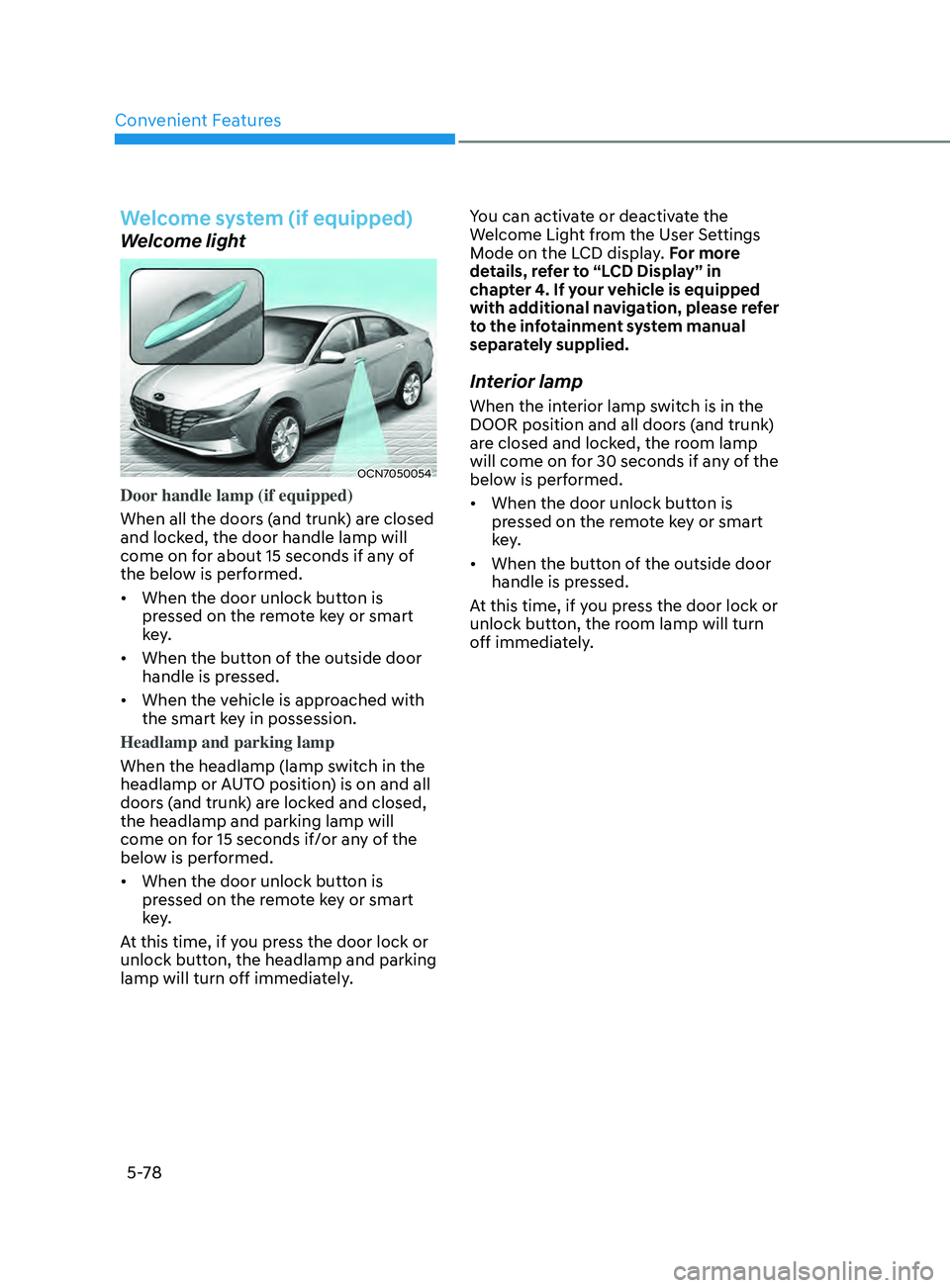
Welcome light
OCN7050054
Door handle lamp (if equipped)
When all the doors (and trunk) are closed
and locked, the door handle lamp will
come on for about 15 seconds if any of
the below is performed.
• When the door unlock button is
pressed on the remote key or smart
key.
• When the button of the outside door
handle is pressed.
• When the vehicle is approached with
the smart key in possession.
Headlamp and parking lamp
When the headlamp (lamp switch in the
headlamp or AUTO position) is on and all
doors (and trunk) are locked and closed,
the headlamp and parking lamp will
come on for 15 seconds if/or any of the
below is performed.
• When the door unlock button is
pressed on the remote key or smart
key.
At this time, if you press the door lock or
unlock button, the headlamp and parking
lamp will turn off immediately. You can activate or deactivate the
Welcome Light from the User Settings
Mode on the LCD display. For more
details, refer to “LCD Display” in
chapter 4. If your vehicle is equipped
with additional navigation, please refer
to the infotainment system manual
separately supplied.
Interior lamp
When the interior lamp switch is in the
DOOR position and all doors (and trunk)
are closed and locked, the room lamp
will come on for 30 seconds if any of the
below is performed.
•
When the door unlock button is
pressed on the remote key or smart
key.
• When the button of the outside door
handle is pressed.
At this time, if you press the door lock or
unlock button, the room lamp will turn
off immediately.
Page 256 of 570
Convenient Features
5-120
Infotainment system (if equipped)
If your vehicle is equipped with
additional navigation, please refer to the
infotainment system manual separately
supplied.
Voice recognition (if equipped)
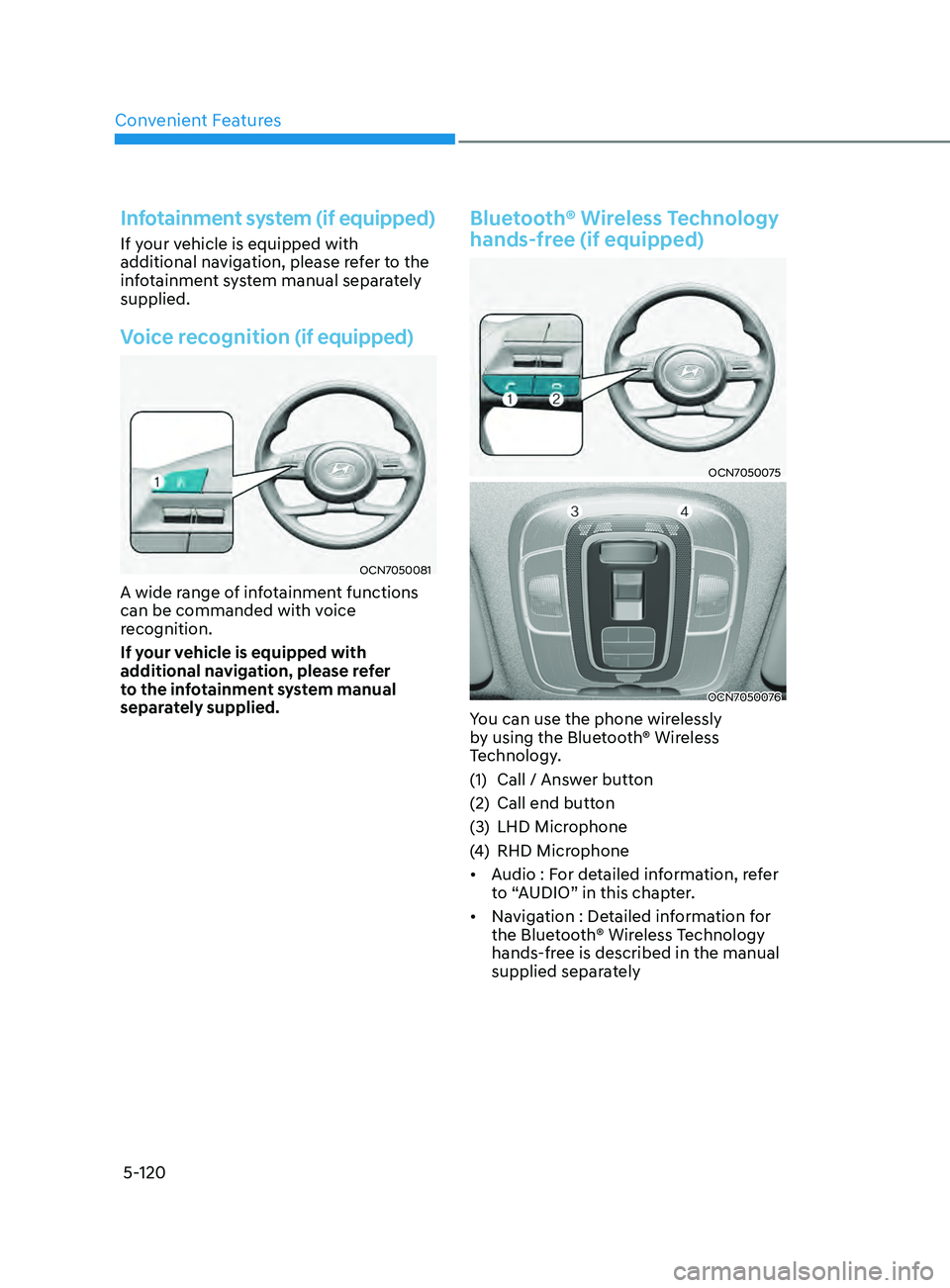
OCN7050081
A wide range of infotainment functions
can be commanded with voice
recognition.
If your vehicle is equipped with
additional navigation, please refer
to the infotainment system manual
separately supplied.
Bluetooth® Wireless Technology
hands-free (if equipped)
OCN7050075
OCN7050076
You can use the phone wirelessly
by using the Bluetooth® Wireless
Technology.
(1)
Call / Answ
er button
(2)
Call end button
(3
)
LHD Microphone
(4
)
RHD Microphone
• A
udio : For detailed information, refer
to “AUDIO” in this chapter.
• Navigation : Detailed information for
the Bluetooth® Wireless Technology
hands-free is described in the manual
supplied separately
Page 297 of 570
![HYUNDAI ELANTRA 2021 User Guide 6-38
Battery Sensor Deactivation
OCN7060158N
[A] : Battery sensor
The battery sensor is deactivated, when
the battery is disconnected from the
negative pole for maintenance purpose.
In this case, t](/img/35/41160/w960_41160-296.png "HYUNDAI ELANTRA 2021 User Guide 6-38
Battery Sensor Deactivation
OCN7060158N
[A] : Battery sensor
The battery sensor is deactivated, when
the battery is disconnected from the
negative pole for maintenance purpose.
In this case, t")
6-38
Battery Sensor Deactivation
OCN7060158N
[A] : Battery sensor
The battery sensor is deactivated, when
the battery is disconnected from the
negative pole for maintenance purpose.
In this case, the ISG system is limitedly
operated due to the battery sensor
deactivation. Thus, the driver needs
to take the following procedures to
reactivate the battery sensor after
disconnecting the battery.
Prerequisites to reactivate the
battery sensor
Switch "ON" and "OFF" the ignition one
time. Park the vehicle for a minimum of 4
hours with the hood and all doors closed.
Pay extreme caution not to connect any
accessories (i.e. navigation and black
box) to the vehicle with the engine in the
OFF status. If not, the battery sensor may
not be reactivated.
Information
The ISG system may not operate in the
following situations.
-There is a malfunction with the ISG
system.
-The battery is weak.
-The brake vacuum pressur
e is low.
If this occurs, have the ISG system
checked by an authorized HYUNDAI
dealer.
NOTICE
• Use only a genuine HYUNDAI
Absorbent Glass Mat (AGM) battery
for replacement. If not, the ISG
system may not operate normally.
• Do not recharge the Absorbent Glass
Mat (AGM) battery with a general
battery charger. It may damage or
explode the Absorbent Glass Mat
(AGM) battery.
• Do not remove the battery cap. The
battery electrolyte, which is harmful
to the human body, may leak out.
While Driving
Page 314 of 570
Driving SafetyForward Collision–Avoidance Assist (FCA) (front view camera only) ....................7-2
F orward Collision–Avoidance Assist (FCA) (sensor fusion) ................................... 7
-14
Lane Keeping Assist (LKA)
........................................................................\
.............. 7
-30
Blind-Spot Collision Warning (BCW)
...................................................................... 7
-36
Blind-Spot Collision-Avoidance Assist (BCA)
........................................................ 7
-45
Safe Exit Warning (SEW)
........................................................................\
.................. 7
-58
Manual Speed Limit Assist (MSLA)
........................................................................\
. 7-63
In
telligent Speed Limit Assist (ISLA)
...................................................................... 7
-66
Driver Attention Warning (DAW)
........................................................................\
..... 7
-7 1
Driving ConvenienceCruise Control (CC) ........................................................................\
...........................7-7 7
Smart Cruise Control (SCC) ........................................................................\
............. 7
-81
Navigation-Based Smart Cruise Control (NSCC) ..................................................7-98
Lane Following Assist (LFA)
........................................................................\
........... 7
-105
Highway Driving Assist (HDA)
........................................................................\
....... 7
-109
Parking SafetyRear View Monitor (RVM) ........................................................................\
..............7- 116
Rear Cross-Traffic Collision Warning (RCCW) ...................................................... 7
-120
Rear Cross-Traffic Collision-Avoidance Assist (RCCA)
......................................... 7
-128
Reverse Parking Distance Warning (PDW)
........................................................... 7
-139
Reverse Parking Collision-Avoidance Assist (PCA)
.............................................. 7
-142
Declaration of Conformity
........................................................................\
.............. 7
-150
7. Driver assistance system
Driver assistance system
7
Page 379 of 570
Driver assistance system
7-66
intelligent speed liMit assist (isla) (iF equipped)
Intelligent Speed Limit Assist uses
information from the detected road sign
and navigation system to inform the
driver of the speed limit and additional
information of the current road. Also,
the function helps the driver to maintain
within the speed limit of the road.
CAUTION
Intelligent Speed Limit Assist may not
operate properly if the system is used in
other countries.
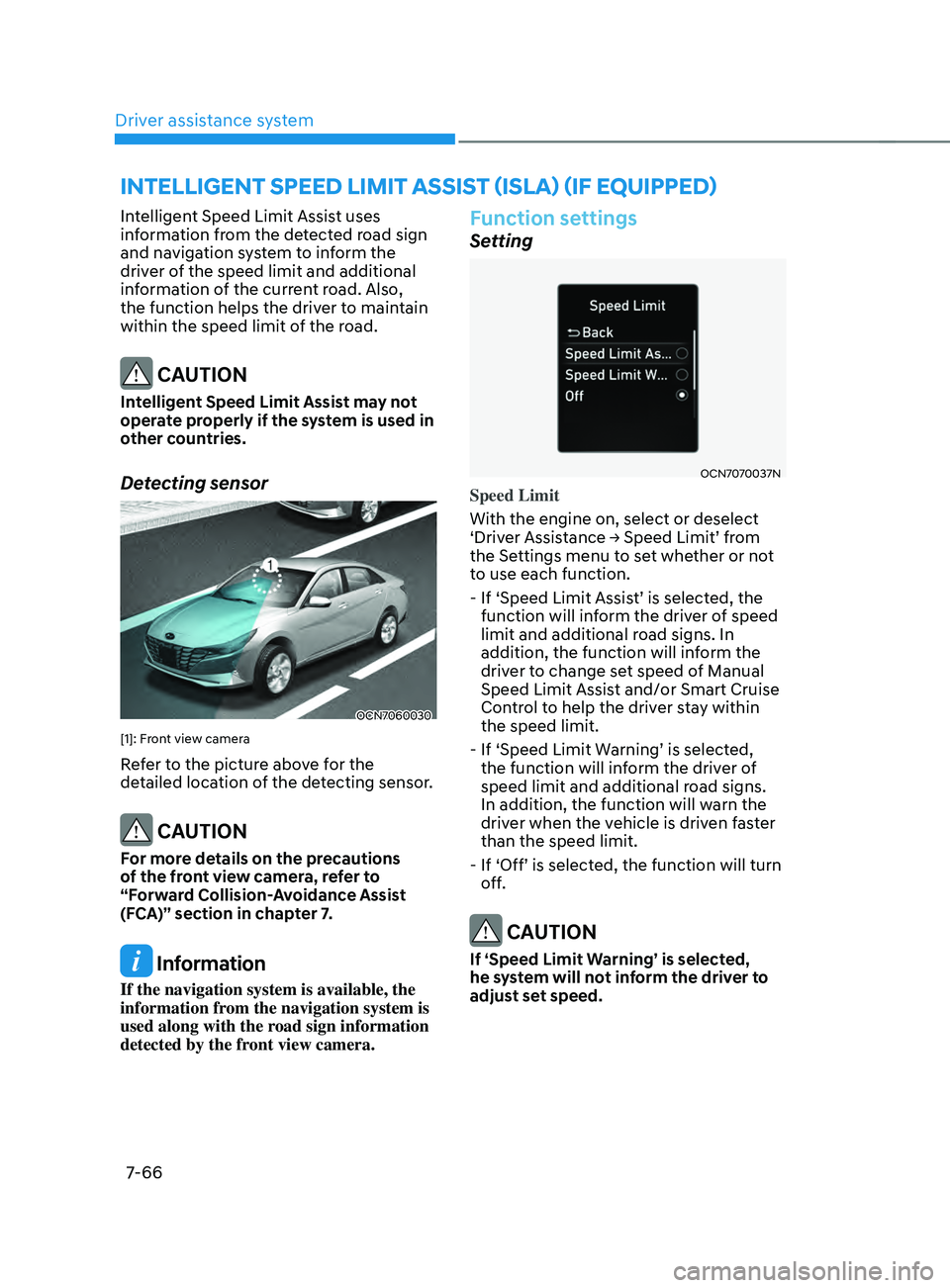
Detecting sensor
OCN7060030
[1]: Front view camera
Refer to the picture above for the
detailed location of the detecting sensor.
CAUTION
For more details on the precautions
of the front view camera, refer to
“Forward Collision-Avoidance Assist
(FCA)” section in chapter 7.
Information
If the navigation system is available, the
information from the navigation system is
used along with the road sign information
detected by the front view camera.
Function settings
Setting
OCN7070037N
Speed Limit
With the engine on, select or deselect
‘Driver
Assis
tance
→ Speed Limit’ fr
om
the Settings menu t
o set whether or not
to use each function.
-
If ‘Speed Limit Assis
t’
is select
ed,
the function will inf
orm the driver of speed
limit and additional road signs. In
addition, the function will inform the
driver to change set speed of Manual
Speed Limit Assist and/or Smart Cruise
Control to help the driver stay within
the speed limit.
-
If ‘Speed Limit W
arning’
is select
ed,
the function will inf
orm the driver of
speed limit and additional road signs.
In addition, the function will warn the
driver when the vehicle is driven faster
than the speed limit.
-
If ‘Off’ is select
ed,
the function will turn of
f.
CAUTION
If ‘Speed Limit Warning’ is selected,
he system will not inform the driver to
adjust set speed.
Page 411 of 570
Driver assistance system
7-98
Navigation-based Smart Cruise Control
can help automatically adjust vehicle
speed when driving on highways (or
motorways) by using road information
from the navigation system while Smart
Cruise Control is operating.
Information
• Navigation-based Smart Cruise Control
is available only on controlled access
road of certain highways.
ÃControlled access r
oad indicates
roads with limited entrances and
exits that allow uninterrupted high
speed traffic flow. Only passenger
cars and motorcycles are allowed on
controlled access roads.
• Additional highways may be expanded
by future navigation updates.
Information
Navigation-based Smart Cruise Control
operates on main roads of highways (or
motorways), and does not operate on
interchanges or junctions.
Highway Curve Zone Auto Slowdown
If vehicle speed is high, Highway Curve
Zone Auto Slowdown function can
temporarily decelerate your vehicle
or limit acceleration to help you drive
safely on a curve based on the curve
information from the navigation.
Highway Set Speed Auto Change
Highway Set Speed Auto Change
function automatically changes Smart
Cruise Control set speed based on
the speed limit information from the
navigation.
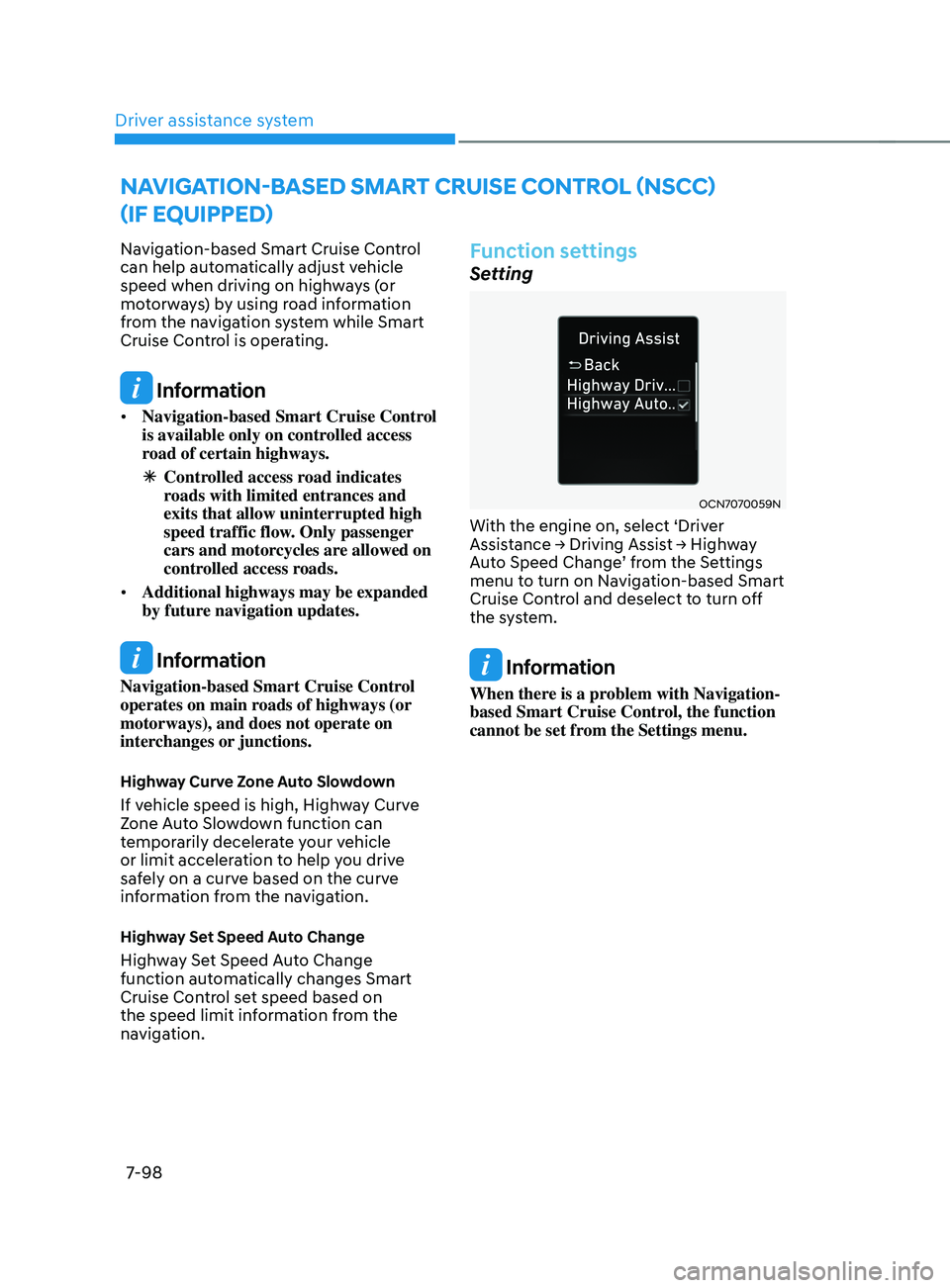
Function settings
Setting
OCN7070059N
With the engine on, select ‘Driver
Assistance → Driving Assis
t → High way Aut
o
Speed Change
’
fr
om
the Se
ttings
menu to turn on Na
vigation-based Smart
Cruise Control and deselect to turn off
the system.
Information
When there is a problem with Navigation-
based Smart Cruise Control, the function
cannot be set from the Settings menu.
navigation-Based sMart Cruise Control (nsCC)
(i
F e
quipped)
Page 412 of 570
07
7-99
Function operation
Operating conditions
Navigation-based Smart Cruise Control
is ready to operate if all of the following
conditions are satisfied:
• Smart Cruise Control is operating
• Driving on main roads of highways (or
motorways)
Information
For more details on how to operate Smart
Cruise Control, refer to “Smart Cruise
Control (SCC)” section in chapter 7.
Function display and control
When Navigation-based Smart Cruise
Control operates, it will be displayed on
the cluster as follows:
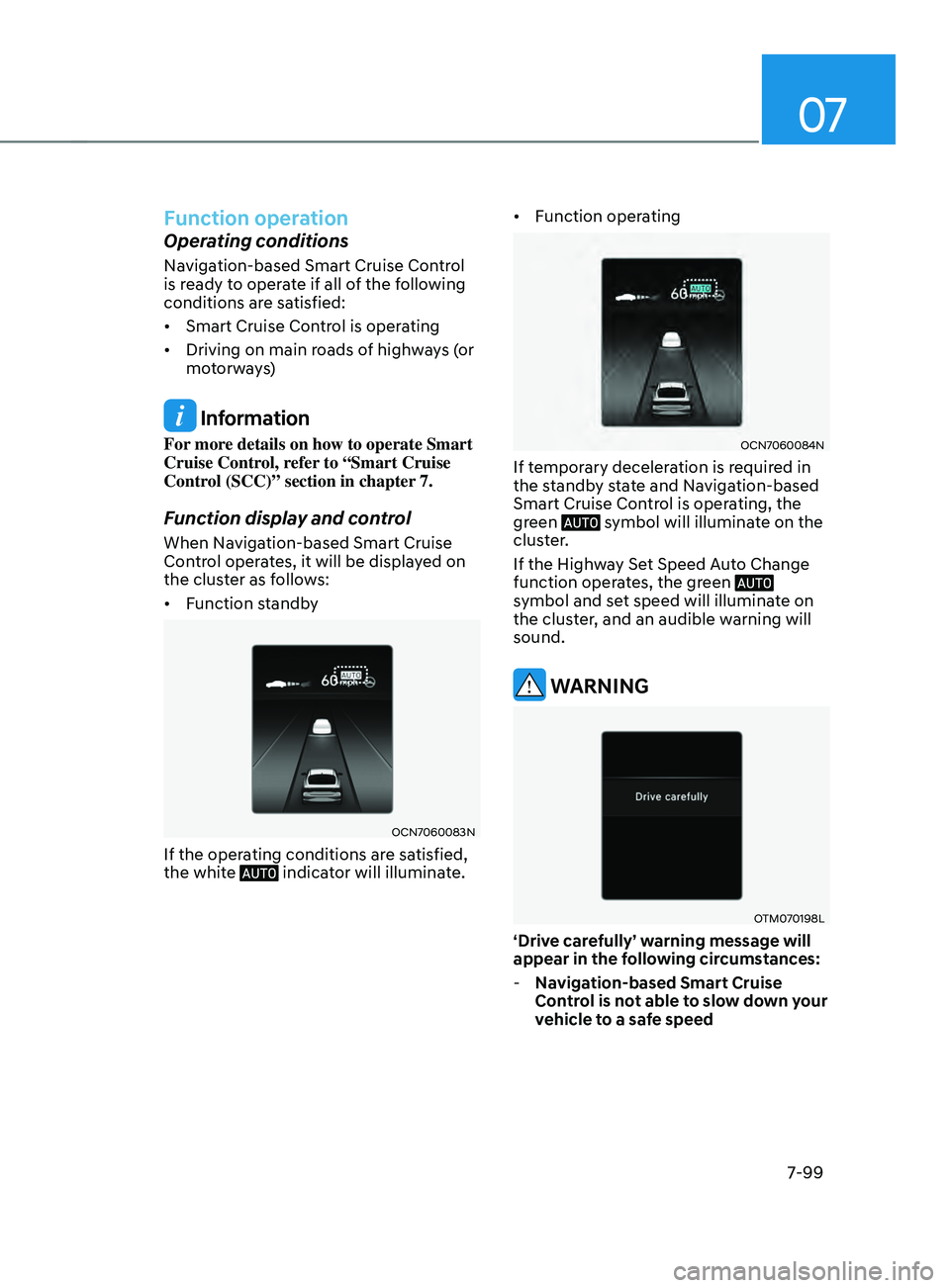
• Function standby
OCN7060083N
If the operating conditions are satisfied,
the white indicator will illuminate. •
Function operating
OCN7060084N
If temporary deceleration is required in
the standby state and Navigation-based
Smart Cruise Control is operating, the
green
symbol will illuminate on the
cluster.
If the Highway Set Speed Auto Change
function operates, the green
symbol and set speed will illuminate on
the cluster, and an audible warning will
sound.
WARNING
OTM070198L
‘Drive carefully’ warning message will
appear in the following circumstances:
- Na
vigation-based Smart Cruise
Control is not able to slow down your
vehicle to a safe speed
Page 413 of 570
Driver assistance system
7-100
Information
Highway Curve Zone Auto Slowdown and
Highway Set Speed Auto Change function
uses the same
symbol.
Highway Curve Zone Auto Slowdown
• Depending on the curve ahead on the
highway (or motorway), the vehicle
will decelerate, and after passing the
curve, the vehicle will accelerate to
Smart Cruise Control set speed.
• Vehicle deceleration time may differ
depending on the vehicle speed
and the degree of the curve on the
road. The higher the driving speed,
deceleration will start faster.
Highway Set Speed Auto Change
• Highway Set Speed Auto Change
function will operate when Smart
Cruise Control set speed and the
highway (or motorway) speed limit is
matched.
• While Highway Set Speed Auto
Change function is operating, when
the highway (or motorway) speed limit
changes, Smart Cruise Control set
speed automatically changes to the
changed speed limit.
• If Smart Cruise Control set speed is
adjusted different from the speed
limit, Highway Set Speed Auto Change
function will be in the standby state.
• If Highway Set Speed Auto Change
function has changed to the standby
state by driving on a road other than
the highway (or motorway) main road,
Highway Set Speed Auto Change
function will operate again when you
drive on the main road again without
setting the set speed. •
If Highway Set Speed Auto Change
function has changed to the standby
state by depressing the brake pedal
or pressing the switch on the
steering wheel, press the switch
to restart the function.
• Highway Set Speed Auto Change
function does not operate on highway
interchanges or junctions.
Information
• Highway Set Speed Auto Change
function only operates based on
the speed limits of the highway (or
motorway), it does not work with speed
cameras.
• When Highway Set Speed Auto Change
function is operating, the vehicle
automatically accelerates or decelerates
when the highway (or motorway) speed
limit changes.
• The maximum set speed for Highway
Set Speed Auto Change function is 86
mph (140 km/h).
• If the speed limit of a new road is not
updated in the navigation, Highway Set
Speed Auto Change function may not
operate properly.
• If the speed unit is set to a unit other
than the speed unit used in your
country, Highway Set Speed Auto
Change function may not operate
properly.
Page 414 of 570
07
7-101
Limitations of the function
Navigation-based Smart Cruise Control
may not operate normally under the
following circumstances:
• The navigation is not working properly
• Speed limit and road information in
the navigation is not updated
• The map information and the actual
road is different because of real-time
GPS data or map information error
• The navigation searches for a route
while driving
• GPS signals are blocked in areas such
as a tunnel
• The navigation is updated while
driving
• Map information is not transmitted
due to infotainment system's
abnormal operation
• A road that divides into two or more
roads and joins again
• The driver goes off course the route
set in the navigation
• The route to the destination is
changed or canceled by resetting the
navigation •
The vehicle enters a service station or
rest area
• The speed limit of some sections
changes according to the road
situations
• Android Auto or Car Play is operating
• The navigation cannot detect the
current vehicle position (ex: elevated
roads including overpass adjacent to
general roads or nearby roads exist in
a parallel way)
• The navigation is being updated while
driving
• The navigation is being restarted while
driving
• There is bad weather, such as heavy
rain, heavy snow, etc.
• Driving on a road under construction
• Driving on a road that is controlled
• Driving on a road that is sharply
curved
• Driving on roads with intersections,
roundabouts, straight entrances and
exits, etc.