ESP HYUNDAI ELANTRA GT 2014 Owner's Manual
[x] Cancel search | Manufacturer: HYUNDAI, Model Year: 2014, Model line: ELANTRA GT, Model: HYUNDAI ELANTRA GT 2014Pages: 476, PDF Size: 31.71 MB
Page 264 of 476
4179
Features of your vehicle
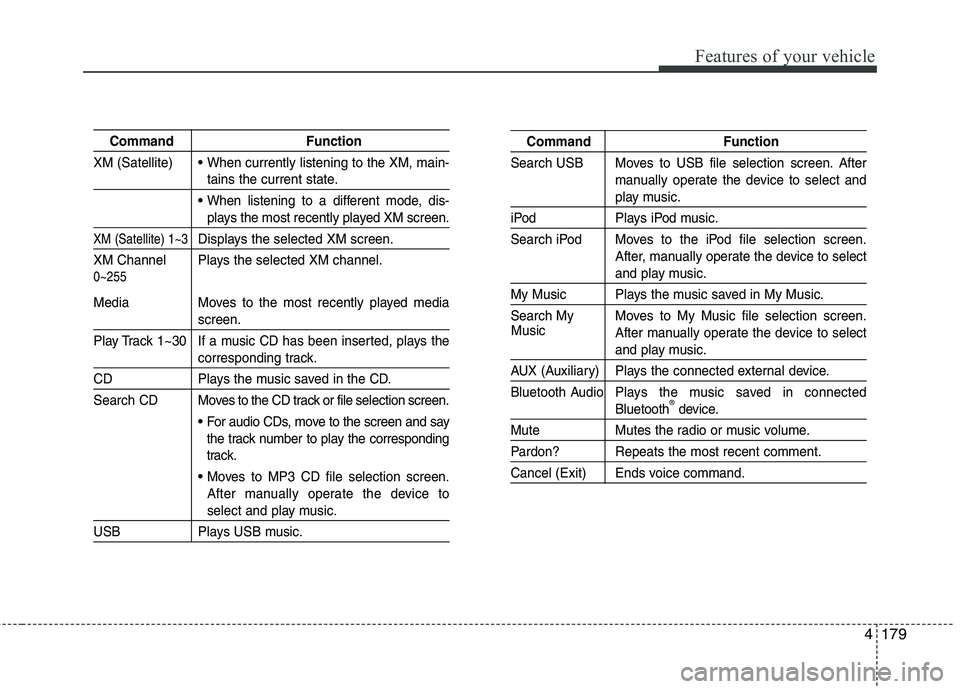
Command Function
XM (Satellite)
When currently listening to the XM, main-
tains the current state.
When listening to a different mode, dis-
plays the most recently played XM screen.
XM (Satellite) 1~3Displays the selected XM screen.
XM Channel Plays the selected XM channel.
Media Moves to the most recently played media
screen.
Play Track 1~30 If a music CD has been inserted, plays the
corresponding track.
CD Plays the music saved in the CD.
Search CD Moves to the CD track or file selection screen.
For audio CDs, move to the screen and say
the track number to play the corresponding
track.
Moves to MP3 CD file selection screen.
After manually operate the device to
select and play music.
USB Plays USB music.
Command Function
Search USB Moves to USB file selection screen. After
manually operate the device to select and
play music.
iPod Plays iPod music.
Search iPod Moves to the iPod file selection screen.
After, manually operate the device to select
and play music.
My Music Plays the music saved in My Music.
Search My Moves to My Music file selection screen.
After manually operate the device to select
and play music.
AUX (Auxiliary) Plays the connected external device.
Bluetooth Audio Plays the music saved in connected
Bluetooth®device.
Mute Mutes the radio or music volume.
Pardon? Repeats the most recent comment.
Cancel (Exit) Ends voice command.
0~255
Music
Page 266 of 476
4181
Features of your vehicle
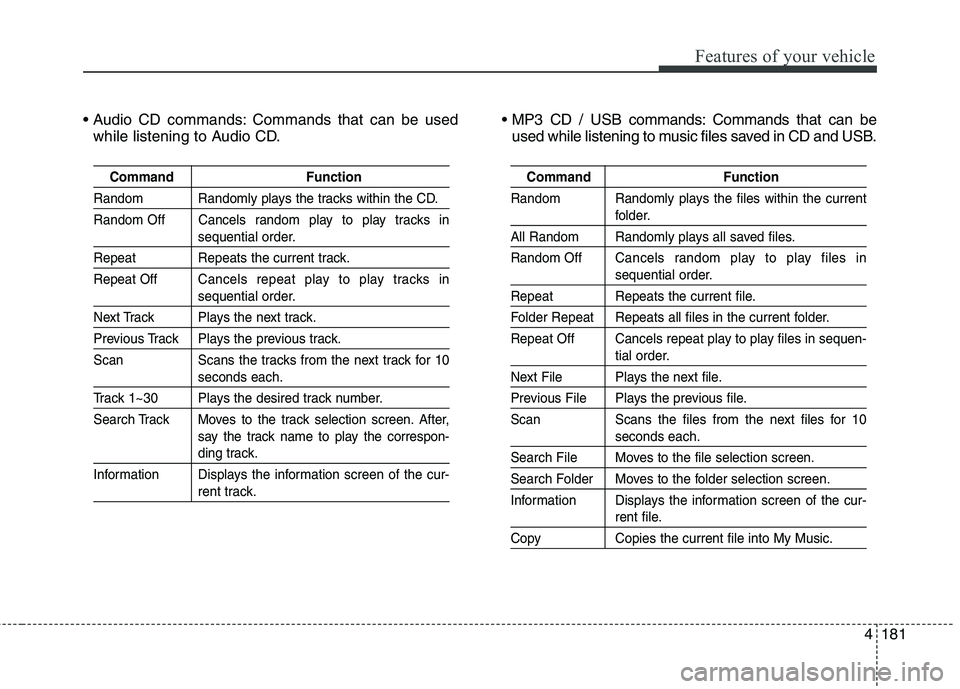
Commands that can be used
while listening to Audio CD. Commands that can be
used while listening to music files saved in CD and USB.
Command Function
Random Randomly plays the tracks within the CD.
Random Off Cancels random play to play tracks in
sequential order.
Repeat Repeats the current track.
Repeat OffCancels repeat play to play tracks in
sequential order.
Next Track Plays the next track.
Previous Track Plays the previous track.
Scan Scans the tracks from the next track for 10
seconds each.
Track 1~30 Plays the desired track number.
Search Track Moves to the track selection screen. After,
say the track name to play the correspon-
ding track.
Information Displays the information screen of the cur-
rent track.
Command Function
Random Randomly plays the files within the current
folder.
All Random Randomly plays all saved files.
Random OffCancels random play to play files in
sequential order.
Repeat Repeats the current file.
Folder Repeat Repeats all files in the current folder.
Repeat Off Cancels repeat play to play files in sequen-
tial order.
Next File Plays the next file.
Previous File Plays the previous file.
Scan Scans the files from the next files for 10
seconds each.
Search File Moves to the file selection screen.
Search Folder Moves to the folder selection screen.
Information Displays the information screen of the cur-
rent file.
Copy Copies the current file into My Music.
Page 276 of 476
Driving your vehicle
4 5
Before entering vehicle
• Be sure that all windows, outside
mirror(s), and outside lights are
clean.
Check the condition of the tires.
Check under the vehicle for any
sign of leaks.
Be sure there are no obstacles
behind you if you intend to back up.
Necessary inspections
Fluid levels, such as engine oil,
engine coolant, brake fluid, and
washer fluid should be checked on a
regular basis, with the exact interval
depending on the fluid. Further
details are provided in section 7,
“Maintenance”.
BEFORE DRIVING
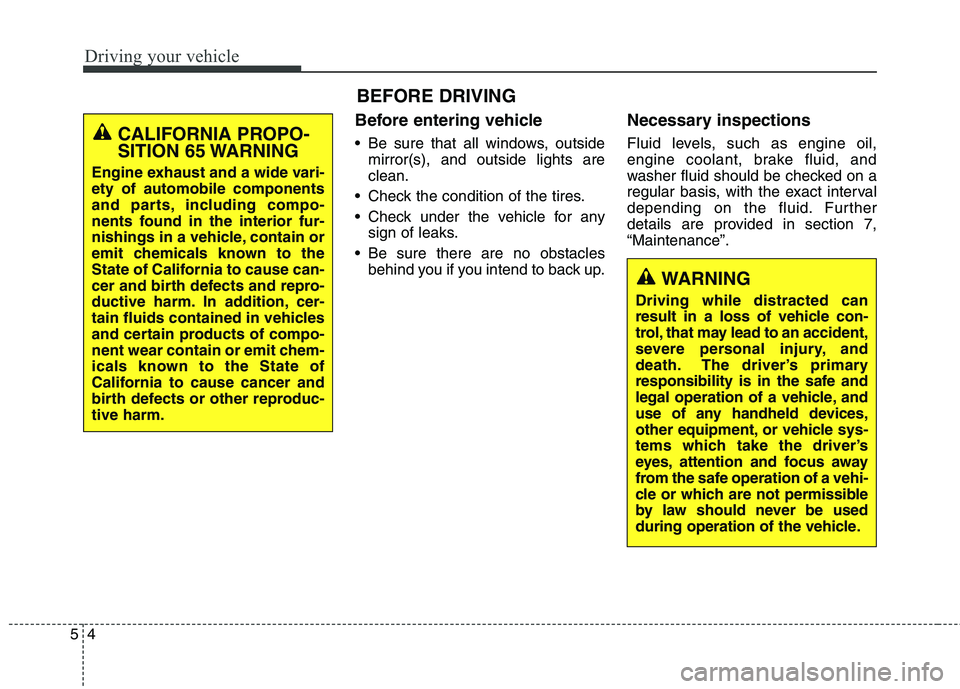
CALIFORNIA PROPO-
SITION 65 WARNING
Engine exhaust and a wide vari-
ety of automobile components
and parts, including compo-
nents found in the interior fur-
nishings in a vehicle, contain or
emit chemicals known to the
State of California to cause can-
cer and birth defects and repro-
ductive harm. In addition, cer-
tain fluids contained in vehicles
and certain products of compo-
nent wear contain or emit chem-
icals known to the State of
California to cause cancer and
birth defects or other reproduc-
tive harm.
WARNING
Driving while distracted can
result in a loss of vehicle con-
trol, that may lead to an accident,
severe personal injury, and
death. The driver’s primary
responsibility is in the safe and
legal operation of a vehicle, and
use of any handheld devices,
other equipment, or vehicle sys-
tems which take the driver’s
eyes, attention and focus away
from the safe operation of a vehi-
cle or which are not permissible
by law should never be used
during operation of the vehicle.
Page 277 of 476
55
Driving your vehicle
Before starting
Close and lock all doors.
Position the seat so that all con-
trols are easily reached.
Adjust the inside and outside
rearview mirrors.
Be sure that all lights work.
Check all gauges.
Check the operation of warning
lights when the ignition switch is
turned to the ON position.
Release the parking brake and
make sure the brake warning light
goes out.
For safe operation, be sure you are
familiar with your vehicle and its
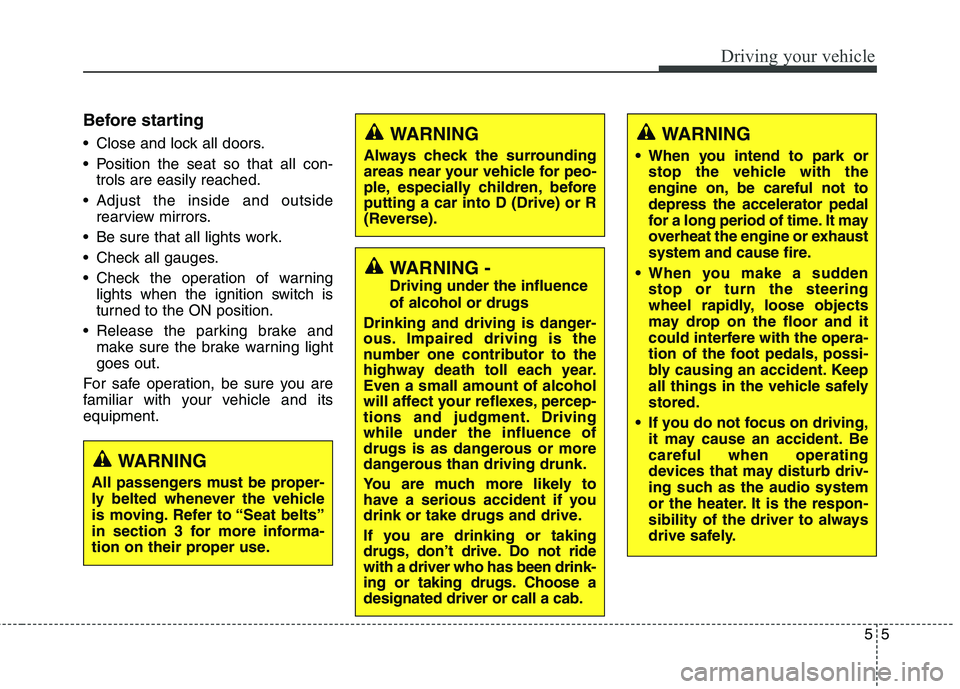
equipment.WARNING
Always check the surrounding
areas near your vehicle for peo-
ple, especially children, before
putting a car into D (Drive) or R
(Reverse).
WARNING -
Driving under the influence
of alcohol or drugs
Drinking and driving is danger-
ous. Impaired driving is the
number one contributor to the
highway death toll each year.
Even a small amount of alcohol
will affect your reflexes, percep-
tions and judgment. Driving
while under the influence of
drugs is as dangerous or more
dangerous than driving drunk.
You are much more likely to
have a serious accident if you
drink or take drugs and drive.
If you are drinking or taking
drugs, don’t drive. Do not ride
with a driver who has been drink-
ing or taking drugs. Choose a
designated driver or call a cab.
WARNING
All passengers must be proper-
ly belted whenever the vehicle
is moving. Refer to “Seat belts”
in section 3 for more informa-
tion on their proper use.
WARNING
When you intend to park or
stop the vehicle with the
engine on, be careful not to
depress the accelerator pedal
for a long period of time. It may
overheat the engine or exhaust
system and cause fire.
When you make a sudden
stop or turn the steering
wheel rapidly, loose objects
may drop on the floor and it
could interfere with the opera-
tion of the foot pedals, possi-
bly causing an accident. Keep
all things in the vehicle safely
stored.
If you do not focus on driving,
it may cause an accident. Be
careful when operating
devices that may disturb driv-
ing such as the audio system
or the heater. It is the respon-
sibility of the driver to always
drive safely.
Page 288 of 476
Driving your vehicle
16 5
Good driving practices
Never take the vehicle out of gear
and coast down a hill. This is
extremely hazardous. Always leave
the vehicle in gear.
Do not "ride" the brakes. This can
cause them to overheat and mal-
function. Instead, when you are
driving down a long hill, shift to a
lower gear. When you do this,
engine braking will help slow down
the vehicle.
Slow down before shifting to a
lower gear. This will help avoid
over-revving the engine, which can
cause damage.
Slow down when you encounter
cross winds. This gives you much
better control of your vehicle.
Be sure the vehicle is completely
stopped before you attempt to shift
into R (Reverse). The transaxle can
be damaged if you do not. Exercise extreme caution when
driving on a slippery surface. Be
especially careful when braking,
accelerating or shifting gears. On a
slippery surface, an abrupt change
in vehicle speed can cause the
drive wheels to lose traction and
the vehicle to go out of control.WARNING
Always buckle-up! In a colli-
sion, an unbelted occupant is
significantly more likely to be
seriously injured or killed than
a properly belted occupant.
Avoid high speeds when cor-
nering or turning.
Do not make quick steering
wheel movements, such as
sharp lane changes or fast,
sharp turns.
The risk of rollover is greatly
increased if you lose control
of your vehicle at highway
speeds.
Loss of control often occurs if
two or more wheels drop off the
roadway and the driver over-
steers to reenter the roadway.
In the event your vehicle
leaves the roadway, do not
steer sharply. Instead, slow
down before pulling back into
the travel lanes.
Never exceed posted speed
limits.
Page 290 of 476
Driving your vehicle
18 5
For smooth operation, depress the
brake pedal when shifting from N
(Neutral) to a forward or reverse gear.Transaxle ranges
The indicator in the instrument clus-
ter displays the shift lever position
when the ignition switch is in the ON
position.
P (Park)
Always come to a complete stop
before shifting into P (Park). This
position locks the transaxle and pre-
vents the drive wheels from rotating.
WARNING- Automatic
transaxle
Always check the surrounding
areas near your vehicle for
people, especially children,
before shifting a car into D
(Drive) or R (Reverse).
Before leaving the driver’s
seat, always make sure the
shift lever is in the P (Park)
position; then set the parking
brake fully and shut the
engine off. Unexpected and
sudden vehicle movement
can occur if these precautions
are not followed in the order
identified.
CAUTION
To avoid damage to your
transaxle, do not accelerate
the engine in R (Reverse) or
any forward gear position with
the brakes on.
When stopped on an incline,
do not hold the vehicle sta-
tionary with engine power.
Use the service brake or the
parking brake.
Do not shift from N (Neutral)
or P (Park) into D (Drive), or R
(Reverse) when the engine is
above idle speed.
Page 294 of 476
Driving your vehicle
22 5
Always use the parking brake. Do
not depend on placing the
transaxle in P (Park) to keep the
car from moving.
Exercise extreme caution when
driving on a slippery surface. Be
especially careful when braking,
accelerating or shifting gears. On a
slippery surface, an abrupt change
in vehicle speed can cause the
drive wheels to lose traction and
the vehicle to go out of control.
Optimum vehicle performance and
economy is obtained by smoothly
depressing and releasing the
accelerator pedal.
WARNING
Always buckle-up! In a colli-
sion, an unbelted occupant is
significantly more likely to be
seriously injured or killed
than a properly belted occu-
pant.
Avoid high speeds when cor-
nering or turning.
Do not make quick steering
wheel movements, such as
sharp lane changes or fast,
sharp turns.
The risk of rollover is greatly
increased if you lose control
of your vehicle at highway
speeds.
Loss of control often occurs if
two or more wheels drop off
the roadway and the driver
oversteers to reenter the road-
way.
(Continued)
(Continued)
In the event your vehicle
leaves the roadway, do not
steer sharply. Instead, slow
down before pulling back into
the travel lanes.
Never exceed posted speed
limits.
Page 306 of 476
Driving your vehicle
34 5
The ABS continuously senses the
speed of the wheels. If the wheels
are going to lock, the ABS system
repeatedly modulates the hydraulic
brake pressure to the wheels.
When you apply your brakes under
conditions which may lock the
wheels, you may hear a “tik-tik’’
sound from the brakes, or feel a cor-
responding sensation in the brake
pedal. This is normal and it means
your ABS is active.
In order to obtain the maximum ben-
efit from your ABS in an emergency
situation, do not attempt to modulate
your brake pressure and do not try to
pump your brakes. Press your brake
pedal as hard as possible or as hard
as the situation warrants and allow
the ABS to control the force being
delivered to the brakes.✽ ✽
NOTICE
A click sound may be heard in the
engine compartment when the vehi-
cle begins to move after the engine is
started. These conditions are normal
and indicate that the anti-lock brake
system is functioning properly.
Even with the anti-lock brake sys-
tem, your vehicle still requires suf-
ficient stopping distance. Always
maintain a safe distance from the
vehicle in front of you.
Always slow down when cornering.
The anti-lock brake system cannot
prevent accidents resulting from
excessive speeds.
On loose or uneven road surfaces,
operation of the anti-lock brake
system may result in a longer stop-
ping distance than for vehicles
equipped with a conventional
brake system.
W-78
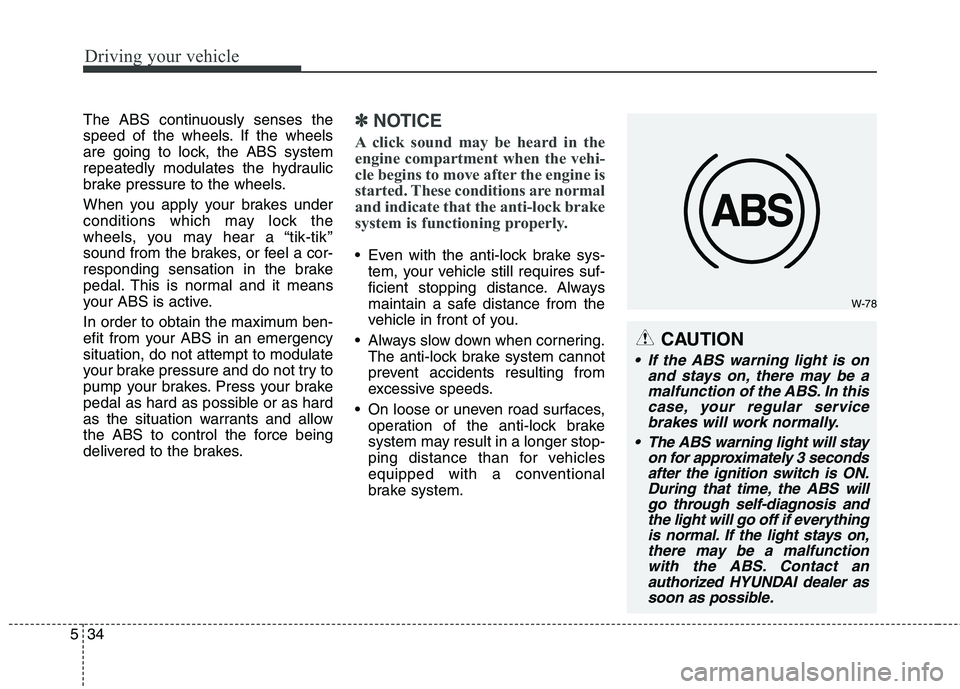
CAUTION
If the ABS warning light is on
and stays on, there may be a
malfunction of the ABS. In this
case, your regular service
brakes will work normally.
The ABS warning light will stay
on for approximately 3 seconds
after the ignition switch is ON.
During that time, the ABS will
go through self-diagnosis and
the light will go off if everything
is normal. If the light stays on,
there may be a malfunction
with the ABS. Contact an
authorized HYUNDAI dealer as
soon as possible.
Page 308 of 476
Driving your vehicle
36 5
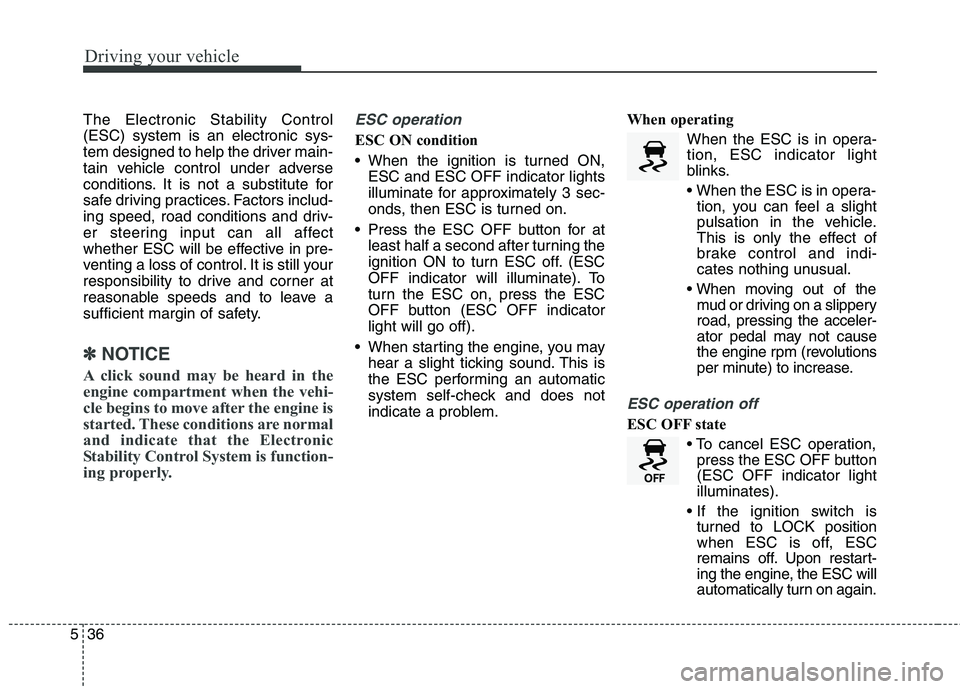
The Electronic Stability Control
(ESC) system is an electronic sys-
tem designed to help the driver main-
tain vehicle control under adverse
conditions. It is not a substitute for
safe driving practices. Factors includ-
ing speed, road conditions and driv-
er steering input can all affect
whether ESC will be effective in pre-
venting a loss of control. It is still your
responsibility to drive and corner at
reasonable speeds and to leave a
sufficient margin of safety.
✽ ✽
NOTICE
A click sound may be heard in the
engine compartment when the vehi-
cle begins to move after the engine is
started. These conditions are normal
and indicate that the Electronic
Stability Control System is function-
ing properly.
ESC operation
ESC ON condition
When the ignition is turned ON,
ESC and ESC OFF indicator lights
illuminate for approximately 3 sec-
onds, then ESC is turned on.
Press the ESC OFF button for at
least half a second after turning the
ignition ON to turn ESC off. (ESC
OFF indicator will illuminate). To
turn the ESC on, press the ESC
OFF button (ESC OFF indicator
light will go off).
When starting the engine, you may
hear a slight ticking sound. This is
the ESC performing an automatic
system self-check and does not
indicate a problem.When operating
When the ESC is in opera-
tion, ESC indicator light
blinks.
tion, you can feel a slight
pulsation in the vehicle.
This is only the effect of
brake control and indi-
cates nothing unusual.
mud or driving on a slippery
road, pressing the acceler-
ator pedal may not cause
the engine rpm (revolutions
per minute) to increase.
ESC operation off
ESC OFF state
press the ESC OFF button
(ESC OFF indicator light
illuminates).
turned to LOCK position
when ESC is off, ESC
remains off. Upon restart-
ing the engine, the ESC will
automatically turn on again.
Page 310 of 476
Driving your vehicle
38 5
Vehicle stability management
(VSM) (if equipped)
This system provides further
enhancements to vehicle stability
and steering responses when a vehi-
cle is driving on a slippery road or a
vehicle detected changes in coeffi-
cient of friction between right wheels
and left wheels when braking.
VSM operation
When the VSM is in operation, ESC
indicator light ( ) blinks.
When the vehicle stability manage-
ment is operating properly, you can
feel a slight pulsation in the vehicle
and/or abnormal steering responses
(EPS). This is only the effect of brake
and EPS control and indicates noth-
ing unusual.The VSM does not operate when:
Driving on bank road such as gra-
dient or incline
Driving rearward
ESC OFF indicator light ( )
remains on the instrument cluster
EPS indicator light remains on the
instrument cluster
VSM operation off
If you press the ESC OFF button to
turn off the ESC, the VSM will also
cancel and the ESC OFF indicator
light ( ) illuminates.
To turn on the VSM, press the button
again. The ESC OFF indicator light
goes out.
Malfunction indicator
The VSM can be deactivated even if
you don’t cancel the VSM operation
by pressing the ESC OFF button. It
indicates that a malfunction has
been detected somewhere in the
Electric Power Steering system or
VSM system. If the ESC indicator
light ( ) or EPS warning light
remains on, take your vehicle to an
authorized HYUNDAI dealer and
have the system checked.
✽ ✽
NOTICE
• The VSM is designed to function
above approximately 9 mph (15
km/h) on curves.
• The VSM is designed to function
above approximately 18 mph (30
km/h) when a vehicle is braking on
a road with a surface of varying
friction levels.