warning HYUNDAI ELANTRA GT 2019 Owners Manual
[x] Cancel search | Manufacturer: HYUNDAI, Model Year: 2019, Model line: ELANTRA GT, Model: HYUNDAI ELANTRA GT 2019Pages: 486, PDF Size: 78.59 MB
Page 302 of 486
5-81
Driving your vehicle
5
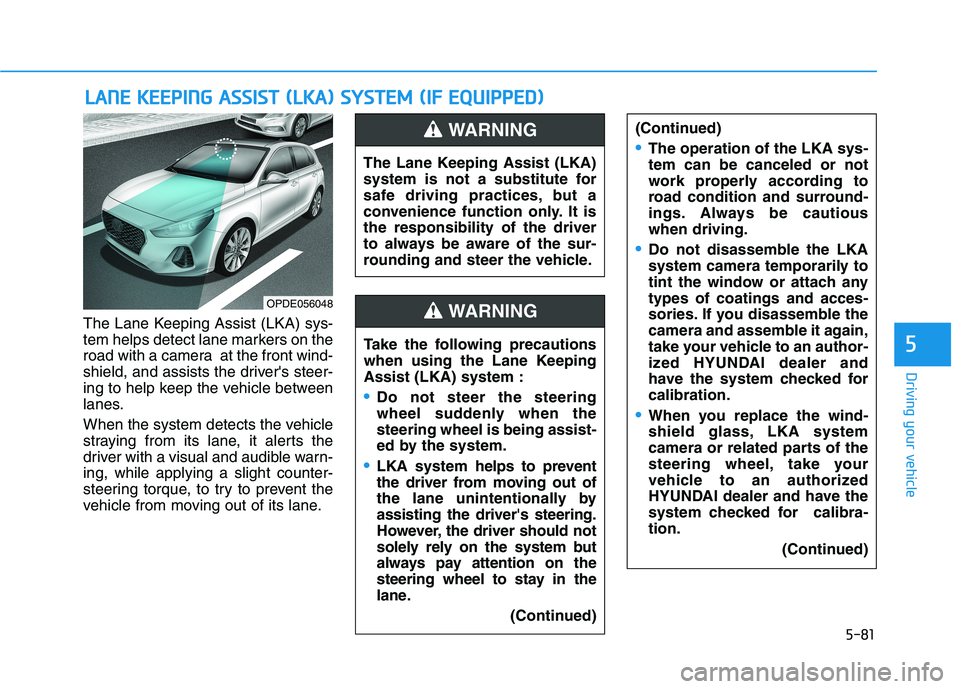
The Lane Keeping Assist (LKA) sys-
tem helps detect lane markers on the
road with a camera at the front wind-
shield, and assists the driver's steer-
ing to help keep the vehicle between
lanes.
When the system detects the vehicle
straying from its lane, it alerts the
driver with a visual and audible warn-ing, while applying a slight counter-
steering torque, to try to prevent the
vehicle from moving out of its lane.
LLAA NN EE KK EEEE PP IINN GG AA SSSSIISS TT (( LL KK AA )) SS YY SSTT EEMM (( IIFF EE QQ UUIIPP PPEEDD ))
OPDE056048 The Lane Keeping Assist (LKA)
system is not a substitute for
safe driving practices, but a
convenience function only. It isthe responsibility of the driver
to always be aware of the sur-
rounding and steer the vehicle.
WARNING
Take the following precautions
when using the Lane KeepingAssist (LKA) system :
Do not steer the steering
wheel suddenly when thesteering wheel is being assist-
ed by the system.
LKA
system helps to prevent
the driver from moving out of
the lane unintentionally byassisting the driver's steering.
However, the driver should not
solely rely on the system but
always pay attention on the
steering wheel to stay in the
lane.
(Continued)
WARNING
(Continued)
The operation of the LKA sys- tem can be canceled or not
work properly according to
road condition and surround-
ings. Always be cautiouswhen driving.
Do not disassemble the LKA
system camera temporarily to
tint the window or attach anytypes of coatings and acces-
sories. If you disassemble the
camera and assemble it again,
take your vehicle to an author-
ized HYUNDAI dealer and
have the system checked forcalibration.
When you replace the wind-
shield glass, LKA system
camera or related parts of the
steering wheel, take your
vehicle to an authorized
HYUNDAI dealer and have the
system checked for calibra-tion. (Continued)
Page 303 of 486
5-82
Driving your vehicle
(Continued)
The system detects lane lines
and controls the steering
wheel by a camera, therefore,
if the lane lines are hard to
detect, the system may not
work properly.
Please refer to "Limitations of the system".
Do not remove or damage the
related parts of LKA system.
You may not hear a warning sound of LKA system
because of excessive audiosound.
Do not place objects on the
dashboard that reflects light
such as mirrors, white paper,
etc. The system may malfunc-tion if the sunlight is reflected.(Continued)
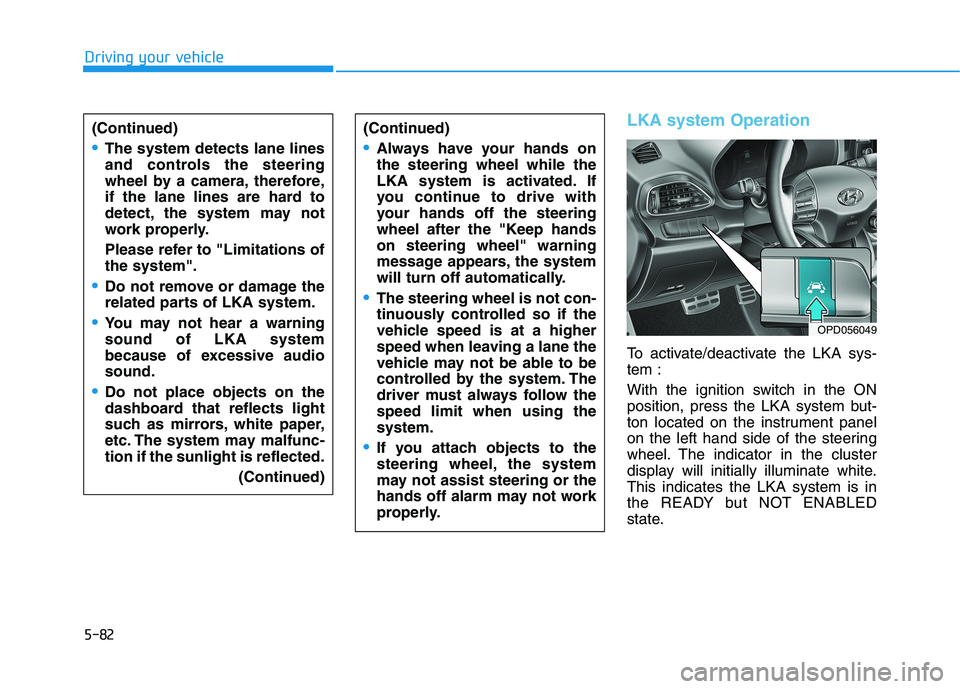
LKA system Operation
To activate/deactivate the LKA sys- tem :
With the ignition switch in the ON
position, press the LKA system but-
ton located on the instrument panel
on the left hand side of the steering
wheel. The indicator in the cluster
display will initially illuminate white.This indicates the LKA system is in
the READY but NOT ENABLED
state.
(Continued)
Always have your hands on the steering wheel while the
LKA system is activated. If
you continue to drive with
your hands off the steering
wheel after the "Keep handson steering wheel" warning
message appears, the system
will turn off automatically.
The steering wheel is not con-
tinuously controlled so if the
vehicle speed is at a higher
speed when leaving a lane the
vehicle may not be able to be
controlled by the system. The
driver must always follow thespeed limit when using thesystem.
If you attach objects to the
steering wheel, the system
may not assist steering or the
hands off alarm may not work
properly.
OPD056049
Page 304 of 486
5-83
Driving your vehicle
5
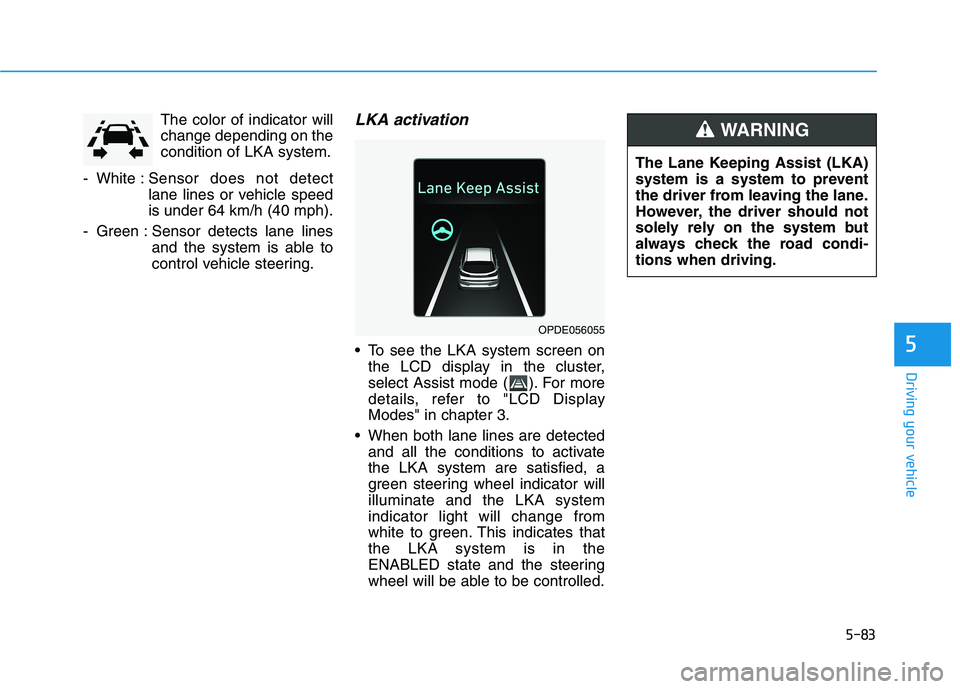
The color of indicator will change depending on thecondition of LKA system.
- White : Sensor does not detect
lane lines or vehicle speedis under 64 km/h (40 mph).
- Green : Sensor detects lane lines and the system is able to
control vehicle steering.LKA activation
To see the LKA system screen onthe LCD display in the cluster,
select Assist mode ( ). For more
details, refer to "LCD DisplayModes" in chapter 3.
When both lane lines are detected and all the conditions to activatethe LKA system are satisfied, a
green steering wheel indicator willilluminate and the LKA systemindicator light will change from
white to green. This indicates thatthe LKA system is in the
ENABLED state and the steering
wheel will be able to be controlled.
OPDE056055 The Lane Keeping Assist (LKA)
system is a system to prevent
the driver from leaving the lane.
However, the driver should not
solely rely on the system but
always check the road condi-tions when driving.
WARNING
Page 305 of 486
5-84
Driving your vehicle
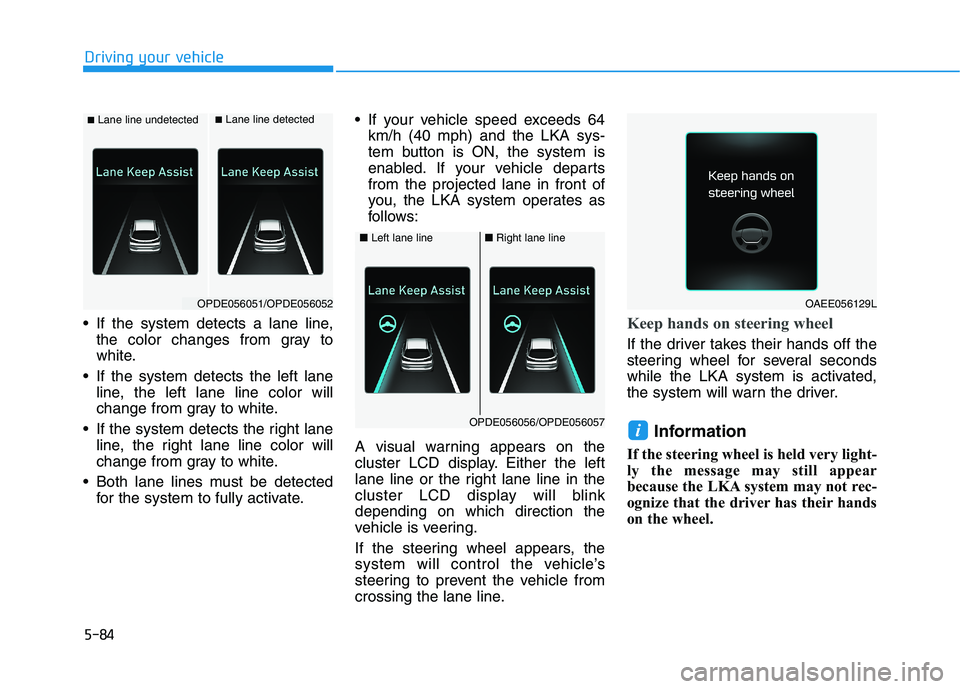
If the system detects a lane line,the color changes from gray to
white.
If the system detects the left lane line, the left lane line color will
change from gray to white.
If the system detects the right lane line, the right lane line color will
change from gray to white.
Both lane lines must be detected for the system to fully activate. If your vehicle speed exceeds 64
km/h (40 mph) and the LKA sys-
tem button is ON, the system is
enabled. If your vehicle departsfrom the projected lane in front of
you, the LKA system operates as
follows:
A visual warning appears on the
cluster LCD display. Either the left
lane line or the right lane line in the
cluster LCD display will blinkdepending on which direction the
vehicle is veering.
If the steering wheel appears, the
system will control the vehicle’s
steering to prevent the vehicle from
crossing the lane line.Keep hands on steering wheel
If the driver takes their hands off the
steering wheel for several seconds
while the LKA system is activated,
the system will warn the driver. Information
If the steering wheel is held very light-
ly the message may still appear
because the LKA system may not rec-
ognize that the driver has their hands
on the wheel.
i
■ Lane line undetected■Lane line detected
OPDE056051/OPDE056052
■ Left lane line■Right lane line
OPDE056056/OPDE056057
OAEE056129L
Page 306 of 486
5-85
Driving your vehicle
5
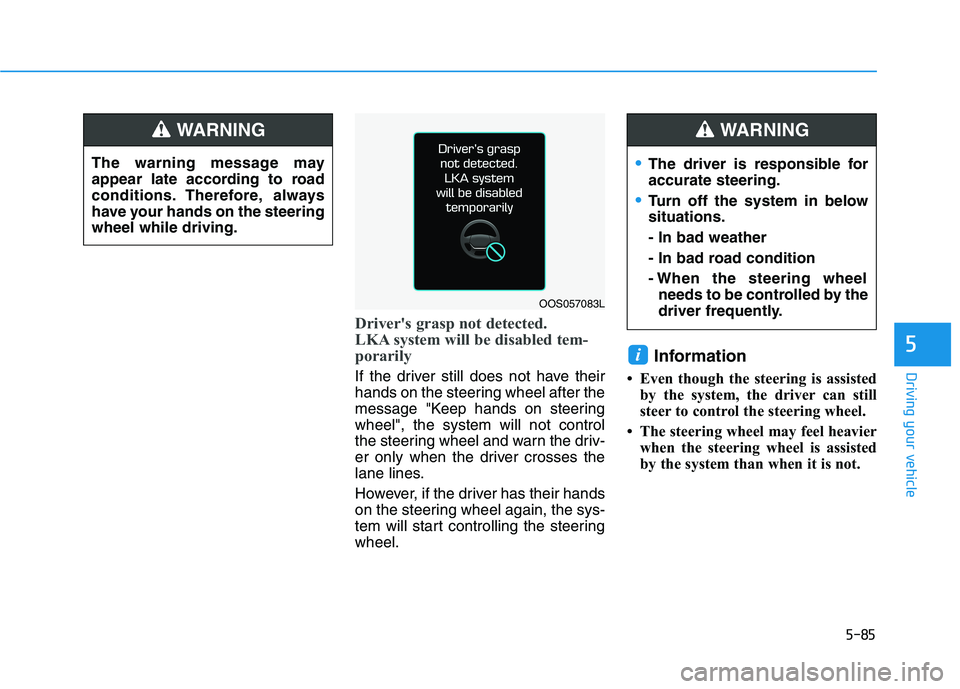
Driver's grasp not detected.
LKA system will be disabled tem-
porarily
If the driver still does not have their
hands on the steering wheel after the
message "Keep hands on steeringwheel", the system will not control
the steering wheel and warn the driv-
er only when the driver crosses the
lane lines.
However, if the driver has their hands
on the steering wheel again, the sys-
tem will start controlling the steeringwheel.Information
Even though the steering is assisted by the system, the driver can still
steer to control the steering wheel.
The steering wheel may feel heavier when the steering wheel is assisted
by the system than when it is not.
i
The warning message may
appear late according to road
conditions. Therefore, always
have your hands on the steeringwheel while driving.
WARNING
OOS057083L
The driver is responsible for accurate steering.
Turn off the system in below situations. - In bad weather
- In bad road condition
- When the steering wheelneeds to be controlled by the
driver frequently.
WARNING
Page 307 of 486
5-86
Driving your vehicle
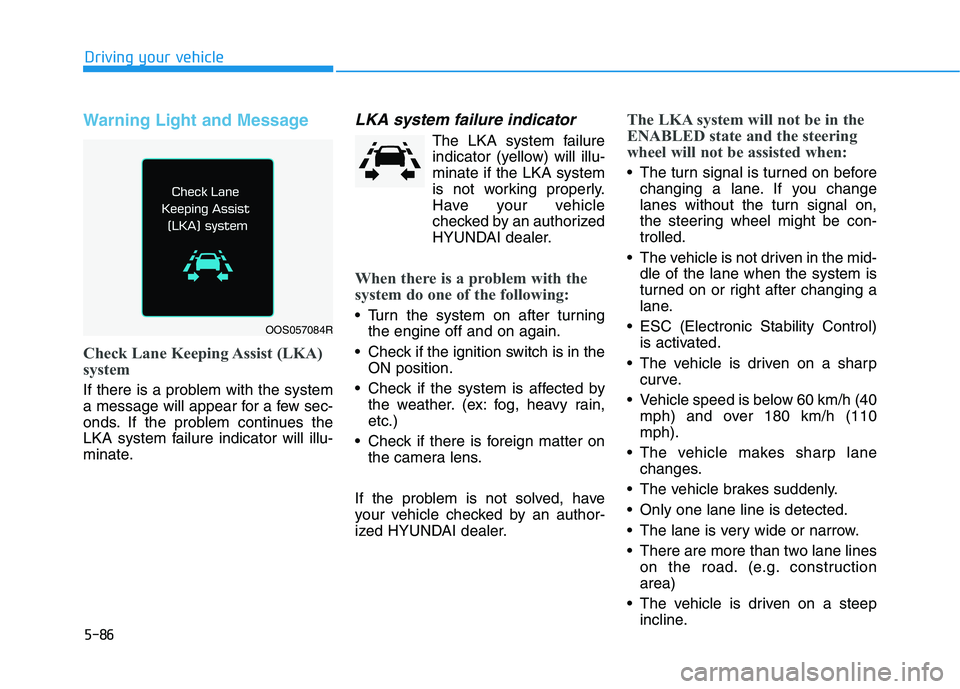
Warning Light and Message
Check Lane Keeping Assist (LKA)
system
If there is a problem with the system
a message will appear for a few sec-
onds. If the problem continues the
LKA system failure indicator will illu-
minate.
LKA system failure indicator
The LKA system failureindicator (yellow) will illu-minate if the LKA system
is not working properly.
Have your vehicle
checked by an authorized
HYUNDAI dealer.
When there is a problem with the
system do one of the following:
Turn the system on after turning the engine off and on again.
Check if the ignition switch is in the ON position.
Check if the system is affected by the weather. (ex: fog, heavy rain, etc.)
Check if there is foreign matter on the camera lens.
If the problem is not solved, have
your vehicle checked by an author-
ized HYUNDAI dealer.
The LKA system will not be in the
ENABLED state and the steering
wheel will not be assisted when:
The turn signal is turned on before changing a lane. If you change
lanes without the turn signal on,
the steering wheel might be con-trolled.
The vehicle is not driven in the mid- dle of the lane when the system is
turned on or right after changing a
lane.
ESC (Electronic Stability Control) is activated.
The vehicle is driven on a sharp curve.
Vehicle speed is below 60 km/h (40 mph) and over 180 km/h (110mph).
The vehicle makes sharp lane changes.
The vehicle brakes suddenly.
Only one lane line is detected.
The lane is very wide or narrow.
There are more than two lane lines on the road. (e.g. construction area)
The vehicle is driven on a steep incline.
OOS057084R
Page 309 of 486
5-88
Driving your vehicle
LKA system Function Change
The driver can change LKA system
to Lane Departure Warning System
(LDWS) or change the LKA system
mode between Standard LKA and
Active LKA from the LCD display. Goto the 'User Settings Driver Assist
ance Lane Keep Assist (LKA) sys-
tem Lane Departure Warning/
Standard LKA/Active LKA'. The system is automatically set to Standard LKA if a function is notselected.
Lane Departure Warning
LDW system alerts the driver with a
visual warning and a warning alarm
when the system detects the vehicle
departing the lane. The steeringwheel will not be controlled.
Standard LKA
The Standard LKA mode guides the
driver to help keep the vehicle within
the lanes. It rarely controls the steer-
ing wheel, when the vehicle drives
well inside the lanes. However, it
starts to control the steering wheel,
when the vehicle is about to deviate
out of the lanes.
Active LKA
The Active LKA mode provides more
frequent steering wheel control in
comparison with the Standard LKA
mode. Active LKA can reduce the dri-
ver’s fatigue to assist the steering for
maintaining the vehicle in the middle
of the lane. Information
This device complies with Industry
Canada RSS-210 standard.
Operation is subject to the following
two conditions:
1. This device may not cause harmful interference, and
2. This device must accept any inter- ference received, including interfer-
ence that may cause undesired
operation.
i
Page 310 of 486
5-89
Driving your vehicle
5
The Driver Attention Warning (DAW)
System is designed as a safety fea-
ture to help reduce drowsy or inat-
tentive driving. The DAW displays a
bar graph that is intended to repre-
sent the driver's attention and fatigue
level while driving.
System Setting and Activation
System setting
The Driver Attention Warning(DAW) system is set to be in the
OFF position, when your vehicle is
first delivered to you from the fac-
tory.
To turn ON the Driver Attention Warning (DAW) system, turn on
the engine, and then select 'UserSettings Driver Assistance
Driver Attention Warning (DAW)system Normal/Early' on the
LCD display. The driver can select the mode of
the Driver Attention Warning
(DAW) system.
- Off : The Driver Attention Warning(DAW) system is deactivated.
- Normal : The Driver Attention Warning (DAW) system helps
alert the driver of his/her fatigue
level or inattentive driving prac-
tices.
- Early : The Driver Attention Warning (DAW) system helps
alert the driver of his/her fatigue
level or inattentive driving prac-
tices faster than Normal mode.
The set-up of the Driver Attention Warning (DAW) system will bemaintained, as selected, when the
engine is re-started.
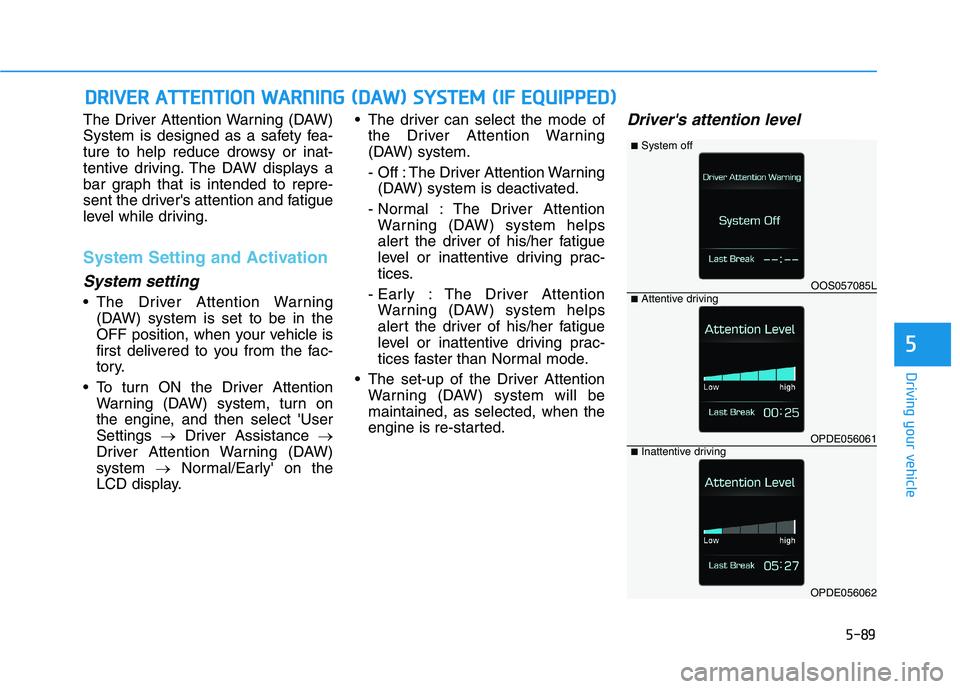
Driver's attention level
DDRRIIVV EERR AA TTTTEENN TTIIOO NN WW AARRNN IINN GG (( DD AA WW )) SS YY SSTT EEMM (( IIFF EE QQ UUIIPP PP EEDD ))
OOS057085L
OPDE056061
OPDE056062
■System off
■Attentive driving
■Inattentive driving
Page 311 of 486
5-90
Driving your vehicle
The driver can monitor their drivingconditions on the LCD display.
The DAW screen will appear when
you select the Assist mode tab ( )
on the LCD display if the system is
activated. (For more information,
refer to "LCD Display Modes" inchapter 3.)
The driver's attention level is dis- played on the scale of 1 to 5. The
lower the number is, the more inat-
tentive the driver is.
The number decreases when the driver does not take a break for a
certain period of time.
The number increases when the driver attentively drives for a cer-
tain period of time.
When the driver turns on the sys- tem while driving, it displays 'Last
Break time' and level.Take a break
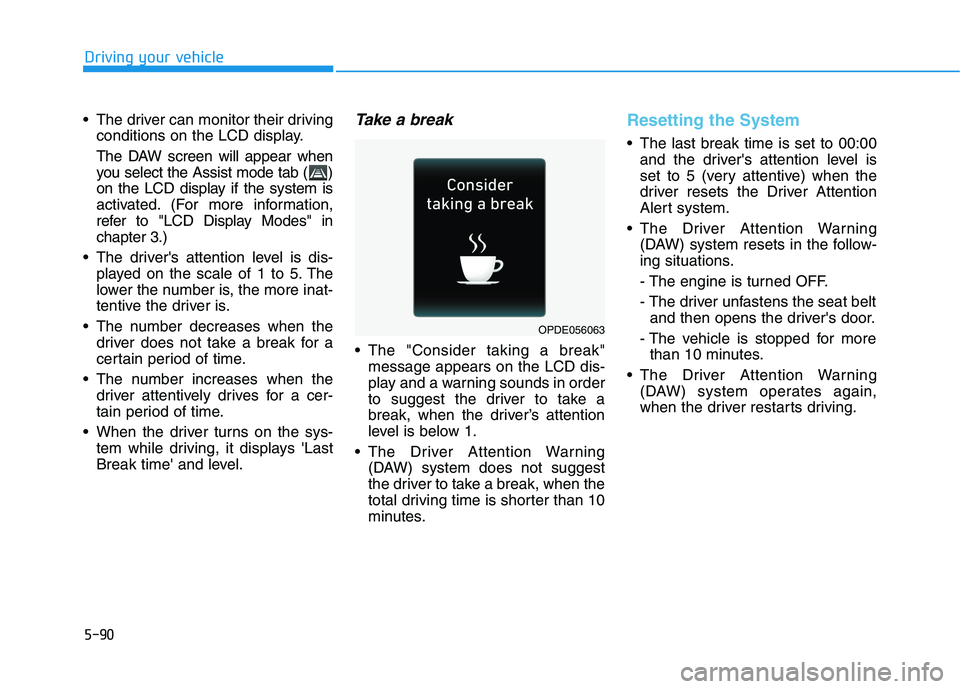
The "Consider taking a break"message appears on the LCD dis-
play and a warning sounds in order
to suggest the driver to take a
break, when the driver’s attention
level is below 1.
The Driver Attention Warning (DAW) system does not suggest
the driver to take a break, when the
total driving time is shorter than 10
minutes.
Resetting the System
The last break time is set to 00:00and the driver's attention level is
set to 5 (very attentive) when the
driver resets the Driver Attention
Alert system.
The Driver Attention Warning (DAW) system resets in the follow-
ing situations.
- The engine is turned OFF.
- The driver unfastens the seat beltand then opens the driver's door.
- The vehicle is stopped for more than 10 minutes.
The Driver Attention Warning (DAW) system operates again,
when the driver restarts driving.
OPDE056063
Page 312 of 486
5-91
Driving your vehicle
5
System Standby
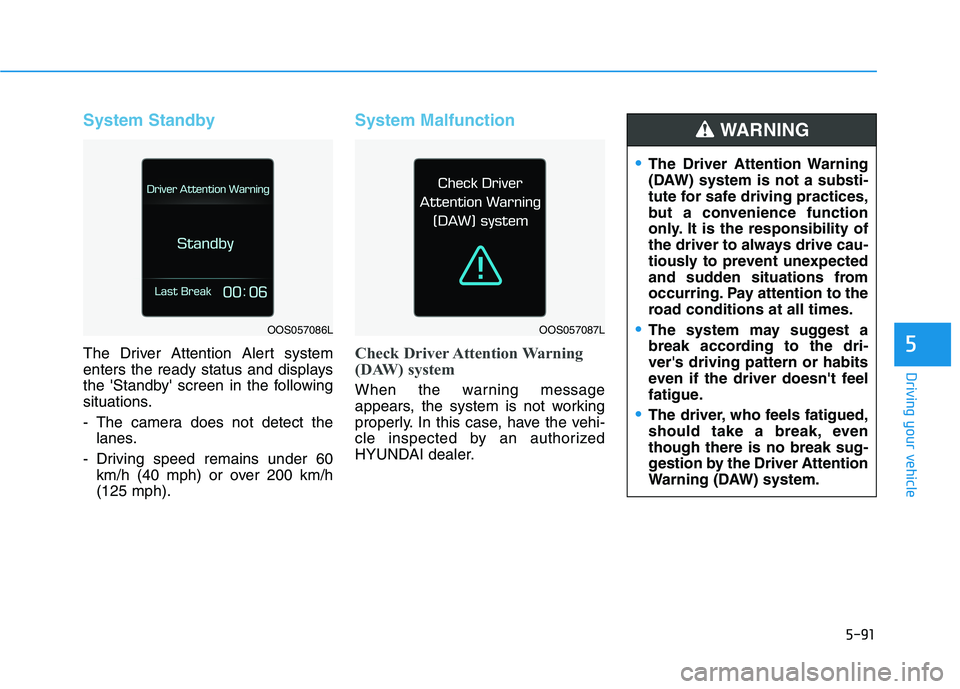
The Driver Attention Alert system
enters the ready status and displays
the 'Standby' screen in the following
situations.
- The camera does not detect thelanes.
- Driving speed remains under 60 km/h (40 mph) or over 200 km/h (125 mph).
System Malfunction
Check Driver Attention Warning
(DAW) system
When the warning message
appears, the system is not working
properly. In this case, have the vehi-
cle inspected by an authorized
HYUNDAI dealer.
OOS057086LOOS057087L
The Driver Attention Warning
(DAW) system is not a substi-
tute for safe driving practices,
but a convenience function
only. It is the responsibility of
the driver to always drive cau-
tiously to prevent unexpected
and sudden situations from
occurring. Pay attention to the
road conditions at all times.
The system may suggest a
break according to the dri-ver's driving pattern or habits
even if the driver doesn't feel
fatigue.
The driver, who feels fatigued,
should take a break, eventhough there is no break sug-
gestion by the Driver Attention
Warning (DAW) system.
WARNING