engine HYUNDAI ELANTRA GT 2019 User Guide
[x] Cancel search | Manufacturer: HYUNDAI, Model Year: 2019, Model line: ELANTRA GT, Model: HYUNDAI ELANTRA GT 2019Pages: 486, PDF Size: 78.59 MB
Page 69 of 486
2-51
Safety system of your vehicle
2
8. Front impact sensors
9. Side pressure sensors
10. Emergency Fastening DeviceSystem
11. Occupant classification system The SRSCM (Supplemental
Restraint System Control Module)
continually monitors all SRS compo-
nents while the ignition switch is in
the ON position to determine if a
crash impact is severe enough to
require air bag deployment or pre-
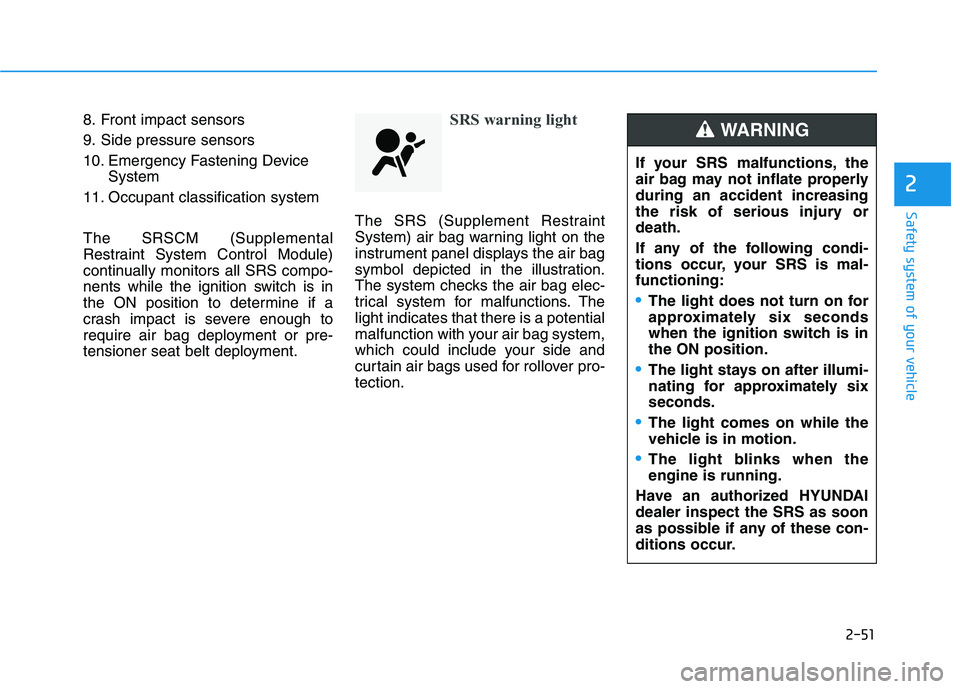
tensioner seat belt deployment.SRS warning light
The SRS (Supplement Restraint
System) air bag warning light on the
instrument panel displays the air bag
symbol depicted in the illustration.
The system checks the air bag elec-
trical system for malfunctions. Thelight indicates that there is a potential
malfunction with your air bag system,
which could include your side and
curtain air bags used for rollover pro-tection.
If your SRS malfunctions, the
air bag may not inflate properlyduring an accident increasing
the risk of serious injury ordeath.
If any of the following condi-
tions occur, your SRS is mal-functioning:
The light does not turn on for
approximately six seconds
when the ignition switch is inthe ON position.
The light stays on after illumi-
nating for approximately sixseconds.
The light comes on while the
vehicle is in motion.
The light blinks when the engine is running.
Have an authorized HYUNDAIdealer inspect the SRS as soon
as possible if any of these con-
ditions occur.
WARNING
Page 70 of 486
2-52
Safety system of your vehicle
During a frontal collision, sensors will
detect the vehicle's deceleration. If
the rate of deceleration is highenough, the control unit will inflate
the front air bags. The front air bags help protect the
driver and front passenger byresponding to frontal impacts inwhich seat belts alone cannot pro-
vide adequate restraint. When need-
ed, the side air bags help provide
protection in the event of a side
impact or rollover.
Air bags are activated (able toinflate if necessary) only when the
Engine Start/Stop button is in theON position.
Air bags inflate in the event of cer- tain frontal or side collisions to help
protect the occupants from serious
physical injury.
Generally, air bags are designed to inflate based upon the severity of a
collision, its direction, etc. These
two factors determine whether thesensors produce an electronic
deployment/inflation signal. Air bag deployment depends on a
number of factors including vehiclespeed, angles of impact and the
density and stiffness of the vehi-
cles or objects which your vehicle
impacts during a collision. The
determining factors are not limited
to those mentioned above.
The front air bags will completely inflate and deflate in an instant. It is
virtually impossible for you to see
the air bags inflate during an acci-
dent. It is much more likely that youwill simply see the deflated air
bags hanging out of their storage
compartments after the collision.
In addition to inflating in certain side collisions, vehicles equipped
with a rollover sensor, side and
curtain air bags will inflate if the
sensing system detects a rollover.
When a rollover is detected, side
and curtain air bags will remain
inflated longer to help provide pro-tection from ejection, especiallywhen used in conjunction with the
seat belts. To help provide protection, the air
bags must inflate rapidly. Thespeed of air bag inflation is a con-
sequence of extremely short timein which to inflate the air bag
between the occupant and the
vehicle structures before the occu-
pant impacts those structures. This
speed of inflation reduces the risk
of serious or life-threatening
injuries and is thus a necessary
part of air bag design.
However, the rapid air bag inflation
can also cause injuries which can
include facial abrasions, bruises
and broken bones because theinflation speed also causes the air
bags to expand with a great deal of
force.
There are even circumstances under which contact with the air
bag can cause fatal injuries, espe-cially if the occupant is positioned
excessively close to the air bag.
Page 78 of 486
2-60
Safety system of your vehicle
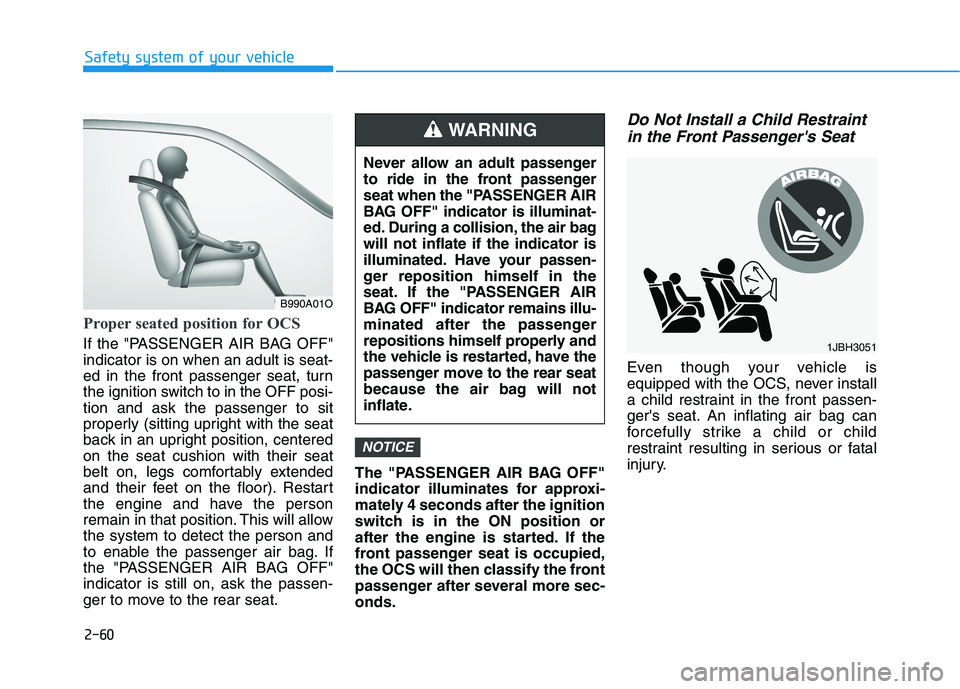
Proper seated position for OCS
If the "PASSENGER AIR BAG OFF" indicator is on when an adult is seat-
ed in the front passenger seat, turn
the ignition switch to in the OFF posi-tion and ask the passenger to sit
properly (sitting upright with the seat
back in an upright position, centeredon the seat cushion with their seat
belt on, legs comfortably extended
and their feet on the floor). Restart
the engine and have the person
remain in that position. This will allowthe system to detect the person and
to enable the passenger air bag. If
the "PASSENGER AIR BAG OFF"indicator is still on, ask the passen-
ger to move to the rear seat.The "PASSENGER AIR BAG OFF"
indicator illuminates for approxi-
mately 4 seconds after the ignition
switch is in the ON position or
after the engine is started. If the
front passenger seat is occupied,
the OCS will then classify the front
passenger after several more sec-onds.
Do Not Install a Child Restraint
in the Front Passenger's Seat
Even though your vehicle is
equipped with the OCS, never install
a child restraint in the front passen-
ger's seat. An inflating air bag can
forcefully strike a child or child
restraint resulting in serious or fatal
injury.
NOTICE
B990A01O Never allow an adult passenger
to ride in the front passenger
seat when the "PASSENGER AIR
BAG OFF" indicator is illuminat-
ed. During a collision, the air bagwill not inflate if the indicator is
illuminated. Have your passen-
ger reposition himself in the
seat. If the "PASSENGER AIR
BAG OFF" indicator remains illu-
minated after the passenger
repositions himself properly and
the vehicle is restarted, have the
passenger move to the rear seat
because the air bag will not
inflate.
WARNING
1JBH3051
Page 88 of 486
3-3
Convenient features of your vehicle
Remote Key (if equipped)
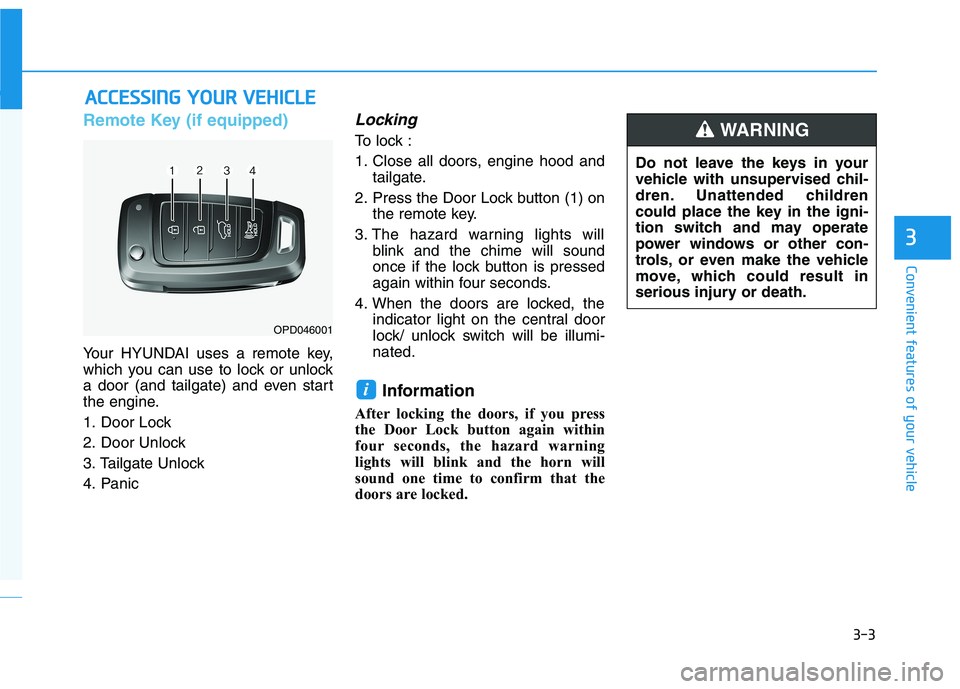
Your HYUNDAI uses a remote key,
which you can use to lock or unlock
a door (and tailgate) and even start
the engine.
1. Door Lock
2. Door Unlock
3. Tailgate Unlock
4. Panic
Locking
To lock :
1. Close all doors, engine hood andtailgate.
2. Press the Door Lock button (1) on the remote key.
3. The hazard warning lights will blink and the chime will sound
once if the lock button is pressed
again within four seconds.
4. When the doors are locked, the indicator light on the central door
lock/ unlock switch will be illumi-nated.
Information
After locking the doors, if you press
the Door Lock button again within
four seconds, the hazard warning
lights will blink and the horn will
sound one time to confirm that the
doors are locked.
i
AA CCCCEE SSSSIINN GG YY OO UURR VV EEHH IICC LLEE
3
OPD046001 Do not leave the keys in your
vehicle with unsupervised chil-
dren. Unattended children
could place the key in the igni-
tion switch and may operate
power windows or other con-
trols, or even make the vehicle
move, which could result in
serious injury or death.
WARNING
Page 91 of 486
3-6
Battery replacement
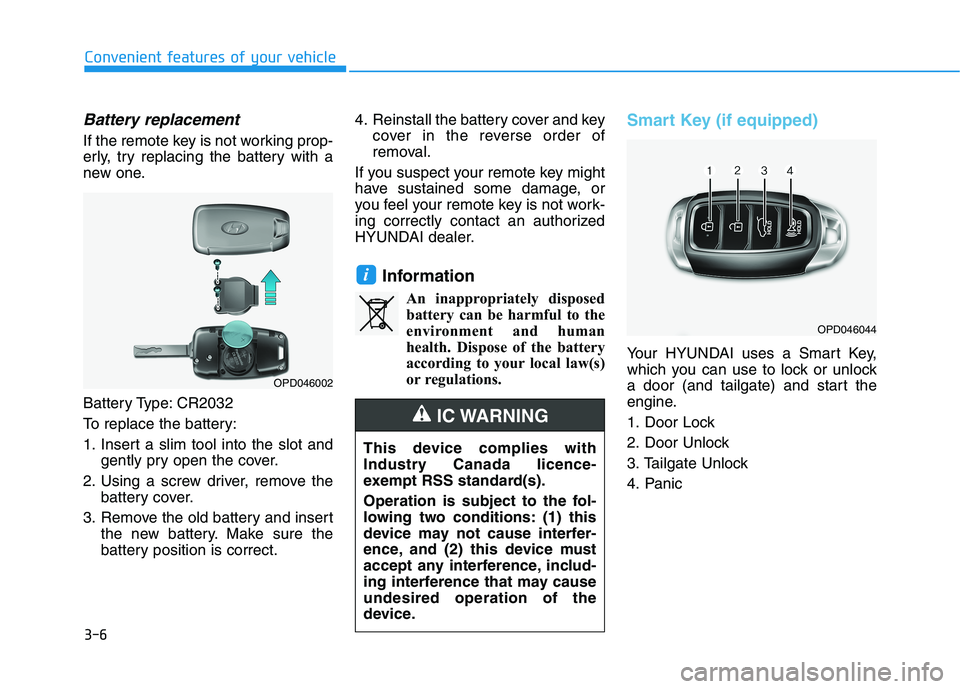
If the remote key is not working prop-
erly, try replacing the battery with a
new one.
Battery Type: CR2032
To replace the battery:
1. Insert a slim tool into the slot andgently pry open the cover.
2. Using a screw driver, remove the battery cover.
3. Remove the old battery and insert the new battery. Make sure the
battery position is correct. 4. Reinstall the battery cover and key
cover in the reverse order of
removal.
If you suspect your remote key might
have sustained some damage, or
you feel your remote key is not work-
ing correctly contact an authorized
HYUNDAI dealer.
InformationAn inappropriately disposedbattery can be harmful to the
environment and human
health. Dispose of the battery
according to your local law(s)
or regulations.
Smart Key (if equipped)
Your HYUNDAI uses a Smart Key,
which you can use to lock or unlock
a door (and tailgate) and start the
engine.
1. Door Lock
2. Door Unlock
3. Tailgate Unlock
4. Panic
i
Convenient features of your vehicle
OPD046044
OPD046002
This device complies with
Industry Canada licence-
exempt RSS standard(s).
Operation is subject to the fol-
lowing two conditions: (1) this
device may not cause interfer-
ence, and (2) this device must
accept any interference, includ-
ing interference that may causeundesired operation of the
device.
IC WARNING
Page 92 of 486
3-7
Convenient features of your vehicle
Locking
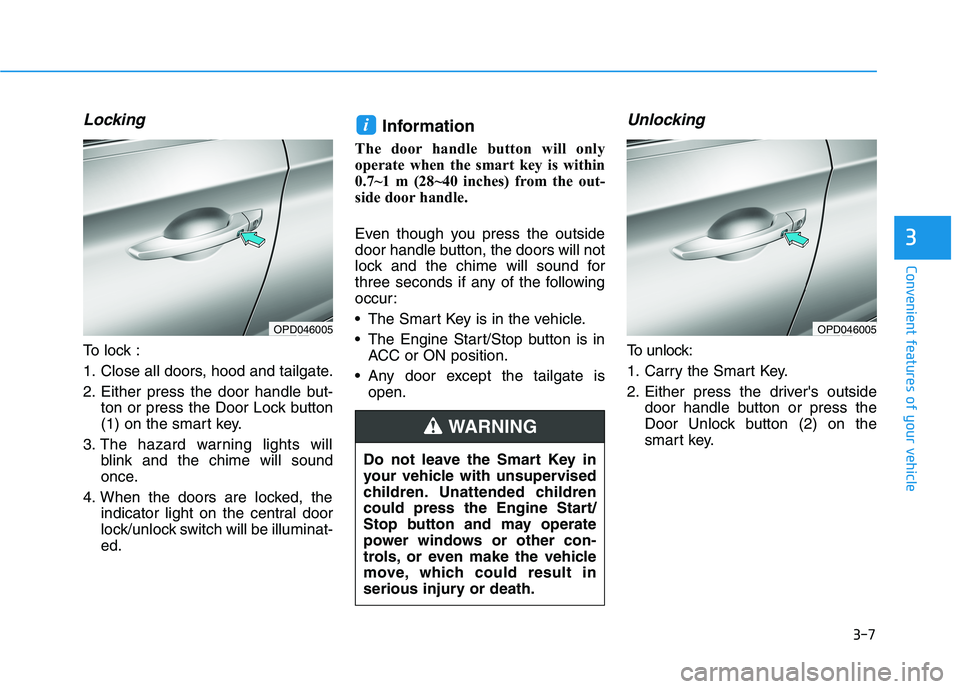
To lock :
1. Close all doors, hood and tailgate.
2. Either press the door handle but-ton or press the Door Lock button
(1) on the smart key.
3. The hazard warning lights will blink and the chime will sound
once.
4. When the doors are locked, the indicator light on the central door
lock/unlock switch will be illuminat-ed. Information
The door handle button will only
operate when the smart key is within
0.7~1 m (28~40 inches) from the out-
side door handle.
Even though you press the outside
door handle button, the doors will not
lock and the chime will sound for
three seconds if any of the following
occur:
The Smart Key is in the vehicle.
The Engine Start/Stop button is in ACC or ON position.
Any door except the tailgate is open.
Unlocking
To unlock:
1. Carry the Smart Key.
2. Either press the driver's outside door handle button or press the
Door Unlock button (2) on the
smart key.
i
3
OPD046005OPD046005
Do not leave the Smart Key in
your vehicle with unsupervised
children. Unattended children
could press the Engine Start/
Stop button and may operate
power windows or other con-
trols, or even make the vehicle
move, which could result in
serious injury or death.
WARNING
Page 94 of 486
3-9
Convenient features of your vehicle
Panic button
Press and hold the Panic button (4)
for more than one second. The horn
sounds and hazard warning lights
blink for about 30 seconds. To cancel
the panic mode, press any button on
the Smart Key.
Start-up
You can start the vehicle without
inserting the key.
For information, refer to the
"Engine Start/Stop Button" sec-
tion in chapter 5.
To prevent damaging the smart key:
Keep the smart key away fromany liquid or fire. Internal circuits
may malfunction if the inside of
the smart key gets damp (fromliquids or moisture) or if it is heat-
ed. This can exclude the smart
key from warranty coverage.
Avoid dropping or throwing the smart key.
Protect the smart key from extreme temperatures.
Mechanical key
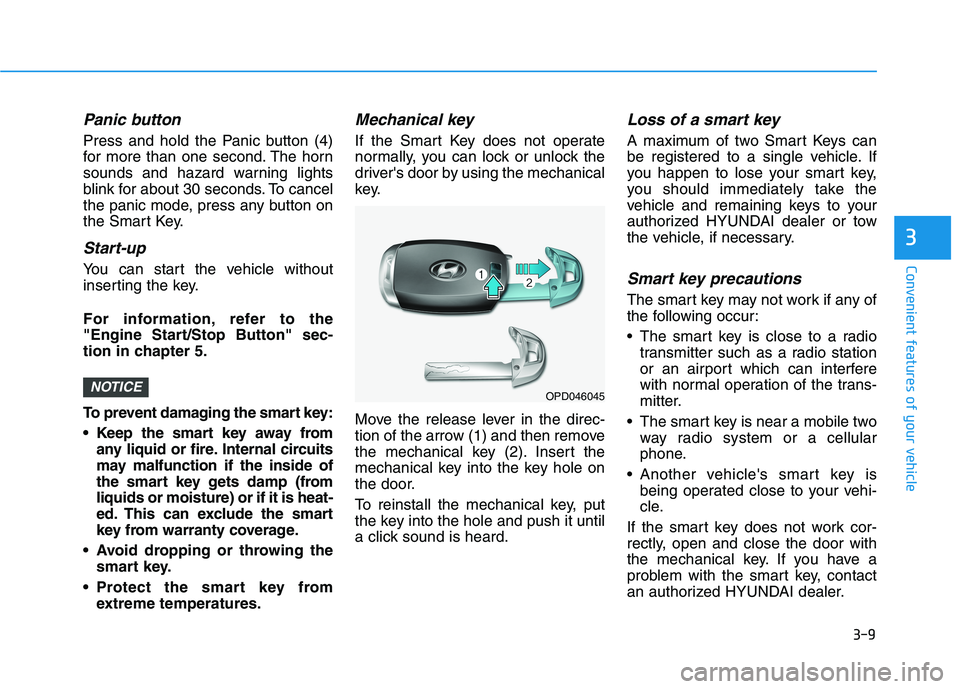
If the Smart Key does not operate
normally, you can lock or unlock the
driver's door by using the mechanical
key.
Move the release lever in the direc-
tion of the arrow (1) and then remove
the mechanical key (2). Insert the
mechanical key into the key hole on
the door.
To reinstall the mechanical key, put
the key into the hole and push it until
a click sound is heard.
Loss of a smart key
A maximum of two Smart Keys can
be registered to a single vehicle. If
you happen to lose your smart key,
you should immediately take the
vehicle and remaining keys to your
authorized HYUNDAI dealer or tow
the vehicle, if necessary.
Smart key precautions
The smart key may not work if any of
the following occur:
The smart key is close to a radiotransmitter such as a radio station
or an airport which can interfere
with normal operation of the trans-
mitter.
The smart key is near a mobile two way radio system or a cellular
phone.
Another vehicle's smart key is being operated close to your vehi-
cle.
If the smart key does not work cor-
rectly, open and close the door with
the mechanical key. If you have a
problem with the smart key, contact
an authorized HYUNDAI dealer.
NOTICE
3
OPD046045
Page 96 of 486
3-11
Convenient features of your vehicle
If you suspect your smart key might
have sustained some damage, or
you feel your smart key is not work-
ing correctly, contact an authorized
HYUNDAI dealer.InformationAn inappropriately disposedbattery can be harmful to the
environment and human
health. Dispose of the battery
according to your local law(s)
or regulations.Immobilizer System
The immobilizer system protects
your vehicle from theft. If an improp-
erly coded key (or other device) isused, the engine's fuel system is dis-
abled.
When the ignition switch is placed in
the ON position, the immobilizer sys-
tem indicator should come on briefly,
then go off. If the indicator starts to
blink, the system does not recognize
the coding of the key.
Place the ignition switch to the LOCK/OFF position, then place the
ignition switch to the ON positionagain.
The system may not recognize your
key's coding if another immobilizer
key or other metal object (i.e., key
chain) is near the key.
The engine may not start because
the metal may interrupt the transpon-
der signal from transmitting normally. If the system repeatedly does not
recognize the coding of the key, it is
recommended that you contact your
HYUNDAI dealer. Do not attempt to alter this system or
add other devices to it. Electrical
problems could result that may make
your vehicle inoperable.
i
3
In order to prevent theft of your
vehicle, do not leave spare keys
anywhere in your vehicle. Your
immobilizer password is a cus-
tomer unique password andshould be kept confidential.
WARNING
This device complies with
Industry Canada licence-
exempt RSS standard(s).
Operation is subject to the fol-
lowing two conditions: (1) this
device may not cause interfer-
ence, and (2) this device must
accept any interference, includ-
ing interference that may causeundesired operation of the
device.
IC WARNING
Page 97 of 486
3-12
The transponder in your key is an
important part of the immobilizer
system. It is designed to give
years of trouble-free service, how-
ever you should avoid exposure to
moisture, static electricity and
rough handling. Immobilizer sys-
tem malfunction could occur.
Information
This device complies with Industry
Canada RSS-210 standard.
Operation is subject to the following
three conditions:
1. This device may not cause harmful interference, and
2. This device must accept any inter- ference received, including interfer-
ence that may cause undesired
operation.
3. Changes or modifications not expressly approved by the party
responsible for compliance could
void the user's authority to operate
the device.
"Limp Home" Mode and Related
Procedures
If the immobilizer warning indicator
blinks for five seconds when the igni-
tion key is turned to the "ON" posi-
tion, this indicates the immobilizer
system requires service. The engine
cannot be started without using the
procedure below.
The following procedure describes
how to start the engine using thelimp home function (0, 1, 2, 3 as a
sample password).
You can get a limp home pass-
word when the vehicle is first
delivered to you. If you do not
have a password, consult your
authorized HYUNDAI dealer. 1. To activate the password, turn the
ignition key "ON" and "OFF"
according to the digit numbers.
The immobilizer indicator will blink
along with the operation of the
ignition key. For example, turn the
ignition key once for digit number
"1", and twice for "2", and so on.
For the digit number "0", you must
cycle the ignition key 10 times.
2. Wait for 3~10 seconds.
3. You may set the remaining num- ber of digits by following steps 1 and 2.
4. If all of the four password digits have been successfully entered,
turn the ignition key "ON" and
check that the immobilizer indica-
tor illuminates. From this time, you
have to start your engine within 30
seconds. If you try to start your
engine after 30 seconds, your
engine will not start.
NOTICE
i
NOTICE
Convenient features of your vehicle
Page 98 of 486
3-13
Convenient features of your vehicle
If the engine stalls while driving in
the "limp home" mode, you can
start your engine within 3 seconds
without re-entering the password.
If the immobilizer indicator blinks for
five seconds, you must re-enter the
password (steps 1~4).
After performing the limp home acti-
vation procedure, consult with your
authorized HYUNDAI dealer as soon
as possible.
NOTICE
3
If the password is entered
incorrectly three consecutive
times, wait for about one hour
to perform the limp home acti-
vation procedure again.
If you cannot start your engine using the limp home
activation procedure, have
your vehicle towed by an
authorized HYUNDAI dealer.
CAUTION