heating HYUNDAI ELANTRA GT 2019 Owners Manual
[x] Cancel search | Manufacturer: HYUNDAI, Model Year: 2019, Model line: ELANTRA GT, Model: HYUNDAI ELANTRA GT 2019Pages: 486, PDF Size: 78.59 MB
Page 38 of 486
2-20
Safety system of your vehicle
To prevent damage to the seat
warmers and seats:
Never use a solvent such aspaint thinner, benzene, alcohol
or gasoline to clean the seats.
Do not place heavy or sharp objects on seats equipped with
seat warmers.
Do not change the seat cover. It may damage the seat warmer. While the engine is running, push
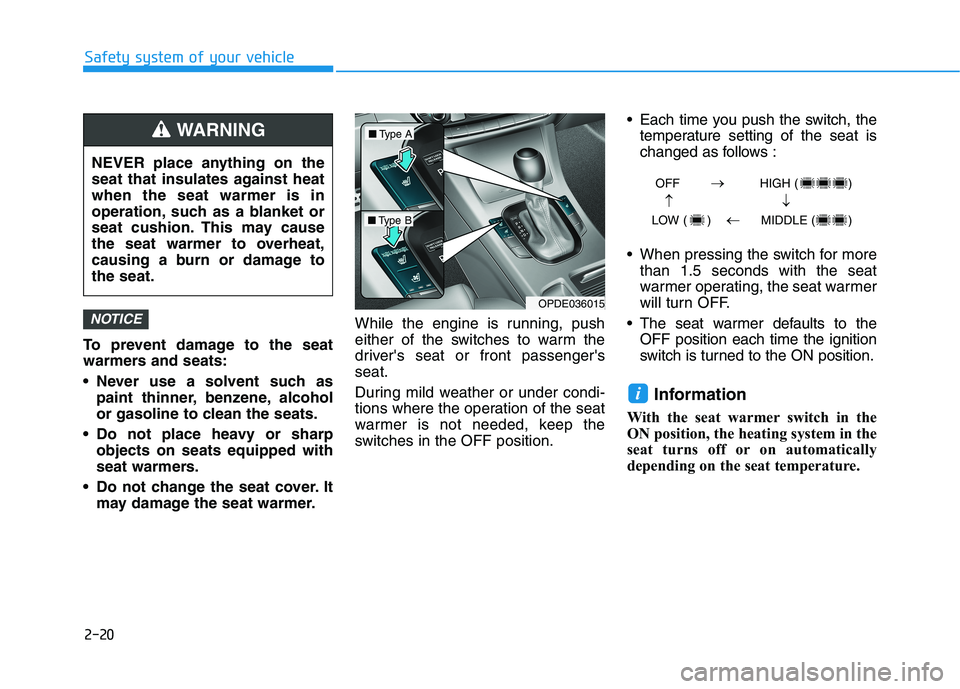
either of the switches to warm the
driver's seat or front passenger'sseat.
During mild weather or under condi-
tions where the operation of the seat
warmer is not needed, keep the
switches in the OFF position. Each time you push the switch, the
temperature setting of the seat is
changed as follows :
When pressing the switch for more than 1.5 seconds with the seat
warmer operating, the seat warmer
will turn OFF.
The seat warmer defaults to the OFF position each time the ignition
switch is turned to the ON position.
Information
With the seat warmer switch in the
ON position, the heating system in the
seat turns off or on automatically
depending on the seat temperature.
i
NOTICE
NEVER place anything on the
seat that insulates against heatwhen the seat warmer is in
operation, such as a blanket or
seat cushion. This may cause
the seat warmer to overheat,
causing a burn or damage tothe seat.
WARNING
OPDE036015
■ Type A
■Type B OFF HIGH ( )
LOW ( ) MIDDLE ( )
Page 87 of 486
Lighting..................................................................3-83Exterior Lights .................................................................3-83
Interior Lights...................................................................3-89
Welcome System .............................................................3-92
Wipers and Washers ............................................3-93 Windshield Wipers...........................................................3-93
Windshield Washers .......................................................3-94
Rear Window Wiper and Washer ................................3-95
Driver Assist System ...........................................3-96 Rear View Monitor..........................................................3-96
Manual Climate Control System.........................3-97 Heating and Air Conditioning .......................................3-98
System Operation .........................................................3-102
System Maintenance....................................................3-104
Automatic Climate Control System ..................3-106 Automatic Heating and Air Conditioning.................3-107
Manual Heating and Air Conditioning......................3-108
System Operation .........................................................3-114
System Maintenance....................................................3-116
Windshield Defrosting and Defogging ............3-117 Auto Defogging System ..............................................3-120Rear Window Defroster ..............................................3-121 Climate Control Additional Features ...............3-122
Cluster ionizer ................................................................3-122
Automatic Ventilation ...................................................3-122
Sunroof Inside Air Recirculation ...............................3-122
Storage Compartment .......................................3-123 Center Console Storage ..............................................3-123
Glove Box ........................................................................3-123
Sunglass Holder.............................................................3-124
Multi Box (with a cover) .............................................3-124
Interior Features ................................................3-125 Cup Holder ......................................................................3-125
Sliding Armrest ..............................................................3-126
Sunvisor ...........................................................................3-126
Power Outlet ..................................................................3-127
Wireless Cellular Phone Charging System..............3-128
Clock .................................................................................3-130
Clothes Hanger ..............................................................3-130
Floor Mat Anchor(s).....................................................3-131
Luggage Net Holder .....................................................3-132
Cargo Area Cover..........................................................3-132
3
Page 134 of 486
3-49
Convenient features of your vehicle
3
Gauges and Meters
Speedometer
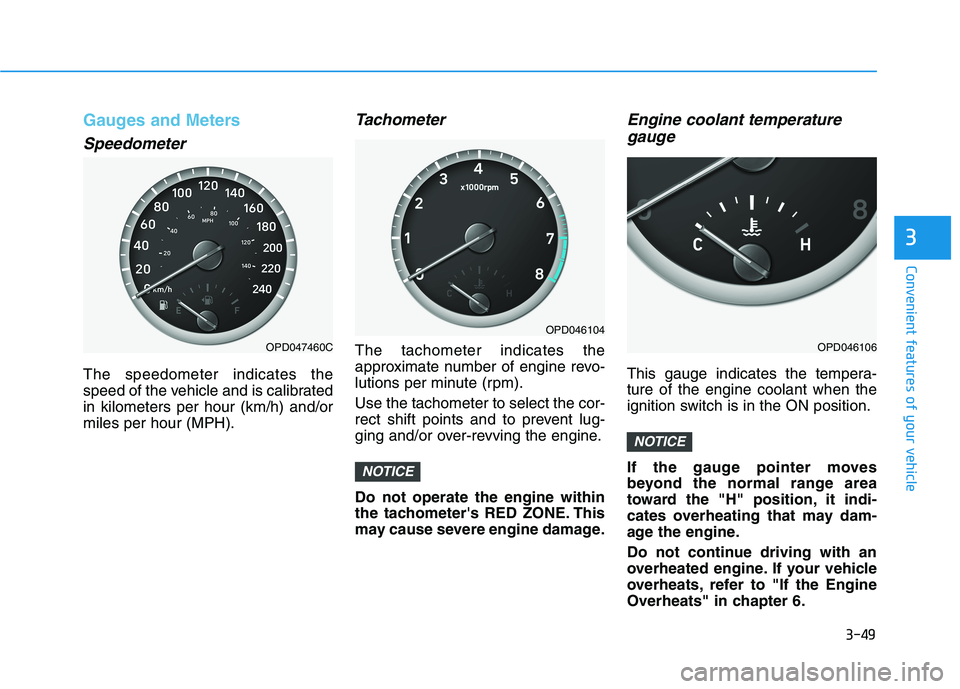
The speedometer indicates the
speed of the vehicle and is calibratedin kilometers per hour (km/h) and/ormiles per hour (MPH).
Tachometer
The tachometer indicates the
approximate number of engine revo-
lutions per minute (rpm). Use the tachometer to select the cor-
rect shift points and to prevent lug-
ging and/or over-revving the engine. Do not operate the engine within
the tachometer's RED ZONE. This
may cause severe engine damage.
Engine coolant temperaturegauge
This gauge indicates the tempera-ture of the engine coolant when the
ignition switch is in the ON position.
If the gauge pointer moves
beyond the normal range area
toward the "H" position, it indi-
cates overheating that may dam-
age the engine.
Do not continue driving with an
overheated engine. If your vehicle
overheats, refer to "If the Engine
Overheats" in chapter 6.
NOTICE
NOTICE
OPD047460C
OPD046104
OPD046106
Page 154 of 486
3-69
Convenient features of your vehicle
3
Wiper
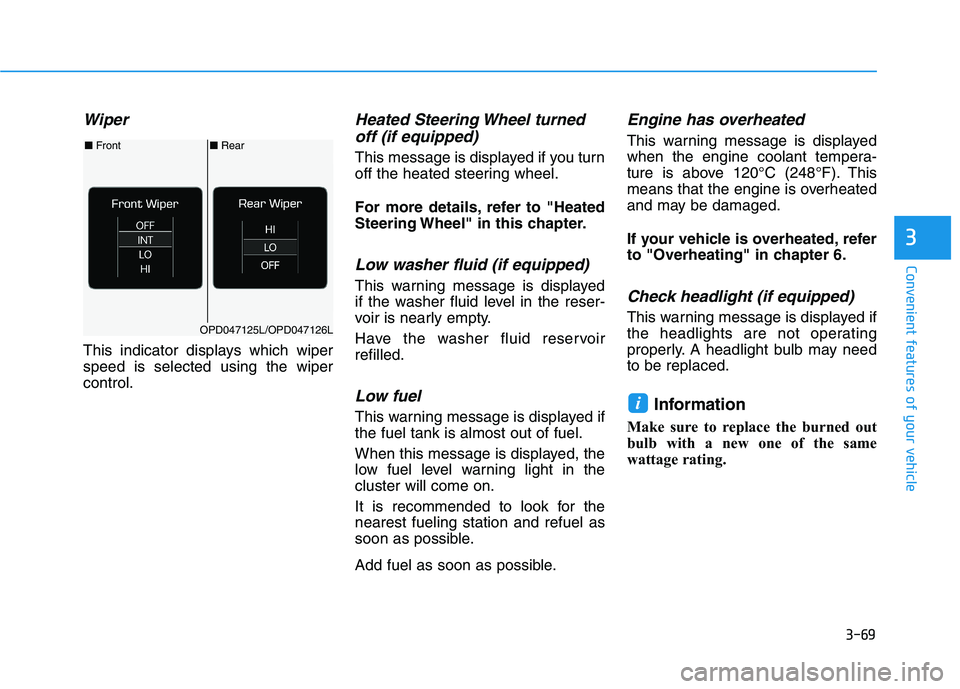
This indicator displays which wiper speed is selected using the wipercontrol.
Heated Steering Wheel turnedoff (if equipped)
This message is displayed if you turn
off the heated steering wheel.
For more details, refer to "Heated
Steering Wheel" in this chapter.
Low washer fluid (if equipped)
This warning message is displayed
if the washer fluid level in the reser-
voir is nearly empty.
Have the washer fluid reservoir refilled.
Low fuel
This warning message is displayed ifthe fuel tank is almost out of fuel.
When this message is displayed, the
low fuel level warning light in thecluster will come on.
It is recommended to look for the nearest fueling station and refuel as
soon as possible.
Add fuel as soon as possible.
Engine has overheated
This warning message is displayed
when the engine coolant tempera-
ture is above 120°C (248°F). This
means that the engine is overheated
and may be damaged.
If your vehicle is overheated, refer
to "Overheating" in chapter 6.
Check headlight (if equipped)
This warning message is displayed if
the headlights are not operating
properly. A headlight bulb may needto be replaced.
Information
Make sure to replace the burned out
bulb with a new one of the same
wattage rating.
i
■ Rear
■ Front
OPD047125L/OPD047126L
Page 183 of 486
3-98
Convenient features of your vehicle
Heating and Air Conditioning
1. Start the engine.
2. Set the mode to the desired posi-tion.
To improve the effectiveness of heating and cooling, select:
- Heating:- Cooling:
3. Set the temperature control to the desired position.
4. Set the air intake control to the outside (fresh) air or recirculated air position.
5. Set the fan speed control to the desired speed.
6. If air conditioning is desired, turn the air conditioning system on.
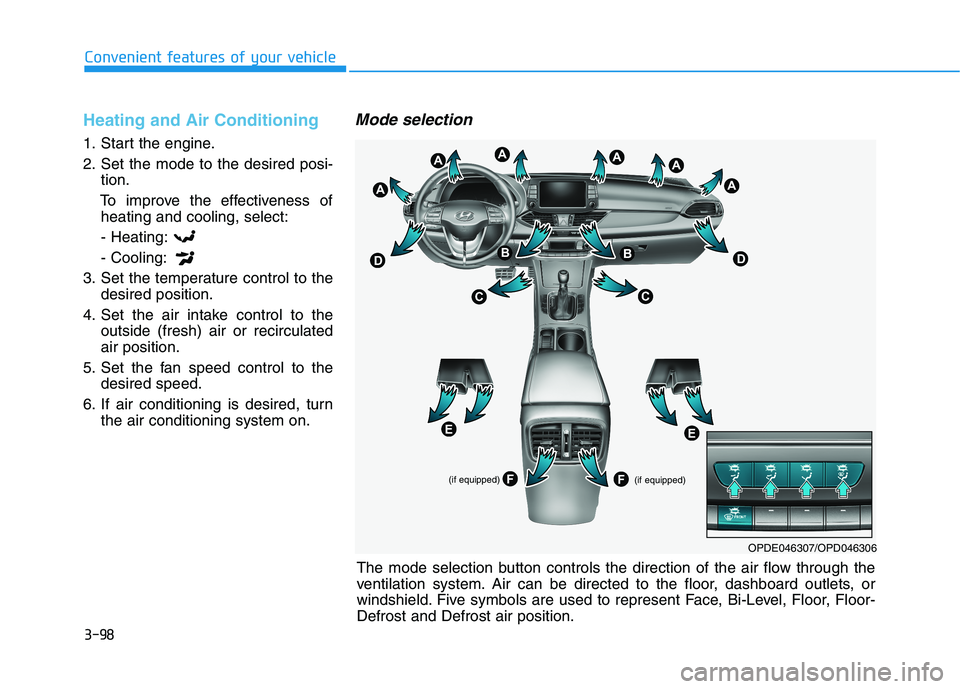
Mode selection
(if equipped)
(if equipped)
OPDE046307/OPD046306
The mode selection button controls the direction of the air flow through the
ventilation system. Air can be directed to the floor, dashboard outlets, or
windshield. Five symbols are used to represent Face, Bi-Level, Floor, Floor-Defrost and Defrost air position.
Page 186 of 486
3-101
Convenient features of your vehicle
3
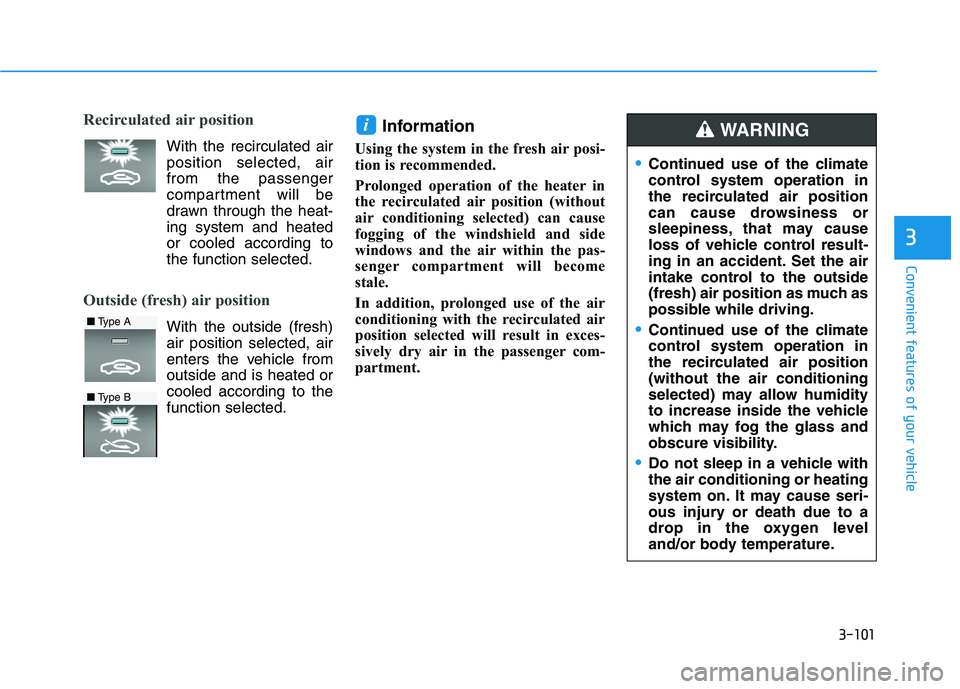
Recirculated air position
With the recirculated air position selected, airfrom the passenger
compartment will be
drawn through the heat-ing system and heatedor cooled according tothe function selected.
Outside (fresh) air position
With the outside (fresh)air position selected, air
enters the vehicle fromoutside and is heated or
cooled according to the function selected. Information
Using the system in the fresh air posi-
tion is recommended.
Prolonged operation of the heater in
the recirculated air position (without
air conditioning selected) can cause
fogging of the windshield and side
windows and the air within the pas-
senger compartment will become
stale.
In addition, prolonged use of the air
conditioning with the recirculated air
position selected will result in exces-
sively dry air in the passenger com-
partment.
i
■ Type A
■Type B
Continued use of the climate
control system operation in
the recirculated air position
can cause drowsiness or
sleepiness, that may cause
loss of vehicle control result-
ing in an accident. Set the air
intake control to the outside
(fresh) air position as much as
possible while driving.
Continued use of the climate
control system operation in
the recirculated air position(without the air conditioning
selected) may allow humidity
to increase inside the vehicle
which may fog the glass and
obscure visibility.
Do not sleep in a vehicle with the air conditioning or heating
system on. It may cause seri-
ous injury or death due to a
drop in the oxygen level
and/or body temperature.
WARNING
Page 187 of 486
3-102
Convenient features of your vehicle
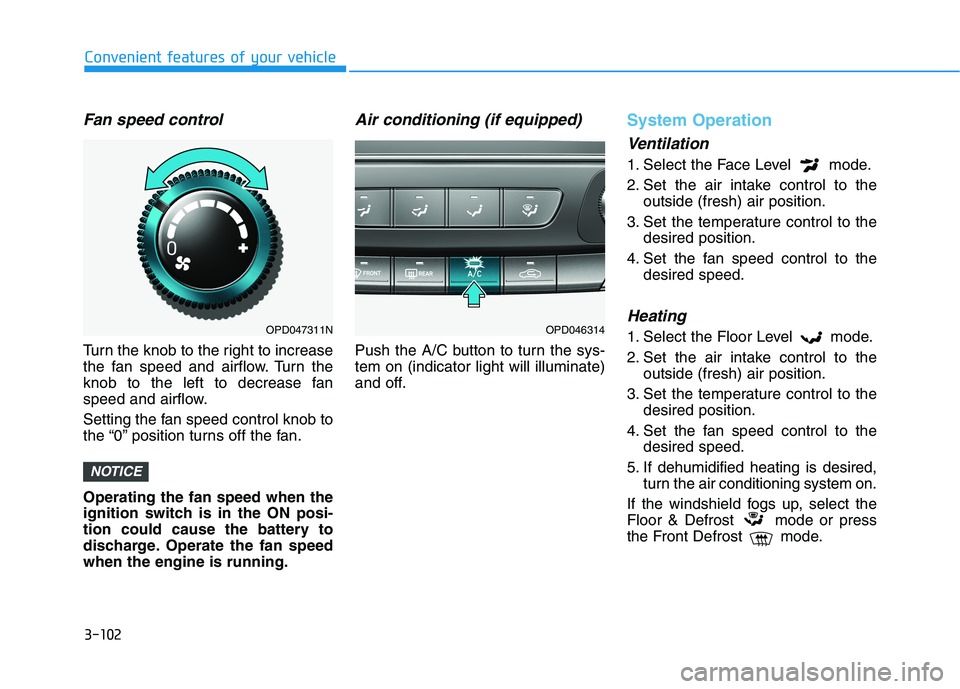
Fan speed control
Turn the knob to the right to increase
the fan speed and airflow. Turn the
knob to the left to decrease fan
speed and airflow.
Setting the fan speed control knob to
the “0” position turns off the fan. Operating the fan speed when the
ignition switch is in the ON posi-
tion could cause the battery to
discharge. Operate the fan speedwhen the engine is running.
Air conditioning (if equipped)
Push the A/C button to turn the sys-tem on (indicator light will illuminate)
and off.
System Operation
Ventilation
1. Select the Face Level mode.
2. Set the air intake control to theoutside (fresh) air position.
3. Set the temperature control to the desired position.
4. Set the fan speed control to the desired speed.
Heating
1. Select the Floor Level mode.
2. Set the air intake control to theoutside (fresh) air position.
3. Set the temperature control to the desired position.
4. Set the fan speed control to the desired speed.
5. If dehumidified heating is desired, turn the air conditioning system on.
If the windshield fogs up, select the
Floor & Defrost mode or press
the Front Defrost mode.
NOTICE
OPD047311NOPD046314
Page 188 of 486
3-103
Convenient features of your vehicle
3
Operation Tips
To keep dust or unpleasant fumesfrom entering the vehicle through
the ventilation system, temporarily
set the air intake control to the
recirculated air position. Return thecontrol to the fresh air position
when the irritation has passed.
This will help keep the driver alert
and comfortable.
To help prevent the inside of the windshield from fogging, set the air
intake control to the fresh air posi-
tion and fan speed to the desired
position, turn on the air condition-ing system, and adjust the temper-ature control to the desired tem-
perature.
Air conditioning
All HYUNDAI Air Conditioning
Systems are filled with environmen-
tally friendly R-1234yf refrigerant.
1. Start the engine.
2. Push the air conditioning button.
3. Set the mode to the Face Level mode.
4. Set the air intake control to the recirculated air position. However,
prolonged operation of the recir-
culated air position will excessive-
ly dry the air. In this case, changethe air position.
5. Adjust the fan speed control and temperature control to maintain
maximum comfort.
When maximum cooling is desired,
set the temperature control to the
extreme left position then set the fanspeed control to the highest speed. When using the air conditioning
system, monitor the engine tem-
perature gauge closely while driv-
ing up hills or in heavy trafficwhen outside temperatures are
high. Air conditioning system
operation can cause engine over-heating.
Continue to use the fan, but turn the air conditioning system off if
the engine temperature gauge
indicates engine overheating.
NOTICE
Page 189 of 486
3-104
Convenient features of your vehicle
Air conditioning system operation tips
If the vehicle has been parked indirect sunlight during hot weather,
open the windows for a short time
to let the hot air inside the vehicle
escape.
After sufficient cooling has been achieved, switch back from therecirculated air to the fresh outsideair position.
To help reduce moisture inside of the windows on rainy or humid
days, decrease the humidity inside
the vehicle by operating the air con-
ditioning system with the windowsand sunroof closed.
Use the air conditioning system every month only for a few minutes
to ensure maximum system per-
formance.
If you operate air conditioner exces- sively, the difference between the
temperature of the outside air andthat of the windshield could cause
the outer surface of the windshield
to fog up, causing loss of visibility.
In this case, set the mode selection
knob or button to the position
and fan speed control to the lowerspeed.
System Maintenance
Climate control air filter
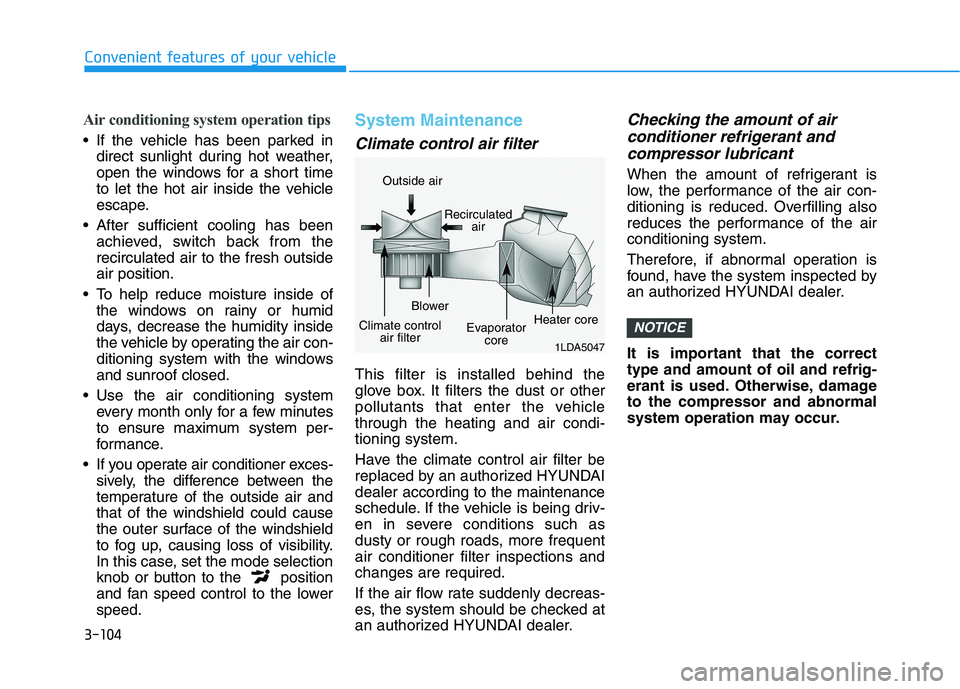
This filter is installed behind the
glove box. It filters the dust or other
pollutants that enter the vehiclethrough the heating and air condi-tioning system.
Have the climate control air filter be
replaced by an authorized HYUNDAIdealer according to the maintenance
schedule. If the vehicle is being driv-
en in severe conditions such as
dusty or rough roads, more frequentair conditioner filter inspections andchanges are required.
If the air flow rate suddenly decreas-
es, the system should be checked at
an authorized HYUNDAI dealer.
Checking the amount of air
conditioner refrigerant and
compressor lubricant
When the amount of refrigerant is
low, the performance of the air con-
ditioning is reduced. Overfilling also
reduces the performance of the airconditioning system.
Therefore, if abnormal operation is
found, have the system inspected by
an authorized HYUNDAI dealer.
It is important that the correct type and amount of oil and refrig-
erant is used. Otherwise, damageto the compressor and abnormal
system operation may occur.
NOTICE
1LDA5047
Outside air
Recirculatedair
Climate control air filter Blower
Evaporatorcore Heater core
Page 192 of 486
3-107
Convenient features of your vehicle
3
Automatic Heating and Air Conditioning
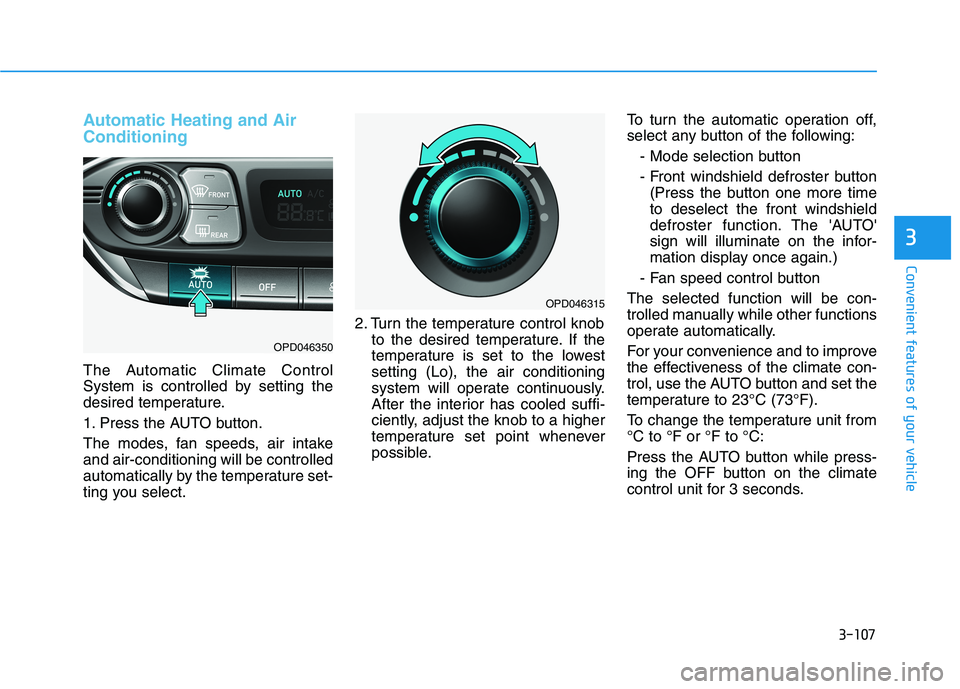
The Automatic Climate Control
System is controlled by setting the
desired temperature.
1. Press the AUTO button.
The modes, fan speeds, air intake and air-conditioning will be controlled
automatically by the temperature set-
ting you select.2. Turn the temperature control knob
to the desired temperature. If the
temperature is set to the lowestsetting (Lo), the air conditioning
system will operate continuously.
After the interior has cooled suffi-
ciently, adjust the knob to a higher
temperature set point whenever
possible. To turn the automatic operation off,
select any button of the following:
- Mode selection button
- Front windshield defroster button(Press the button one more time to deselect the front windshield
defroster function. The 'AUTO'
sign will illuminate on the infor-
mation display once again.)
- Fan speed control button
The selected function will be con-
trolled manually while other functions
operate automatically.
For your convenience and to improve
the effectiveness of the climate con-
trol, use the AUTO button and set the
temperature to 23°C (73°F).
To change the temperature unit from °C to °F or °F to °C:
Press the AUTO button while press-
ing the OFF button on the climate
control unit for 3 seconds.
OPD046350
OPD046315