start stop button HYUNDAI ELANTRA HYBRID 2022 Owner's Guide
[x] Cancel search | Manufacturer: HYUNDAI, Model Year: 2022, Model line: ELANTRA HYBRID, Model: HYUNDAI ELANTRA HYBRID 2022Pages: 529, PDF Size: 38.79 MB
Page 266 of 529
06
6-21
Shift-lock release
If the shift lever cannot be moved from
the P (Park) position into R (Reverse)
position with the brake pedal depressed,
continue depressing the brake, and then
do the following:
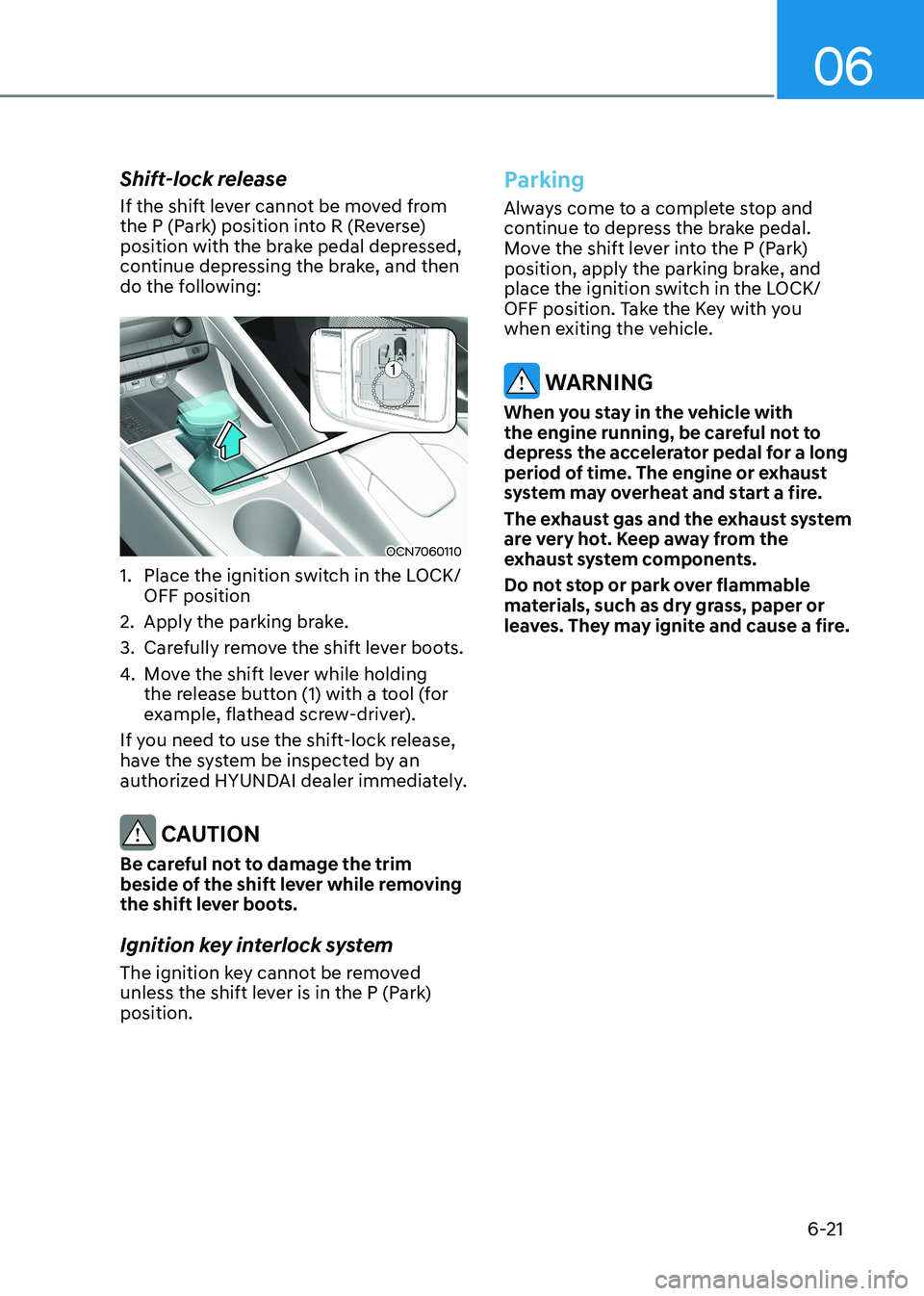
OCN7060110
1. Place the ignition switch in the LOCK/ OFF position
2. Apply the parking brake.
3. Carefully remove the shift lever boots.
4. Move the shift lever while holding
the release button (1) with a tool (for
example, flathead screw-driver).
If you need to use the shift-lock release,
have the system be inspected by an
authorized HYUNDAI dealer immediately.
CAUTION
Be careful not to damage the trim
beside of the shift lever while removing
the shift lever boots.
Ignition key interlock system
The ignition key cannot be removed
unless the shift lever is in the P (Park) position.
Parking
Always come to a complete stop and
continue to depress the brake pedal.
Move the shift lever into the P (Park)
position, apply the parking brake, and
place the ignition switch in the LOCK/
OFF position. Take the Key with you
when exiting the vehicle.
WARNING
When you stay in the vehicle with
the engine running, be careful not to
depress the accelerator pedal for a long
period of time. The engine or exhaust
system may overheat and start a fire.
The exhaust gas and the exhaust system
are very hot. Keep away from the
exhaust system components.
Do not stop or park over flammable
materials, such as dry grass, paper or
leaves. They may ignite and cause a fire.
Page 281 of 529
Driving your vehicle
6-36
WARNING
Take the following precautions when
using the Vehicle Stability Management
(VSM): • ALWAYS check the speed and the
distance to the vehicle ahead. The
VSM is not a substitute for safe
driving practices.
• Never drive too fast for the road
conditions. The VSM system will not
prevent accidents. Excessive speed
in bad weather, slippery and uneven
roads can result in severe accidents.
VSM operation
VSM ON condition
The VSM operates when:
The Electronic Stability Control (ESC) is on.
When operating
When you apply your brakes under
conditions which may activate the ESC,
you may hear sounds from the brakes,
or feel a corresponding sensation in the
brake pedal. This is normal and it means
your VSM is active.
NOTICE
The VSM does not operate when: • Driving on a banked road such as
gradient or incline.
• Driving rearward.
• ESC OFF indicator light is on.
• EPS (Electric Power Steering)
warning light (
) is on or blinks.
WARNING
If ESC indicator light (
) or EPS
warning light () stays on or blinks,
your vehicle may have a malfunction
with the VSM system. When the
warning light illuminates, have your
vehicle checked by an authorized
HYUNDAI dealer as soon as possible.
Driving with wheels and tires with
different sizes may cause the ESC system
to malfunction. Before replacing tires,
make sure all four tires and wheels are
the same size. Never drive the vehicle
with different sized tires and wheels
installed.
Hill-Start Assist Control (HAC)
The Hill-Start Assist Control (HAC)
helps prevent the vehicle from rolling
backwards when starting a vehicle from
a stop on a hill. The system operates the
brakes automatically for approximately
2 seconds and releases the brake after 2
seconds or when the accelerator pedal is
depressed.
WARNING
Always be ready to depress the
accelerator pedal when starting off on
a incline. The HAC activates only for
approximately 2 seconds.
NOTICE
• The HAC does not operate when
the shift button is in P (Park) or N
(Neutral)
• The HAC activates even though the
ESC (Electronic Stability Control) is
off but does not activate when the ESC has malfunctioned.
Page 397 of 529
Driver Assistance System
7-100
Rear View Monitor Settings
Camera settings
You can change Rear View Monitor
settings by pressing the setup icon (
) on the screen while the system is
operating, or select ‘Driver Assistance →
Parking Safety → Camera Settings’ from
the Settings menu while the Engine
Start/Stop button is in the ON position.
Rear View Monitor Operation
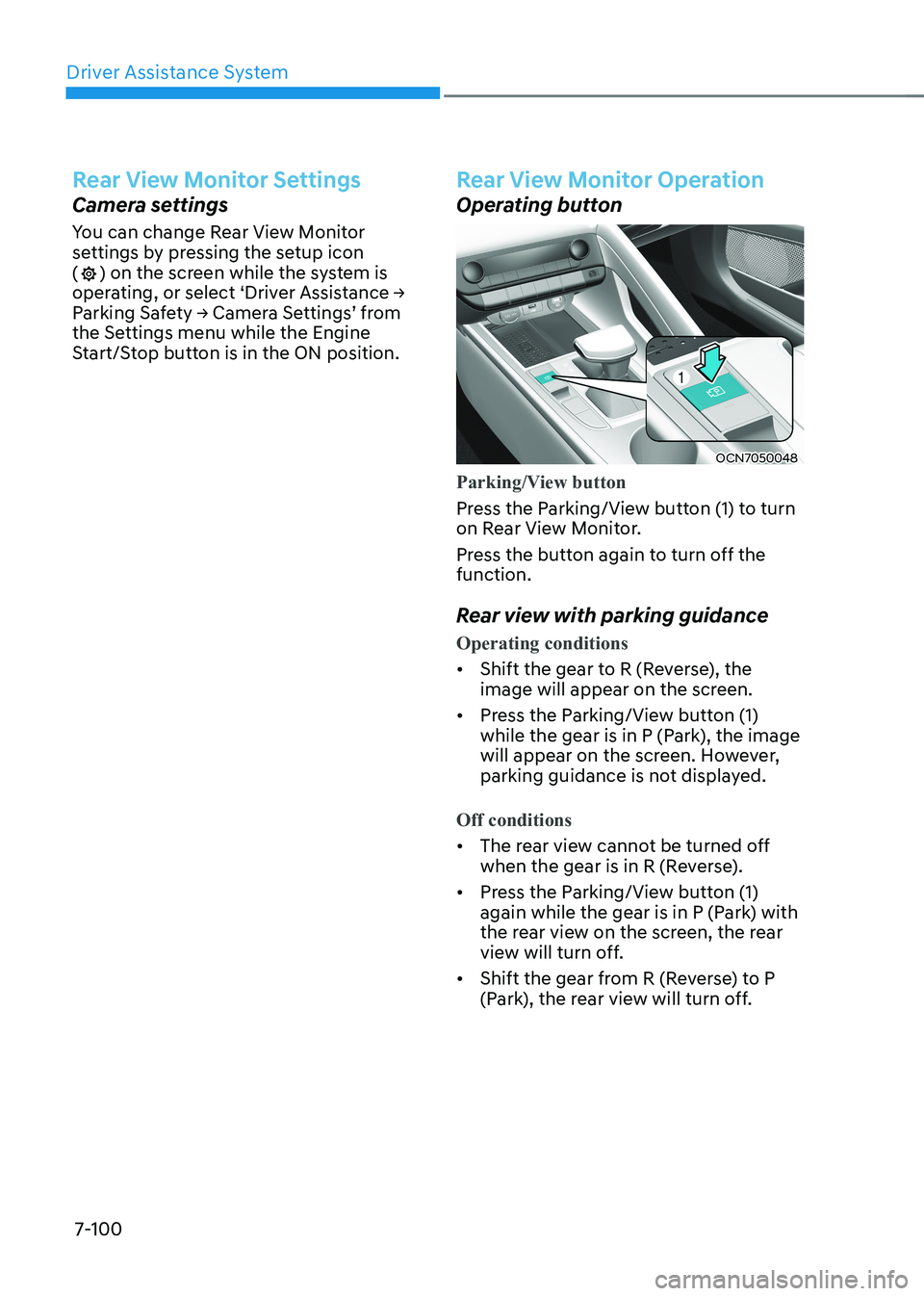
Operating button
OCN7050048
Parking/View button
Press the Parking/View button (1) to turn
on Rear View Monitor.
Press the button again to turn off the function.
Rear view with parking guidance
Operating conditions
• Shift the gear to R (Reverse), the
image will appear on the screen.
• Press the Parking/View button (1)
while the gear is in P (Park), the image
will appear on the screen. However,
parking guidance is not displayed.
Off conditions
• The rear view cannot be turned off
when the gear is in R (Reverse).
• Press the Parking/View button (1)
again while the gear is in P (Park) with
the rear view on the screen, the rear
view will turn off.
• Shift the gear from R (Reverse) to P
(Park), the rear view will turn off.
Page 424 of 529
08
8-3
in Case oF an emergenCy WHile driving
If the Engine Stalls While Driving
• Reduce your speed gradually, keeping
a straight line. Move cautiously off the
road to a safe place.
• Turn on your hazard warning flasher.
• Try to start the engine again. If your
vehicle will not start, contact an
authorized HYUNDAI dealer or seek
other qualified assistance.
If the Engine Stalls at a Crossroad
or Crossing
If the engine stalls at a crossroads or
crossing, if safe to do so, move the shift
button to the N (Neutral) position and
then push the vehicle to a safe location.
If You Have a Flat Tire While Driving
If a tire goes flat while you are driving: • Take your foot off the accelerator
pedal and let the vehicle slow down
while driving straight ahead. Do not
apply the brakes immediately or
attempt to pull off the road as this
may cause loss of vehicle control
resulting in an accident. When the
vehicle has slowed to such a speed
that it is safe to do so, brake carefully
and pull off the road. Drive off the
road as far as possible and park on
firm, level ground. If you are on a
divided highway, do not park in the
median area between the two traffic lanes.
• When the vehicle is stopped, press the
hazard warning flasher button, move
the shift button into P (Park), and
apply the parking brake, and place
the ignition switch in the LOCK/OFF position.
• Have all passengers get out of the
vehicle. Be sure they all get out on the
side of the vehicle that is away from
traffic.
• When changing a flat tire, follow the
instructions provided later in this
chapter.
Page 523 of 529
Index
I-6
I
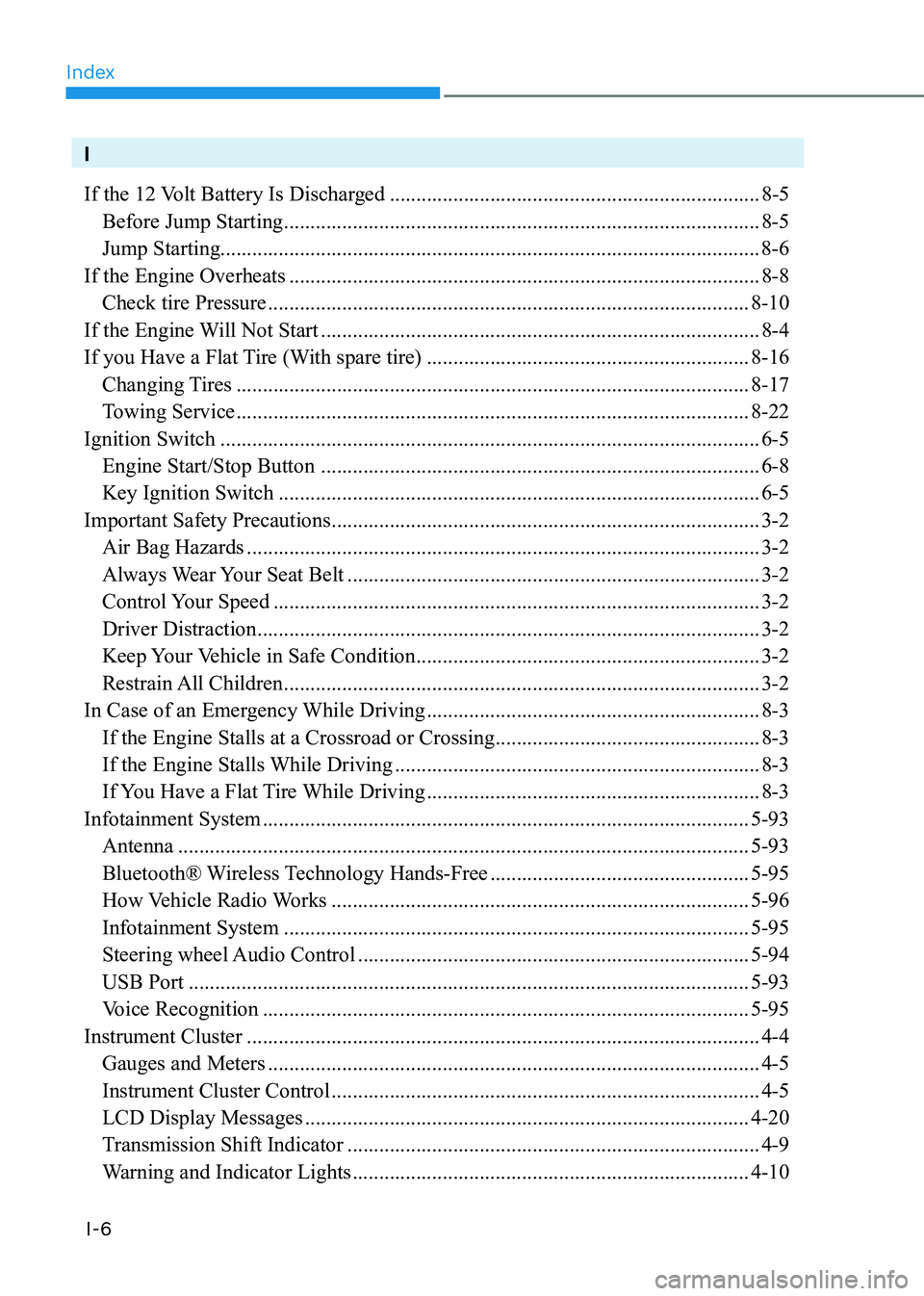
If the 12 Volt Battery Is Discharged ...................................................................... 8-5
Before Jump Starting .......................................................................................... 8-5
Jump Starting...................................................................................................... 8-6 If the Engine Overheats ......................................................................................... 8-8
Check tire Pressure ........................................................................................... 8-10
If the Engine Will Not Start ................................................................................... 8-4
If you Have a Flat Tire (With spare tire) .............................................................8-16
Changing Tires ................................................................................................. 8-17
Towing Service ................................................................................................. 8-22
Ignition Switch ...................................................................................................... 6-5
Engine Start/Stop Button ................................................................................... 6-8
Key Ignition Switch ........................................................................................... 6-5
Important Safety Precautions ................................................................................. 3-2
Air Bag Hazards ................................................................................................. 3-2
Always Wear Your Seat Belt .............................................................................. 3-2
Control Your Speed ............................................................................................ 3-2
Driver Distraction ............................................................................................... 3-2
Keep Your Vehicle in Safe Condition ................................................................. 3-2
Restrain All Children .......................................................................................... 3-2
In Case of an Emergency While Driving ...............................................................8-3
If the Engine Stalls at a Crossroad or Crossing ..................................................8-3
If the Engine Stalls While Driving ..................................................................... 8-3
If You Have a Flat Tire While Driving ...............................................................8-3
Infotainment System ............................................................................................ 5-93
Antenna ............................................................................................................ 5-93
Bluetooth® Wireless Technology Hands-Free .................................................5-95
How Vehicle Radio Works ............................................................................... 5-96
Infotainment System ........................................................................................ 5-95
Steering wheel Audio Control .......................................................................... 5-94
USB Port .......................................................................................................... 5-93
Voice Recognition ............................................................................................ 5-95
Instrument Cluster ................................................................................................. 4-4
Gauges and Meters ............................................................................................. 4-5
Instrument Cluster Control ................................................................................. 4-5
LCD Display Messages .................................................................................... 4-20
Transmission Shift Indicator .............................................................................. 4-9
Warning and Indicator Lights ........................................................................... 4-10