warning HYUNDAI ELANTRA LIMITED 2017 Owners Manual
[x] Cancel search | Manufacturer: HYUNDAI, Model Year: 2017, Model line: ELANTRA LIMITED, Model: HYUNDAI ELANTRA LIMITED 2017Pages: 586, PDF Size: 15.29 MB
Page 381 of 586
5-61
Driving your vehicle
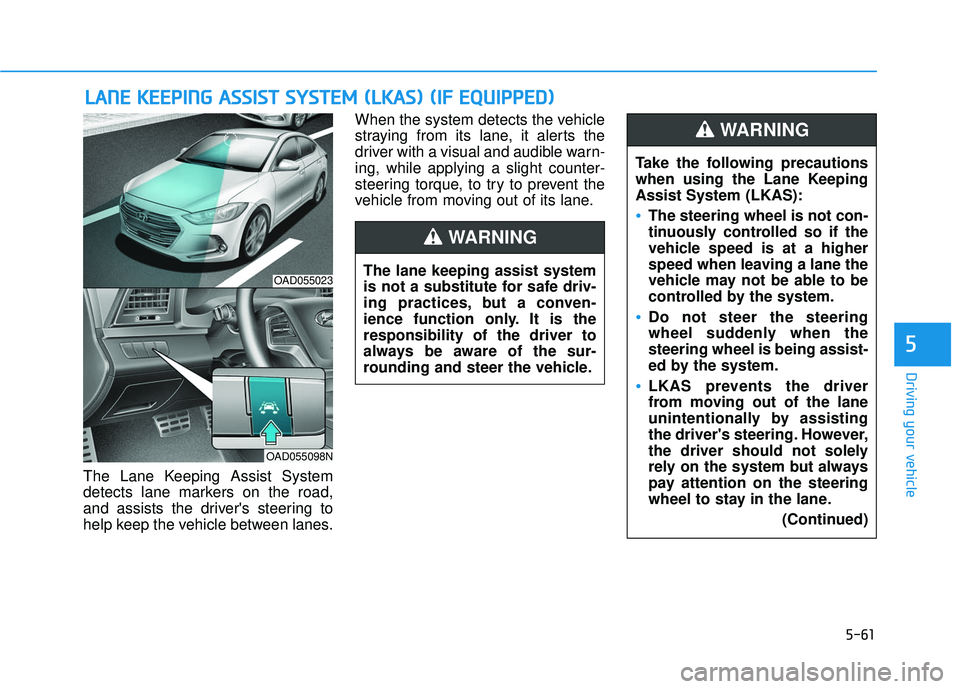
The Lane Keeping Assist System
detects lane markers on the road,
and assists the driver's steering to
help keep the vehicle between lanes.When the system detects the vehicle
straying from its lane, it alerts the
driver with a visual and audible warn-
ing, while applying a slight counter-
steering torque, to try to prevent the
vehicle from moving out of its lane.
L L
A
A N
N E
E
K
K E
EE
EP
P I
IN
N G
G
A
A S
SS
SI
IS
S T
T
S
S Y
Y S
ST
T E
EM
M
(
( L
L K
K A
A S
S)
)
(
( I
IF
F
E
E Q
Q U
UI
IP
P P
PE
ED
D )
)
5
OAD055023
OAD055098N
The lane keeping assist system
is not a substitute for safe driv-
ing practices, but a conven-
ience function only. It is the
responsibility of the driver to
always be aware of the sur-
rounding and steer the vehicle.
WARNING
Take the following precautions
when using the Lane Keeping
Assist System (LKAS):
The steering wheel is not con-
tinuously controlled so if the
vehicle speed is at a higher
speed when leaving a lane the
vehicle may not be able to be
controlled by the system.
Do not steer the steering
wheel suddenly when the
steering wheel is being assist-
ed by the system.
LKAS prevents the driver
from moving out of the lane
unintentionally by assisting
the driver's steering. However,
the driver should not solely
rely on the system but always
pay attention on the steering
wheel to stay in the lane.
(Continued)
WARNING
Page 382 of 586
5-62
LKAS Operation
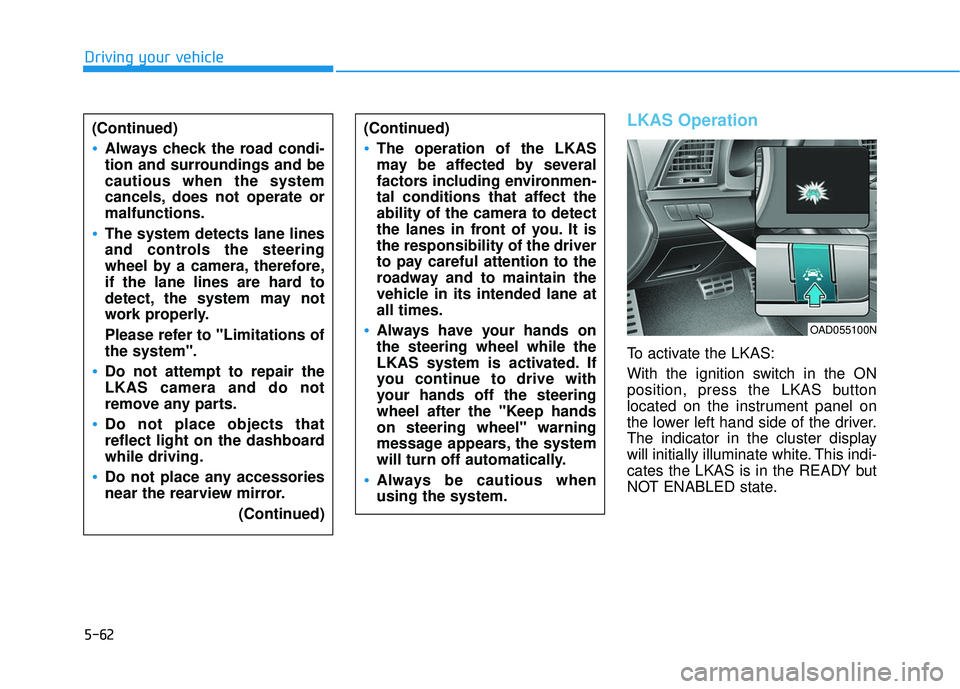
To activate the LKAS:
With the ignition switch in the ON
position, press the LKAS button
located on the instrument panel on
the lower left hand side of the driver.
The indicator in the cluster display
will initially illuminate white. This indi-
cates the LKAS is in the READY but
NOT ENABLED state.
Driving your vehicle(Continued)
Always check the road condi-
tion and surroundings and be
cautious when the system
cancels, does not operate or
malfunctions.
The system detects lane lines
and controls the steering
wheel by a camera, therefore,
if the lane lines are hard to
detect, the system may not
work properly.
Please refer to "Limitations of
the system".
Do not attempt to repair the
LKAS camera and do not
remove any parts.
Do not place objects that
reflect light on the dashboard
while driving.
Do not place any accessories
near the rearview mirror. (Continued)
(Continued)
The operation of the LKAS
may be affected by several
factors including environmen-
tal conditions that affect the
ability of the camera to detect
the lanes in front of you. It is
the responsibility of the driver
to pay careful attention to the
roadway and to maintain the
vehicle in its intended lane at
all times.
Always have your hands on
the steering wheel while the
LKAS system is activated. If
you continue to drive with
your hands off the steering
wheel after the "Keep hands
on steering wheel" warning
message appears, the system
will turn off automatically.
Always be cautious when
using the system.
OAD055100N
Page 383 of 586
5-63
Driving your vehicle
LKAS activation
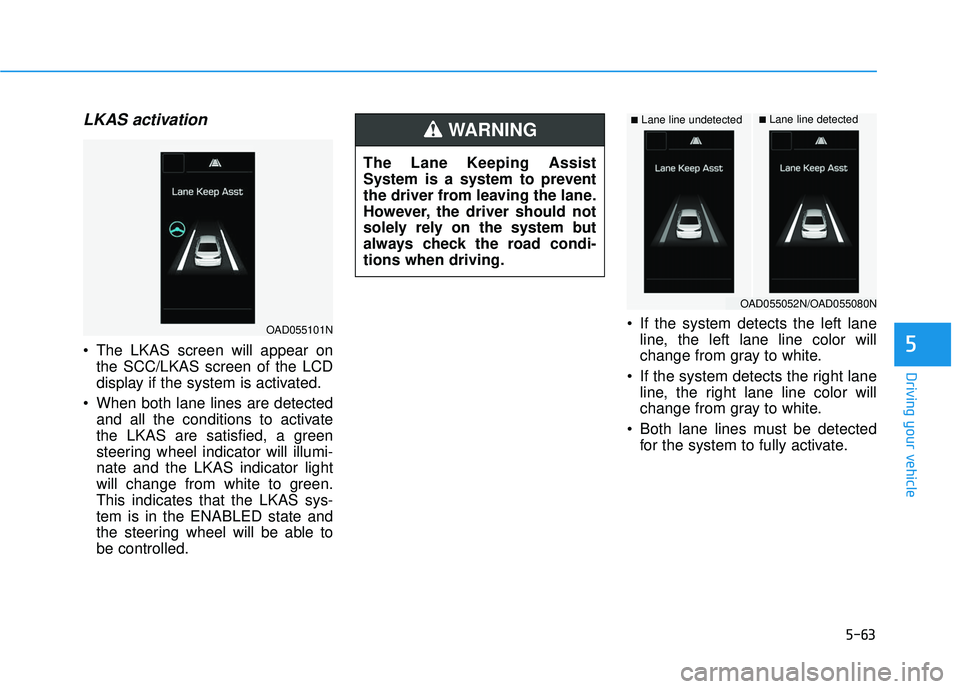
The LKAS screen will appear onthe SCC/LKAS screen of the LCD
display if the system is activated.
When both lane lines are detected and all the conditions to activate
the LKAS are satisfied, a green
steering wheel indicator will illumi-
nate and the LKAS indicator light
will change from white to green.
This indicates that the LKAS sys-
tem is in the ENABLED state and
the steering wheel will be able to
be controlled. If the system detects the left lane
line, the left lane line color will
change from gray to white.
If the system detects the right lane line, the right lane line color will
change from gray to white.
Both lane lines must be detected for the system to fully activate.5
■Lane line undetected■Lane line detected
OAD055101N
OAD055052N/OAD055080N
The Lane Keeping Assist
System is a system to prevent
the driver from leaving the lane.
However, the driver should not
solely rely on the system but
always check the road condi-
tions when driving.
WARNING
Page 384 of 586
5-64
Warning
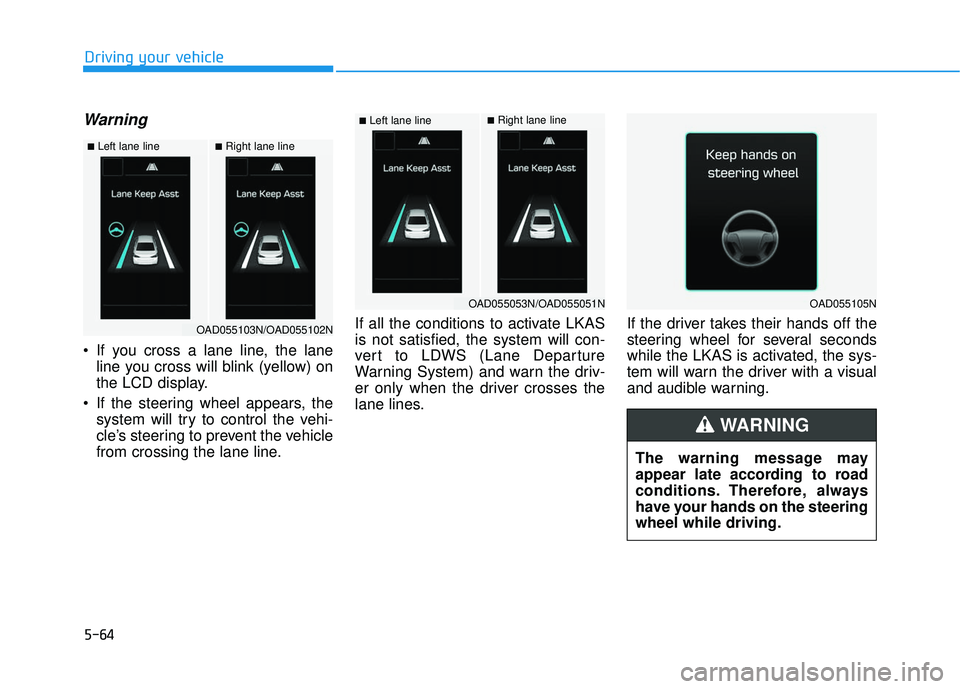
If you cross a lane line, the laneline you cross will blink (yellow) on
the LCD display.
If the steering wheel appears, the system will try to control the vehi-
cle’s steering to prevent the vehicle
from crossing the lane line. If all the conditions to activate LKAS
is not satisfied, the system will con-
vert to LDWS (Lane Departure
Warning System) and warn the driv-
er only when the driver crosses the
lane lines.
If the driver takes their hands off the
steering wheel for several seconds
while the LKAS is activated, the sys-
tem will warn the driver with a visual
and audible warning.
Driving your vehicle
■Left lane line■Right lane line
OAD055103N/OAD055102N
■Left lane line■Right lane line
OAD055053N/OAD055051NOAD055105N
The warning message may
appear late according to road
conditions. Therefore, always
have your hands on the steering
wheel while driving.
WARNING
Page 385 of 586
5-65
Driving your vehicle
If the driver still does not have their
hands on the steering wheel after
several seconds, the system will not
control the steering wheel and warn
the driver only when the driver cross-
es the lane lines.
Information
• Even though the steering is assistedby the system, the driver can still
steer to control the steering wheel.
• The steering wheel may feel heavier when the steering wheel is assisted
by the system than when it is not.
The LKAS system will not be in the
ENABLED state and the steering
wheel will not be assisted when:
Vehicle speed is below 40 mph (60 km/h) and over 110 mph (180
km/h).
Only one lane line is detected.
The turn signal is turned on before changing a lane. If you change
lanes without the turn signal on,
the steering wheel might be con-
trolled.
The hazard warning flasher is on.
The width of the lane is below 10 feet (3.1 m) and over 15 feet
(4.5 m).
ESC (Electronic Stability Control) is activated.
The vehicle is driven on a sharp curve.
The vehicle brakes suddenly.
The vehicle makes sharp lane changes.
Information
When the system is turned on or right
after changing a lane, drive in the
middle of the lane. If not, the system
will not provide steering assist func-
tion.
i
i
5
The driver is responsible for
accurate steering.
Turn off the system in below
situations.
- In bad weather
- In bad road condition
- When the steering wheelneeds to be controlled by the
driver frequently.
WARNING
Page 388 of 586
5-68
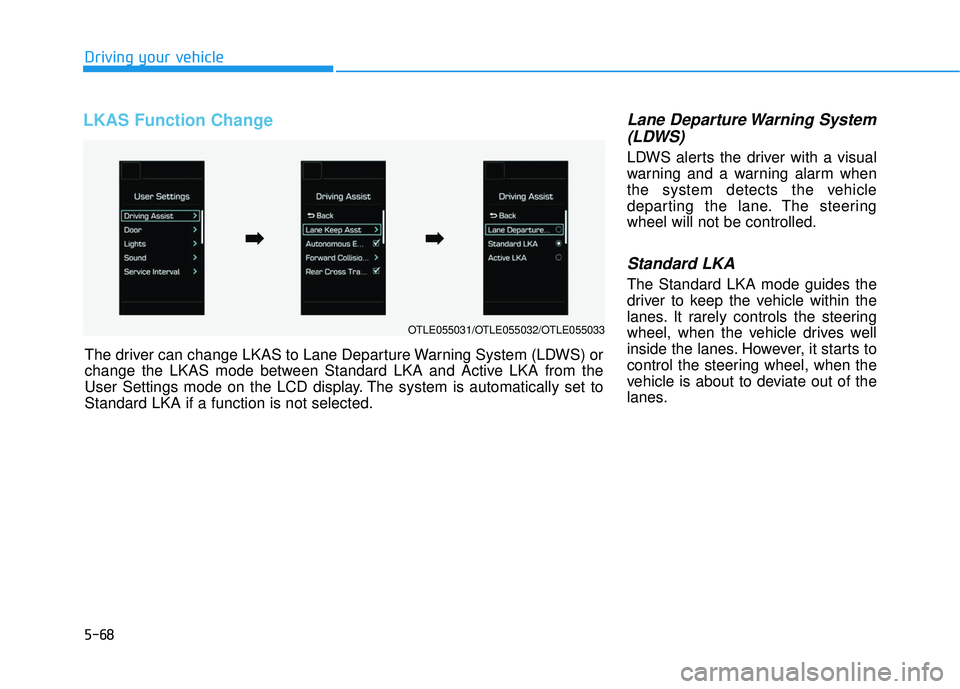
LKAS Function Change Lane Departure Warning System(LDWS)
LDWS alerts the driver with a visual
warning and a warning alarm when
the system detects the vehicle
departing the lane. The steering
wheel will not be controlled.
Standard LKA
The Standard LKA mode guides the
driver to keep the vehicle within the
lanes. It rarely controls the steering
wheel, when the vehicle drives well
inside the lanes. However, it starts to
control the steering wheel, when the
vehicle is about to deviate out of the
lanes.
Driving your vehicle
OTLE055031/OTLE055032/OTLE055033
The driver can change LKAS to Lane Departure Warning System (LDWS) or
change the LKAS mode between Standard LKA and Active LKA from the
User Settings mode on the LCD display. The system is automatically set to
Standard LKA if a function is not selected.
➡ ➡ ➡
➡
Page 390 of 586
5-70
Driving your vehicle
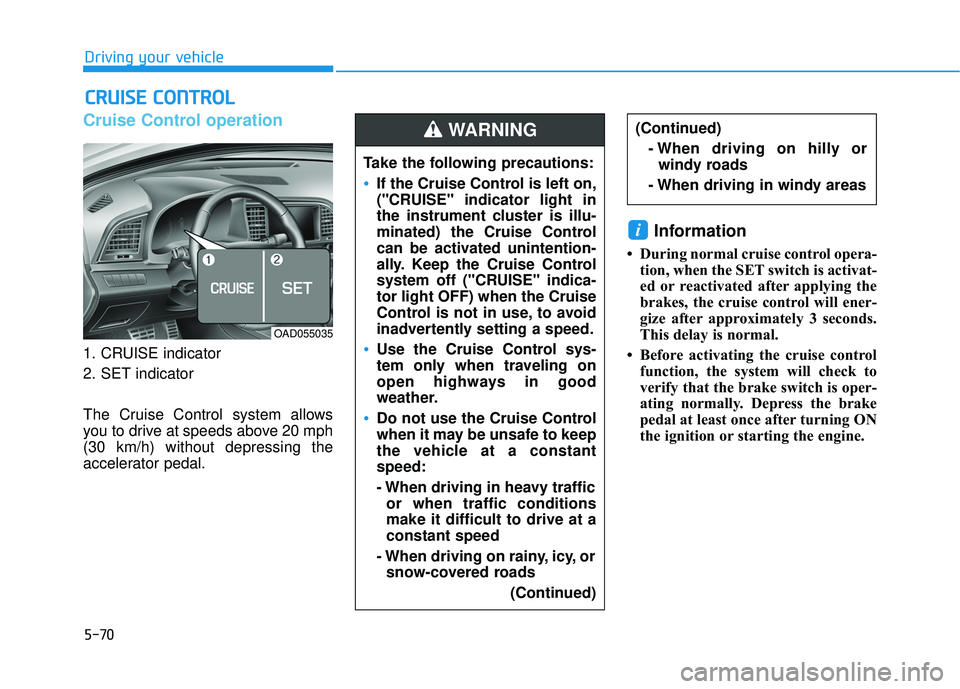
Cruise Control operation
1. CRUISE indicator
2. SET indicator
The Cruise Control system allows
you to drive at speeds above 20 mph
(30 km/h) without depressing the
accelerator pedal.
Information
• During normal cruise control opera-tion, when the SET switch is activat-
ed or reactivated after applying the
brakes, the cruise control will ener-
gize after approximately 3 seconds.
This delay is normal.
• Before activating the cruise control function, the system will check to
verify that the brake switch is oper-
ating normally. Depress the brake
pedal at least once after turning ON
the ignition or starting the engine.
i
C CR
R U
U I
IS
S E
E
C
C O
O N
NT
TR
R O
O L
L
(Continued)
- When driving on hilly orwindy roads
- When driving in windy areas
OAD055035
Take the following precautions:
If the Cruise Control is left on,
("CRUISE" indicator light in
the instrument cluster is illu-
minated) the Cruise Control
can be activated unintention-
ally. Keep the Cruise Control
system off ("CRUISE" indica-
tor light OFF) when the Cruise
Control is not in use, to avoid
inadvertently setting a speed.
Use the Cruise Control sys-
tem only when traveling on
open highways in good
weather.
Do not use the Cruise Control
when it may be unsafe to keep
the vehicle at a constant
speed:
- When driving in heavy traffic or when traffic conditions
make it difficult to drive at a
constant speed
- When driving on rainy, icy, or snow-covered roads
(Continued)
WARNING
Page 395 of 586
5-75
Driving your vehicle
5
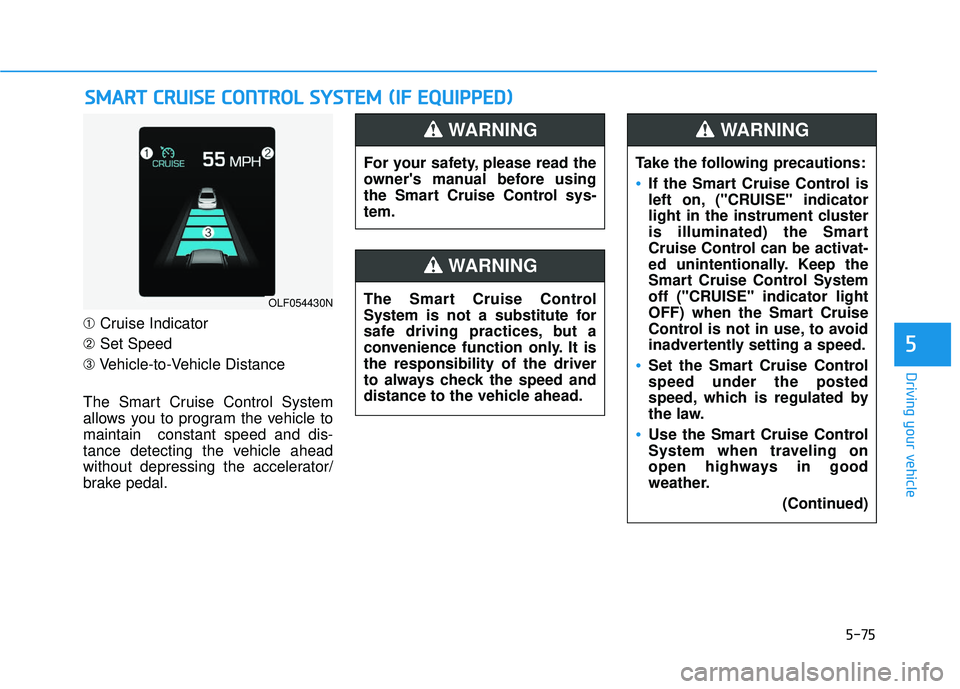
➀Cruise Indicator
➁ Set Speed
➂ Vehicle-to-Vehicle Distance
The Smart Cruise Control System
allows you to program the vehicle to
maintain constant speed and dis-
tance detecting the vehicle ahead
without depressing the accelerator/
brake pedal.
S S M
M A
AR
RT
T
C
C R
R U
U I
IS
S E
E
C
C O
O N
NT
TR
R O
O L
L
S
S Y
Y S
ST
T E
EM
M
(
( I
IF
F
E
E Q
Q U
UI
IP
P P
PE
ED
D )
)
OLF054430N
For your safety, please read the
owner's manual before using
the Smart Cruise Control sys-
tem.
WARNING
The Smart Cruise Control
System is not a substitute for
safe driving practices, but a
convenience function only. It is
the responsibility of the driver
to always check the speed and
distance to the vehicle ahead.
WARNING
Take the following precautions:
If the Smart Cruise Control is
left on, ("CRUISE" indicator
light in the instrument cluster
is illuminated) the Smart
Cruise Control can be activat-
ed unintentionally. Keep the
Smart Cruise Control System
off ("CRUISE" indicator light
OFF) when the Smart Cruise
Control is not in use, to avoid
inadvertently setting a speed.
Set the Smart Cruise Control
speed under the posted
speed, which is regulated by
the law.
Use the Smart Cruise Control
System when traveling on
open highways in good
weather.
(Continued)
WARNING
Page 397 of 586
5-77
Driving your vehicle
5
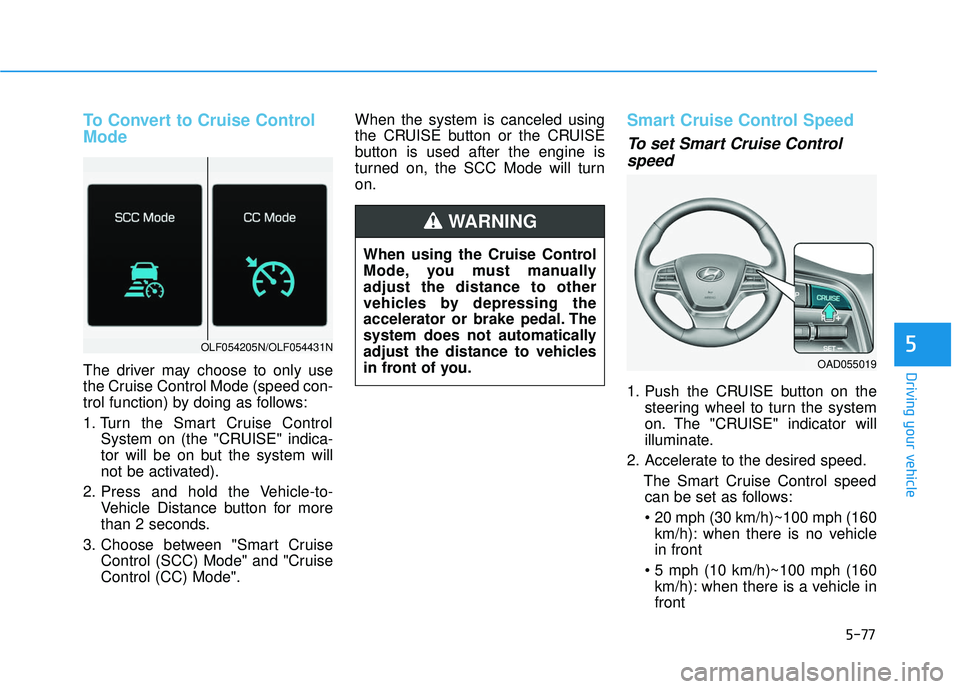
To Convert to Cruise Control
Mode
The driver may choose to only use
the Cruise Control Mode (speed con-
trol function) by doing as follows:
1. Turn the Smart Cruise ControlSystem on (the "CRUISE" indica-
tor will be on but the system will
not be activated).
2. Press and hold the Vehicle-to- Vehicle Distance button for more
than 2 seconds.
3. Choose between "Smart Cruise Control (SCC) Mode" and "Cruise
Control (CC) Mode". When the system is canceled using
the CRUISE button or the CRUISE
button is used after the engine is
turned on, the SCC Mode will turn
on.
Smart Cruise Control Speed
To set Smart Cruise Control
speed
1. Push the CRUISE button on the
steering wheel to turn the system
on. The "CRUISE" indicator will
illuminate.
2. Accelerate to the desired speed. The Smart Cruise Control speedcan be set as follows:
km/h): when there is no vehicle
in front
km/h): when there is a vehicle in
front
OLF054205N/OLF054431N
When using the Cruise Control
Mode, you must manually
adjust the distance to other
vehicles by depressing the
accelerator or brake pedal. The
system does not automatically
adjust the distance to vehicles
in front of you.
WARNING
OAD055019
Page 401 of 586
5-81
Driving your vehicle
5
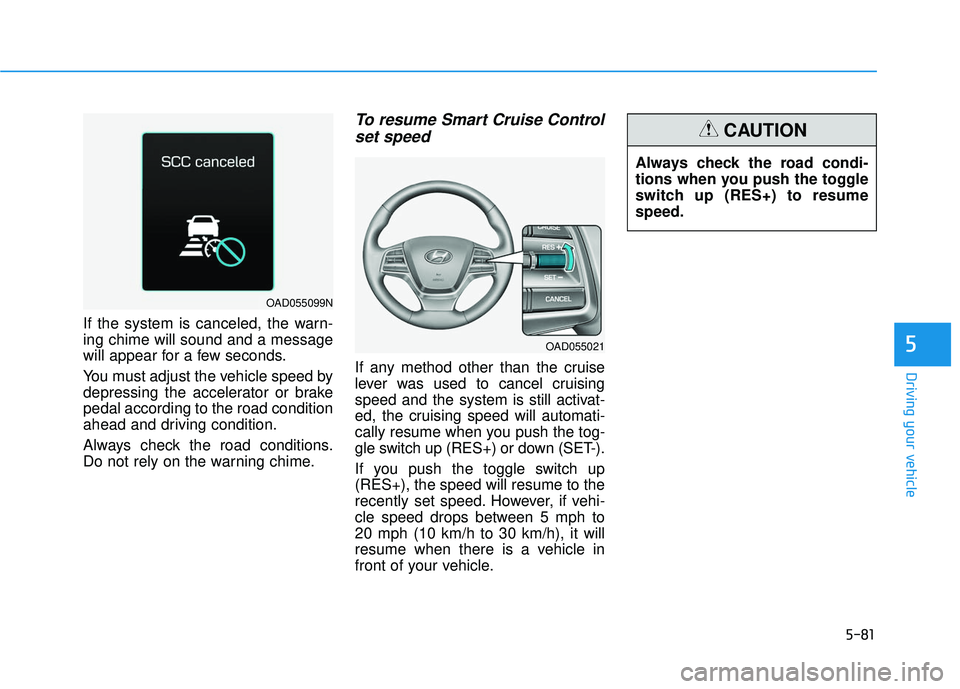
If the system is canceled, the warn-
ing chime will sound and a message
will appear for a few seconds.
You must adjust the vehicle speed by
depressing the accelerator or brake
pedal according to the road condition
ahead and driving condition.
Always check the road conditions.
Do not rely on the warning chime.
To resume Smart Cruise Controlset speed
If any method other than the cruise
lever was used to cancel cruising
speed and the system is still activat-
ed, the cruising speed will automati-
cally resume when you push the tog-
gle switch up (RES+) or down (SET-).
If you push the toggle switch up
(RES+), the speed will resume to the
recently set speed. However, if vehi-
cle speed drops between 5 mph to
20 mph (10 km/h to 30 km/h), it will
resume when there is a vehicle in
front of your vehicle. Always check the road condi-
tions when you push the toggle
switch up (RES+) to resume
speed.
CAUTION
OAD055021
OAD055099N