display HYUNDAI ELANTRA SEL 2021 Workshop Manual
[x] Cancel search | Manufacturer: HYUNDAI, Model Year: 2021, Model line: ELANTRA SEL, Model: HYUNDAI ELANTRA SEL 2021Pages: 570, PDF Size: 52.21 MB
Page 288 of 570
![HYUNDAI ELANTRA SEL 2021 Workshop Manual 06
6-29
OCN7060154L
Press brake pedal to deactivate AUTO
HOLD
If you did not apply the brake pedal when
you release the Auto Hold by pressing
the [AUTO HOLD] switch, a warning will
sound and a mes](/img/35/56089/w960_56089-287.png "HYUNDAI ELANTRA SEL 2021 Workshop Manual 06
6-29
OCN7060154L
Press brake pedal to deactivate AUTO
HOLD
If you did not apply the brake pedal when
you release the Auto Hold by pressing
the [AUTO HOLD] switch, a warning will
sound and a mes")
06
6-29
OCN7060154L
Press brake pedal to deactivate AUTO
HOLD
If you did not apply the brake pedal when
you release the Auto Hold by pressing
the [AUTO HOLD] switch, a warning will
sound and a message will appear.
OCN7060155L
AUTO HOLD conditions not met. Close
door, hood and trunk
When you press the [AUTO HOLD]
switch, if the driver's door and engine
hood are not closed, a warning will
sound and a message will appear on the
cluster LCD display.
Press the [AUTO HOLD] switch after
closing the driver's door and hood.
Anti-lock Brake System (ABS)
WARNING
An Anti-Lock Braking System (ABS) or
an Electronic Stability Control (ESC)
system will not prevent accidents
due to improper or dangerous driving
maneuvers. Even though vehicle
control is improved during emergency
braking, always maintain a safe
distance between you and objects
ahead of you. Vehicle speeds should
always be reduced during extreme
road conditions. The braking distance
for cars equipped with ABS or ESC
may be longer than for those without
these systems in the following road
conditions.
Drive your vehicle at reduced speeds
during the following conditions:
• Rough, gravel or snow-covered
roads.
• On roads where the road surface is
pitted or has different surface height.
• Tire chains are installed on your
vehicle.
The safety features of an ABS or ESC
equipped vehicle should not be tested
by high speed driving or cornering. This
could endanger the safety of yourself or
others.
ABS is an electronic braking system that
helps prevent a braking skid. ABS allows
the driver to steer and brake at the same
time.
Page 292 of 570
06
6-33
ESC OFF usage
When Driving
The ESC OFF mode should only be used
briefly to help free the vehicle if stuck in
snow by temporarily stopping operation
of the ESC to maintain wheel torque.
To turn ESC off while driving, press the
ESC OFF button while driving on a flat
road surface.
NOTICE
To prevent damage to the transmission:
• Do not allow wheel(s) of one axle to
spin excessively while the ESC, ABS,
and parking brake warning lights
are displayed. The repairs would not
be covered by the vehicle warranty.
Reduce engine power and do not
spin the wheel(s) excessively while
these lights are displayed.
• When operating the vehicle on
a dynamometer, make sure the
ESC is turned off (ESC OFF light
illuminated).
Information
Turning the ESC off does not affect ABS
or standard brake system operation.
Vehicle Stability Management
(VSM) (if equipped)
The Vehicle Stability Management (VSM)
is a function of the Electronic Stability
Control (ESC) system. It helps ensure the
vehicle stays stable when accelerating
or braking suddenly on wet, slippery and
rough roads where traction over the four
tires can suddenly become uneven.
WARNING
Take the following precautions when
using the Vehicle Stability Management
(VSM):
• ALWAYS check the speed and the
distance to the vehicle ahead. The
VSM is not a substitute for safe
driving practices.
• Never drive too fast for the road
conditions. The VSM system will not
prevent accidents. Excessive speed
in bad weather, slippery and uneven
roads can result in severe accidents.
VSM operation
VSM ON condition
The VSM operates when:
• The Electronic Stability Control (ESC)
is on.
• Vehicle speed is approximately above
9 mph (15 km/h) on curve roads.
• Vehicle speed is approximately above
12 mph (20 km/h) when the vehicle is
braking on rough roads.
When operating
When you apply your brakes under
conditions which may activate the ESC,
you may hear sounds from the brakes,
or feel a corresponding sensation in the
brake pedal. This is normal and it means
your VSM is active.
NOTICE
The VSM does not operate when:
• Driving on a banked road such as
gradient or incline.
• Driving rearward.
• ESC OFF indicator light is on.
• EPS (Electric Power Steering)
warning light (
) is on or blinks.
Page 295 of 570
6-36
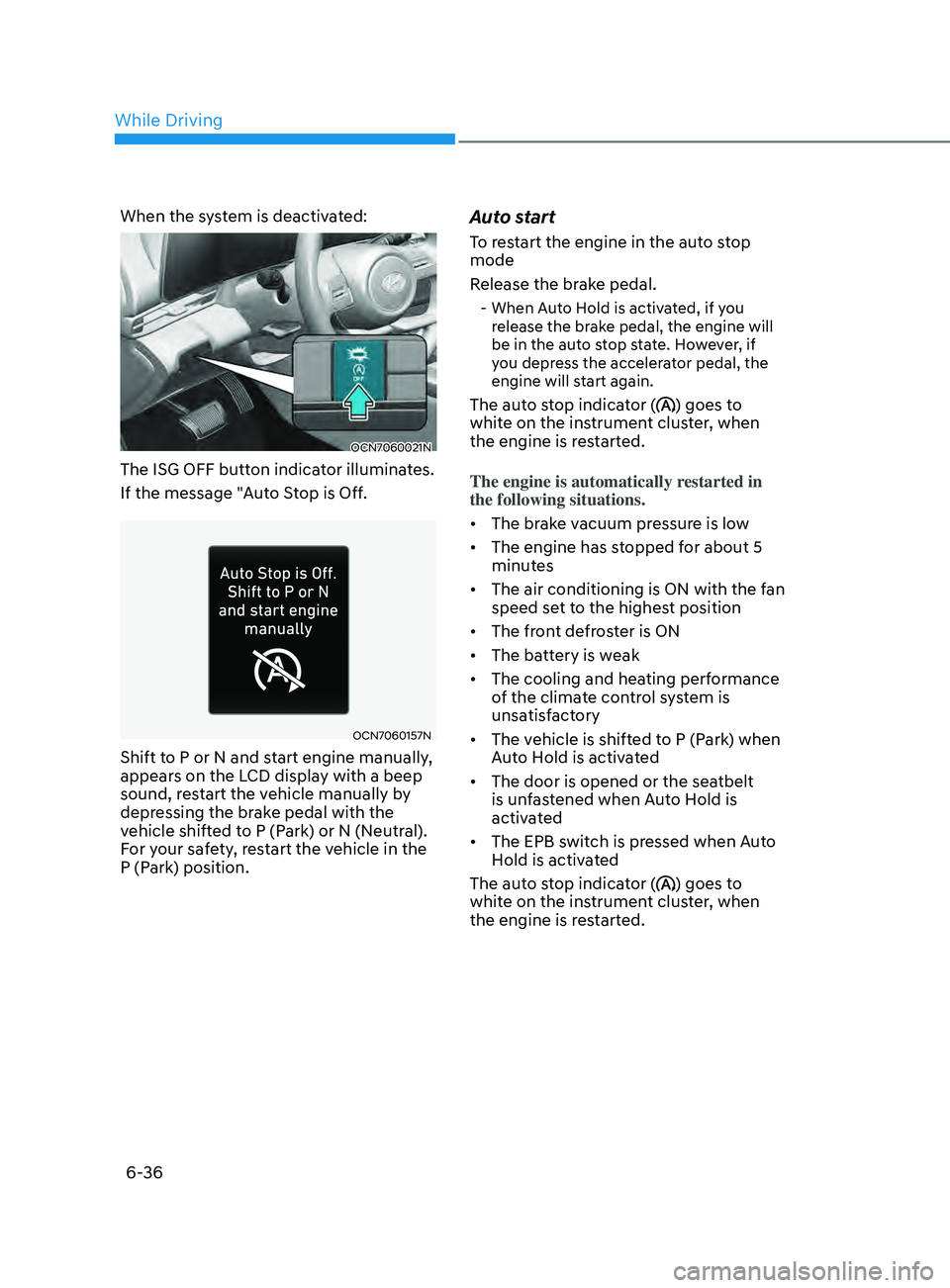
When the system is deactivated:
OCN7060021N
The ISG OFF button indicator illuminates.
If the message "Auto Stop is Off.
OCN7060157N
Shift to P or N and start engine manually,
appears on the LCD display with a beep
sound, restart the vehicle manually by
depressing the brake pedal with the
vehicle shifted to P (Park) or N (Neutral).
For your safety, restart the vehicle in the
P (Park) position.
Auto start
To restart the engine in the auto stop
mode
Release the brake pedal.
- When Auto Hold is activated, if you release the brake pedal, the engine will
be in the auto stop state. However, if
you depress the accelerator pedal, the
engine will start again.
The auto stop indicator () goes to
white on the instrument cluster, when
the engine is restarted.
The engine is automatically restarted in
the following situations.
• The brake vacuum pressure is low
• The engine has stopped for about 5
minutes
• The air conditioning is ON with the fan
speed set to the highest position
• The front defroster is ON
• The battery is weak
• The cooling and heating performance
of the climate control system is
unsatisfactory
• The vehicle is shifted to P (Park) when
Auto Hold is activated
• The door is opened or the seatbelt
is unfastened when Auto Hold is
activated
• The EPB switch is pressed when Auto
Hold is activated
The auto stop indicator (
) goes to
white on the instrument cluster, when
the engine is restarted.
While Driving
Page 296 of 570
06
6-37
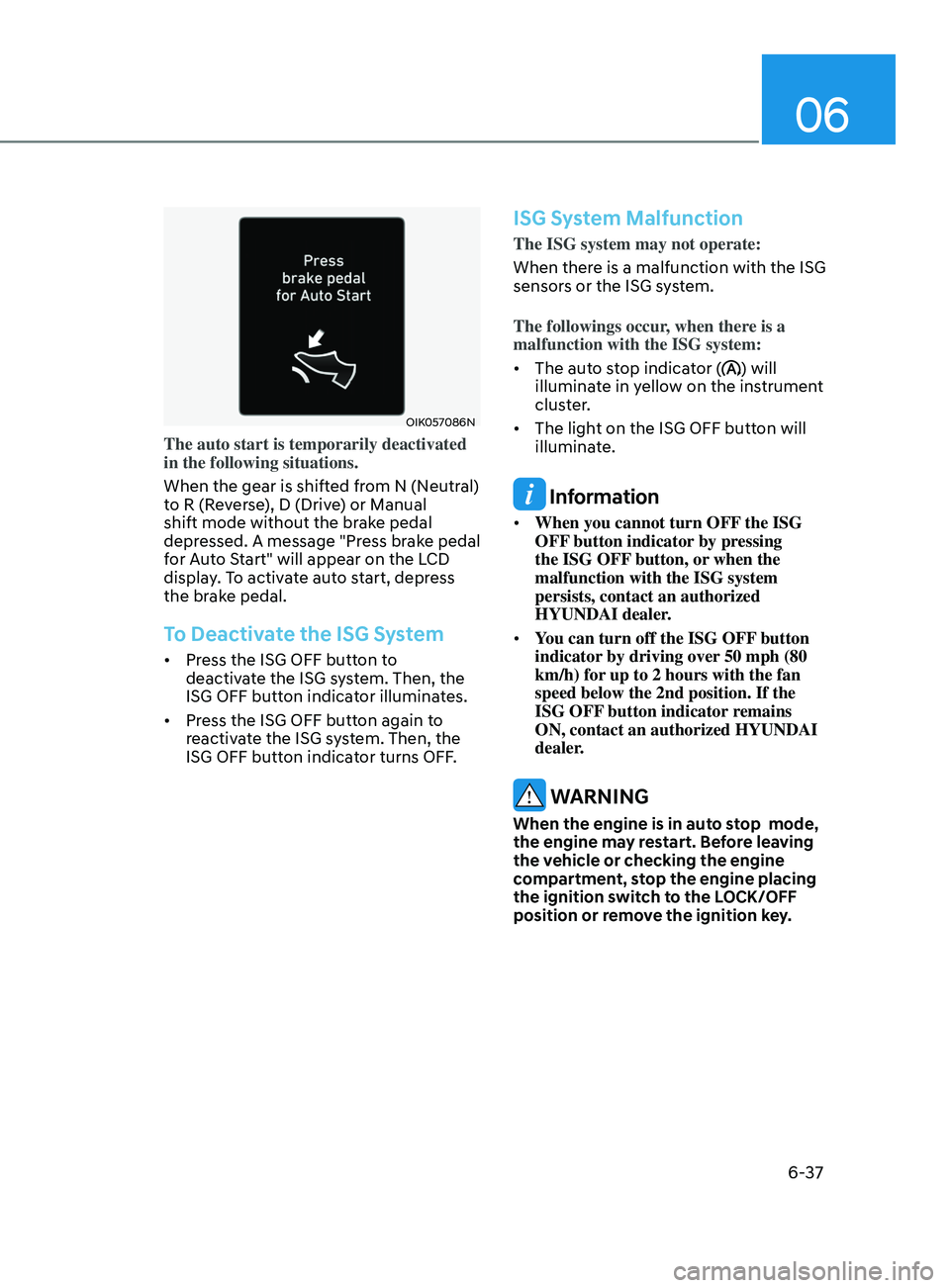
OIK057086N
The auto start is temporarily deactivated
in the following situations.
When the gear is shifted from N (Neutral)
to R (Reverse), D (Drive) or Manual
shift mode without the brake pedal
depressed. A message "Press brake pedal
for Auto Start" will appear on the LCD
display. To activate auto start, depress
the brake pedal.
To Deactivate the ISG System
• Press the ISG OFF button to
deactivate the ISG system. Then, the
ISG OFF button indicator illuminates.
• Press the ISG OFF button again to
reactivate the ISG system. Then, the
ISG OFF button indicator turns OFF.
ISG System Malfunction
The ISG system may not operate:
When there is a malfunction with the ISG
sensors or the ISG system.
The followings occur, when there is a
malfunction with the ISG system:
• The auto stop indicator (
) will
illuminate in yellow on the instrument
cluster.
• The light on the ISG OFF button will
illuminate.
Information
• When you cannot turn OFF the ISG
OFF button indicator by pressing
the ISG OFF button, or when the
malfunction with the ISG system
persists, contact an authorized
HYUNDAI dealer.
• You can turn off the ISG OFF button
indicator by driving over 50 mph (80
km/h) for up to 2 hours with the fan
speed below the 2nd position. If the
ISG OFF button indicator remains
ON, contact an authorized HYUNDAI
dealer.
WARNING
When the engine is in auto stop mode,
the engine may restart. Before leaving
the vehicle or checking the engine
compartment, stop the engine placing
the ignition switch to the LOCK/OFF
position or remove the ignition key.
Page 298 of 570
06
6-39
drIve mode Integrated Control system (If e quIpped)
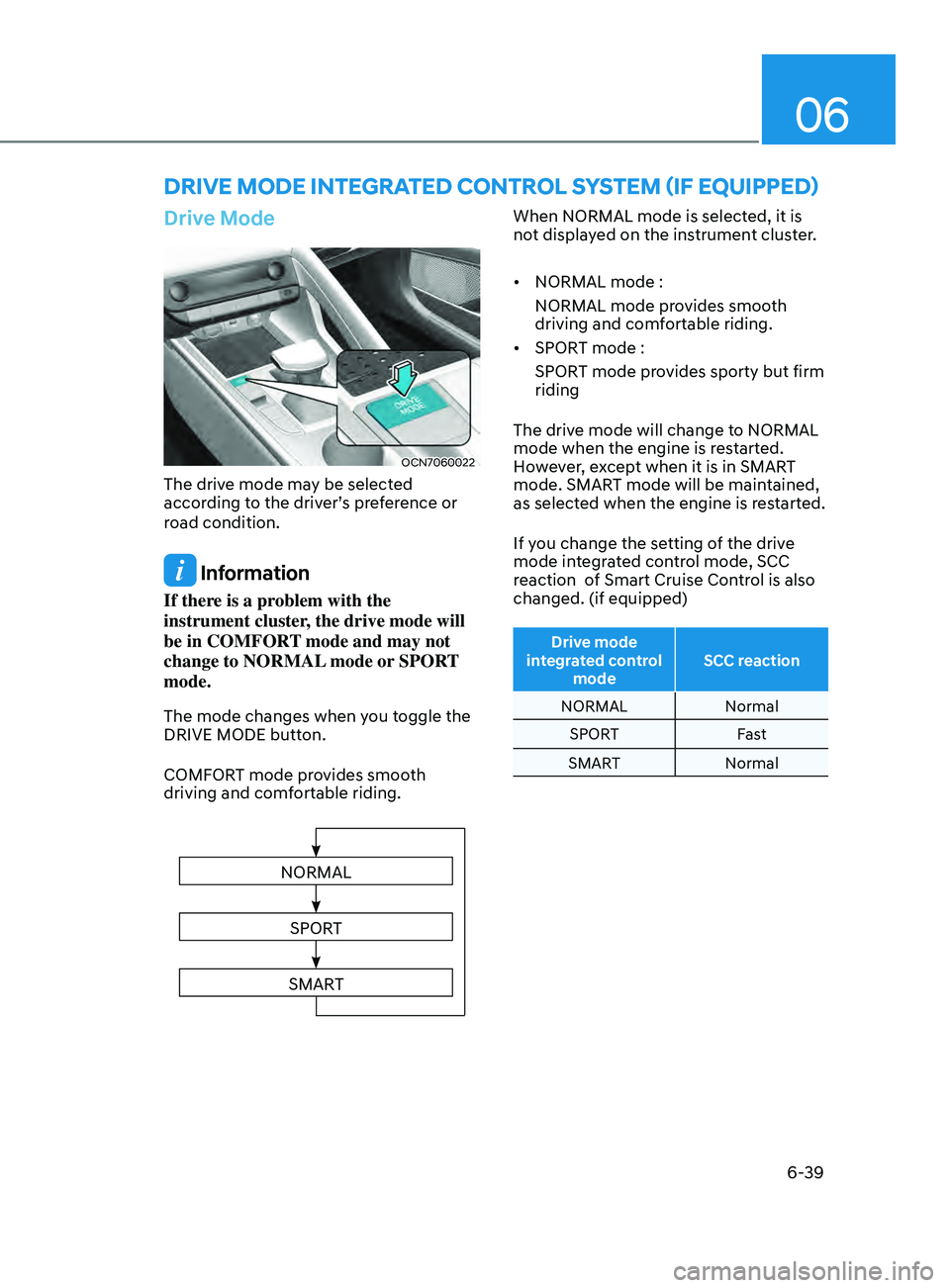
Drive Mode
OCN7060022
The drive mode may be selected
according to the driver’s preference or
road condition.
Information
If there is a problem with the
instrument cluster, the drive mode will
be in COMFORT mode and may not
change to NORMAL mode or SPORT
mode.
The mode changes when you toggle the
DRIVE MODE button.
COMFORT mode provides smooth
driving and comfortable riding.
NORMAL
SPORT
SMART
When NORMAL mode is selected, it is
not displayed on the instrument cluster.
• NORMAL mode :
NORMAL mode provides smooth
driving and comfortable riding.
• SPORT mode :
SPORT mode provides sporty but firm
riding
The drive mode will change to NORMAL
mode when the engine is restarted.
However, except when it is in SMART
mode. SMART mode will be maintained,
as selected when the engine is restarted.
If you change the setting of the drive
mode integrated control mode, SCC
reaction of Smart Cruise Control is also
changed. (if equipped)
Drive mode
integrated control mode SCC reaction
NORMAL Normal
SPORT Fast
SMART Normal
Page 301 of 570
While Driving6-42
Smart shift on trip computer (if
equipped)
Select the Trip Computer mode ()
on the instrument cluster LCD display
and move to the smart shift screen.
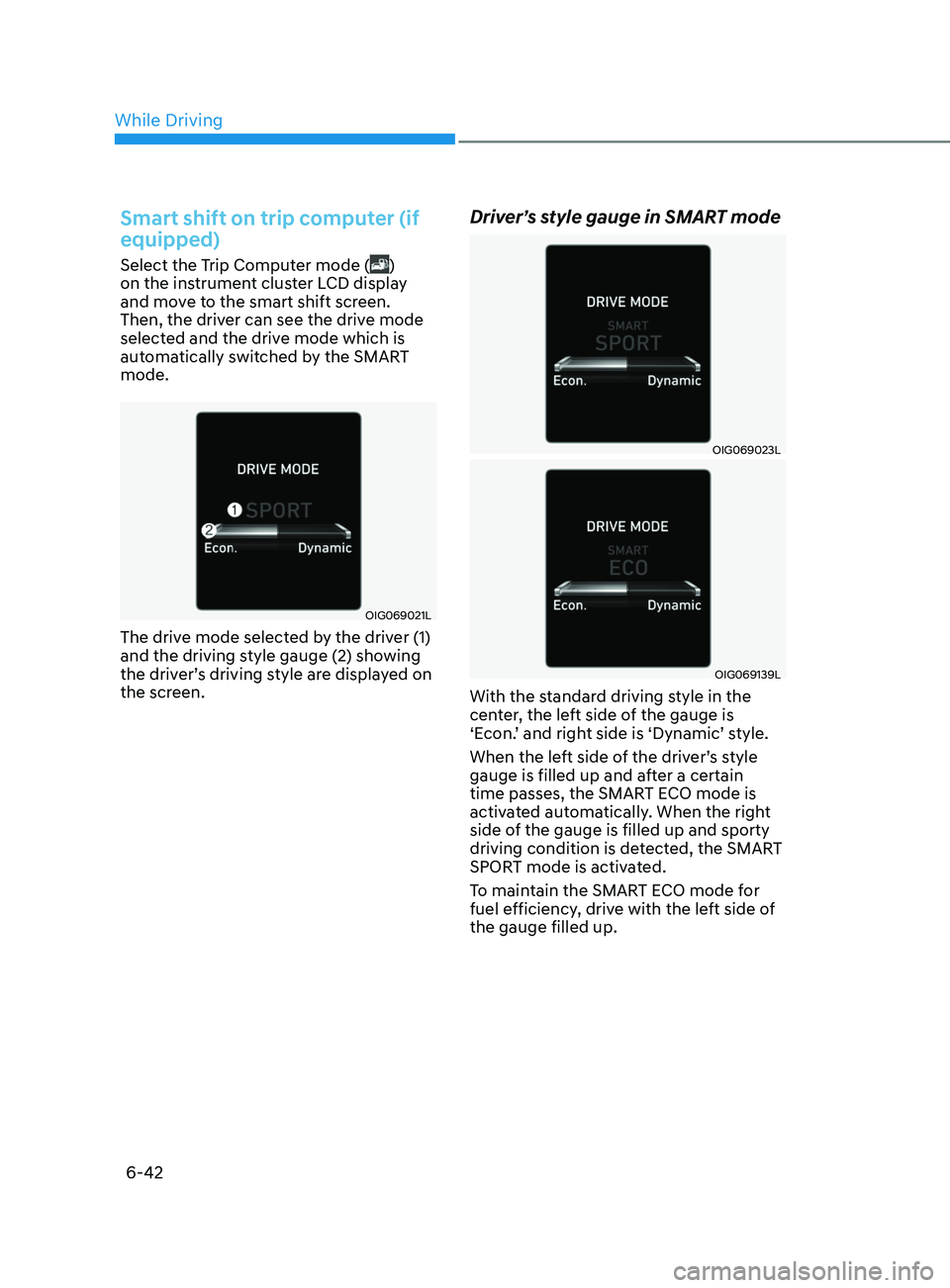
Then, the driver can see the drive mode
selected and the drive mode which is
automatically switched by the SMART
mode.
OIG069021L
The drive mode selected by the driver (1)
and the driving style gauge (2) showing
the driver’s driving style are displayed on
the screen.
Driver’s style gauge in SMART mode
OIG069023L
OIG069139L
With the standard driving style in the
center, the left side of the gauge is
‘Econ.’ and right side is ‘Dynamic’ style.
When the left side of the driver’s style
gauge is filled up and after a certain
time passes, the SMART ECO mode is
activated automatically. When the right
side of the gauge is filled up and sporty
driving condition is detected, the SMART
SPORT mode is activated.
To maintain the SMART ECO mode for
fuel efficiency, drive with the left side of
the gauge filled up.
Page 319 of 570
Driver assistance system
7-6
OCN7070030L
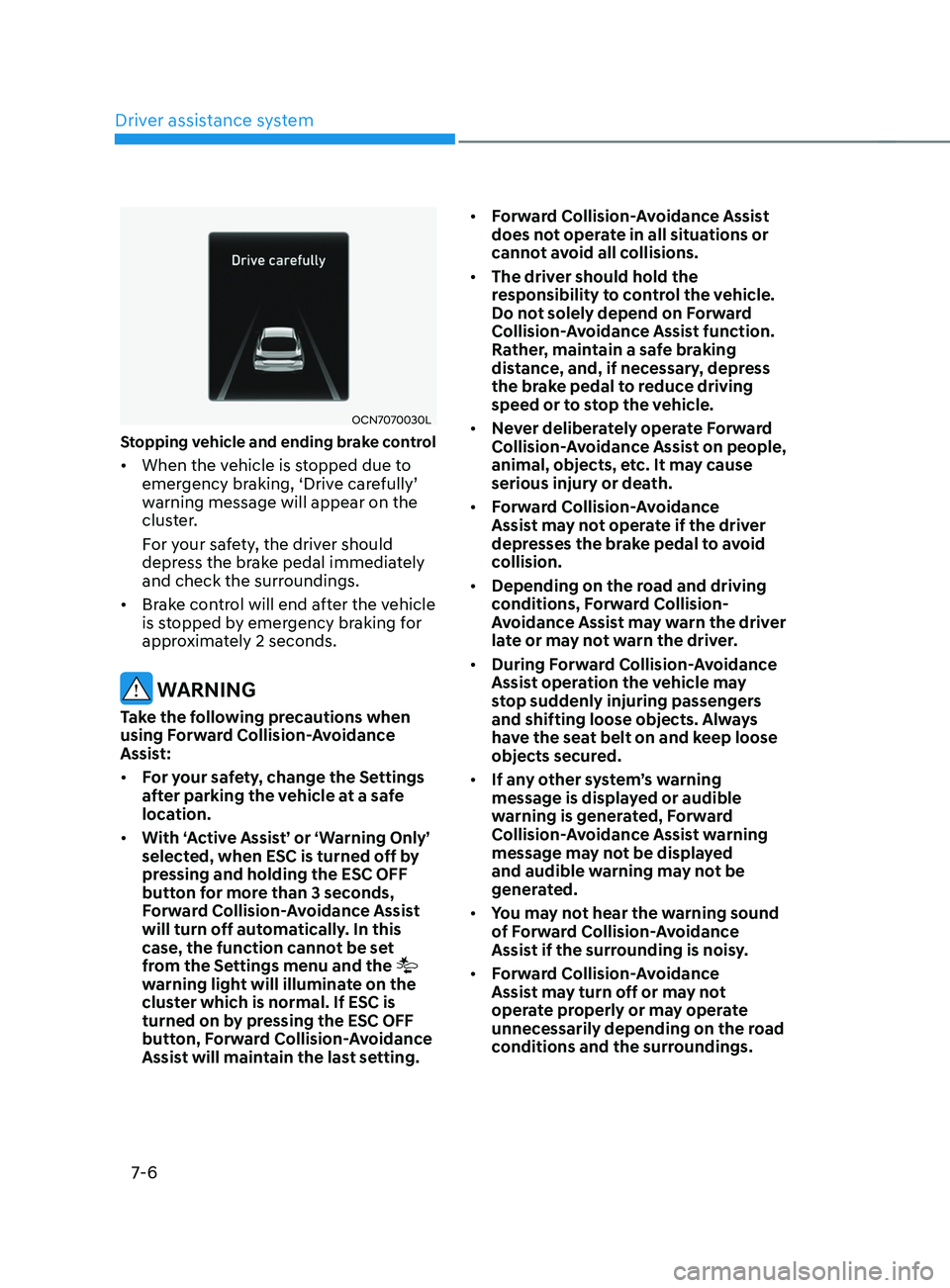
Stopping vehicle and ending brake control
• When the vehicle is stopped due to
emergency br
aking, ‘Driv e car efully’ warning message will appear on the
clus
ter.
For your safety, the driver should
depress the brake pedal immediately
and check the surroundings.
• Brake control will end after the vehicle
is stopped by emergency braking for
approximately 2 seconds.
WARNING
Take the following precautions when
using Forward Collision-Avoidance
Assist:
• For your safety, change the Settings
after parking the vehicle at a safe
location.
• With ‘Active Assist’ or ‘Warning Only’
selected, when ESC is turned off by
pressing and holding the ESC OFF
button for more than 3 seconds,
Forward Collision-Avoidance Assist
will turn off automatically. In this
case, the function cannot be set
from the Settings menu and the
warning light will illuminate on the
cluster which is normal. If ESC is
turned on by pressing the ESC OFF
button, Forward Collision-Avoidance
Assist will maintain the last setting. •
Forward Collision-Avoidance Assist
does not operate in all situations or
cannot avoid all collisions.
• The driver should hold the
responsibility to control the vehicle.
Do not solely depend on Forward
Collision-Avoidance Assist function.
Rather, maintain a safe braking
distance, and, if necessary, depress
the brake pedal to reduce driving
speed or to stop the vehicle.
• Never deliberately operate Forward
Collision-Avoidance Assist on people,
animal, objects, etc. It may cause
serious injury or death.
• Forward Collision-Avoidance
Assist may not operate if the driver
depresses the brake pedal to avoid
collision.
• Depending on the road and driving
conditions, Forward Collision-
Avoidance Assist may warn the driver
late or may not warn the driver.
• During Forward Collision-Avoidance
Assist operation the vehicle may
stop suddenly injuring passengers
and shifting loose objects. Always
have the seat belt on and keep loose
objects secured.
• If any other system’s warning
message is displayed or audible
warning is generated, Forward
Collision-Avoidance Assist warning
message may not be displayed
and audible warning may not be
generated.
• You may not hear the warning sound
of Forward Collision-Avoidance
Assist if the surrounding is noisy.
• Forward Collision-Avoidance
Assist may turn off or may not
operate properly or may operate
unnecessarily depending on the road
conditions and the surroundings.
Page 334 of 570
07
7-21
WARNING
Take the following precautions when
using Forward Collision-Avoidance
Assist:
• For your safety, change the Settings
after parking the vehicle at a safe
location.
• With ‘Active Assist’ or ‘Warning Only’
selected, when ESC is turned off by
pressing and holding the ESC OFF
button for more than 3 seconds,
Forward Collision-Avoidance Assist
will turn off automatically. In this
case, the function cannot be set
from the Settings menu and the
warning light will illuminate on the
cluster which is normal. If ESC is
turned on by pressing the ESC OFF
button, Forward Collision-Avoidance
Assist will maintain the last setting.
• Forward Collision-Avoidance Assist
does not operate in all situations or
cannot avoid all collisions.
• The driver should hold the
responsibility to control the vehicle.
Do not solely depend on Forward
Collision-Avoidance Assist. Rather,
maintain a safe braking distance, and
if necessary, depress the brake pedal
to reduce driving speed or to stop
the vehicle.
• Never deliberately operate Forward
Collision-Avoidance Assist on people,
animal, objects, etc. It may cause
serious injury or death.
• Forward Collision-Avoidance
Assist may not operate if the driver
depresses the brake pedal to avoid
collision. •
Depending on the road and driving
conditions, Forward Collision-
Avoidance Assist may warn the driver
late or may not warn the driver.
• During Forward Collision-Avoidance
Assist operation, the vehicle may
stop suddenly injuring passengers
and shifting loose objects. Always
have the seat belt on and keep loose
objects secured.
• If any other function's warning
message is displayed or audible
warning is generated, Forward
Collision-Avoidance Assist warning
message may not be displayed
and audible warning may not be
generated.
• You may not hear the warning sound
of Forward Collision-Avoidance
Assist if the surrounding is noisy.
• Forward Collision-Avoidance
Assist may turn off or may not
operate properly or may operate
unnecessarily depending on the road
conditions and the surroundings.
WARNING
• Even if there is a problem with
Forward Collision-Avoidance
Assist, the vehicle’s basic braking
performance will operate normally.
• During emergency braking,
braking control by the function
will automatically cancel when the
driver excessively depresses the
accelerator pedal or sharply steers
the vehicle.
Page 348 of 570
07
7-35
• There are more than two lane
markings (or road edges) on the road
• The lane number increases or
decreases, or the lane markings (or
road edges) are crossing
• The lane markings (or road edges) are
complicated or a structure substitutes
for the lines, such as a construction
area
• There are road markings, such as
zigzag lanes, crosswalk markings and
road signs
• The lane suddenly disappears, such as
at the intersection
• The lane (or road width) is very wide
or narrow
• There is a boundary structure in the
roadway, such as a tollgate, sidewalk,
curb, etc.
• The distance to the front vehicle is
extremely short or the vehicle in front
is covering the lane marking
For more details on the limitations
of the front view camera, refer to
“Forward Collision-Avoidance Assist
(FCA)” section in chapter 7.
WARNING
Take the following precautions when
using Lane Keeping Assist:
• The driver should hold the
responsibility to safely drive and
control the vehicle. Do not solely rely
on the system and drive dangerously.
• The operation of Lane Keeping
Assist can be cancelled or not
work properly depending on road
conditions and surroundings. Always
be cautious while driving.
• Refer to “Limitations of the System”
if the lane is not detected properly.
• When you are towing a trailer or
another vehicle, we recommend that
Lane Keeping Assist is turned off due
to safety reasons. •
If the vehicle is driven at high speed,
the steering wheel will not be
controlled. The driver must always
follow the speed limit when using
the system.
• If any other system’s warning
message is displayed or audible
warning is generated, Lane Keeping
Assist warning message may not be
displayed and audible warning may
not be generated.
• You may not hear the warning
sound of Lane Keeping Assist if the
surrounding is noisy.
• If you attach objects to the steering
wheel, steering may not be assisted
properly.
• Lane Keeping Assist may not operate
for 15 seconds after the vehicle is
started, or the front view camera is
initialized.
• Lane Keeping Assist will not operate
when:
-The turn signal or hazard w
arning
flasher is turned on
- The vehicle is no
t driven in the
center of the lane when the system
is turned on or right after changing
a lane - ESC (Electronic S tability Control)
or VSM (Vehicle Stability
Management) is activated
- The vehicle is driv
en on a sharp
curve
- Vehicle speed is belo
w 35
mph
(55 km/h
) or above 130
mph
(210 km/h
)
-The vehicle mak
es sharp lane
changes
- The vehicle br
akes suddenly
Page 353 of 570
Driver assistance system
7-40
WARNING
• The detecting range of the rear
corner radar is determined by the
standard road width, therefore, on a
narrow road, the system may detect
other vehicles in the next next lane
and warn you. In contrast, on a wide
road, the system may not be able to
detect a vehicle driving in the next
lane and may not warn you.
• When the hazard warning light is
on, the collision warning by the turn
signal will not operate.
Information
If the driver's seat is on the left side, the
collision warning may occur when you
turn left. Maintain a proper distance with
the vehicles in the left lane. If the driver's
seat is on the right side, the collision
warning may occur when you turn right.
Maintain a proper distance with the
vehicles in the right lane.
WARNING
Take the following precautions when
using Blind-Spot Safety system:
• For your safety, change the Settings
after parking the vehicle at a safe
location.
• If any other system’s warning
message is displayed or audible
warning is generated, Blind-Spot
Safety system’s warning message
may not be displayed and audible
warning may not be generated.
• You may not hear the warning sound
of Blind-Spot Safety system if the
surrounding is noisy.
• Blind-Spot Safety system may warn
the driver late or may not warn the
driver depending on the road and
driving conditions.
• Driver should maintain control
of the vehicle at all times. Do not
depend on Blind-Spot Safety system.
Maintain a safe braking distance, and
if necessary, depress the brake pedal
to reduce driving speed or to stop
the vehicle.