key HYUNDAI ELANTRA SEL 2021 Workshop Manual
[x] Cancel search | Manufacturer: HYUNDAI, Model Year: 2021, Model line: ELANTRA SEL, Model: HYUNDAI ELANTRA SEL 2021Pages: 570, PDF Size: 52.21 MB
Page 194 of 570
Convenient Features
5-58
Resetting the sunroof
The sunroof may need to be reset if the
following conditions occur:
- The batt
ery is discharged or
disconnected or the sunroof fuse has
been replaced or disconnected.
- The sunroo
f control lever is not
operating correctly.
1.
Turn the ignition s
witch to the ON
position or start the engine. We
recommend resetting the sunroof
while the engine is running.
2.
Close the sunroo
f completely if
opened.
3.
Release the sunr
oof control lever.
4.
Mo
ve the sunroof control lever
forward in the direction of close
until the sunroof moves tilt up. Then,
release the lever.
5.
Mo
ve the sunroof control lever
forward in the direction of close, until
the sunroof operates as follow again:
Tilt
do
wn
→ Slide Open → Slide Close
NOTICE
Do not release the lever until the
operation is completed. If you release
the lever during operation, try again
from step 2.
6.
Release the sunr
oof control lever after
all operation has completed. (The
sunroof system has been reset.)
Information
• If the sunroof does not reset when
the vehicle battery is disconnected or
discharged, or related fuse is blown, the
sunroof may not operate normally.
• For more detailed information, we
recommend that you contact an
authorized HYUNDAI dealer.
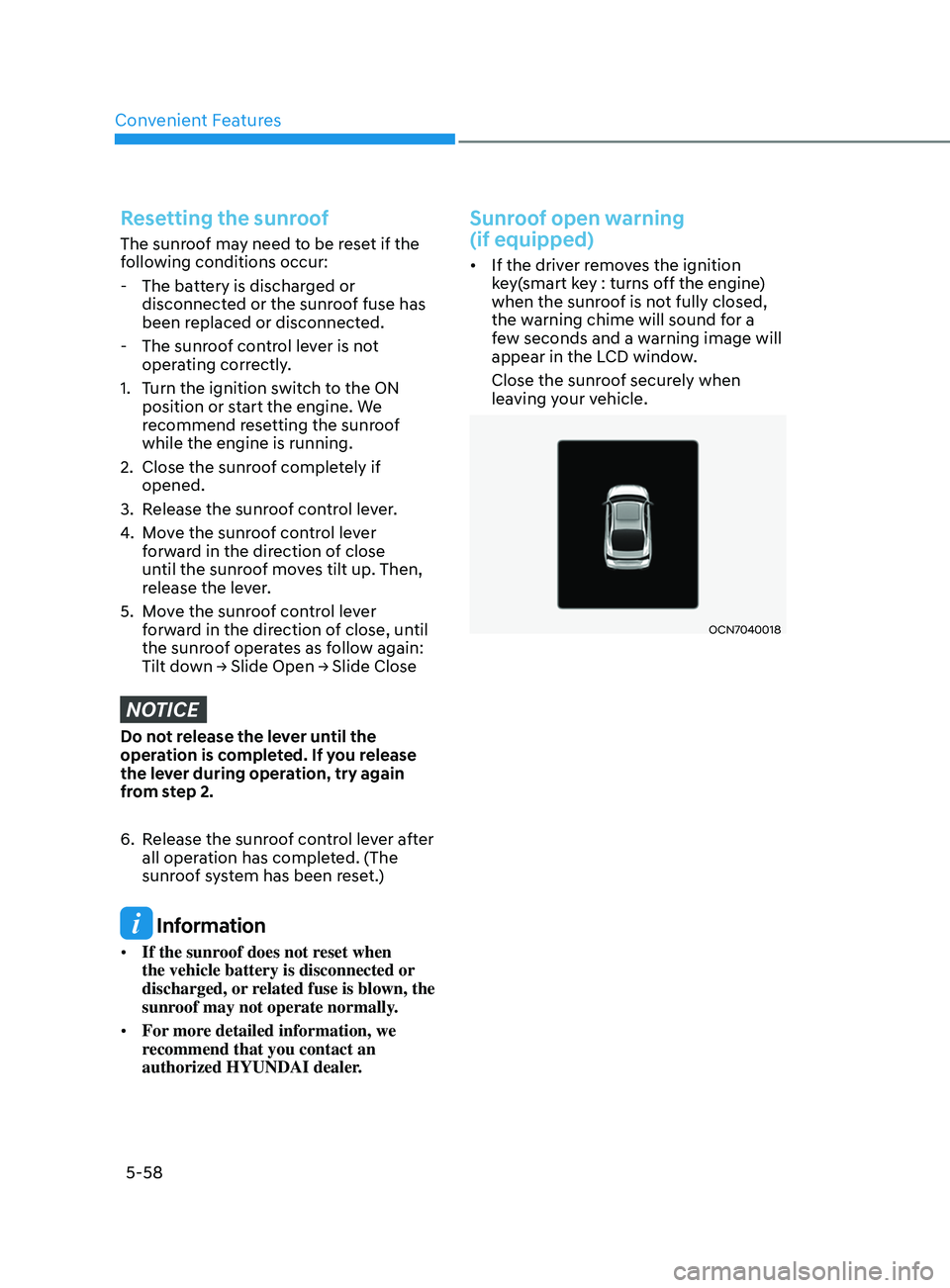
Sunroof open warning
(if equipped)
• If the driver removes the ignition
key(smart key : turns off the engine)
when the sunroof is not fully closed,
the warning chime will sound for a
few seconds and a warning image will
appear in the LCD window.
Close the sunroof securely when
leaving your vehicle.
OCN7040018
Page 197 of 570
05
5-61
trunK
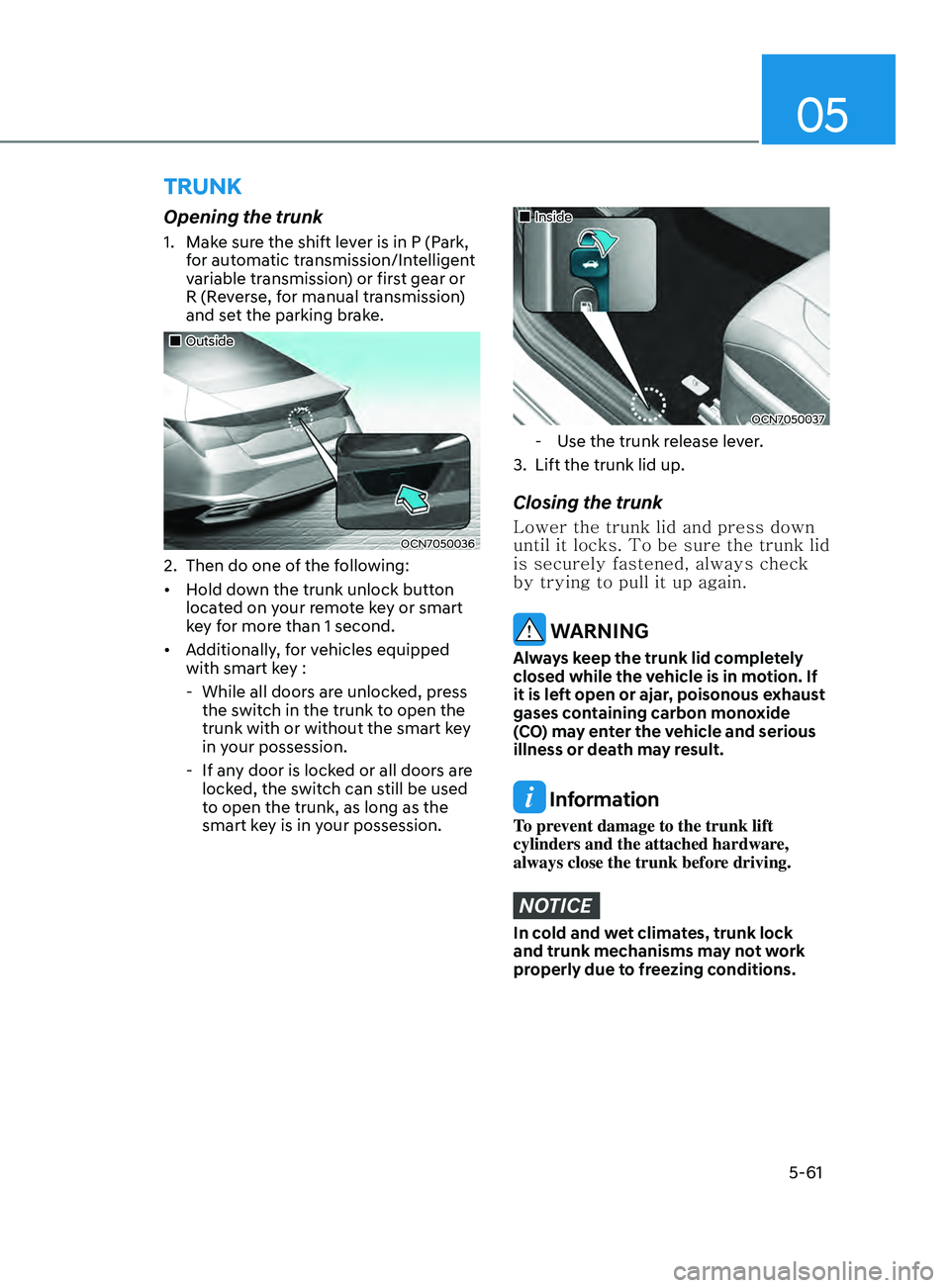
Opening the trunk
1. Make sure the shift lever is in P (Park,
for automatic transmission/Intelligent
variable transmission) or first gear or
R (Reverse, for manual transmission)
and set the parking brake.
„„Outside
OCN7050036
2. Then do one of the f ollowing:
• Hold down the trunk unlock button
located on your remote key or smart
key for more than 1 second.
• Additionally, for vehicles equipped
with smart key :
- While all doors ar
e unlocked, press
the switch in the trunk to open the
trunk with or without the smart key
in your possession.
- If any door is lock
ed or all doors are
locked, the switch can still be used
to open the trunk, as long as the
smart key is in your possession.
„„Inside
OCN7050037
- Use the trunk release lever.
3.
Lift the trunk lid up.
Closing the trunk
Lower the trunk lid and press down
until it locks. To be sure the trunk lid
is securely fastened, always check
by trying to pull it up again.
WARNING
Always keep the trunk lid completely
closed while the vehicle is in motion. If
it is left open or ajar, poisonous exhaust
gases containing carbon monoxide
(CO) may enter the vehicle and serious
illness or death may result.
Information
To prevent damage to the trunk lift
cylinders and the attached hardware,
always close the trunk before driving.
NOTICE
In cold and wet climates, trunk lock
and trunk mechanisms may not work
properly due to freezing conditions.
Page 198 of 570
Convenient Features
5-62
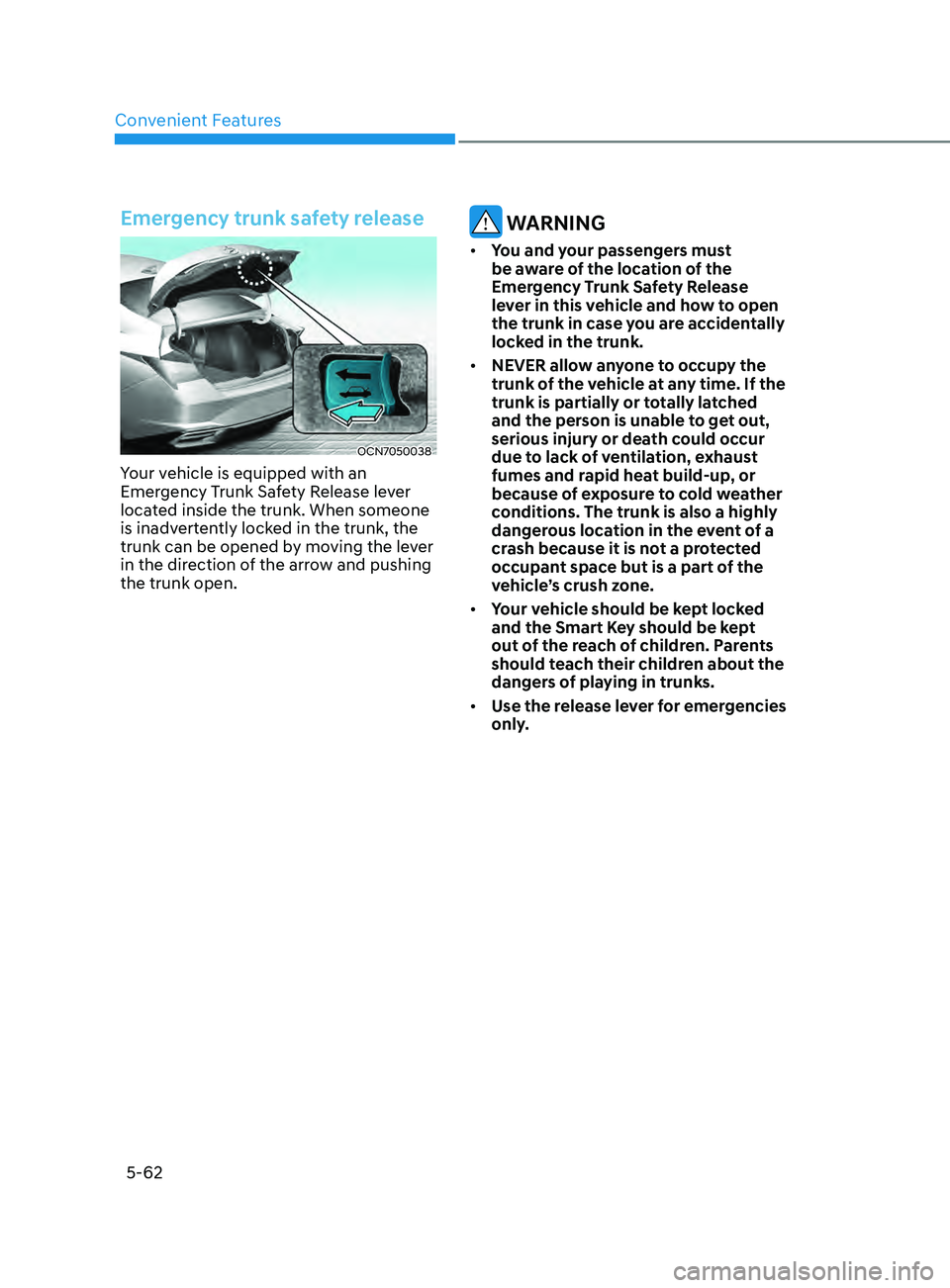
Emergency trunk safety release
OCN7050038
Your vehicle is equipped with an
Emergency Trunk Safety Release lever
located inside the trunk. When someone
is inadvertently locked in the trunk, the
trunk can be opened by moving the lever
in the direction of the arrow and pushing
the trunk open.
WARNING
• You and your passengers must
be aware of the location of the
Emergency Trunk Safety Release
lever in this vehicle and how to open
the trunk in case you are accidentally
locked in the trunk.
• NEVER allow anyone to occupy the
trunk of the vehicle at any time. If the
trunk is partially or totally latched
and the person is unable to get out,
serious injury or death could occur
due to lack of ventilation, exhaust
fumes and rapid heat build-up, or
because of exposure to cold weather
conditions. The trunk is also a highly
dangerous location in the event of a
crash because it is not a protected
occupant space but is a part of the
vehicle’s crush zone.
• Your vehicle should be kept locked
and the Smart Key should be kept
out of the reach of children. Parents
should teach their children about the
dangers of playing in trunks.
• Use the release lever for emergencies
only.
Page 199 of 570
05
5-63
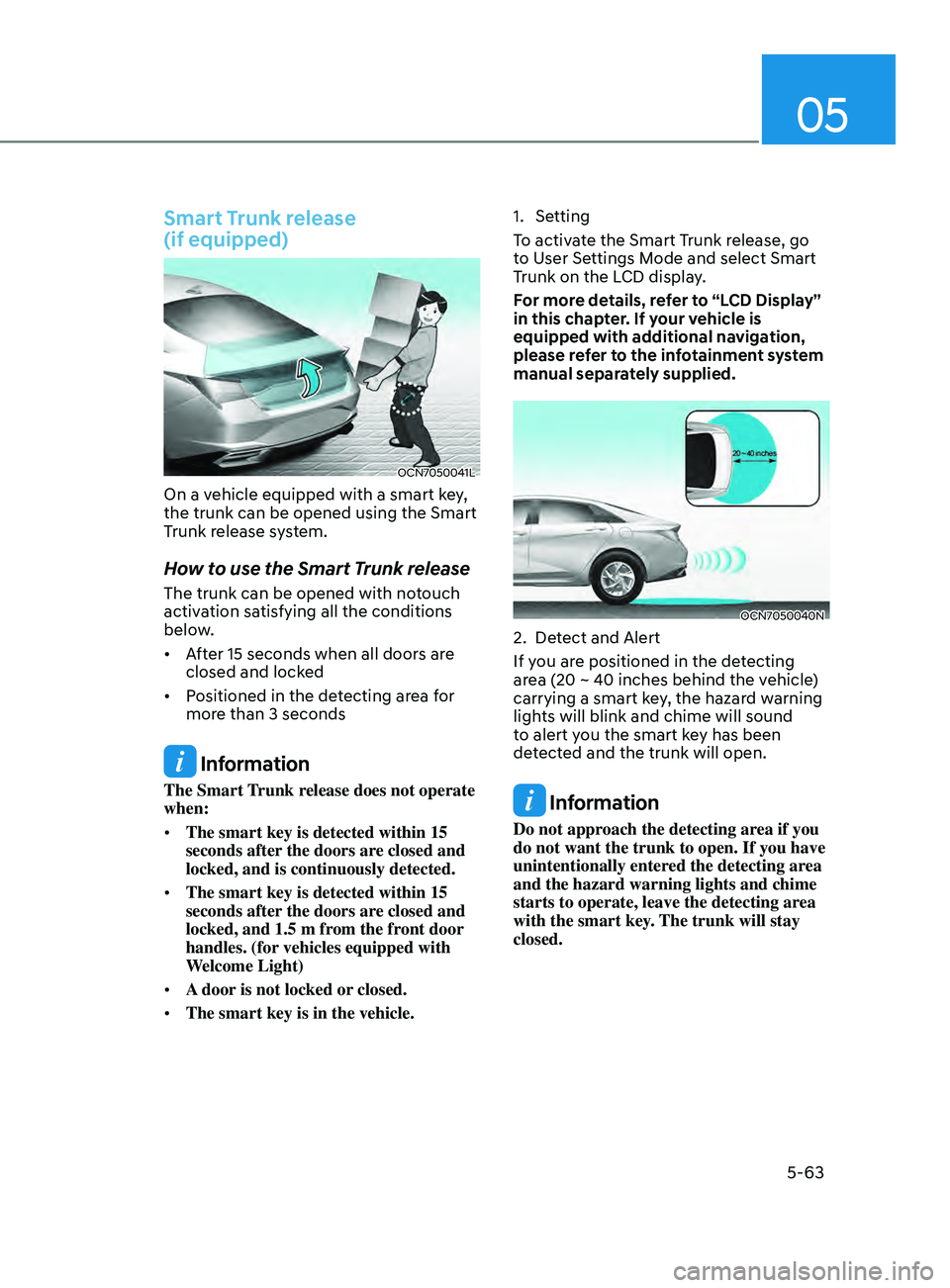
Smart Trunk release
(if equipped)
OCN7050041L
On a vehicle equipped with a smart key,
the trunk can be opened using the Smart
Trunk release system.
How to use the Smart Trunk release
The trunk can be opened with notouch
activation satisfying all the conditions
below.
• After 15 seconds when all doors are
closed and locked
• Positioned in the detecting area for
more than 3 seconds
Information
The Smart Trunk release does not operate
when:
• The smart key is detected within 15
seconds after the doors are closed and
locked, and is continuously detected.
• The smart key is detected within 15
seconds after the doors are closed and
locked, and 1.5 m from the front door
handles. (for vehicles equipped with
Welcome Light)
• A door is not locked or closed.
• The smart key is in the vehicle. 1.
Setting
T
o activate the Smart Trunk release, go
to User Settings Mode and select Smart
Trunk on the LCD display.
For more details, refer to “LCD Display”
in this chapter. If your vehicle is
equipped with additional navigation,
please refer to the infotainment system
manual separately supplied.
OCN7050040N
2. Detect and Alert
If y ou are positioned in the detecting
area (20 ~ 40 inches behind the vehicle)
carrying a smart key, the hazard warning
lights will blink and chime will sound
to alert you the smart key has been
detected and the trunk will open.
Information
Do not approach the detecting area if you
do not want the trunk to open. If you have
unintentionally entered the detecting area
and the hazard warning lights and chime
starts to operate, leave the detecting area
with the smart key. The trunk will stay
closed.
Page 200 of 570
Convenient Features5-64
OCN7050041L
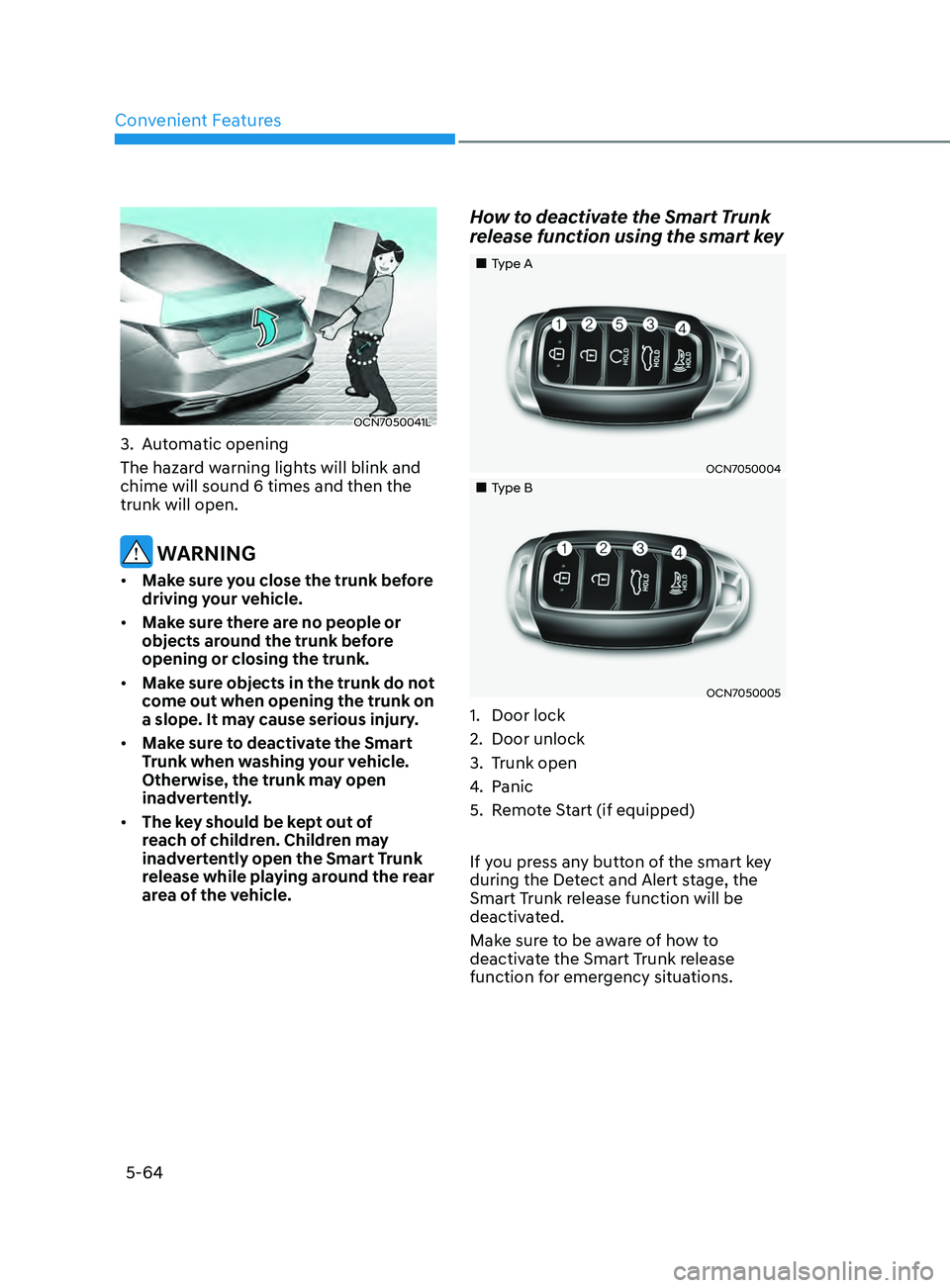
3. Automatic opening
The hazar d warning lights will blink and
chime will sound 6 times and then the
trunk will open.
WARNING
• Make sure you close the trunk before
driving your vehicle.
• Make sure there are no people or
objects around the trunk before
opening or closing the trunk.
• Make sure objects in the trunk do not
come out when opening the trunk on
a slope. It may cause serious injury.
• Make sure to deactivate the Smart
Trunk when washing your vehicle.
Otherwise, the trunk may open
inadvertently.
• The key should be kept out of
reach of children. Children may
inadvertently open the Smart Trunk
release while playing around the rear
area of the vehicle.
How to deactivate the Smart Trunk
release function using the smart key
„„Type A
OCN7050004
„„Type B
OCN7050005
1. Door lock
2.
Door unlock
3.
Trunk open
4.
Panic
5.
Remo
te Start (if equipped)
If you press any button of the smart key
during the Detect and Alert stage, the
Smart Trunk release function will be
deactivated.
Make sure to be aware of how to
deactivate the Smart Trunk release
function for emergency situations.
Page 201 of 570
05
5-65
Information
• If you press the door unlock button
(2), the Smart Trunk release function
will be deactivated temporarily. But,
if you do not open any door for 30
seconds, the smart trunk function will
be activated again.
• If you press the trunk open button
(3) for more than 1 second, the trunk
opens.
• If you press the door lock button (1) or
trunk open button (3) when the Smart
Trunk release function is not in the
Detect and Alert stage, the smart trunk
function will not be deactivated.
• In case you have deactivated the Smart
Trunk function by pressing the smart
key button and opened a door, the
Smart Trunk release function can be
activated again by closing and locking
all doors.
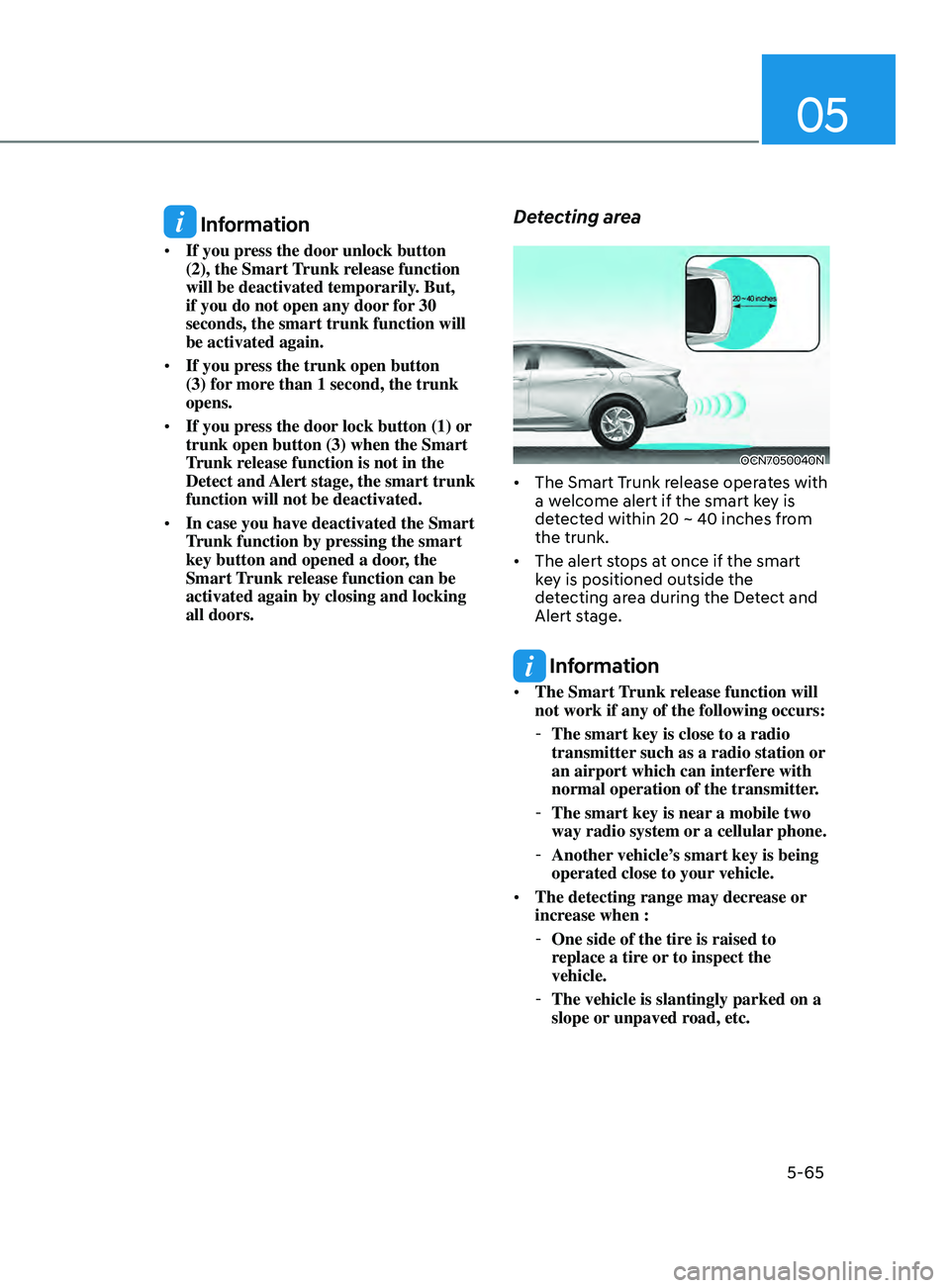
Detecting area
OCN7050040N
• The Smart Trunk release operates with
a welcome alert if the smart key is
detected within 20 ~ 40 inches from
the trunk.
• The alert stops at once if the smart
key is positioned outside the
detecting area during the Detect and
Alert stage.
Information
• The Smart Trunk release function will
not work if any of the following occurs:
-The smart key is close to a radio
transmitter such as a radio station or
an airport which can interfere with
normal operation of the transmitter.
- The smart key is near a mobile two
way radio system or
a cellular phone.
-Another vehicle’
s smart key is being
operated close to your vehicle.
• The detecting range may decrease or
increase when :
-One side of the tire is raised to
r
eplace a tire or to inspect the
vehicle.
- The vehicle is slantingly parked on a
slope or unpaved r
oad, etc.
Page 207 of 570
05
5-71
Battery saver function
The purpose of this feature is to
help prevent the battery from being
discharged. The system automatically
turns off the parking lamp when the
driver turns the vehicle off and opens the
driver-side door.
With this feature, the parking lamps will
turn off automatically if the driver parks
on the side of road at night.
If necessary, to keep the lamps on when
the vehicle is turned off, perform the
following:
(1)
Open the driver
-side door.
(2)
Turn the parking lamps OFF and ON
again using the headlamp s
witch on
the steering column.
Headlamp delay function
(if equipped)
If you place the ignition switch in the
ACC or OFF position with the headlamps
ON, the headlamps (and/or parking
lamps) remain on for about 5 minutes.
However, with the engine off if the
driver’s door is opened and closed, the
headlamps (and/or parking lamps) are
turned off after 15 seconds.
The headlamps (and/or parking lamps)
can be turned off by pressing the lock
button on the remote key or smart key
twice or turning the light switch to the
OFF or AUTO position. However, if you
turn the light switch to the AUTO position
when it is dark outside, the headlamps
will not be turned off.
You can activate or deactivate the
Headlamp Delay function from the User
Settings Mode in the LCD display.
For more details, refer to “LCD Display
Modes” in chapter 4. If your vehicle is
equipped with additional navigation,
please refer to the infotainment system
manual separately supplied.
NOTICE
If the driver exits the vehicle through
another door besides the driver
door, the battery saver function
does not operate and the headlamp
delay function does not turn OFF
automatically.
This may cause the battery to
discharge. To avoid battery discharge,
turn OFF the headlamps manually from
the headlamp switch before exiting the
vehicle.
Page 211 of 570
05
5-75
WARNING
Do not use the interior lights when
driving in the dark. The interior lights
may obscure your view and cause an
accident.
NOTICE
Do not use the interior lights for
extended periods when the vehicle is
turned off or the battery will discharge.
Interior lamp AUTO cut
The interior lamps will automatically go
off approximately 20 minutes after the
engine is turned off and the doors are
closed. If a door is opened, the lamp
will go off 40 minutes after the engine is
turned off. If the doors are locked by the
remote key or smart key and the vehicle
enters the armed stage of the theft
alarm system, the lamps will go off five
seconds later.
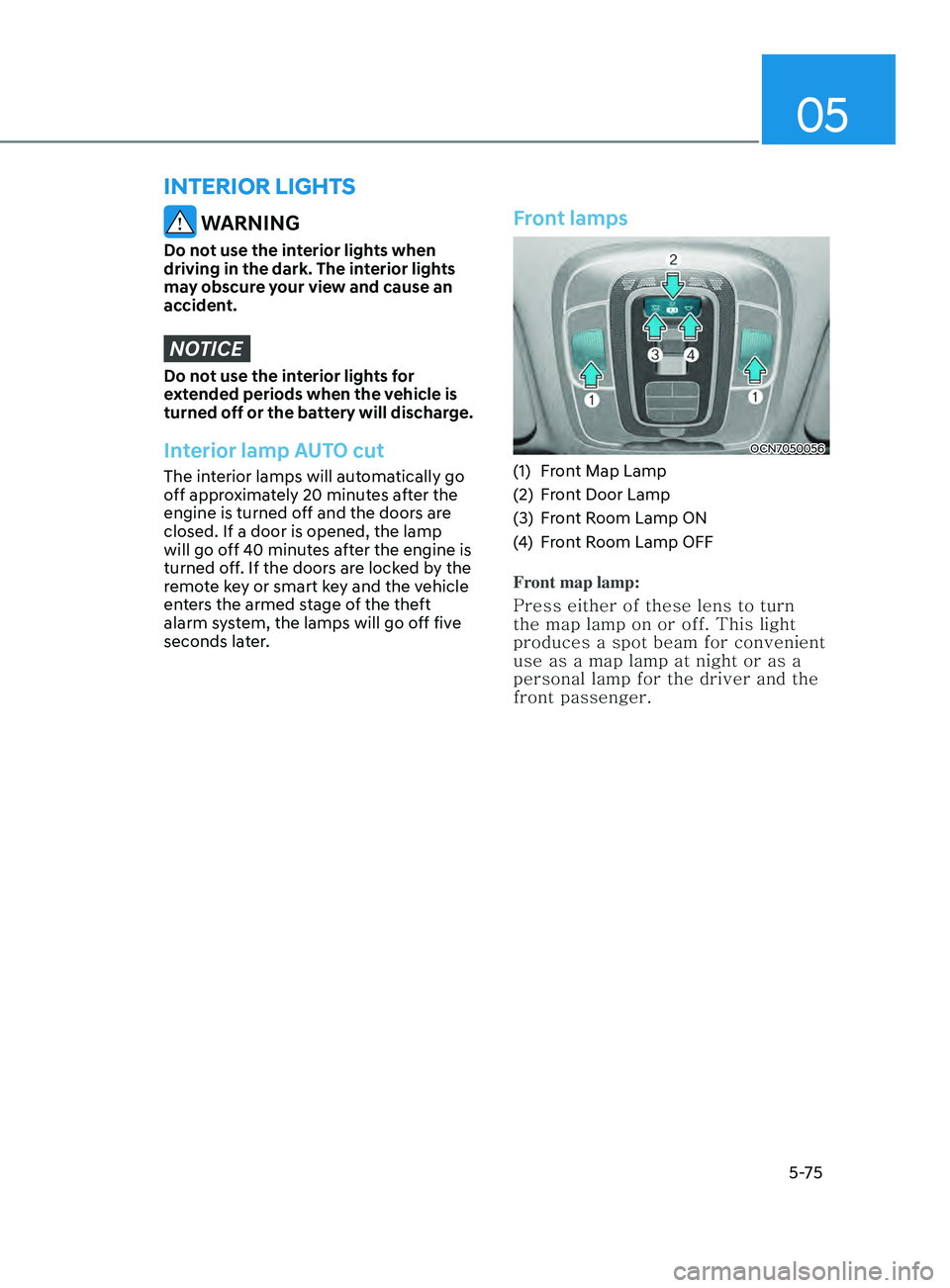
Front lamps
OCN7050056
(1) Front Map Lamp
(2)
Fr
ont Door Lamp
(3)
Fr
ont Room Lamp ON
(4)
Fr
ont Room Lamp OFF
Front map lamp:
Press either of these lens to turn
the map lamp on or off. This light
produces a spot beam for convenient
use as a map lamp at night or as a
personal lamp for the driver and the
front passenger.
interior lights
Page 212 of 570
Convenient Features
5 -76
Front Door Lamp ():
The front or rear room lamps come
on when the front or rear doors are
opened if the engine is running or
not. When doors are unlocked by
the remote key or smart key, the
front and rear lamps come on for
approximately 30 seconds as long
as any door is not opened. The front
and rear room lamps go out gradually
after approximately 30 seconds if
the door is closed. However, if the
ignition switch is in the ON position
or all doors are locked, the front and
rear lamps will turn off. If a door is
opened with the ignition switch in the
ACC position or the OFF position,
the front and rear lamps stay on for
about 20 minutes.
Front room lamp
• :
Press the button to turn ON the
room lamp for the front/rear
seats.
•
:
Press the button to turn OFF
the room lamp for the front/rear
seats.
Rear lamp
OCN7050057
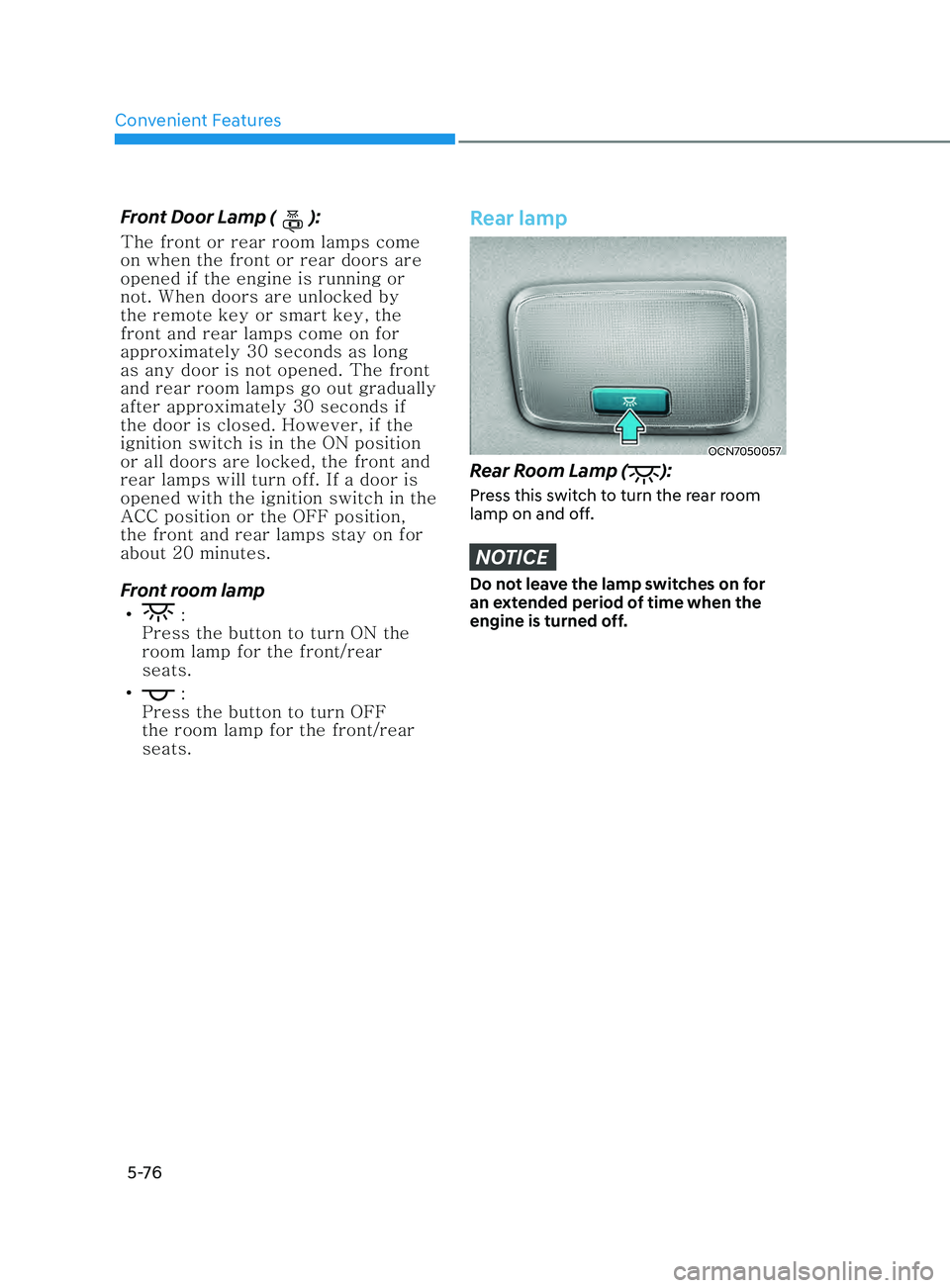
Rear Room Lamp ():
Press this switch to turn the rear room
lamp on and off.
NOTICE
Do not leave the lamp switches on for
an extended period of time when the
engine is turned off.
Page 214 of 570
Convenient Features
5-78
Welcome system (if equipped)
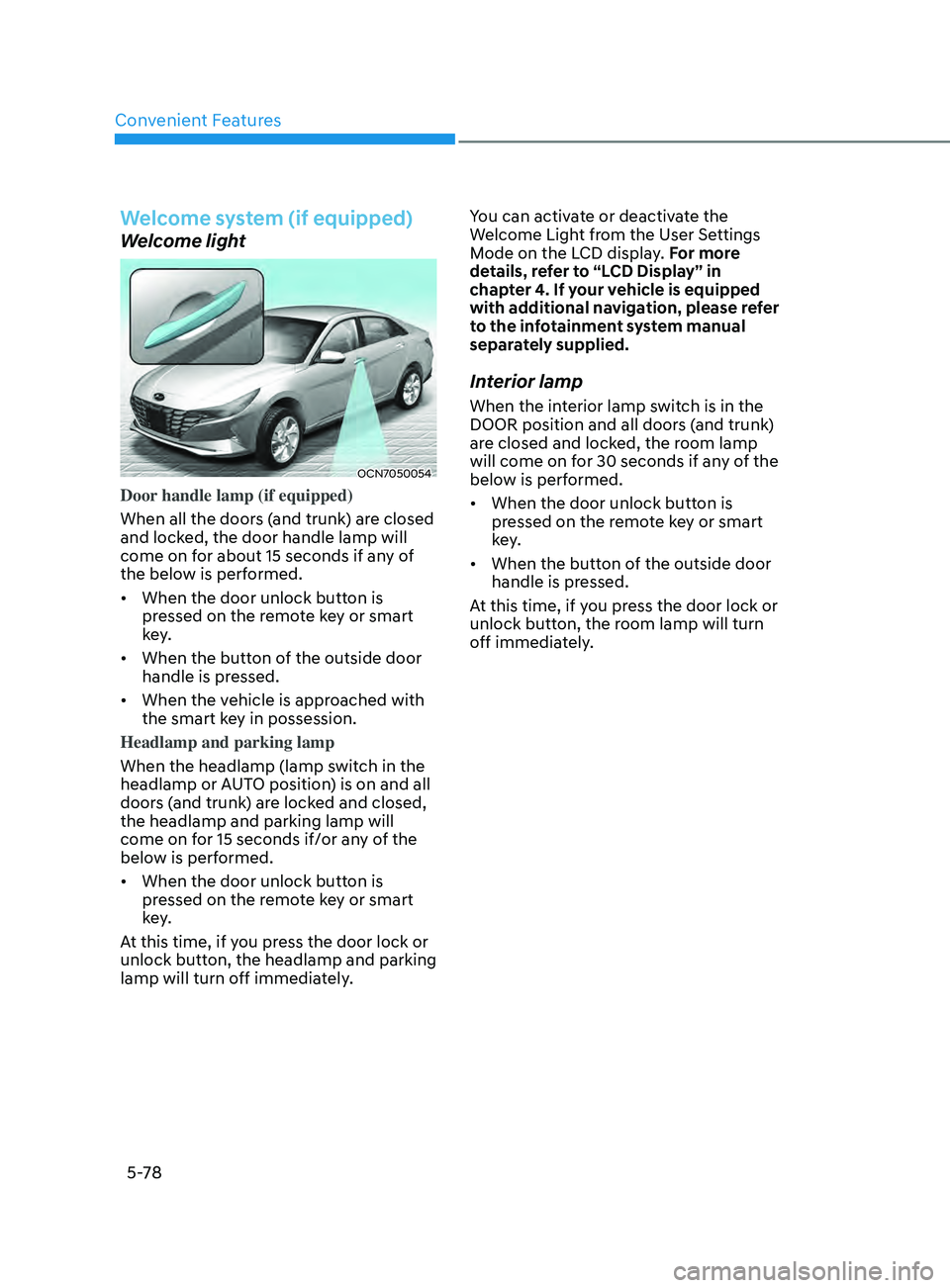
Welcome light
OCN7050054
Door handle lamp (if equipped)
When all the doors (and trunk) are closed
and locked, the door handle lamp will
come on for about 15 seconds if any of
the below is performed.
• When the door unlock button is
pressed on the remote key or smart
key.
• When the button of the outside door
handle is pressed.
• When the vehicle is approached with
the smart key in possession.
Headlamp and parking lamp
When the headlamp (lamp switch in the
headlamp or AUTO position) is on and all
doors (and trunk) are locked and closed,
the headlamp and parking lamp will
come on for 15 seconds if/or any of the
below is performed.
• When the door unlock button is
pressed on the remote key or smart
key.
At this time, if you press the door lock or
unlock button, the headlamp and parking
lamp will turn off immediately. You can activate or deactivate the
Welcome Light from the User Settings
Mode on the LCD display. For more
details, refer to “LCD Display” in
chapter 4. If your vehicle is equipped
with additional navigation, please refer
to the infotainment system manual
separately supplied.
Interior lamp
When the interior lamp switch is in the
DOOR position and all doors (and trunk)
are closed and locked, the room lamp
will come on for 30 seconds if any of the
below is performed.
•
When the door unlock button is
pressed on the remote key or smart
key.
• When the button of the outside door
handle is pressed.
At this time, if you press the door lock or
unlock button, the room lamp will turn
off immediately.