engine HYUNDAI ELANTRA SPORT 2018 Repair Manual
[x] Cancel search | Manufacturer: HYUNDAI, Model Year: 2018, Model line: ELANTRA SPORT, Model: HYUNDAI ELANTRA SPORT 2018Pages: 534, PDF Size: 51.51 MB
Page 180 of 534
3-95
Convenient features of your vehicle
3
Trip A/B
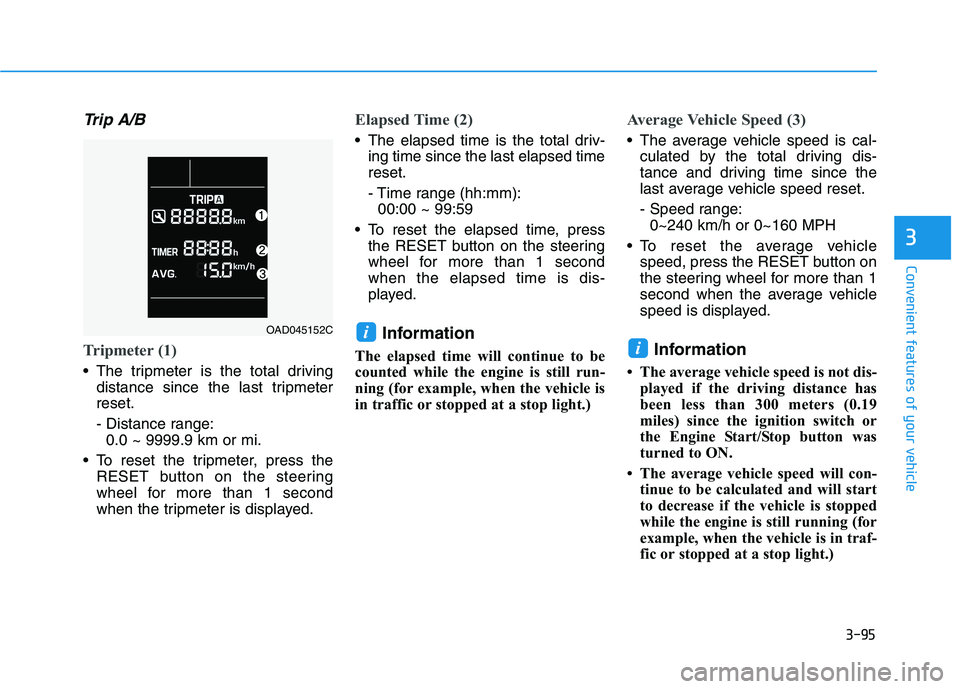
Tripmeter (1)
The tripmeter is the total drivingdistance since the last tripmeter reset.
- Distance range:0.0 ~ 9999.9 km or mi.
To reset the tripmeter, press the RESET button on the steering
wheel for more than 1 second
when the tripmeter is displayed.
Elapsed Time (2)
The elapsed time is the total driv-ing time since the last elapsed time reset.
- Time range (hh:mm):00:00 ~ 99:59
To reset the elapsed time, press the RESET button on the steering
wheel for more than 1 secondwhen the elapsed time is dis-
played.
Information
The elapsed time will continue to be
counted while the engine is still run-
ning (for example, when the vehicle is
in traffic or stopped at a stop light.)
Average Vehicle Speed (3)
The average vehicle speed is cal- culated by the total driving dis-
tance and driving time since the
last average vehicle speed reset.
- Speed range:0~240 km/h or 0~160 MPH
To reset the average vehicle speed, press the RESET button on
the steering wheel for more than 1
second when the average vehicle
speed is displayed.
Information
The average vehicle speed is not dis- played if the driving distance has
been less than 300 meters (0.19
miles) since the ignition switch or
the Engine Start/Stop button was
turned to ON.
The average vehicle speed will con- tinue to be calculated and will start
to decrease if the vehicle is stopped
while the engine is still running (for
example, when the vehicle is in traf-
fic or stopped at a stop light.)
i
iOAD045152C
Page 181 of 534
3-96
Convenient features of your vehicle
Service information
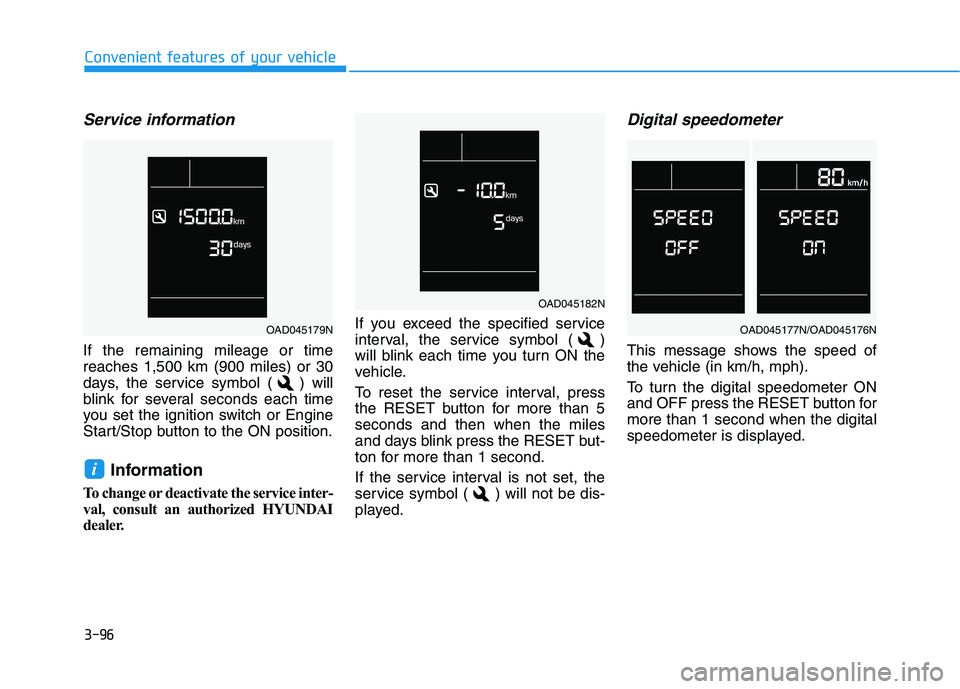
If the remaining mileage or time reaches 1,500 km (900 miles) or 30
days, the service symbol ( ) will
blink for several seconds each time
you set the ignition switch or Engine
Start/Stop button to the ON position.Information
To change or deactivate the service inter-
val, consult an authorized HYUNDAI
dealer. If you exceed the specified service
interval, the service symbol ( )
will blink each time you turn ON the
vehicle.
To reset the service interval, press
the RESET button for more than 5seconds and then when the miles
and days blink press the RESET but-
ton for more than 1 second.
If the service interval is not set, the
service symbol ( ) will not be dis-
played.
Digital speedometer
This message shows the speed of
the vehicle (in km/h, mph).
To turn the digital speedometer ON
and OFF press the RESET button formore than 1 second when the digital
speedometer is displayed.
i
OAD045182N
OAD045179NOAD045177N/OAD045176N
Page 183 of 534
3-98
Convenient features of your vehicle
Average fuel economy/Instant fuel economy
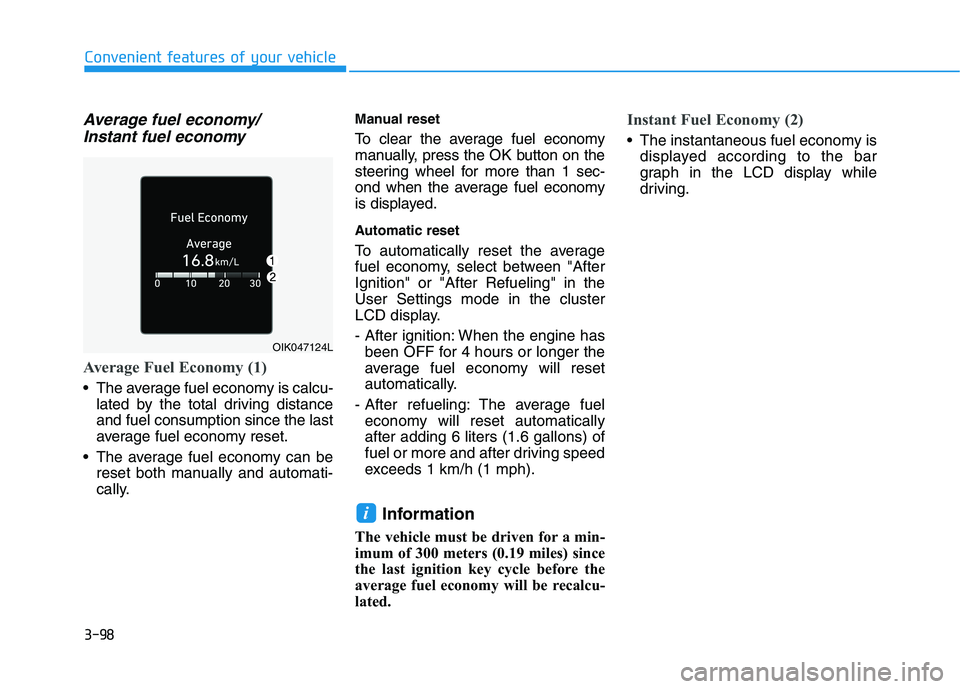
Average Fuel Economy (1)
The average fuel economy is calcu- lated by the total driving distance and fuel consumption since the last
average fuel economy reset.
The average fuel economy can be reset both manually and automati-
cally. Manual reset
To clear the average fuel economy
manually, press the OK button on the
steering wheel for more than 1 sec-
ond when the average fuel economy
is displayed.
Automatic reset
To automatically reset the average
fuel economy, select between "AfterIgnition" or "After Refueling" in theUser Settings mode in the cluster
LCD display.
- After ignition: When the engine has
been OFF for 4 hours or longer the
average fuel economy will reset
automatically.
- After refueling: The average fuel economy will reset automaticallyafter adding 6 liters (1.6 gallons) of
fuel or more and after driving speed
exceeds 1 km/h (1 mph).
Information
The vehicle must be driven for a min-
imum of 300 meters (0.19 miles) since
the last ignition key cycle before the
average fuel economy will be recalcu-
lated.
Instant Fuel Economy (2)
The instantaneous fuel economy is displayed according to the bar
graph in the LCD display while
driving.
i
OIK047124L
Page 184 of 534
3-99
Convenient features of your vehicle
3
Accumulated Info display
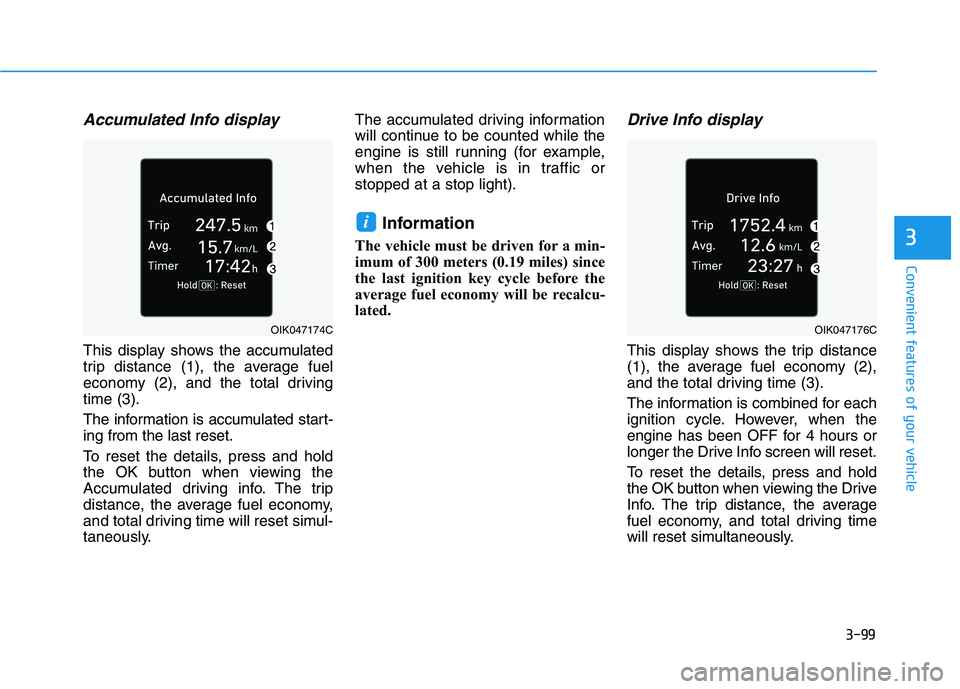
This display shows the accumulated
trip distance (1), the average fuel
economy (2), and the total drivingtime (3).
The information is accumulated start- ing from the last reset.
To reset the details, press and hold
the OK button when viewing the
Accumulated driving info. The trip
distance, the average fuel economy,
and total driving time will reset simul-
taneously.The accumulated driving information
will continue to be counted while the
engine is still running (for example,
when the vehicle is in traffic orstopped at a stop light).
Information
The vehicle must be driven for a min-
imum of 300 meters (0.19 miles) since
the last ignition key cycle before the
average fuel economy will be recalcu-
lated.
Drive Info display
This display shows the trip distance
(1), the average fuel economy (2),
and the total driving time (3).
The information is combined for each
ignition cycle. However, when the
engine has been OFF for 4 hours or
longer the Drive Info screen will reset.
To reset the details, press and hold
the OK button when viewing the Drive
Info. The trip distance, the average
fuel economy, and total driving time
will reset simultaneously.
i
OIK047174COIK047176C
Page 185 of 534
3-100
Convenient features of your vehicle
The driving information will continue to be counted while the engine is still
running (for example, when the vehi-
cle is in traffic or stopped at a stoplight).Information
The vehicle must be driven for a min-
imum of 300 meters (0.19 miles) since
the last ignition key cycle before the
average fuel economy will be recalcu-
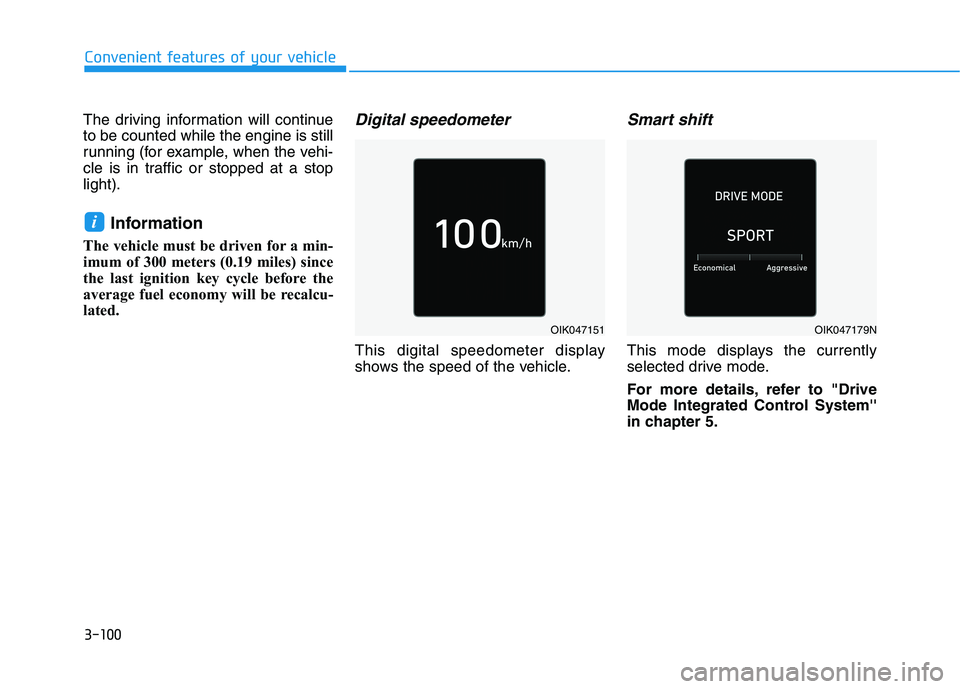
lated.Digital speedometer
This digital speedometer display
shows the speed of the vehicle.
Smart shift
This mode displays the currently
selected drive mode.
For more details, refer to "Drive
Mode Integrated Control System''
in chapter 5.
i
OIK047151OIK047179N
Page 192 of 534
3-107
Convenient features of your vehicle
3
The lane change signals will blink 3,
5 or 7 times.
You can activate or deactivate the
One Touch Turn Signal function or
choose the number of blinking (3, 5,or 7) from the User Settings Mode
(Light) on the LCD display (if
equipped with supervision cluster).
For more details, refer to the "LCD
Display" section in this chapter.
Battery saver function
The purpose of this feature is to help
prevent the battery from being dis-
charged. The system automatically
turns off the parking lamp when the
key is removed (remote key) or when
the driver turns the engine off (smart
key) and opens the driver-side door.
With this feature, the parking lamps
will turn off automatically if the driver
parks on the side of road at night.
If necessary, to keep the lamps on
when the engine is turned off, perform
the following:
1) Open the driver-side door.
2) Turn the parking lamps OFF andON again using the light switch on
the steering column.
Headlamp delay function
(if equipped)
If the key is removed from the ignition
switch or placed in the ACC positionor the LOCK/OFF position with theheadlamps ON, the headlamps
(and/or parking lamps) remain on for
about 5 minutes. However, if the dri-
ver's door is opened and closed, the
headlights are turned off after 15
seconds. Also, with the engine off if
the driver's door is opened and
closed, the headlamps (and/or park-
ing lamps) are turned off after 15
seconds.
The headlamps (and/or parking
lamps) can be turned off by pressing
the lock button on the remote key or
smart key twice or turning the light
switch to the OFF or AUTO position.
You can activate or deactivate the
Headlamp Delay function from theUser Settings Mode (Light) on the
LCD display (if equipped with super-vision cluster).
For more details, refer to the "LCD
Display" section in this chapter. If the driver exits the vehicle
through another door besides the
driver door, the battery saver func-tion does not operate and the
headlamp delay function does not
turn OFF automatically.
This may cause the battery to dis-
charge. To avoid battery dis-
charge, turn OFF the headlamps
manually from the headlamp
switch before exiting the vehicle.
NOTICE
Page 193 of 534
3-108
Convenient features of your vehicle
Interior Lights
Do not use the interior lights for
extended periods when the engine
is turned off or the battery will dis-
charge.
Interior lamp AUTO cut
The interior lamps will automatically
go off approximately 20 minutes after
the engine is turned off and the
doors are closed. If a door is opened,
the lamp will go off 40 minutes after
the engine is turned off. If the doors
are locked by the remote key or
smart key and the vehicle enters the
armed stage of the theft alarm sys-
tem, the lamps will go off five sec-
onds later.
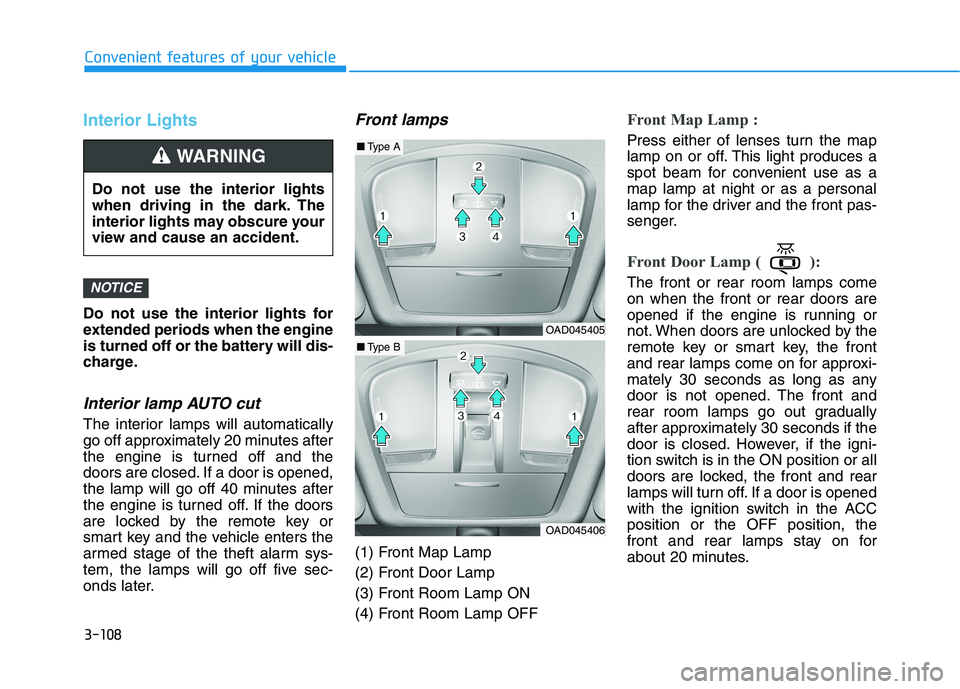
Front lamps
(1) Front Map Lamp
(2) Front Door Lamp
(3) Front Room Lamp ON
(4) Front Room Lamp OFF
Front Map Lamp :
Press either of lenses turn the map
lamp on or off. This light produces a
spot beam for convenient use as amap lamp at night or as a personal
lamp for the driver and the front pas-
senger.
Front Door Lamp ( ):
The front or rear room lamps come on when the front or rear doors are
opened if the engine is running or
not. When doors are unlocked by the
remote key or smart key, the front
and rear lamps come on for approxi-
mately 30 seconds as long as any
door is not opened. The front and
rear room lamps go out gradually
after approximately 30 seconds if the
door is closed. However, if the igni-
tion switch is in the ON position or all
doors are locked, the front and rear
lamps will turn off. If a door is opened
with the ignition switch in the ACCposition or the OFF position, the
front and rear lamps stay on for
about 20 minutes.NOTICE
Do not use the interior lights
when driving in the dark. The
interior lights may obscure your
view and cause an accident.
WARNING
OAD045405
■Type A
OAD045406
■Type B
Page 199 of 534
3-114
Convenient features of your vehicle
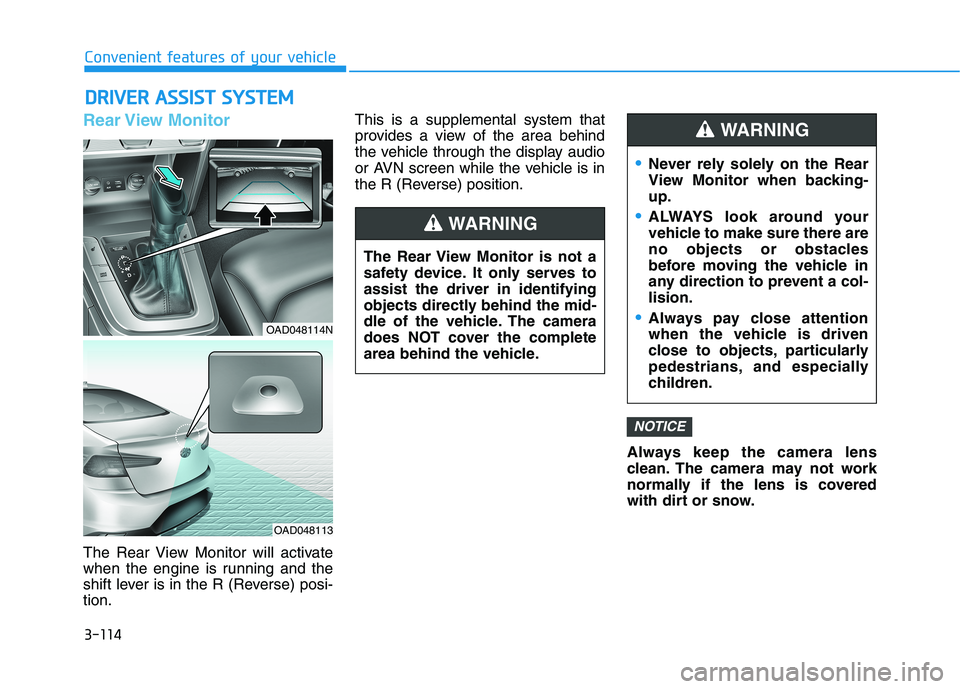
Rear View Monitor
The Rear View Monitor will activate
when the engine is running and the
shift lever is in the R (Reverse) posi-tion.This is a supplemental system that
provides a view of the area behind
the vehicle through the display audio
or AVN screen while the vehicle is in
the R (Reverse) position.
Always keep the camera lens
clean. The camera may not work
normally if the lens is covered
with dirt or snow.
NOTICE
DDRRIIVV EERR AA SSSSIISS TT SS YY SSTT EEMM
The Rear View Monitor is not a
safety device. It only serves toassist the driver in identifying
objects directly behind the mid-
dle of the vehicle. The camera
does NOT cover the complete
area behind the vehicle.
WARNING
Never rely solely on the Rear
View Monitor when backing-up.
ALWAYS look around your
vehicle to make sure there are
no objects or obstacles
before moving the vehicle in
any direction to prevent a col-lision.
Always pay close attention
when the vehicle is driven
close to objects, particularly
pedestrians, and especially
children.
WARNING
OAD048114N
OAD048113
Page 201 of 534
3-116
Convenient features of your vehicle
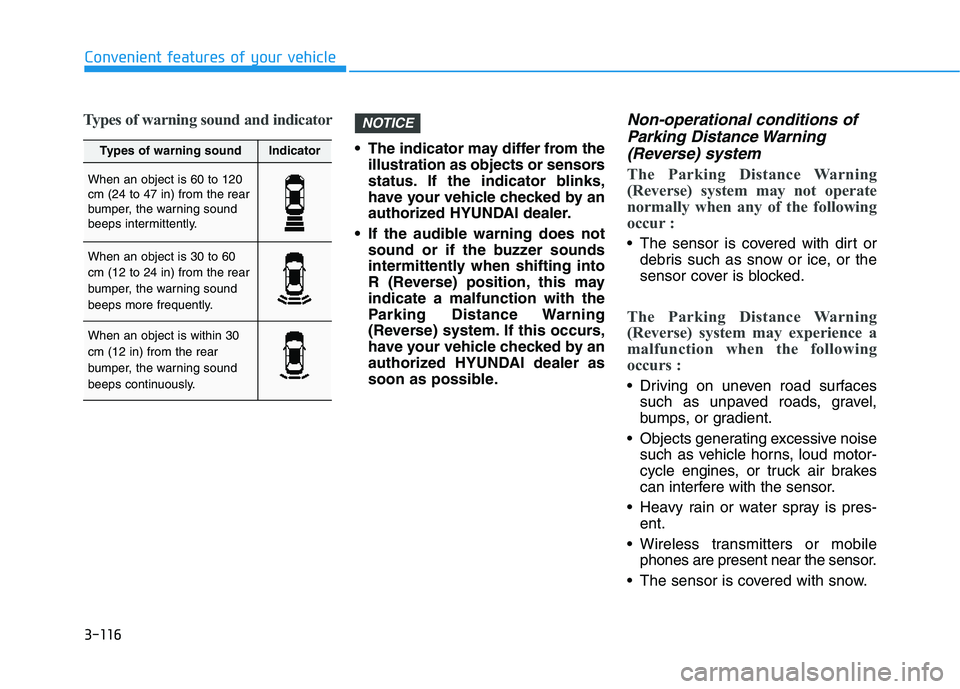
Types of warning sound and indicator
The indicator may differ from theillustration as objects or sensors
status. If the indicator blinks,
have your vehicle checked by an
authorized HYUNDAI dealer.
If the audible warning does not sound or if the buzzer sounds
intermittently when shifting into
R (Reverse) position, this mayindicate a malfunction with the
Parking Distance Warning
(Reverse) system. If this occurs,
have your vehicle checked by an
authorized HYUNDAI dealer as
soon as possible.
Non-operational conditions of
Parking Distance Warning
(Reverse) system
The Parking Distance Warning
(Reverse) system may not operate
normally when any of the following
occur :
The sensor is covered with dirt or debris such as snow or ice, or the
sensor cover is blocked.
The Parking Distance Warning
(Reverse) system may experience a
malfunction when the following
occurs :
Driving on uneven road surfacessuch as unpaved roads, gravel,
bumps, or gradient.
Objects generating excessive noise such as vehicle horns, loud motor-
cycle engines, or truck air brakes
can interfere with the sensor.
Heavy rain or water spray is pres- ent.
Wireless transmitters or mobile phones are present near the sensor.
The sensor is covered with snow.
NOTICE
Types of warning soundIndicator
When an object is 60 to 120 cm (24 to 47 in) from the rear
bumper, the warning sound
beeps intermittently.
When an object is 30 to 60 cm (12 to 24 in) from the rear
bumper, the warning sound
beeps more frequently.
When an object is within 30 cm (12 in) from the rear
bumper, the warning sound
beeps continuously.
Page 203 of 534
3-118
Convenient features of your vehicleD
D EEFFRR OO SSTT EERR
To prevent damage to the conduc-
tors bonded to the inside surface
of the rear window, never use
sharp instruments or window
cleaners containing abrasives to
clean the window.
If you want to defrost and defog
the front windshield, refer to the
"Windshield Defrosting and
Defogging" section in this chap-
ter.
Rear Window Defroster
The defroster heats the window to
remove frost, fog and thin ice from
the interior and exterior of the rear
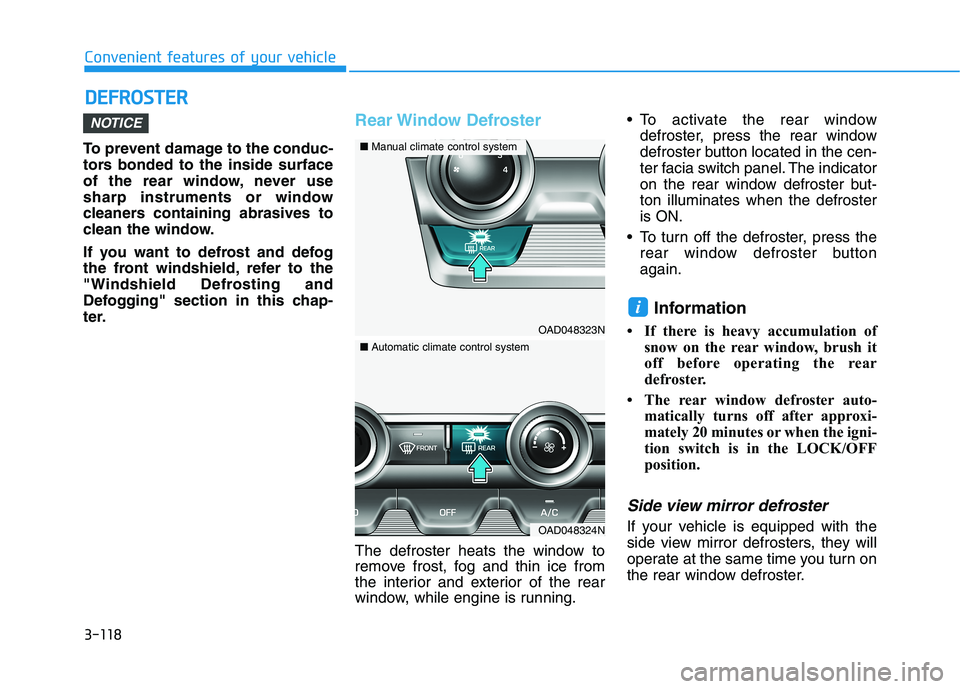
window, while engine is running. To activate the rear window
defroster, press the rear window
defroster button located in the cen-
ter facia switch panel. The indicator
on the rear window defroster but-ton illuminates when the defrosteris ON.
To turn off the defroster, press the rear window defroster buttonagain.
Information
If there is heavy accumulation of snow on the rear window, brush it
off before operating the rear
defroster.
The rear window defroster auto- matically turns off after approxi-
mately 20 minutes or when the igni-
tion switch is in the LOCK/OFF
position.
Side view mirror defroster
If your vehicle is equipped with the
side view mirror defrosters, they will
operate at the same time you turn on
the rear window defroster.
i
NOTICE
OAD048323N
■Manual climate control system
OAD048324N
■Automatic climate control system