air condition HYUNDAI ENTOURAGE 2009 Owner's Manual
[x] Cancel search | Manufacturer: HYUNDAI, Model Year: 2009, Model line: ENTOURAGE, Model: HYUNDAI ENTOURAGE 2009Pages: 402, PDF Size: 9.08 MB
Page 167 of 402
3 151
Features of your vehicle
Automatic operationThe automatic climate control system is
controlled by simply setting the desired
temperature.
The Full Automatic Temperature Control
(FATC) system automatically controls the
heating and cooling system as follows;
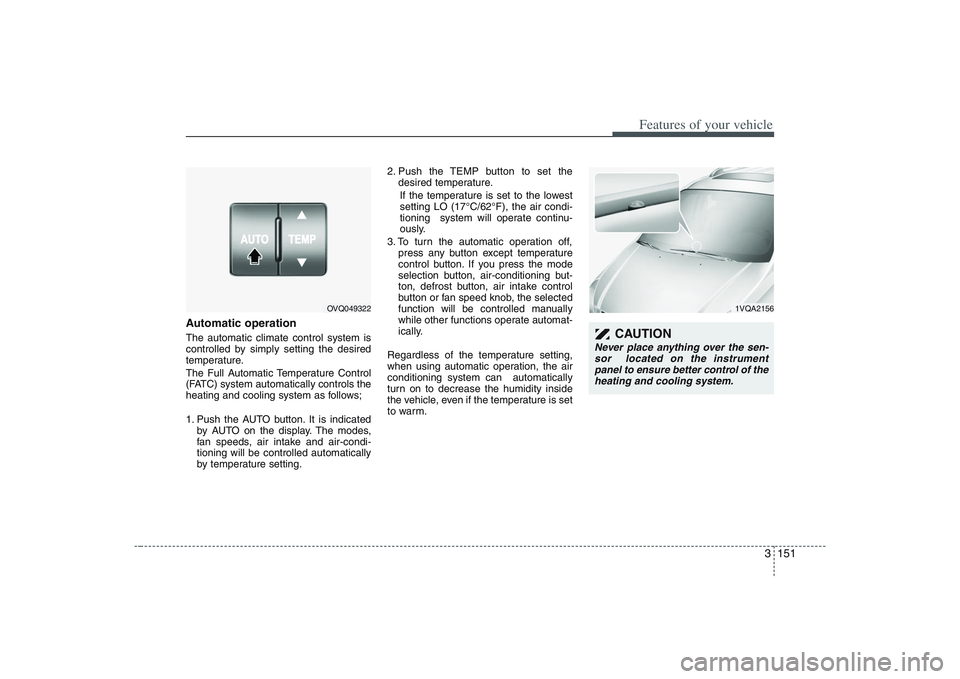
1. Push the AUTO button. It is indicated
by AUTO on the display. The modes,
fan speeds, air intake and air-condi-
tioning will be controlled automatically
by temperature setting.2. Push the TEMP button to set the
desired temperature.
If the temperature is set to the lowest
setting LO (17°C/62°F), the air condi-
tioning system will operate continu-
ously.
3. To turn the automatic operation off,
press any button except temperature
control button. If you press the mode
selection button, air-conditioning but-
ton, defrost button, air intake control
button or fan speed knob, the selected
function will be controlled manually
while other functions operate automat-
ically.
Regardless of the temperature setting,
when using automatic operation, the air
conditioning system can automatically
turn on to decrease the humidity inside
the vehicle, even if the temperature is set
to warm.
OVQ049322
1VQA2156
CAUTION
Never place anything over the sen-
sor located on the instrument
panel to ensure better control of the
heating and cooling system.
Page 168 of 402
Features of your vehicle152 3Manual operation The heating and cooling system can be
controlled manually as well by pushing
buttons other than the AUTO button. In
this case, the system works sequentially
according to the order of buttons select-
ed.
When pressing any button except AUTO
button while automatic operation, the
functions of the buttons not selected will
be controlled automatically.
Press the AUTO button in order to con-
vert to full automatic control of the sys-
tem.
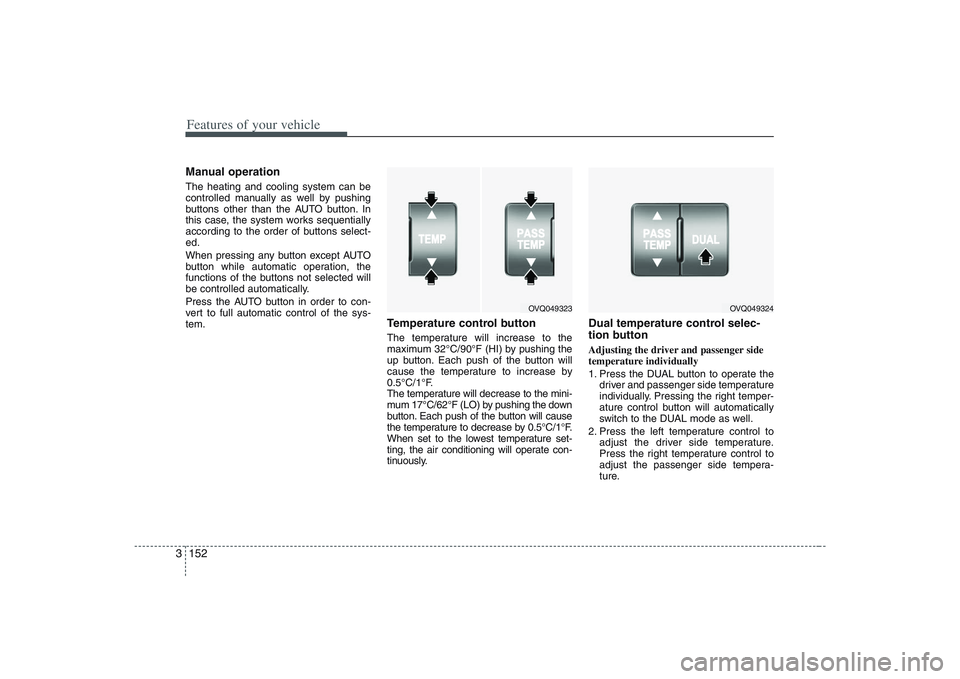
Temperature control buttonThe temperature will increase to the
maximum 32°C/90°F (HI) by pushing the
up button. Each push of the button will
cause the temperature to increase by
0.5°C/1°F.
The temperature will decrease to the mini-
mum 17°C/62°F (LO) by pushing the down
button. Each push of the button will cause
the temperature to decrease by 0.5°C/1°F.
When set to the lowest temperature set-
ting, the air conditioning will operate con-
tinuously.
Dual temperature control selec-
tion buttonAdjusting the driver and passenger side
temperature individually
1. Press the DUAL button to operate the
driver and passenger side temperature
individually. Pressing the right temper-
ature control button will automatically
switch to the DUAL mode as well.
2. Press the left temperature control to
adjust the driver side temperature.
Press the right temperature control to
adjust the passenger side tempera-
ture.
OVQ049323
OVQ049324
Page 169 of 402
3 153
Features of your vehicle
Adjusting the driver and passenger side
temperature equally
1. Press the DUAL button again to deac-
tivate DUAL mode. The passenger
side temperature will be set to the
same as the driver side temperature.
2. Press the left temperature control but-
ton. The driver and passenger side
temperature will be adjusted equally.Temperature conversionIf the battery has been discharged or dis-
connected, the temperature mode dis-
play will reset to Centigrade.
This is normal condition and you can
switch the temperature mode between
Centigrade to Fahrenheit as follows;
While depressing the AUTO button,
depress the OFF button for 3 seconds or
more. The display will change from
Centigrade to Fahrenheit, or from
Fahrenheit to Centigrade.
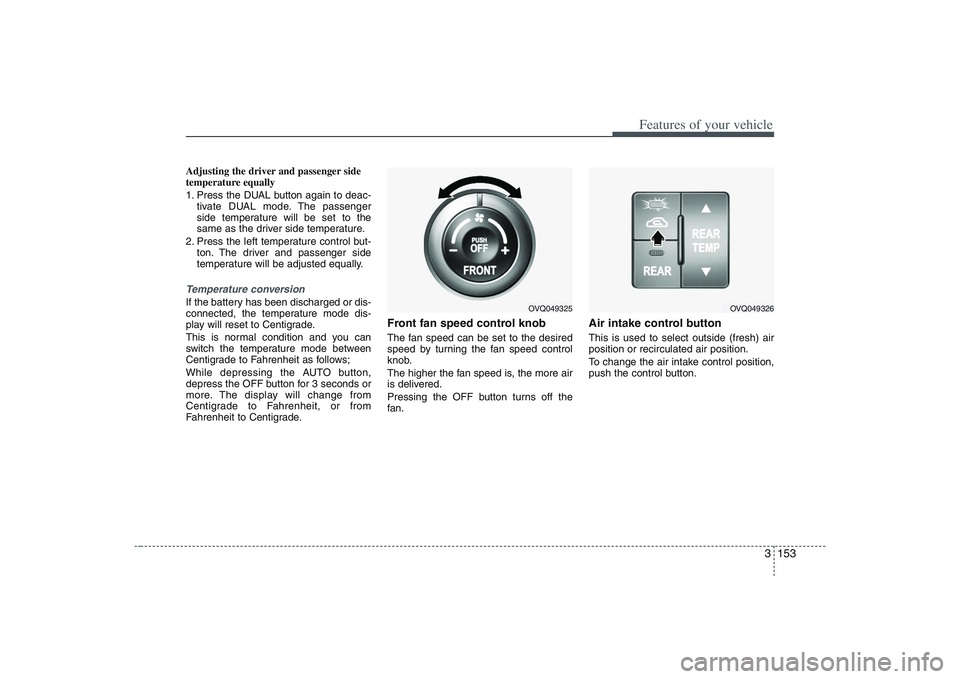
Front fan speed control knobThe fan speed can be set to the desired
speed by turning the fan speed control
knob.
The higher the fan speed is, the more air
is delivered.
Pressing the OFF button turns off the
fan.
Air intake control button This is used to select outside (fresh) air
position or recirculated air position.
To change the air intake control position,
push the control button.
OVQ049325
OVQ049326
Page 170 of 402
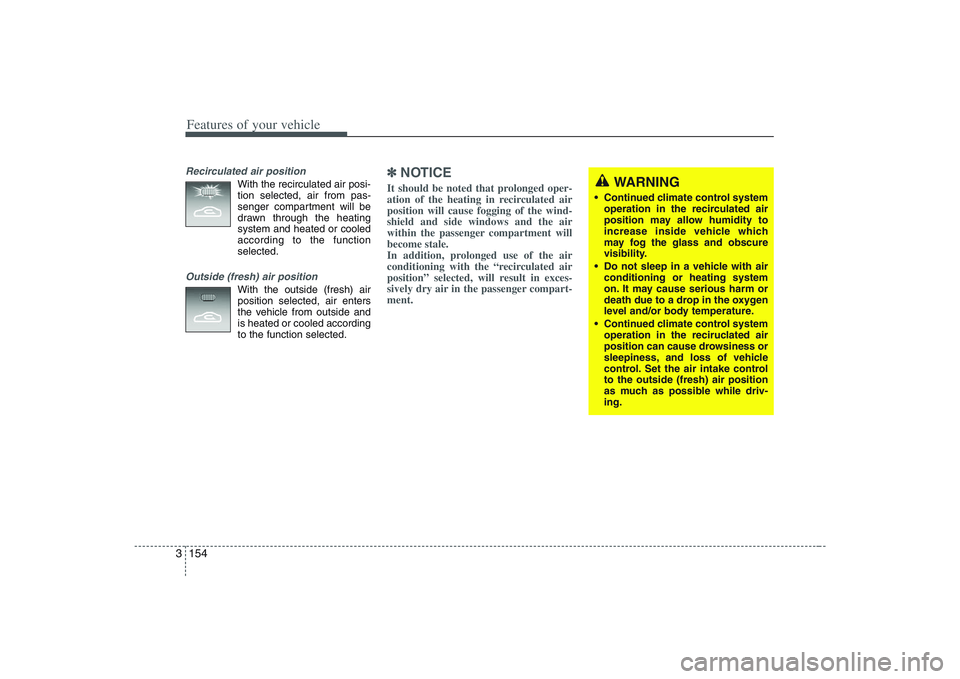
Features of your vehicle154 3Recirculated air position
With the recirculated air posi-
tion selected, air from pas-
senger compartment will be
drawn through the heating
system and heated or cooled
according to the function
selected.
Outside (fresh) air position
With the outside (fresh) air
position selected, air enters
the vehicle from outside and
is heated or cooled according
to the function selected.
✽ ✽
NOTICEIt should be noted that prolonged oper-
ation of the heating in recirculated air
position will cause fogging of the wind-
shield and side windows and the air
within the passenger compartment will
become stale.
In addition, prolonged use of the air
conditioning with the “recirculated air
position” selected, will result in exces-
sively dry air in the passenger compart-
ment.
WARNING
Continued climate control system
operation in the recirculated air
position may allow humidity to
increase inside vehicle which
may fog the glass and obscure
visibility.
Do not sleep in a vehicle with air
conditioning or heating system
on. It may cause serious harm or
death due to a drop in the oxygen
level and/or body temperature.
Continued climate control system
operation in the reciruclated air
position can cause drowsiness or
sleepiness, and loss of vehicle
control. Set the air intake control
to the outside (fresh) air position
as much as possible while driv-
ing.
Page 173 of 402
3 157
Features of your vehicle
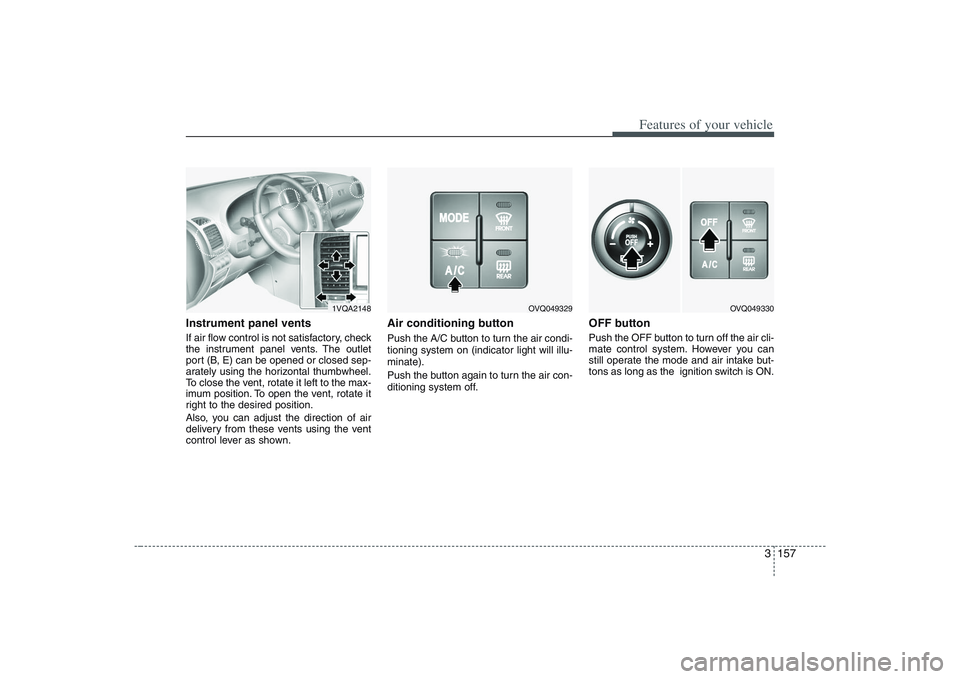
Instrument panel ventsIf air flow control is not satisfactory, check
the instrument panel vents. The outlet
port (B, E) can be opened or closed sep-
arately using the horizontal thumbwheel.
To close the vent, rotate it left to the max-
imum position. To open the vent, rotate it
right to the desired position.
Also, you can adjust the direction of air
delivery from these vents using the vent
control lever as shown.
Air conditioning button Push the A/C button to turn the air condi-
tioning system on (indicator light will illu-
minate).
Push the button again to turn the air con-
ditioning system off.
OFF buttonPush the OFF button to turn off the air cli-
mate control system. However you can
still operate the mode and air intake but-
tons as long as the ignition switch is ON.
1VQA2148
OVQ049329
OVQ049330
Page 174 of 402
Features of your vehicle158 3
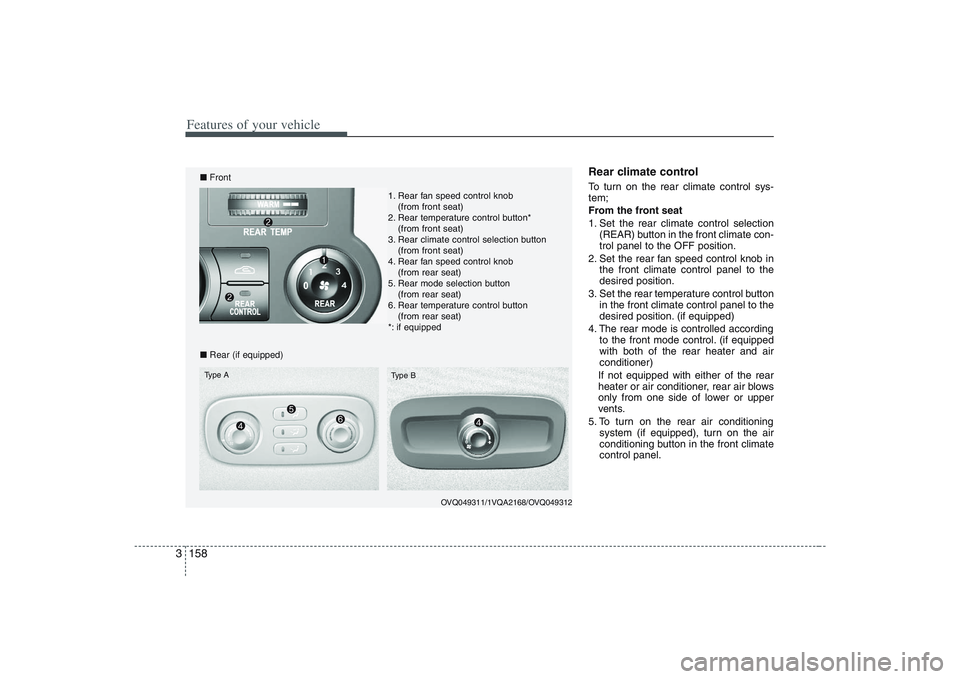
Rear climate control To turn on the rear climate control sys-
tem;
From the front seat
1. Set the rear climate control selection
(REAR) button in the front climate con-
trol panel to the OFF position.
2. Set the rear fan speed control knob in
the front climate control panel to the
desired position.
3. Set the rear temperature control button
in the front climate control panel to the
desired position. (if equipped)
4. The rear mode is controlled according
to the front mode control. (if equipped
with both of the rear heater and air
conditioner)
If not equipped with either of the rear
heater or air conditioner, rear air blows
only from one side of lower or upper
vents.
5. To turn on the rear air conditioning
system (if equipped), turn on the air
conditioning button in the front climate
control panel.
OVQ049311/1VQA2168/OVQ049312
■Front
■Rear (if equipped)Type A
Type B
1. Rear fan speed control knob
(from front seat)
2. Rear temperature control button*
(from front seat)
3. Rear climate control selection button
(from front seat)
4. Rear fan speed control knob
(from rear seat)
5. Rear mode selection button
(from rear seat)
6. Rear temperature control button
(from rear seat)
*: if equipped
Page 175 of 402
3 159
Features of your vehicle
From the rear seat (if equipped)
1. Set the rear climate control selection
(REAR) button in the front climate con-
trol panel to the ON position.
2. Set the rear fan speed control knob on
the rear climate control panel to the
desired position.
3. Set the rear temperature control knob
on the rear climate control panel to the
desired position. (if equipped)
4. Select the desired rear mode button
on the rear climate control panel. (if
equipped)
If not equipped with either of the rear
heater or air conditioner, rear air blows
only from one side of lower or upper
vents.
5. To turn on the rear air conditioning
system (if equipped), turn on the air
conditioning button in the front climate
control panel.
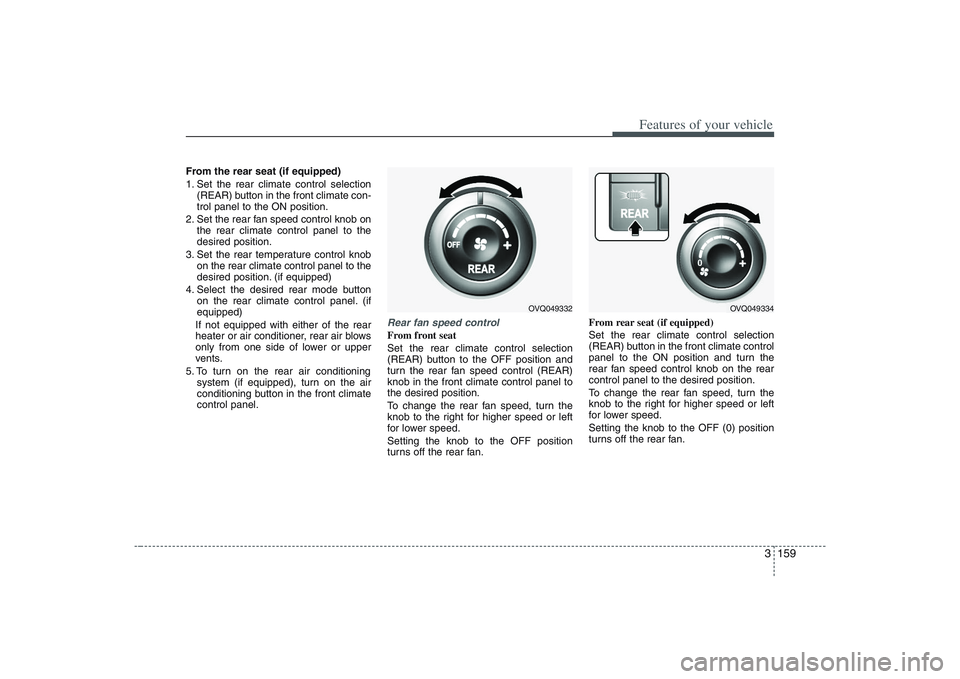
Rear fan speed controlFrom front seat
Set the rear climate control selection
(REAR) button to the OFF position and
turn the rear fan speed control (REAR)
knob in the front climate control panel to
the desired position.
To change the rear fan speed, turn the
knob to the right for higher speed or left
for lower speed.
Setting the knob to the OFF position
turns off the rear fan.From rear seat (if equipped)
Set the rear climate control selection
(REAR) button in the front climate control
panel to the ON position and turn the
rear fan speed control knob on the rear
control panel to the desired position.
To change the rear fan speed, turn the
knob to the right for higher speed or left
for lower speed.
Setting the knob to the OFF (0) position
turns off the rear fan.
OVQ049332
OVQ049334
Page 176 of 402
Features of your vehicle160 3Rear temperature control
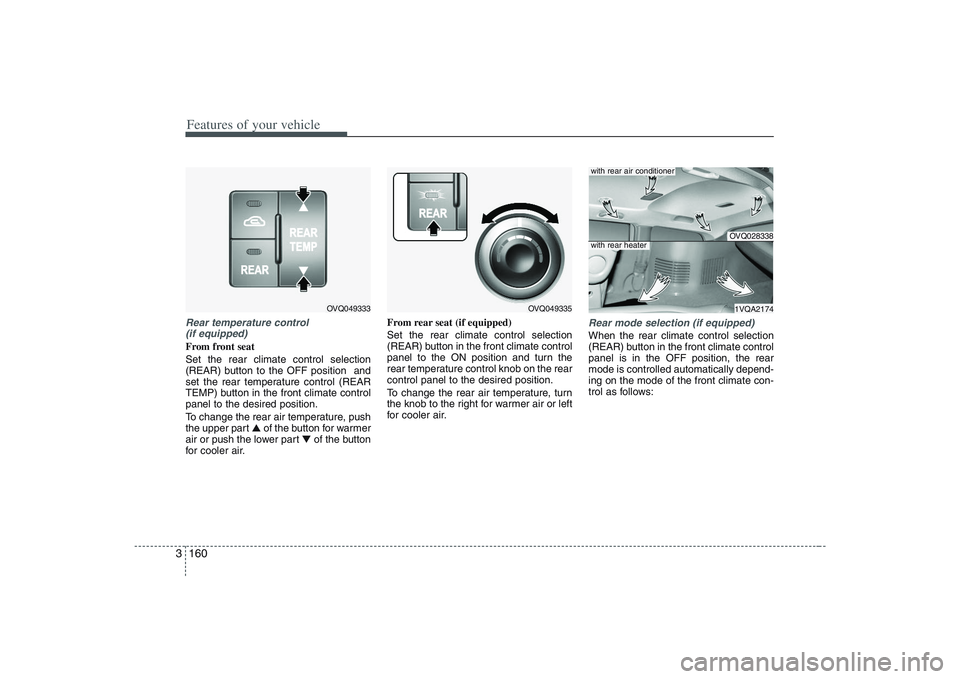
(if equipped)From front seat
Set the rear climate control selection
(REAR) button to the OFF position and
set the rear temperature control (REAR
TEMP) button in the front climate control
panel to the desired position.
To change the rear air temperature, push
the upper part ▲ of the button for warmer
air or push the lower part ▼of the button
for cooler air.From rear seat (if equipped)
Set the rear climate control selection
(REAR) button in the front climate control
panel to the ON position and turn the
rear temperature control knob on the rear
control panel to the desired position.
To change the rear air temperature, turn
the knob to the right for warmer air or left
for cooler air.
Rear mode selection (if equipped)When the rear climate control selection
(REAR) button in the front climate control
panel is in the OFF position, the rear
mode is controlled automatically depend-
ing on the mode of the front climate con-
trol as follows:
OVQ049333
OVQ049335
OVQ0283381VQA2174
with rear air conditionerwith rear heater
Page 177 of 402

3 161
Features of your vehicle
Front climate control is :
Rear air blows from the upper vents on
the rear ceiling.
Front climate control is :
Rear air blows from the upper vents on
the rear ceiling and the lower vents on
the right rear trim together.
Front climate control is , ,
:
Rear air blows from the lower vents on
the right rear trim together.
❇ If the rear air conditioner is not
equipped, rear air blows only from the
lower vents.
❇ If the rear heater is not equipped, rear
air blows only from the upper vents.When the rear climate control selection
(REAR) button in the front climate control
panel is in the ON position, the rear
mode is selected by pushing the rear
mode selection button on the rear control
panel as follows:
: Rear air blows from the upper
vents on the rear ceiling.
: Rear air blows from the upper
vents on the rear ceiling and the
lower vents on the right rear trim
together.
: Rear air blows from the lower
vents on the right rear trim.
Rear vents (if equipped)The vent can be adjusted by rotating the
blade.
✽ ✽
NOTICEIf all the vents are closed, it may cause
some noise. Always open 2 vents or
more.
OVQ049336
OVQ028339
Page 178 of 402
Features of your vehicle162 3System operationVentilation1. Set the mode to the position.
2. Set the air intake control to the outside
(fresh) air position.
3. Set the temperature control to the
desired position.
4. Set the fan speed control to the
desired speed.Heating1. Set the mode to the position.
2. Set the air intake control to the outside
(fresh) air position.
3. Set the temperature control to the
desired position.
4. Set the fan speed control to the
desired speed.
5. If dehumidified heating is desired, turn
the air conditioning system on.
If the windshield fogs up, set the mode
to the
, position.
Air conditioning All Hyundai Air Conditioning Systems are
filled with environmentally friendly
R-134a refrigerant which is not damag-
ing to the ozone layer.
1. Start the engine. Push the air condi-
tioning button.
2. Set the mode to the position.
3. Set the air intake control to the outside
air or recirculated air position.
4. Set the temperature control to the
desired position.
5. Set the fan speed control to the
desired speed.
6. Adjust the fan speed control and tem-
perature control to maintain maximum
comfort.
the temperature control to the minimum
LO (17°C/62°F) and set the air intake
to the recirculated air position, then set
the fan speed control to the highest
speed.
CAUTION
When using the air conditioning
system, monitor the temperature
gauge closely while driving up
hills or in heavy traffic when out-
side temperatures are high. Air
conditioning system operation
may cause engine overheating.
Continue to use the blower fan
but turn the air conditioning sys-
tem off if the temperature gauge
indicates engine overheating.
When opening the windows in
humid weather air conditioning
may create water droplets inside
the vehicle. Since excessive
water droplets may cause dam-
age to electrical equipment, air
conditioning should only be run
with the windows closed.