light Hyundai Equus 2014 Owners Manual
[x] Cancel search | Manufacturer: HYUNDAI, Model Year: 2014, Model line: Equus, Model: Hyundai Equus 2014Pages: 479, PDF Size: 10.15 MB
Page 297 of 479
Driving your vehicle
40 5
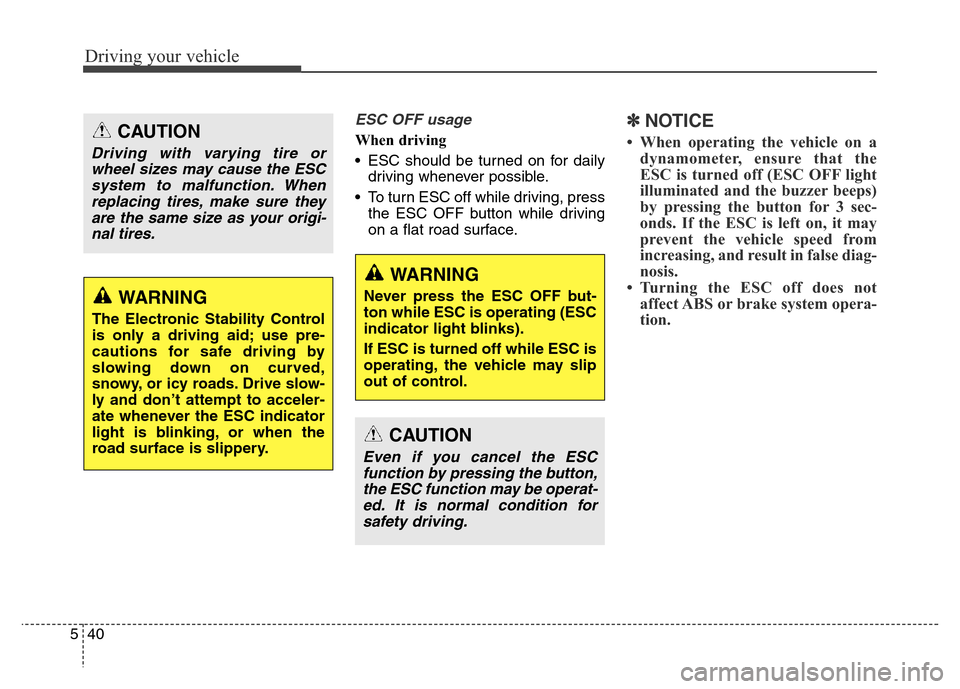
ESC OFF usage
When driving
• ESC should be turned on for daily
driving whenever possible.
• To turn ESC off while driving, press
the ESC OFF button while driving
on a flat road surface.
✽NOTICE
• When operating the vehicle on a
dynamometer, ensure that the
ESC is turned off (ESC OFF light
illuminated and the buzzer beeps)
by pressing the button for 3 sec-
onds. If the ESC is left on, it may
prevent the vehicle speed from
increasing, and result in false diag-
nosis.
• Turning the ESC off does not
affect ABS or brake system opera-
tion. CAUTION
Driving with varying tire or
wheel sizes may cause the ESC
system to malfunction. When
replacing tires, make sure they
are the same size as your origi-
nal tires.
WARNING
The Electronic Stability Control
is only a driving aid; use pre-
cautions for safe driving by
slowing down on curved,
snowy, or icy roads. Drive slow-
ly and don’t attempt to acceler-
ate whenever the ESC indicator
light is blinking, or when the
road surface is slippery.
WARNING
Never press the ESC OFF but-
ton while ESC is operating (ESC
indicator light blinks).
If ESC is turned off while ESC is
operating, the vehicle may slip
out of control.
CAUTION
Even if you cancel the ESC
function by pressing the button,
the ESC function may be operat-
ed. It is normal condition for
safety driving.
Page 298 of 479
541
Driving your vehicle
Hill-start assist control (HAC)
(if equipped)
A vehicle has the tendency to slip
back on a steep hill when it starts to
go after stopping. The Hill-start
Assist Control (HAC) prevents the
vehicle from slipping back by operat-
ing the brakes automatically for
about 2 seconds. The brakes are
released when the accelerator pedal
is depressed or after about 2 sec-
onds.
✽NOTICE
• The HAC does not operate when
the transaxle shift lever is in the P
(Park) or N (Neutral) position.
• The HAC activates even though
the ESC is off but it does not acti-
vate when the ESC has malfunc-
tioned.
Emergency Stop Signal (ESS)
(if equipped)
The Emergency Stop Signal system
alerts the driver behind by blinking
the stop light when the vehicle is
braked rapidly and severely.
The system is activated when:
• The vehicle suddenly stops (vehi-
cle speed is over 55km/h and the
vehicle deceleration at greater
than 7 m/s
2)
• The ABS is activating
When the vehicle speed is under 40
km/h and the ABS deactivates or the
sudden stop situation is over, the
stop light blinking will stop. Instead,
the hazard warning flasher will turn
on automatically.
The hazard warning flasher will turn
off when vehicle speed is over
10km/h after the vehicle has
stopped. Also, it will turn off when the
vehicle is driven at low speed for
some time. You can turn it off manu-
ally by pushing the hazard warning
flasher switch.
WARNING
The HAC is activated only for
about 2 seconds, so when the
vehicle is starting off always
depress the accelerator pedal.
Page 299 of 479
Driving your vehicle
42 5
Good braking practices• Check to be sure the parking brake
is not engaged and that the park-
ing brake indicator light is out
before driving away.
• Driving through water may get the
brakes wet. They can also get wet
when the vehicle is washed. Wet
brakes can be dangerous! Your car
will not stop as quickly if the brakes
are wet. Wet brakes may cause the
vehicle to pull to one side.
To dry the brakes, apply the brakes
lightly until the braking action
returns to normal, taking care to
keep the car under control at all
times. If the braking action does
not return to normal, stop as soon
as it is safe to do so and call an
authorized HYUNDAI dealer for
assistance.CAUTION
The Emergency Stop Signal
(ESS) system will not work if the
hazard warning flasher is
already on.WARNING
• Whenever leaving vehicle or
parking, always set the park-
ing brake and fully engage the
vehicle's transmission into
the P (Park) position. Vehicles
not fully engaged in park with
the parking brake set are at
risk for moving inadvertently
and injuring yourself or oth-
ers.
• All vehicles should always
have the parking brake fully
engaged when parking to
avoid inadvertent movement
of the vehicle which can injure
occupants or pedestrians.
Page 303 of 479
Driving your vehicle
46 5
ECS controls the vehicle suspension
automatically to maximize passenger
comfort by using the air spring in the
suspension.
You can also control the vehicle sus-
pension manually in NORMAL mode
or HIGH mode.
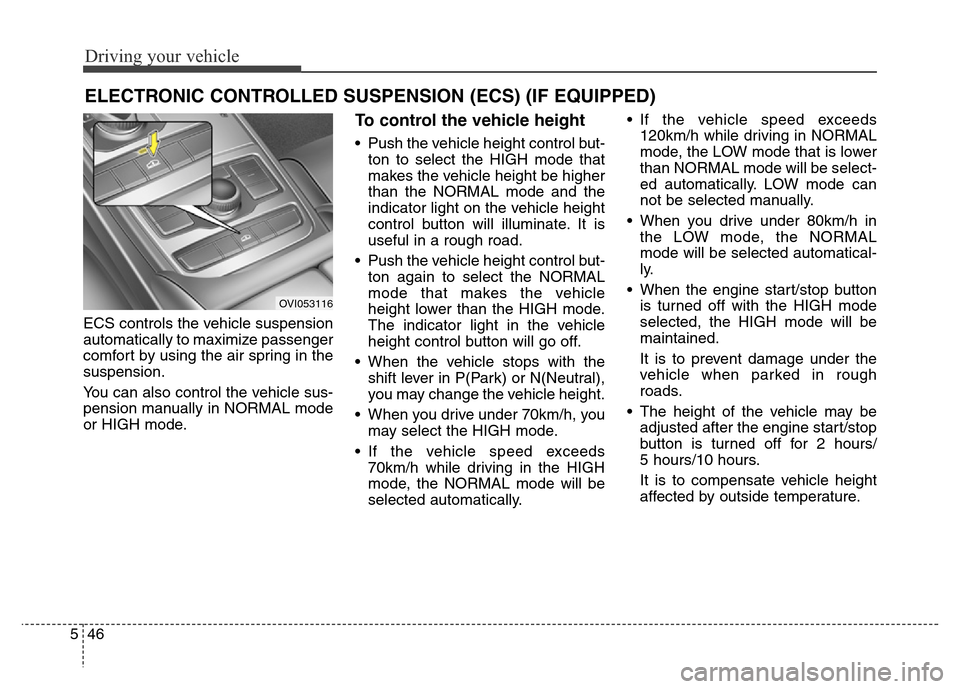
To control the vehicle height
• Push the vehicle height control but-
ton to select the HIGH mode that
makes the vehicle height be higher
than the NORMAL mode and the
indicator light on the vehicle height
control button will illuminate. It is
useful in a rough road.
• Push the vehicle height control but-
ton again to select the NORMAL
mode that makes the vehicle
height lower than the HIGH mode.
The indicator light in the vehicle
height control button will go off.
• When the vehicle stops with the
shift lever in P(Park) or N(Neutral),
you may change the vehicle height.
• When you drive under 70km/h, you
may select the HIGH mode.
• If the vehicle speed exceeds
70km/h while driving in the HIGH
mode, the NORMAL mode will be
selected automatically.• If the vehicle speed exceeds
120km/h while driving in NORMAL
mode, the LOW mode that is lower
than NORMAL mode will be select-
ed automatically. LOW mode can
not be selected manually.
• When you drive under 80km/h in
the LOW mode, the NORMAL
mode will be selected automatical-
ly.
• When the engine start/stop button
is turned off with the HIGH mode
selected, the HIGH mode will be
maintained.
It is to prevent damage under the
vehicle when parked in rough
roads.
• The height of the vehicle may be
adjusted after the engine start/stop
button is turned off for 2 hours/
5 hours/10 hours.
It is to compensate vehicle height
affected by outside temperature.
ELECTRONIC CONTROLLED SUSPENSION (ECS) (IF EQUIPPED)
OVI053116
Page 307 of 479
Driving your vehicle
50 5
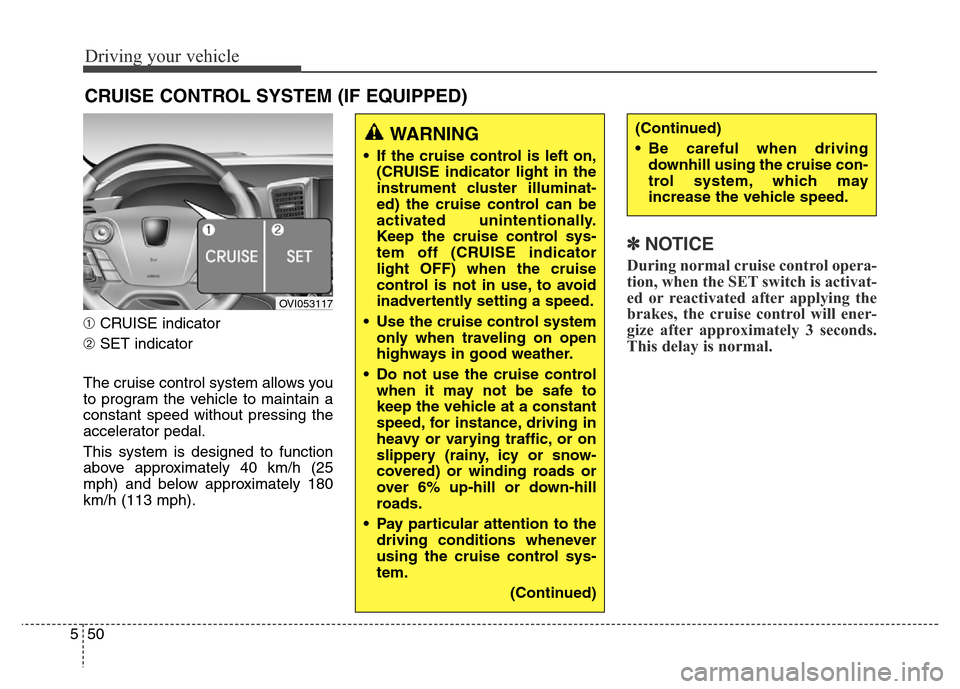
➀CRUISE indicator
➁SET indicator
The cruise control system allows you
to program the vehicle to maintain a
constant speed without pressing the
accelerator pedal.
This system is designed to function
above approximately 40 km/h (25
mph) and below approximately 180
km/h (113 mph).
✽NOTICE
During normal cruise control opera-
tion, when the SET switch is activat-
ed or reactivated after applying the
brakes, the cruise control will ener-
gize after approximately 3 seconds.
This delay is normal.
CRUISE CONTROL SYSTEM (IF EQUIPPED)
WARNING
• If the cruise control is left on,
(CRUISE indicator light in the
instrument cluster illuminat-
ed) the cruise control can be
activated unintentionally.
Keep the cruise control sys-
tem off (CRUISE indicator
light OFF) when the cruise
control is not in use, to avoid
inadvertently setting a speed.
• Use the cruise control system
only when traveling on open
highways in good weather.
• Do not use the cruise control
when it may not be safe to
keep the vehicle at a constant
speed, for instance, driving in
heavy or varying traffic, or on
slippery (rainy, icy or snow-
covered) or winding roads or
over 6% up-hill or down-hill
roads.
• Pay particular attention to the
driving conditions whenever
using the cruise control sys-
tem.
(Continued)
(Continued)
• Be careful when driving
downhill using the cruise con-
trol system, which may
increase the vehicle speed.
OVI053117
Page 308 of 479
551
Driving your vehicle
Cruise control speed
To set cruise control speed:
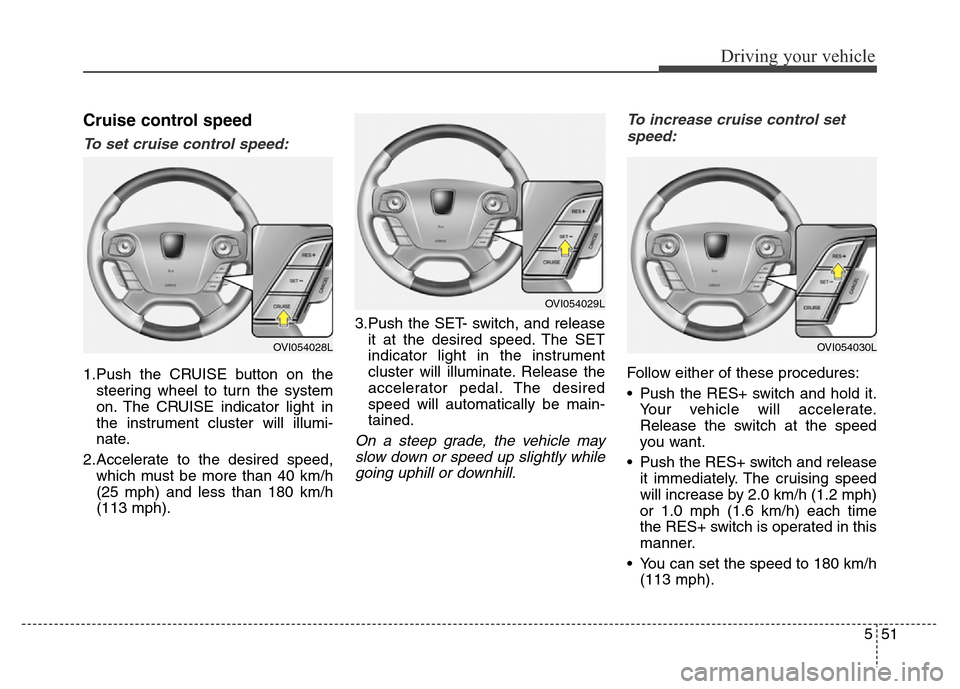
1.Push the CRUISE button on the
steering wheel to turn the system
on. The CRUISE indicator light in
the instrument cluster will illumi-
nate.
2.Accelerate to the desired speed,
which must be more than 40 km/h
(25 mph) and less than 180 km/h
(113 mph).3.Push the SET- switch, and release
it at the desired speed. The SET
indicator light in the instrument
cluster will illuminate. Release the
accelerator pedal. The desired
speed will automatically be main-
tained.
On a steep grade, the vehicle may
slow down or speed up slightly while
going uphill or downhill.To increase cruise control set
speed:
Follow either of these procedures:
• Push the RES+ switch and hold it.
Your vehicle will accelerate.
Release the switch at the speed
you want.
• Push the RES+ switch and release
it immediately. The cruising speed
will increase by 2.0 km/h (1.2 mph)
or 1.0 mph (1.6 km/h) each time
the RES+ switch is operated in this
manner.
• You can set the speed to 180 km/h
(113 mph).
OVI054029L
OVI054030LOVI054028L
Page 310 of 479
553
Driving your vehicle
• The ESC is operating.
• Downshifting to the 2nd gear with
sports mode.
• Operate the EPB switch. Do not
operate the parking brake while
driving except in an emergency sit-
uation.
Each of these actions will cancel
cruise control operation (the SET
indicator light in the instrument clus-
ter will go off), but it will not turn the
system off. If you wish to resume
cruise control operation, push the
RES+ switch located on your steer-
ing wheel. You will return to your pre-
viously preset speed.To resume cruising speed at
more than approximately 40 km/h
(25 mph):
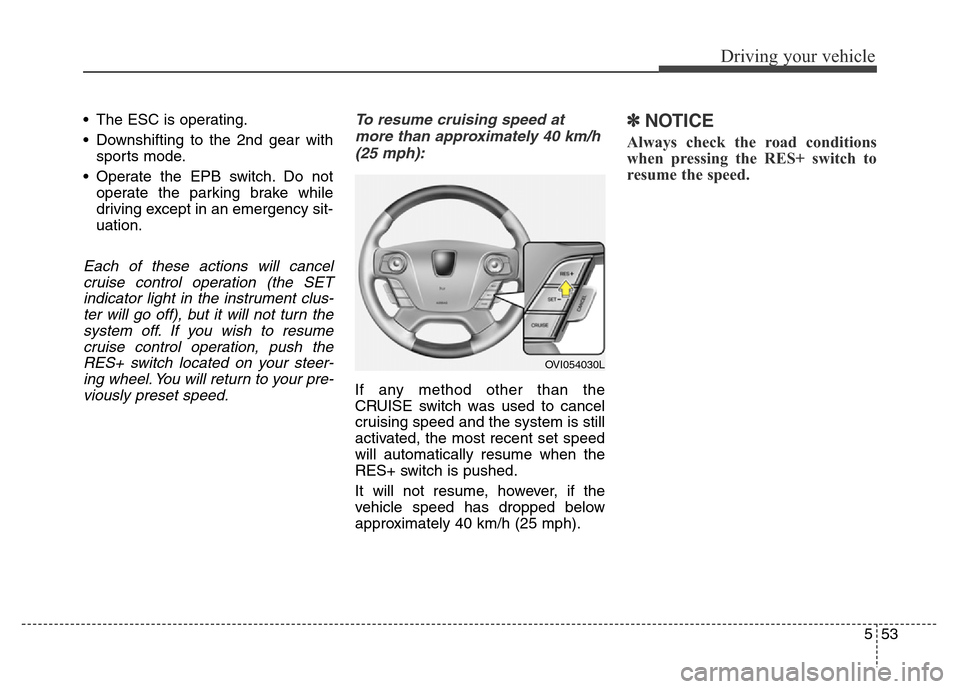
If any method other than the
CRUISE switch was used to cancel
cruising speed and the system is still
activated, the most recent set speed
will automatically resume when the
RES+ switch is pushed.
It will not resume, however, if the
vehicle speed has dropped below
approximately 40 km/h (25 mph).
✽NOTICE
Always check the road conditions
when pressing the RES+ switch to
resume the speed.
OVI054030L
Page 311 of 479
Driving your vehicle
54 5
To turn cruise control off, do one
of the following:
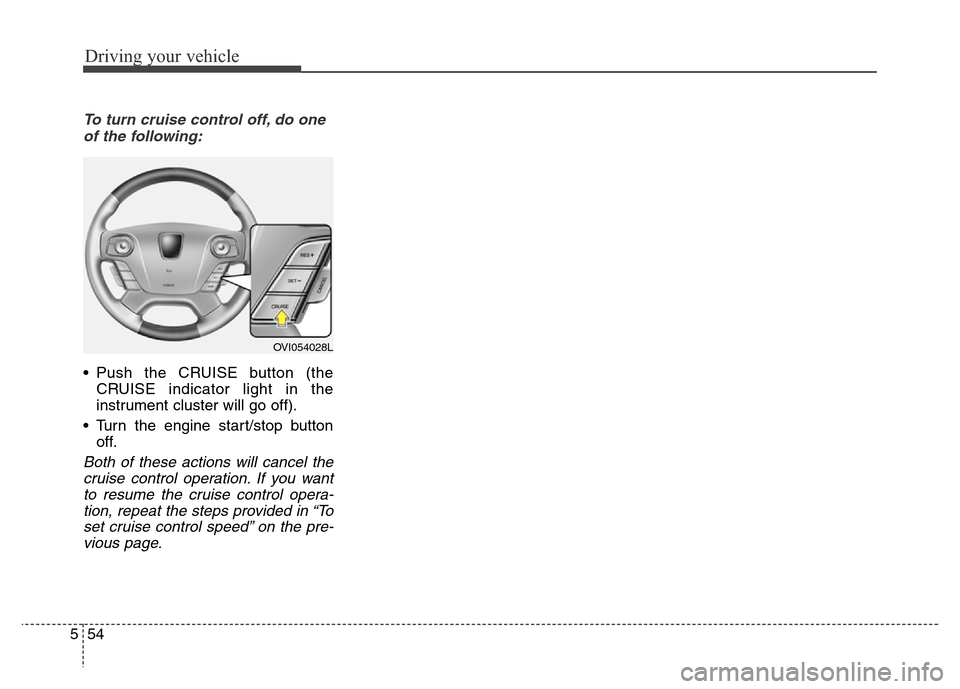
• Push the CRUISE button (the
CRUISE indicator light in the
instrument cluster will go off).
• Turn the engine start/stop button
off.
Both of these actions will cancel the
cruise control operation. If you want
to resume the cruise control opera-
tion, repeat the steps provided in “To
set cruise control speed” on the pre-
vious page.
OVI054028L
Page 312 of 479
555
Driving your vehicle
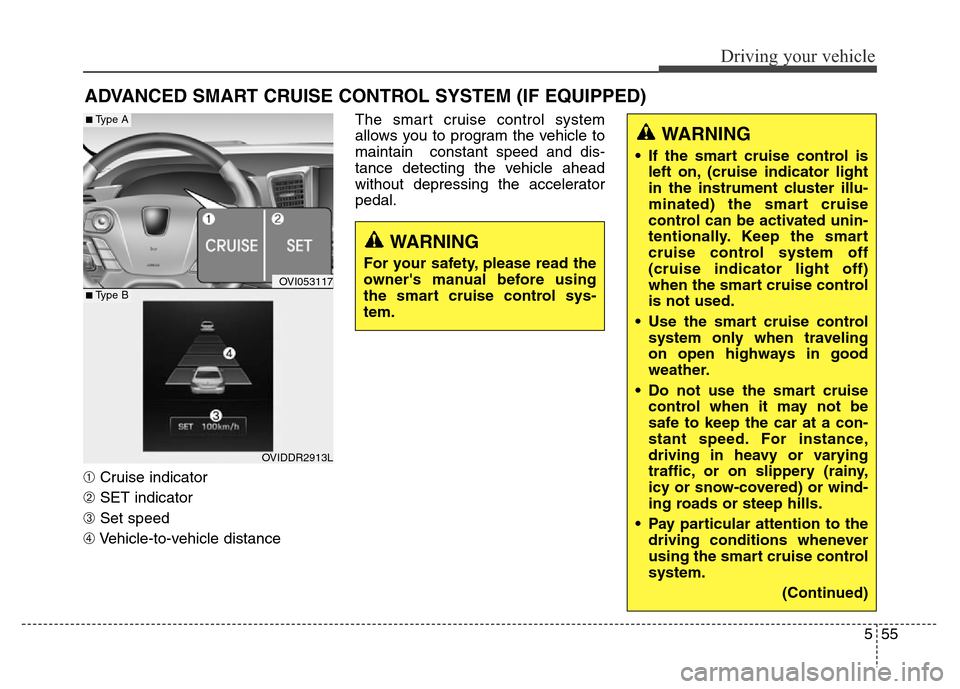
➀Cruise indicator
➁SET indicator
➂Set speed
➃Vehicle-to-vehicle distanceThe smart cruise control system
allows you to program the vehicle to
maintain constant speed and dis-
tance detecting the vehicle ahead
without depressing the accelerator
pedal.
ADVANCED SMART CRUISE CONTROL SYSTEM (IF EQUIPPED)
WARNING
• If the smart cruise control is
left on, (cruise indicator light
in the instrument cluster illu-
minated) the smart cruise
control can be activated unin-
tentionally. Keep the smart
cruise control system off
(cruise indicator light off)
when the smart cruise control
is not used.
• Use the smart cruise control
system only when traveling
on open highways in good
weather.
• Do not use the smart cruise
control when it may not be
safe to keep the car at a con-
stant speed. For instance,
driving in heavy or varying
traffic, or on slippery (rainy,
icy or snow-covered) or wind-
ing roads or steep hills.
• Pay particular attention to the
driving conditions whenever
using the smart cruise control
system.
(Continued)
WARNING
For your safety, please read the
owner's manual before using
the smart cruise control sys-
tem.
OVI053117
OVIDDR2913L
■Type A
■Type B
Page 313 of 479
Driving your vehicle
56 5
Smart cruise control speed
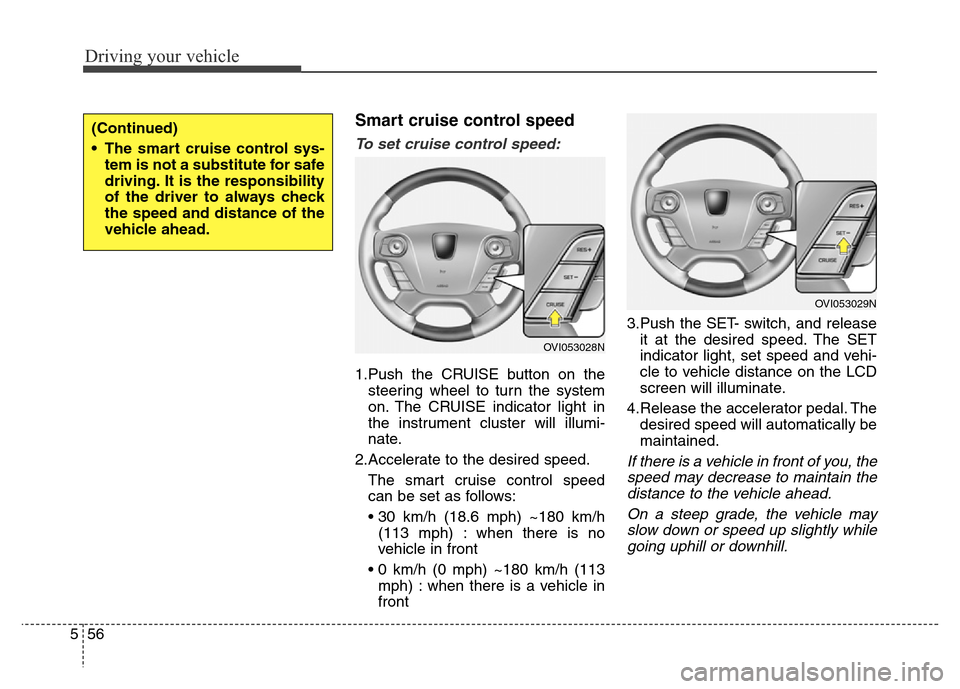
To set cruise control speed:
1.Push the CRUISE button on the
steering wheel to turn the system
on. The CRUISE indicator light in
the instrument cluster will illumi-
nate.
2.Accelerate to the desired speed.
The smart cruise control speed
can be set as follows:
• 30 km/h (18.6 mph) ~180 km/h
(113 mph) : when there is no
vehicle in front
• 0 km/h (0 mph) ~180 km/h (113
mph) : when there is a vehicle in
front3.Push the SET- switch, and release
it at the desired speed. The SET
indicator light, set speed and vehi-
cle to vehicle distance on the LCD
screen will illuminate.
4.Release the accelerator pedal. The
desired speed will automatically be
maintained.
If there is a vehicle in front of you, the
speed may decrease to maintain the
distance to the vehicle ahead.
On a steep grade, the vehicle may
slow down or speed up slightly while
going uphill or downhill.
(Continued)
• The smart cruise control sys-
tem is not a substitute for safe
driving. It is the responsibility
of the driver to always check
the speed and distance of the
vehicle ahead.
OVI053028N
OVI053029N