steering Hyundai Equus 2014 Service Manual
[x] Cancel search | Manufacturer: HYUNDAI, Model Year: 2014, Model line: Equus, Model: Hyundai Equus 2014Pages: 479, PDF Size: 10.15 MB
Page 304 of 479
547
Driving your vehicle
✽ NOTICE
• When you drive over 70km/h, you
may not select the HIGH mode.
• Do not operate ECS when the air
filter of the compressor in the
lower part of the vehicle sinks
under the water.
In draft of water into the compres-
sor may happen, and ECS may not
operate normally.
ECS (electronic controlled
suspension) malfunction
warning message
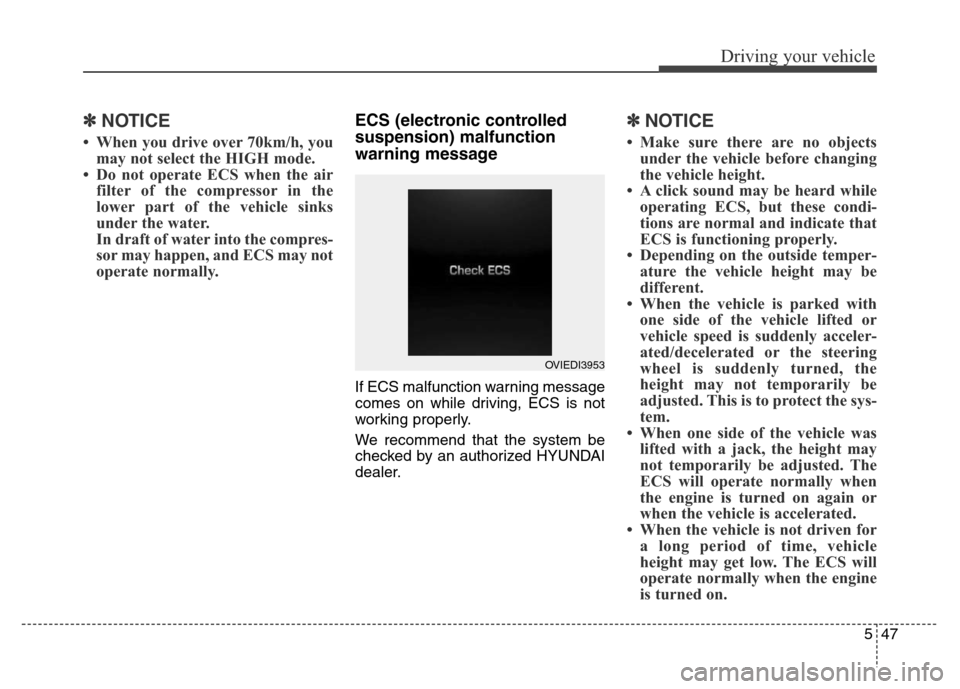
If ECS malfunction warning message
comes on while driving, ECS is not
working properly.
We recommend that the system be
checked by an authorized HYUNDAI
dealer.
✽ NOTICE
• Make sure there are no objects
under the vehicle before changing
the vehicle height.
• A click sound may be heard while
operating ECS, but these condi-
tions are normal and indicate that
ECS is functioning properly.
• Depending on the outside temper-
ature the vehicle height may be
different.
• When the vehicle is parked with
one side of the vehicle lifted or
vehicle speed is suddenly acceler-
ated/decelerated or the steering
wheel is suddenly turned, the
height may not temporarily be
adjusted. This is to protect the sys-
tem.
• When one side of the vehicle was
lifted with a jack, the height may
not temporarily be adjusted. The
ECS will operate normally when
the engine is turned on again or
when the vehicle is accelerated.
• When the vehicle is not driven for
a long period of time, vehicle
height may get low. The ECS will
operate normally when the engine
is turned on.
OVIEDI3953
Page 308 of 479
551
Driving your vehicle
Cruise control speed
To set cruise control speed:
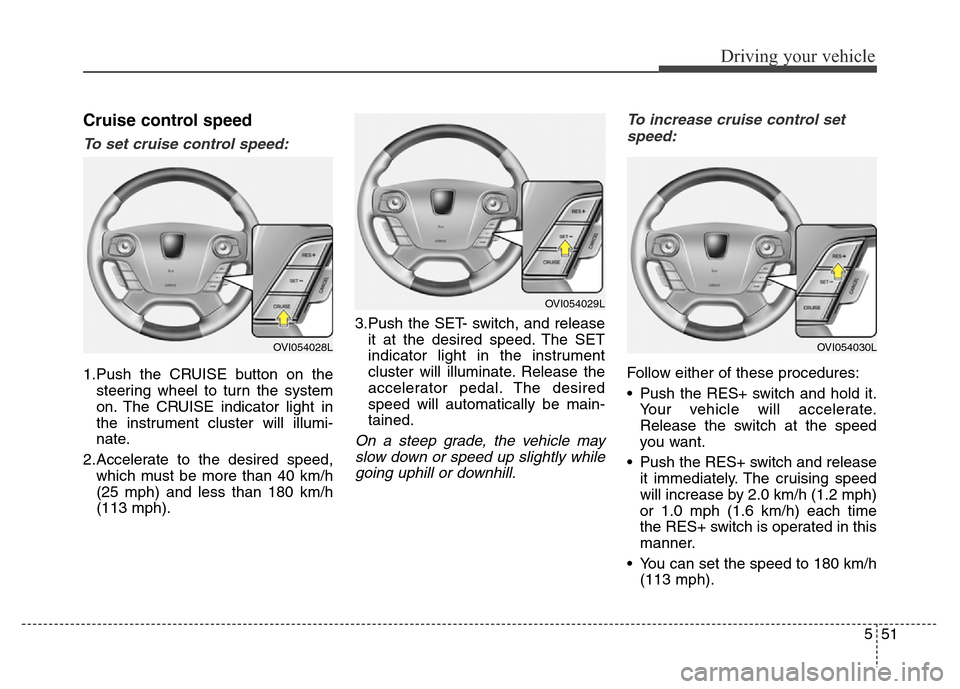
1.Push the CRUISE button on the
steering wheel to turn the system
on. The CRUISE indicator light in
the instrument cluster will illumi-
nate.
2.Accelerate to the desired speed,
which must be more than 40 km/h
(25 mph) and less than 180 km/h
(113 mph).3.Push the SET- switch, and release
it at the desired speed. The SET
indicator light in the instrument
cluster will illuminate. Release the
accelerator pedal. The desired
speed will automatically be main-
tained.
On a steep grade, the vehicle may
slow down or speed up slightly while
going uphill or downhill.To increase cruise control set
speed:
Follow either of these procedures:
• Push the RES+ switch and hold it.
Your vehicle will accelerate.
Release the switch at the speed
you want.
• Push the RES+ switch and release
it immediately. The cruising speed
will increase by 2.0 km/h (1.2 mph)
or 1.0 mph (1.6 km/h) each time
the RES+ switch is operated in this
manner.
• You can set the speed to 180 km/h
(113 mph).
OVI054029L
OVI054030LOVI054028L
Page 309 of 479
Driving your vehicle
52 5
To decrease the cruising speed:
Follow either of these procedures:
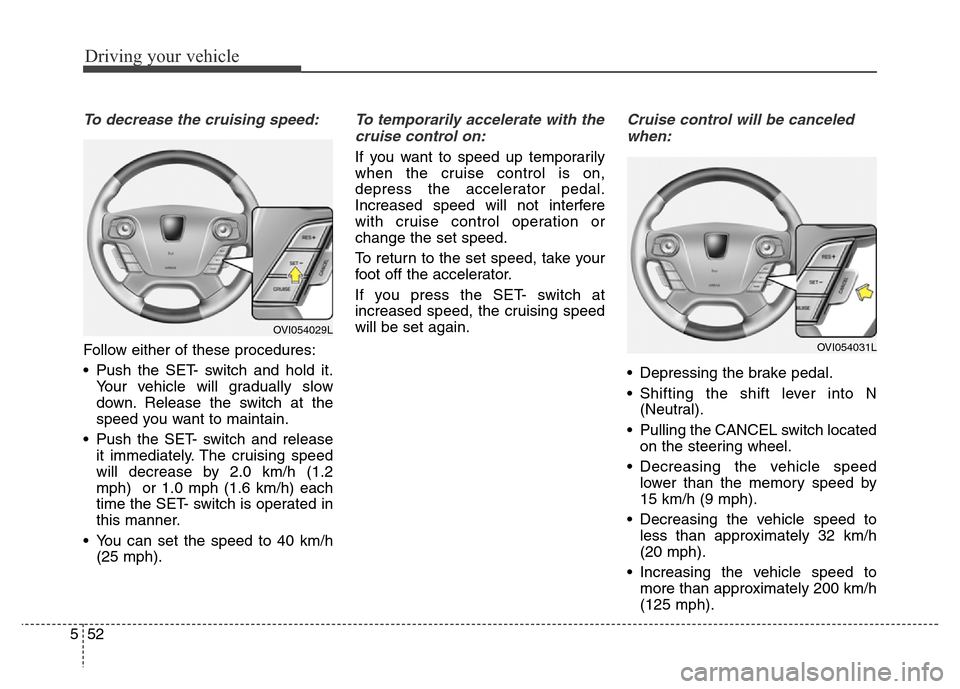
• Push the SET- switch and hold it.
Your vehicle will gradually slow
down. Release the switch at the
speed you want to maintain.
• Push the SET- switch and release
it immediately. The cruising speed
will decrease by 2.0 km/h (1.2
mph) or 1.0 mph (1.6 km/h) each
time the SET- switch is operated in
this manner.
• You can set the speed to 40 km/h
(25 mph).
To temporarily accelerate with the
cruise control on:
If you want to speed up temporarily
when the cruise control is on,
depress the accelerator pedal.
Increased speed will not interfere
with cruise control operation or
change the set speed.
To return to the set speed, take your
foot off the accelerator.
If you press the SET- switch at
increased speed, the cruising speed
will be set again.
Cruise control will be canceled
when:
• Depressing the brake pedal.
• Shifting the shift lever into N
(Neutral).
• Pulling the CANCEL switch located
on the steering wheel.
• Decreasing the vehicle speed
lower than the memory speed by
15 km/h (9 mph).
• Decreasing the vehicle speed to
less than approximately 32 km/h
(20 mph).
• Increasing the vehicle speed to
more than approximately 200 km/h
(125 mph).
OVI054031L
OVI054029L
Page 313 of 479
Driving your vehicle
56 5
Smart cruise control speed
To set cruise control speed:
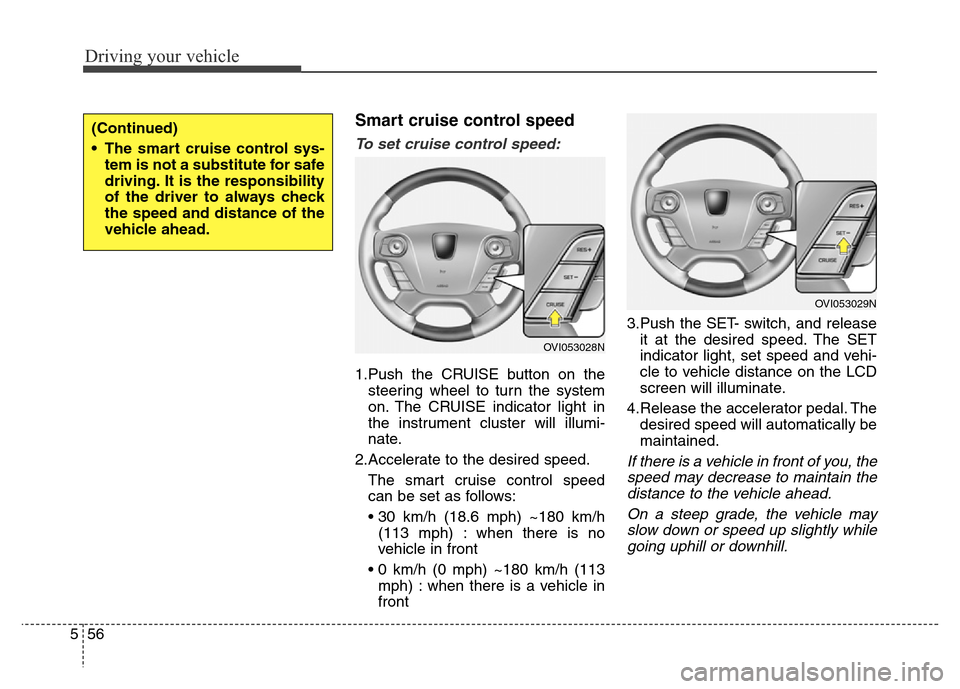
1.Push the CRUISE button on the
steering wheel to turn the system
on. The CRUISE indicator light in
the instrument cluster will illumi-
nate.
2.Accelerate to the desired speed.
The smart cruise control speed
can be set as follows:
• 30 km/h (18.6 mph) ~180 km/h
(113 mph) : when there is no
vehicle in front
• 0 km/h (0 mph) ~180 km/h (113
mph) : when there is a vehicle in
front3.Push the SET- switch, and release
it at the desired speed. The SET
indicator light, set speed and vehi-
cle to vehicle distance on the LCD
screen will illuminate.
4.Release the accelerator pedal. The
desired speed will automatically be
maintained.
If there is a vehicle in front of you, the
speed may decrease to maintain the
distance to the vehicle ahead.
On a steep grade, the vehicle may
slow down or speed up slightly while
going uphill or downhill.
(Continued)
• The smart cruise control sys-
tem is not a substitute for safe
driving. It is the responsibility
of the driver to always check
the speed and distance of the
vehicle ahead.
OVI053028N
OVI053029N
Page 315 of 479
Driving your vehicle
58 5
Smart Cruise control will be tem-
porarily canceled when:
Cancelled manually
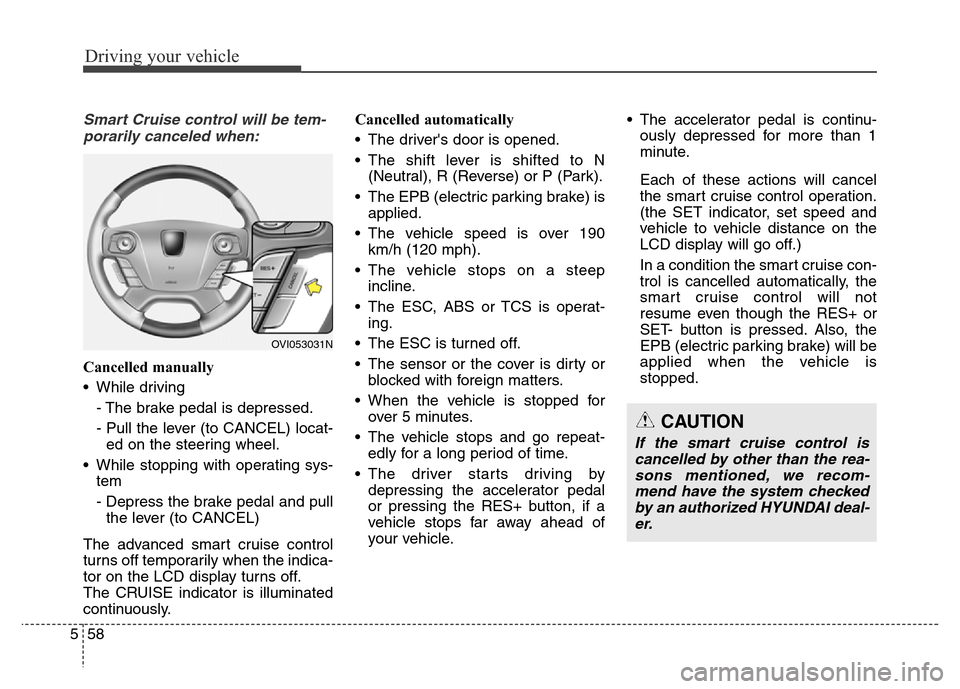
• While driving
- The brake pedal is depressed.
- Pull the lever (to CANCEL) locat-
ed on the steering wheel.
• While stopping with operating sys-
tem
- Depress the brake pedal and pull
the lever (to CANCEL)
The advanced smart cruise control
turns off temporarily when the indica-
tor on the LCD display turns off.
The CRUISE indicator is illuminated
continuously.Cancelled automatically
• The driver's door is opened.
• The shift lever is shifted to N
(Neutral), R (Reverse) or P (Park).
• The EPB (electric parking brake) is
applied.
• The vehicle speed is over 190
km/h (120 mph).
• The vehicle stops on a steep
incline.
• The ESC, ABS or TCS is operat-
ing.
• The ESC is turned off.
• The sensor or the cover is dirty or
blocked with foreign matters.
• When the vehicle is stopped for
over 5 minutes.
• The vehicle stops and go repeat-
edly for a long period of time.
• The driver starts driving by
depressing the accelerator pedal
or pressing the RES+ button, if a
vehicle stops far away ahead of
your vehicle.• The accelerator pedal is continu-
ously depressed for more than 1
minute.
Each of these actions will cancel
the smart cruise control operation.
(the SET indicator, set speed and
vehicle to vehicle distance on the
LCD display will go off.)
In a condition the smart cruise con-
trol is cancelled automatically, the
smart cruise control will not
resume even though the RES+ or
SET- button is pressed. Also, the
EPB (electric parking brake) will be
applied when the vehicle is
stopped.
OVI053031N
CAUTION
If the smart cruise control is
cancelled by other than the rea-
sons mentioned, we recom-
mend have the system checked
by an authorized HYUNDAI deal-
er.
Page 324 of 479

567
Driving your vehicle
A vehicle ahead cannot be recog-
nized correctly by the sensor if any of
following occurs:
- When the vehicle is pointing
upwards due to overloading in the
trunk
- While making turns by steering
- When driving to one side of the lane
- When driving on narrow lanes or on
curves
Adjust your vehicle speed by
depressing the brake pedal accord-
ing to the road condition ahead and
driving condition.• When vehicles are at a standstill
and the vehicle in front of you
changes to the next lane, be care-
ful when your vehicle starts to
move because it may not recog-
nize the stopped vehicle in front of
you.• Always look out for pedestrians
when your vehicle is maintaining a
distance with the vehicle ahead.
OHG050075OHG050076
Page 327 of 479
Driving your vehicle
70 5
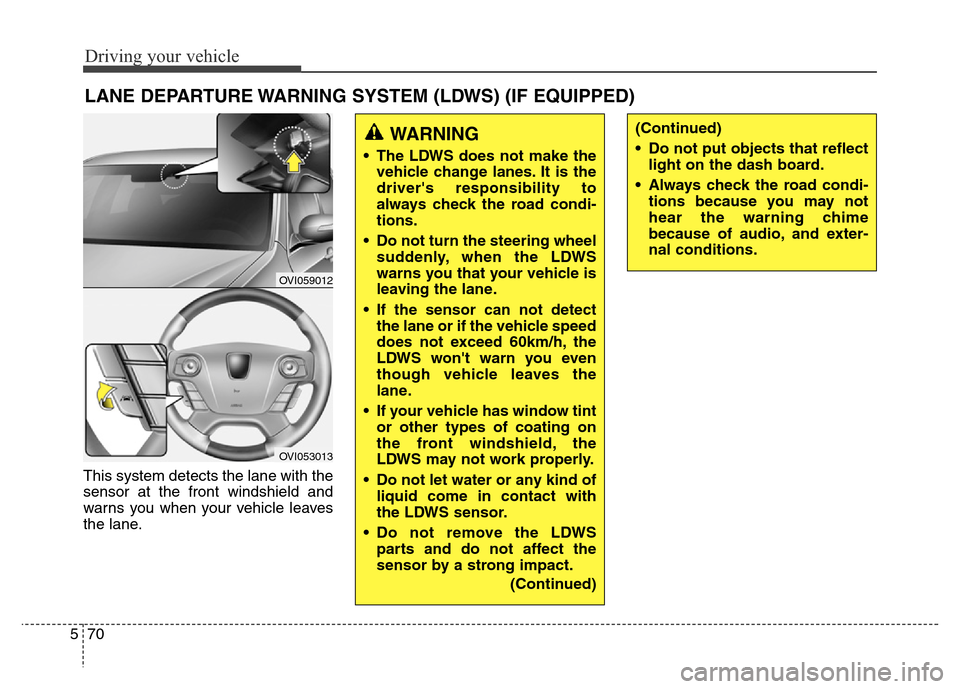
This system detects the lane with the
sensor at the front windshield and
warns you when your vehicle leaves
the lane.
LANE DEPARTURE WARNING SYSTEM (LDWS) (IF EQUIPPED)
OVI059012
OVI053013
WARNING
• The LDWS does not make the
vehicle change lanes. It is the
driver's responsibility to
always check the road condi-
tions.
• Do not turn the steering wheel
suddenly, when the LDWS
warns you that your vehicle is
leaving the lane.
• If the sensor can not detect
the lane or if the vehicle speed
does not exceed 60km/h, the
LDWS won't warn you even
though vehicle leaves the
lane.
• If your vehicle has window tint
or other types of coating on
the front windshield, the
LDWS may not work properly.
• Do not let water or any kind of
liquid come in contact with
the LDWS sensor.
• Do not remove the LDWS
parts and do not affect the
sensor by a strong impact.
(Continued)
(Continued)
• Do not put objects that reflect
light on the dash board.
• Always check the road condi-
tions because you may not
hear the warning chime
because of audio, and exter-
nal conditions.
Page 332 of 479

575
Driving your vehicle
AVSM detects the distance from the
vehicle ahead with the sensor, to
warn you before collision and protect
you in certain hazardous situations
by using warning message, warning
sound and seat belt vibration (if
equipped).
• If the AVSM senses the object
ahead too near the vehicle and if
driver's operating of the brake
pedal or the steering wheel should
be needed, the warning light illumi-
nates.
Immediately reduce your speed.
• If the AVSM senses more danger-
ous, the warning sound also oper-
ates and the seat belt vibrates.
Immediately reduce your speed.
ADVANCED VEHICLE SAFETY MANAGEMENT (AVSM) (IF EQUIPPED)
CAUTION
Always check the road condi-
tions to prevent danger even if
the warning light does not illu-
minate, the warning sound does
not operate or the seat belt does
not vibrate.
OVIEDR29101
Page 342 of 479
585
Driving your vehicle
• Remember, your vehicle does not
require extended warm-up. After
the engine has started, allow the
engine to run for 10 to 20 seconds
prior to placing the vehicle in gear.
In very cold weather, however, give
your engine a slightly longer warm-
up period.
• Don't "lug" or "over-rev" the engine.
Lugging is driving too slowly in too
high a gear resulting in the engine
bucking. If this happens, shift to a
lower gear. Over-revving is racing
the engine beyond its safe limit.
This can be avoided by shifting at
the recommended speeds.
• Use your air conditioning sparingly.
The air conditioning system is
operated by engine power so your
fuel economy is reduced when you
use it.
• Open windows at high speeds can
reduce fuel economy.
• Fuel economy is less in crosswinds
and headwinds. To help offset
some of this loss, slow down when
driving in these conditions.Keeping a vehicle in good operating
condition is important both for econ-
omy and safety. Therefore, we rec-
ommend that the system be serviced
by an authorized HYUNDAI dealer.
WARNING - Engine off
during
motion
Never turn the engine off to
coast down hills or anytime the
vehicle is in motion. The power
steering and power brakes will
not function properly without
the engine running. Instead,
keep the engine on and down-
shift to an appropriate gear for
engine braking effect. In addi-
tion, turning off the ignition
while driving could engage the
steering wheel lock resulting in
loss of vehicle steering which
could cause serious injury or
death.
Page 343 of 479
Driving your vehicle
86 5
Hazardous driving conditions
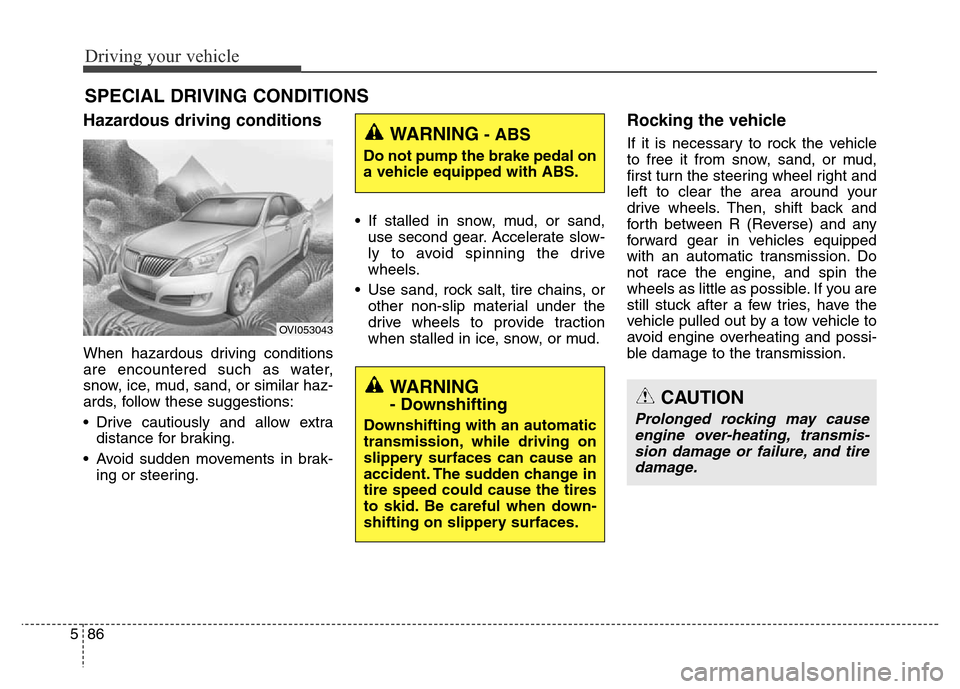
When hazardous driving conditions
are encountered such as water,
snow, ice, mud, sand, or similar haz-
ards, follow these suggestions:
• Drive cautiously and allow extra
distance for braking.
• Avoid sudden movements in brak-
ing or steering.• If stalled in snow, mud, or sand,
use second gear. Accelerate slow-
ly to avoid spinning the drive
wheels.
• Use sand, rock salt, tire chains, or
other non-slip material under the
drive wheels to provide traction
when stalled in ice, snow, or mud.
Rocking the vehicle
If it is necessary to rock the vehicle
to free it from snow, sand, or mud,
first turn the steering wheel right and
left to clear the area around your
drive wheels. Then, shift back and
forth between R (Reverse) and any
forward gear in vehicles equipped
with an automatic transmission. Do
not race the engine, and spin the
wheels as little as possible. If you are
still stuck after a few tries, have the
vehicle pulled out by a tow vehicle to
avoid engine overheating and possi-
ble damage to the transmission.
SPECIAL DRIVING CONDITIONS
OVI053043
WARNING- ABS
Do not pump the brake pedal on
a vehicle equipped with ABS.
WARNING
- Downshifting
Downshifting with an automatic
transmission, while driving on
slippery surfaces can cause an
accident. The sudden change in
tire speed could cause the tires
to skid. Be careful when down-
shifting on slippery surfaces.
CAUTION
Prolonged rocking may cause
engine over-heating, transmis-
sion damage or failure, and tire
damage.