display Hyundai Equus 2015 Service Manual
[x] Cancel search | Manufacturer: HYUNDAI, Model Year: 2015, Model line: Equus, Model: Hyundai Equus 2015Pages: 483, PDF Size: 13.26 MB
Page 273 of 483
Driving your vehicle
12 5
For smooth operation, depress the
brake pedal when shifting from N
(Neutral) to a forward or reverse
gear.Transmission ranges
When ignition switch is off, cluster
and knob (transaxle lever) display
the shift lever position for 30 sec-
onds.
WARNING- Automatic
transmis-
sion
• Always check the surrounding
areas near your vehicle for
people, especially children,
before shifting a car into D
(Drive) or R (Reverse).
• Before leaving the driver’s
seat, always make sure the
shift lever is in the P (Park)
position; then set the parking
brake fully and shut the
engine off. Unexpected and
sudden vehicle movement
can occur if these precautions
are not followed in the order
identified.
• Do not use the engine brake
(shifting from a high gear to
lower gear) rapidly on slip-
pery roads. The vehicle may
slip causing an accident.
CAUTION
• To avoid damage to your
transmission, do not acceler-
ate the engine in R (Reverse)
or any forward gear position
with the brakes on.
• When stopped on an incline,
do not hold the vehicle sta-
tionary with engine power.
Use the service brake or the
parking brake.
• Do not shift from N (Neutral)
or P (Park) into D (Drive), or R
(Reverse) when the engine is
above idle speed.
Page 293 of 483
Driving your vehicle
32 5
(Continued)
Before driving off again, press foot
brake pedal, check the surround-
ing area near your vehicle and
release parking brake manually
with the EPB switch.
• If the AUTO HOLD indicator
lights up yellow, the Auto Hold is
not working properly. We recom-
mend that you contact an author-
ized HYUNDAI dealer.
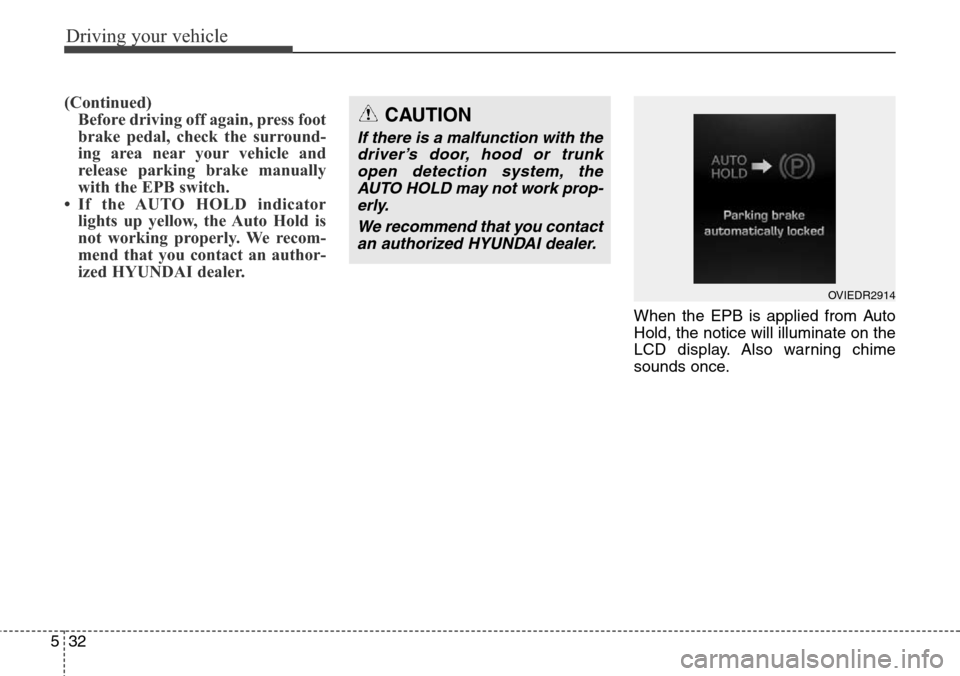
When the EPB is applied from Auto
Hold, the notice will illuminate on the
LCD display. Also warning chime
sounds once.
CAUTION
If there is a malfunction with the
driver’s door, hood or trunk
open detection system, the
AUTO HOLD may not work prop-
erly.
We recommend that you contact
an authorized HYUNDAI dealer.
OVIEDR2914
Page 294 of 483
533
Driving your vehicle
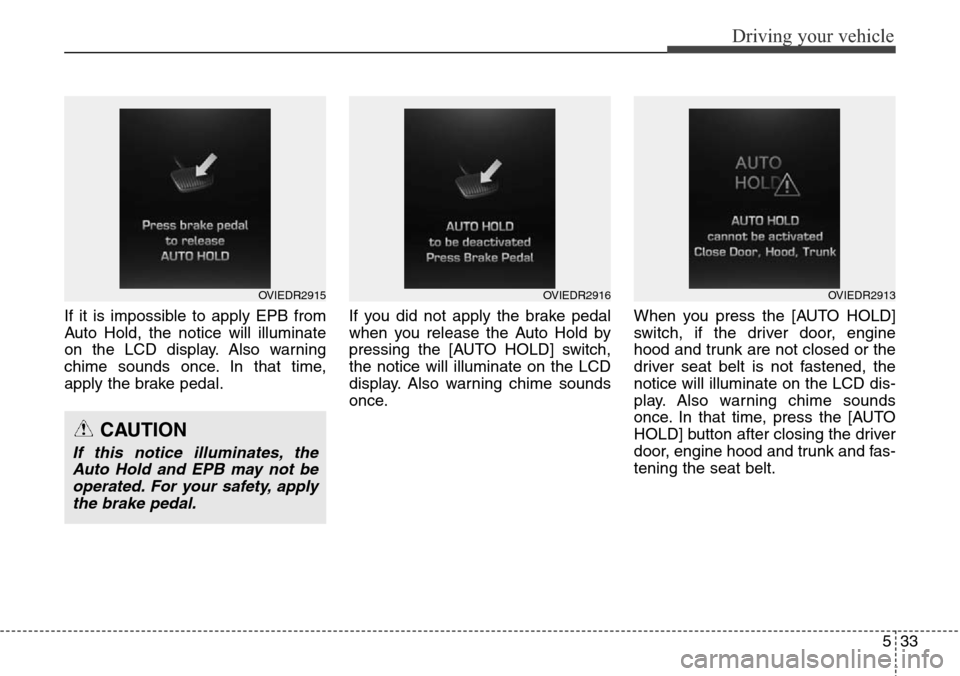
If it is impossible to apply EPB from
Auto Hold, the notice will illuminate
on the LCD display. Also warning
chime sounds once. In that time,
apply the brake pedal.If you did not apply the brake pedal
when you release the Auto Hold by
pressing the [AUTO HOLD] switch,
the notice will illuminate on the LCD
display. Also warning chime sounds
once.When you press the [AUTO HOLD]
switch, if the driver door, engine
hood and trunk are not closed or the
driver seat belt is not fastened, the
notice will illuminate on the LCD dis-
play. Also warning chime sounds
once. In that time, press the [AUTO
HOLD] button after closing the driver
door, engine hood and trunk and fas-
tening the seat belt.
OVIEDR2915OVIEDR2916
CAUTION
If this notice illuminates, the
Auto Hold and EPB may not be
operated. For your safety, apply
the brake pedal.
OVIEDR2913
Page 305 of 483
Driving your vehicle
44 5
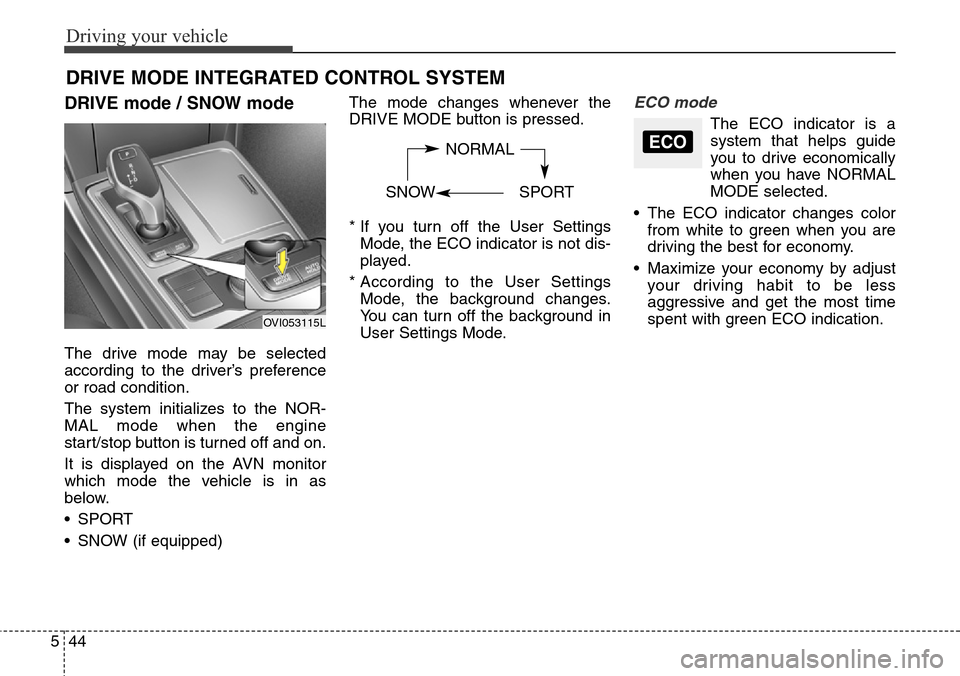
DRIVE mode / SNOW mode
The drive mode may be selected
according to the driver’s preference
or road condition.
The system initializes to the NOR-
MAL mode when the engine
start/stop button is turned off and on.
It is displayed on the AVN monitor
which mode the vehicle is in as
below.
• SPORT
• SNOW (if equipped)The mode changes whenever the
DRIVE MODE button is pressed.
* If you turn off the User Settings
Mode, the ECO indicator is not dis-
played.
* According to the User Settings
Mode, the background changes.
You can turn off the background in
User Settings Mode.
ECO mode
The ECO indicator is a
system that helps guide
you to drive economically
when you have NORMAL
MODE selected.
• The ECO indicator changes color
from white to green when you are
driving the best for economy.
• Maximize your economy by adjust
your driving habit to be less
aggressive and get the most time
spent with green ECO indication.
DRIVE MODE INTEGRATED CONTROL SYSTEM
NORMAL
SNOW SPORTECO
OVI053115L
Page 306 of 483
545
Driving your vehicle
SPORT mode
SPORT mode focuses on dynamic
driving by automatically adjusting the
steering wheel, engine and transaxle
system.
• When the DRIVE MODE
button is pressed and
the SPORT mode is
selected, the SPORT
indicator will illuminate.
• If the SPORT mode is activated,
and the engine start/stop button is
turned off and on DRIVE MODE
would be changed to NORMAL
mode. To turn on the SPORT mode
press DRIVE MODE button again.
• If the system is activated:
- Deceleration from release of
accelerator pedal will result in less
rapid fall in RPM (revolutions per
minute) than in the NORMAL
mode.
- Up-shifting is delayed.
✽ NOTICE
In Sport drive mode, the fuel effi-
ciency may decrease.
✽ NOTICE
If you activate the Driving Mode
Theme on the User Settings Mode of
the LCD display (if equipped), the
SPORT and SNOW indicators will
not turn on the instrument cluster.
SNOW mode (if equipped)
Snow mode helps the driver to drive
more effectively on slippery roads
such as snowy or muddy roads.
• When the DRIVE MODE
button is pressed and
the SNOW mode is
selected, the SNOW
indicator will illuminate.
SPORTSNOW
Page 319 of 483
Driving your vehicle
58 5
Smart Cruise control will be tem-
porarily canceled when:
Cancelled manually
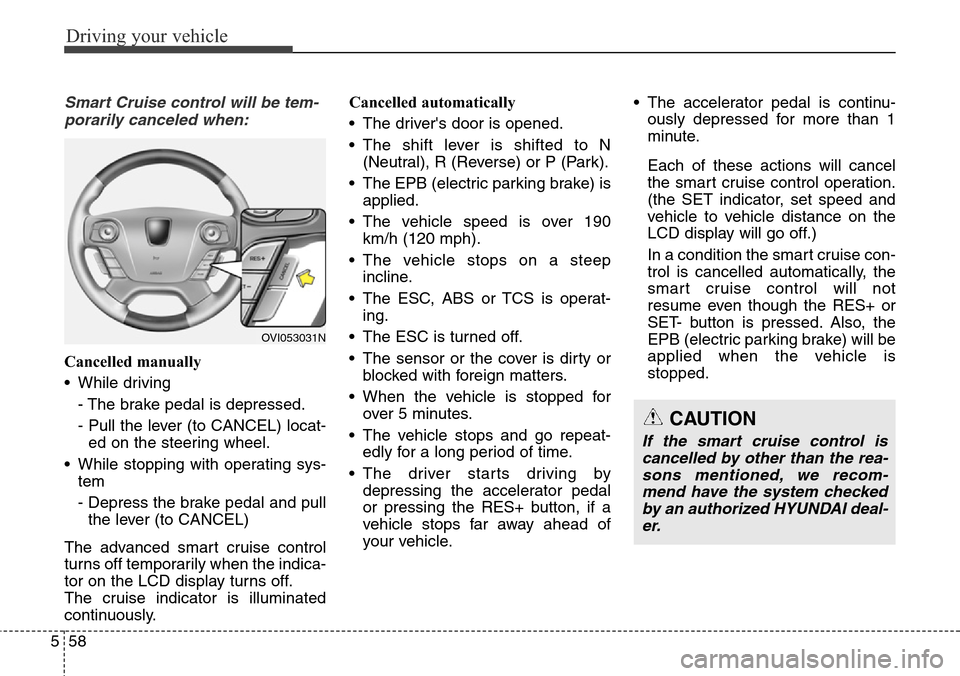
• While driving
- The brake pedal is depressed.
- Pull the lever (to CANCEL) locat-
ed on the steering wheel.
• While stopping with operating sys-
tem
- Depress the brake pedal and pull
the lever (to CANCEL)
The advanced smart cruise control
turns off temporarily when the indica-
tor on the LCD display turns off.
The cruise indicator is illuminated
continuously.Cancelled automatically
• The driver's door is opened.
• The shift lever is shifted to N
(Neutral), R (Reverse) or P (Park).
• The EPB (electric parking brake) is
applied.
• The vehicle speed is over 190
km/h (120 mph).
• The vehicle stops on a steep
incline.
• The ESC, ABS or TCS is operat-
ing.
• The ESC is turned off.
• The sensor or the cover is dirty or
blocked with foreign matters.
• When the vehicle is stopped for
over 5 minutes.
• The vehicle stops and go repeat-
edly for a long period of time.
• The driver starts driving by
depressing the accelerator pedal
or pressing the RES+ button, if a
vehicle stops far away ahead of
your vehicle.• The accelerator pedal is continu-
ously depressed for more than 1
minute.
Each of these actions will cancel
the smart cruise control operation.
(the SET indicator, set speed and
vehicle to vehicle distance on the
LCD display will go off.)
In a condition the smart cruise con-
trol is cancelled automatically, the
smart cruise control will not
resume even though the RES+ or
SET- button is pressed. Also, the
EPB (electric parking brake) will be
applied when the vehicle is
stopped.
OVI053031N
CAUTION
If the smart cruise control is
cancelled by other than the rea-
sons mentioned, we recom-
mend have the system checked
by an authorized HYUNDAI deal-
er.
Page 322 of 483
561
Driving your vehicle
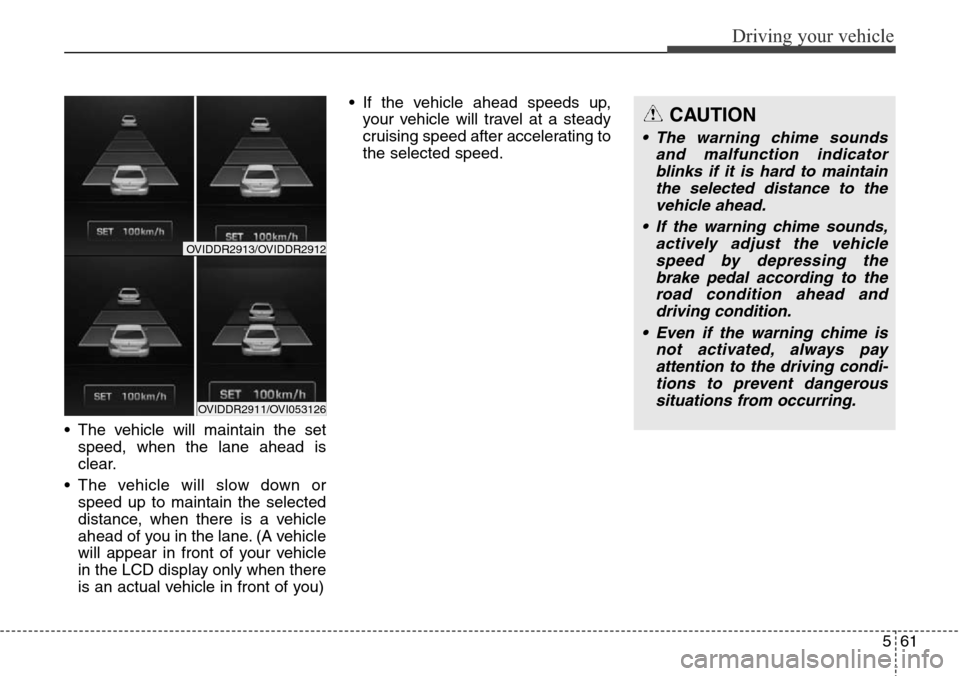
• The vehicle will maintain the set
speed, when the lane ahead is
clear.
• The vehicle will slow down or
speed up to maintain the selected
distance, when there is a vehicle
ahead of you in the lane. (A vehicle
will appear in front of your vehicle
in the LCD display only when there
is an actual vehicle in front of you) • If the vehicle ahead speeds up,
your vehicle will travel at a steady
cruising speed after accelerating to
the selected speed.
CAUTION
• The warning chime sounds
and malfunction indicator
blinks if it is hard to maintain
the selected distance to the
vehicle ahead.
• If the warning chime sounds,
actively adjust the vehicle
speed by depressing the
brake pedal according to the
road condition ahead and
driving condition.
• Even if the warning chime is
not activated, always pay
attention to the driving condi-
tions to prevent dangerous
situations from occurring.
OVIDDR2911/OVI053126
OVIDDR2913/OVIDDR2912
Page 333 of 483
Driving your vehicle
72 5
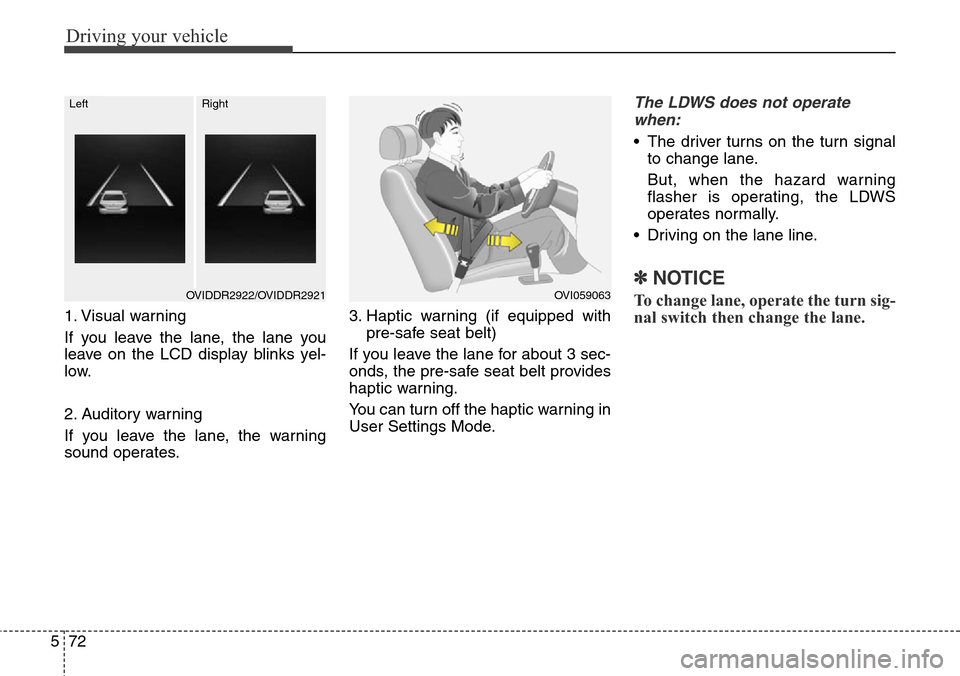
1. Visual warning
If you leave the lane, the lane you
leave on the LCD display blinks yel-
low.
2. Auditory warning
If you leave the lane, the warning
sound operates.3. Haptic warning (if equipped with
pre-safe seat belt)
If you leave the lane for about 3 sec-
onds, the pre-safe seat belt provides
haptic warning.
You can turn off the haptic warning in
User Settings Mode.
The LDWS does not operate
when:
• The driver turns on the turn signal
to change lane.
But, when the hazard warning
flasher is operating, the LDWS
operates normally.
• Driving on the lane line.
✽NOTICE
To change lane, operate the turn sig-
nal switch then change the lane.OVI059063OVIDDR2922/OVIDDR2921
LeftRight
Page 341 of 483
Driving your vehicle
80 5
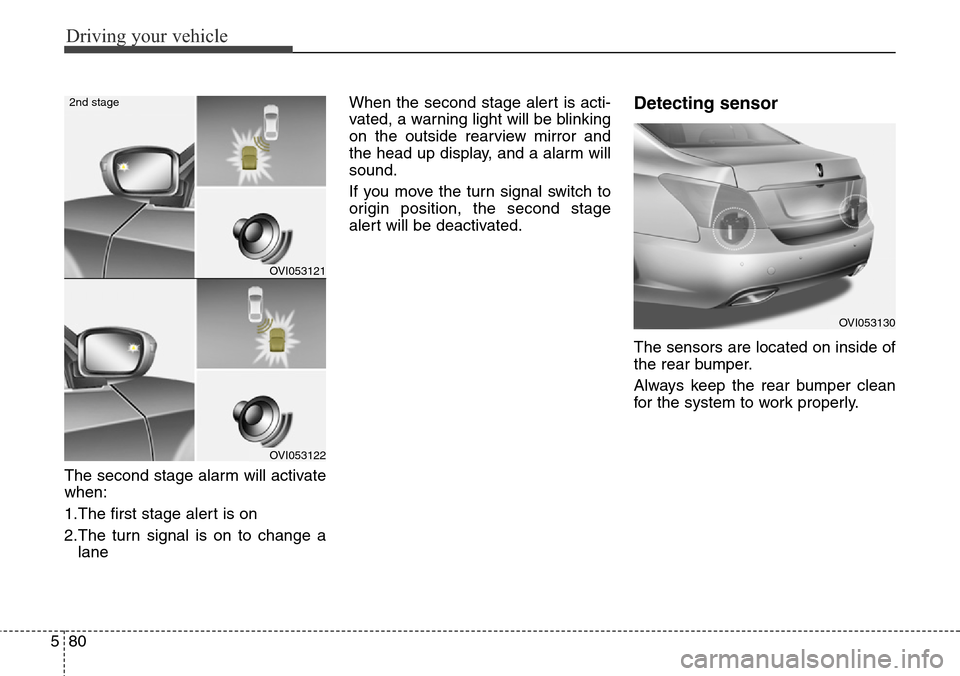
The second stage alarm will activate
when:
1.The first stage alert is on
2.The turn signal is on to change a
laneWhen the second stage alert is acti-
vated, a warning light will be blinking
on the outside rearview mirror and
the head up display, and a alarm will
sound.
If you move the turn signal switch to
origin position, the second stage
alert will be deactivated.
Detecting sensor
The sensors are located on inside of
the rear bumper.
Always keep the rear bumper clean
for the system to work properly.
OVI053121
OVI053122
2nd stage
OVI053130
Page 343 of 483
Driving your vehicle
82 5
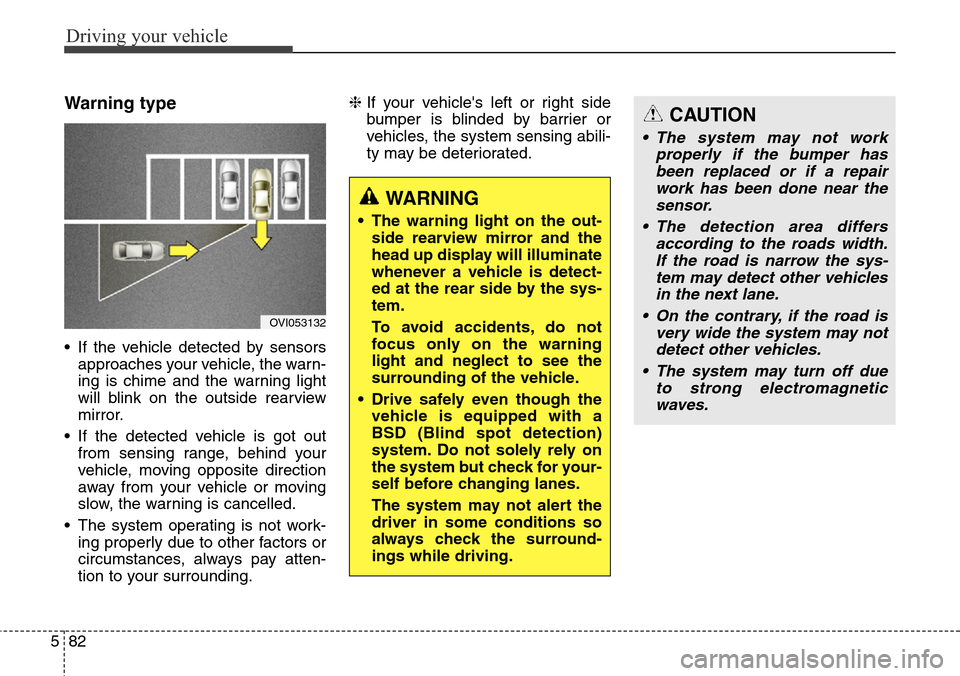
Warning type
• If the vehicle detected by sensors
approaches your vehicle, the warn-
ing is chime and the warning light
will blink on the outside rearview
mirror.
• If the detected vehicle is got out
from sensing range, behind your
vehicle, moving opposite direction
away from your vehicle or moving
slow, the warning is cancelled.
• The system operating is not work-
ing properly due to other factors or
circumstances, always pay atten-
tion to your surrounding.❈If your vehicle's left or right side
bumper is blinded by barrier or
vehicles, the system sensing abili-
ty may be deteriorated.
OVI053132
WARNING
• The warning light on the out-
side rearview mirror and the
head up display will illuminate
whenever a vehicle is detect-
ed at the rear side by the sys-
tem.
To avoid accidents, do not
focus only on the warning
light and neglect to see the
surrounding of the vehicle.
• Drive safely even though the
vehicle is equipped with a
BSD (Blind spot detection)
system. Do not solely rely on
the system but check for your-
self before changing lanes.
The system may not alert the
driver in some conditions so
always check the surround-
ings while driving.
CAUTION
• The system may not work
properly if the bumper has
been replaced or if a repair
work has been done near the
sensor.
• The detection area differs
according to the roads width.
If the road is narrow the sys-
tem may detect other vehicles
in the next lane.
• On the contrary, if the road is
very wide the system may not
detect other vehicles.
• The system may turn off due
to strong electromagnetic
waves.