rear Hyundai Equus 2015 Manual Online
[x] Cancel search | Manufacturer: HYUNDAI, Model Year: 2015, Model line: Equus, Model: Hyundai Equus 2015Pages: 483, PDF Size: 13.26 MB
Page 215 of 483
Features of your vehicle
126 4
Front fog light
Fog lights are used to provide
improved visibility when visibility is
poor due to fog, rain or snow, etc.
1. Turn on the position lamp.
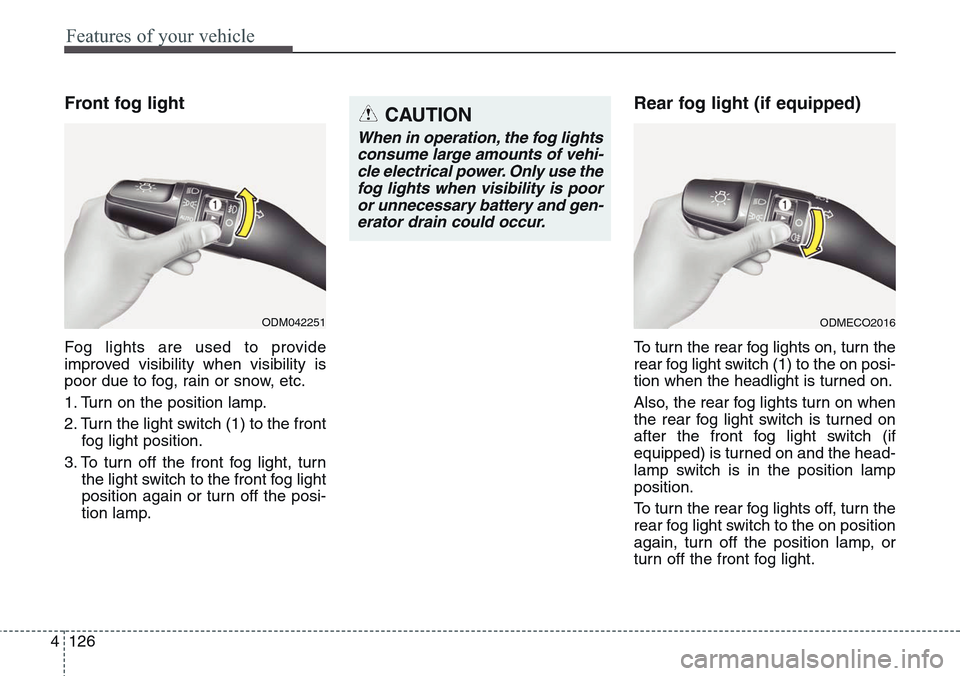
2. Turn the light switch (1) to the front
fog light position.
3. To turn off the front fog light, turn
the light switch to the front fog light
position again or turn off the posi-
tion lamp.
Rear fog light (if equipped)
To turn the rear fog lights on, turn the
rear fog light switch (1) to the on posi-
tion when the headlight is turned on.
Also, the rear fog lights turn on when
the rear fog light switch is turned on
after the front fog light switch (if
equipped) is turned on and the head-
lamp switch is in the position lamp
position.
To turn the rear fog lights off, turn the
rear fog light switch to the on position
again, turn off the position lamp, or
turn off the front fog light.
ODM042251
CAUTION
When in operation, the fog lights
consume large amounts of vehi-
cle electrical power. Only use the
fog lights when visibility is poor
or unnecessary battery and gen-
erator drain could occur.
ODMECO2016
Page 220 of 483
4131
Features of your vehicle
INTERIOR LIGHT
Front
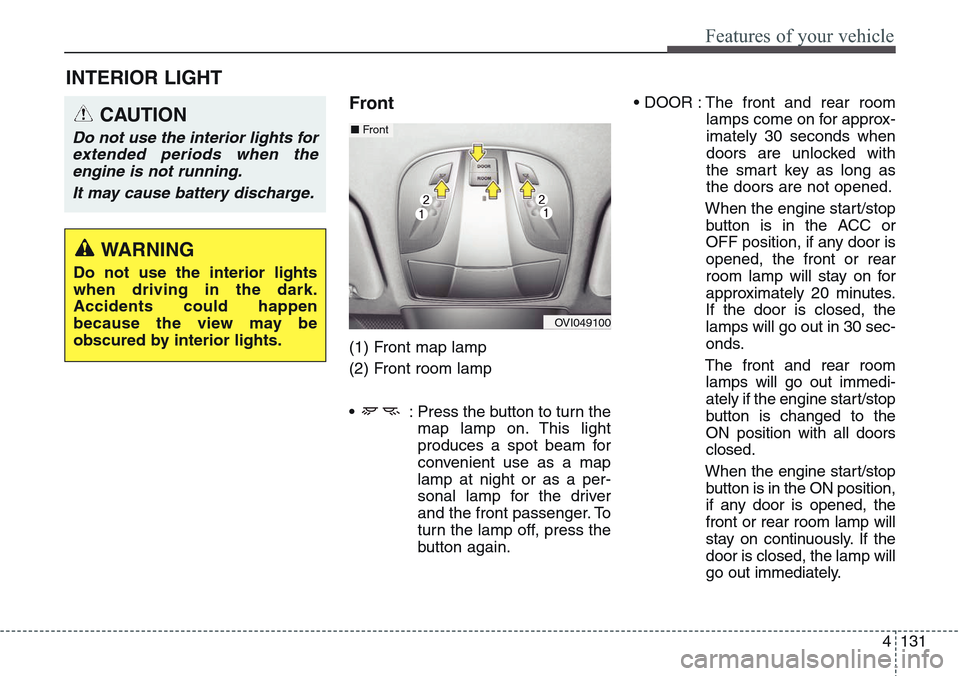
(1) Front map lamp
(2) Front room lamp
• : Press the button to turn the
map lamp on. This light
produces a spot beam for
convenient use as a map
lamp at night or as a per-
sonal lamp for the driver
and the front passenger. To
turn the lamp off, press the
button again.• DOOR : The front and rear room
lamps come on for approx-
imately 30 seconds when
doors are unlocked with
the smart key as long as
the doors are not opened.
When the engine start/stop
button is in the ACC or
OFF position, if any door is
opened, the front or rear
room lamp will stay on for
approximately 20 minutes.
If the door is closed, the
lamps will go out in 30 sec-
onds.
The front and rear room
lamps will go out immedi-
ately if the engine start/stop
button is changed to the
ON position with all doors
closed.
When the engine start/stop
button is in the ON position,
if any door is opened, the
front or rear room lamp will
stay on continuously. If the
door is closed, the lamp will
go out immediately.
CAUTION
Do not use the interior lights for
extended periods when the
engine is not running.
It may cause battery discharge.
OVI049100
■Front
WARNING
Do not use the interior lights
when driving in the dark.
Accidents could happen
because the view may be
obscured by interior lights.
Page 221 of 483
Features of your vehicle
132 4
•
ROOM: Pressing the button, turns
the front and rear room
lamps on. To turn the
lamps off, press the
ROOM button again.Rear
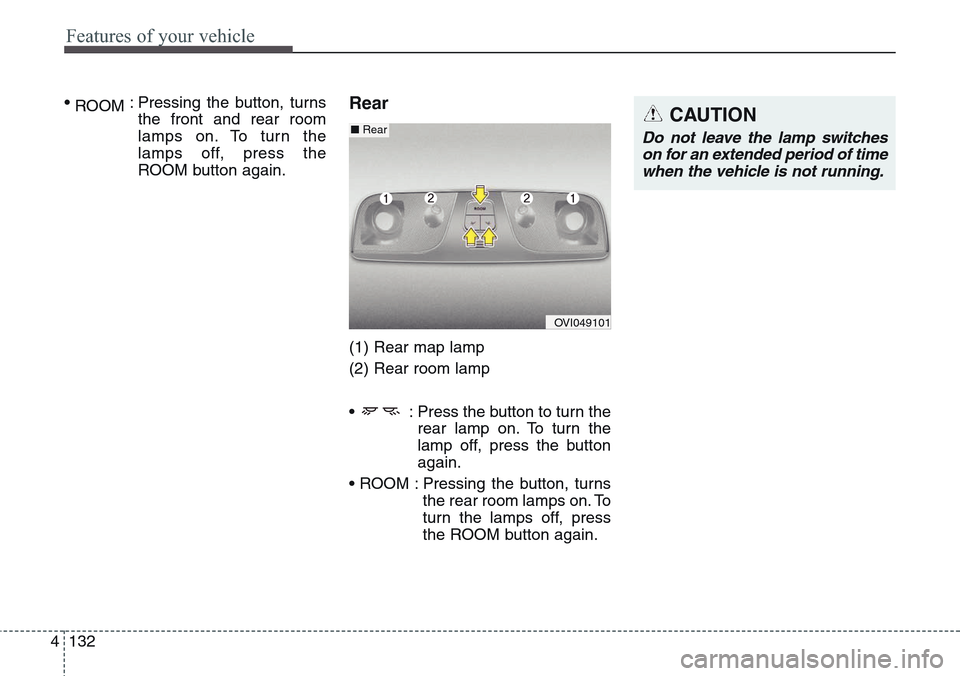
(1) Rear map lamp
(2) Rear room lamp
• : Press the button to turn the
rear lamp on. To turn the
lamp off, press the button
again.
• ROOM : Pressing the button, turns
the rear room lamps on. To
turn the lamps off, press
the ROOM button again.
CAUTION
Do not leave the lamp switches
on for an extended period of time
when the vehicle is not running.
OVI049101
■Rear
Page 224 of 483
4135
Features of your vehicle
Puddle lamp
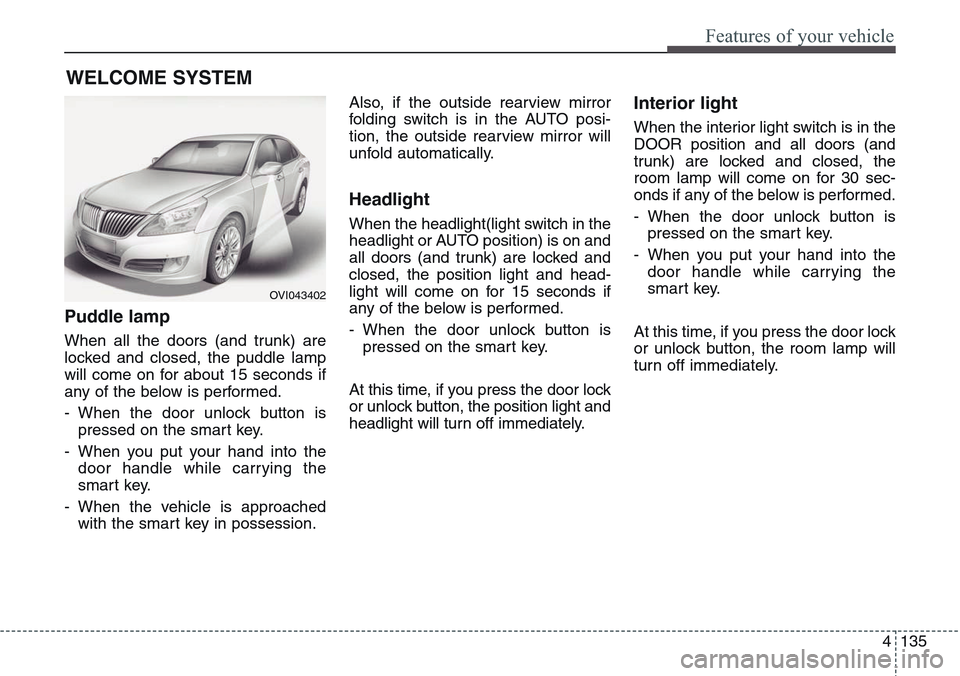
When all the doors (and trunk) are
locked and closed, the puddle lamp
will come on for about 15 seconds if
any of the below is performed.
- When the door unlock button is
pressed on the smart key.
- When you put your hand into the
door handle while carrying the
smart key.
- When the vehicle is approached
with the smart key in possession.Also, if the outside rearview mirror
folding switch is in the AUTO posi-
tion, the outside rearview mirror will
unfold automatically.
Headlight
When the headlight(light switch in the
headlight or AUTO position) is on and
all doors (and trunk) are locked and
closed, the position light and head-
light will come on for 15 seconds if
any of the below is performed.
- When the door unlock button is
pressed on the smart key.
At this time, if you press the door lock
or unlock button, the position light and
headlight will turn off immediately.
Interior light
When the interior light switch is in the
DOOR position and all doors (and
trunk) are locked and closed, the
room lamp will come on for 30 sec-
onds if any of the below is performed.
- When the door unlock button is
pressed on the smart key.
- When you put your hand into the
door handle while carrying the
smart key.
At this time, if you press the door lock
or unlock button, the room lamp will
turn off immediately.
WELCOME SYSTEM
OVI043402
Page 225 of 483
Features of your vehicle
136 4
✽NOTICE
If you want to defrost and defog the
front windshield, refer to
“Windshield defrosting and defog-
ging” in this section.
Rear window defroster
The defroster heats the window to
remove frost, fog and thin ice from
the rear window, while the engine is
running.
To activate the rear window
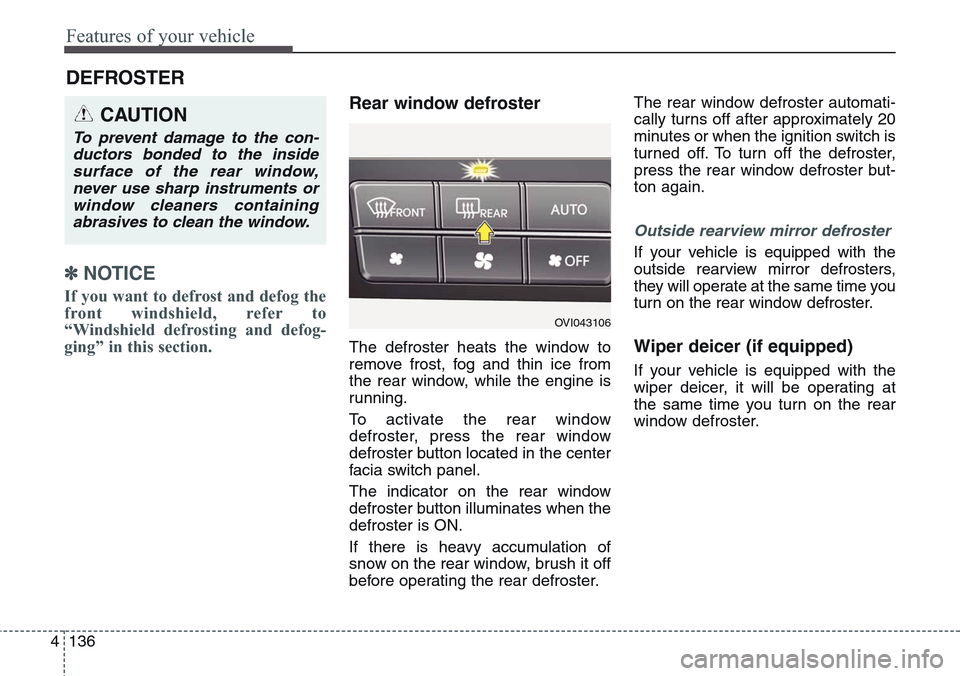
defroster, press the rear window
defroster button located in the center
facia switch panel.
The indicator on the rear window
defroster button illuminates when the
defroster is ON.
If there is heavy accumulation of
snow on the rear window, brush it off
before operating the rear defroster.The rear window defroster automati-
cally turns off after approximately 20
minutes or when the ignition switch is
turned off. To turn off the defroster,
press the rear window defroster but-
ton again.
Outside rearview mirror defroster
If your vehicle is equipped with the
outside rearview mirror defrosters,
they will operate at the same time you
turn on the rear window defroster.
Wiper deicer (if equipped)
If your vehicle is equipped with the
wiper deicer, it will be operating at
the same time you turn on the rear
window defroster.
DEFROSTER
CAUTION
To prevent damage to the con-
ductors bonded to the inside
surface of the rear window,
never use sharp instruments or
window cleaners containing
abrasives to clean the window.
OVI043106
Page 226 of 483
4137
Features of your vehicle
AUTOMATIC CLIMATE CONTROL SYSTEM (IF EQUIPPED)
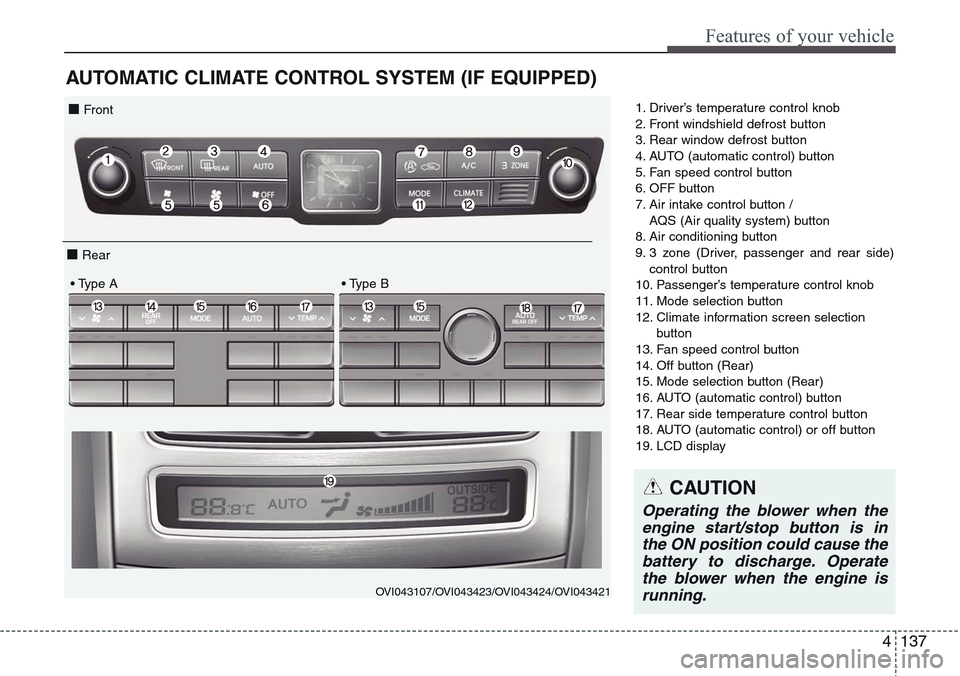
1. Driver’s temperature control knob
2. Front windshield defrost button
3. Rear window defrost button
4. AUTO (automatic control) button
5. Fan speed control button
6. OFF button
7. Air intake control button /
AQS (Air quality system) button
8. Air conditioning button
9. 3 zone (Driver, passenger and rear side)
control button
10. Passenger’s temperature control knob
11. Mode selection button
12. Climate information screen selection
button
13. Fan speed control button
14. Off button (Rear)
15. Mode selection button (Rear)
16. AUTO (automatic control) button
17. Rear side temperature control button
18. AUTO (automatic control) or off button
19. LCD display
OVI043107/OVI043423/OVI043424/OVI043421
■ Front
■ Rear
• Type A • Type B
CAUTION
Operating the blower when the
engine start/stop button is in
the ON position could cause the
battery to discharge. Operate
the blower when the engine is
running.
Page 227 of 483
Features of your vehicle
138 4
Automatic heating and air con-
ditioning
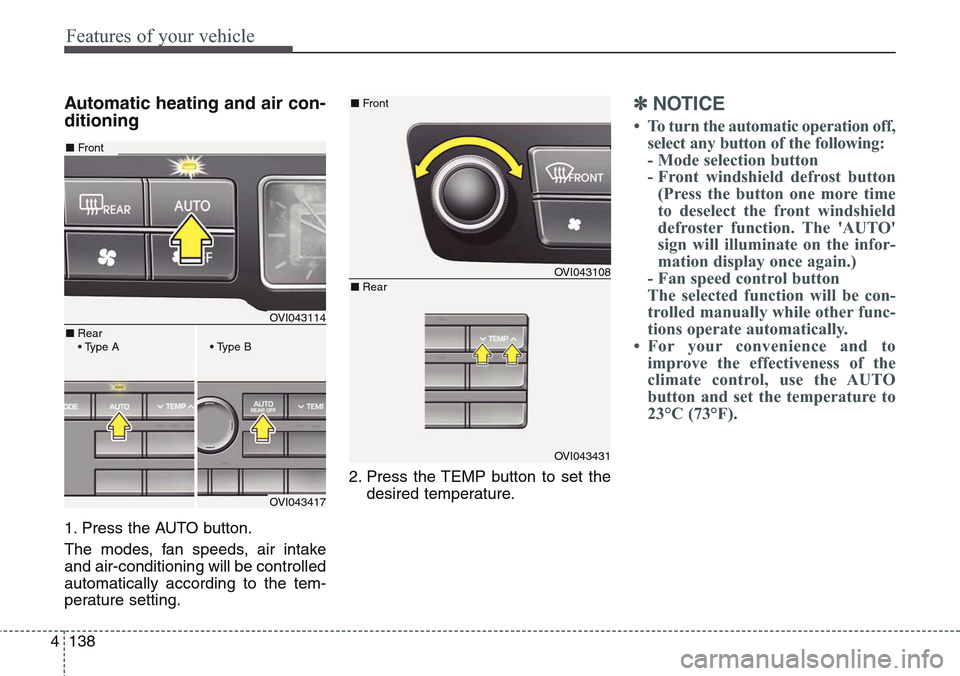
1. Press the AUTO button.
The modes, fan speeds, air intake
and air-conditioning will be controlled
automatically according to the tem-
perature setting.2. Press the TEMP button to set the
desired temperature.
✽NOTICE
• To turn the automatic operation off,
select any button of the following:
- Mode selection button
- Front windshield defrost button
(Press the button one more time
to deselect the front windshield
defroster function. The 'AUTO'
sign will illuminate on the infor-
mation display once again.)
- Fan speed control button
The selected function will be con-
trolled manually while other func-
tions operate automatically.
• For your convenience and to
improve the effectiveness of the
climate control, use the AUTO
button and set the temperature to
23°C (73°F).
OVI043114
OVI043417
■Front
■Rear
• Type A• Type B
OVI043108
OVI043431
■Front
■Rear
Page 228 of 483
4 139
Features of your vehicle
✽NOTICE
Never place anything near the sensor
to ensure better control of the heating
and cooling system.
Manual heating and air condi-
tioning
The heating and cooling system can be
controlled manually by pushing buttons
other than the AUTO button. In this
case, the system works sequentially
according to the order of buttons select-
ed. When pressing any button except
the AUTO button while using automatic
operation, the functions not selected
will be controlled automatically.
1. Start the engine.
2. Set the mode to the desired position.
For improving the effectiveness of
heating and cooling;
- Heating:
- Cooling:
3. Set the temperature control to the
desired position.
4. Set the air intake control to the
outside (fresh) air position.
5. Set the fan speed control to the
desired speed.
6. If air conditioning is desired, turn
the air conditioning system on.
Press the AUTO button in order to
convert to full automatic control of
the system.
3 Zone control button
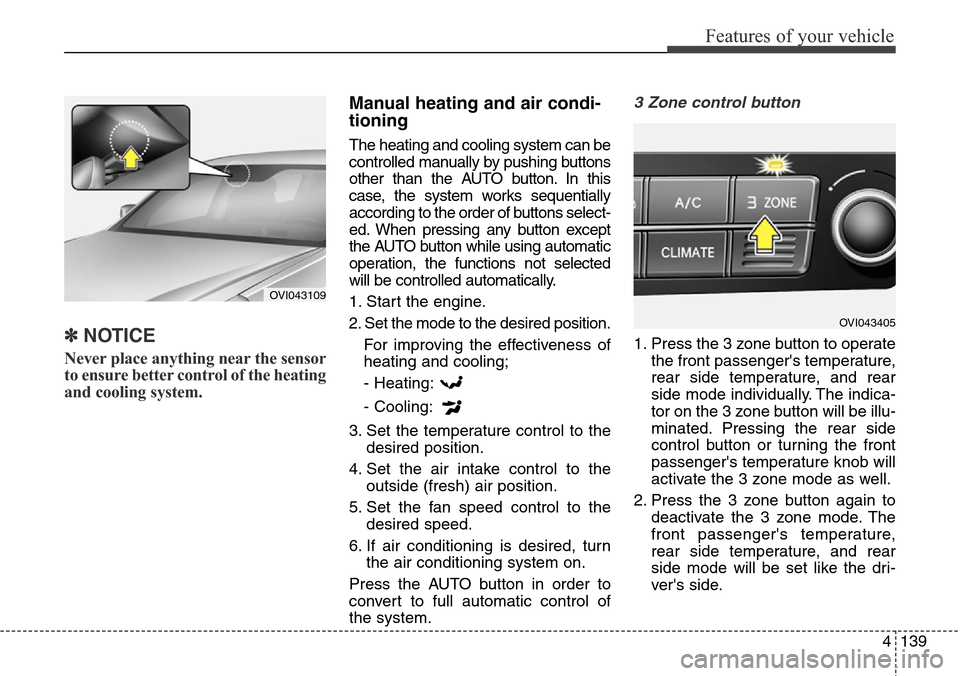
1. Press the 3 zone button to operate
the front passenger's temperature,
rear side temperature, and rear
side mode individually. The indica-
tor on the 3 zone button will be illu-
minated. Pressing the rear side
control button or turning the front
passenger's temperature knob will
activate the 3 zone mode as well.
2. Press the 3 zone button again to
deactivate the 3 zone mode. The
front passenger's temperature,
rear side temperature, and rear
side mode will be set like the dri-
ver's side.
OVI043109
OVI043405
Page 229 of 483
Features of your vehicle
140 4
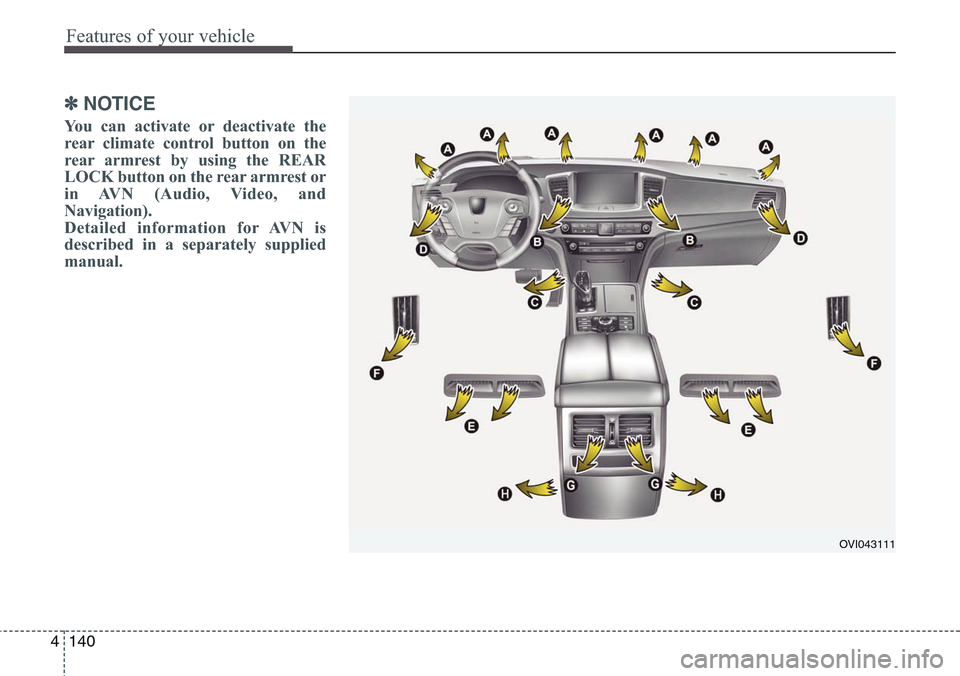
✽NOTICE
You can activate or deactivate the
rear climate control button on the
rear armrest by using the REAR
LOCK button on the rear armrest or
in AVN (Audio, Video, and
Navigation).
Detailed information for AVN is
described in a separately supplied
manual.
OVI043111
Page 230 of 483
4141
Features of your vehicle
❈ Rear outlet vents (F)
• The air flow of the Rear outlet
vents is controlled by the front cli-
mate control system and delivered
through the inside air duct of the
front doors. If the door is open or
not closed completely, the air flow
of the Rear outlet vent is not deliv-
ered properly. Make sure the front
doors are closed completely.
• The air flow of the Rear outlet
vents may be weaker than the
instrument panel vents for the long
air duct in the front doors.Mode selection
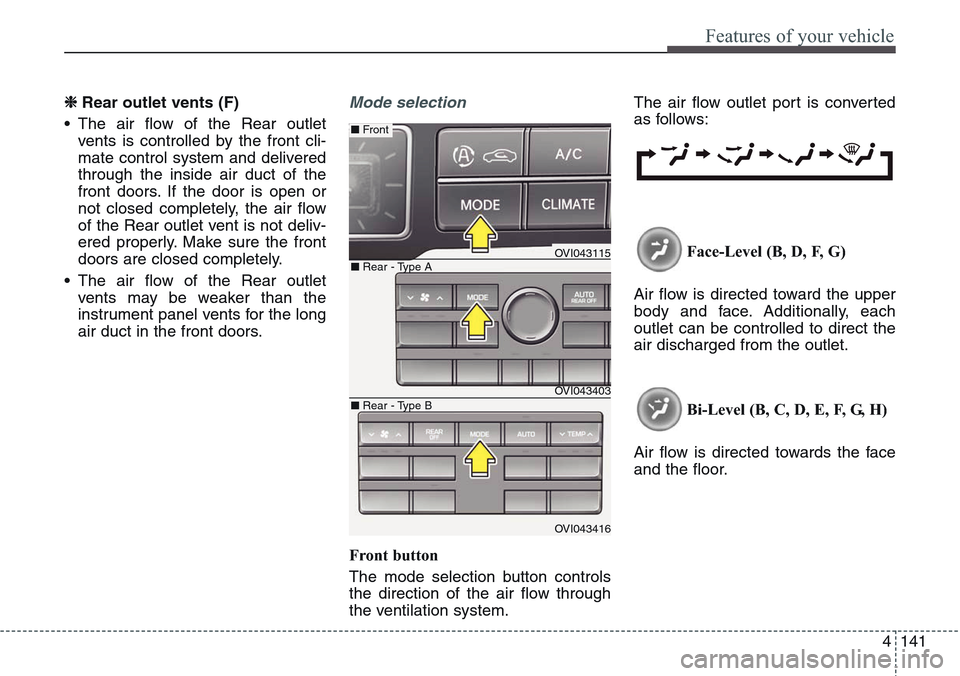
Front button
The mode selection button controls
the direction of the air flow through
the ventilation system.The air flow outlet port is converted
as follows:
Face-Level (B, D, F, G)
Air flow is directed toward the upper
body and face. Additionally, each
outlet can be controlled to direct the
air discharged from the outlet.
Bi-Level (B, C, D, E, F, G, H)
Air flow is directed towards the face
and the floor.
OVI043115
OVI043403
OVI043416
■ Rear - Type A
■ Front
■ Rear - Type B