warning Hyundai Equus 2016 Owners Manual
[x] Cancel search | Manufacturer: HYUNDAI, Model Year: 2016, Model line: Equus, Model: Hyundai Equus 2016Pages: 477, PDF Size: 16.25 MB
Page 164 of 477
LCD Modes
L
LC
C D
D
D
D I
IS
S P
P L
LA
A Y
Y
3-69
Convenient features of your vehicle03
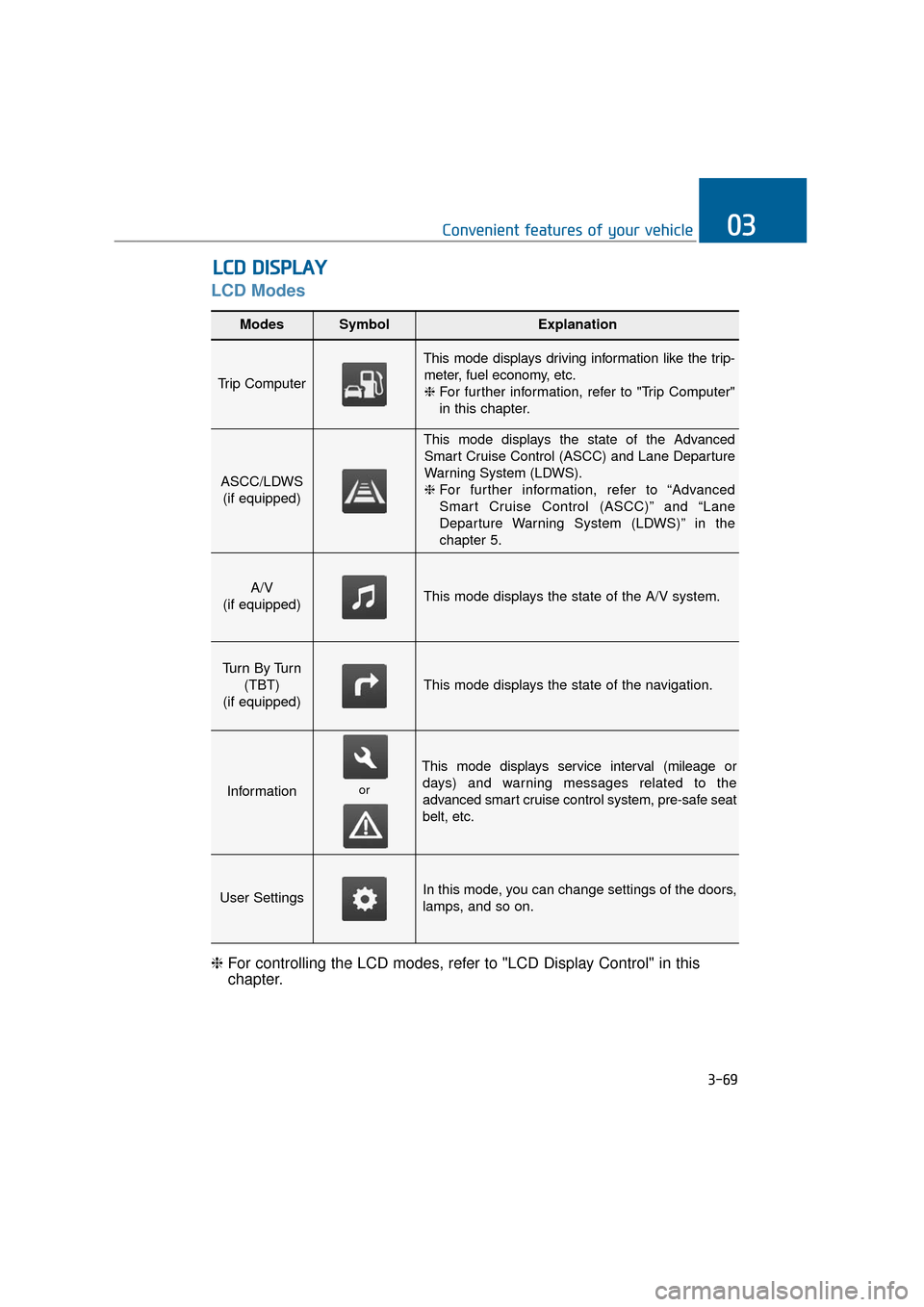
Modes SymbolExplanation
Trip Computer
This mode displays driving information like the trip-
meter, fuel economy, etc.❈ For further information, refer to "Trip Computer"
in this chapter.
ASCC/LDWS
(if equipped)
This mode displays the state of the AdvancedSmart Cruise Control (ASCC) and Lane Departure
Warning System (LDWS).
❈ For further information, refer to “Advanced
Smart Cruise Control (ASCC)” and “Lane
Departure Warning System (LDWS)” in the
chapter 5.
A/V
(if equipped)This mode displays the state of the A/V system.
Tu r n B y Tu r n (TBT)
(if equipped)
This mode displays the state of the navigation.
Information
This mode displays service interval (mileage or days) and warning messages related to the
advanced smart cruise control system, pre-safe seat
belt, etc.
User SettingsIn this mode, you can change settings of the doors,
lamps, and so on.
❈ For controlling the LCD modes, refer to "LCD Display Control" in this
chapter.
or
Page 165 of 477
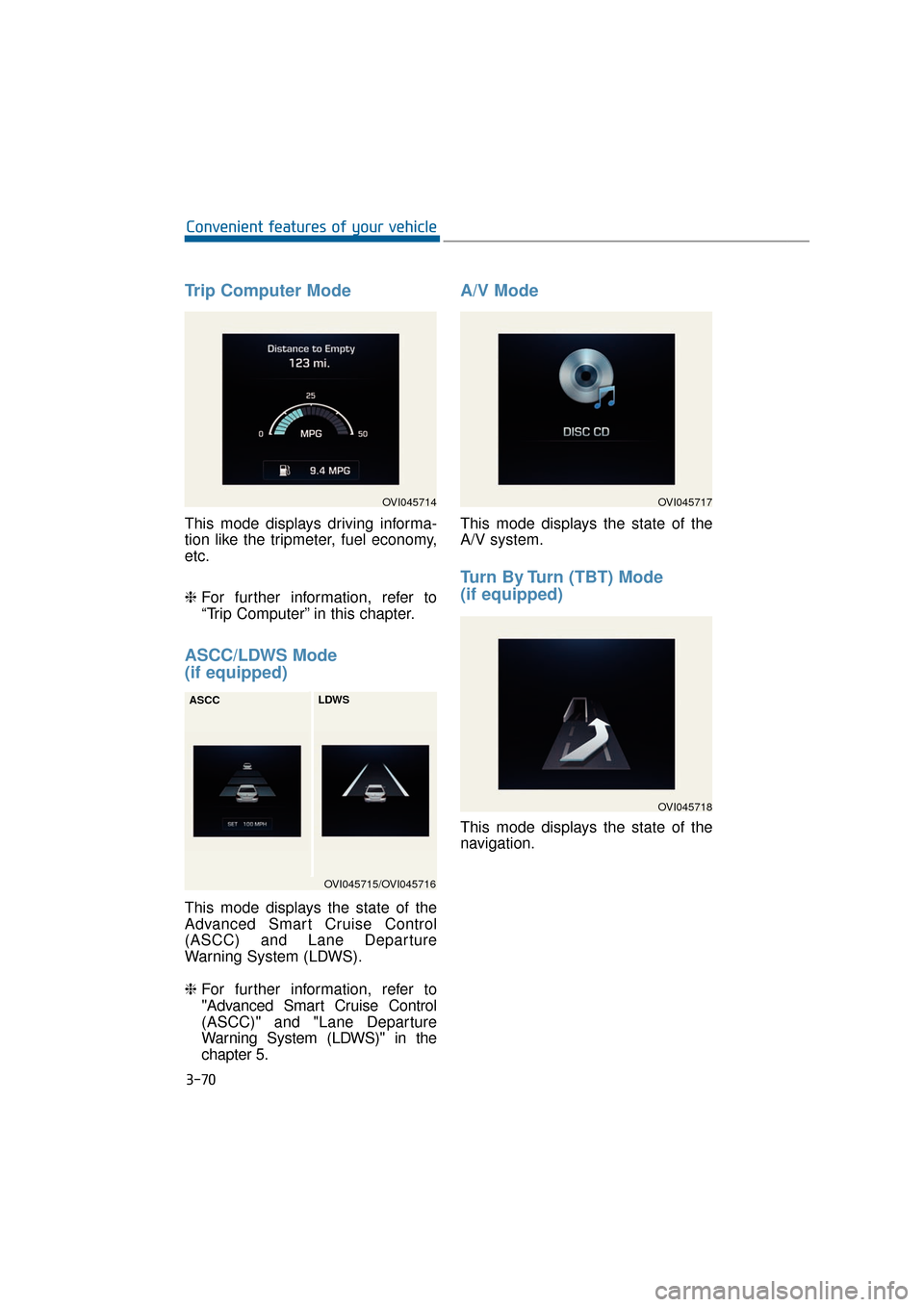
Trip Computer Mode
This mode displays driving informa-
tion like the tripmeter, fuel economy,
etc.
❈For further information, refer to
“Trip Computer” in this chapter.
ASCC/LDWS Mode
(if equipped)
This mode displays the state of the
Advanced Smart Cruise Control
(ASCC) and Lane Departure
Warning System (LDWS).
❈ For further information, refer to
"Advanced Smart Cruise Control
(ASCC)" and "Lane Departure
Warning System (LDWS)" in the
chapter 5.
A/V Mode
This mode displays the state of the
A/V system.
Turn By Turn (TBT) Mode
(if equipped)
This mode displays the state of the
navigation.
3-70
Convenient features of your vehicle
OVI045714
OVI045715/OVI045716
ASCC
LDWS
OVI045717
OVI045718
Page 167 of 477
Information
If any of the following conditions
occurs, the mileage and days may be
incorrect.
- The battery cable is disconnected.
- The fuse switch is turned off.
- The battery is discharged.
Warning Message
If one of followings occurs, warning
messages will be displayed in the
information mode for about 10 sec-
onds.
- Malfunction of the pre-safe seatbelt, electronic control suspen-
sion, or advanced smart cruise
control system
- Low washer fluid
- Check fuel cap
User Settings Mode
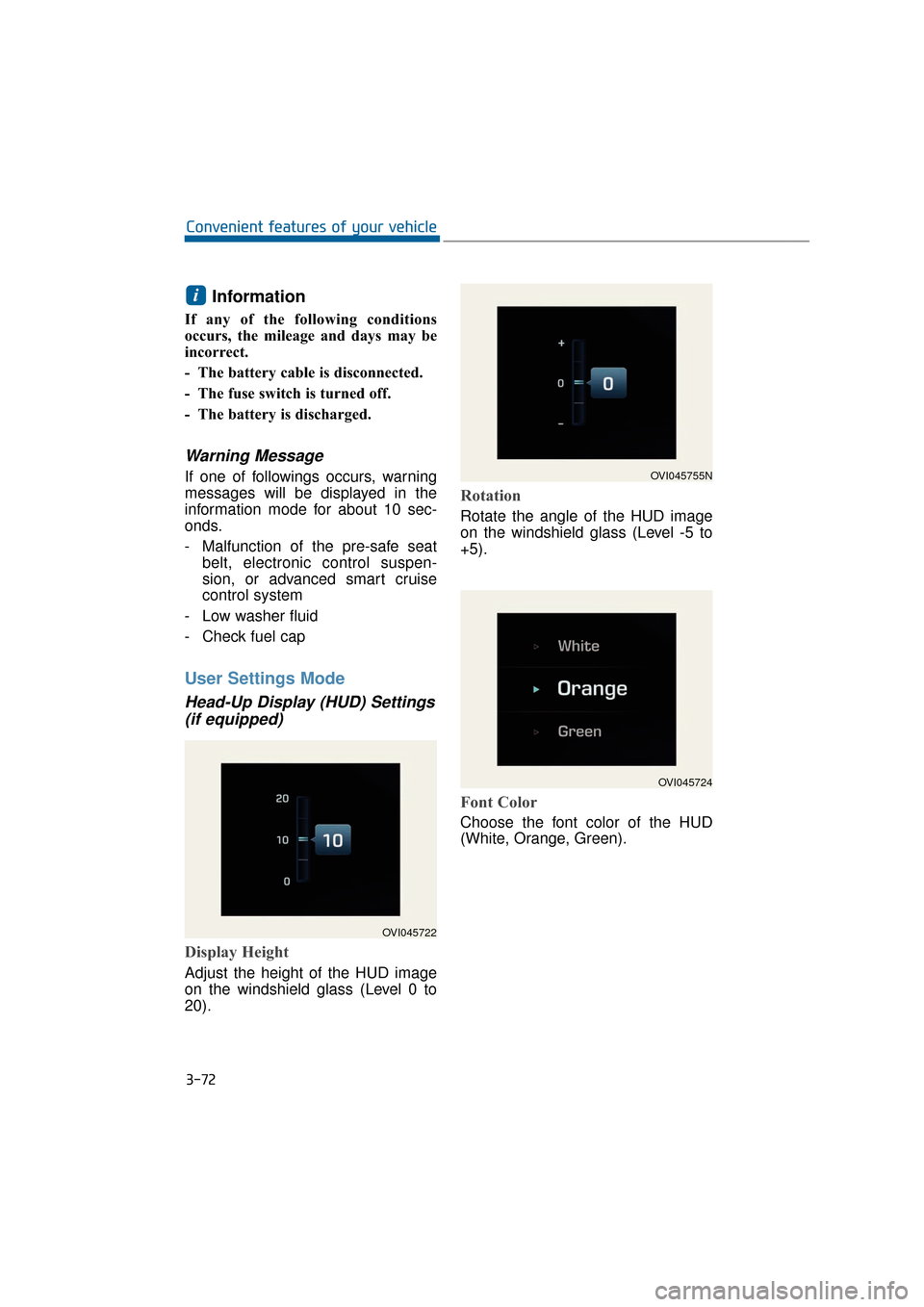
Head-Up Display (HUD) Settings (if equipped)
Display Height
Adjust the height of the HUD image
on the windshield glass (Level 0 to
20).
Rotation
Rotate the angle of the HUD image
on the windshield glass (Level -5 to
+5).
Font Color
Choose the font color of the HUD
(White, Orange, Green).
i
3-72
Convenient features of your vehicle
OVI045722
OVI045755N
OVI045724
Page 168 of 477
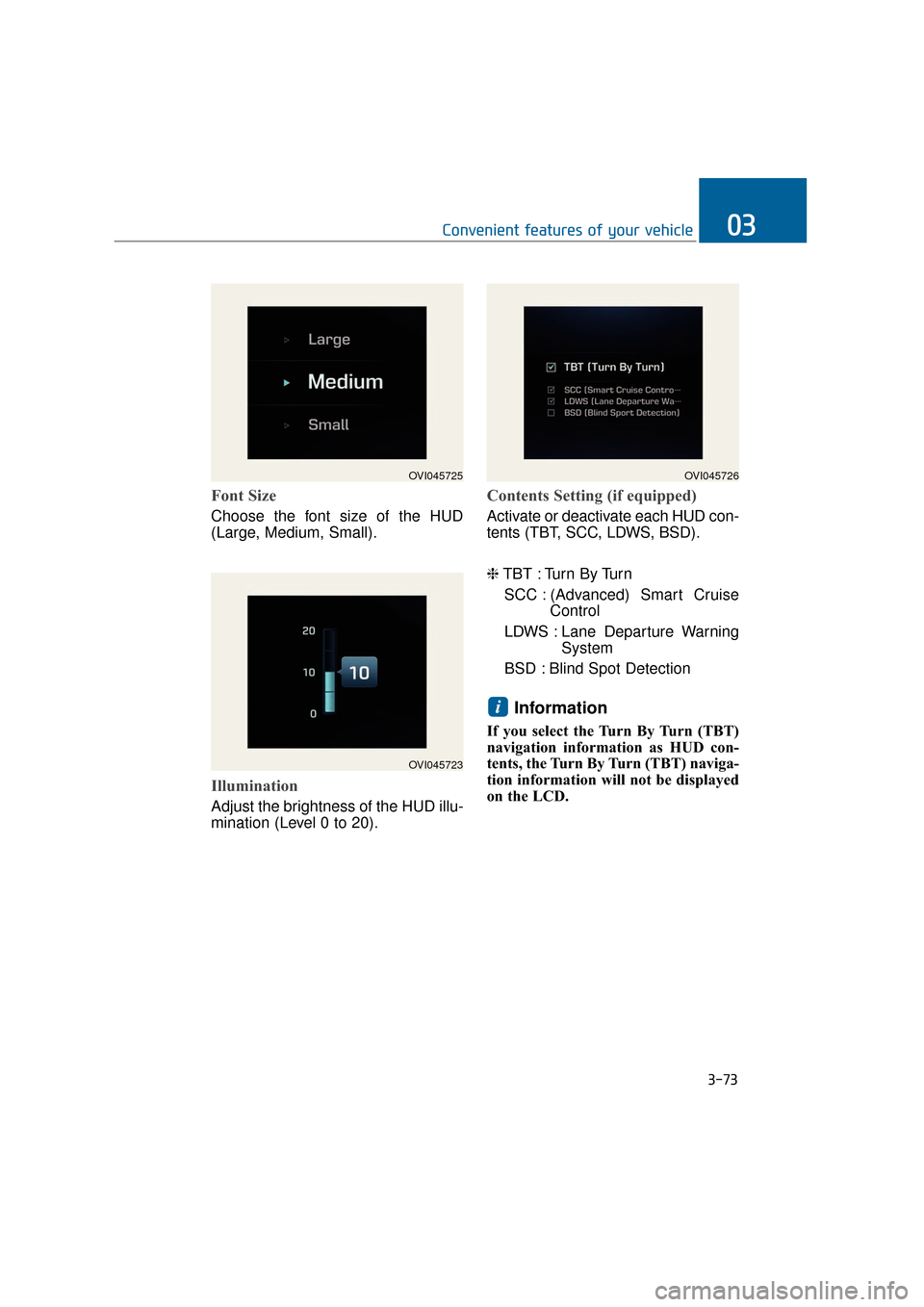
Font Size
Choose the font size of the HUD
(Large, Medium, Small).
Illumination
Adjust the brightness of the HUD illu-
mination (Level 0 to 20).
Contents Setting (if equipped)
Activate or deactivate each HUD con-
tents (TBT, SCC, LDWS, BSD).
❈TBT : Turn By Turn
SCC : (Advanced) Smart Cruise Control
LDWS : Lane Departure Warning System
BSD : Blind Spot Detection
Information
If you select the Turn By Turn (TBT)
navigation information as HUD con-
tents, the Turn By Turn (TBT) naviga-
tion information will not be displayed
on the LCD.
i
3-73
Convenient features of your vehicle03
OVI045723
OVI045725OVI045726
Page 169 of 477
Vehicle Settings
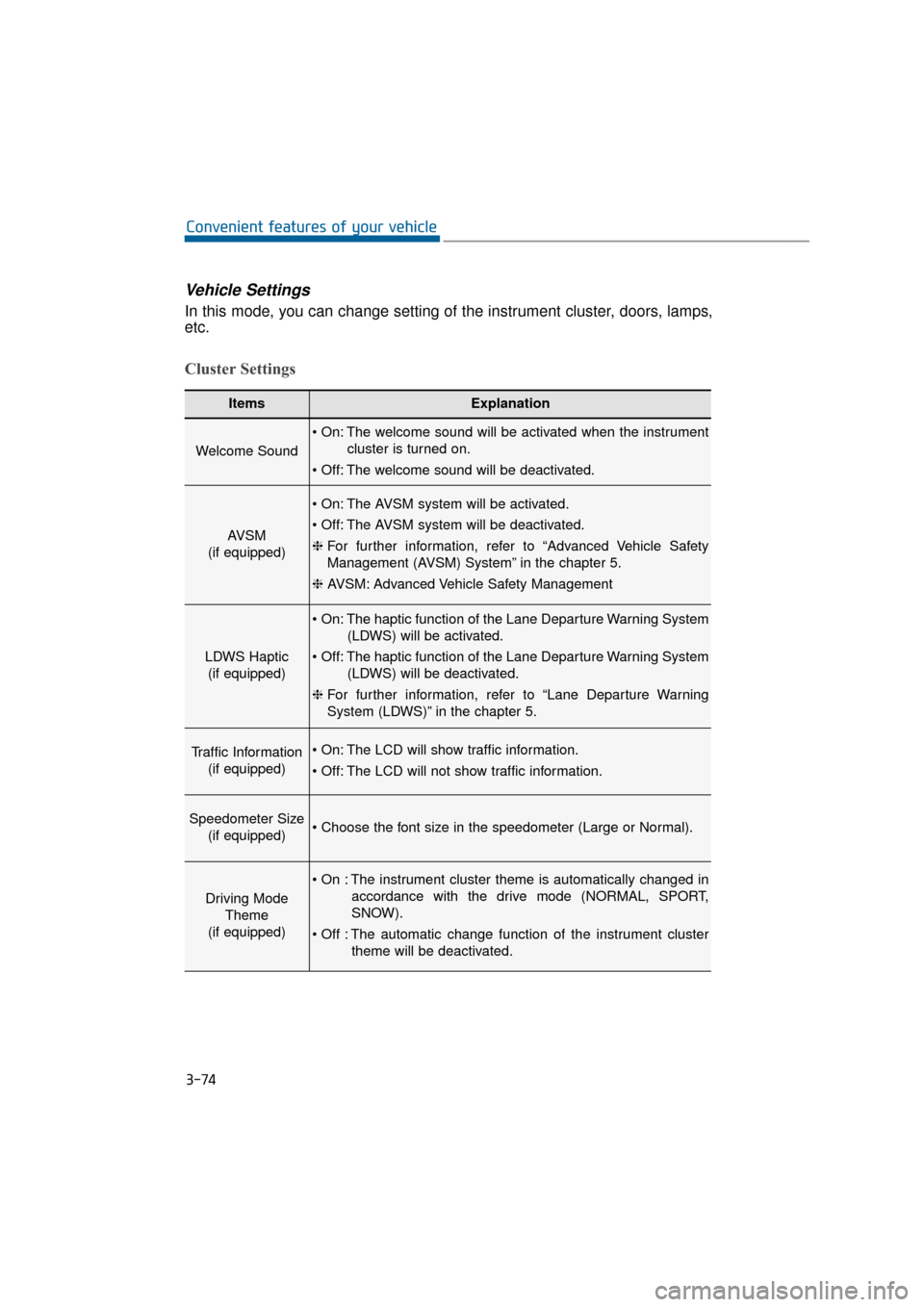
In this mode, you can change setting of the instrument cluster, doors, lamps,
etc.
Cluster Settings
3-74
Convenient features of your vehicle
ItemsExplanation
Welcome Sound
The welcome sound will be activated when the instrumentcluster is turned on.
The welcome sound will be deactivated.
AVSM
(if equipped)
The AVSM system will be activated.
The AVSM system will be deactivated.
❈ For further information, refer to “Advanced Vehicle Safety
Management (AVSM) System” in the chapter 5.
❈ AVSM: Advanced Vehicle Safety Management
LDWS Haptic
(if equipped)
The haptic function of the Lane Departure Warning System (LDWS) will be activated.
The haptic function of the Lane Departure Warning System (LDWS) will be deactivated.
❈ For further information, refer to “Lane Departure Warning
System (LDWS)” in the chapter 5.
Traffic Information
(if equipped) The LCD will show traffic information.
The LCD will not show traffic information.
Speedometer Size (if equipped)
Driving Mode Theme
(if equipped)
The instrument cluster theme is automatically changed in accordance with the drive mode (NORMAL, SPORT,
SNOW).
The automatic change function of the instrument cluster theme will be deactivated.
Page 173 of 477
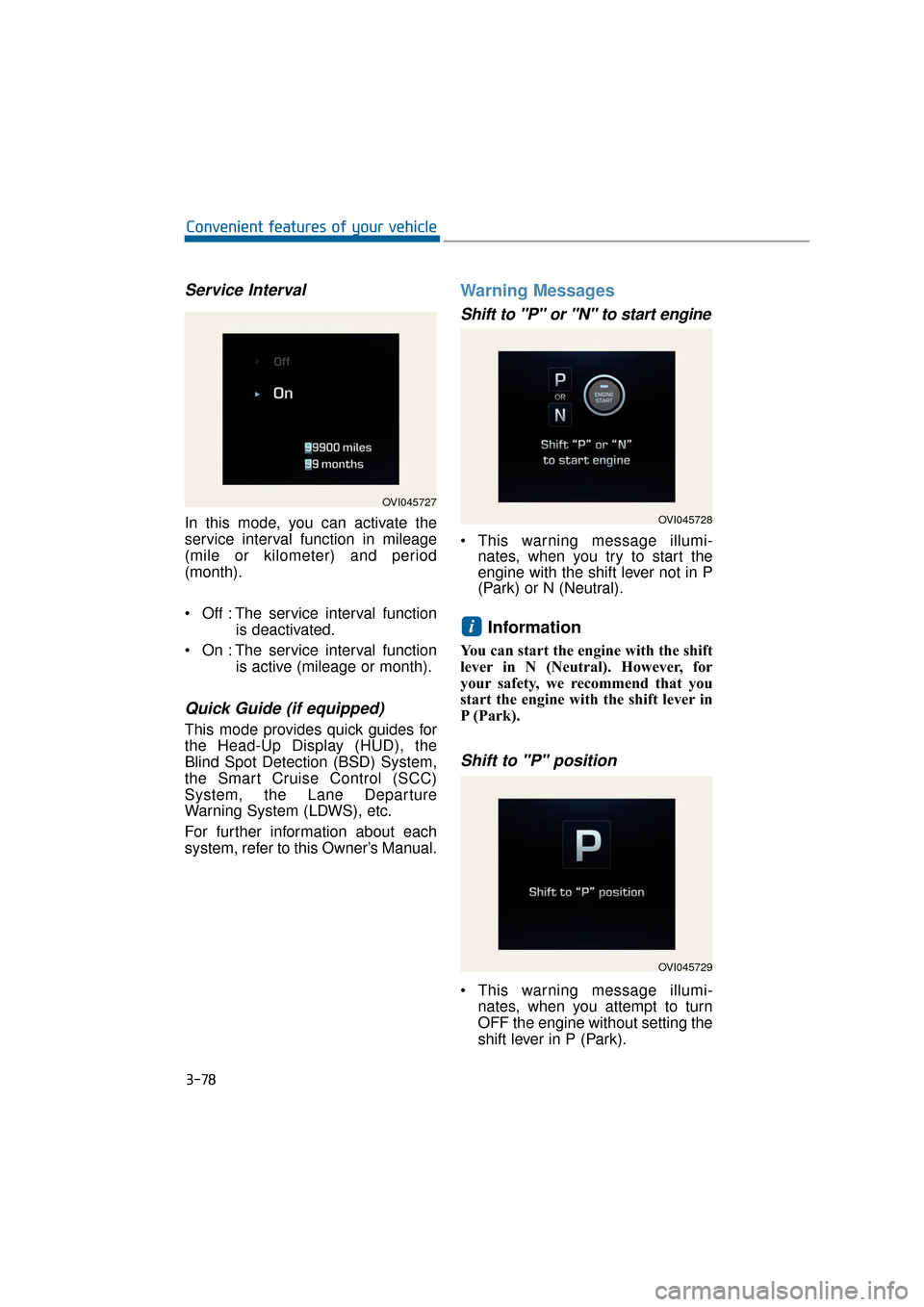
Service Interval
In this mode, you can activate the
service interval function in mileage
(mile or kilometer) and period
(month).
Off : The service interval functionis deactivated.
On : The service interval function is active (mileage or month).
Quick Guide (if equipped)
This mode provides quick guides for
the Head-Up Display (HUD), the
Blind Spot Detection (BSD) System,
the Smart Cruise Control (SCC)
System, the Lane Departure
Warning System (LDWS), etc.
For further information about each
system, refer to this Owner’s Manual.
Warning Messages
Shift to "P" or "N" to start engine
This warning message illumi-nates, when you try to start the
engine with the shift lever not in P
(Park) or N (Neutral).
Information
You can start the engine with the shift
lever in N (Neutral). However, for
your safety, we recommend that you
start the engine with the shift lever in
P (Park).
Shift to "P" position
This warning message illumi-
nates, when you attempt to turn
OFF the engine without setting the
shift lever in P (Park).
i
3-78
Convenient features of your vehicle
OVI045727
OVI045728
OVI045729
Page 174 of 477
At this time, the Engine Start/StopButton turns to the ACC position
(When you re-press the Engine
Start/Stop Button again, it will turn
to the ON position).
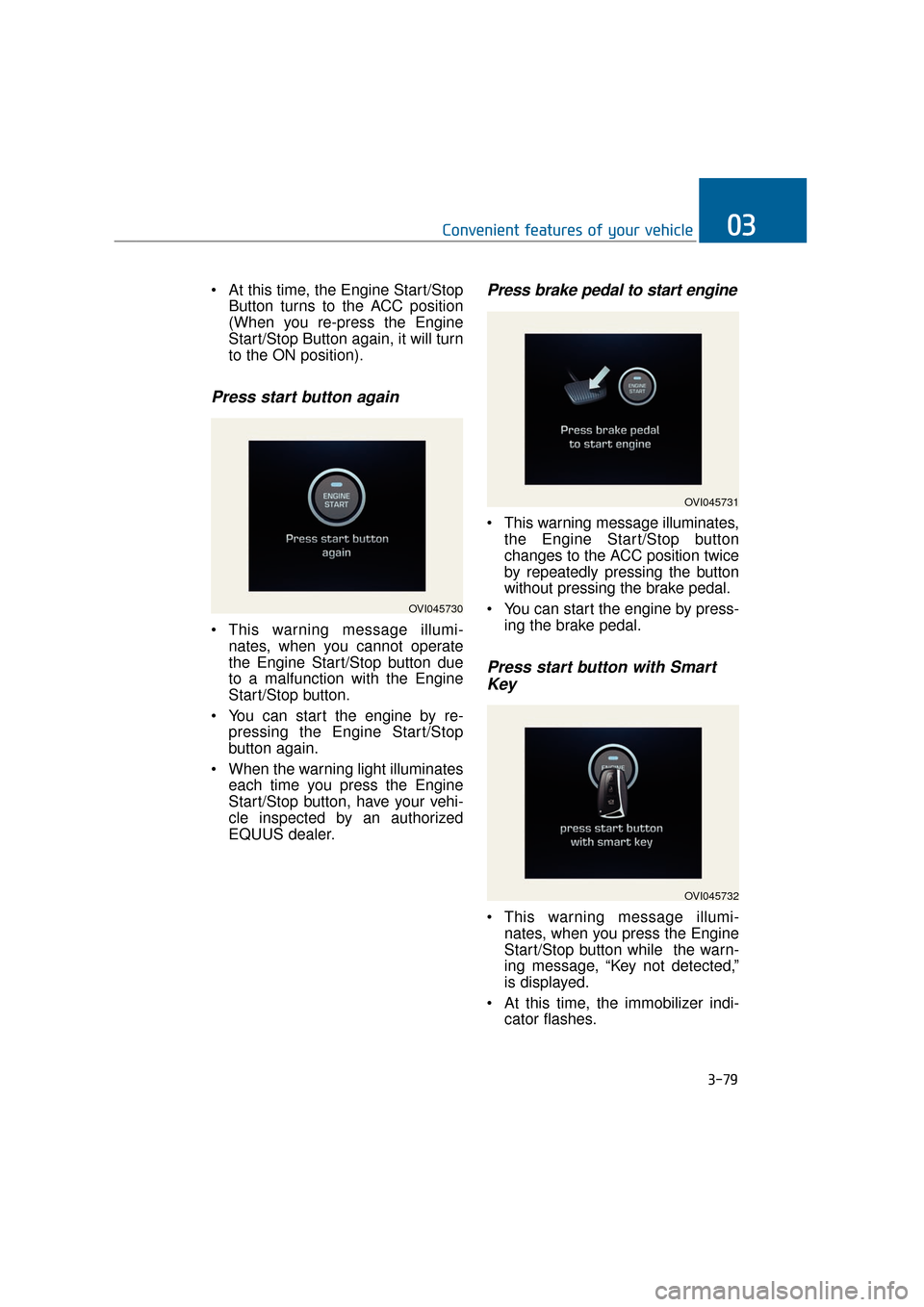
Press start button again
This warning message illumi-nates, when you cannot operate
the Engine Start/Stop button due
to a malfunction with the Engine
Start/Stop button.
You can start the engine by re- pressing the Engine Start/Stop
button again.
When the warning light illuminates each time you press the Engine
Start/Stop button, have your vehi-
cle inspected by an authorized
EQUUS dealer.
Press brake pedal to start engine
This warning message illuminates,the Engine Start/Stop button
changes to the ACC position twice
by repeatedly pressing the button
without pressing the brake pedal.
You can start the engine by press- ing the brake pedal.
Press start button with SmartKey
This warning message illumi-
nates, when you press the Engine
Start/Stop button while the warn-
ing message, “Key not detected,”
is displayed.
At this time, the immobilizer indi- cator flashes.
3-79
Convenient features of your vehicle03
OVI045730
OVI045731
OVI045732
Page 175 of 477
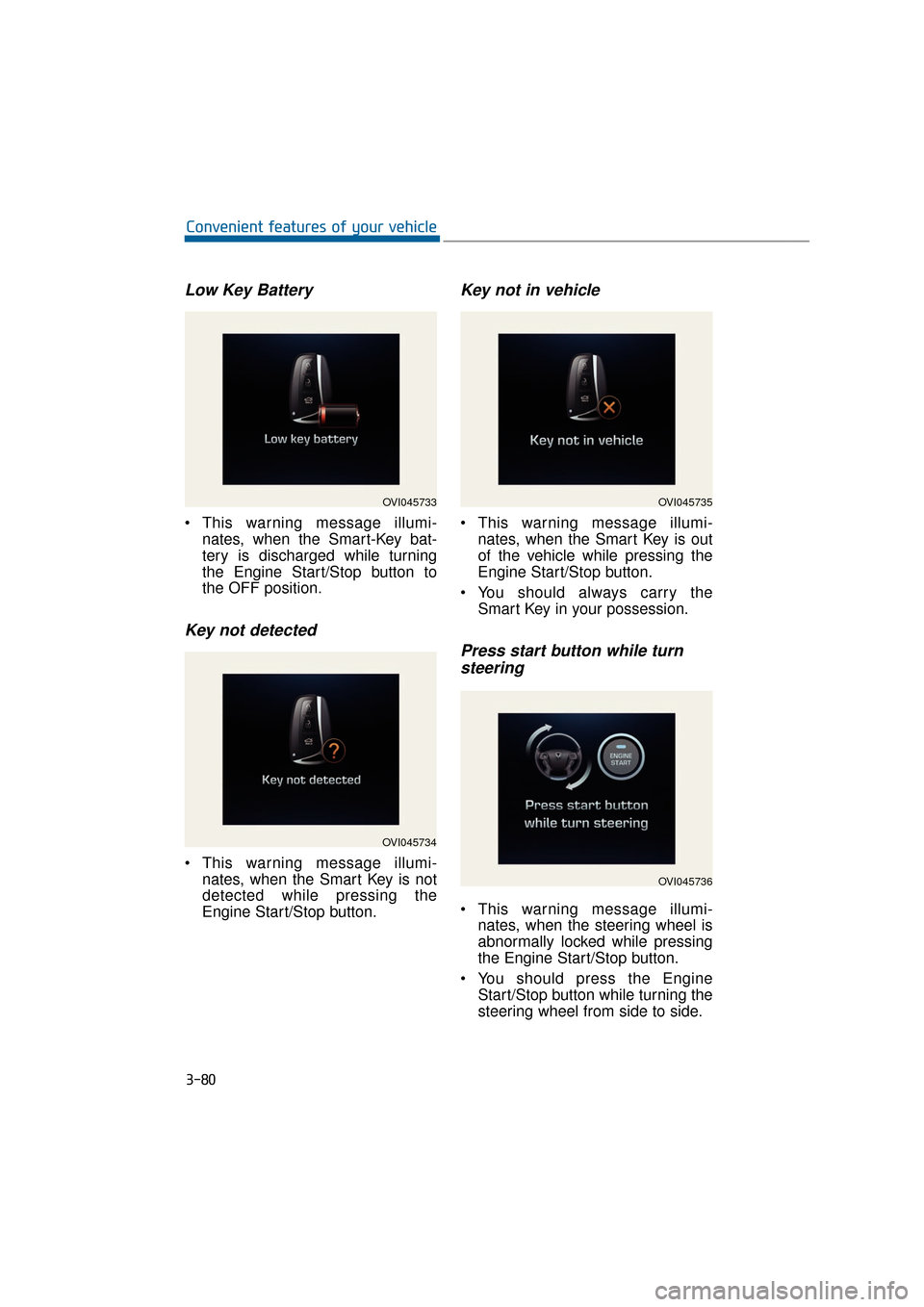
Low Key Battery
This warning message illumi-nates, when the Smart-Key bat-
tery is discharged while turning
the Engine Start/Stop button to
the OFF position.
Key not detected
This warning message illumi-nates, when the Smart Key is not
detected while pressing the
Engine Start/Stop button.
Key not in vehicle
This warning message illumi-nates, when the Smart Key is out
of the vehicle while pressing the
Engine Start/Stop button.
You should always carry the Smart Key in your possession.
Press start button while turnsteering
This warning message illumi-
nates, when the steering wheel is
abnormally locked while pressing
the Engine Start/Stop button.
You should press the Engine Start/Stop button while turning the
steering wheel from side to side.
3-80
Convenient features of your vehicle
OVI045733
OVI045734
OVI045735
OVI045736
Page 176 of 477
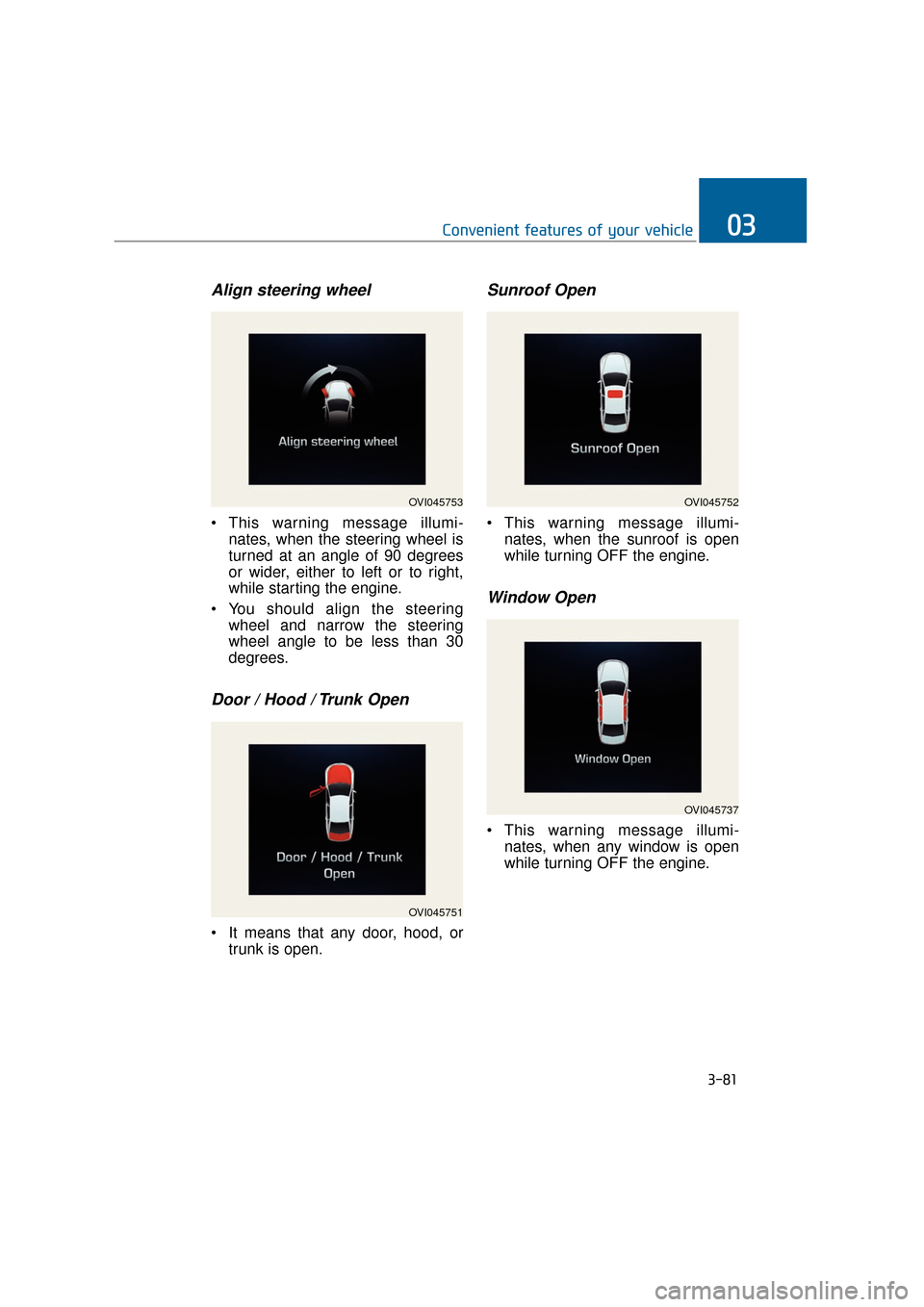
Align steering wheel
This warning message illumi-nates, when the steering wheel is
turned at an angle of 90 degrees
or wider, either to left or to right,
while starting the engine.
You should align the steering wheel and narrow the steering
wheel angle to be less than 30
degrees.
Door / Hood / Trunk Open
It means that any door, hood, ortrunk is open.
Sunroof Open
This warning message illumi-nates, when the sunroof is open
while turning OFF the engine.
Window Open
This warning message illumi-nates, when any window is open
while turning OFF the engine.
3-81
Convenient features of your vehicle03
OVI045753
OVI045751
OVI045752
OVI045737
Page 177 of 477
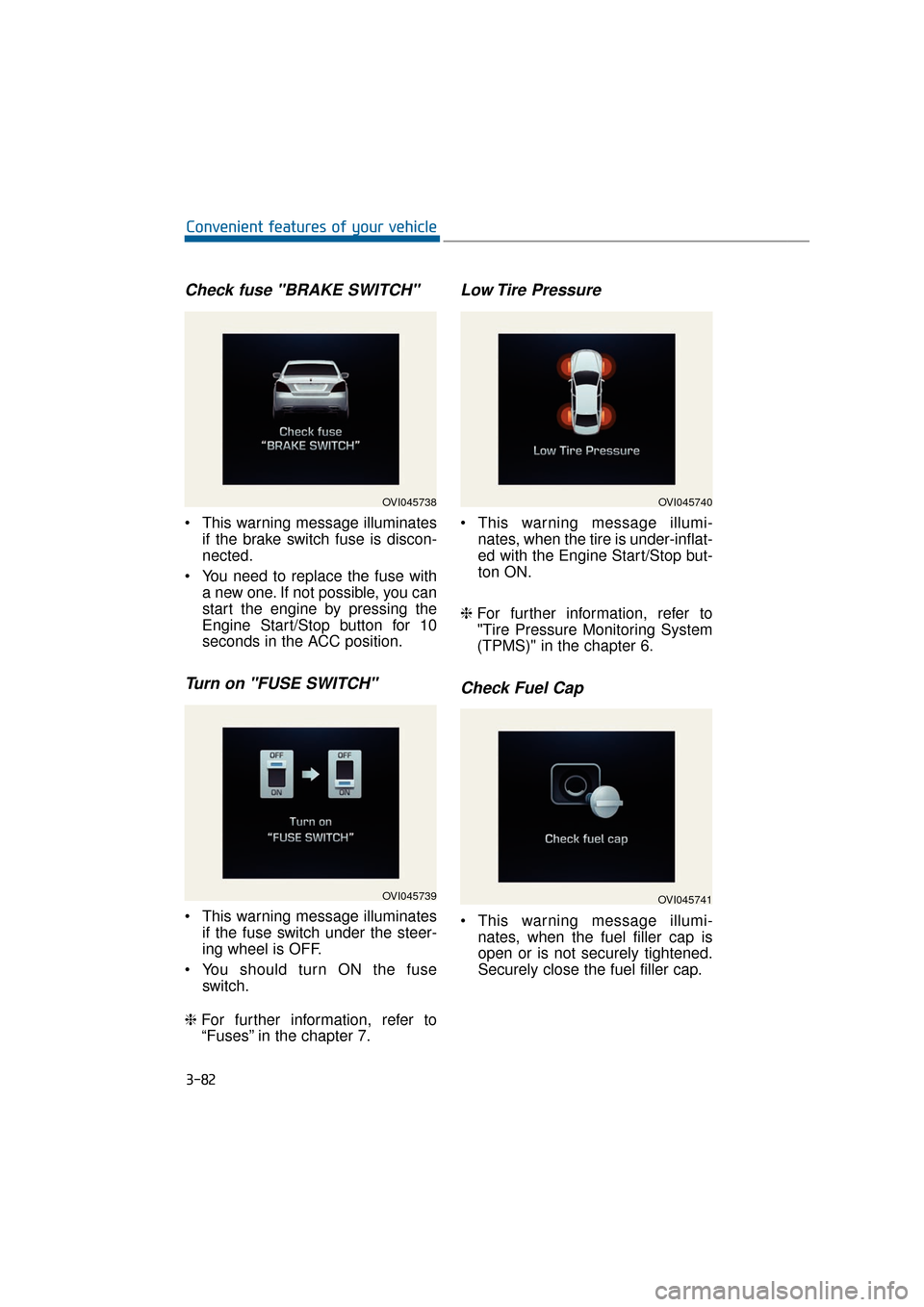
Check fuse "BRAKE SWITCH"
This warning message illuminatesif the brake switch fuse is discon-
nected.
You need to replace the fuse with a new one. If not possible, you can
start the engine by pressing the
Engine Start/Stop button for 10
seconds in the ACC position.
Turn on "FUSE SWITCH"
This warning message illuminatesif the fuse switch under the steer-
ing wheel is OFF.
You should turn ON the fuse switch.
❈ For further information, refer to
“Fuses” in the chapter 7.
Low Tire Pressure
This warning message illumi-
nates, when the tire is under-inflat-
ed with the Engine Start/Stop but-
ton ON.
❈ For further information, refer to
"Tire Pressure Monitoring System
(TPMS)" in the chapter 6.
Check Fuel Cap
This warning message illumi-
nates, when the fuel filler cap is
open or is not securely tightened.
Securely close the fuel filler cap.
3-82
Convenient features of your vehicle
OVI045738
OVI045739
OVI045740
OVI045741