steering Hyundai Equus 2016 Owner's Guide
[x] Cancel search | Manufacturer: HYUNDAI, Model Year: 2016, Model line: Equus, Model: Hyundai Equus 2016Pages: 477, PDF Size: 16.25 MB
Page 159 of 477
Instrument Cluster Control
Adjusting Instrument ClusterIllumination
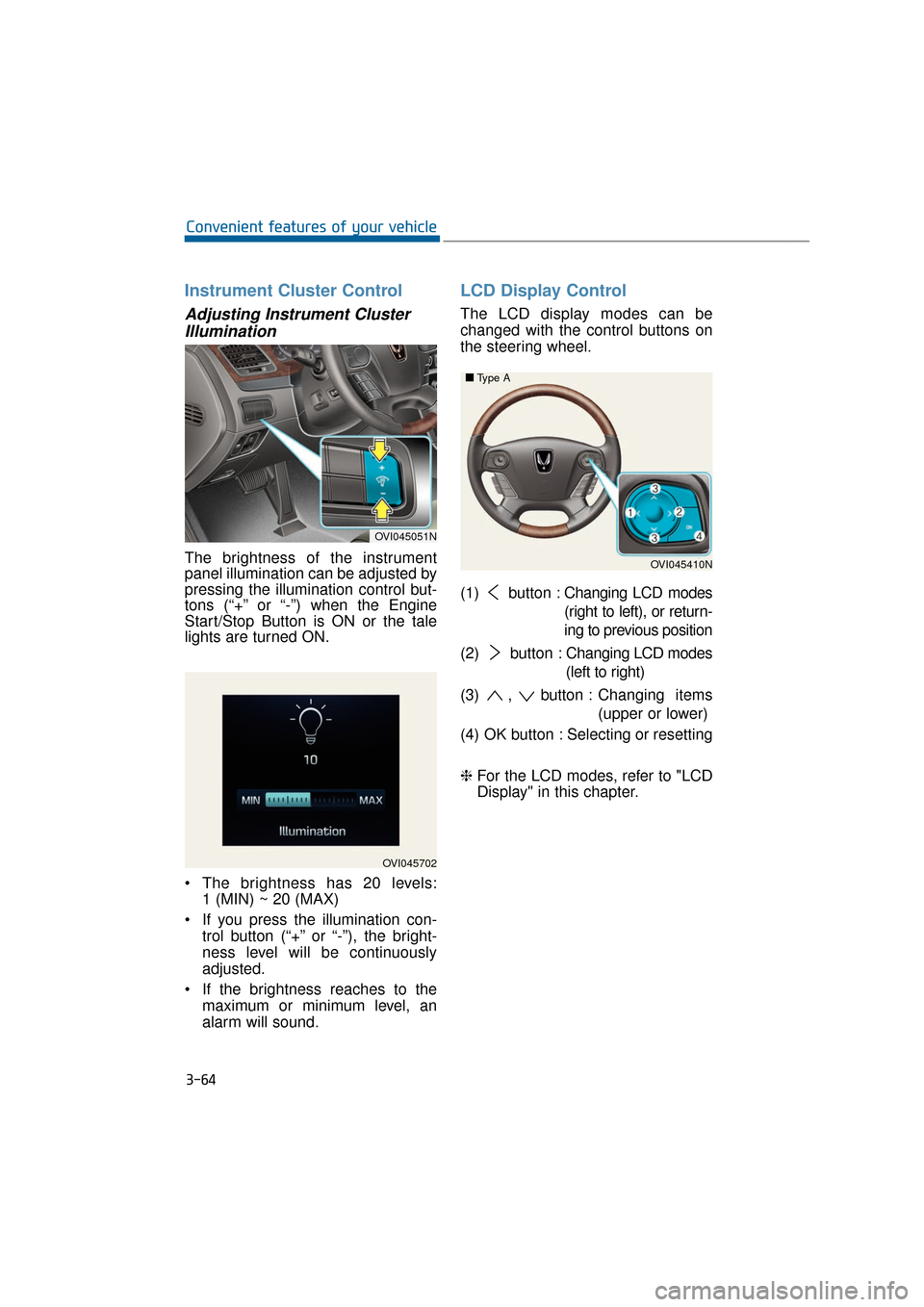
The brightness of the instrument
panel illumination can be adjusted by
pressing the illumination control but-
tons (“+” or “-”) when the Engine
Start/Stop Button is ON or the tale
lights are turned ON.
The brightness has 20 levels: 1 (MIN) ~ 20 (MAX)
If you press the illumination con- trol button (“+” or “-”), the bright-
ness level will be continuously
adjusted.
If the brightness reaches to the maximum or minimum level, an
alarm will sound.
LCD Display Control
The LCD display modes can be
changed with the control buttons on
the steering wheel.
(1) button : Changing LCD modes
(right to left), or return-
ing to previous position
(2) button : Changing LCD modes
(left to right)
(3) , button : Changing items
(upper or lower)
(4) OK button : Selecting or resetting
❈ For the LCD modes, refer to "LCD
Display" in this chapter.
3-64
Convenient features of your vehicle
OVI045702
OVI045051N
OVI045410N
■
■
Type A
Page 172 of 477
3-77
Convenient features of your vehicle03
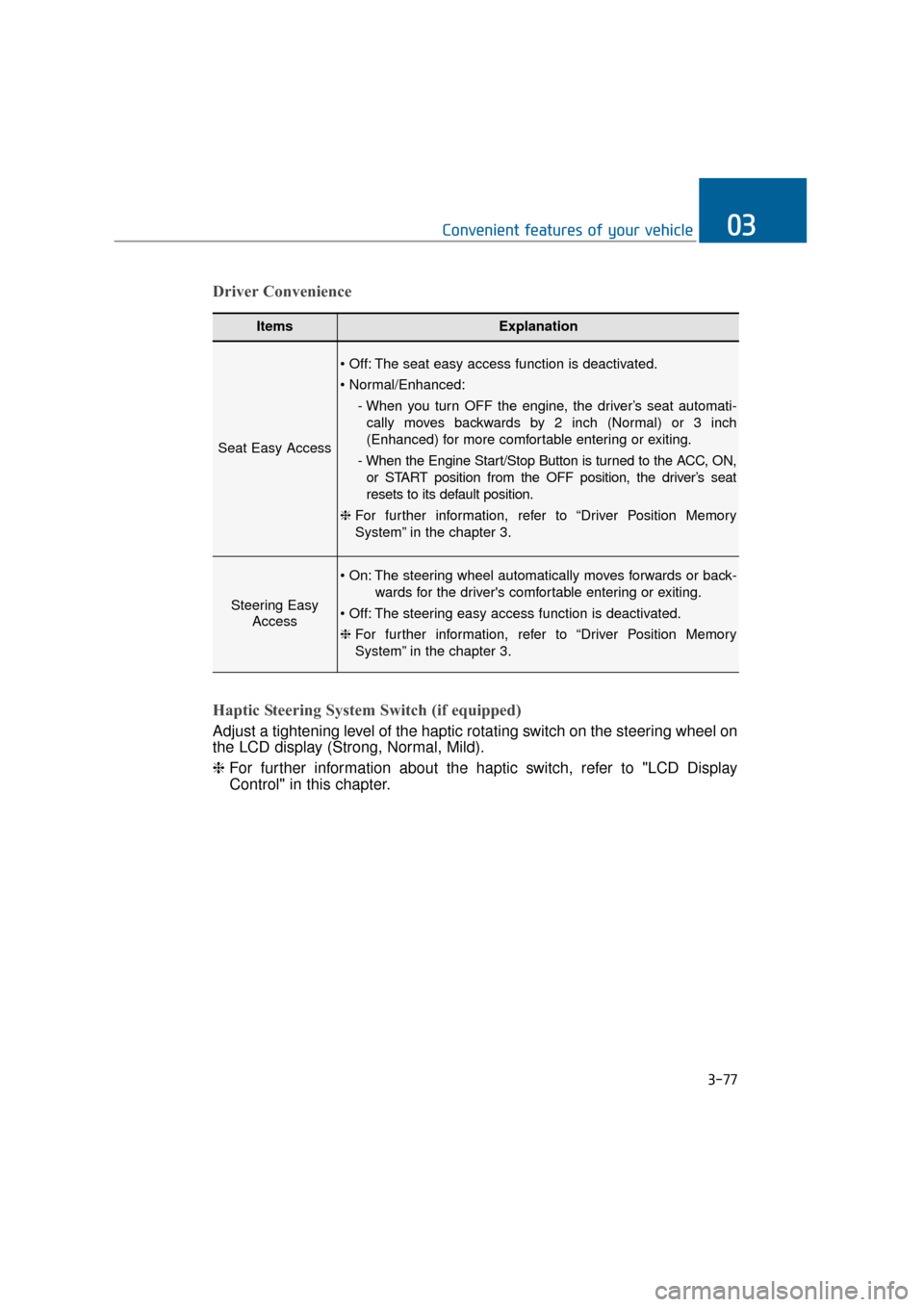
ItemsExplanation
Seat Easy Access
The seat easy access function is deactivated.
- When you turn OFF the engine, the driver’s seat automati-cally moves backwards by 2 inch (Normal) or 3 inch
(Enhanced) for more comfortable entering or exiting.
- When the Engine Start/Stop Button is turned to the ACC, ON, or START position from the OFF position, the driver’s seat
resets to its default position.
❈ For further information, refer to “Driver Position Memory
System” in the chapter 3.
Steering Easy
Access
The steering wheel automatically moves forwards or back-
wards for the driver's comfortable entering or exiting.
The steering easy access function is deactivated.
❈ For further information, refer to “Driver Position Memory
System” in the chapter 3.
Driver Convenience
Haptic Steering System Switch (if equipped)
Adjust a tightening level of the haptic rotating switch on the steering wheel on
the LCD display (Strong, Normal, Mild).
❈ For further information about the haptic switch, refer to "LCD Display
Control" in this chapter.
Page 175 of 477
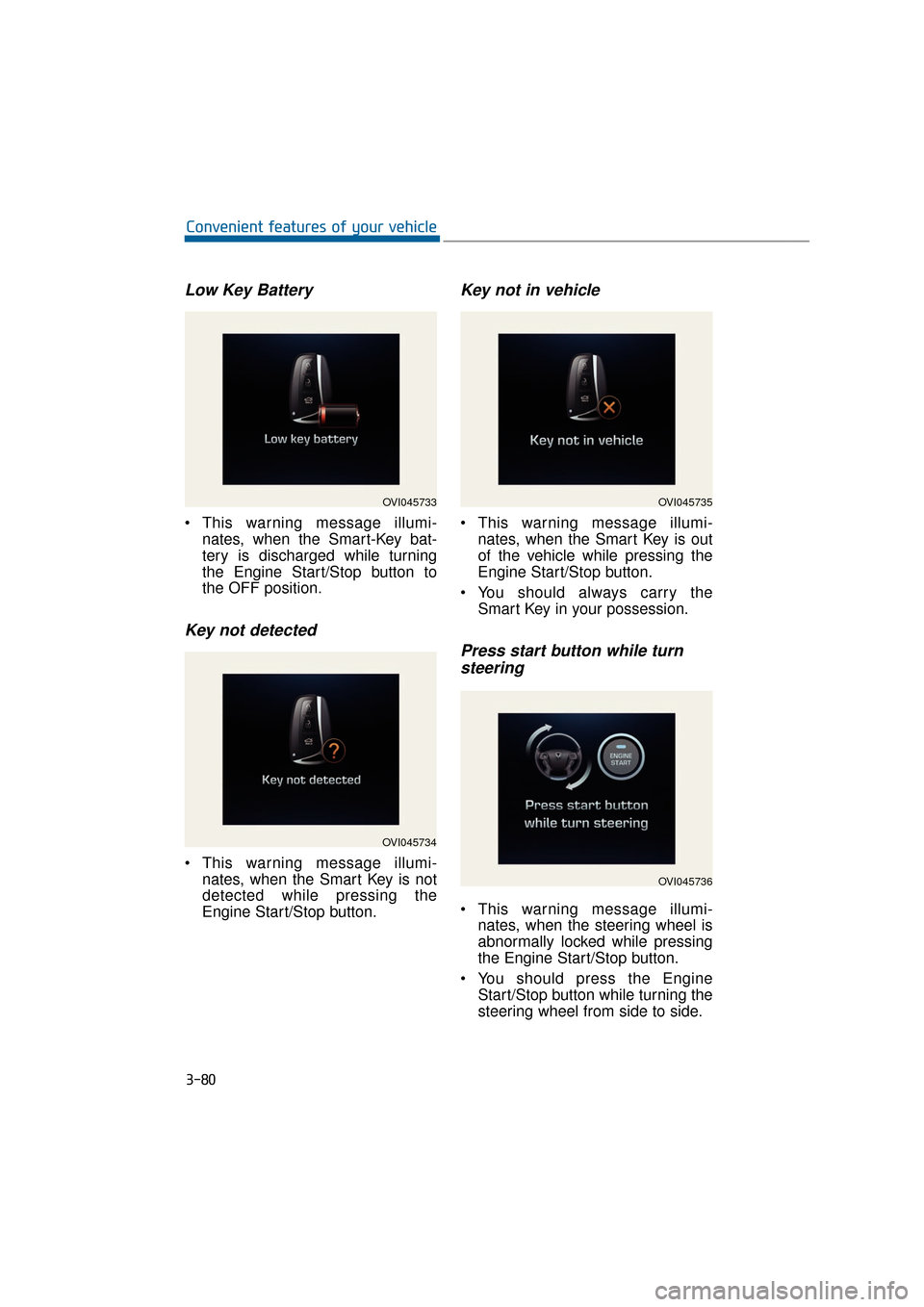
Low Key Battery
This warning message illumi-nates, when the Smart-Key bat-
tery is discharged while turning
the Engine Start/Stop button to
the OFF position.
Key not detected
This warning message illumi-nates, when the Smart Key is not
detected while pressing the
Engine Start/Stop button.
Key not in vehicle
This warning message illumi-nates, when the Smart Key is out
of the vehicle while pressing the
Engine Start/Stop button.
You should always carry the Smart Key in your possession.
Press start button while turnsteering
This warning message illumi-
nates, when the steering wheel is
abnormally locked while pressing
the Engine Start/Stop button.
You should press the Engine Start/Stop button while turning the
steering wheel from side to side.
3-80
Convenient features of your vehicle
OVI045733
OVI045734
OVI045735
OVI045736
Page 176 of 477
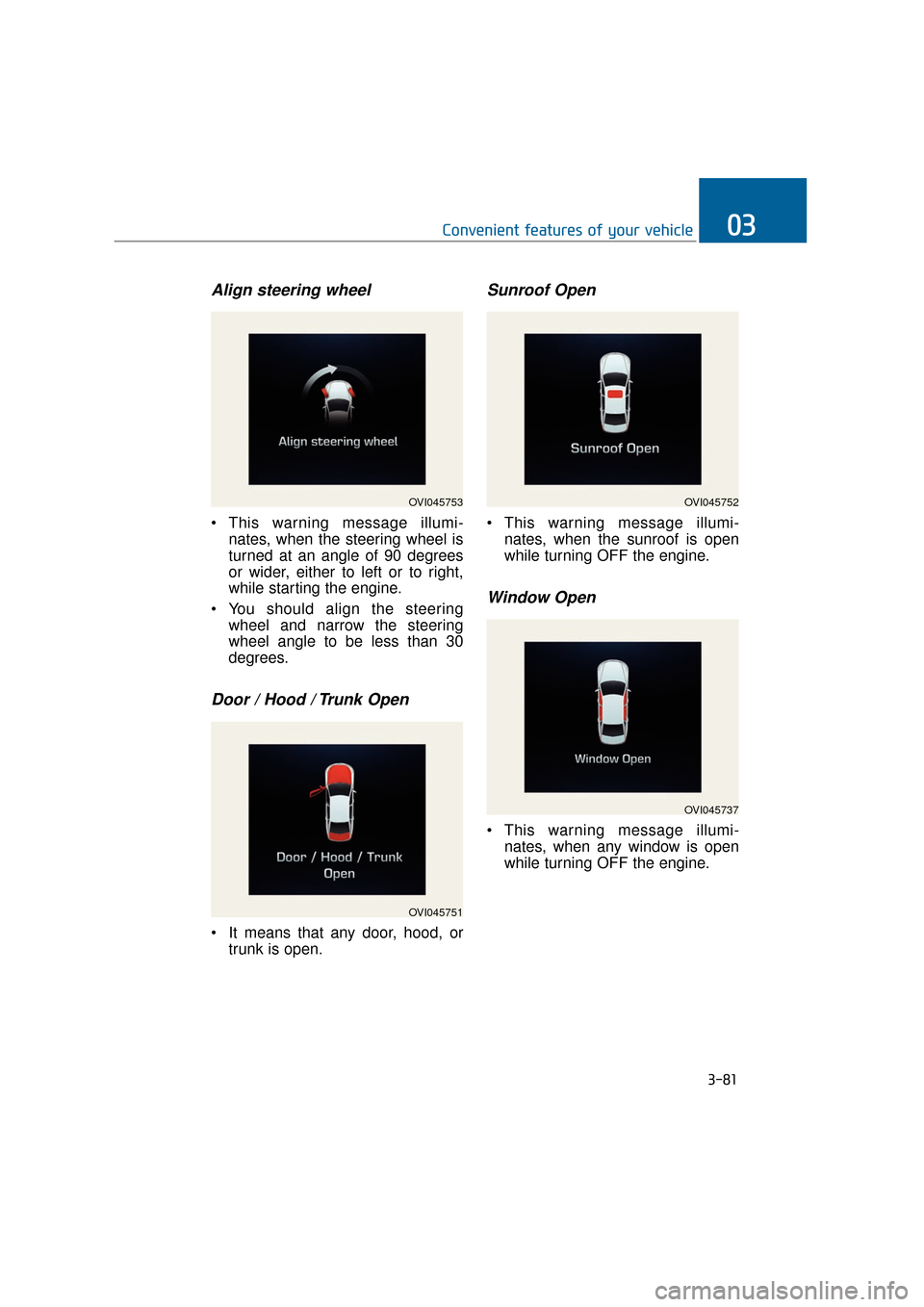
Align steering wheel
This warning message illumi-nates, when the steering wheel is
turned at an angle of 90 degrees
or wider, either to left or to right,
while starting the engine.
You should align the steering wheel and narrow the steering
wheel angle to be less than 30
degrees.
Door / Hood / Trunk Open
It means that any door, hood, ortrunk is open.
Sunroof Open
This warning message illumi-nates, when the sunroof is open
while turning OFF the engine.
Window Open
This warning message illumi-nates, when any window is open
while turning OFF the engine.
3-81
Convenient features of your vehicle03
OVI045753
OVI045751
OVI045752
OVI045737
Page 181 of 477
Overview
Description
The trip computer is a driving infor-
mation system, controlled by a
micro-computer. This displays driv-
ing-related information.
Information
Some driving information, stored in
the trip computer (i.e. average vehicle
speed), is reset, when the battery is
disconnected.
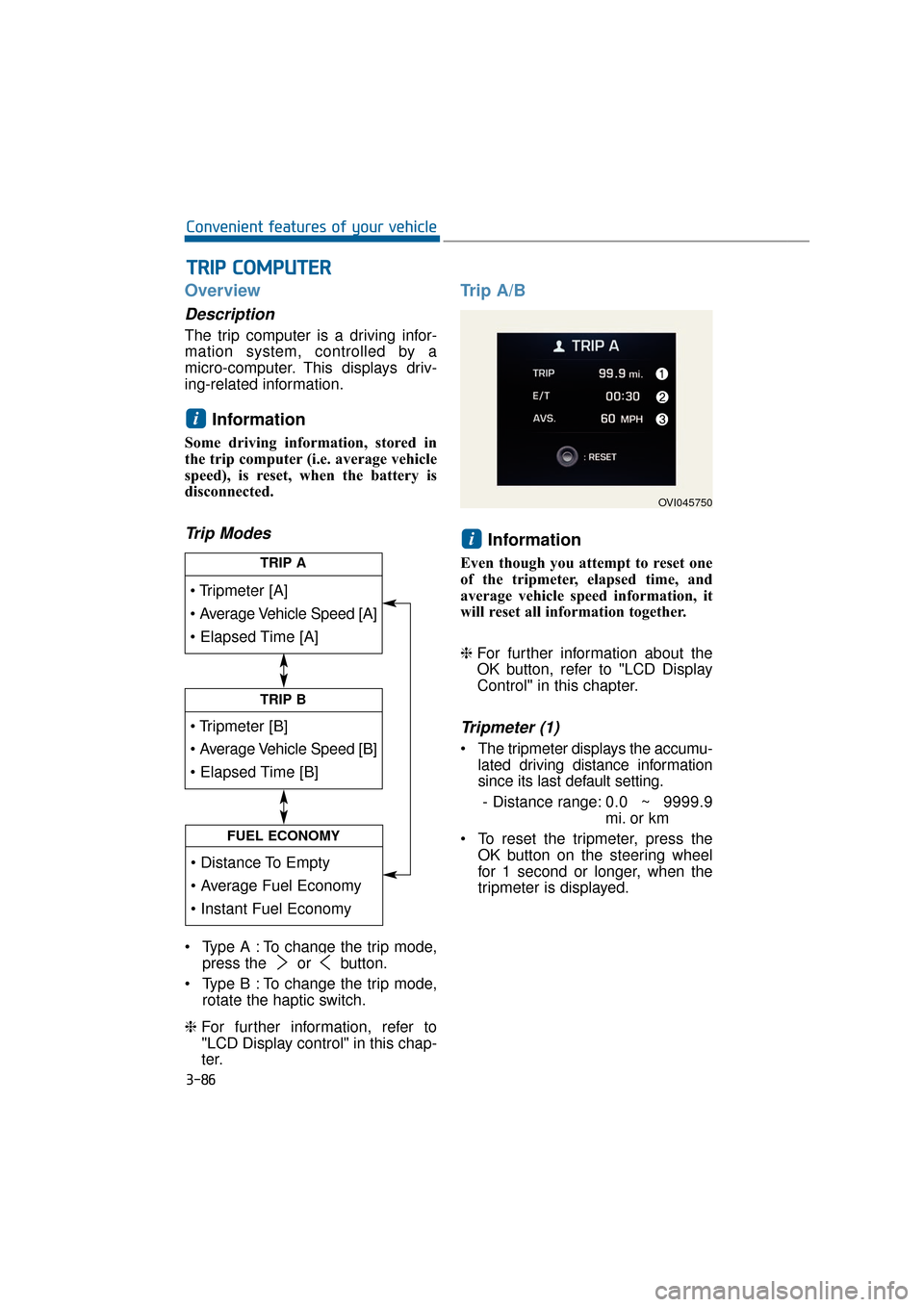
Trip Modes
Type A : To change the trip mode,press the or button.
Type B : To change the trip mode, rotate the haptic switch.
❈ For further information, refer to
"LCD Display control" in this chap-
ter.
Trip A/B
Information
Even though you attempt to reset one
of the tripmeter, elapsed time, and
average vehicle speed information, it
will reset all information together.
❈For further information about the
OK button, refer to "LCD Display
Control" in this chapter.
Tripmeter (1)
The tripmeter displays the accumu-
lated driving distance information
since its last default setting.
- Distance range: 0.0 ~ 9999.9
mi. or km
To reset the tripmeter, press the OK button on the steering wheel
for 1 second or longer, when the
tripmeter is displayed.
i
i
T
TR
R I
IP
P
C
C O
O M
M P
PU
U T
TE
ER
R
3-86
Convenient features of your vehicle
TRIP A
TRIP B
FUEL ECONOMY
OVI045750
Page 182 of 477
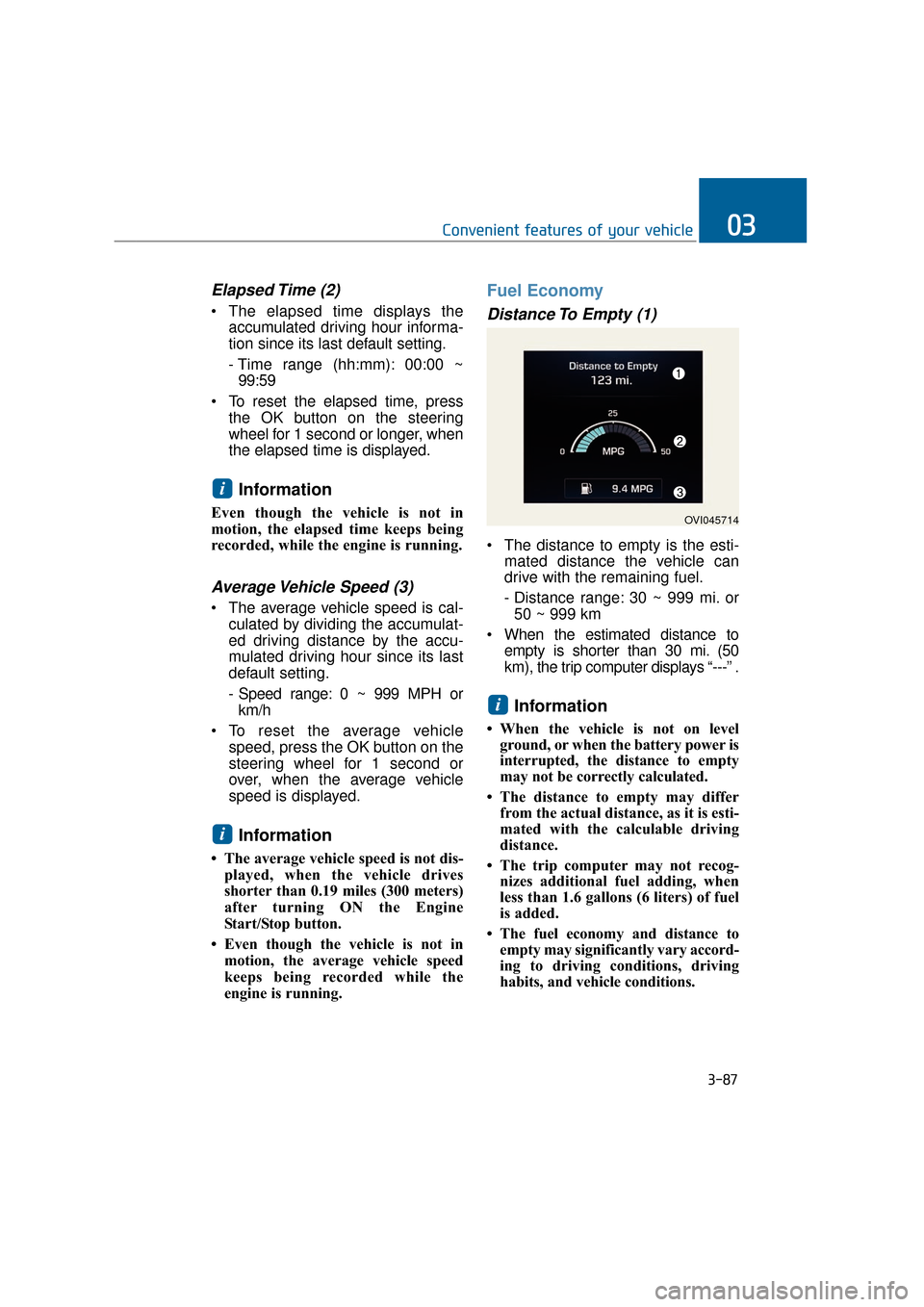
Elapsed Time (2)
The elapsed time displays theaccumulated driving hour informa-
tion since its last default setting.
- Time range (hh:mm): 00:00 ~99:59
To reset the elapsed time, press the OK button on the steering
wheel for 1 second or longer, when
the elapsed time is displayed.
Information
Even though the vehicle is not in
motion, the elapsed time keeps being
recorded, while the engine is running.
Average Vehicle Speed (3)
The average vehicle speed is cal-culated by dividing the accumulat-
ed driving distance by the accu-
mulated driving hour since its last
default setting.
- Speed range: 0 ~ 999 MPH orkm/h
To reset the average vehicle speed, press the OK button on the
steering wheel for 1 second or
over, when the average vehicle
speed is displayed.
Information
• The average vehicle speed is not dis-played, when the vehicle drives
shorter than 0.19 miles (300 meters)
after turning ON the Engine
Start/Stop button.
• Even though the vehicle is not in motion, the average vehicle speed
keeps being recorded while the
engine is running.
Fuel Economy
Distance To Empty (1)
The distance to empty is the esti- mated distance the vehicle can
drive with the remaining fuel.
- Distance range: 30 ~ 999 mi. or50 ~ 999 km
When the estimated distance to empty is shorter than 30 mi. (50
km), the trip computer displays “---” .
Information
• When the vehicle is not on levelground, or when the battery power is
interrupted, the distance to empty
may not be correctly calculated.
• The distance to empty may differ from the actual distance, as it is esti-
mated with the calculable driving
distance.
• The trip computer may not recog- nizes additional fuel adding, when
less than 1.6 gallons (6 liters) of fuel
is added.
• The fuel economy and distance to empty may significantly vary accord-
ing to driving conditions, driving
habits, and vehicle conditions.
i
i
i
3-87
Convenient features of your vehicle03
OVI045714
Page 183 of 477
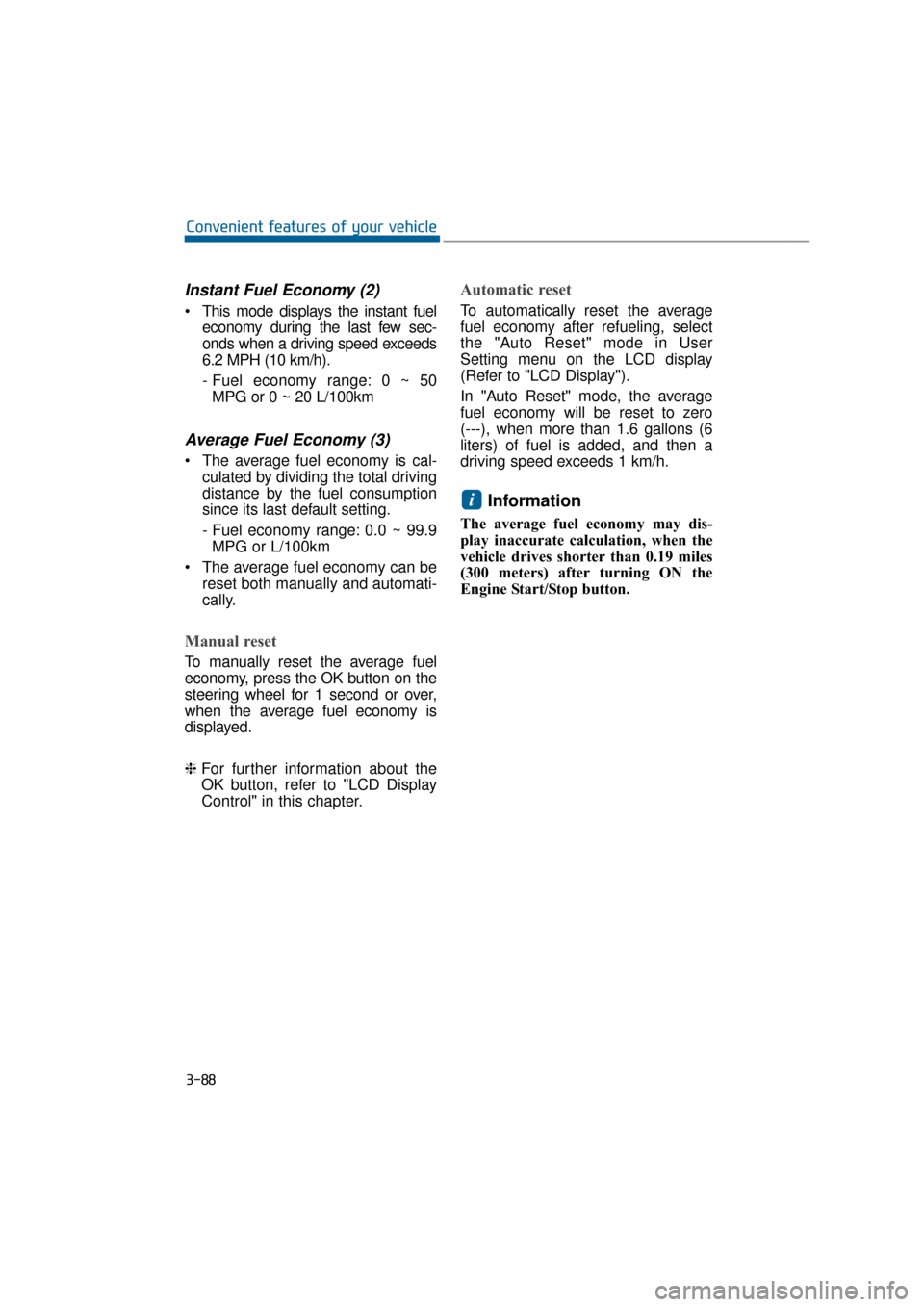
Instant Fuel Economy (2)
This mode displays the instant fueleconomy during the last few sec-
onds when a driving speed exceeds
6.2 MPH (10 km/h).
- Fuel economy range: 0 ~ 50MPG or 0 ~ 20 L/100km
Average Fuel Economy (3)
The average fuel economy is cal- culated by dividing the total driving
distance by the fuel consumption
since its last default setting.
- Fuel economy range: 0.0 ~ 99.9MPG or L/100km
The average fuel economy can be reset both manually and automati-
cally.
Manual reset
To manually reset the average fuel
economy, press the OK button on the
steering wheel for 1 second or over,
when the average fuel economy is
displayed.
❈For further information about the
OK button, refer to "LCD Display
Control" in this chapter.
Automatic reset
To automatically reset the average
fuel economy after refueling, select
the "Auto Reset" mode in User
Setting menu on the LCD display
(Refer to "LCD Display").
In "Auto Reset" mode, the average
fuel economy will be reset to zero
(---), when more than 1.6 gallons (6
liters) of fuel is added, and then a
driving speed exceeds 1 km/h.
Information
The average fuel economy may dis-
play inaccurate calculation, when the
vehicle drives shorter than 0.19 miles
(300 meters) after turning ON the
Engine Start/Stop button.
i
3-88
Convenient features of your vehicle
Page 186 of 477
Information
- Electronic Brake forceDistribution (EBD) System
Warning Light
When the ABS warning light illumi-
nates, or when both the ABS and the
Parking Brake & Brake Fluid warn-
ing lights illuminate, the speedometer,
the odometer, or the tripmeter may
not properly operate. Also, the EPS
warning light may illuminate, and the
efforts to operate the steering wheel
may require to increase or decrease.
In this case, have your vehicle inspect-
ed by an authorized EQUUS dealer.
Malfunction Indicator Lamp (MIL)
This warning light illuminates in
one of the following situations:
You turn ON either the ignition
switch or the Engine Start/Stop
button.
- It remains ON until the engine isstarted.
There is a malfunction with the emission control system.
In this case, have your vehicle
inspected by an authorized
EQUUS dealer.
- Malfunction Indicator Lamp (MIL)
Driving with the Malfunction
Indicator Lamp (MIL) ON may
damage the emission control sys-
tems which could affect drivability
and/or fuel economy.
- Gasoline Engine
When the Malfunction Indicator
Lamp (MIL) illuminates, the cat-
alytic converter is possibly dam-
aged, resulting in loss of engine
power.
In this case, have your vehicle
inspected by an authorized
EQUUS dealer.
NOTICE
NOTICE
i
3-91
Convenient features of your vehicle03
- Electronic Brake force Distribution (EBD) System
Warning Light
When both ABS and the Parking
Brake & Brake Fluid warning
lights illuminate, the brake sys-
tem does not properly operate.
You may experience an unex-
pected and dangerous situation
in a sudden braking.
In this case, avoid sharp driving
and abrupt braking. Have your
vehicle inspected by an author-
ized EQUUS dealer.
WARNING
Page 204 of 477
Battery saver function
The purpose of this function is toprevent the battery from being dis-
charged. The system automatical-
ly turns OFF the parking lights
when the driver turns OFF the
engine and opens the driver's
door.
With this function, the parking lights are turned OFF automatical-
ly if the driver parks the vehicle on
the side of the road at night.
If necessary, in order to keep the
lights ON when the engine is
turned OFF, perform the follow-
ings:
1) Open the driver-side door.
2) Turn the parking lights ON and OFF again using the light
switch on the steering column.
Headlamp escort function
When you press the Engine
Start/Stop button to the ACC or OFF
position with the headlamps ON, the
headlamps (and/or tail lights) remain
ON for approximately 5 minutes.
However, when the driver’s door is
open and then closed, the head-
lamps are turned OFF after 15 sec-
onds.
The headlamps can be turned OFF
by pressing the lock button on the
Smart Key twice or turning the light
switch to the OFF or Auto position.
However, when you turn the light
switch to the Auto position, and when
it is dark outside, the headlamps will
not be turned OFF.
If the driver exit the vehicle
through other doors (except dri-
ver’s door), the battery saver func-
tion does not operate and the
headlamp escort function does
not turn OFF automatically.
Therefore, it discharges the bat-
tery. In this case, make sure to
turn OFF the lamp before exiting
the vehicle.
NOTICE
L LI
IG
G H
H T
TI
IN
N G
G
3-109
Convenient features of your vehicle03
Page 209 of 477
AFLS (Adaptive Front Lighting
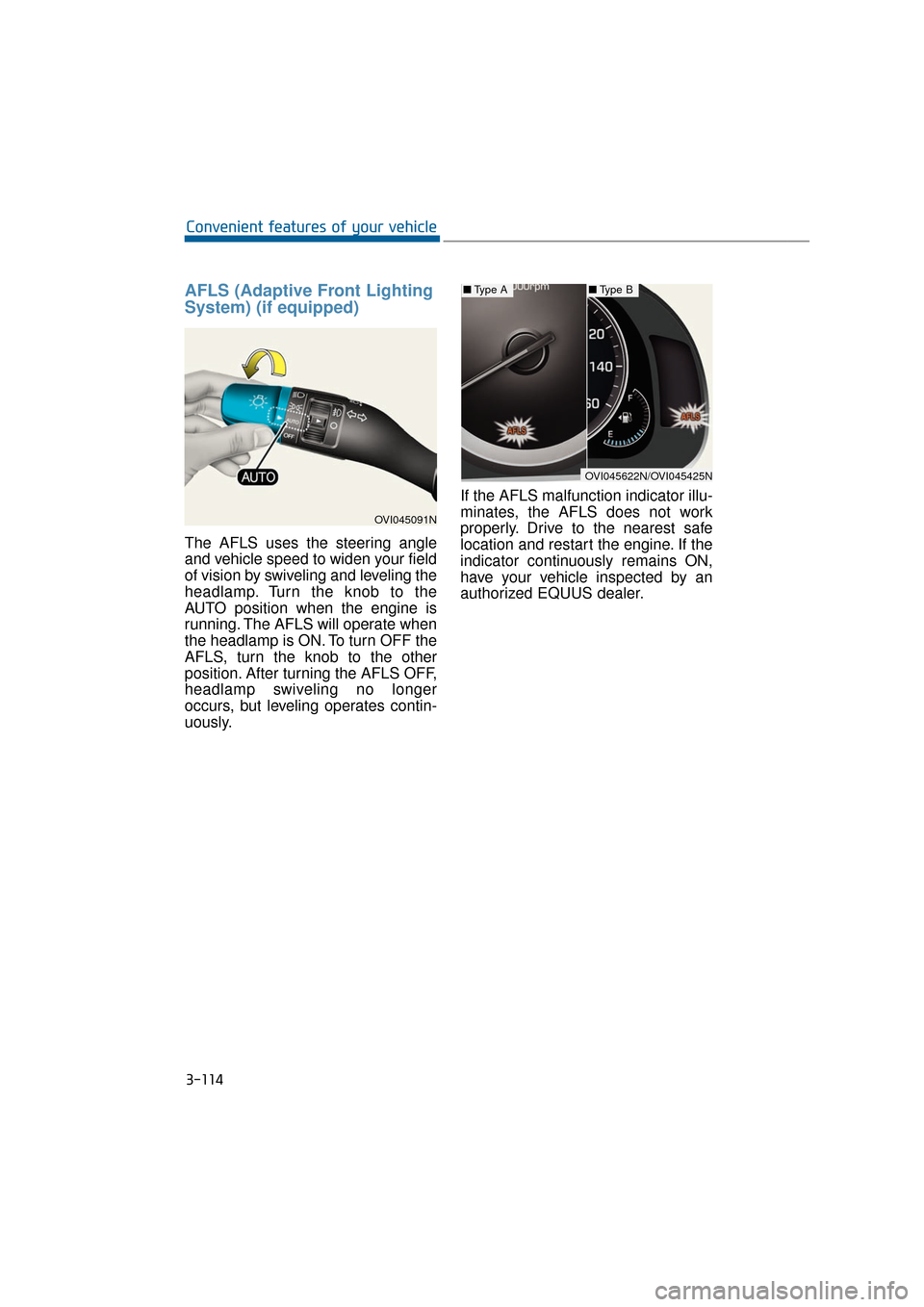
System) (if equipped)
The AFLS uses the steering angle
and vehicle speed to widen your field
of vision by swiveling and leveling the
headlamp. Turn the knob to the
AUTO position when the engine is
running. The AFLS will operate when
the headlamp is ON. To turn OFF the
AFLS, turn the knob to the other
position. After turning the AFLS OFF,
headlamp swiveling no longer
occurs, but leveling operates contin-
uously.If the AFLS malfunction indicator illu-
minates, the AFLS does not work
properly. Drive to the nearest safe
location and restart the engine. If the
indicator continuously remains ON,
have your vehicle inspected by an
authorized EQUUS dealer.
3-114
Convenient features of your vehicle
OVI045091N
■
Type A■Type B
OVI045622N/OVI045425N