stop start Hyundai Equus 2016 Owner's Guide
[x] Cancel search | Manufacturer: HYUNDAI, Model Year: 2016, Model line: Equus, Model: Hyundai Equus 2016Pages: 477, PDF Size: 16.25 MB
Page 105 of 477
Loss of a Smart Key
Three Smart Keys can be registered
at maximum to a single vehicle,
including a Card-type Smart Key.
When you happen to lose your Smart
Key, you should immediately take the
vehicle and the remaining keys to
your authorized EQUUS dealer, or
tow the vehicle, if necessary.
Smart key precautions
The Smart Key will not operate,when any of the followings occurs:
- The Smart Key is close to radio transmitters such as a radio sta-
tion or an airport which may
interfere with normal operation
of the Smart Key.
- The Smart Key is near to a mobile two-way radio system or
a mobile phone.
- Another vehicle’s Smart Key is being operated close to your
vehicle.
When the Smart Key does not nor- mally operate, use the mechanical
key to lock/unlock a door and con-
tact an authorized EQUUS dealer.
When the Smart Key is in close proximity to a mobile phone, the
signal may be blocked by the nor-
mal signals of your mobile phone.
This is especially important when
the phone is active, such as mak-
ing/receiving calls, text messag-
ing, or sending/receiving emails.
Avoid placing the Smart Key and
your mobile phone in the same
pants or the jacket pocket. Always
try to maintain an adequate dis-
tance between the two devices.
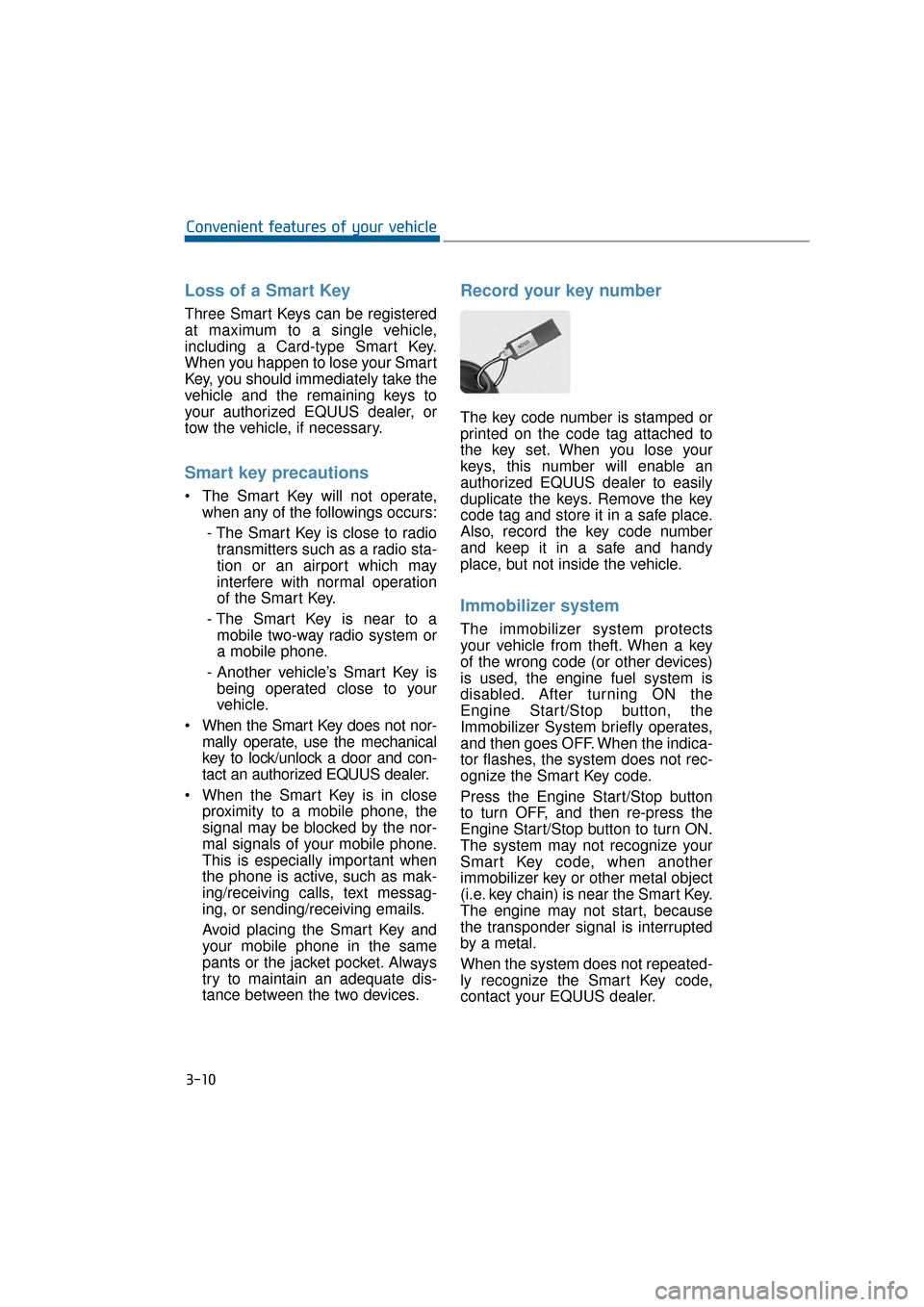
Record your key number
The key code number is stamped or
printed on the code tag attached to
the key set. When you lose your
keys, this number will enable an
authorized EQUUS dealer to easily
duplicate the keys. Remove the key
code tag and store it in a safe place.
Also, record the key code number
and keep it in a safe and handy
place, but not inside the vehicle.
Immobilizer system
The immobilizer system protects
your vehicle from theft. When a key
of the wrong code (or other devices)
is used, the engine fuel system is
disabled. After turning ON the
Engine Start/Stop button, the
Immobilizer System briefly operates,
and then goes OFF. When the indica-
tor flashes, the system does not rec-
ognize the Smart Key code.
Press the Engine Start/Stop button
to turn OFF, and then re-press the
Engine Start/Stop button to turn ON.
The system may not recognize your
Smart Key code, when another
immobilizer key or other metal object
(i.e. key chain) is near the Smart Key.
The engine may not start, because
the transponder signal is interrupted
by a metal.
When the system does not repeated-
ly recognize the Smart Key code,
contact your EQUUS dealer.
3-10
Convenient features of your vehicle
Page 108 of 477
This system helps to protect your
vehicle and valuables. The hazard
warning lights will continuously flash
with a warning alarm, when any of
the followings occurs:
- A door is opened without using theSmart Key.
- The trunk is opened without using the Smart Key.
- The engine hood is opened.
The alarm continues for 30 seconds.
This repeats once more, and then
the system resets. To turn OFF the
alarm, unlock the doors with the
Smart Key.
The Theft Alarm System automati-
cally sets ON 30 seconds, after lock-
ing the doors and the trunk. To acti-
vate the system, you must lock the
doors and the trunk from outside with
the Smart Key or by pressing the but-
ton on the door handles with the
Smart Key. The hazard warning lights
flash once with a chime sound to
indicate onset of the system.
Once the Theft Alarm System sets
ON, opening any door, the trunk, or
the hood without using the Smart
Key will activate the alarm. The Theft
Alarm System will not set ON, when
the hood, the trunk, or any door is
not securely closed. When the sys-
tem does not set ON, check the
hood, the trunk, or the doors are
securely closed.
Do not attempt to modify this system
or add other devices to it.Information
• Do not lock the doors until all pas- sengers leave the vehicle. When any
passenger remains in the vehicle, the
alarm will activate.
• When you cannot cancel the Theft Alarm System with the Smart Key,
open the doors by using the mechan-
ical key and turn ON the Engine
Start/Stop button.
i
T TH
H E
EF
FT
T -
-A
A L
LA
A R
RM
M
S
S Y
Y S
ST
T E
EM
M
3-13
Convenient features of your vehicle03
Page 112 of 477
Auto Door Lock/Unlock Features
You can adjust the auto door lock/
unlock modes in the User Setting.
Refer to the User Setting Mode in the
chapter 3.
Child-Protector Rear Door
Locks
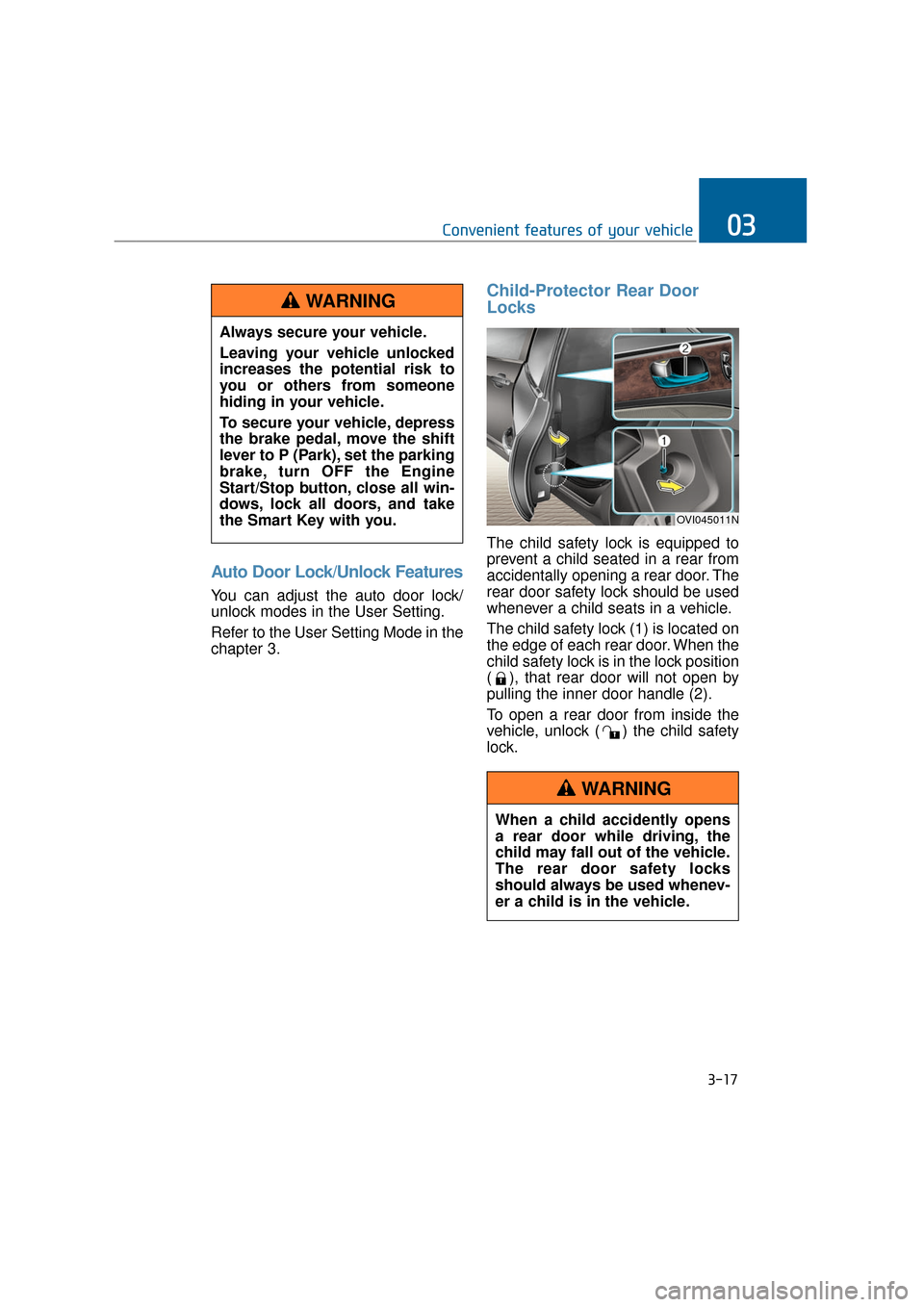
The child safety lock is equipped to
prevent a child seated in a rear from
accidentally opening a rear door. The
rear door safety lock should be used
whenever a child seats in a vehicle.
The child safety lock (1) is located on
the edge of each rear door. When the
child safety lock is in the lock position
( ), that rear door will not open by
pulling the inner door handle (2).
To open a rear door from inside the
vehicle, unlock ( ) the child safety
lock.
3-17
Convenient features of your vehicle03
When a child accidently opens
a rear door while driving, the
child may fall out of the vehicle.
The rear door safety locks
should always be used whenev-
er a child is in the vehicle.
WARNING
Always secure your vehicle.
Leaving your vehicle unlocked
increases the potential risk to
you or others from someone
hiding in your vehicle.
To secure your vehicle, depress
the brake pedal, move the shift
lever to P (Park), set the parking
brake, turn OFF the Engine
Start/Stop button, close all win-
dows, lock all doors, and take
the Smart Key with you.
WARNING
OVI045011N
Page 115 of 477
Information
The Power Trunk Lock button will
not operate in one of the following sit-
uations:
- Any door is open.
- The Engine Start/Stop Button is notOFF.
- The Smart Key is in the vehicle. Do not manually close or open
the Power Trunk. This may dam-
age the Power Trunk. If neces-
sary, when the battery is drained
or disconnected, do not apply
excessive force.
Do not leave the Power Trunk open for a long period of time.
This may drain the battery.
To prevent the trunk lift cylin- ders and other attached compo-
nents from being damaged,
always close the trunk before
driving.
Information
In a cold and wet temperature, trunk
lock and trunk mechanisms may not
properly operate due to freezing con-
ditions.
i
NOTICEi
3-20
Convenient features of your vehicle
Always securely close the trunk
lid while the vehicle is in
motion. When it is still open or
ajar, poisonous exhaust gases
containing carbon monoxide
(CO) may enter the vehicle,
resulting serious illness or
death.
WARNING
Make sure there are no people
or objects around the trunk
before opening or closing the
Power Trunk. Wait until the trunk
is fully open, before loading or
unloading.
WARNING
Never leave children or animals
unattended in your vehicle.
Children or animals may oper-
ate the power trunk, injuring
themselves, others, or vehicle
damage.
WARNING
Page 124 of 477
Power Windows
The Engine Start/Stop Button must
be ON, before raising or lowering the
windows.
Each door has a Power Window
switch to control that door's window.
The driver has a Power Window Lock
switch to block the operation of pas-
senger windows. The power windows
even operate for approximately 30
seconds after turning the Engine
Start/Stop Button to the ACC or
LOCK position. However, after open-
ing a front door, the Power Windows
do not operate.
Information
While driving with the rear windows
down or with the sunroof (if equipped)
open (or partially open), your vehicle
may experience noise due to the wind
resistance. This is normal, and the
noise can be reduced or eliminated by
taking the following actions. When the
noise occurs with one or both of the
rear windows down, lower both the
front windows approximately by one
inch. When you experience the noise
with the sunroof open, slightly close
the sunroof to reduce the opening size.
Window Opening and Closing
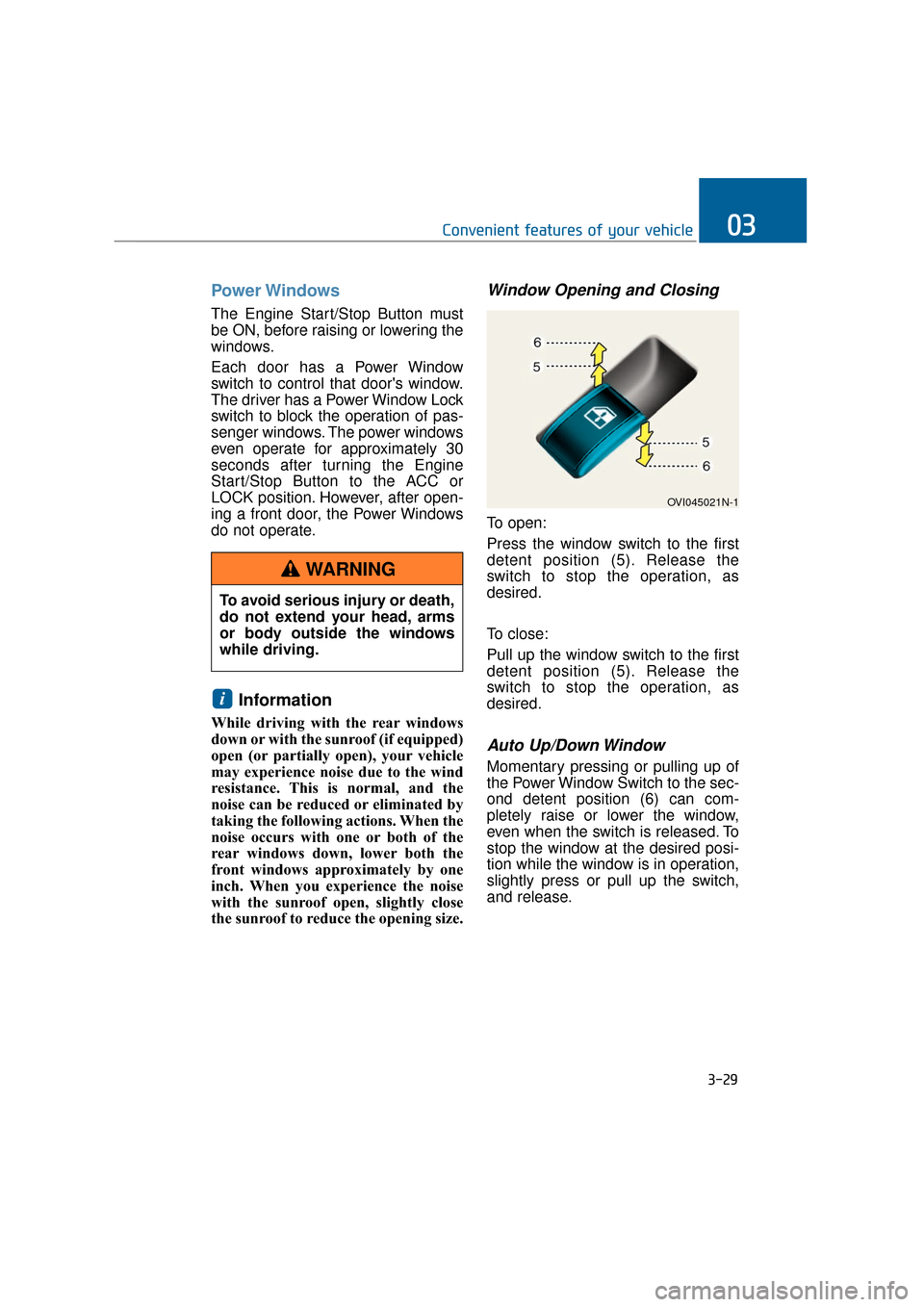
To open:
Press the window switch to the first
detent position (5). Release the
switch to stop the operation, as
desired.
To close:
Pull up the window switch to the first
detent position (5). Release the
switch to stop the operation, as
desired.
Auto Up/Down Window
Momentary pressing or pulling up of
the Power Window Switch to the sec-
ond detent position (6) can com-
pletely raise or lower the window,
even when the switch is released. To
stop the window at the desired posi-
tion while the window is in operation,
slightly press or pull up the switch,
and release.
i
3-29
Convenient features of your vehicle03
To avoid serious injury or death,
do not extend your head, arms
or body outside the windows
while driving.
WARNING
OVI045021N-1
Page 125 of 477
To Reset the Power Windows
When the power windows do not nor-
mally operate, the automatic power
window system must be reset as fol-
lows:
1. Press the Engine Start/Stop but-ton twice to the ON position.
2. Continue pulling up the power win- dow switch even after fully closing
the windows for one second or
more.
If the problem persists, have the sys-
tem checked by an authorized
EQUUS dealer.
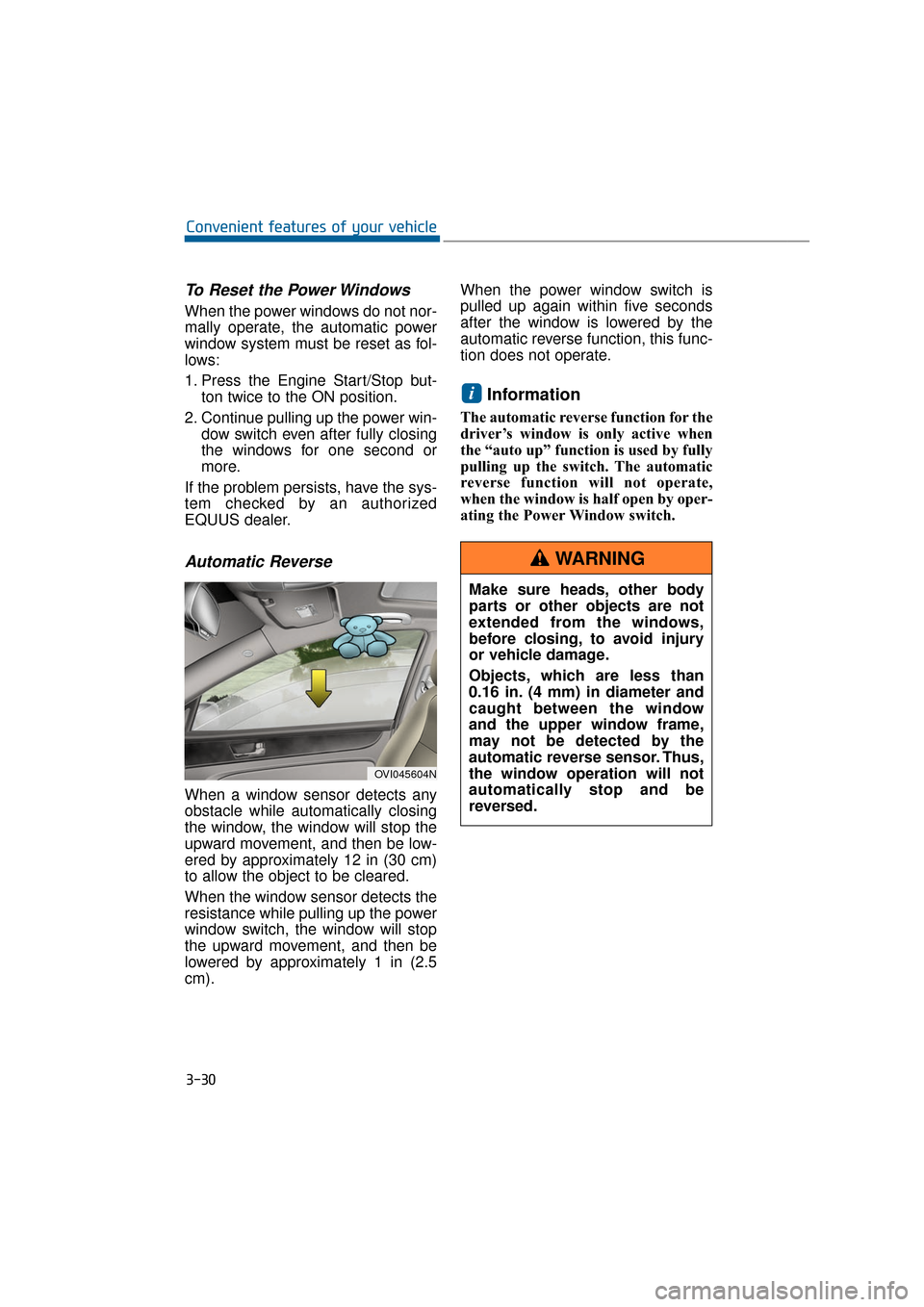
Automatic Reverse
When a window sensor detects any
obstacle while automatically closing
the window, the window will stop the
upward movement, and then be low-
ered by approximately 12 in (30 cm)
to allow the object to be cleared.
When the window sensor detects the
resistance while pulling up the power
window switch, the window will stop
the upward movement, and then be
lowered by approximately 1 in (2.5
cm). When the power window switch is
pulled up again within five seconds
after the window is lowered by the
automatic reverse function, this func-
tion does not operate.
Information
The automatic reverse function for the
driver’s window is only active when
the “auto up” function is used by fully
pulling up the switch. The automatic
reverse function will not operate,
when the window is half open by oper-
ating the Power Window switch.
i
3-30
Convenient features of your vehicle
OVI045604N
Make sure heads, other body
parts or other objects are not
extended from the windows,
before closing, to avoid injury
or vehicle damage.
Objects, which are less than
0.16 in. (4 mm) in diameter and
caught between the window
and the upper window frame,
may not be detected by the
automatic reverse sensor. Thus,
the window operation will not
automatically stop and be
reversed.
WARNING
Page 126 of 477
Rear Door Window Curtains (if equipped)
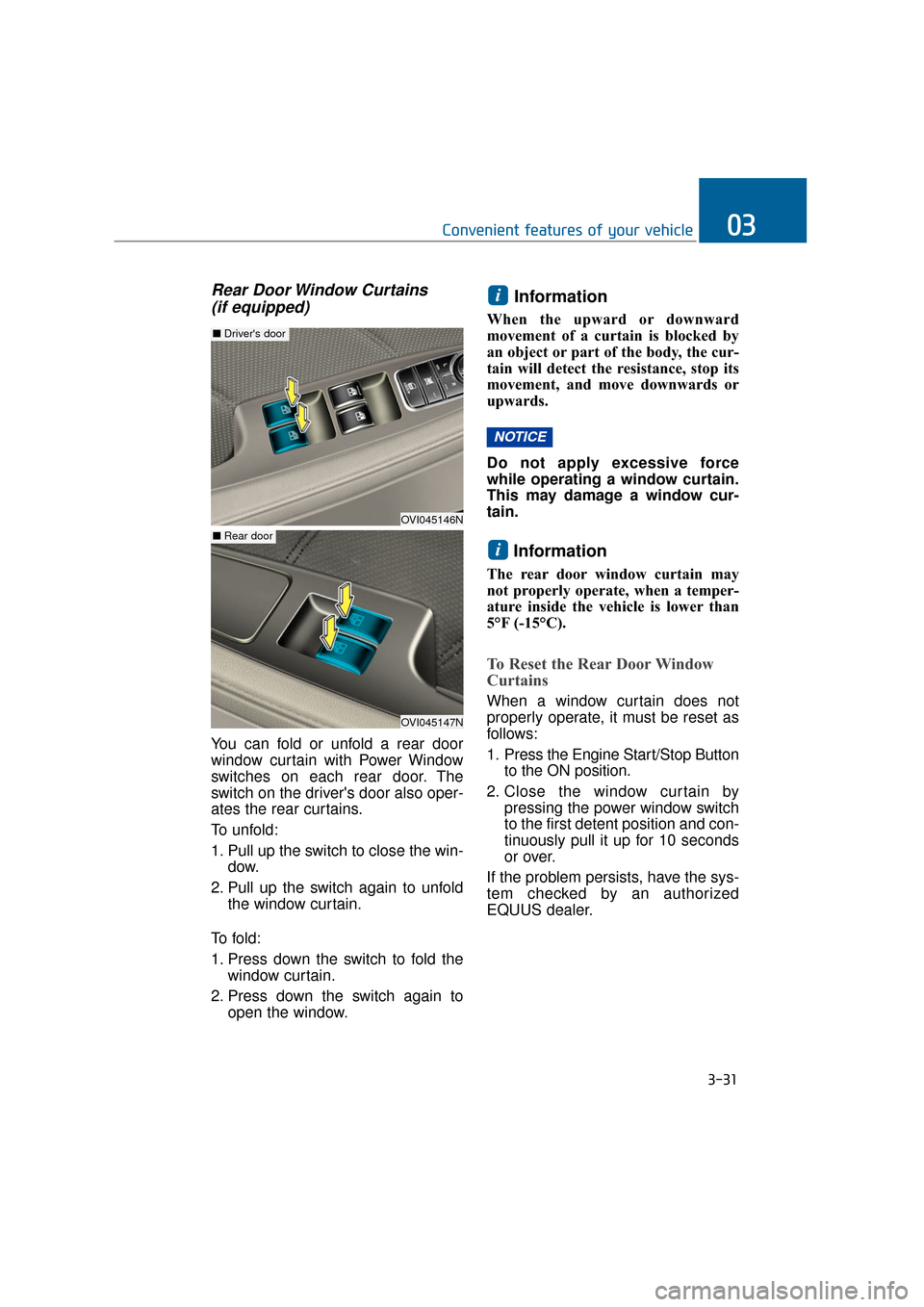
You can fold or unfold a rear door
window curtain with Power Window
switches on each rear door. The
switch on the driver's door also oper-
ates the rear curtains.
To unfold:
1. Pull up the switch to close the win-
dow.
2. Pull up the switch again to unfold the window curtain.
To f o l d :
1. Press down the switch to fold the window curtain.
2. Press down the switch again to open the window.
Information
When the upward or downward
movement of a curtain is blocked by
an object or part of the body, the cur-
tain will detect the resistance, stop its
movement, and move downwards or
upwards.
Do not apply excessive force
while operating a window curtain.
This may damage a window cur-
tain.
Information
The rear door window curtain may
not properly operate, when a temper-
ature inside the vehicle is lower than
5°F (-15°C).
To Reset the Rear Door Window
Curtains
When a window curtain does not
properly operate, it must be reset as
follows:
1. Press the Engine Start/Stop Button to the ON position.
2. Close the window curtain by pressing the power window switch
to the first detent position and con-
tinuously pull it up for 10 seconds
or over.
If the problem persists, have the sys-
tem checked by an authorized
EQUUS dealer.
i
NOTICE
i
3-31
Convenient features of your vehicle03
OVI045146N
■ Driver's door
OVI045147N
■ Rear door
Page 130 of 477
3-35
Convenient features of your vehicle03
(Continued)
Do not get back into a vehiclewhile refueling. You may build
up static electricity by touch-
ing, rubbing or sliding against
any item or fabric capable of
producing static electricity.
Static electricity discharge
may ignite fuel vapors, caus-
ing a fire. When you must re-
enter the vehicle, you should
eliminate potentially danger-
ous static electricity once
again by touching a metal part
of the vehicle with your bare
hand, keeping a safe distance
away from the fuel filler neck,
nozzle, or other gas source.
When using an approved portable fuel container, make
sure to place the container on
the ground, before refueling.
Static electricity discharged
from the container may ignite
fuel vapors, causing a fire.
Once refueling has begun,
contact between your bare
hand and the vehicle should
be maintained until the filling
is complete.
Use only approved portable plastic fuel containers
designed to carry and store
gasoline.
When refueling, always set the shift lever in P (Park), set the
parking brake, and turn OFF
the Engine Start/Stop button.
Sparks produced by electrical
components related to the
engine may ignite fuel vapors,
causing a fire.
(Continued)(Continued)
Do not use matches or alighter and do not smoke or
leave a lit cigarette in your
vehicle while at a gas station,
especially during refueling.
Do not overfill or "top-off" your vehicle tank, which may
cause gasoline spillage.
When a fire breaks out during refueling, stay away from the
vehicle, and immediately noti-
fy it to the gas station manag-
er, and call the local fire
department. Follow any safety
instructions they provide.
When pressurized fuel sprays out, it may cover your clothes
or skin. This puts you at risk
of fire and burns. Always care-
fully and slowly open the fuel
cap. When the fuel vents out
from the tank, or when you
hear a hissing sound, wait
until those stop before com-
pletely opening the cap.
Always check that the fuel cap is securely closed to prevent
fuel spillage in the event of an
accident.
Page 132 of 477
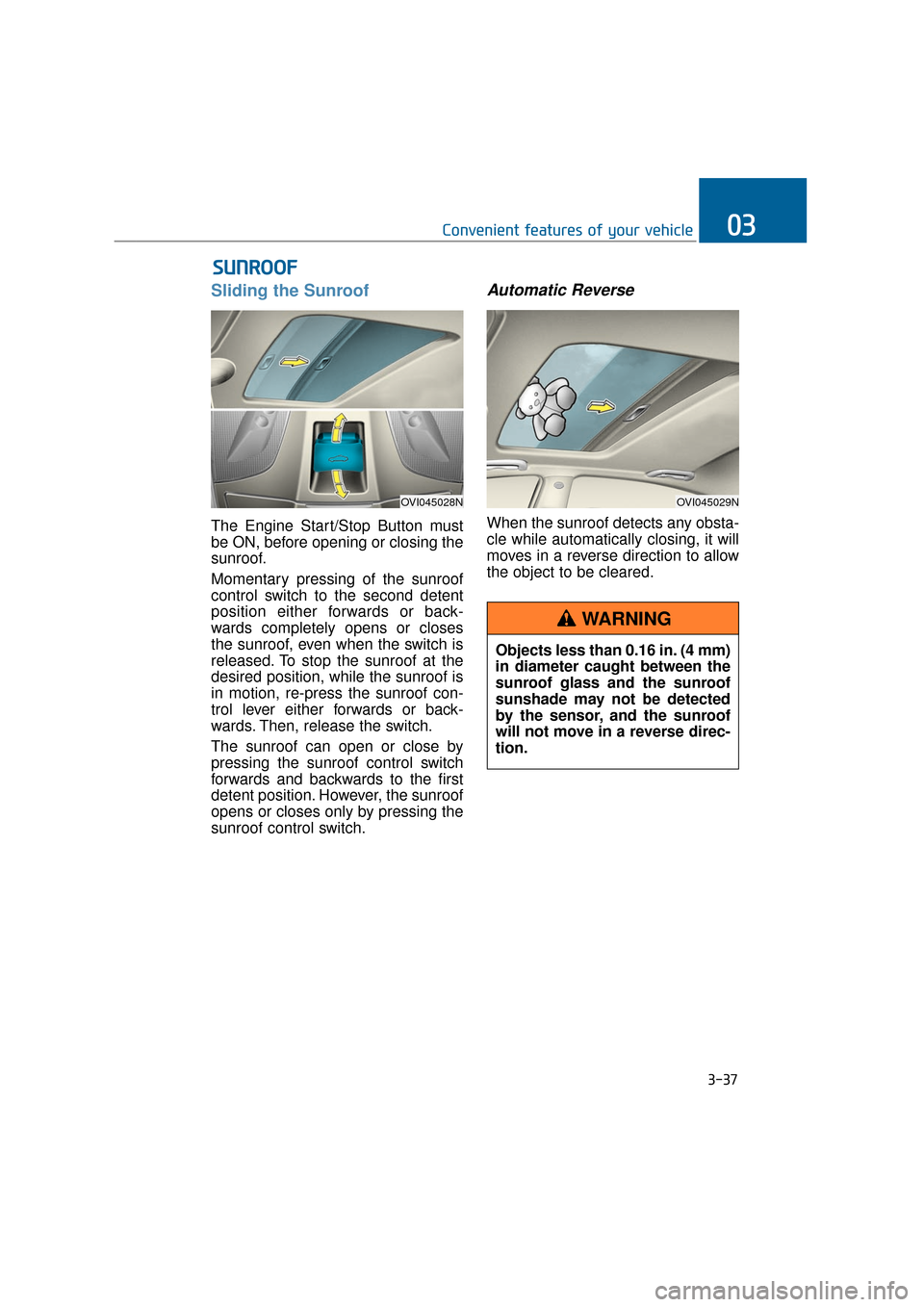
Sliding the Sunroof
The Engine Start/Stop Button must
be ON, before opening or closing the
sunroof.
Momentary pressing of the sunroof
control switch to the second detent
position either forwards or back-
wards completely opens or closes
the sunroof, even when the switch is
released. To stop the sunroof at the
desired position, while the sunroof is
in motion, re-press the sunroof con-
trol lever either forwards or back-
wards. Then, release the switch.
The sunroof can open or close by
pressing the sunroof control switch
forwards and backwards to the first
detent position. However, the sunroof
opens or closes only by pressing the
sunroof control switch.
Automatic Reverse
When the sunroof detects any obsta-
cle while automatically closing, it will
moves in a reverse direction to allow
the object to be cleared.
S SU
U N
NR
RO
O O
OF
F
3-37
Convenient features of your vehicle03
OVI045028NOVI045029N
Objects less than 0.16 in. (4 mm)
in diameter caught between the
sunroof glass and the sunroof
sunshade may not be detected
by the sensor, and the sunroof
will not move in a reverse direc-
tion.
WARNING
Page 134 of 477
Resetting the Sunroof
Sunroof needs to be reset if (in the
followings)
- Battery is discharged or discon-nected or the related fuse has been
replaced or disconnected.
- The one-touch sliding function of the sunroof does not normally oper-
ate.
1. The Engine Start/Stop Button must be ON.
2. Completely close the sunroof. Then, release the control lever.
3. Pull down the control lever and hold it, until the sunroof slightly
moves up and down. Then,
release the control lever.
4. Pull down the control lever and hold it, until the sunroof operates
as follows:
TILT DOWN → SLIDE OPEN →
SLIDE CLOSE
Then, release the control lever.
If the problem persists, have the sys-
tem checked by an EQUUS dealer.
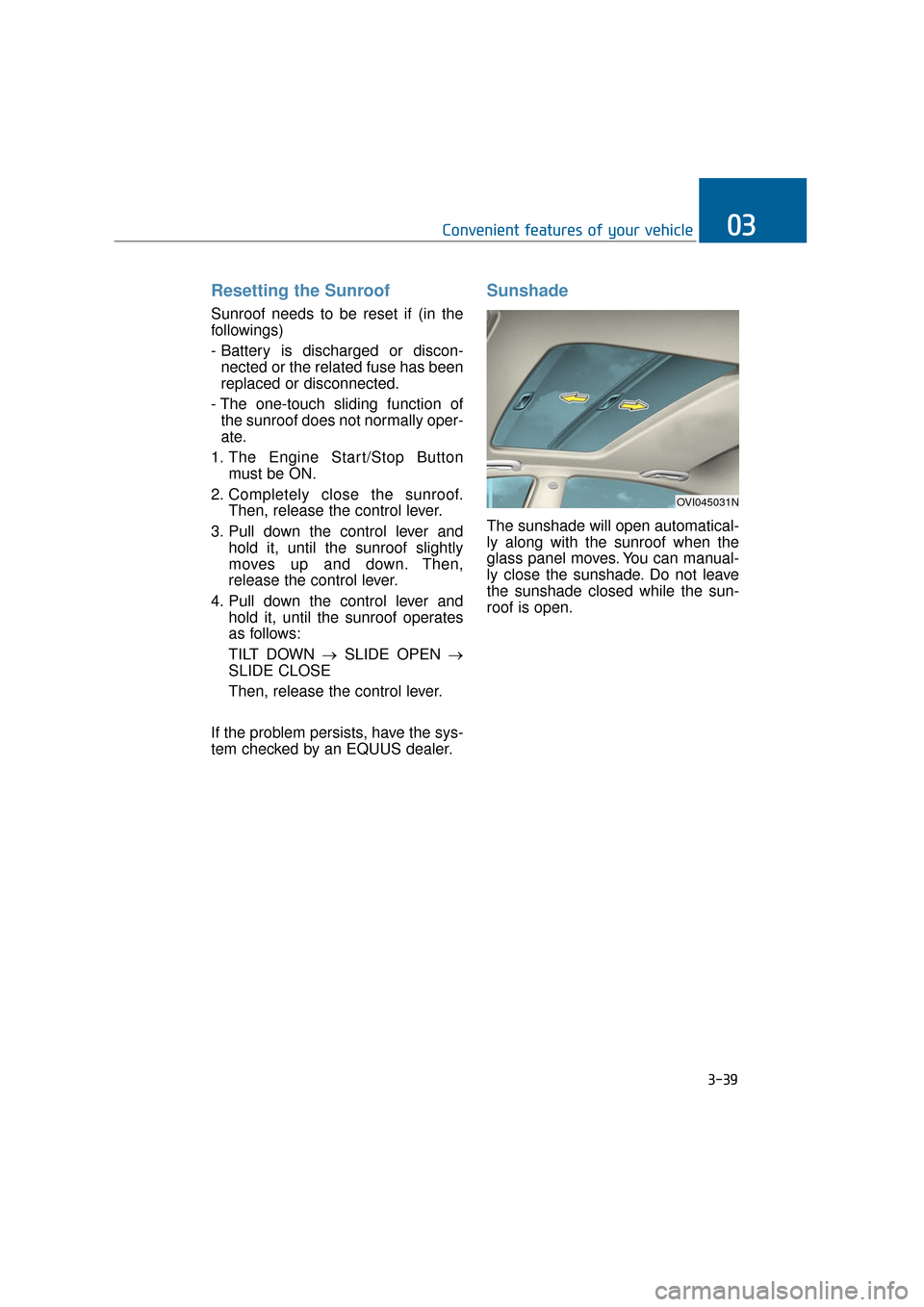
Sunshade
The sunshade will open automatical-
ly along with the sunroof when the
glass panel moves. You can manual-
ly close the sunshade. Do not leave
the sunshade closed while the sun-
roof is open.
3-39
Convenient features of your vehicle03
OVI045031N