warning light Hyundai Equus 2016 Owner's Guide
[x] Cancel search | Manufacturer: HYUNDAI, Model Year: 2016, Model line: Equus, Model: Hyundai Equus 2016Pages: 477, PDF Size: 16.25 MB
Page 84 of 477
2-57
Safety system of your vehicle02
(Continued)
No objects should be placedover or near the air bag mod-
ules on the steering wheel,
instrument panel, and the
front panel above the glove
box, because such an object
may cause harm in a crash
severe enough to cause the
air bags to deploy.
Never place covers, blankets or seat warmers on the pas-
senger's seat. These may
interfere with the occupant
classification system.
Do not modify or disconnect the SRS wirings or other SRS
components.
Doing so may result in injury,
due to an accidental air bag
deployment or the deactivated
SRS.
When the SRS air bag warning light remains illuminated
while driving, have an author-
ized EQUUS dealer inspect
the air bag system as soon as
possible.
Air bags can be used only once – have an authorized
EQUUS dealer replace the air
bag immediately after deploy-
ment.
The SRS is designed to deploy front air bags only
when an impact is sufficiently
severe, and when the impact
angle is smaller than 30° from
the forward longitudinal axis.
In addition, air bags will inflate
only once. Seat belts must be
fastened at all times.
(Continued)(Continued)
Front air bags are notdesigned to deploy in
side/rear impacts or a rollover.
In addition, front air bags will
not deploy in a frontal crash,
when an impact severity is
below the deployment thresh-
old.
Even though your vehicle is equipped with the occupant
classification system, do not
install a child restraint system
in the front passenger's seat.
A child restraint system must
never be installed in front. An
infant or child may be severe-
ly injured or killed by an air
bag deployment in case of an
accident.
Children age 12 and under must always be properly
restrained in a rear seat.
Never allow children to ride in
the front passenger's seat. In
case that a child over the age
of 12 is seated in the front
passenger's seat, the child
must be properly fastened
and the seat should be moved
to the rearmost position.
To maximize protection and to minimize the possibility of
serious injury or death in all
types of crashes, all occu-
pants including the driver
should always fasten a seat
belt regardless of the air bag
installment in their seats. Do
not sit or lean unnecessarily
close to an air bag while the
vehicle is in motion.
(Continued)
Page 92 of 477
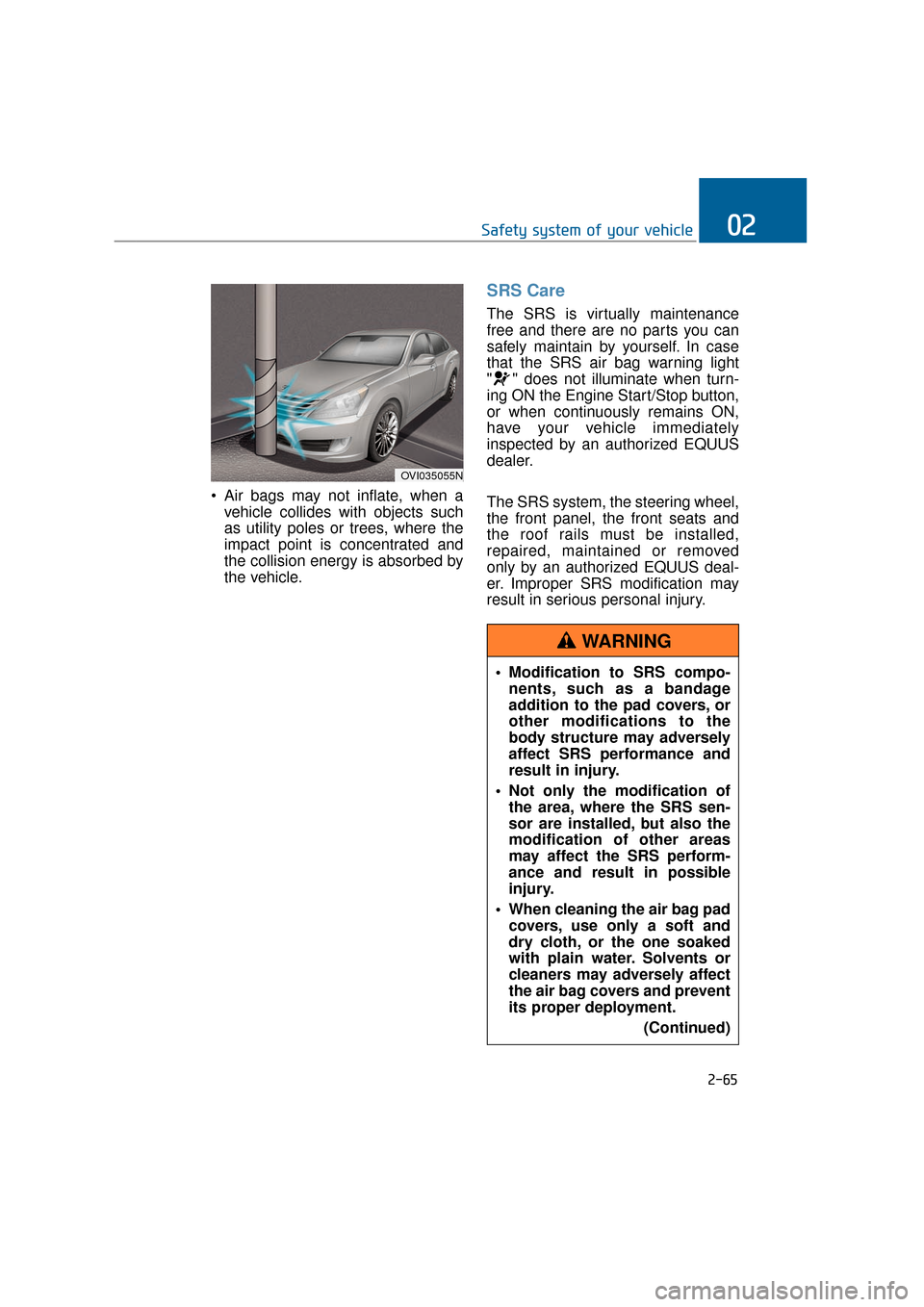
Air bags may not inflate, when avehicle collides with objects such
as utility poles or trees, where the
impact point is concentrated and
the collision energy is absorbed by
the vehicle.
SRS Care
The SRS is virtually maintenance
free and there are no parts you can
safely maintain by yourself. In case
that the SRS air bag warning light
" " does not illuminate when turn-
ing ON the Engine Start/Stop button,
or when continuously remains ON,
have your vehicle immediately
inspected by an authorized EQUUS
dealer.
The SRS system, the steering wheel,
the front panel, the front seats and
the roof rails must be installed,
repaired, maintained or removed
only by an authorized EQUUS deal-
er. Improper SRS modification may
result in serious personal injury.
2-65
Safety system of your vehicle02
OVI035055N
Modification to SRS compo-nents, such as a bandage
addition to the pad covers, or
other modifications to the
body structure may adversely
affect SRS performance and
result in injury.
Not only the modification of the area, where the SRS sen-
sor are installed, but also the
modification of other areas
may affect the SRS perform-
ance and result in possible
injury.
When cleaning the air bag pad covers, use only a soft and
dry cloth, or the one soaked
with plain water. Solvents or
cleaners may adversely affect
the air bag covers and prevent
its proper deployment.
(Continued)
WARNING
Page 98 of 477
Instrument cluster................................................3-62
Instrument Cluster Control............................................3-64
LCD Display Control ........................................................3-64
Gauges ........................................................................\
.......3-65
LCD display ...........................................................3-69
LCD Modes ........................................................................\
3-69
Trip Computer Mode.......................................................3-70
ASCC/LDWS Mode ..........................................................3-70
A/V Mode........................................................................\
..3-70
Turn By Turn (TBT) Mode ............................................3-70
Information Mode ...........................................................3-71
User Settings Mode ........................................................3-72
Warning Messages..........................................................3-78
Trip computer .......................................................3-86
Overview........................................................................\
....3-86
Trip A/B ........................................................................\
.....3-86
Fuel Economy...................................................................3-87
Warning and indicator lights ..............................3-89
Warning lights ..................................................................3-89
Indicator Lights ................................................................3-96
Head Up Display (HUD).....................................3-100
Description ......................................................................3-\
100
Head Up Display ON/OFF ...........................................3-101
Head Up Display Information .....................................3-101
Head Up Display Setting .............................................3-101
Parking assist system........................................3-102
Operation of the parking assist system..................3-103
Inoperable conditions of the Parking Assist
System ........................................................................\
.....3-105
Self-diagnosis ................................................................3-106
Page 102 of 477
Locking
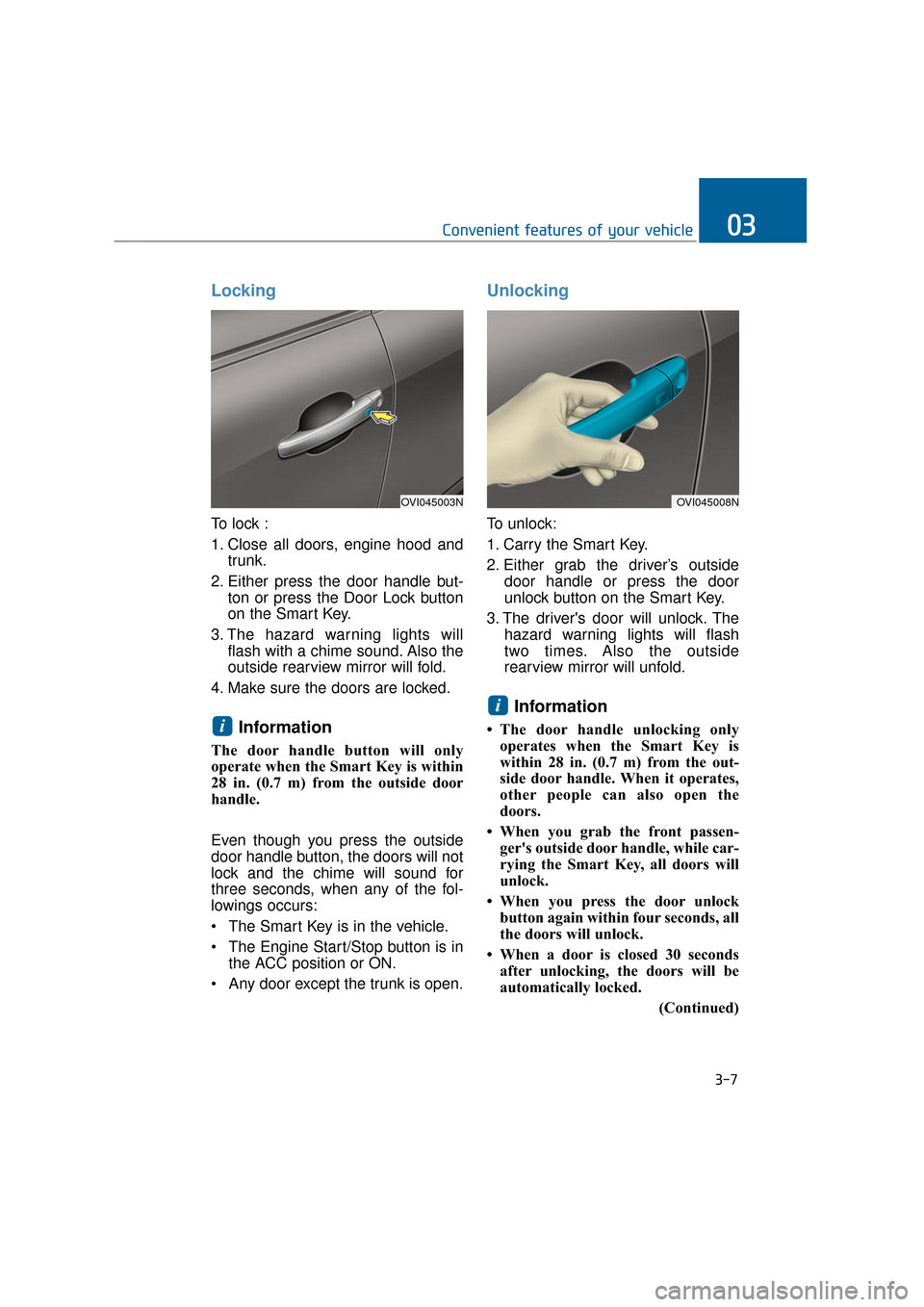
To lock :
1. Close all doors, engine hood andtrunk.
2. Either press the door handle but- ton or press the Door Lock button
on the Smart Key.
3. The hazard warning lights will flash with a chime sound. Also the
outside rearview mirror will fold.
4. Make sure the doors are locked.
Information
The door handle button will only
operate when the Smart Key is within
28 in. (0.7 m) from the outside door
handle.
Even though you press the outside
door handle button, the doors will not
lock and the chime will sound for
three seconds, when any of the fol-
lowings occurs:
• The Smart Key is in the vehicle.
The Engine Start/Stop button is in the ACC position or ON.
Any door except the trunk is open.
Unlocking
To unlock:
1. Carry the Smart Key.
2. Either grab the driver’s outside door handle or press the door
unlock button on the Smart Key.
3. The driver's door will unlock. The hazard warning lights will flash
two times. Also the outside
rearview mirror will unfold.
Information
• The door handle unlocking onlyoperates when the Smart Key is
within 28 in. (0.7 m) from the out-
side door handle. When it operates,
other people can also open the
doors.
• When you grab the front passen- ger's outside door handle, while car-
rying the Smart Key, all doors will
unlock.
• When you press the door unlock button again within four seconds, all
the doors will unlock.
• When a door is closed 30 seconds after unlocking, the doors will be
automatically locked.
(Continued)
i
i
Convenient features of your vehicle03
OVI045003NOVI045008N
3-7
Page 103 of 477
(Continued)
• You can control the door unlockmode in the User Settings menu on
the LCD display, such as unlocking
all the doors by pressing the unlock
button one time.
Trunk Unlocking
To unlock:
1. Carry the Smart Key.
2. Press either the trunk handle but- ton or the Trunk Unlock button on
the Smart Key for one second or
over.
3. The hazard warning lights will flash two times.
After opening and closing the trunk,
the trunk will automatically lock.
Information
The power trunk (if equipped) can be
operated even when the engine is not
running. However, the power trunk
consumes large amounts of vehicle
electric power. To prevent the battery
from being discharged, do not operate
it consecutively (more than approxi-
mately 10 times).
Panic Button
Press the Panic button (4) for more
than one second. The horn sounds
and hazard warning lights flash for
about 30 seconds.
To cancel the panic mode, press any
button on the Smart Key.
Start-Up
You can start the engine without
inserting the key. For detailed infor-
mation, refer to the Engine
Start/Stop Button in the chapter 5.
To prevent the Smart Key from
being damaged:
• Keep the Smart Key away from water or any liquid and fire. If the
inside of the Smart Key gets
damp (due to drinks or mois-
ture), or is heated, internal cir-
cuit may malfunction, excluding
the vehicle from the warranty.
Avoid dropping or throwing the Smart Key.
Do not keep the Smart Key at an extreme temperature.
NOTICE
i
3-8
Convenient features of your vehicle
Page 108 of 477
This system helps to protect your
vehicle and valuables. The hazard
warning lights will continuously flash
with a warning alarm, when any of
the followings occurs:
- A door is opened without using theSmart Key.
- The trunk is opened without using the Smart Key.
- The engine hood is opened.
The alarm continues for 30 seconds.
This repeats once more, and then
the system resets. To turn OFF the
alarm, unlock the doors with the
Smart Key.
The Theft Alarm System automati-
cally sets ON 30 seconds, after lock-
ing the doors and the trunk. To acti-
vate the system, you must lock the
doors and the trunk from outside with
the Smart Key or by pressing the but-
ton on the door handles with the
Smart Key. The hazard warning lights
flash once with a chime sound to
indicate onset of the system.
Once the Theft Alarm System sets
ON, opening any door, the trunk, or
the hood without using the Smart
Key will activate the alarm. The Theft
Alarm System will not set ON, when
the hood, the trunk, or any door is
not securely closed. When the sys-
tem does not set ON, check the
hood, the trunk, or the doors are
securely closed.
Do not attempt to modify this system
or add other devices to it.Information
• Do not lock the doors until all pas- sengers leave the vehicle. When any
passenger remains in the vehicle, the
alarm will activate.
• When you cannot cancel the Theft Alarm System with the Smart Key,
open the doors by using the mechan-
ical key and turn ON the Engine
Start/Stop button.
i
T TH
H E
EF
FT
T -
-A
A L
LA
A R
RM
M
S
S Y
Y S
ST
T E
EM
M
3-13
Convenient features of your vehicle03
Page 118 of 477
Close the trunk, and keep the
Trunk Lid Control button OFF (not
depressed), before washing the
vehicle in an automatic car wash.
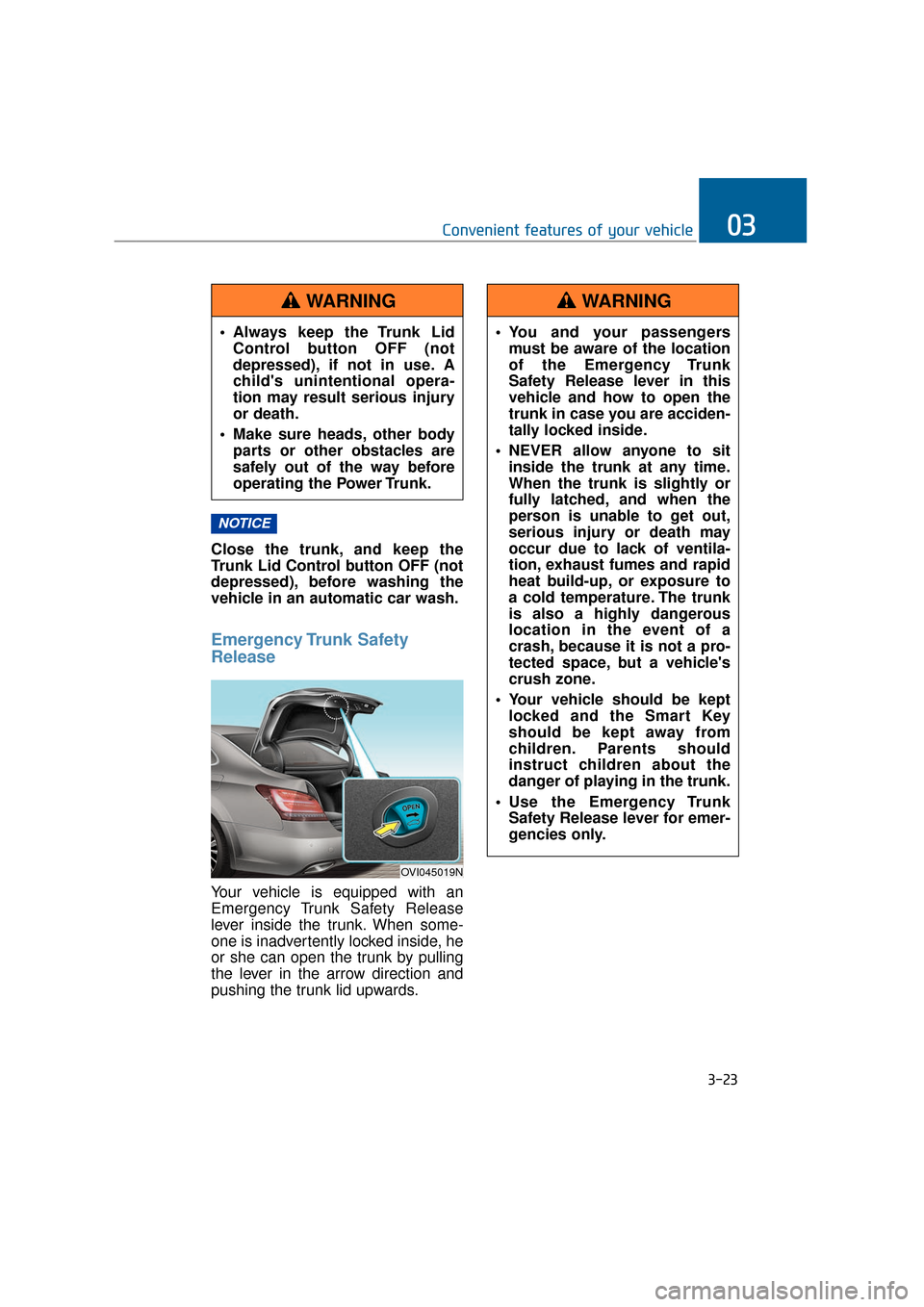
Emergency Trunk Safety
Release
Your vehicle is equipped with an
Emergency Trunk Safety Release
lever inside the trunk. When some-
one is inadvertently locked inside, he
or she can open the trunk by pulling
the lever in the arrow direction and
pushing the trunk lid upwards.
NOTICE
3-23
Convenient features of your vehicle03
OVI045019N
You and your passengersmust be aware of the location
of the Emergency Trunk
Safety Release lever in this
vehicle and how to open the
trunk in case you are acciden-
tally locked inside.
NEVER allow anyone to sit inside the trunk at any time.
When the trunk is slightly or
fully latched, and when the
person is unable to get out,
serious injury or death may
occur due to lack of ventila-
tion, exhaust fumes and rapid
heat build-up, or exposure to
a cold temperature. The trunk
is also a highly dangerous
location in the event of a
crash, because it is not a pro-
tected space, but a vehicle's
crush zone.
Your vehicle should be kept locked and the Smart Key
should be kept away from
children. Parents should
instruct children about the
danger of playing in the trunk.
Use the Emergency Trunk Safety Release lever for emer-
gencies only.
WARNING
Always keep the Trunk LidControl button OFF (not
depressed), if not in use. A
child's unintentional opera-
tion may result serious injury
or death.
Make sure heads, other body parts or other obstacles are
safely out of the way before
operating the Power Trunk.
WARNING
Page 119 of 477
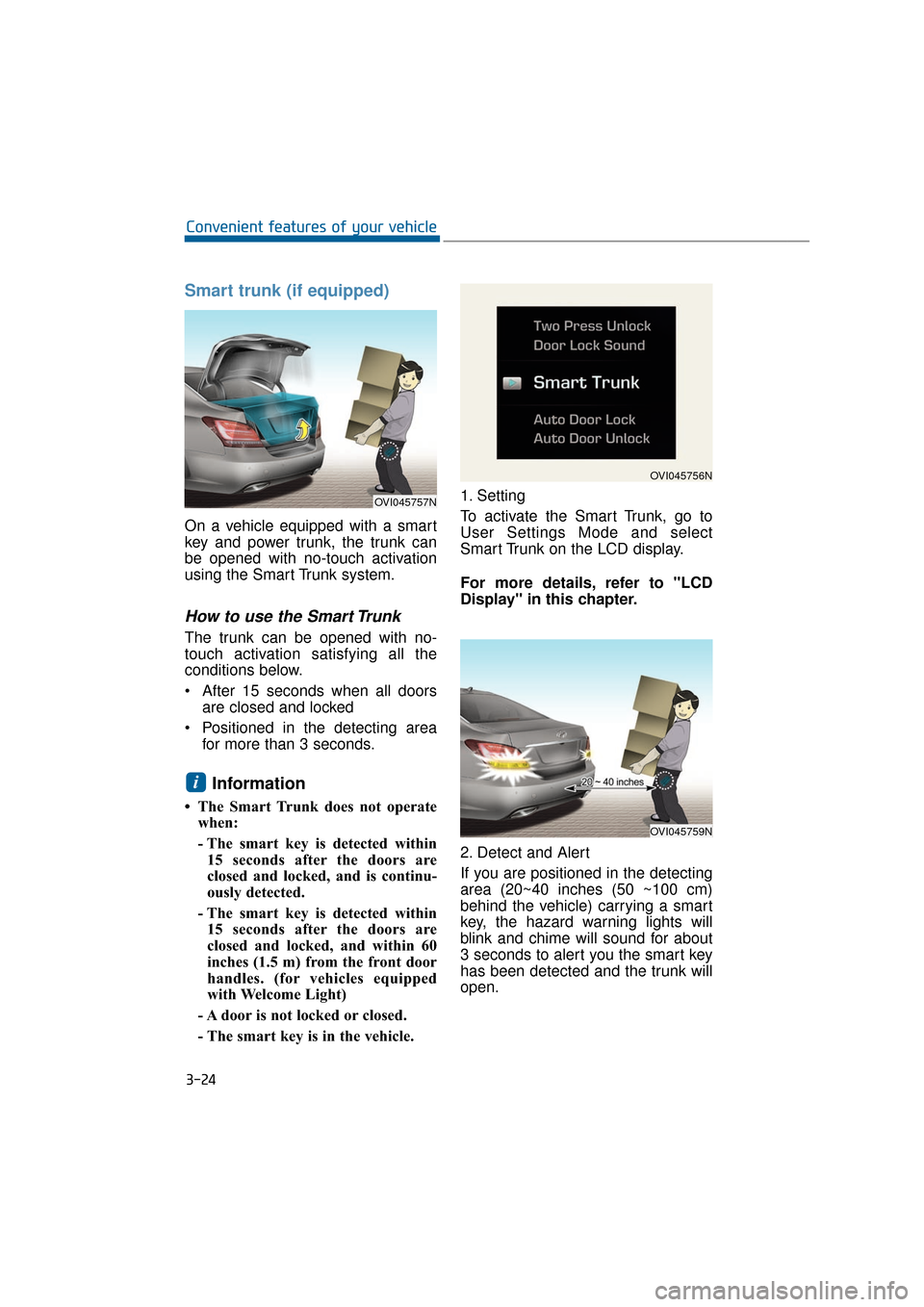
Smart trunk (if equipped)
On a vehicle equipped with a smart
key and power trunk, the trunk can
be opened with no-touch activation
using the Smart Trunk system.
How to use the Smart Trunk
The trunk can be opened with no-
touch activation satisfying all the
conditions below.
After 15 seconds when all doorsare closed and locked
Positioned in the detecting area for more than 3 seconds.
Information
• The Smart Trunk does not operatewhen:
- The smart key is detected within15 seconds after the doors are
closed and locked, and is continu-
ously detected.
- The smart key is detected within 15 seconds after the doors are
closed and locked, and within 60
inches (1.5 m) from the front door
handles. (for vehicles equipped
with Welcome Light)
- A door is not locked or closed.
- The smart key is in the vehicle. 1. Setting
To activate the Smart Trunk, go to
User Settings Mode and select
Smart Trunk on the LCD display.
For more details, refer to "LCD
Display" in this chapter.
2. Detect and Alert
If you are positioned in the detecting
area (20~40 inches (50 ~100 cm)
behind the vehicle) carrying a smart
key, the hazard warning lights will
blink and chime will sound for about
3 seconds to alert you the smart key
has been detected and the trunk will
open.
i
3-24
Convenient features of your vehicle
OVI045757N
OVI045756N
OVI045759N
Page 120 of 477
Information
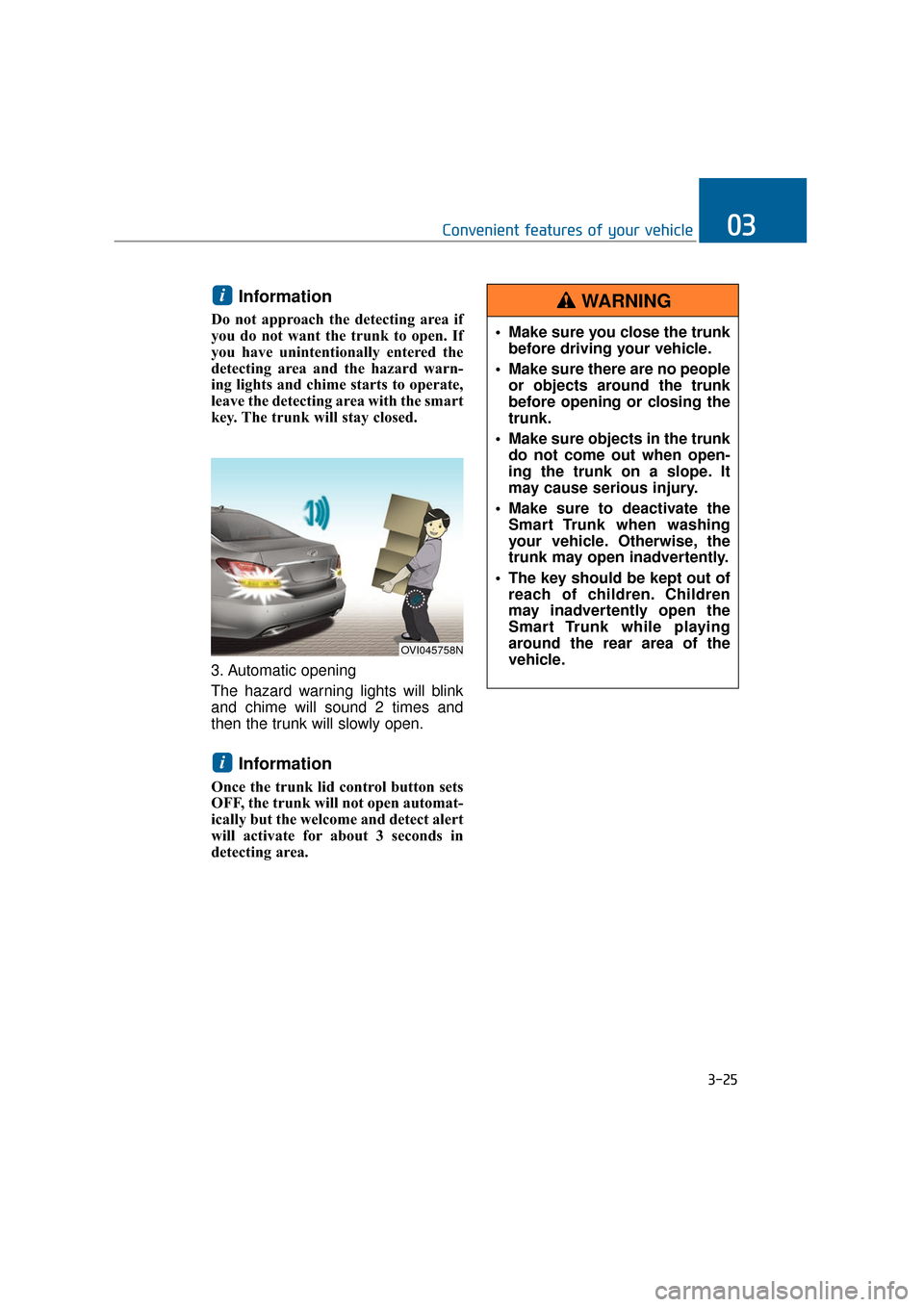
Do not approach the detecting area if
you do not want the trunk to open. If
you have unintentionally entered the
detecting area and the hazard warn-
ing lights and chime starts to operate,
leave the detecting area with the smart
key. The trunk will stay closed.
3. Automatic opening
The hazard warning lights will blink
and chime will sound 2 times and
then the trunk will slowly open.
Information
Once the trunk lid control button sets
OFF, the trunk will not open automat-
ically but the welcome and detect alert
will activate for about 3 seconds in
detecting area.
i
i
3-25
Convenient features of your vehicle03
OVI045758N
Make sure you close the trunkbefore driving your vehicle.
Make sure there are no people or objects around the trunk
before opening or closing the
trunk.
Make sure objects in the trunk do not come out when open-
ing the trunk on a slope. It
may cause serious injury.
Make sure to deactivate the Smart Trunk when washing
your vehicle. Otherwise, the
trunk may open inadvertently.
The key should be kept out of reach of children. Children
may inadvertently open the
Smart Trunk while playing
around the rear area of the
vehicle.
WARNING
Page 124 of 477
Power Windows
The Engine Start/Stop Button must
be ON, before raising or lowering the
windows.
Each door has a Power Window
switch to control that door's window.
The driver has a Power Window Lock
switch to block the operation of pas-
senger windows. The power windows
even operate for approximately 30
seconds after turning the Engine
Start/Stop Button to the ACC or
LOCK position. However, after open-
ing a front door, the Power Windows
do not operate.
Information
While driving with the rear windows
down or with the sunroof (if equipped)
open (or partially open), your vehicle
may experience noise due to the wind
resistance. This is normal, and the
noise can be reduced or eliminated by
taking the following actions. When the
noise occurs with one or both of the
rear windows down, lower both the
front windows approximately by one
inch. When you experience the noise
with the sunroof open, slightly close
the sunroof to reduce the opening size.
Window Opening and Closing
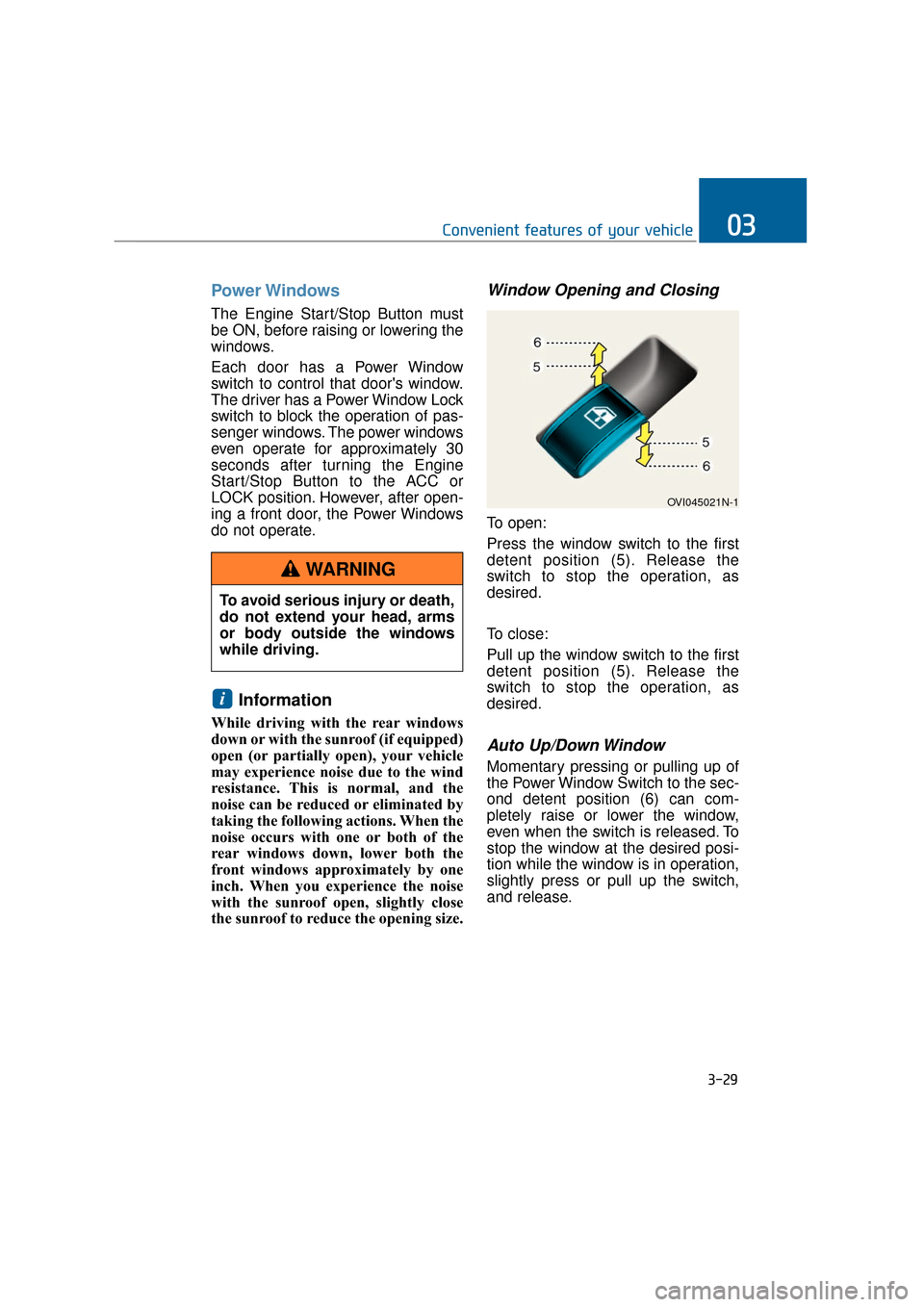
To open:
Press the window switch to the first
detent position (5). Release the
switch to stop the operation, as
desired.
To close:
Pull up the window switch to the first
detent position (5). Release the
switch to stop the operation, as
desired.
Auto Up/Down Window
Momentary pressing or pulling up of
the Power Window Switch to the sec-
ond detent position (6) can com-
pletely raise or lower the window,
even when the switch is released. To
stop the window at the desired posi-
tion while the window is in operation,
slightly press or pull up the switch,
and release.
i
3-29
Convenient features of your vehicle03
To avoid serious injury or death,
do not extend your head, arms
or body outside the windows
while driving.
WARNING
OVI045021N-1