brake Hyundai Equus 2016 Workshop Manual
[x] Cancel search | Manufacturer: HYUNDAI, Model Year: 2016, Model line: Equus, Model: Hyundai Equus 2016Pages: 477, PDF Size: 16.25 MB
Page 284 of 477
Do not slide down (or coast down)the vehicle on a slope out of gear.
This is extremely hazardous. Keep
the vehicle in gear at all times,
depress the brake pedal to slow
down, and then shift to a lower
gear so that engine braking will
help you maintain a safe speed.
Do not "ride" the brake pedal. Resting your foot on the brake
pedal, while driving, is dangerous
because it may result brake over-
heating or lose braking effects. It
also wears out the brake compo-
nents.
If a tire goes flat while driving, gen- tly depress the brake pedal. Keep
the driving direction straight ahead
while slowing down the speed.
When the speed is lowered
enough to be safe, pull off and stop
the vehicle in a safe place.
When your vehicle is equipped with an automatic transmission, do
not let your car creep forward. To
avoid creeping forward, firmly
depress the brake pedal when
stopping the vehicle.
Be careful when parking on a slope. Firmly set the parking brake
and place the shift lever in P(Park).
When parking the vehicle on a
downward slope, steer the front
wheels sideways (into the curbs) to
prevent the vehicle from rolling.
When parking the vehicle on an
upwards, turn the front wheels
sideways (away from the curb) to
prevent the vehicle from rolling.
If there is no curb, or if it is required
by other conditions, block the
wheels with obstacles to keep the
vehicle from rolling. Under some conditions, your park-
ing brake may freeze in the
engaged position. This is most like-
ly to happen, when there is an
accumulation of snow or ice
around or near the rear brakes, or
when the brake is wet. When there
is a risk that the parking brake may
freeze, temporarily depress the
brake pedal while locating the shift
lever(automatic transmission) in
P(Park) and block the rear wheels.
Thus, the vehicle may not roll.
Then, release the parking brake.
Do not hold the vehicle on a slope by depressing the accelerator. This
may overheat the transmission.
Always use the brake pedal or
parking brake.
5-33
Driving your vehicle05
Page 289 of 477
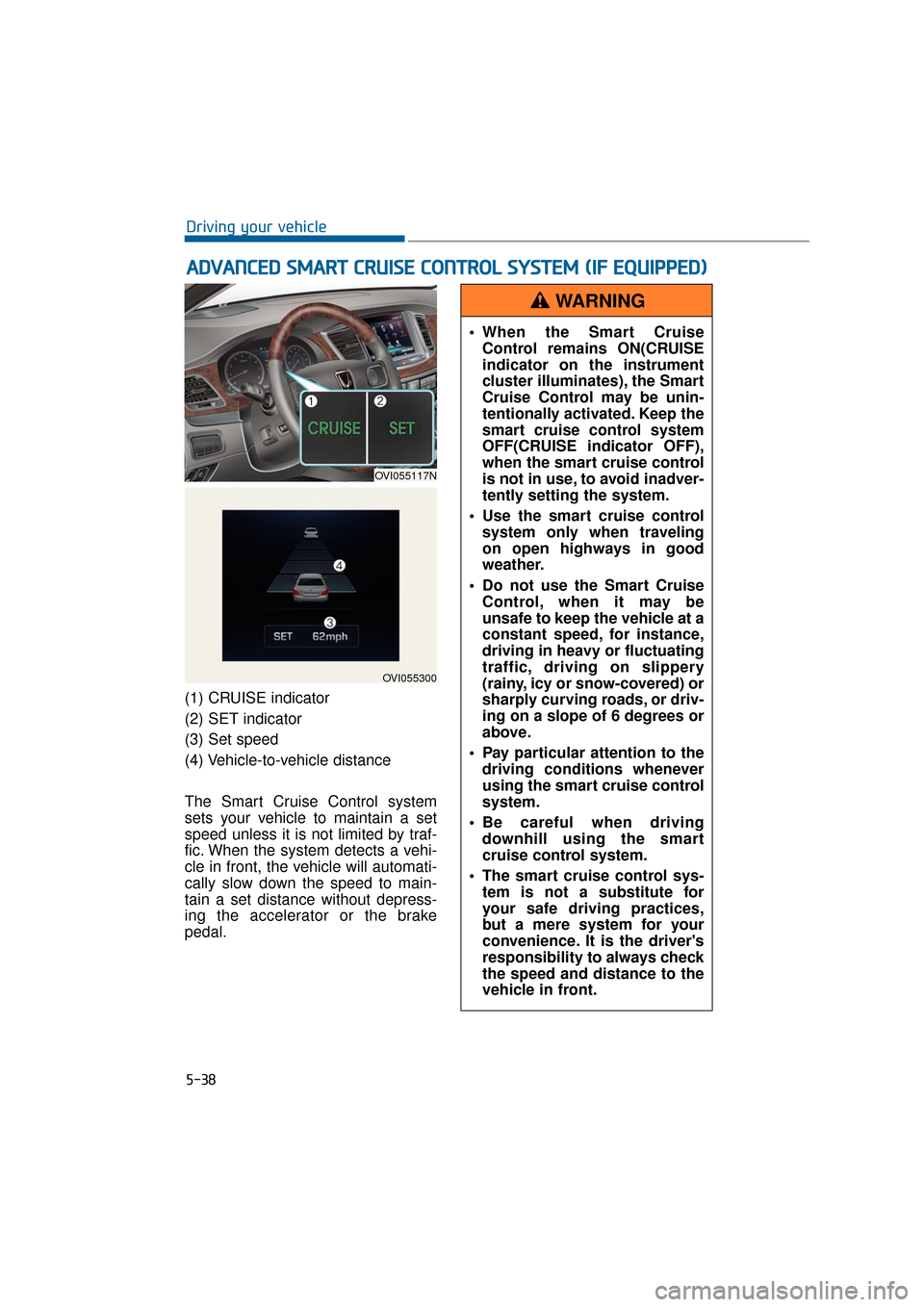
(1) CRUISE indicator
(2) SET indicator
(3) Set speed
(4) Vehicle-to-vehicle distance
The Smart Cruise Control system
sets your vehicle to maintain a set
speed unless it is not limited by traf-
fic. When the system detects a vehi-
cle in front, the vehicle will automati-
cally slow down the speed to main-
tain a set distance without depress-
ing the accelerator or the brake
pedal.
A AD
DV
VA
A N
N C
CE
E D
D
S
S M
M A
AR
RT
T
C
C R
R U
U I
IS
S E
E
C
C O
O N
NT
TR
R O
O L
L
S
S Y
Y S
ST
T E
EM
M
(
( I
IF
F
E
E Q
Q U
UI
IP
P P
PE
ED
D )
)
5-38
Driving your vehicle
OVI055117N
OVI055300
When the Smart Cruise
Control remains ON(CRUISE
indicator on the instrument
cluster illuminates), the Smart
Cruise Control may be unin-
tentionally activated. Keep the
smart cruise control system
OFF(CRUISE indicator OFF),
when the smart cruise control
is not in use, to avoid inadver-
tently setting the system.
Use the smart cruise control system only when traveling
on open highways in good
weather.
Do not use the Smart Cruise Control, when it may be
unsafe to keep the vehicle at a
constant speed, for instance,
driving in heavy or fluctuating
traffic, driving on slippery
(rainy, icy or snow-covered) or
sharply curving roads, or driv-
ing on a slope of 6 degrees or
above.
Pay particular attention to the driving conditions whenever
using the smart cruise control
system.
Be careful when driving downhill using the smart
cruise control system.
The smart cruise control sys- tem is not a substitute for
your safe driving practices,
but a mere system for your
convenience. It is the driver's
responsibility to always check
the speed and distance to the
vehicle in front.
WARNING
Page 290 of 477
Information
During the normal operation of the
Smart Cruise Control, with the SET
switch activated or reactivated after
applying brakes, the Smart Cruise
Control will energize after approxi-
mately 3 seconds. This delay is nor-
mal.
Smart Cruise Control speed
To set the cruising speed:
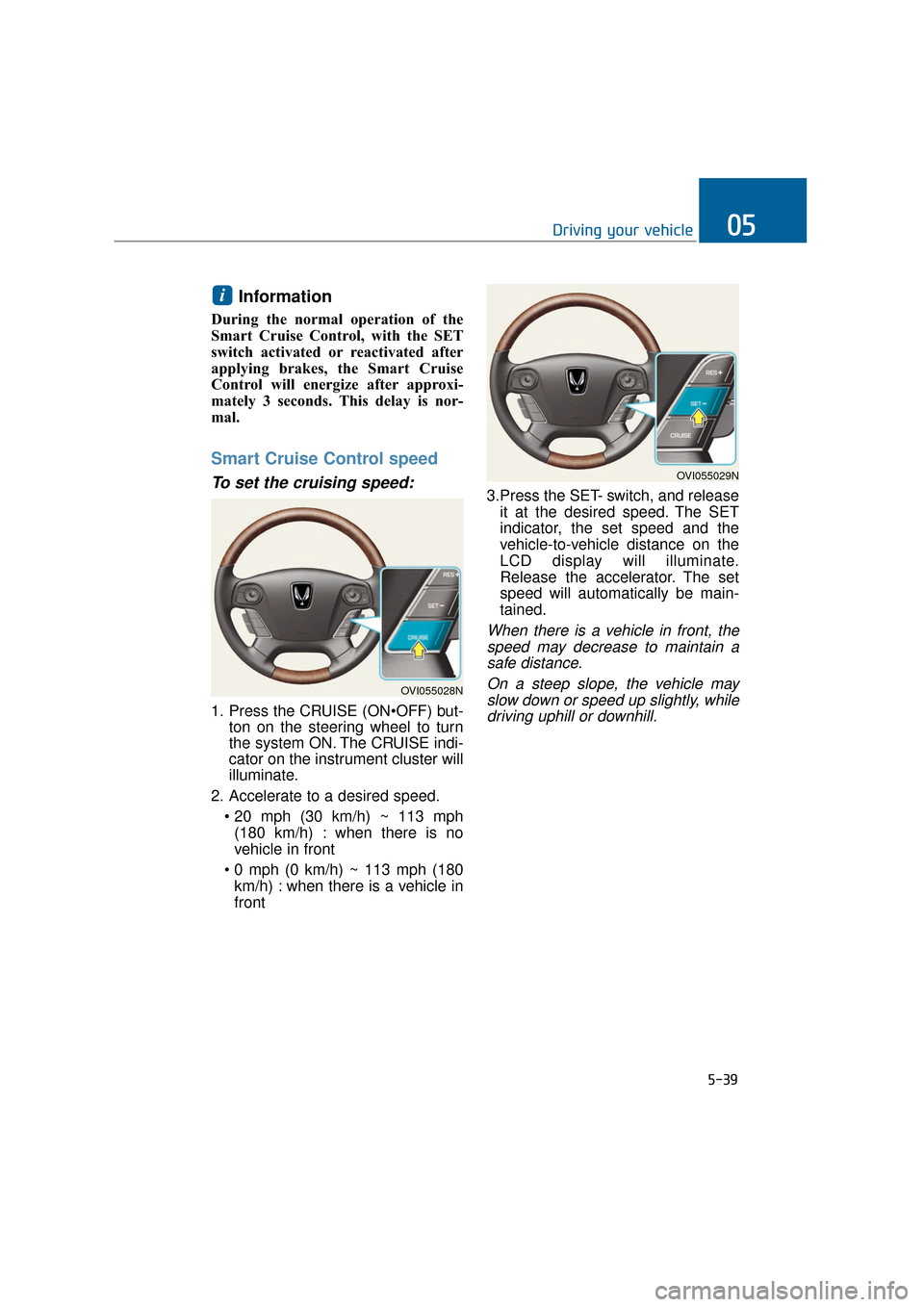
1. Press the CRUISE (ONton on the steering wheel to turn
the system ON. The CRUISE indi-
cator on the instrument cluster will
illuminate.
2. Accelerate to a desired speed. (180 km/h) : when there is no
vehicle in front
km/h) : when there is a vehicle in
front 3.Press the SET- switch, and release
it at the desired speed. The SET
indicator, the set speed and the
vehicle-to-vehicle distance on the
LCD display will illuminate.
Release the accelerator. The set
speed will automatically be main-
tained.
When there is a vehicle in front, thespeed may decrease to maintain asafe distance.
On a steep slope, the vehicle mayslow down or speed up slightly, whiledriving uphill or downhill.
i
5-39
Driving your vehicle05
OVI055028N
OVI055029N
Page 292 of 477
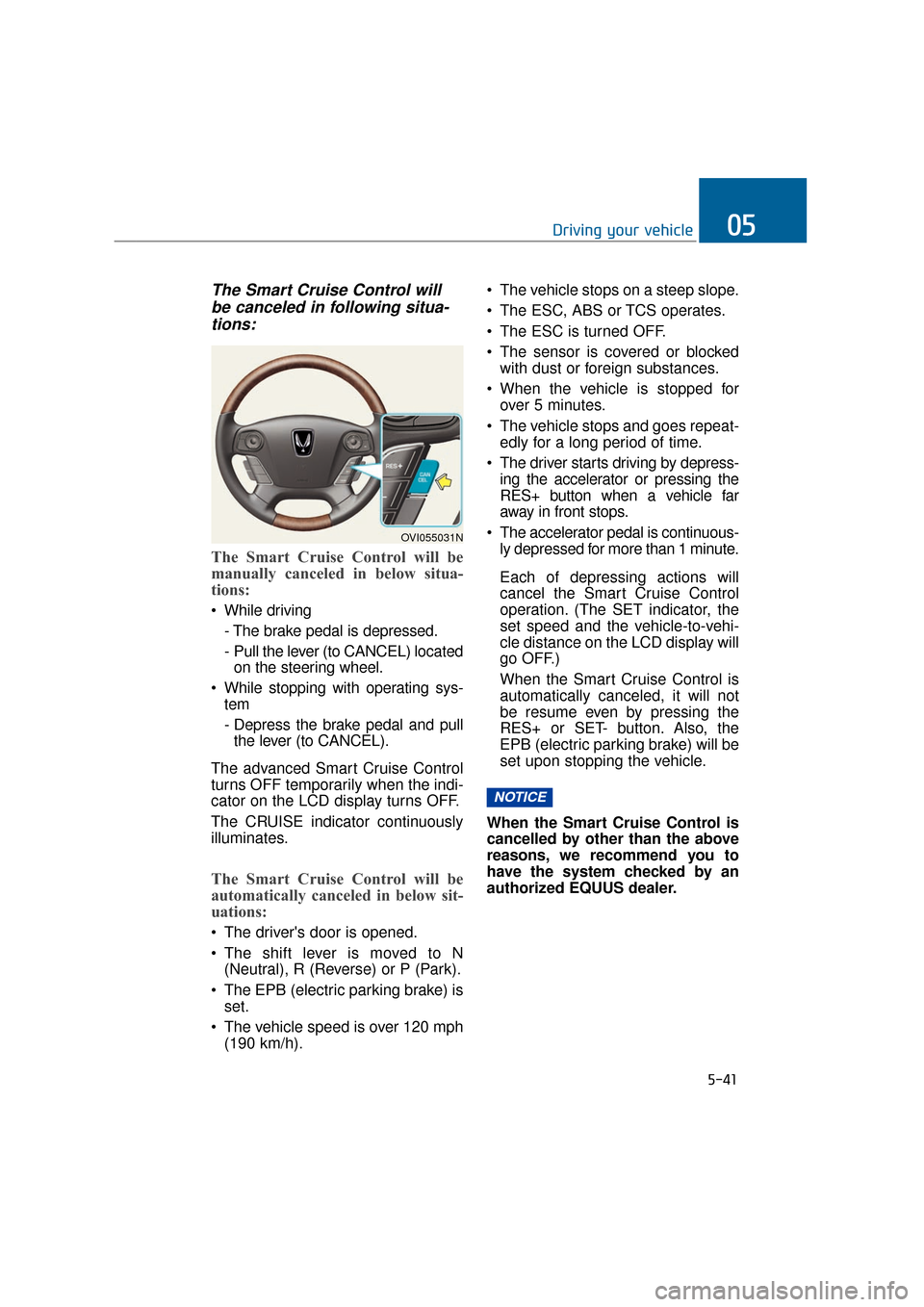
The Smart Cruise Control willbe canceled in following situa-tions:
The Smart Cruise Control will be
manually canceled in below situa-
tions:
While driving
- The brake pedal is depressed.
- Pull the lever (to CANCEL) locatedon the steering wheel.
While stopping with operating sys- tem
- Depress the brake pedal and pullthe lever (to CANCEL).
The advanced Smart Cruise Control
turns OFF temporarily when the indi-
cator on the LCD display turns OFF.
The CRUISE indicator continuously
illuminates.
The Smart Cruise Control will be
automatically canceled in below sit-
uations:
The driver's door is opened.
The shift lever is moved to N (Neutral), R (Reverse) or P (Park).
The EPB (electric parking brake) is set.
The vehicle speed is over 120 mph (190 km/h). The vehicle stops on a steep slope.
The ESC, ABS or TCS operates.
The ESC is turned OFF.
The sensor is covered or blocked
with dust or foreign substances.
When the vehicle is stopped for over 5 minutes.
The vehicle stops and goes repeat- edly for a long period of time.
The driver starts driving by depress- ing the accelerator or pressing the
RES+ button when a vehicle far
away in front stops.
The accelerator pedal is continuous- ly depressed for more than 1 minute.
Each of depressing actions will
cancel the Smart Cruise Control
operation. (The SET indicator, the
set speed and the vehicle-to-vehi-
cle distance on the LCD display will
go OFF.)
When the Smart Cruise Control is
automatically canceled, it will not
be resume even by pressing the
RES+ or SET- button. Also, the
EPB (electric parking brake) will be
set upon stopping the vehicle.
When the Smart Cruise Control is
cancelled by other than the above
reasons, we recommend you to
have the system checked by an
authorized EQUUS dealer.
NOTICE
5-41
Driving your vehicle05
OVI055031N
Page 293 of 477
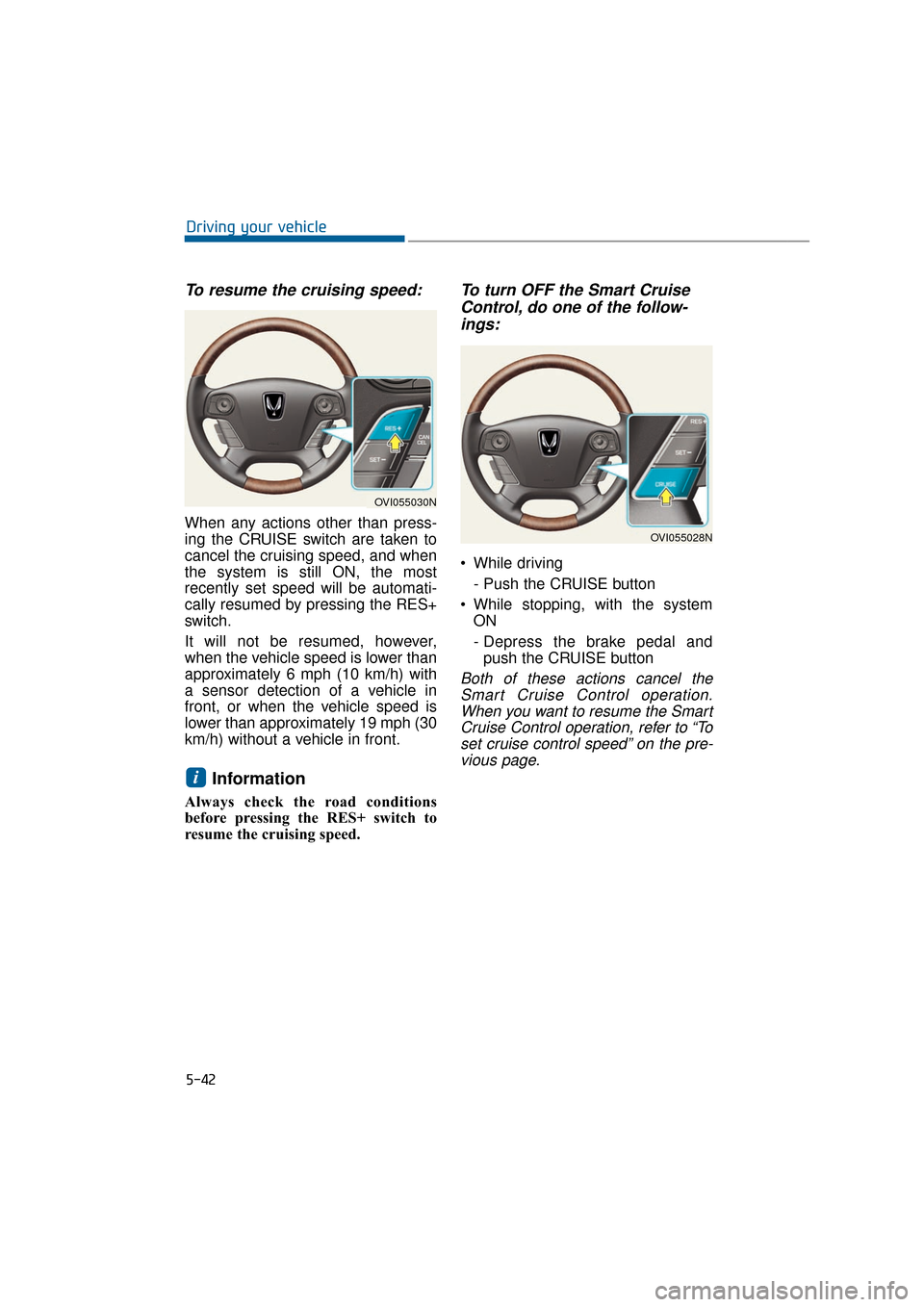
To resume the cruising speed:
When any actions other than press-
ing the CRUISE switch are taken to
cancel the cruising speed, and when
the system is still ON, the most
recently set speed will be automati-
cally resumed by pressing the RES+
switch.
It will not be resumed, however,
when the vehicle speed is lower than
approximately 6 mph (10 km/h) with
a sensor detection of a vehicle in
front, or when the vehicle speed is
lower than approximately 19 mph (30
km/h) without a vehicle in front.
Information
Always check the road conditions
before pressing the RES+ switch to
resume the cruising speed.
To turn OFF the Smart CruiseControl, do one of the follow-ings:
While driving
- Push the CRUISE button
While stopping, with the system ON
- Depress the brake pedal andpush the CRUISE button
Both of these actions cancel theSmart Cruise Control operation.When you want to resume the SmartCruise Control operation, refer to “Toset cruise control speed” on the pre-vious page.
i
5-42
Driving your vehicle
OVI055030N
OVI055028N
Page 294 of 477
Smart Cruise Control vehicle-
to-vehicle distance
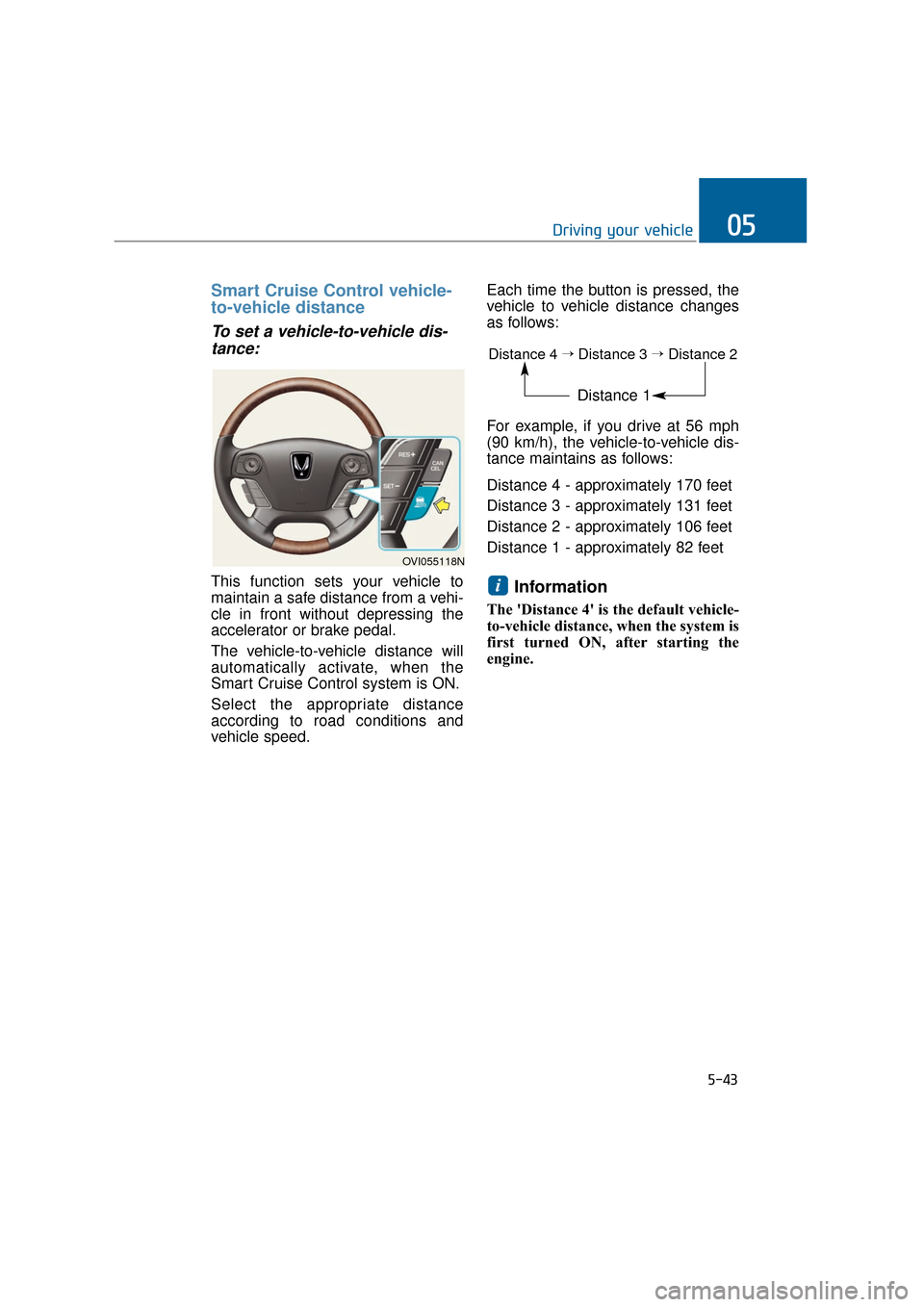
To set a vehicle-to-vehicle dis-tance:
This function sets your vehicle to
maintain a safe distance from a vehi-
cle in front without depressing the
accelerator or brake pedal.
The vehicle-to-vehicle distance will
automatically activate, when the
Smart Cruise Control system is ON.
Select the appropriate distance
according to road conditions and
vehicle speed. Each time the button is pressed, the
vehicle to vehicle distance changes
as follows:
For example, if you drive at 56 mph
(90 km/h), the vehicle-to-vehicle dis-
tance maintains as follows:
Distance 4 - approximately 170 feet
Distance 3 - approximately 131 feet
Distance 2 - approximately 106 feet
Distance 1 - approximately 82 feetInformation
The 'Distance 4' is the default vehicle-
to-vehicle distance, when the system is
first turned ON, after starting the
engine.
i
5-43
Driving your vehicle05
OVI055118N
Distance 4→Distance 3→Distance 2
Distance 1
Page 295 of 477
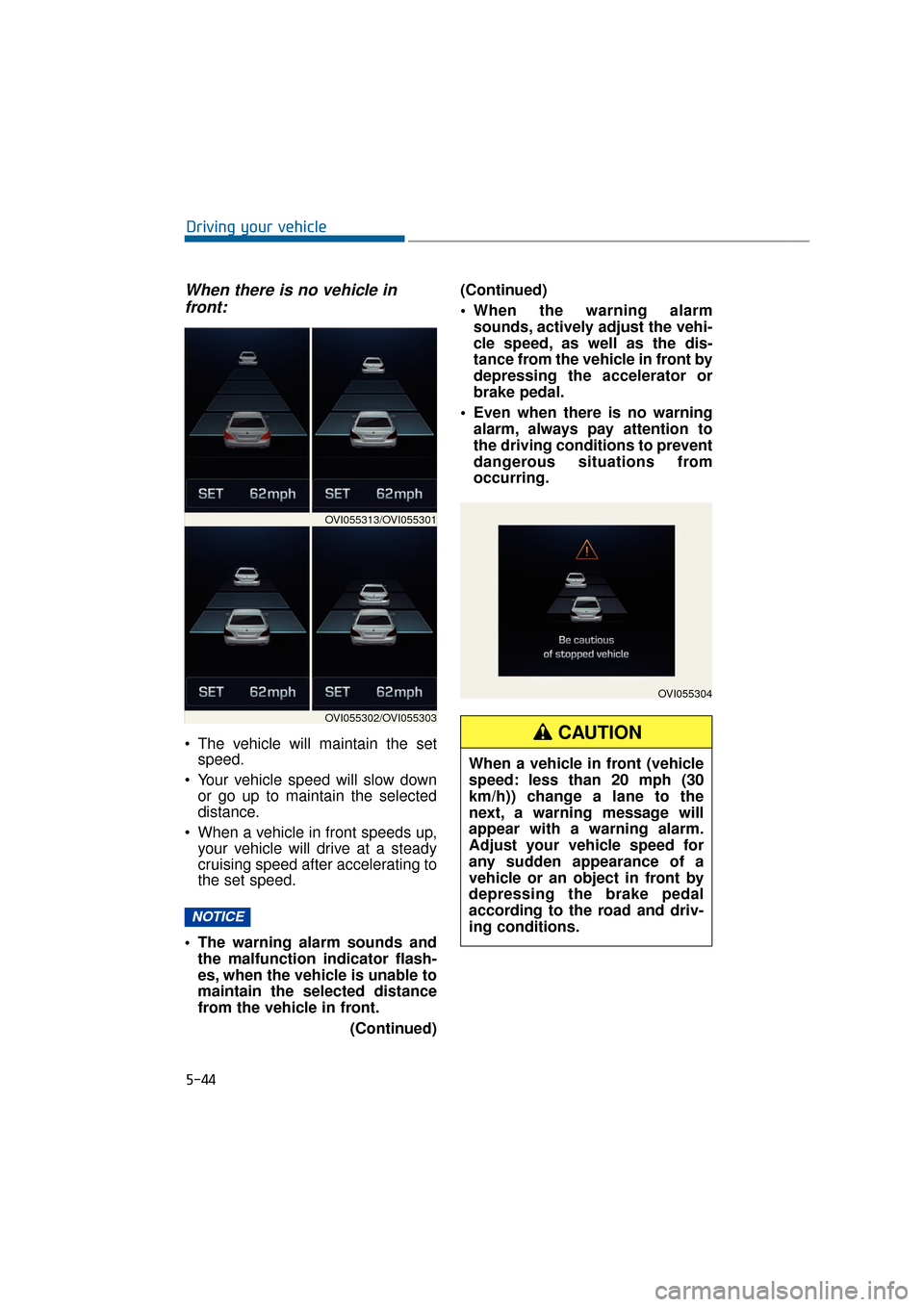
When there is no vehicle infront:
The vehicle will maintain the set speed.
Your vehicle speed will slow down or go up to maintain the selected
distance.
When a vehicle in front speeds up, your vehicle will drive at a steady
cruising speed after accelerating to
the set speed.
The warning alarm sounds and the malfunction indicator flash-
es, when the vehicle is unable to
maintain the selected distance
from the vehicle in front.
(Continued)(Continued)
When the warning alarm
sounds, actively adjust the vehi-
cle speed, as well as the dis-
tance from the vehicle in front by
depressing the accelerator or
brake pedal.
Even when there is no warning alarm, always pay attention to
the driving conditions to prevent
dangerous situations from
occurring.
NOTICE
5-44
Driving your vehicle
OVI055304
When a vehicle in front (vehicle
speed: less than 20 mph (30
km/h)) change a lane to the
next, a warning message will
appear with a warning alarm.
Adjust your vehicle speed for
any sudden appearance of a
vehicle or an object in front by
depressing the brake pedal
according to the road and driv-
ing conditions.
CAUTION
OVI055313/OVI055301
OVI055302/OVI055303
Page 297 of 477
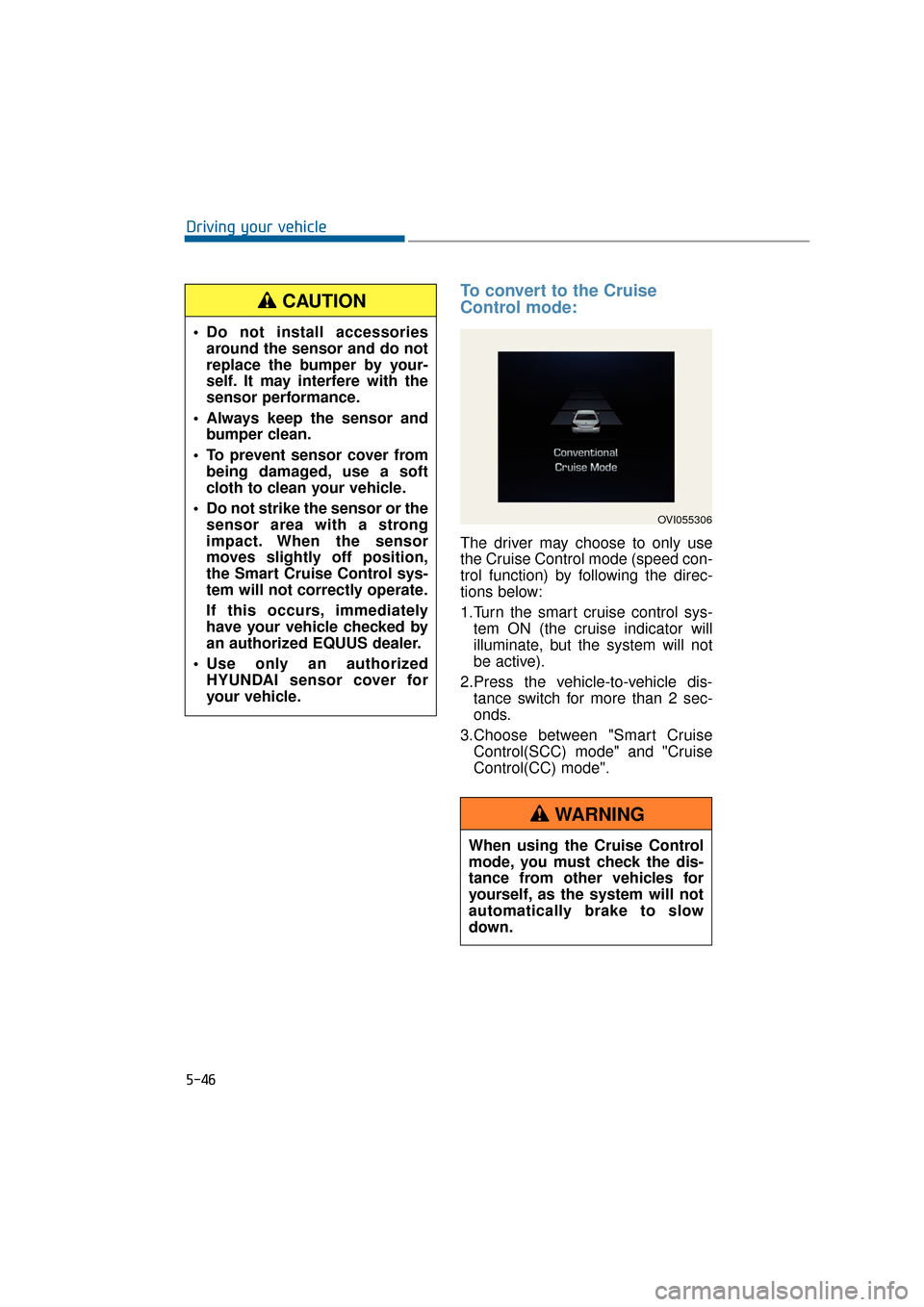
To convert to the Cruise
Control mode:
The driver may choose to only use
the Cruise Control mode (speed con-
trol function) by following the direc-
tions below:
1.Turn the smart cruise control sys-tem ON (the cruise indicator will
illuminate, but the system will not
be active).
2.Press the vehicle-to-vehicle dis- tance switch for more than 2 sec-
onds.
3.Choose between "Smart Cruise Control(SCC) mode" and "Cruise
Control(CC) mode".
5-46
Driving your vehicle
OVI055306
When using the Cruise Control
mode, you must check the dis-
tance from other vehicles for
yourself, as the system will not
automatically brake to slow
down.
WARNING
Do not install accessoriesaround the sensor and do not
replace the bumper by your-
self. It may interfere with the
sensor performance.
Always keep the sensor and bumper clean.
To prevent sensor cover from being damaged, use a soft
cloth to clean your vehicle.
Do not strike the sensor or the sensor area with a strong
impact. When the sensor
moves slightly off position,
the Smart Cruise Control sys-
tem will not correctly operate.
If this occurs, immediately
have your vehicle checked by
an authorized EQUUS dealer.
Use only an authorized HYUNDAI sensor cover for
your vehicle.
CAUTION
Page 298 of 477
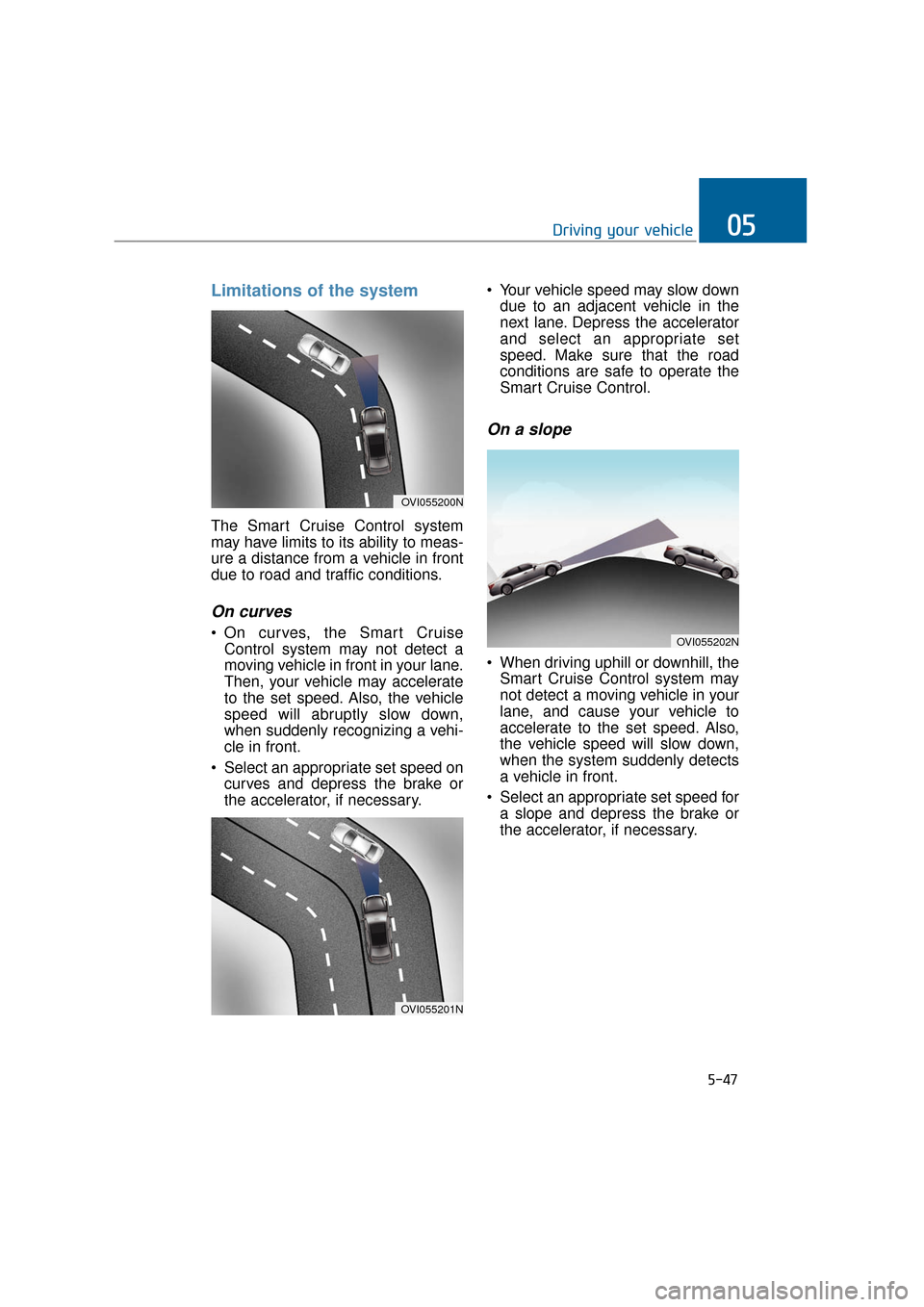
Limitations of the system
The Smart Cruise Control system
may have limits to its ability to meas-
ure a distance from a vehicle in front
due to road and traffic conditions.
On curves
On curves, the Smart CruiseControl system may not detect a
moving vehicle in front in your lane.
Then, your vehicle may accelerate
to the set speed. Also, the vehicle
speed will abruptly slow down,
when suddenly recognizing a vehi-
cle in front.
Select an appropriate set speed on curves and depress the brake or
the accelerator, if necessary. Your vehicle speed may slow down
due to an adjacent vehicle in the
next lane. Depress the accelerator
and select an appropriate set
speed. Make sure that the road
conditions are safe to operate the
Smart Cruise Control.
On a slope
When driving uphill or downhill, theSmart Cruise Control system may
not detect a moving vehicle in your
lane, and cause your vehicle to
accelerate to the set speed. Also,
the vehicle speed will slow down,
when the system suddenly detects
a vehicle in front.
Select an appropriate set speed for a slope and depress the brake or
the accelerator, if necessary.
5-47
Driving your vehicle05
OVI055200N
OVI055201N
OVI055202N
Page 300 of 477
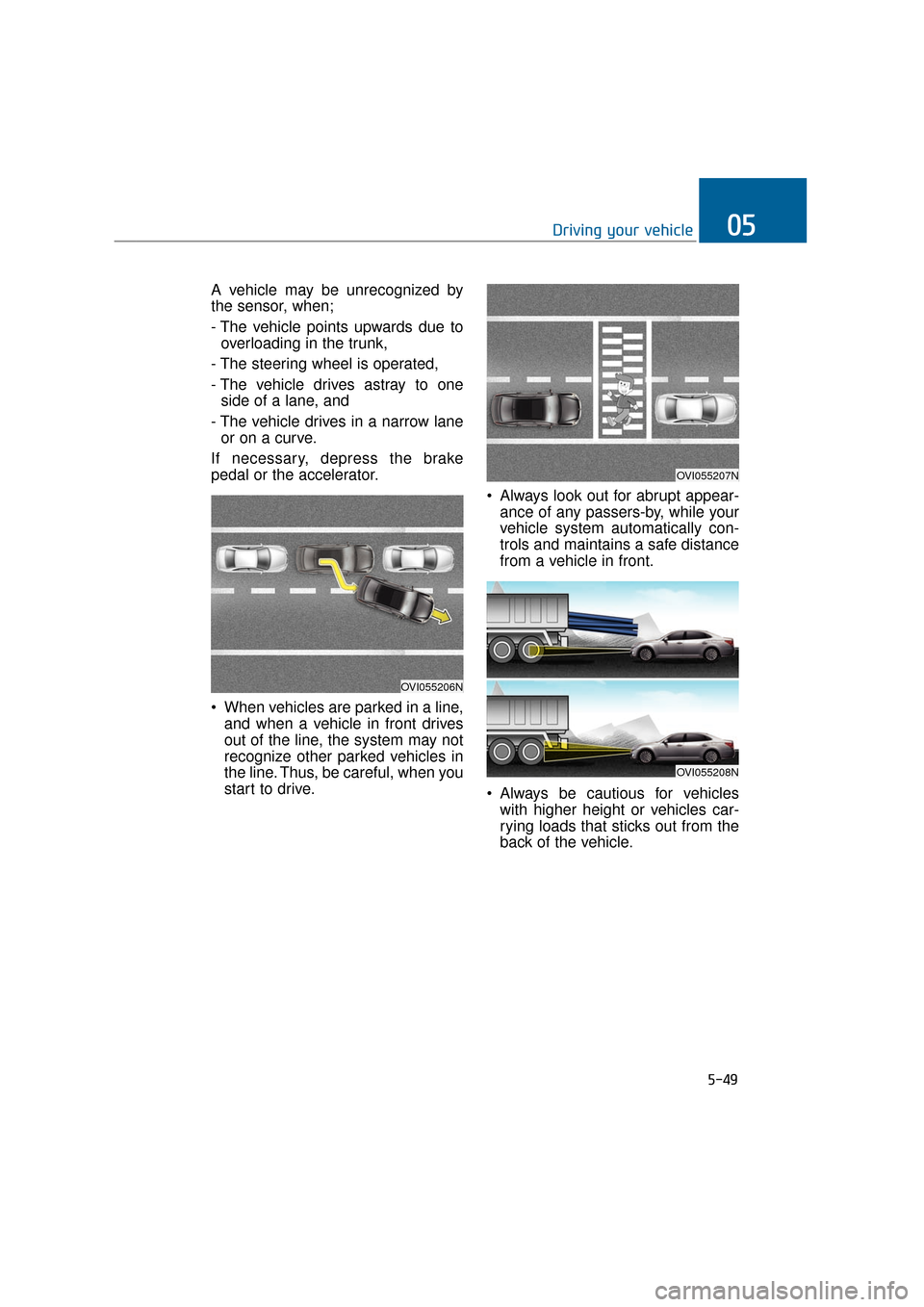
A vehicle may be unrecognized by
the sensor, when;
- The vehicle points upwards due tooverloading in the trunk,
- The steering wheel is operated,
- The vehicle drives astray to one side of a lane, and
- The vehicle drives in a narrow lane or on a curve.
If necessary, depress the brake
pedal or the accelerator.
When vehicles are parked in a line, and when a vehicle in front drives
out of the line, the system may not
recognize other parked vehicles in
the line. Thus, be careful, when you
start to drive. Always look out for abrupt appear-
ance of any passers-by, while your
vehicle system automatically con-
trols and maintains a safe distance
from a vehicle in front.
Always be cautious for vehicles with higher height or vehicles car-
rying loads that sticks out from the
back of the vehicle.
5-49
Driving your vehicle05
OVI055207N
OVI055206N
OVI055208N