All Hyundai Genesis 2014 Owner's Manual
[x] Cancel search | Manufacturer: HYUNDAI, Model Year: 2014, Model line: Genesis, Model: Hyundai Genesis 2014Pages: 546, PDF Size: 13.59 MB
Page 259 of 546
3-168
Convenient features of your vehicle
CLIMATE CONTROL ADDITIONAL FEATURES (IF EQUIPPED)
Cluster ionizer
When the Engine Start/Stop button
is in the ON position, the clean air
function turns on automatically.
Also, the clean air function turns off
automatically, when the Engine
Start/Stop button is in the OFF posi-
tion.
Smart ventilation
When driving and the heater and air
conditioning system is off, the smart
ventilation system maintains pleas-
ant indoor aerial environment by
controlling the temperature, humidity
and CO2 of interior.
“SMART VENTILATION ON” mes-
sage is displayed on the AVN climate
monitor for 5 seconds when the
smart ventilation system operates.
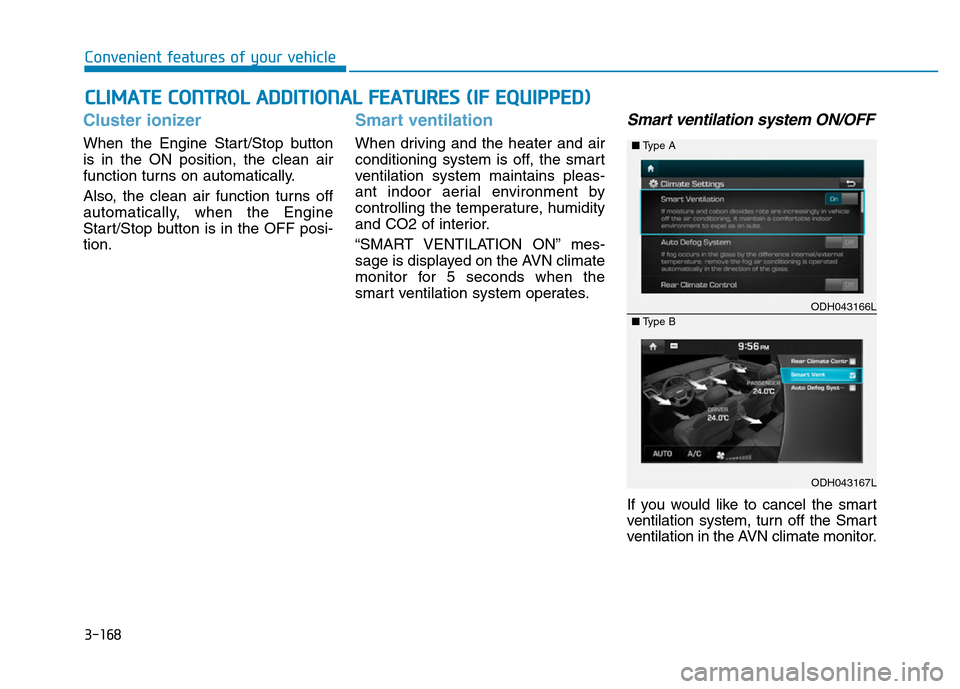
Smart ventilation system ON/OFF
If you would like to cancel the smart
ventilation system, turn off the Smart
ventilation in the AVN climate monitor.
ODH043166L
ODH043167L ■Type A
■Type B
Page 268 of 546
3-177
Convenient features of your vehicle
3
Floor mat anchor(s)
(if equipped)
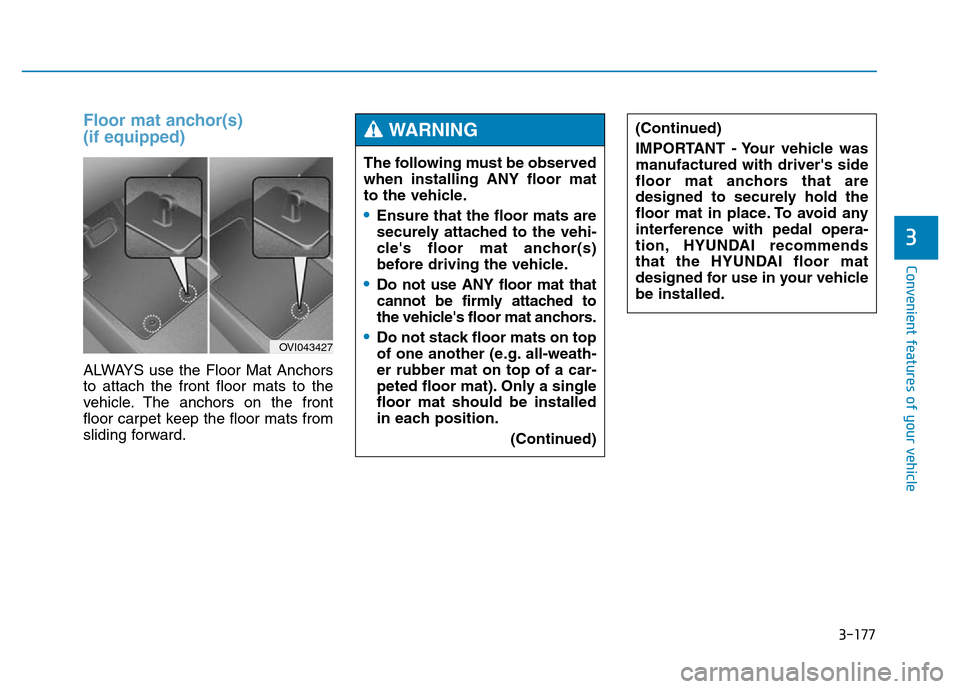
ALWAYS use the Floor Mat Anchors
to attach the front floor mats to the
vehicle. The anchors on the front
floor carpet keep the floor mats from
sliding forward.
OVI043427
The following must be observed
when installing ANY floor mat
to the vehicle.
•Ensure that the floor mats are
securely attached to the vehi-
cle's floor mat anchor(s)
before driving the vehicle.
•Do not use ANY floor mat that
cannot be firmly attached to
the vehicle's floor mat anchors.
•Do not stack floor mats on top
of one another (e.g. all-weath-
er rubber mat on top of a car-
peted floor mat). Only a single
floor mat should be installed
in each position.
(Continued)
(Continued)
IMPORTANT - Your vehicle was
manufactured with driver's side
floor mat anchors that are
designed to securely hold the
floor mat in place. To avoid any
interference with pedal opera-
tion, HYUNDAI recommends
that the HYUNDAI floor mat
designed for use in your vehicle
be installed.WARNING
Page 269 of 546
3-178
Convenient features of your vehicle
Rear curtain (if equipped)
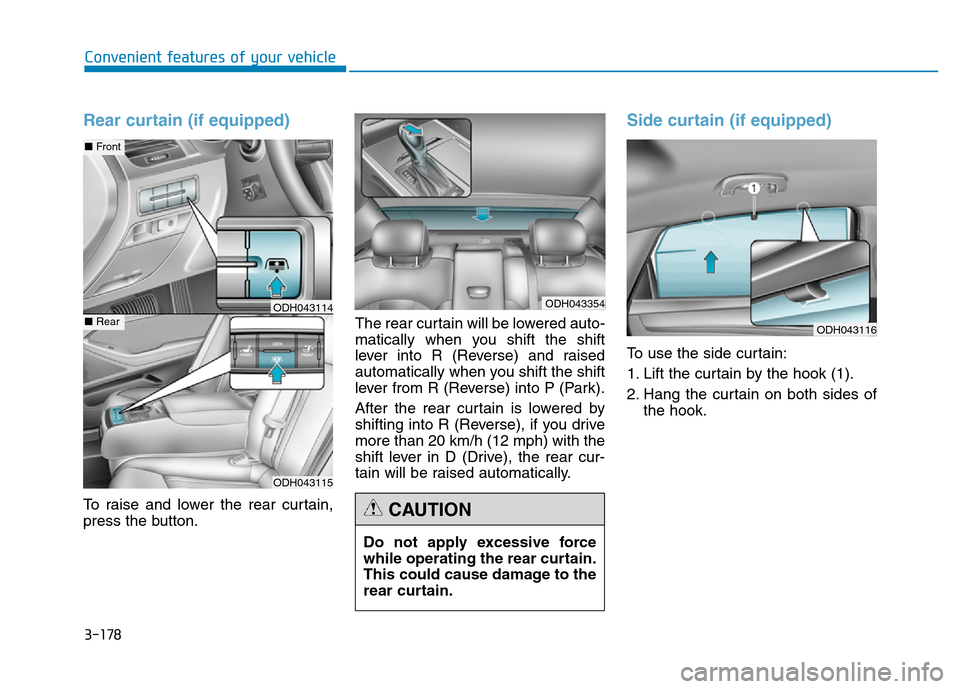
To raise and lower the rear curtain,
press the button.The rear curtain will be lowered auto-
matically when you shift the shift
lever into R (Reverse) and raised
automatically when you shift the shift
lever from R (Reverse) into P (Park).
After the rear curtain is lowered by
shifting into R (Reverse), if you drive
more than 20 km/h (12 mph) with the
shift lever in D (Drive), the rear cur-
tain will be raised automatically.
Side curtain (if equipped)
To use the side curtain:
1. Lift the curtain by the hook (1).
2. Hang the curtain on both sides of
the hook.
Do not apply excessive force
while operating the rear curtain.
This could cause damage to the
rear curtain.
CAUTION
ODH043115
■Front
■RearODH043114ODH043354
ODH043116
Page 272 of 546
Detailed information about the multi-
media system (AV or AVN) is
described in a separately supplied
manual.
✽NOTICE
• If you install an aftermarket HID
headlamp, your vehicle’s audio
and electronic device may mal-
function.
• Prevent chemicals such as per-
fume, cosmetic oil, sun cream,
hand cleaner, and air freshener
from contacting the interior parts
because they may cause damage
or discoloration.
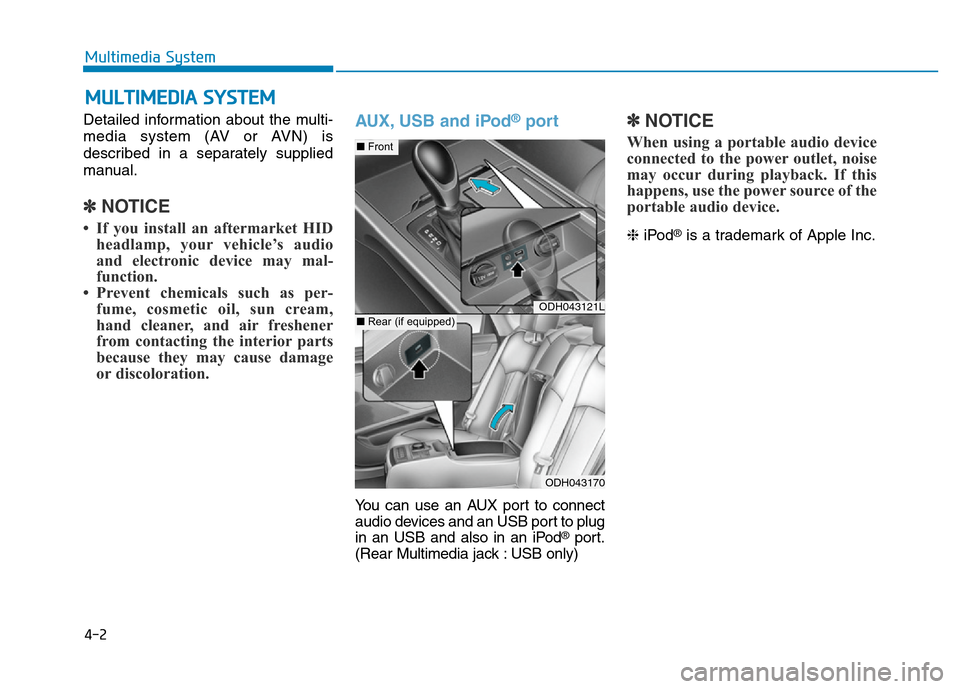
AUX, USB and iPod®port
You can use an AUX port to connect
audio devices and an USB port to plug
in an USB and also in an iPod
®port.
(Rear Multimedia jack : USB only)
✽NOTICE
When using a portable audio device
connected to the power outlet, noise
may occur during playback. If this
happens, use the power source of the
portable audio device.
❈iPod®is a trademark of Apple Inc.
MULTIMEDIA SYSTEM
4-2
Multimedia System
ODH043121L
ODH043170
■Front
■Rear (if equipped)
Page 273 of 546
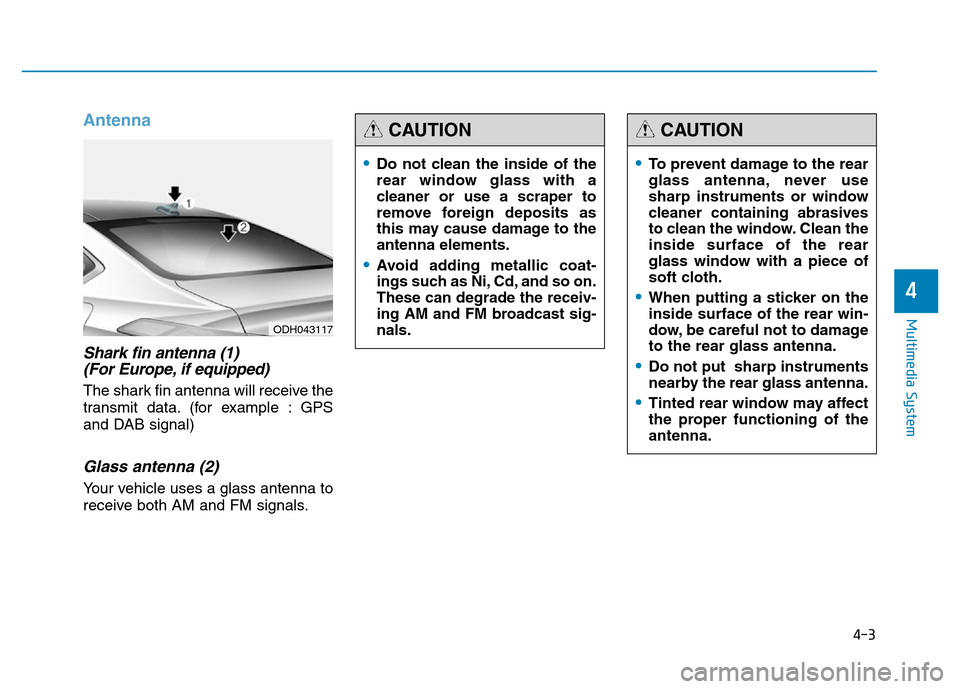
Antenna
Shark fin antenna (1)
(For Europe, if equipped)
The shark fin antenna will receive the
transmit data. (for example : GPS
and DAB signal)
Glass antenna (2)
Your vehicle uses a glass antenna to
receive both AM and FM signals.
4-3
Multimedia System
4
ODH043117
•Do not clean the inside of the
rear window glass with a
cleaner or use a scraper to
remove foreign deposits as
this may cause damage to the
antenna elements.
•Avoid adding metallic coat-
ings such as Ni, Cd, and so on.
These can degrade the receiv-
ing AM and FM broadcast sig-
nals.
CAUTION
•To prevent damage to the rear
glass antenna, never use
sharp instruments or window
cleaner containing abrasives
to clean the window. Clean the
inside surface of the rear
glass window with a piece of
soft cloth.
•When putting a sticker on the
inside surface of the rear win-
dow, be careful not to damage
to the rear glass antenna.
•Do not put sharp instruments
nearby the rear glass antenna.
•Tinted rear window may affect
the proper functioning of the
antenna.
CAUTION
Page 274 of 546
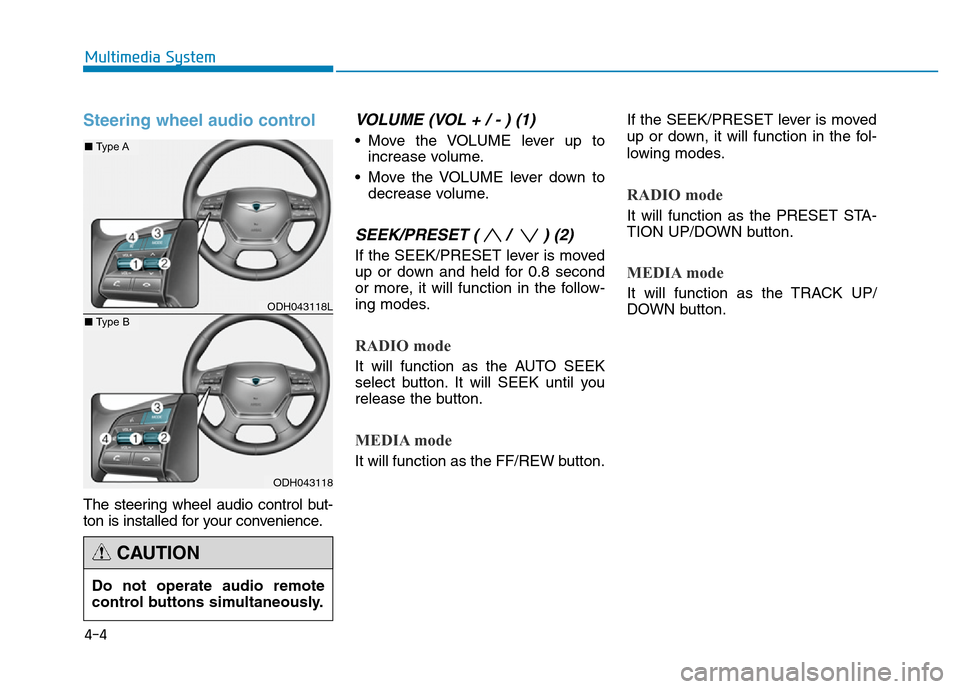
Steering wheel audio control
The steering wheel audio control but-
ton is installed for your convenience.
VOLUME (VOL + / - ) (1)
• Move the VOLUME lever up to
increase volume.
• Move the VOLUME lever down to
decrease volume.
SEEK/PRESET ( / ) (2)
If the SEEK/PRESET lever is moved
up or down and held for 0.8 second
or more, it will function in the follow-
ing modes.
RADIO mode
It will function as the AUTO SEEK
select button. It will SEEK until you
release the button.
MEDIA mode
It will function as the FF/REW button.If the SEEK/PRESET lever is moved
up or down, it will function in the fol-
lowing modes.
RADIO mode
It will function as the PRESET STA-
TION UP/DOWN button.
MEDIA mode
It will function as the TRACK UP/
DOWN button.
4-4
Multimedia System
ODH043118L
ODH043118
■Type A
■Type B
Do not operate audio remote
control buttons simultaneously.
CAUTION
Page 276 of 546
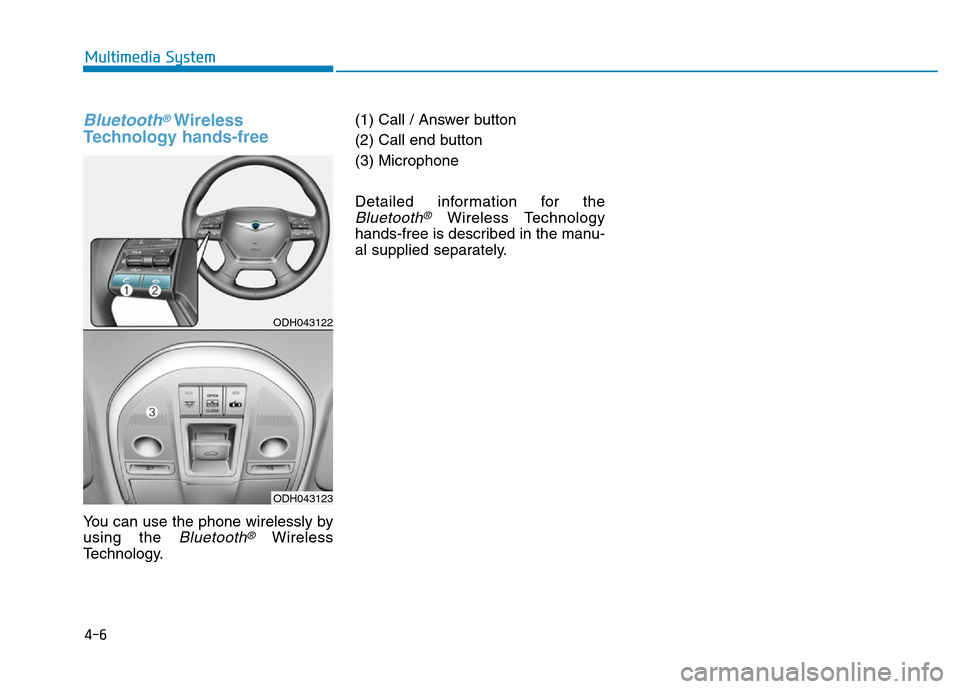
Bluetooth®Wireless
Technology hands-free
You can use the phone wirelessly by
using the
Bluetooth®Wireless
Technology.(1) Call / Answer button
(2) Call end button
(3) Microphone
Detailed information for the
Bluetooth®Wireless Technology
hands-free is described in the manu-
al supplied separately.
4-6
Multimedia System
ODH043122
ODH043123
Page 277 of 546
Driving your vehicle
Before driving.........................................................5-4
Before entering the vehicle ...........................................5-4
Before starting...................................................................5-4
Engine Start/Stop button ................................................5-5
Automatic transmission .......................................5-11
Automatic transmission operation .............................5-11
Parking ...............................................................................5-17
Good driving practices ...................................................5-17
All wheel drive (AWD) .........................................5-19
Using All Wheel Drive (AWD) .......................................5-19
Emergency precautions .................................................5-21
Braking system ...................................................5-23
Power brakes ..................................................................5-23
Disc brakes wear indicator ..........................................5-24
Foot parking brake ........................................................5-24
Electric parking brake (EPB) ........................................5-26
AUTO HOLD .....................................................................5-31
Anti-lock Brake System (ABS) ....................................5-35
Electronic Stability Control (ESC)................................5-37
Hill-Start Assist Control (HAC) ...................................5-40
Emergency Stop Signal (ESS) .....................................5-41
Good braking practices..................................................5-42
Drive mode integrated control system .............5-43
Electronic control suspension (ECS).................5-45
ECS malfunction indicator.............................................5-45
Autonomous emergency braking (AEB) ............5-46
AEB operation ..................................................................5-47
To cancel the AEB ..........................................................5-48
Malfunction indicator.....................................................5-49
Cruise control .......................................................5-51
Cruise control operation................................................5-51
Advanced smart cruise control system ............5-55
To convert to cruise control mode .............................5-56
Smart cruise control speed ..........................................5-56
Cancelled automatically .................................................5-59
Smart cruise control vehicle-to-vehicle distance.....5-61
Sensor to detect distance to the vehicle ahead .....5-63
Limitations of the system .............................................5-65
Lane departure warning system (LDWS) .........5-70
LDWS operation...............................................................5-71
Warning indicator ..........................................................5-72
Lane keeping assist system (LKAS) ..................5-74
LKAS operation ................................................................5-75
LKAS malfunction............................................................5-80
LKAS function change ..................................................5-81
Blind spot detection system (BSD) ...................5-83
BSD (Blind Spot Detection) /
LCA (Lane Change Assist) .............................................5-84
RCTA (Rear Cross Traffic Alert) ..................................5-87
5
Page 279 of 546
5-3
Driving your vehicle
5
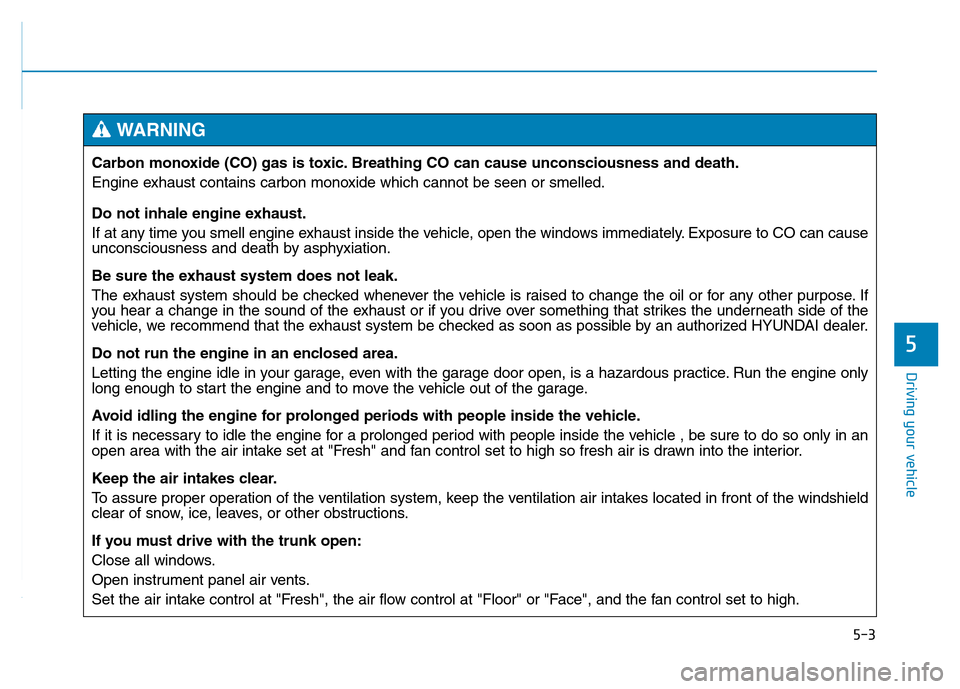
Carbon monoxide (CO) gas is toxic. Breathing CO can cause unconsciousness and death.
Engine exhaust contains carbon monoxide which cannot be seen or smelled.
Do not inhale engine exhaust.
If at any time you smell engine exhaust inside the vehicle, open the windows immediately. Exposure to CO can cause
unconsciousness and death by asphyxiation.
Be sure the exhaust system does not leak.
The exhaust system should be checked whenever the vehicle is raised to change the oil or for any other purpose. If
you hear a change in the sound of the exhaust or if you drive over something that strikes the underneath side of the
vehicle, we recommend that the exhaust system be checked as soon as possible by an authorized HYUNDAI dealer.
Do not run the engine in an enclosed area.
Letting the engine idle in your garage, even with the garage door open, is a hazardous practice. Run the engine only
long enough to start the engine and to move the vehicle out of the garage.
Avoid idling the engine for prolonged periods with people inside the vehicle.
If it is necessary to idle the engine for a prolonged period with people inside the vehicle , be sure to do so only in an
open area with the air intake set at "Fresh" and fan control set to high so fresh air is drawn into the interior.
Keep the air intakes clear.
To assure proper operation of the ventilation system, keep the ventilation air intakes located in front of the windshield
clear of snow, ice, leaves, or other obstructions.
If you must drive with the trunk open:
Close all windows.
Open instrument panel air vents.
Set the air intake control at "Fresh", the air flow control at "Floor" or "Face", and the fan control set to high.
WARNING
Page 280 of 546
5-4
Driving your vehicle
Before entering the vehicle
• Be sure all windows, outside mir-
ror(s), and outside lights are clean
and unobstructed.
• Remove frost, snow, or ice.
• Visually check the tires for uneven
wear and damage.
• Check under the vehicle for any
sign of leaks.
• Be sure there are no obstacles
behind you if you intend to back up.
Before starting
• Make sure the hood, the trunk, and
the doors are securely closed and
locked.
• Adjust the position of the seat and
steering wheel.
• Adjust the inside and outside
rearview mirrors.
• Verify all the lights work.
• Fasten your seatbelt. Check that all
passengers have fastened their
seatbelts.
• Check the gauges and indicators in
the instrument panel and the mes-
sages on the instrument display
when the Engine Start/Stop button
is in the ON position.
• Check that any items you are car-
rying are stored properly or fas-
tened down securely.
BEFORE DRIVING
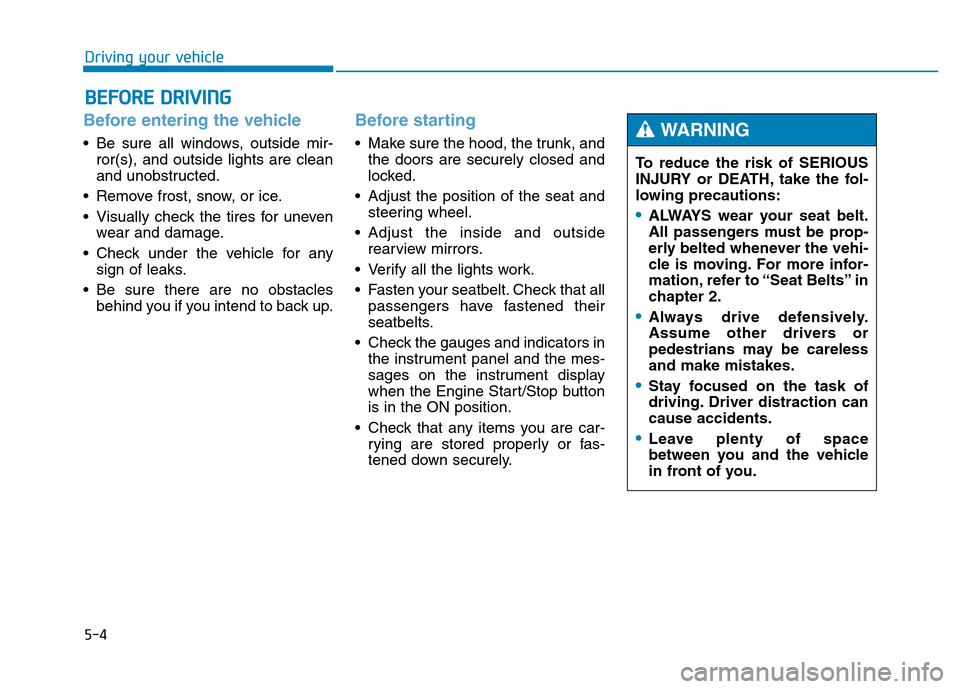
To reduce the risk of SERIOUS
INJURY or DEATH, take the fol-
lowing precautions:
•ALWAYS wear your seat belt.
All passengers must be prop-
erly belted whenever the vehi-
cle is moving. For more infor-
mation, refer to “Seat Belts” in
chapter 2.
•Always drive defensively.
Assume other drivers or
pedestrians may be careless
and make mistakes.
•Stay focused on the task of
driving. Driver distraction can
cause accidents.
•Leave plenty of space
between you and the vehicle
in front of you.
WARNING