All Hyundai Genesis 2014 Owner's Manual
[x] Cancel search | Manufacturer: HYUNDAI, Model Year: 2014, Model line: Genesis, Model: Hyundai Genesis 2014Pages: 546, PDF Size: 13.59 MB
Page 221 of 546
3-130
Convenient features of your vehicle
• The Parking Assist System will be
activated (the button indicator will
illuminate).
A warning sound will be heard if an
obstacle is detected.
• Press the Smart Parking Assist
System button again for more than
2 seconds to turn off the system.
• The Smart Parking Assist System
defaults to the OFF position when-
ever the engine is turned on.
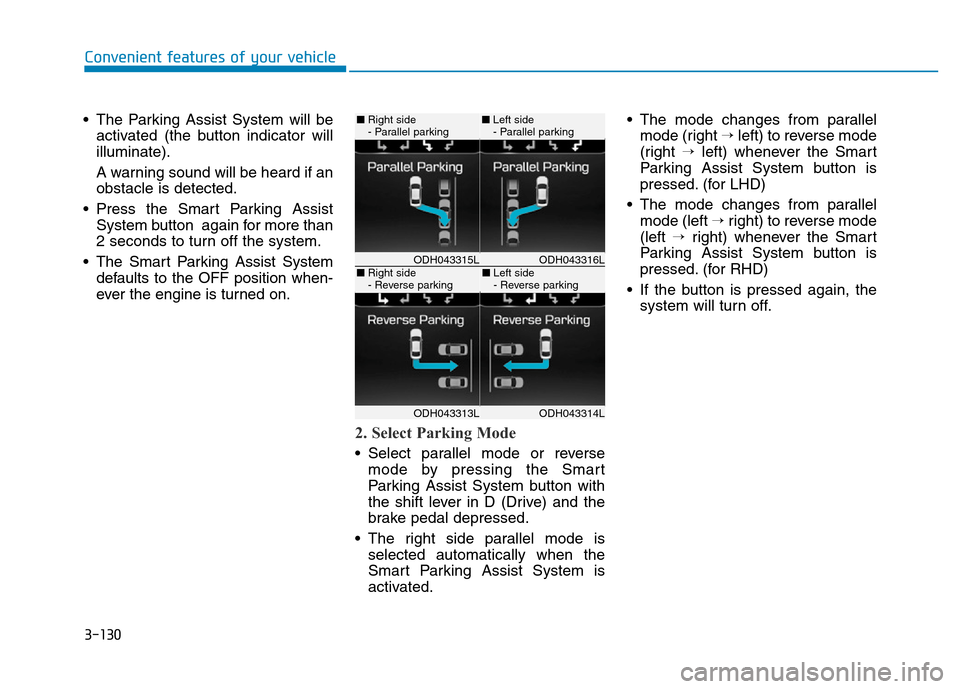
2. Select Parking Mode
• Select parallel mode or reverse
mode by pressing the Smart
Parking Assist System button with
the shift lever in D (Drive) and the
brake pedal depressed.
• The right side parallel mode is
selected automatically when the
Smart Parking Assist System is
activated.• The mode changes from parallel
mode (right →left) to reverse mode
(right →left) whenever the Smart
Parking Assist System button is
pressed. (for LHD)
• The mode changes from parallel
mode (left →right) to reverse mode
(left →right) whenever the Smart
Parking Assist System button is
pressed. (for RHD)
• If the button is pressed again, the
system will turn off.
ODH043316LODH043315L
ODH043314LODH043313L
■Right side
- Parallel parking■Left side
- Parallel parking
■Right side
- Reverse parking■Left side
- Reverse parking
Page 222 of 546
3-131
Convenient features of your vehicle
3
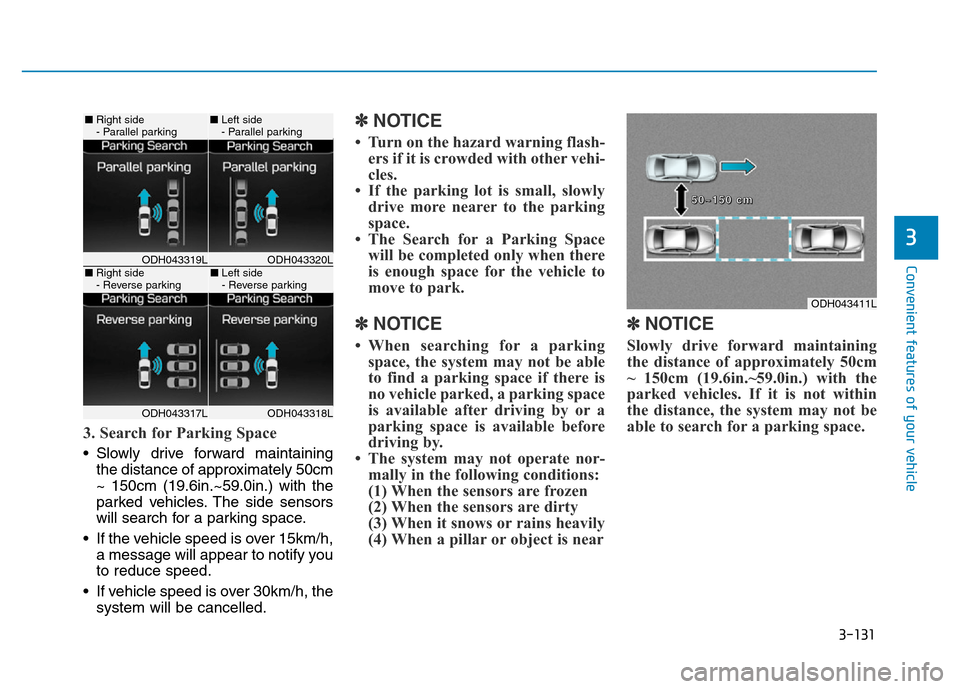
3. Search for Parking Space
• Slowly drive forward maintaining
the distance of approximately 50cm
~ 150cm (19.6in.~59.0in.) with the
parked vehicles. The side sensors
will search for a parking space.
• If the vehicle speed is over 15km/h,
a message will appear to notify you
to reduce speed.
• If vehicle speed is over 30km/h, the
system will be cancelled.
✽NOTICE
• Turn on the hazard warning flash-
ers if it is crowded with other vehi-
cles.
• If the parking lot is small, slowly
drive more nearer to the parking
space.
• The Search for a Parking Space
will be completed only when there
is enough space for the vehicle to
move to park.
✽NOTICE
• When searching for a parking
space, the system may not be able
to find a parking space if there is
no vehicle parked, a parking space
is available after driving by or a
parking space is available before
driving by.
• The system may not operate nor-
mally in the following conditions:
(1) When the sensors are frozen
(2) When the sensors are dirty
(3) When it snows or rains heavily
(4) When a pillar or object is near
✽NOTICE
Slowly drive forward maintaining
the distance of approximately 50cm
~ 150cm (19.6in.~59.0in.) with the
parked vehicles. If it is not within
the distance, the system may not be
able to search for a parking space.
ODH043320LODH043319L
ODH043318LODH043317L
■Right side
- Parallel parking■Left side
- Parallel parking
■Right side
- Reverse parking■Left side
- Reverse parking
ODH043411L
5 5
0 0
~ ~
1 1
5 5
0 0
c c
m m
Page 223 of 546
3-132
Convenient features of your vehicle
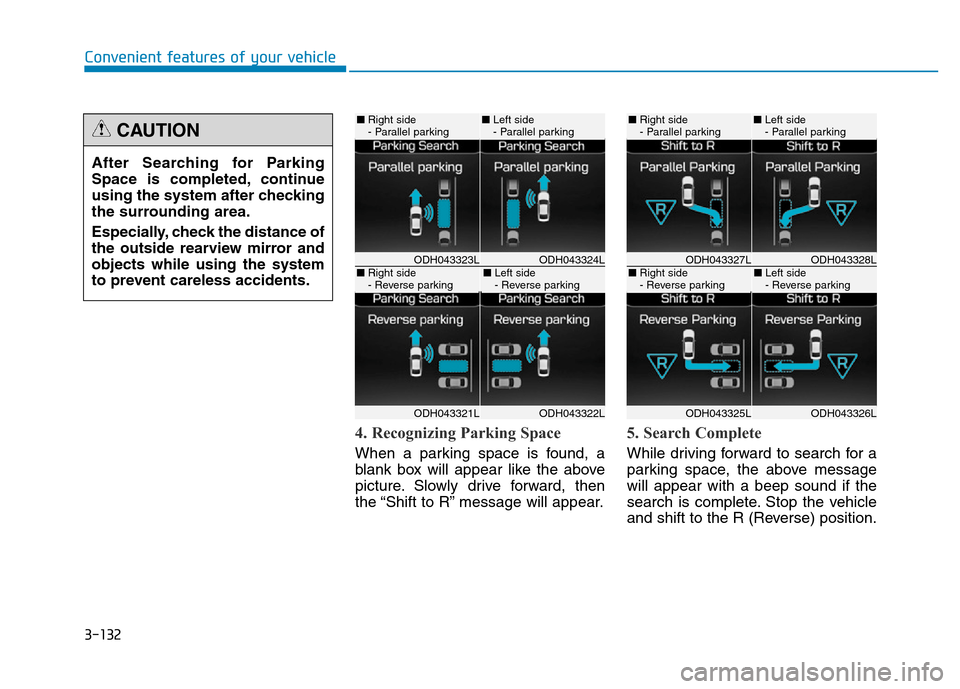
4. Recognizing Parking Space
When a parking space is found, a
blank box will appear like the above
picture. Slowly drive forward, then
the “Shift to R” message will appear.
5. Search Complete
While driving forward to search for a
parking space, the above message
will appear with a beep sound if the
search is complete. Stop the vehicle
and shift to the R (Reverse) position. After Searching for Parking
Space is completed, continue
using the system after checking
the surrounding area.
Especially, check the distance of
the outside rearview mirror and
objects while using the system
to prevent careless accidents.
CAUTION
ODH043324LODH043323L
ODH043322LODH043321L
■Right side
- Parallel parking■Left side
- Parallel parking
■Right side
- Reverse parking■Left side
- Reverse parkingODH043328LODH043327L
ODH043326LODH043325L
■Right side
- Parallel parking■Left side
- Parallel parking
■Right side
- Reverse parking■Left side
- Reverse parking
Page 224 of 546
3-133
Convenient features of your vehicle
3
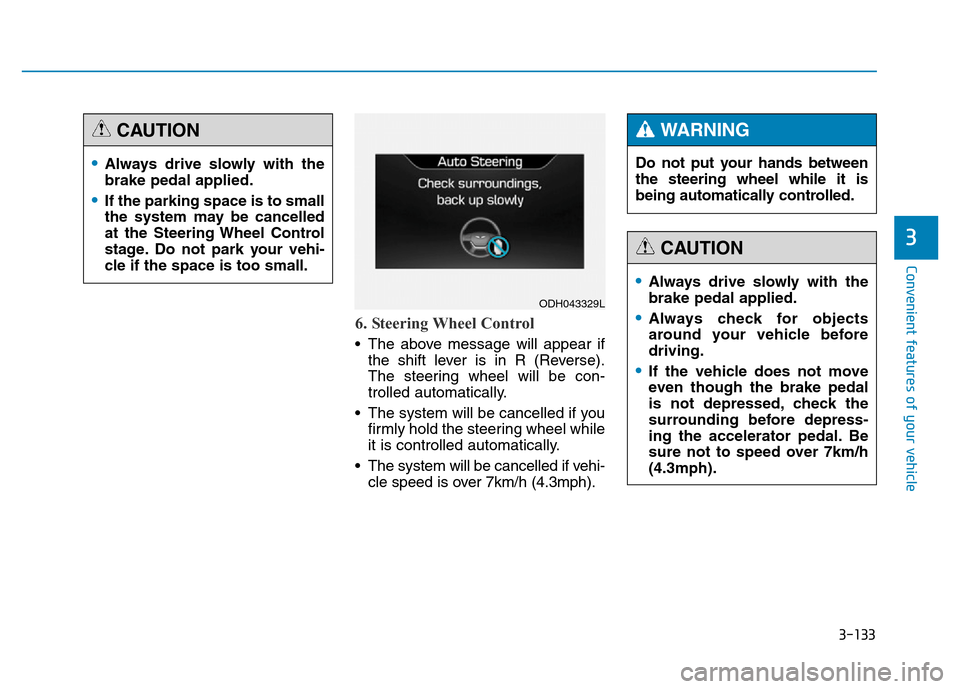
6. Steering Wheel Control
• The above message will appear if
the shift lever is in R (Reverse).
The steering wheel will be con-
trolled automatically.
• The system will be cancelled if you
firmly hold the steering wheel while
it is controlled automatically.
• The system will be cancelled if vehi-
cle speed is over 7km/h (4.3mph).
•Always drive slowly with the
brake pedal applied.
•If the parking space is to small
the system may be cancelled
at the Steering Wheel Control
stage. Do not park your vehi-
cle if the space is too small.
CAUTION
ODH043329L
Do not put your hands between
the steering wheel while it is
being automatically controlled.
WARNING
•Always drive slowly with the
brake pedal applied.
•Always check for objects
around your vehicle before
driving.
•If the vehicle does not move
even though the brake pedal
is not depressed, check the
surrounding before depress-
ing the accelerator pedal. Be
sure not to speed over 7km/h
(4.3mph).
CAUTION
Page 226 of 546
3-135
Convenient features of your vehicle
3
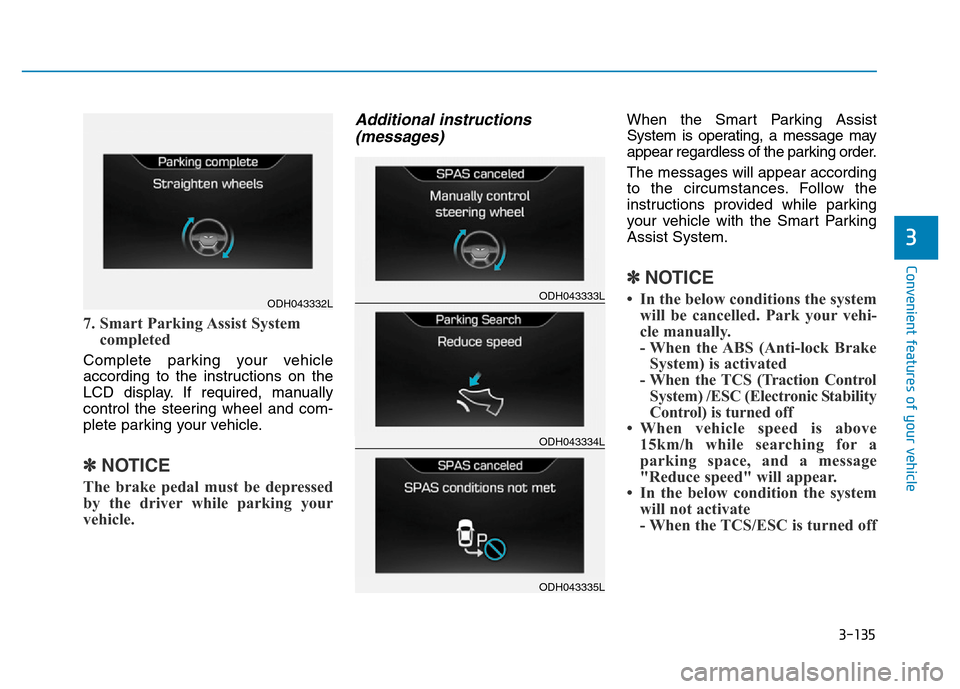
7. Smart Parking Assist System
completed
Complete parking your vehicle
according to the instructions on the
LCD display. If required, manually
control the steering wheel and com-
plete parking your vehicle.
✽NOTICE
The brake pedal must be depressed
by the driver while parking your
vehicle.
Additional instructions
(messages)When the Smart Parking Assist
System is operating, a message may
appear regardless of the parking order.
The messages will appear according
to the circumstances. Follow the
instructions provided while parking
your vehicle with the Smart Parking
Assist System.
✽NOTICE
• In the below conditions the system
will be cancelled. Park your vehi-
cle manually.
- When the ABS (Anti-lock Brake
System) is activated
- When the TCS (Traction Control
System) /ESC (Electronic Stability
Control) is turned off
• When vehicle speed is above
15km/h while searching for a
parking space, and a message
"Reduce speed" will appear.
• In the below condition the system
will not activate
- When the TCS/ESC is turned offODH043332LODH043333L
ODH043334L
ODH043335L
Page 227 of 546
3-136
Convenient features of your vehicle
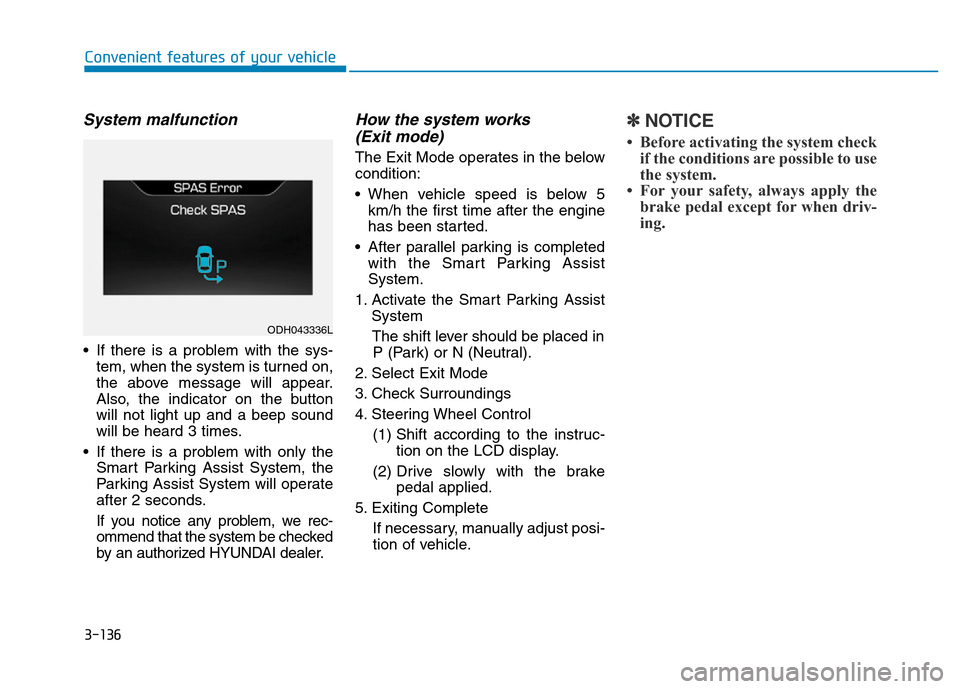
System malfunction
• If there is a problem with the sys-
tem, when the system is turned on,
the above message will appear.
Also, the indicator on the button
will not light up and a beep sound
will be heard 3 times.
• If there is a problem with only the
Smart Parking Assist System, the
Parking Assist System will operate
after 2 seconds.
If you notice any problem, we rec-
ommend that the system be checked
by an authorized HYUNDAI dealer.
How the system works
(Exit mode)
The Exit Mode operates in the below
condition:
• When vehicle speed is below 5
km/h the first time after the engine
has been started.
• After parallel parking is completed
with the Smart Parking Assist
System.
1. Activate the Smart Parking Assist
System
The shift lever should be placed in
P (Park) or N (Neutral).
2. Select Exit Mode
3. Check Surroundings
4. Steering Wheel Control
(1) Shift according to the instruc-
tion on the LCD display.
(2) Drive slowly with the brake
pedal applied.
5. Exiting Complete
If necessary, manually adjust posi-
tion of vehicle.
✽NOTICE
• Before activating the system check
if the conditions are possible to use
the system.
• For your safety, always apply the
brake pedal except for when driv-
ing.
ODH043336L
Page 228 of 546
3-137
Convenient features of your vehicle
3
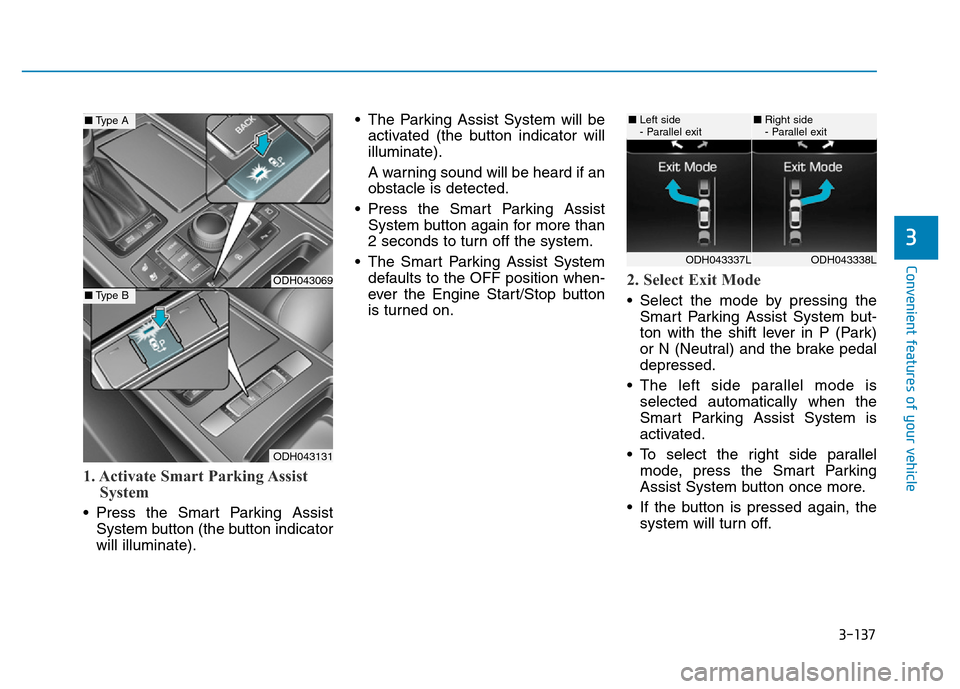
1. Activate Smart Parking Assist
System
• Press the Smart Parking Assist
System button (the button indicator
will illuminate).• The Parking Assist System will be
activated (the button indicator will
illuminate).
A warning sound will be heard if an
obstacle is detected.
• Press the Smart Parking Assist
System button again for more than
2 seconds to turn off the system.
• The Smart Parking Assist System
defaults to the OFF position when-
ever the Engine Start/Stop button
is turned on.
2. Select Exit Mode
• Select the mode by pressing the
Smart Parking Assist System but-
ton with the shift lever in P (Park)
or N (Neutral) and the brake pedal
depressed.
• The left side parallel mode is
selected automatically when the
Smart Parking Assist System is
activated.
• To select the right side parallel
mode, press the Smart Parking
Assist System button once more.
• If the button is pressed again, the
system will turn off.
ODH043069
ODH043131
■Type A
■Type B
ODH043338LODH043337L
■Left side
- Parallel exit■Right side
- Parallel exit
Page 229 of 546
3-138
Convenient features of your vehicle
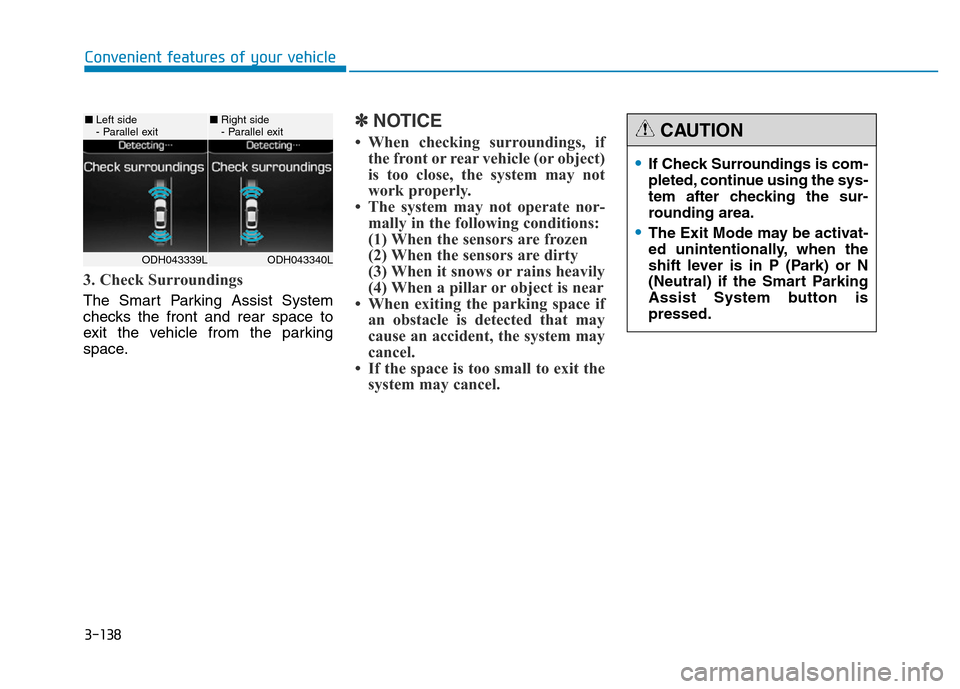
3. Check Surroundings
The Smart Parking Assist System
checks the front and rear space to
exit the vehicle from the parking
space.
✽NOTICE
• When checking surroundings, if
the front or rear vehicle (or object)
is too close, the system may not
work properly.
• The system may not operate nor-
mally in the following conditions:
(1) When the sensors are frozen
(2) When the sensors are dirty
(3) When it snows or rains heavily
(4) When a pillar or object is near
• When exiting the parking space if
an obstacle is detected that may
cause an accident, the system may
cancel.
• If the space is too small to exit the
system may cancel.
ODH043340LODH043339L
■Left side
- Parallel exit■Right side
- Parallel exit
•If Check Surroundings is com-
pleted, continue using the sys-
tem after checking the sur-
rounding area.
•The Exit Mode may be activat-
ed unintentionally, when the
shift lever is in P (Park) or N
(Neutral) if the Smart Parking
Assist System button is
pressed.
CAUTION
Page 230 of 546
3-139
Convenient features of your vehicle
3
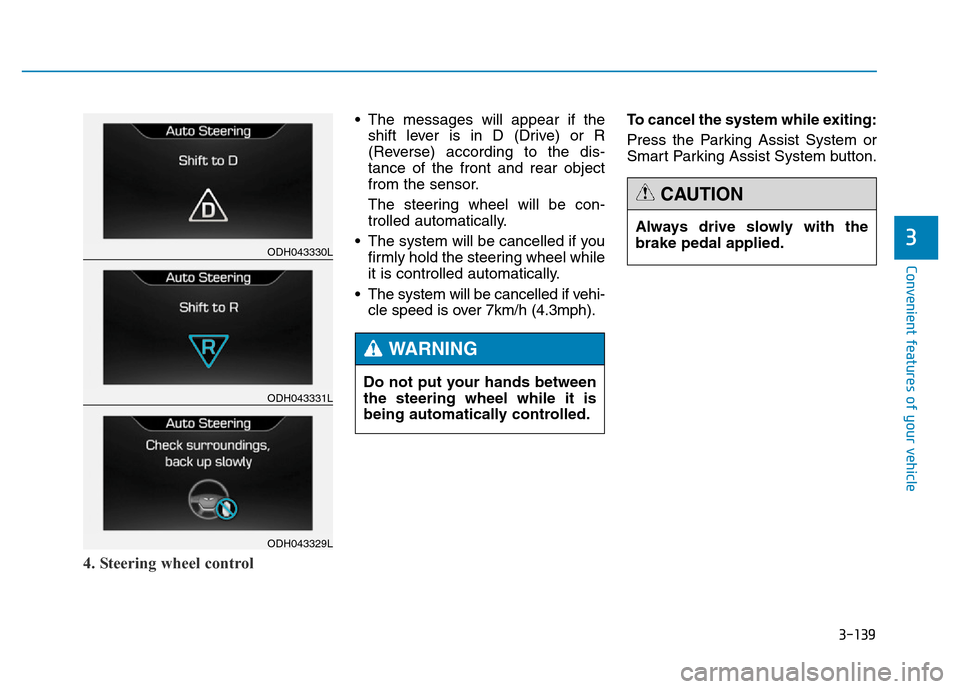
4. Steering wheel control
• The messages will appear if the
shift lever is in D (Drive) or R
(Reverse) according to the dis-
tance of the front and rear object
from the sensor.
The steering wheel will be con-
trolled automatically.
• The system will be cancelled if you
firmly hold the steering wheel while
it is controlled automatically.
• The system will be cancelled if vehi-
cle speed is over 7km/h (4.3mph).To cancel the system while exiting:
Press the Parking Assist System or
Smart Parking Assist System button.
ODH043330L
ODH043331L
ODH043329L
Do not put your hands between
the steering wheel while it is
being automatically controlled.
WARNING
Always drive slowly with the
brake pedal applied.
CAUTION
Page 231 of 546
3-140
Convenient features of your vehicle
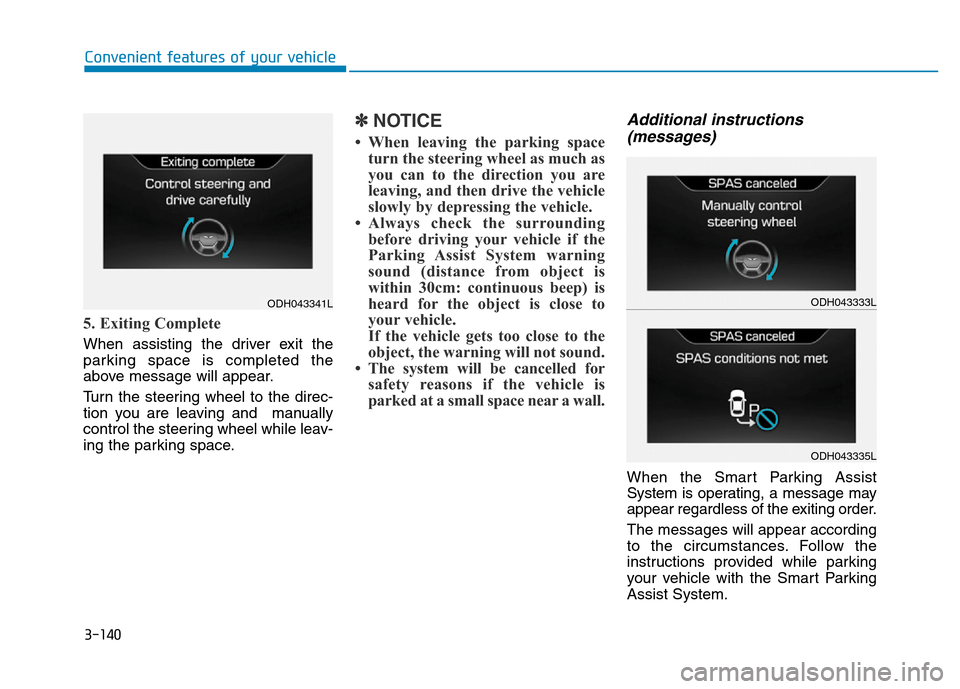
5. Exiting Complete
When assisting the driver exit the
parking space is completed the
above message will appear.
Turn the steering wheel to the direc-
tion you are leaving and manually
control the steering wheel while leav-
ing the parking space.
✽NOTICE
• When leaving the parking space
turn the steering wheel as much as
you can to the direction you are
leaving, and then drive the vehicle
slowly by depressing the vehicle.
• Always check the surrounding
before driving your vehicle if the
Parking Assist System warning
sound (distance from object is
within 30cm: continuous beep) is
heard for the object is close to
your vehicle.
If the vehicle gets too close to the
object, the warning will not sound.
• The system will be cancelled for
safety reasons if the vehicle is
parked at a small space near a wall.
Additional instructions
(messages)
When the Smart Parking Assist
System is operating, a message may
appear regardless of the exiting order.
The messages will appear according
to the circumstances. Follow the
instructions provided while parking
your vehicle with the Smart Parking
Assist System.
ODH043333L
ODH043335L
ODH043341L