display Hyundai Genesis 2014 Owner's Guide
[x] Cancel search | Manufacturer: HYUNDAI, Model Year: 2014, Model line: Genesis, Model: Hyundai Genesis 2014Pages: 546, PDF Size: 13.59 MB
Page 159 of 546
3-68
Convenient features of your vehicle
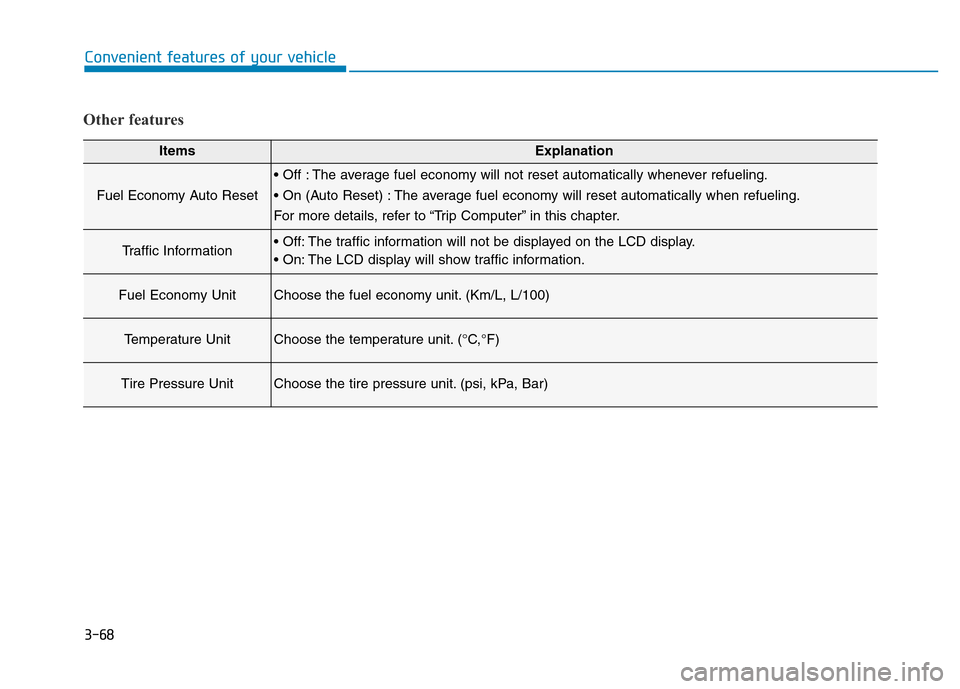
Other features
ItemsExplanation
Fuel Economy Auto Reset
• Off : The average fuel economy will not reset automatically whenever refueling.
• On (Auto Reset) : The average fuel economy will reset automatically when refueling.
For more details, refer to “Trip Computer” in this chapter.
Traffic Information• Off: The traffic information will not be displayed on the LCD display.
• On: The LCD display will show traffic information.
Fuel Economy UnitChoose the fuel economy unit. (Km/L, L/100)
Temperature UnitChoose the temperature unit. (°C,°F)
Tire Pressure UnitChoose the tire pressure unit. (psi, kPa, Bar)
Page 166 of 546
3-75
Convenient features of your vehicle
3
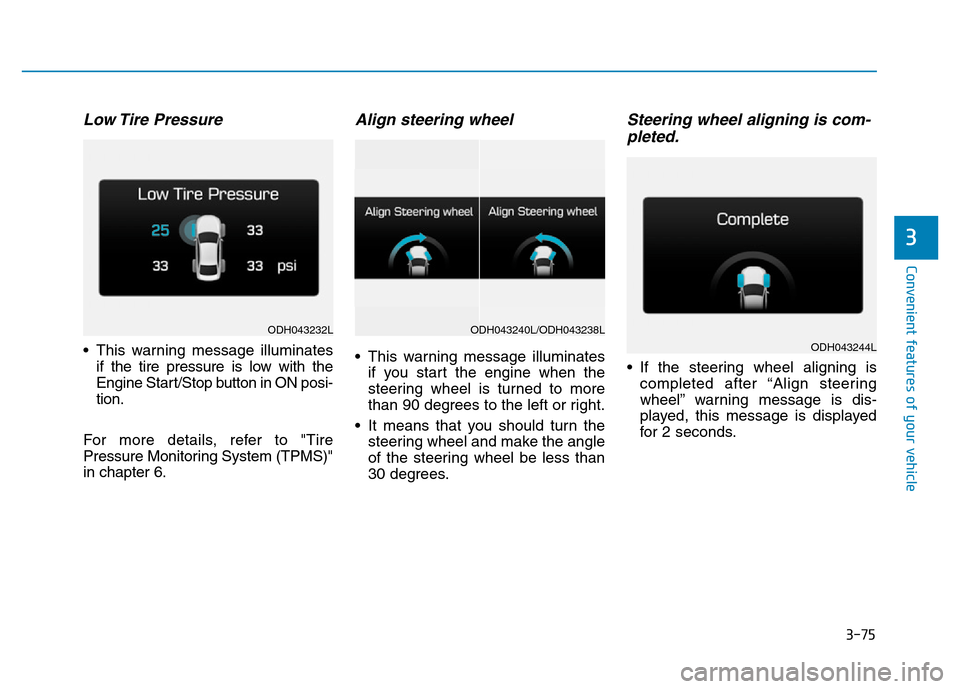
Low Tire Pressure
• This warning message illuminates
if the tire pressure is low with the
Engine Start/Stop button in ON posi-
tion.
For more details, refer to "Tire
Pressure Monitoring System (TPMS)"
in chapter 6.
Align steering wheel
• This warning message illuminates
if you start the engine when the
steering wheel is turned to more
than 90 degrees to the left or right.
• It means that you should turn the
steering wheel and make the angle
of the steering wheel be less than
30 degrees.
Steering wheel aligning is com-
pleted.
• If the steering wheel aligning is
completed after “Align steering
wheel” warning message is dis-
played, this message is displayed
for 2 seconds.
ODH043232L
ODH043244L
ODH043240L/ODH043238L
Page 169 of 546
3-78
Convenient features of your vehicle
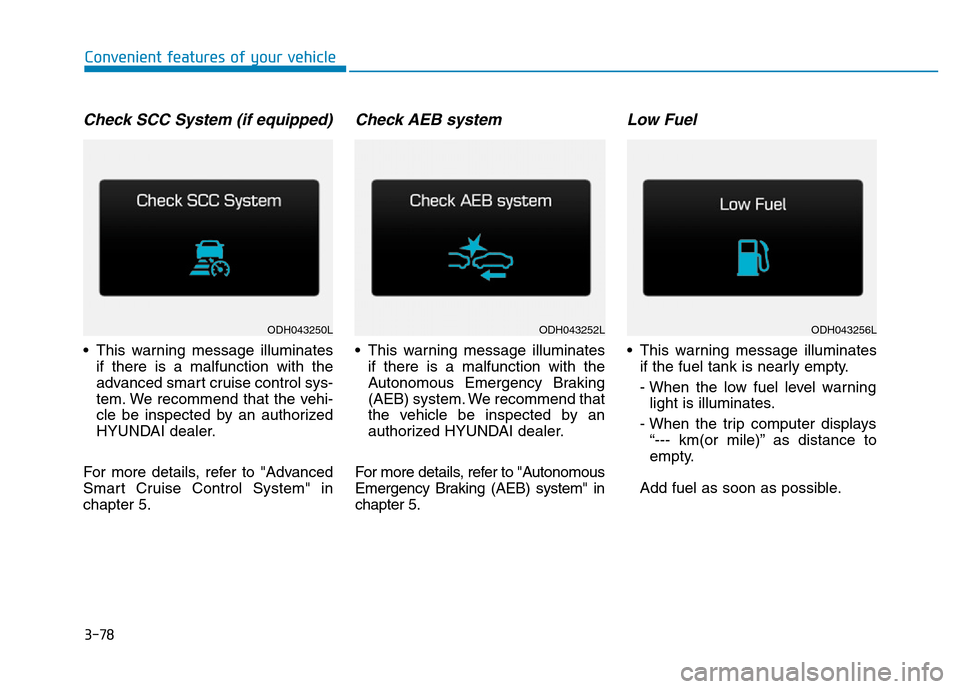
Check SCC System (if equipped)
• This warning message illuminates
if there is a malfunction with the
advanced smart cruise control sys-
tem. We recommend that the vehi-
cle be inspected by an authorized
HYUNDAI dealer.
For more details, refer to "Advanced
Smart Cruise Control System" in
chapter 5.
Check AEB system
• This warning message illuminates
if there is a malfunction with the
Autonomous Emergency Braking
(AEB) system. We recommend that
the vehicle be inspected by an
authorized HYUNDAI dealer.
For more details, refer to "Autonomous
Emergency Braking (AEB) system" in
chapter 5.
Low Fuel
• This warning message illuminates
if the fuel tank is nearly empty.
- When the low fuel level warning
light is illuminates.
- When the trip computer displays
“--- km(or mile)” as distance to
empty.
Add fuel as soon as possible.
ODH043250LODH043252LODH043256L
Page 171 of 546
3-80
Convenient features of your vehicle
Overview
Description
The trip computer is a microcomput-
er-controlled driver information sys-
tem that displays information related
to driving.
✽NOTICE
Some driving information stored in
the trip computer (for example
Average Vehicle Speed) resets if the
battery is disconnected.
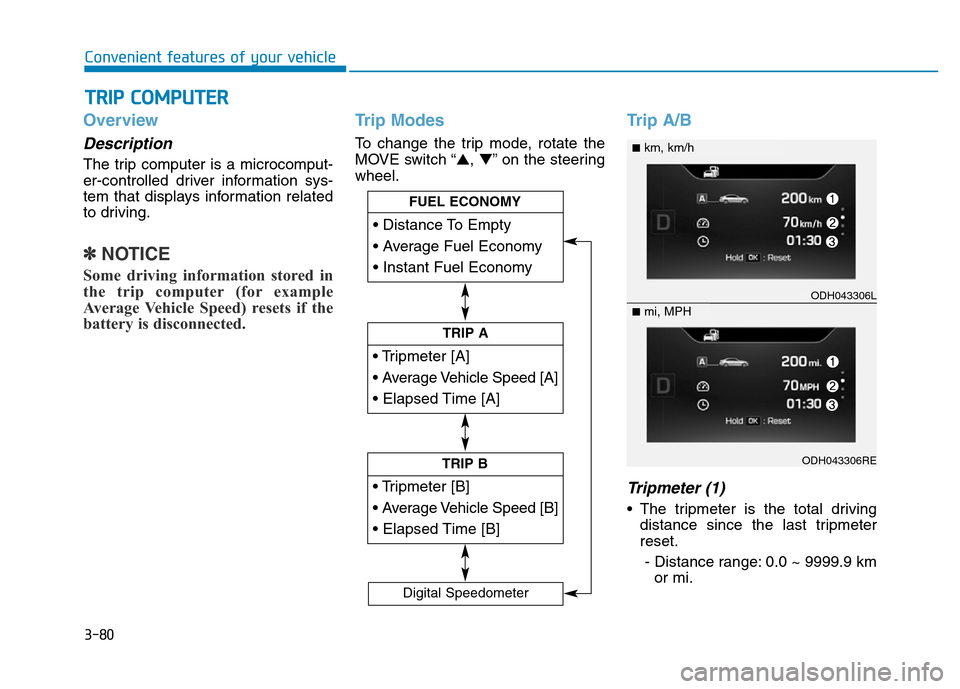
Trip Modes
To change the trip mode, rotate the
MOVE switch “▲,▼” on the steering
wheel.
Trip A/B
Tripmeter (1)
• The tripmeter is the total driving
distance since the last tripmeter
reset.
- Distance range: 0.0 ~ 9999.9 km
or mi.
TRIP COMPUTER
Page 172 of 546
![Hyundai Genesis 2014 Owners Guide 3-81
Convenient features of your vehicle
3
• To reset the tripmeter, press the
[OK] button on the steering wheel
for more than 1 second when the
tripmeter is displayed.
Average Vehicle Speed (2)
•](/img/35/14672/w960_14672-171.png "Hyundai Genesis 2014 Owners Guide 3-81
Convenient features of your vehicle
3
• To reset the tripmeter, press the
[OK] button on the steering wheel
for more than 1 second when the
tripmeter is displayed.
Average Vehicle Speed (2)
•")
3-81
Convenient features of your vehicle
3
• To reset the tripmeter, press the
[OK] button on the steering wheel
for more than 1 second when the
tripmeter is displayed.
Average Vehicle Speed (2)
• The average vehicle speed is cal-
culated by the total driving dis-
tance and driving time since the
last average vehicle speed reset.
- Speed range: 0 ~ 999 km/h or MPH
• To reset the average vehicle speed,
press the [OK] button on the steer-
ing wheel for more than 1 second
when the average vehicle speed is
displayed.
✽NOTICE
• The average vehicle speed is not
displayed if the driving distance is
less than 300 meters (0.19 miles)
or the driving time is less than 10
seconds since the Engine
Start/Stop button is turned to ON.
• Even if the vehicle is not in motion,
the average vehicle speed keeps
calculating while the engine is run-
ning.
Elapsed Time (3)
• The elapsed time is the total driv-
ing time since the last elapsed time
reset.
- Time range (hh:mm): 00:00 ~ 99:59
• To reset the elapsed time, press
the [OK] button on the steering
wheel for more than 1 second
when the elapsed time is dis-
played.
✽NOTICE
Even if the vehicle is not in motion,
the elapsed time keeps calculating
while the engine is running.
Fuel Economy
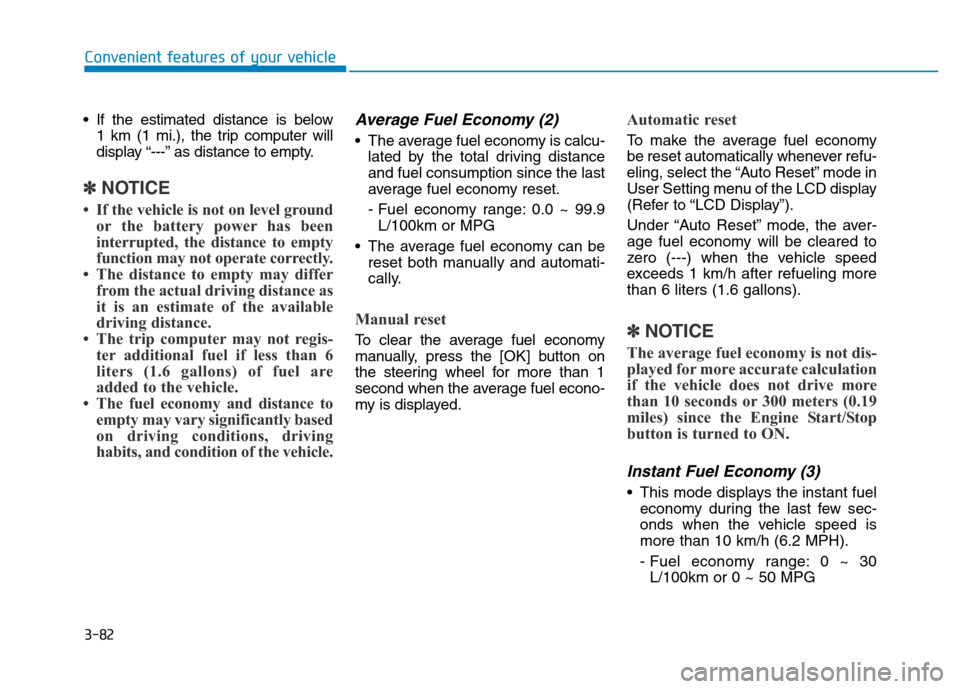
Distance To Empty (1)
• The distance to empty is the esti-
mated distance the vehicle can be
driven with the remaining fuel.
- Distance range: 1 ~ 9999 km or
1 ~ 9999 mi.
ODH043271L
ODH043271RE
■km, L/100km
■mi, MPG
Page 173 of 546
3-82
Convenient features of your vehicle
• If the estimated distance is below
1 km (1 mi.), the trip computer will
display “---” as distance to empty.
✽NOTICE
• If the vehicle is not on level ground
or the battery power has been
interrupted, the distance to empty
function may not operate correctly.
• The distance to empty may differ
from the actual driving distance as
it is an estimate of the available
driving distance.
• The trip computer may not regis-
ter additional fuel if less than 6
liters (1.6 gallons) of fuel are
added to the vehicle.
• The fuel economy and distance to
empty may vary significantly based
on driving conditions, driving
habits, and condition of the vehicle.
Average Fuel Economy (2)
• The average fuel economy is calcu-
lated by the total driving distance
and fuel consumption since the last
average fuel economy reset.
- Fuel economy range: 0.0 ~ 99.9
L/100km or MPG
• The average fuel economy can be
reset both manually and automati-
cally.
Manual reset
To clear the average fuel economy
manually, press the [OK] button on
the steering wheel for more than 1
second when the average fuel econo-
my is displayed.
Automatic reset
To make the average fuel economy
be reset automatically whenever refu-
eling, select the “Auto Reset” mode in
User Setting menu of the LCD display
(Refer to “LCD Display”).
Under “Auto Reset” mode, the aver-
age fuel economy will be cleared to
zero (---) when the vehicle speed
exceeds 1 km/h after refueling more
than 6 liters (1.6 gallons).
✽NOTICE
The average fuel economy is not dis-
played for more accurate calculation
if the vehicle does not drive more
than 10 seconds or 300 meters (0.19
miles) since the Engine Start/Stop
button is turned to ON.
Instant Fuel Economy (3)
• This mode displays the instant fuel
economy during the last few sec-
onds when the vehicle speed is
more than 10 km/h (6.2 MPH).
- Fuel economy range: 0 ~ 30
L/100km or 0 ~ 50 MPG
Page 174 of 546
3-83
Convenient features of your vehicle
3
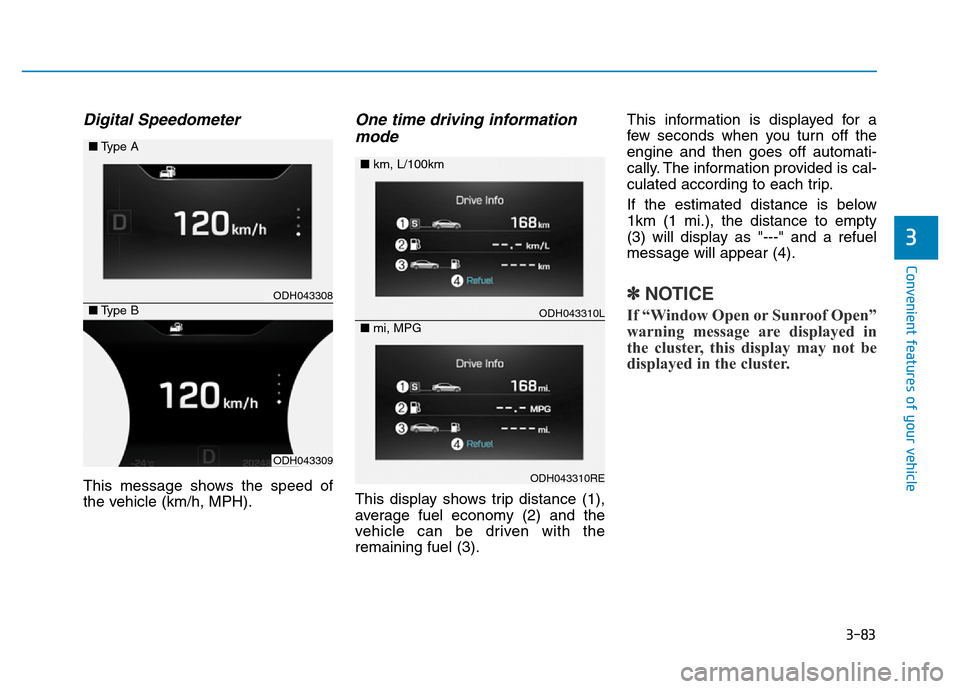
Digital Speedometer
This message shows the speed of
the vehicle (km/h, MPH).
One time driving information
mode
This display shows trip distance (1),
average fuel economy (2) and the
vehicle can be driven with the
remaining fuel (3).This information is displayed for a
few seconds when you turn off the
engine and then goes off automati-
cally. The information provided is cal-
culated according to each trip.
If the estimated distance is below
1km (1 mi.), the distance to empty
(3) will display as "---" and a refuel
message will appear (4).
✽NOTICE
If “Window Open or Sunroof Open”
warning message are displayed in
the cluster, this display may not be
displayed in the cluster.
ODH043308
ODH043309
■Type A
■Type BODH043310L
ODH043310RE
■km, L/100km
■mi, MPG
Page 182 of 546
3-91
Convenient features of your vehicle
3
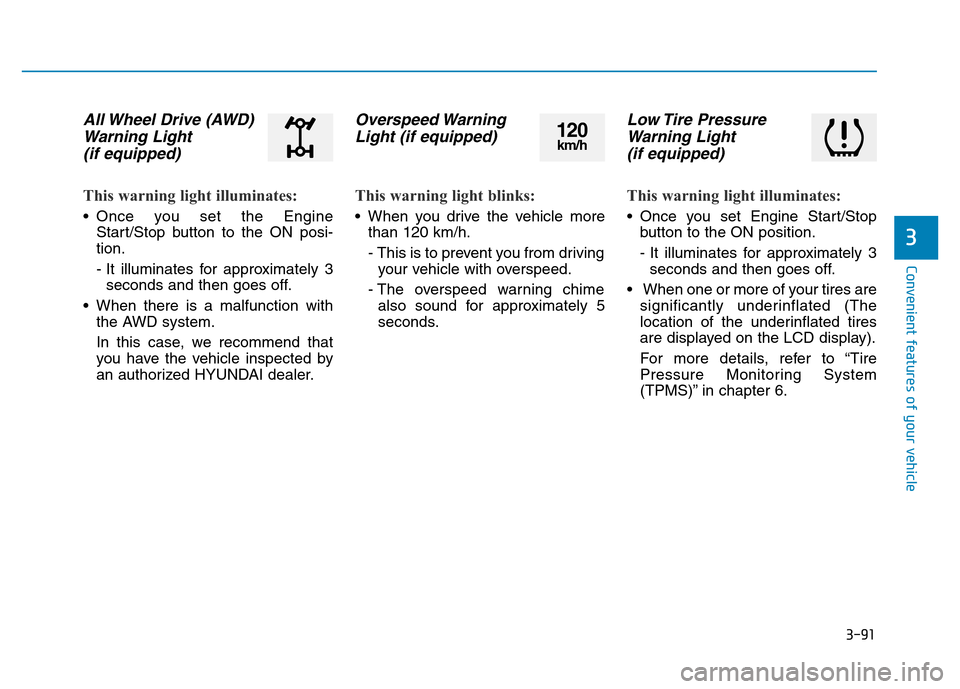
All Wheel Drive (AWD)
Warning Light
(if equipped)
This warning light illuminates:
• Once you set the Engine
Start/Stop button to the ON posi-
tion.
- It illuminates for approximately 3
seconds and then goes off.
• When there is a malfunction with
the AWD system.
In this case, we recommend that
you have the vehicle inspected by
an authorized HYUNDAI dealer.
Overspeed Warning
Light (if equipped)
This warning light blinks:
• When you drive the vehicle more
than 120 km/h.
- This is to prevent you from driving
your vehicle with overspeed.
- The overspeed warning chime
also sound for approximately 5
seconds.
Low Tire Pressure
Warning Light
(if equipped)
This warning light illuminates:
• Once you set Engine Start/Stop
button to the ON position.
- It illuminates for approximately 3
seconds and then goes off.
• When one or more of your tires are
significantly underinflated (The
location of the underinflated tires
are displayed on the LCD display).
For more details, refer to “Tire
Pressure Monitoring System
(TPMS)” in chapter 6.
120km/h
Page 183 of 546
3-92
Convenient features of your vehicle
This warning light remains on after
blinking for approximately 60 sec-
onds or repeats blinking and off at
the intervals of approximately 3
seconds:
• When there is a malfunction with
the TPMS.
In this case, we recommend that
you have the vehicle inspected by
an authorized HYUNDAI dealer as
soon as possible.
For more details, refer to “Tire
Pressure Monitoring System
(TPMS)” in chapter 6.
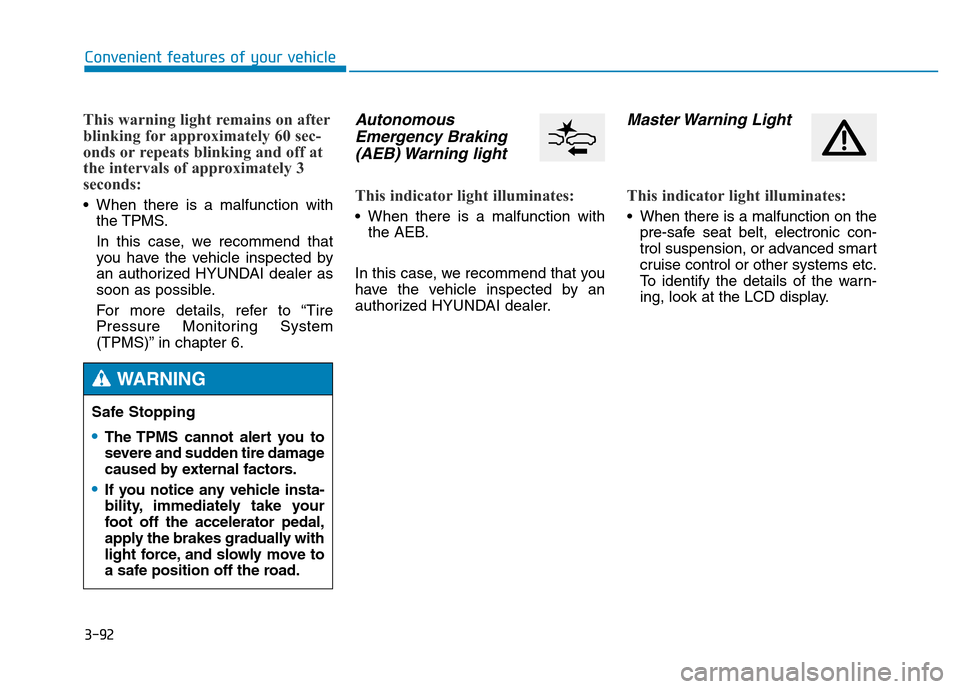
Autonomous
Emergency Braking
(AEB) Warning light
This indicator light illuminates:
• When there is a malfunction with
the AEB.
In this case, we recommend that you
have the vehicle inspected by an
authorized HYUNDAI dealer.
Master Warning Light
This indicator light illuminates:
• When there is a malfunction on the
pre-safe seat belt, electronic con-
trol suspension, or advanced smart
cruise control or other systems etc.
To identify the details of the warn-
ing, look at the LCD display.
Safe Stopping
•The TPMS cannot alert you to
severe and sudden tire damage
caused by external factors.
•If you notice any vehicle insta-
bility, immediately take your
foot off the accelerator pedal,
apply the brakes gradually with
light force, and slowly move to
a safe position off the road.
WARNING
Page 189 of 546
3-98
Convenient features of your vehicle
Description
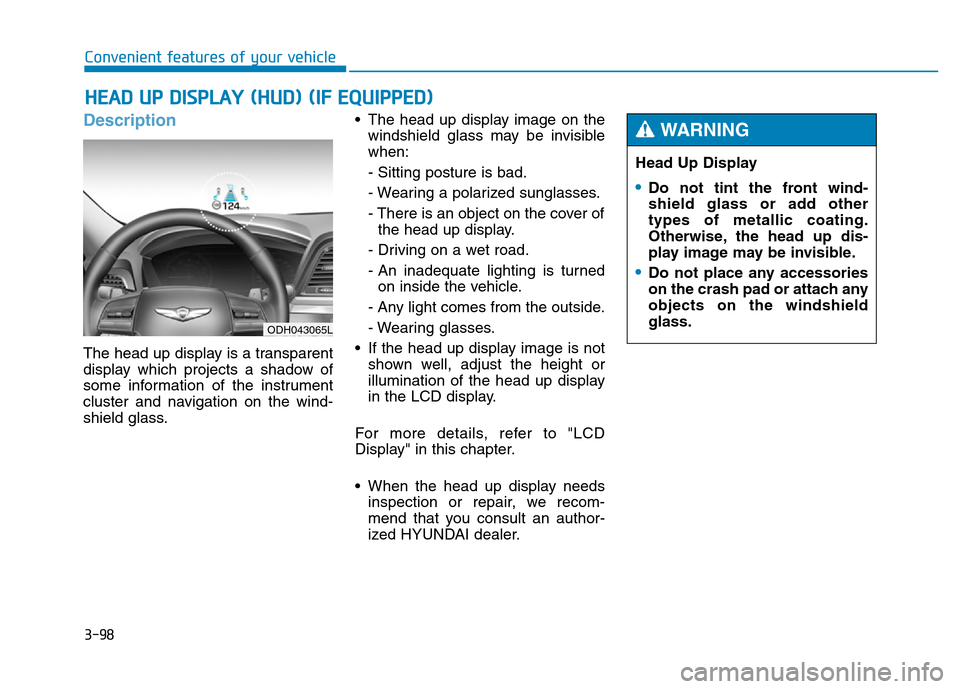
The head up display is a transparent
display which projects a shadow of
some information of the instrument
cluster and navigation on the wind-
shield glass.• The head up display image on the
windshield glass may be invisible
when:
- Sitting posture is bad.
- Wearing a polarized sunglasses.
- There is an object on the cover of
the head up display.
- Driving on a wet road.
- An inadequate lighting is turned
on inside the vehicle.
- Any light comes from the outside.
- Wearing glasses.
• If the head up display image is not
shown well, adjust the height or
illumination of the head up display
in the LCD display.
For more details, refer to "LCD
Display" in this chapter.
• When the head up display needs
inspection or repair, we recom-
mend that you consult an author-
ized HYUNDAI dealer.
HEAD UP DISPLAY (HUD) (IF EQUIPPED)
Head Up Display
•Do not tint the front wind-
shield glass or add other
types of metallic coating.
Otherwise, the head up dis-
play image may be invisible.
•Do not place any accessories
on the crash pad or attach any
objects on the windshield
glass.
WARNING
ODH043065L