display Hyundai Genesis 2014 Workshop Manual
[x] Cancel search | Manufacturer: HYUNDAI, Model Year: 2014, Model line: Genesis, Model: Hyundai Genesis 2014Pages: 546, PDF Size: 13.59 MB
Page 314 of 546
5-38
Driving your vehicle
When operating
When the ESC is in opera-
tion, the ESC indicator light
blinks:
• When you apply your brakes under
conditions which may lock the
wheels, you may hear sounds from
the brakes, or feel a corresponding
sensation in the brake pedal. This
is normal and it means your ESC is
active.
• When the ESC activates, the
engine may not respond to the
accelerator as it does under rou-
tine conditions.
• If the Cruise Control was in use
when the ESC activates, the
Cruise Control automatically disen-
gages. The Cruise Control can be
reengaged when the road condi-
tions allow. See “Cruise Control
System” later in this chapter. (if
equipped)• When moving out of the mud or
driving on a slippery road, the
engine rpm (revolutions per
minute) may not increase even if
you press the accelerator pedal
deeply. This is to maintain the sta-
bility and traction of the vehicle and
does not indicate a problem.
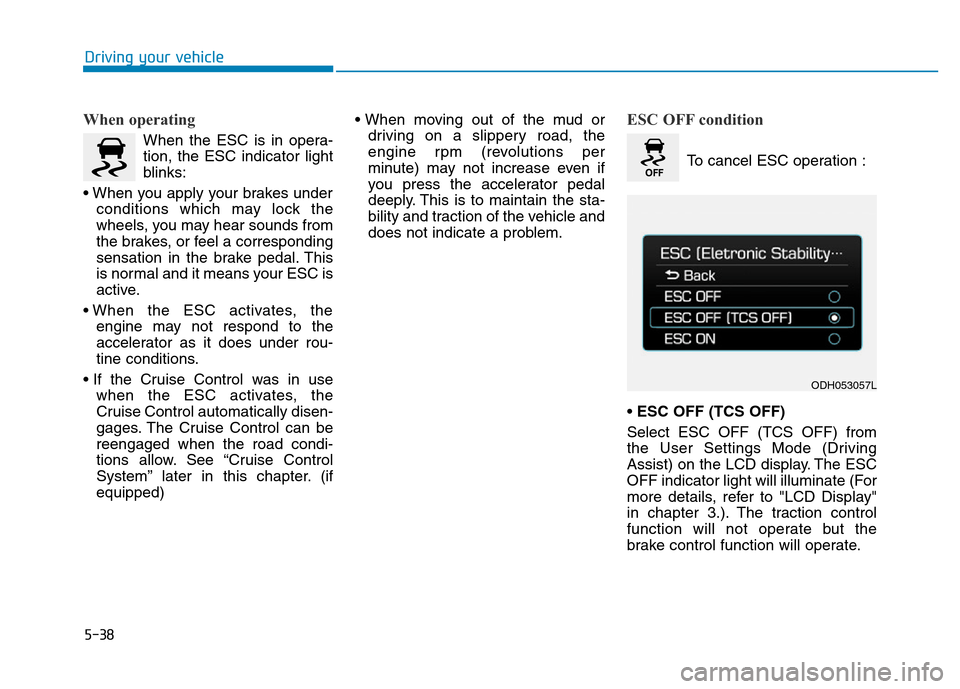
ESC OFF condition
To cancel ESC operation :
• ESC OFF (TCS OFF)
Select ESC OFF (TCS OFF) from
the User Settings Mode (Driving
Assist) on the LCD display. The ESC
OFF indicator light will illuminate (For
more details, refer to "LCD Display"
in chapter 3.). The traction control
function will not operate but the
brake control function will operate.
ODH053057L
Page 315 of 546
5-39
Driving your vehicle
5
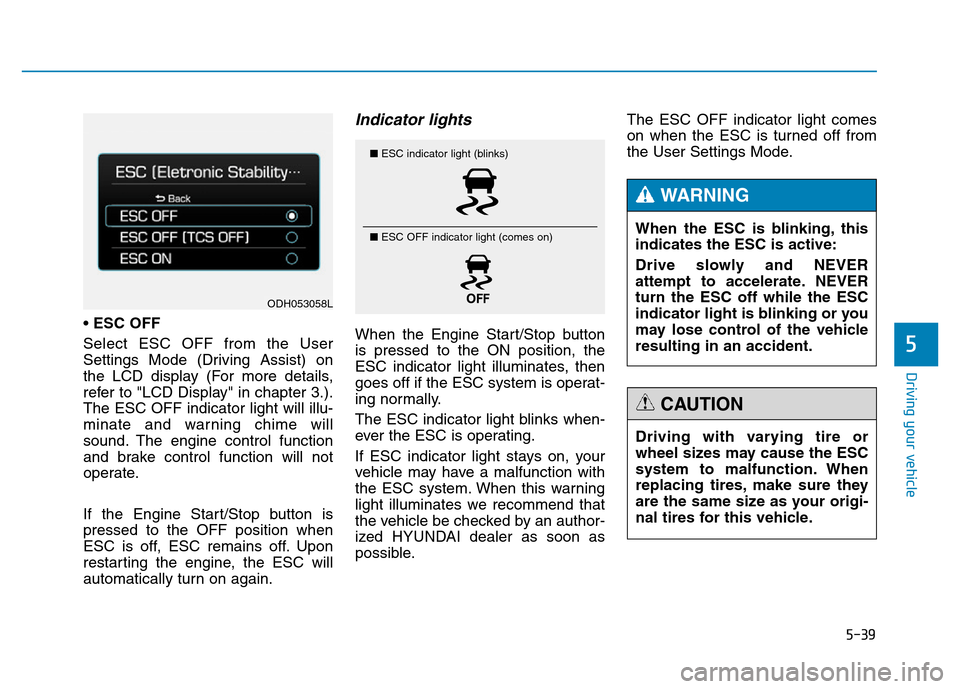
•ESC OFF
Select ESC OFF from the User
Settings Mode (Driving Assist) on
the LCD display (For more details,
refer to "LCD Display" in chapter 3.).
The ESC OFF indicator light will illu-
minate and warning chime will
sound. The engine control function
and brake control function will not
operate.
If the Engine Start/Stop button is
pressed to the OFF position when
ESC is off, ESC remains off. Upon
restarting the engine, the ESC will
automatically turn on again.
Indicator lights
When the Engine Start/Stop button
is pressed to the ON position, the
ESC indicator light illuminates, then
goes off if the ESC system is operat-
ing normally.
The ESC indicator light blinks when-
ever the ESC is operating.
If ESC indicator light stays on, your
vehicle may have a malfunction with
the ESC system. When this warning
light illuminates we recommend that
the vehicle be checked by an author-
ized HYUNDAI dealer as soon as
possible.The ESC OFF indicator light comes
on when the ESC is turned off from
the User Settings Mode.
■ESC indicator light (blinks)
■ ESC OFF indicator light (comes on)
When the ESC is blinking, this
indicates the ESC is active:
Drive slowly and NEVER
attempt to accelerate. NEVER
turn the ESC off while the ESC
indicator light is blinking or you
may lose control of the vehicle
resulting in an accident.
WARNING
Driving with varying tire or
wheel sizes may cause the ESC
system to malfunction. When
replacing tires, make sure they
are the same size as your origi-
nal tires for this vehicle.
CAUTION
ODH053058L
Page 316 of 546
5-40
Driving your vehicle
ESC OFF usage
When inspecting
The ESC should be off when
inspecting the vehicle.
To turn ESC off while inspecting,
select ESC OFF from the User
Settings Mode (Driving Assist) on
the LCD display. The ESC OFF indi-
cator light will illuminate and warning
chime will sound.
After inspection, turn the ESC on by
selecting ESC ON from the User
Settings Mode (Driving Assist) on
the LCD display.
When Driving
The ESC OFF mode should only be
used briefly to help free the vehicle if
stuck in snow or mud by temporarily
stopping operation of the ESC to
maintain wheel torque.
To turn ESC off while driving, select
ESC OFF from the User Settings
Mode (Driving Assist) on the LCD
display.
✽NOTICE
Turning the ESC off does not affect
ABS or standard brake system oper-
ation.
Hill-Start Assist Control (HAC)
(if equipped)
The Hill-Start Assist Control (HAC)
prevents the vehicle from rolling
backwards when starting a vehicle
from a stop on a hill. The system
operates the brakes automatically for
approximately 2 seconds and releas-
es the brake when the accelerator
pedal is depressed or after 2 sec-
onds. To prevent damage to the trans-
mission:
•Do not allow wheel(s) of one
axle to spin excessively while
the ESC, ABS, and brake
warning lights are displayed.
The repairs would not be cov-
ered by the vehicle warranty.
Reduce engine power and do
not spin the wheel(s) exces-
sively while these lights are
displayed.
•When operating the vehicle
on a dynamometer, ensure the
ESC is turned off (ESC OFF
light illuminated).
CAUTION
Always be ready to depress the
accelerator pedal when starting
off on a incline. The HAC acti-
vates only for approximately 2
seconds.
WARNING
Page 319 of 546
5-43
Driving your vehicle
5
DRIVE MODE INTEGRATED CONTROL SYSTEM
The drive mode may be selected
according to the driver’s preference
or road condition.
The system initializes to the NOR-
MAL mode after the engine has been
turned off and on.
✽NOTICE
If there is a problem with the
Electronic Stability Control (ESC)
system, the drive mode will be in
NORMAL mode and may not
change to ECO mode, SPORT mode
or SNOW mode.
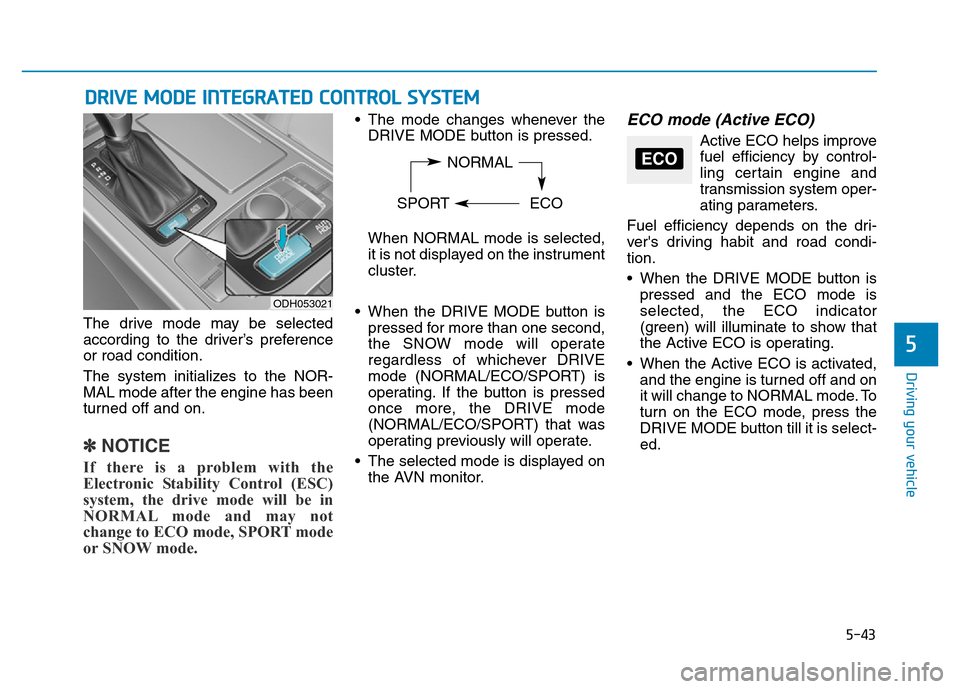
• The mode changes whenever the
DRIVE MODE button is pressed.
When NORMAL mode is selected,
it is not displayed on the instrument
cluster.
• When the DRIVE MODE button is
pressed for more than one second,
the SNOW mode will operate
regardless of whichever DRIVE
mode (NORMAL/ECO/SPORT) is
operating. If the button is pressed
once more, the DRIVE mode
(NORMAL/ECO/SPORT) that was
operating previously will operate.
• The selected mode is displayed on
the AVN monitor.ECO mode (Active ECO)
Active ECO helps improve
fuel efficiency by control-
ling certain engine and
transmission system oper-
ating parameters.
Fuel efficiency depends on the dri-
ver's driving habit and road condi-
tion.
• When the DRIVE MODE button is
pressed and the ECO mode is
selected, the ECO indicator
(green) will illuminate to show that
the Active ECO is operating.
• When the Active ECO is activated,
and the engine is turned off and on
it will change to NORMAL mode. To
turn on the ECO mode, press the
DRIVE MODE button till it is select-
ed.
ODH053021
NORMAL
SPORT ECOECO
Page 324 of 546
5-48
Driving your vehicle
Automatic emergency mode
change
In a critical situation, to help avoid col-
lisions, the Automatic Emergency
Mode automatically controls the
Electronic Control Suspension (ECS)
and Electronic Stability Control (ESC).
When the critical situation is over, the
Electronic Control Suspension (ECS)
and Electronic Stability Control (ESC)
returns to its previous status.
✽NOTICE
• If the AEB is canceled from the
User Settings Mode or there is a
problem with the AEB system, the
Automatic Emergency Mode will
not work.
• If the ESC is off or there is a prob-
lem with the ESC system, the
Automatic Emergency Mode will
not work.
• The ESC must be on for the
Automatic Emergency Mode to
control ESC in collision situations.
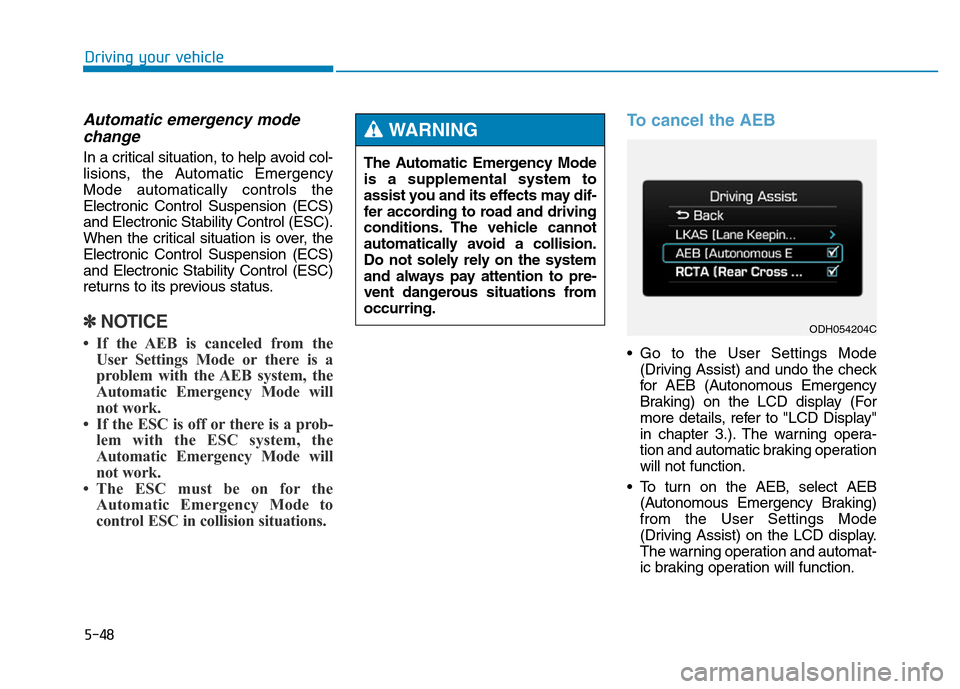
To cancel the AEB
• Go to the User Settings Mode
(Driving Assist) and undo the check
for AEB (Autonomous Emergency
Braking) on the LCD display (For
more details, refer to "LCD Display"
in chapter 3.). The warning opera-
tion and automatic braking operation
will not function.
• To turn on the AEB, select AEB
(Autonomous Emergency Braking)
from the User Settings Mode
(Driving Assist) on the LCD display.
The warning operation and automat-
ic braking operation will function.
ODH054204C
The Automatic Emergency Mode
is a supplemental system to
assist you and its effects may dif-
fer according to road and driving
conditions. The vehicle cannot
automatically avoid a collision.
Do not solely rely on the system
and always pay attention to pre-
vent dangerous situations from
occurring.
WARNING
Page 325 of 546
5-49
Driving your vehicle
5
✽NOTICE
When the engine is started, AEB is
automatically turned on. If the sys-
tem is not needed, turn the AEB sys-
tem off from the User Settings Mode
on the LCD display.
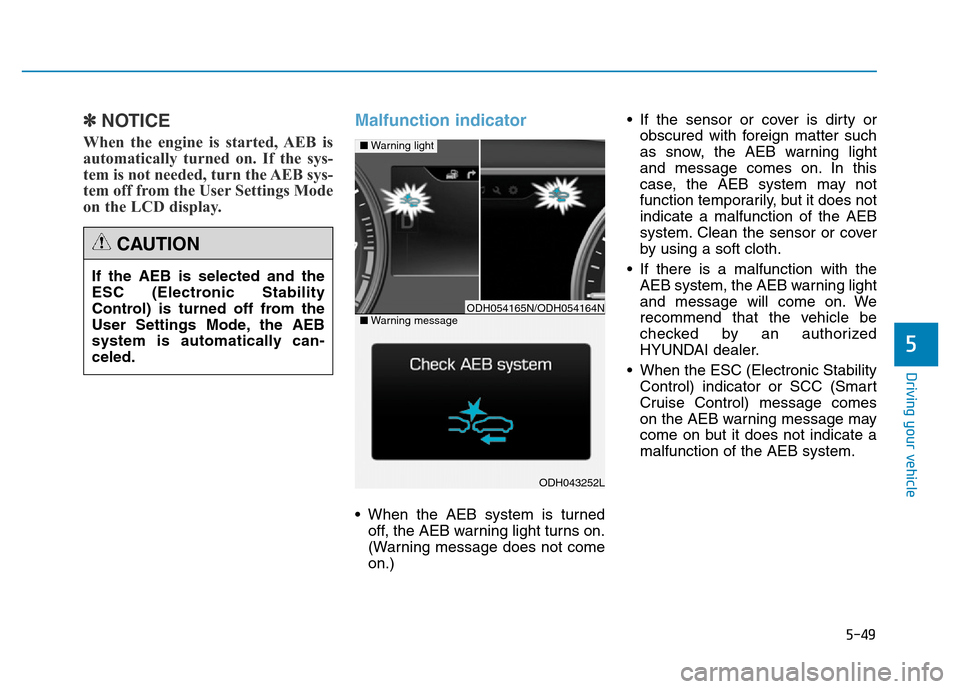
Malfunction indicator
• When the AEB system is turned
off, the AEB warning light turns on.
(Warning message does not come
on.)• If the sensor or cover is dirty or
obscured with foreign matter such
as snow, the AEB warning light
and message comes on. In this
case, the AEB system may not
function temporarily, but it does not
indicate a malfunction of the AEB
system. Clean the sensor or cover
by using a soft cloth.
• If there is a malfunction with the
AEB system, the AEB warning light
and message will come on. We
recommend that the vehicle be
checked by an authorized
HYUNDAI dealer.
• When the ESC (Electronic Stability
Control) indicator or SCC (Smart
Cruise Control) message comes
on the AEB warning message may
come on but it does not indicate a
malfunction of the AEB system. If the AEB is selected and the
ESC (Electronic Stability
Control) is turned off from the
User Settings Mode, the AEB
system is automatically can-
celed.
CAUTION
ODH043252L
■Warning light
■Warning messageODH054165N/ODH054164N
Page 333 of 546
5-57
Driving your vehicle
5
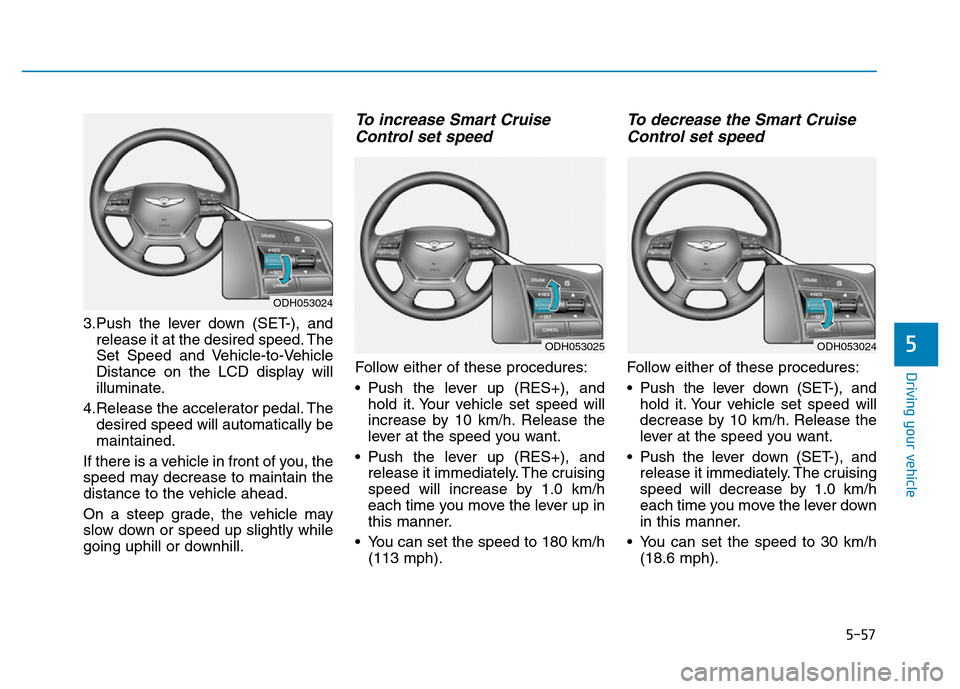
3.Push the lever down (SET-), and
release it at the desired speed. The
Set Speed and Vehicle-to-Vehicle
Distance on the LCD display will
illuminate.
4.Release the accelerator pedal. The
desired speed will automatically be
maintained.
If there is a vehicle in front of you, the
speed may decrease to maintain the
distance to the vehicle ahead.
On a steep grade, the vehicle may
slow down or speed up slightly while
going uphill or downhill.
To increase Smart Cruise
Control set speed
Follow either of these procedures:
• Push the lever up (RES+), and
hold it. Your vehicle set speed will
increase by 10 km/h. Release the
lever at the speed you want.
• Push the lever up (RES+), and
release it immediately. The cruising
speed will increase by 1.0 km/h
each time you move the lever up in
this manner.
• You can set the speed to 180 km/h
(113 mph).
To decrease the Smart Cruise
Control set speed
Follow either of these procedures:
• Pushthe lever down (SET-), and
hold it. Your vehicle set speed will
decrease by 10 km/h. Release the
lever at the speed you want.
• Push the lever down (SET-), and
release it immediately. The cruising
speed will decrease by 1.0 km/h
each time you move the lever down
in this manner.
• You can set the speed to 30 km/h
(18.6 mph).
ODH053024
ODH053024
ODH053025
Page 334 of 546
5-58
Driving your vehicle
To temporarily accelerate with
the Smart Cruise Control on
If you want to speed up temporarily
when the Smart Cruise Control is on,
depress the accelerator pedal.
Increased speed will not interfere
with Smart Cruise Control operation
or change the set speed.
To return to the set speed, take your
foot off the accelerator.
If you push the lever down (SET-) at
increased speed, the cruising speed
will be set again.
✽NOTICE
Be careful when accelerating tem-
porarily, because the speed is not
controlled automatically at this
time even if there is a vehicle in front
of you.
Smart Cruise Control will be
temporarily canceled when:
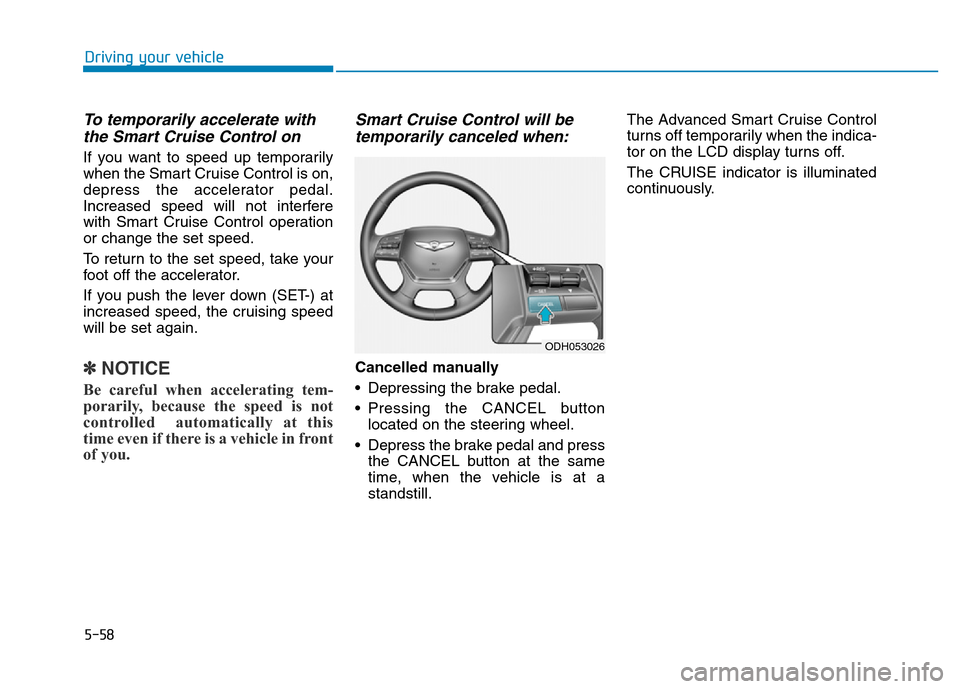
Cancelled manually
• Depressing the brake pedal.
• Pressing the CANCEL button
located on the steering wheel.
• Depress the brake pedal and press
the CANCEL button at the same
time, when the vehicle is at a
standstill.The Advanced Smart Cruise Control
turns off temporarily when the indica-
tor on the LCD display turns off.
The CRUISE indicator is illuminated
continuously.
ODH053026
Page 335 of 546
5-59
Driving your vehicle
5
Cancelled automatically
• The driver's door is opened.
• The shift lever is shifted to N
(Neutral), R (Reverse) or P (Park).
• The EPB (Electric Parking Brake)
is applied.
• The vehicle speed is over 180km/h
(113mph)
• The vehicle stops on a steep
incline.
• The ESC, TCS or ABS is operat-
ing.
• The ESC is turned off.
• The sensor or the cover is dirty or
blocked with foreign matter.
• When the vehicle is stopped for
more than 5 minutes.
• The vehicle stops and goes repeat-
edly for a long period of time.
• The driver starts driving by pushing
the lever up (RES +) or down
(SET -), approximately 3 minutes
after the vehicle is stopped by the
Smart Cruise Control System with
no other vehicle ahead.• The driver starts driving by pushing
the lever up (RES +) or down
(SET -), after stopping the vehicle
with a vehicle stopped far away in
front.
• The accelerator pedal is continu-
ously depressed for more than one
minute.
Each of these actions will cancel
the Smart Cruise Control opera-
tion. (the Set Speed and Vehicle-
to-Vehicle Distance on the LCD
display will go off.)
In a condition the Smart Cruise
Control is cancelled automatically,
the Smart Cruise Control will not
resume even though the RES+ or
SET- lever is pushed. Also, the
EPB will be applied when the vehi-
cle is stopped.
✽NOTICE
If the Smart Cruise Control is can-
celled by other than the reasons
mentioned, we recommend that the
system be checked by an authorized
HYUNDAI dealer.
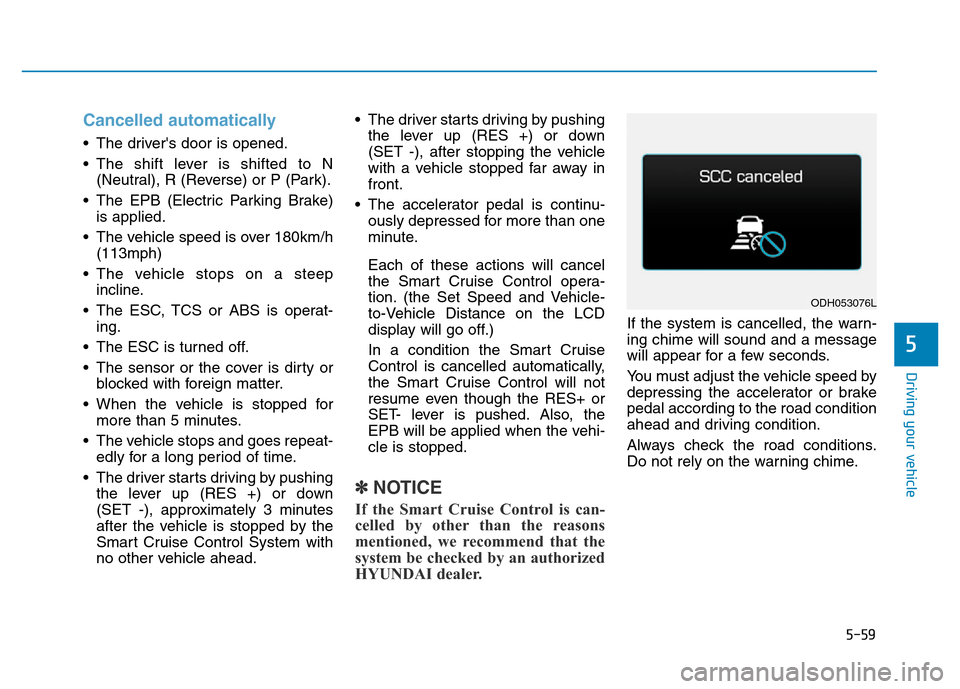
If the system is cancelled, the warn-
ing chime will sound and a message
will appear for a few seconds.
You must adjust the vehicle speed by
depressing the accelerator or brake
pedal according to the road condition
ahead and driving condition.
Always check the road conditions.
Do not rely on the warning chime.
ODH053076L
Page 348 of 546
5-72
Driving your vehicle
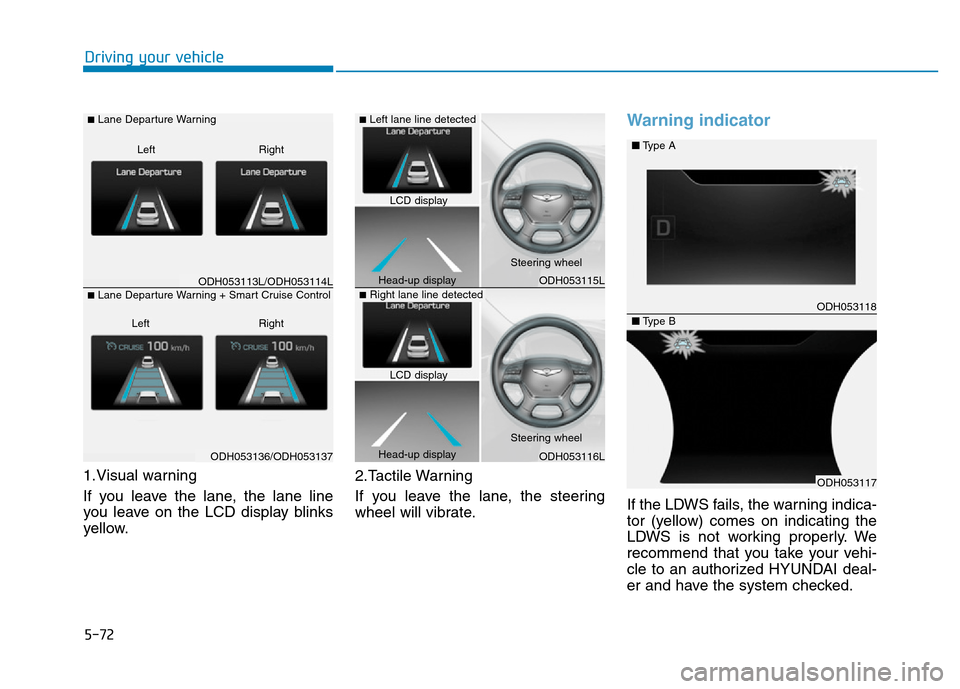
1.Visual warning
If you leave the lane, the lane line
you leave on the LCD display blinks
yellow.2.Tactile Warning
If you leave the lane, the steering
wheel will vibrate.
Warning indicator
If the LDWS fails, the warning indica-
tor (yellow) comes on indicating the
LDWS is not working properly. We
recommend that you take your vehi-
cle to an authorized HYUNDAI deal-
er and have the system checked.
ODH053113L/ODH053114L
ODH053136/ODH053137
■Lane Departure Warning
Right Left
■Lane Departure Warning + Smart Cruise Control
Right Left
ODH053115L
ODH053116L
ODH053118
ODH053117
■Type A
■Type B
■Left lane line detected
■Right lane line detected
LCD display
Head-up displaySteering wheel
Steering wheel
Head-up displayLCD display